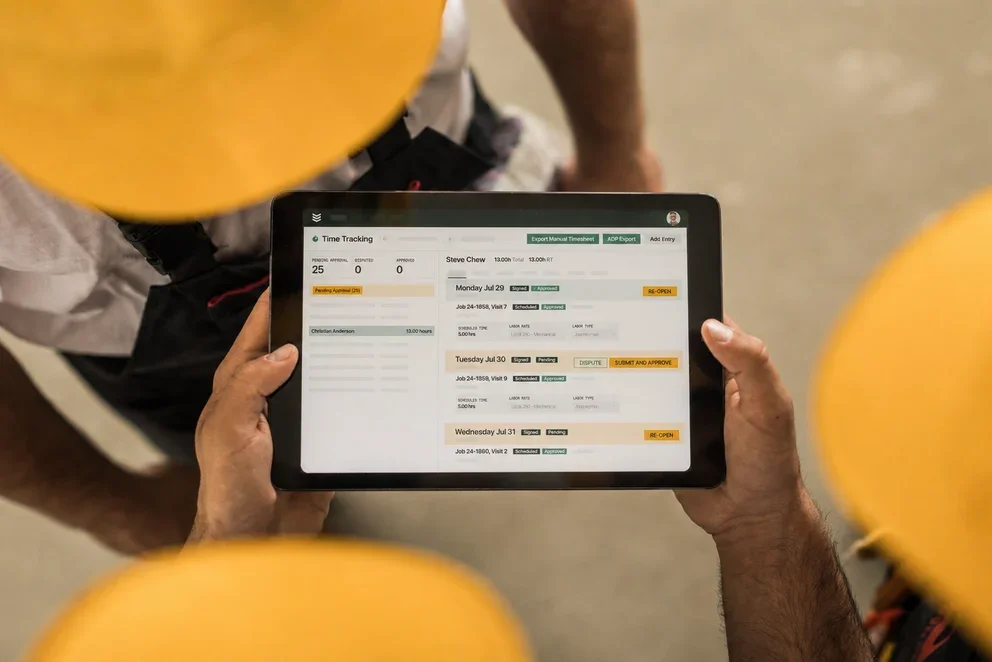

Contractors juggle a lot in one day—dispatch changes, approvals, parts runs, and customers who want updates now. FSM tools keep all of that in one place so techs can open a work order, capture photos, and close out jobs without calling the office.
In the field service industry, the strongest setups connect scheduling, assets, and invoicing for teams across HVAC, plumbing, electrical, refrigeration, glass, fire protection, and mechanical service.
Here’s what this guide covers:
- Choosing the best FSM tool for your team
- 6 key features every FSM software needs
- Best for commercial contractors
- Best for residential contractors
- Best for general contractors
- Other notable contractor FSM software
- 7 benefits of using FSM tools for contractors
- 5 important FAQs answered about FSM tools
Let’s start by breaking down what to look for when choosing an FSM tool for your team.
Choosing the best FSM tool for your team
Contractors in the field don’t have time to babysit software. An FSM tool has to match the speed of live dispatch, asset-heavy work, and tight margins. Before you commit, pressure-test candidates against how your crews already operate across service, install, and maintenance
- Adoption and training – How quickly can techs and coordinators get productive without classroom time? Can supervisors tailor forms, codes, and price books without vendor tickets? What does a phased rollout look like across multiple divisions?
- Integrations and data flow – Does it sync cleanly with accounting and ERP at the work-order, job, and cost-code level? Are open APIs and webhooks available for custom workflows? How are catalogs, pricing, and vendor updates handled end-to-end?
- Field reliability and offline – Can the mobile app capture photos, notes, time, and forms without signal and then sync cleanly? How fast do maps, asset records, and parts load on older devices? Can a tech finish labor, materials, and approvals on one screen?
- Dispatch and resource optimization – Can dispatchers rebalance crews across shops and regions from a single board? Does assignment logic respect travel time, skills, certifications, and SLAs? How are emergency calls inserted without blowing up planned work?
- Cost control and job visibility – Do managers see earned vs. burned hours in real time by task or cost code? Does inventory consumption hit jobs and truck stock instantly? Will alerts flag margin risk when labor or parts spike
- Features – Does the platform include asset histories, PM schedules, and digital checklists out of the box? Are change orders, photo markups, and customer signatures embedded in the work-order flow? Can you build repair kits with preset labor and parts?
An FSM tool must keep crews moving, protect margin, and surface job data without spreadsheet hops. If a candidate falls short on adoption, integrations, offline strength, dispatch control, cost visibility, or features, move on. Next, we’ll walk through how to select FSM tools that match your workflow and team.

6 key features every FSM software needs
An FSM tool has to do real work, not paperwork. It should keep your board, crews, and customers aligned in real time—so service, install, and maintenance stay on schedule and profitable. Below are the essentials every pro team expects from FSM tools; we’ll roll through them one by one.
1. Scheduling and dispatch integration
When a work order flips to go, it should auto-land on your board and hit a tech’s phone without a handoff. Tying job scheduling directly to dispatch software keeps assignments clean, respects skills and certifications, and recalculates drive time as the day shifts. Look for SLA timers, route optimization, crew stacking for big lifts, and rule-based assignments that prevent double-booking or license conflicts.
For example, a refrigeration emergency pops at 9:10 a.m. and the dispatcher needs an EPA-certified tech with ladder access who can be at the site within 45 minutes. With integrated scheduling and dispatch, the board flags the closest qualified tech, backfills their PM visit with a nearby crew, pushes notifications to both customers, and updates ETAs automatically—no calls, no whiteboard math.
Expert Tip
Skill tags, labor calendars, and travel rules matter. Set them once, then let the engine route work while you focus on exceptions. For a deeper dive into methods service contractors use to sequence crews and handle last-minute changes, see this overview of contractor scheduling software, which covers dispatch calendars, capacity planning, and how scheduling ties into FSM tools across the field and office.
2. Mobile app built for the field
Crews need a single app that works in basements, rooftops, and parking garages—online or offline. A strong FSM tool lets techs open work orders, capture photos and video, scan assets, add parts from truck stock, collect signatures, and submit forms without calling dispatch. Teams that standardize on a rugged technician mobile app also cut back on rework because notes, checklists, and photo markups live with the job. For example, a fire protection tech finishes a wet system repair in a concrete stairwell with zero signal; the app logs labor and parts locally, grabs the customer sign-off, and syncs cleanly once the truck hits daylight.
3. Accurate time tracking tied to cost codes
Labor drives margin, so tracking has to mirror how crews actually work. Pros expect crew timers, split shifts, geo-stamps, union rules, and automatic overtime—mapped to tasks and cost codes, not just a daily total. With time tracking tied to the work order, supervisors can approve entries by exception and see burn in real time. Say an HVAC crew pivots from a PM to a no-cool call at a hospital; the lead splits the timer, assigns hours to the emergency task code, and the job cost reflects reality before the van leaves the dock.
4. CRM with asset history and service context

Dispatch decisions improve when customer and equipment history sit inside the same FSM tool. A trade-focused service CRM should store site contacts, contract terms, asset records, warranty flags, and past quotes—so the office knows exactly what’s on the roof before the ladder goes up. Consider a property manager who reports repeated tripping on an RTU; the coordinator sees last season’s motor swap, warranty status, and recommended kit, then books a motor expert with the correct parts on board.
5. Quote-to-cash connection
Closing a ticket should trigger billing without extra data entry. FSM tools that connect invoicing with field activities push labor, parts, taxes, and photos straight into the invoice, while payments let you collect card or ACH on-site or from an emailed link. On a glass replacement, the tech captures sign-off, adds laminated pane pricing from the catalog, and the office sends a progress invoice that the GC pays via ACH the same afternoon.
6. Reporting that protects margin and SLAs
Leaders need live KPIs, not end-of-month surprises. Look for dashboards that track first-time fix, response time, utilization, WIP, aging PMs, and profitability by customer, site, asset, and tech—with drill-downs and scheduled reports. A solid reporting layer should flag exceptions automatically: for instance, when boiler repairs exceed estimated hours, managers get an alert, update the NTE, and keep the SLA intact while the job still has daylight.
Other valuable features for contractors
The six essentials carry the daily load, but a few additions round out FSM tools and tighten handoffs across field and office
- Service agreement automation – Standardize pricing, scope, and renewals with a service agreement tool, auto-generate PM work orders and invoices, tie visits to assets and compliance tasks.
- Fleet tracking and coordination – A connected fleet management system feeds GPS and maintenance data to dispatch, reduces deadhead miles, and proves arrival with geofences.
- Quoting and pipeline handoff – Keep proposals, alternates, and NTEs organized, then convert acceptances into scheduled work with parts and labor codes preloaded using quoting software.
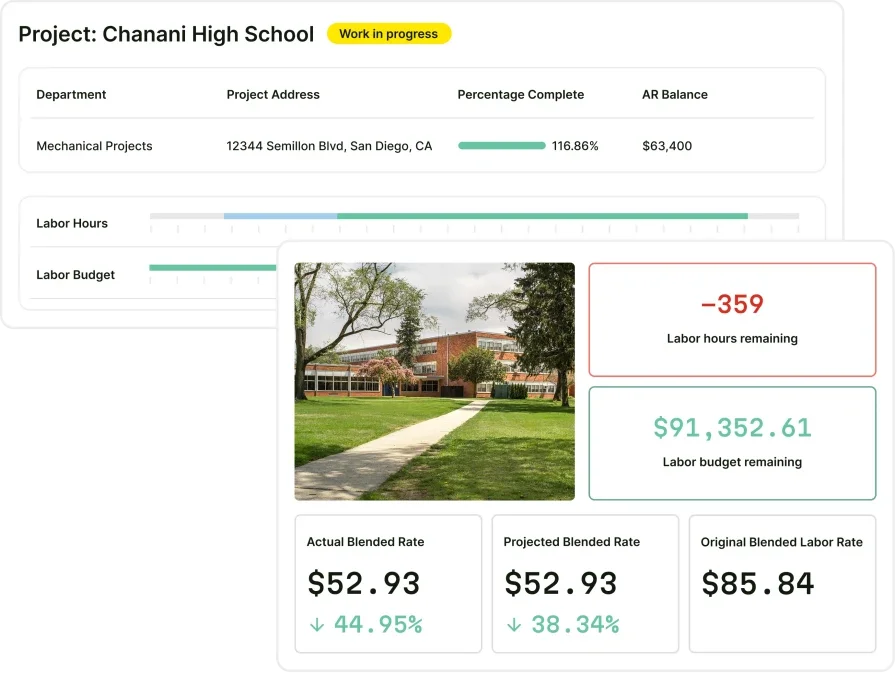
Service management suite for commercial contractors
Keep dispatch, work orders, mobile, and billing in sync inside one connected suite.
Best for commercial contractors: BuildOps

BuildOps gives commercial contractors a connected platform that carries work from intake to sign-off. It links dispatch, scheduling, work orders, assets, PMs, and billing so approved scopes turn into routed jobs with parts, labor codes, and documentation already in place. Designed around heavy service operations, it keeps quote approvals, site updates, and post-job billing tied to the same record—so nothing falls between systems or teams.
How pricing works: BuildOps uses a custom pricing model based on company size and needs. It fits mid-sized and enterprise commercial contractors, with advanced capabilities that scale as operations grow.
Features beyond FSM basics:
- Integration with scheduling, dispatch, and invoicing
- Live labor and material costs tracked per work order
- CRM context for follow-ups and site history
- Field-ready mobile tools so techs edit or create from the job site
What sets it apart for commercial: BuildOps serves construction contractors who need a platform that connects service with project workflows. Field teams, coordinators, and managers work from the same system—so dispatch decisions, service history, and billing stay aligned while work keeps moving.
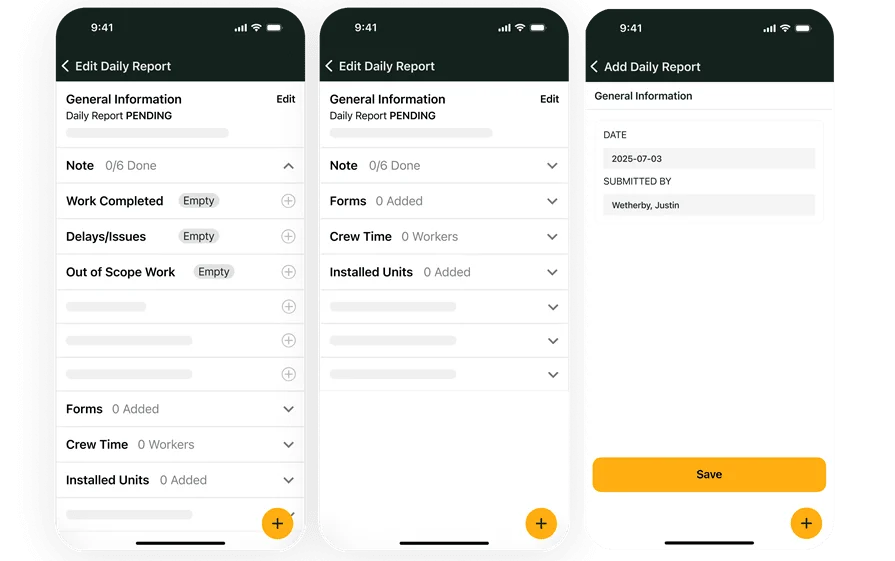
Hit SLAs and protect margins with BuildOps
See scheduling, dispatch, and billing work together all in one platform.
Best for residential contractors: Housecall Pro

Image Source: Housecall Pro
Housecall Pro fits residential service teams that want quick setup and a clean mobile flow for booking, scheduling, work orders, and payments. Templates, digital approvals, and a lightweight CRM help crews move fast on single-visit jobs. However, limited customization, asset depth, and dispatch controls can hold back shops that manage multi-site portfolios, strict SLAs, or detailed cost codes.
How pricing works: Housecall Pro uses tiered subscriptions. Advanced automation and reporting typically sit in higher tiers.
Features beyond FSM basics:
- Online booking that converts customer requests into jobs
- Automated alerts that keep homeowners updated on status
- Built-in payments for deposits and completed work
What sets it apart for residential: Speed with minimal setup. Great for startup crews and small teams focused on one-off repairs or installs. Contractors that need enterprise integrations, asset-level planning, or rigorous cost tracking may outgrow it.
Deep Dive
Take a look at our head-to-head breakdown of BuildOps and Housecall Pro’s features here to see which one has the suite of FSM tools your specific crew needs the most.
Best for general subcontractors: Joist

Image Source: Joist
Joist gives independents and small subs a mobile-first way to create quotes, send them to clients, capture signatures, and issue simple invoices from a phone or tablet. It turns around documents quickly and looks clean for homeowners and small GC requests. That said, Joist lacks dispatch boards, technician tracking, asset records, and structured workflows found in fuller FSM tools, which limits teams handling recurring maintenance or routed service.
How pricing works: Joist offers free and paid plans. Financing options and estimating insights sit in paid tiers.
Features beyond FSM basics:
- Integrated e-signature for fast approvals in the field
- Quick-add libraries for parts, labor, and common services
- Client-friendly layouts designed for transparency
What sets it apart for subcontractors: Ideal for solo trades and very small crews that need fast paperwork without a big learning curve. For shops that rely on coordinated dispatch, PM schedules, and asset history, a broader FSM tool will fit better.
Other notable contractor FSM software
Not every shop needs a full enterprise suite. These picks cover niche needs and budget targets while still handling core FSM workflows—dispatch, work orders, mobile, and billing. Use them when you want a focused toolset and clear pricing, but keep in mind where each one tops out.
Service Fusion

Image Source: Service Fusion
Service Fusion covers the essentials for field service teams: quoting, scheduling, dispatching, service agreements, payments, and job costing. It also offers fleet management, VoIP, and a cloud-first mobile app. Competitive pricing stands out with flat monthly or annual options without per-user fees, which helps growing teams. The trade-off is fewer advanced reporting and project controls compared to platforms geared to large commercial work.
Industry specializations: HVAC, electrical, plumbing, refrigeration, appliance repair, locksmithing, landscaping, cleaning, painting, security, home remodeling, plus many additional trades
How pricing works: Tiered subscriptions with flat monthly or annual rates
What sets it apart: All plans support unlimited users, so teams can add techs without stacking user fees
Key features:
- Skill tags and service zones that sharpen dispatch
- Suits multi-trade operations across varied industries
- Cloud platform with mobile app and broad integrations for accessibility
ServiceTrade

Image Source: ServiceTrade
ServiceTrade focuses on commercial service, especially fire and life safety. It supports long-term agreements, customer communication, and planning for recurring work, with a solid mobile experience for techs. Reporting has improved but can feel light for contractors that live on granular margins and deep analytics.
Industry specializations: Fire safety, HVAC, electrical, refrigeration, kitchen exhaust cleaning
How pricing works: Contact ServiceTrade for pricing; packages typically align to technician count
What sets it apart: Built-in digital updates and self-serve tools that let customers follow job status without calling in
Key features:
- Strong recurring scheduling for PM routes
- Inventory controls that help avoid overstock or stockouts
- Customer portals and notifications that reduce back-and-forth
Workiz

Image Source: Workiz
Workiz fits specialty home services—locksmithing, junk removal, snow removal, garage doors, cleaning—by combining lead management with dispatch, in-field communication, and invoicing. The emphasis on marketing and call handling helps small teams keep vans busy. Depth on assets, multi-day jobs, and complex workflows can be limited for larger commercial operations.
Industry specializations: HVAC, electrical, plumbing, locksmithing, appliance repair, cleaning, junk removal, garage doors, and many niche trades
How pricing works: Tiered plans on monthly or annual terms; many tiers cap user counts
What sets it apart: Strong lead tracking and call management baked into the FSM tool
Key features:
- Integrated team chat and updates between dispatchers and techs
- Works with 15+ services so it can sit alongside existing apps
- Simple invoicing and payments to finish jobs in the field
ServiceTitan

Image Source: ServiceTitan
ServiceTitan is widely known in field service for strong scheduling, dispatch, mobile quoting, invoicing, and offline access. It suits residential and small commercial teams that want an end-to-end system with robust CRM and customer reminders. Asset management, native job status tags, multi-day job handling, and hands-on implementation support can feel limited for complex commercial service.
Industry specializations: HVAC, plumbing, electrical, garage door, chimney sweeping, roofing, plus many additional trades
How pricing works: Contact ServiceTitan for a demo and pricing details
What sets it apart: CRM strength and appointment reminders that keep homeowners informed
Key features:
- Offline job and customer data access for field work
- Techs can create and deliver quotes and invoices on site
- AI assists scheduling and dispatch by suggesting time slots and available skills
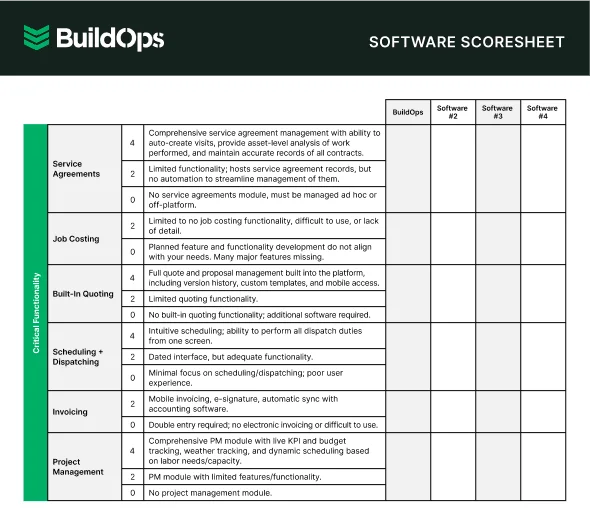
Get the Software Scoresheet
Compare top FSM tools at a glance with this easy-to-use software scoresheet.
7 benefits of using FSM tools for contractors
A strong FSM tool does real work in the field. It speeds handoffs, protects margin, and gives leaders live visibility so crews stay on task and customers stay informed. Here are the gains commercial service teams see day to day.
1. Faster approvals with calendar-ready jobs

When a customer gives the go-ahead, the job should hit the board with labor, skills, and travel already set. Teams that lean on modern field service scheduling software cut idle time between approval and first wrench turn because the system places work into routes without spreadsheet hops. For instance, an emergency call at a distribution center gets slotted to the nearest certified tech while a PM visit shifts to a later window automatically.
2. Fewer errors across tickets and work orders
Double entry causes bad rates, missing parts, and wrong task codes. FSM tools with a structured field service ticketing system keep every note, photo, checklist, and part on the same record from intake to invoice. Say a boiler repair starts as a phone call; once the ticket opens, required forms, asset data, and warranty flags follow the work so nothing slips.
3. Tighter margins through live job cost control
Labor and materials must post to jobs as they happen. With timers tied to cost codes and truck stock tracked against tasks, managers spot over-burn early and adjust. Example: a chiller pull takes an extra two hours; the alert hits the supervisor’s screen, the NTE gets updated, and the crew still finishes within target.
4. Clearer performance insight across projects and services

Leaders need to see which workflows win, where bottlenecks form, and how crews stack against SLAs. Guidance in contractor project management helps teams connect tasks, dependencies, and approvals so reporting reflects real field progress. During a retrofit rollout, this clarity shows which buildings trend behind plan and which crews need support.
5. Smoother coordination between dispatch and techs

Dispatchers juggle routes, access windows, permits, and emergency inserts. With structured contractor dispatch management, assignments respect skills and certifications while ETAs update customers automatically. On a storm day, the board rebalances routes in minutes and sends clean updates to every site contact.
6. Cleaner documentation and stronger customer relationships
A connected record of assets, contacts, and approvals builds trust and speeds repeat work. A purpose-built contractor CRM ties site history, equipment data, contracts, and quotes to each account. When a property manager calls, your coordinator already sees warranty status, last service notes, and recommended kits.
7. Scalable operations without process drift
As the shop grows, standardized workflows prevent chaos. FSM tools apply the same forms, checklists, and pricing logic across divisions, so new crews follow the playbook from day one. During busy season, the system spins up routes, PMs, and truck stock rules for added teams without duct-taped spreadsheets.
5 important FAQs answered about FSM tools
Field service pros care about speed, margin, and clean handoffs. Here’s a fast FAQ built for crews that live in the field and manage work from a phone, tablet, or the board.
1. What is an FSM tool
An FSM tool unifies dispatch, scheduling, work orders, assets, mobile, and billing for field teams. Techs log time, parts, photos, and approvals on-site while the office sees live updates and invoices without retyping. Expect offline capture, API links to ERP and CRM, plus audit trails for regulated sites.
2. How do FSM tools work across field and office
Think single source of truth. Dispatch assigns work with skills and travel rules. The mobile app captures labor, materials, forms, and signatures even offline, then syncs. Costs post to jobs in real time. APIs move data to accounting, CRM, and inventory so teams avoid duplicate entry.
3. How much do FSM tools cost
Vendors price by tier, technician count, or modules. Expect line items for setup, integration, and data migration. Enterprise packages often use custom quotes tied to divisions and locations. Anchor spend to outcomes such as first-time fix, SLA hit rate, and invoice cycle time.
4. Who actually needs an automated FSM system
Shops running strict SLAs, asset-heavy PMs, emergency inserts, and multi-division labor rules see the biggest lift. Automation standardizes checklists, approvals, and documentation, cuts back-and-forth, and flags margin risk early so leaders can adjust a route or scope without delay.
Did you know
Dane Electric unified scheduling, dispatch, mobile, and billing in one FSM tool. The team now routes urgent calls to certified techs, logs time and parts from the job site, and invoices same day—without retyping data. The case study breaks down process changes, KPIs, and lessons learned.
5. What are best practices when using FSM tools
Set clear habits so the platform pays off from day one.
- Standardize rate tables, cost codes, and catalogs before rollout
- Define routing by skills, certifications, zones, and travel windows
- Require mobile photos, checklists, and asset scans on completion
- Track time by task and approve by exception each day
- Charge truck stock first, reconcile bins weekly, and close variances
- Trigger ETA and status messages from dispatch events
- Drive PMs from asset meters or runtime, not just calendars
- Watch WIP, SLA risk, and first-time fix dashboards daily
- Audit forms, fields, and permissions quarterly and retire clutter
- Build repair kits that preload labor and parts to speed approvals
Strong FSM tools keep jobs moving, protect margin, and surface live data for fast decisions. The standouts connect scheduling, dispatch, mobile work orders, assets, and billing so handoffs stay clean from call to close. For commercial service teams, BuildOps brings those pieces together in one platform that scales with crews and contracts.
Curious how this looks with your routes and standards? Join a quick walkthrough tailored to your workflow. No pressure, just a chance to compare against your current stack and take away ideas that fit your operation.
True FSM unity in a single tool
See BuildOps tie scheduling, dispatch, mobile, assets, and billing into a single workflow