Commercial Fleet Management Software
Your fleet, fully integrated
Track every vehicle in real time, right from your dispatch board. Fleet+ connects live GPS tracking, geofenced timecards, and fleet safety tools to your operations, so nothing runs off the radar.
What Fleet+ Delivers
Your dispatch map, now with live GPS
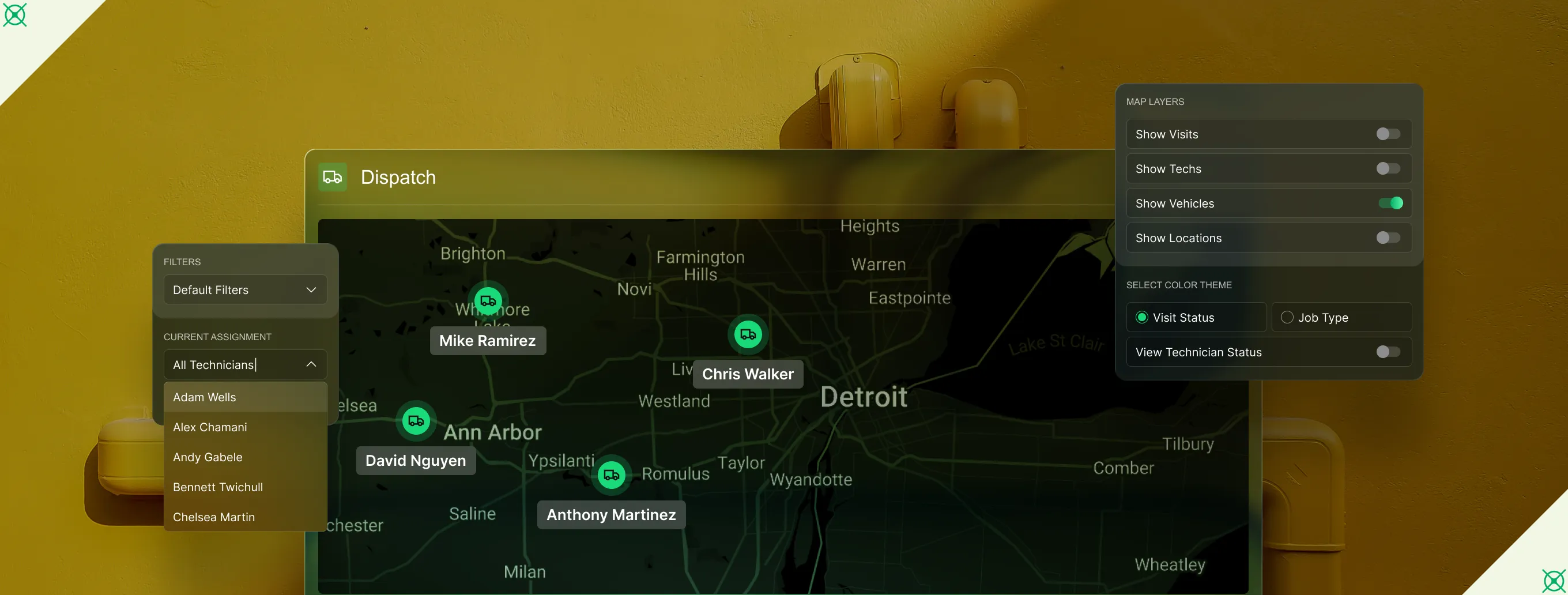
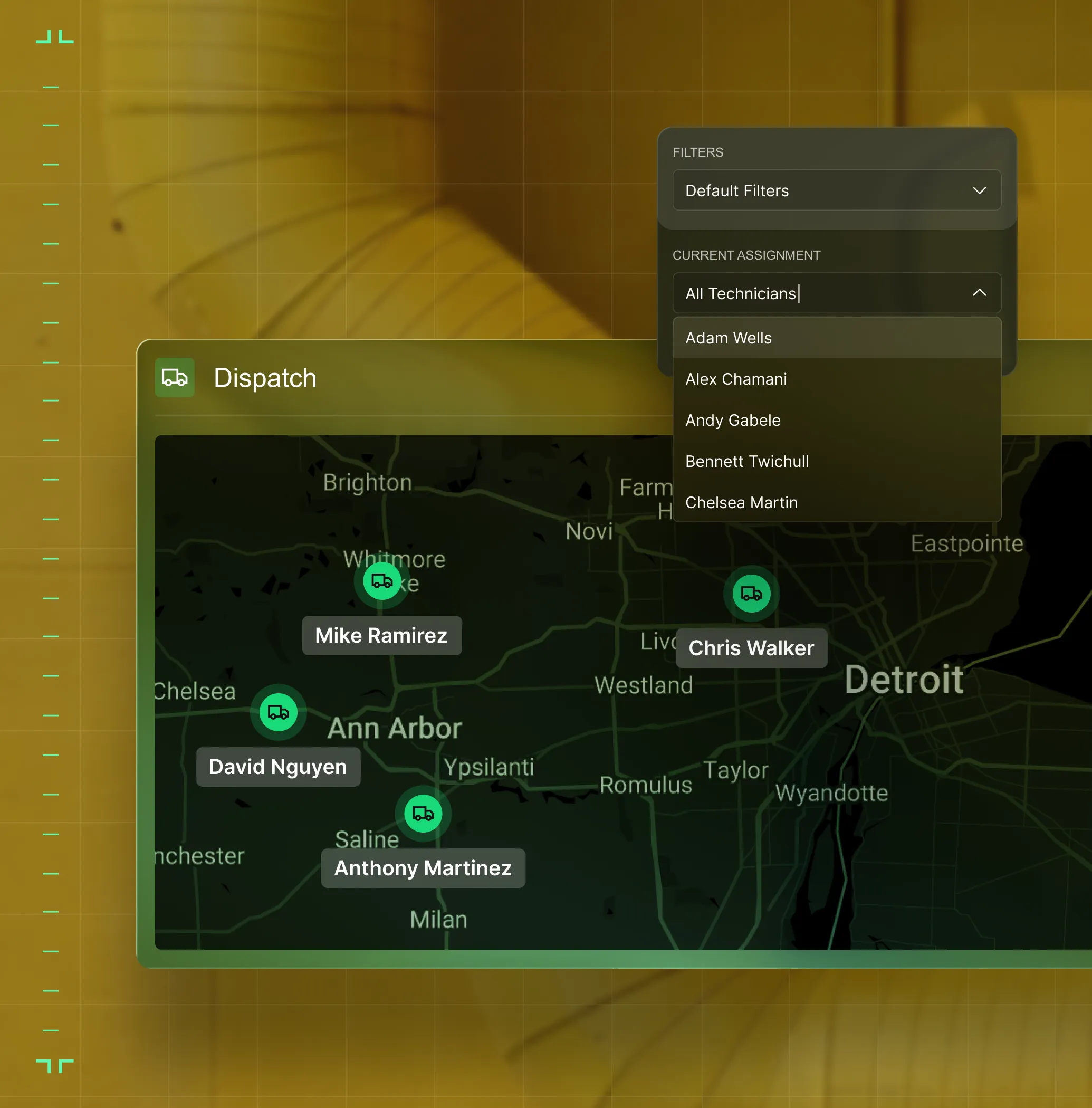
Stop toggling between platforms to find your crews. Fleet+ overlays real-time truck locations on your dispatch map, right alongside your open jobs, so dispatchers route the closest tech without leaving BuildOps.
Timesheet accuracy, built In
GPS prompts techs to clock in on arrival and out on departure. Timecards get flagged when punches fall outside the geofence, no more tracking people down.
Vehicle maintenance
Odometer-synced reminders in Azuga flag when service is due, oil changes, tire rotations, the works. No spreadsheets. No glovebox receipts.
Unified Fleet Control
GPS, safety, and fuel controls — one connected system.

Real-time GPS tracking
See trucks live on your dispatch map. Route the nearest tech to each call.

Driver safety scores
Driver scores give you data to negotiate lower insurance premiums, prove your team wasn't at fault, and protect your bottom line. Safe driving pays for itself.

Fuel spend control
Block fraud at the pump, track every gallon, and cut costs with built-in rebates.
FLEET MANAGEMENT FEATURES
Fleet data that powers the platform
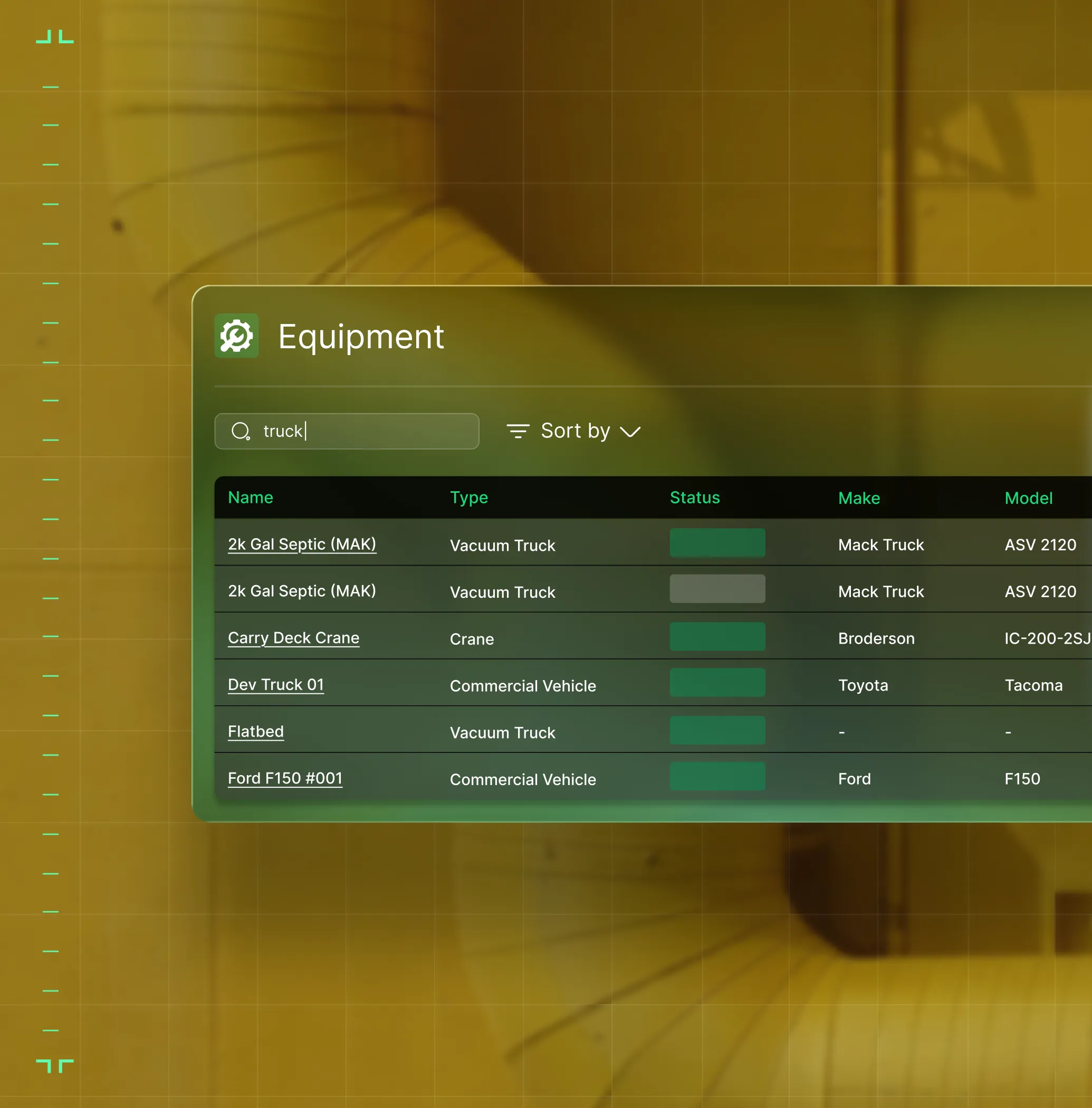
Fleet+ connects to every part of BuildOps. Dispatch sees live truck locations. Timecards use GPS-verified punches. Jobs track which vehicles were used. One fleet record, one platform.
Live GPS tracking
Live truck locations on your dispatch map. Updated every 60 seconds.
Geo-fencing
Auto-prompt clock-ins at job sites and flag out-of-range punches.
What makes BuildOps different
Built from the ground up for contractors who run projects, service, and everything in between. Not adapted. Made for the work.
Commercial work isn't an add‑on
Most platforms started in residential and stretched to fit. BuildOps starts with the complexity of commercial work.
Run the work in one connected system
Field, office, finance, and sales — all in one place. No duct-taped tools, no double entry, no dropped balls.
OpsAI is built in, not bolted on
OpsAI is already in your workflows. It recaps the day, calls out risks, and gives every role a clear next step.
Common Questions
Your questions on commercial fleet management software, answered
What is fleet management software for commercial contractors?
Fleet management software helps contractors track vehicles, monitor safety, manage maintenance, and control fuel spend. Some standalone fleet management software only tracks fleet in a separate tool, but a more robust solution will be one component of an entire field service management platform that can tie fleet data to your whole operation, including dispatch and job costing.
For commercial contractors, fleet tracking is especially important due to the complexity of multi-site, complex projects. Your field techs will frequently be moving from site to site, and having accurate dispatching tied to their live proximity can save you a lot of money, as well as better allocate your resources to keep work moving at a much better pace.
What fleet management features matter most for commercial contractors?
For the complexity of commercial work, these features are by far the most important when it comes to a field service management software for fleet operations:
- Live GPS—See where every tech is, right now, so you can make decisions as needed to optimize jobs and projects.
- Integrated with Dispatch—So you’re not just watching current locations, but can optimize your tech schedule to jobsites based on proximity to the work.
- Geofencing—Helps improve timesheet accuracy for your techs.
- Vehicle Maintenance Tracking—So you can detect small problems before they become big issues that cost you a lot of money, or put your workers out of commission and halt a project entirely.
- AI-powered Dashcams—Can flag issues and lack of compliance for your techs and fleet.
- Connected Fleet Data—Connections in the platform to jobs, timecards, and equipment without any data re-entry will save critical hours every week of manual effort that’s necessary when the platform can automate this for you.
What is the best fleet tracking software for commercial contractors?
We think it depends most on the type of work you do.
For commercial specialty contractors in HVAC, electrical, plumbing, fire & life safety, and refrigeration, BuildOps is built specifically for you. It's the only field service management software that includes fleet operations tools that was designed from day one for how commercial trades actually operate, connecting service management, project management, financials, and AI in a single system.
For residential contractors focused primarily on home service and repair, tools like Jobber or Housecall Pro may be a better fit for simpler scheduling and dispatching needs. Those platforms are designed around the residential workflow with shorter jobs, homeowner-facing features, and lighter documentation requirements.
The key difference: residential tools weren't built to handle the complexity of commercial construction like multi-phase schedules, GC coordination, formal document control, progress billing, and change order management. If your work involves any of that, you need fleet management software that actually speaks the language of commercial projects.
Do you have any proof of BuildOps customers who saw success using Fleet+?
Of course we do! Our customers have seen huge successes across their entire operation by using BuildOps like a 250% increase in profit margins or a 50% increase in overall efficiency.
Specific to Fleet+, our customer JBS Plumbing Services used Fleet tracking and noticed no one was wearing their seatbelt. Sending out just one message using BuildOps brought their compliance up from 0% to 90% instantly.
Does Fleet+ integrate with my dispatch board?
Yes. Fleet+ puts live GPS locations from Azuga right on your dispatch map. See trucks alongside scheduled visits, filter by department or tech, and route the closest crew without leaving ever BuildOps.
How does Fleet+ help with timesheet accuracy?
Geofence data prompts techs to clock in on arrival and out on departure. Punches submitted outside the geofence get flagged automatically, so payroll catches discrepancies before they cost you.
Who powers Fleet+ behind the scenes?
Azuga, a Bridgestone company, powers GPS, safety, and maintenance. Coast handles fuel cards with fraud protection. Both plug into BuildOps with self-install hardware, lifetime warranty, and no upfront cost.
