BuildOps for Owners
Work on the business, not in the business
You built this company from the ground up. BuildOps gives you the visibility to protect what you've built with real-time dashboards, margin tracking, and one connected system so you can lead the business instead of chasing updates.


Built for the Person Running the Shop
You shouldn't need five calls to know how the week went

See the whole business in one place
Pipeline, jobs in progress, margins, billing, one dashboard, no report-hopping. Know where you stand before the Monday meeting.

Know if a job is making money, while it's still happening
Real-time job costing shows labor, materials, and margin mid-month. Not three weeks later in a spreadsheet.

Grow without adding more office chairs
Your best field hire shouldn't need three office people behind them. BuildOps handles the admin so your team does more with less overhead.

Built for the trades, not the masses
BuildOps was designed for how commercial contractors actually work, not stretched from residential tools or generic software.

Your field and your office, same data
What the tech logs on the job is the same thing your controller sees in billing. One entry, one truth, no arguments.

OpsAI shows you where to look
OpsAI surfaces the jobs, the trends, and the risks you'd normally catch too late — so you spend less time digging and more time deciding.
ALL IN ONE PLACE
One system. The whole job
Projects, in real time
From contract to closeout, the BuildOps gives you the financial and field visibility that multi-phase commercial construction demands.


Service that scales
Every service job on track from first dispatch to final invoice. Match the right tech to the right call, track SLAs, manage assets, and close out work orders without the fire drill.


Field to invoice
Labor hours, materials, and POs flow from the field to the books as work completes. Invoices go out the day the job closes, not three weeks later. Stop chasing paper and let the money follow the work.


Quote to close
Quote faster. Follow up before the customer calls someone else. Close the work and hand it to ops with full context so nothing gets dropped.


AI that's built in, not bolted on
OpsAI is built into your workflows. It summarizes field activity — from service visits to daily reports — so your team gets the story without reading every entry. Less time on admin, more time on the work.


What changes
Grow the business.
Protect the margin.
Sleep at night

Take on more work without adding overhead
Contractors scale service and project work without proportional headcount growth because field data flows to finance automatically.

Catch problems before they cost you
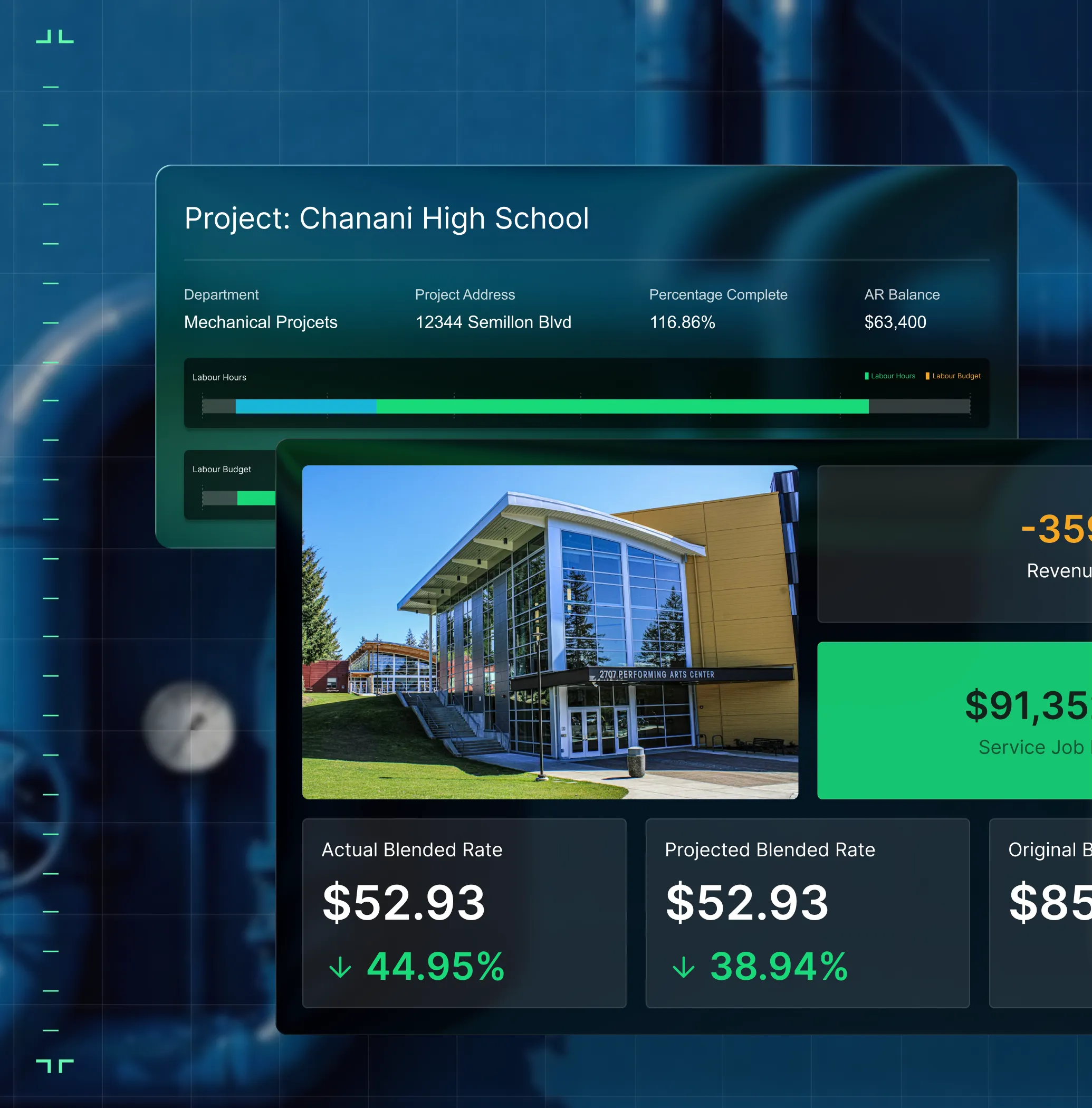
Job Health shows margin, labor, and billing on every job — while it's still in progress. You see the problem mid-flight, not at month-end.

Get your nights and weekends back
When every department runs on the same data, you stop being the person everyone calls for answers. BuildOps gives your team what they need without going through you.

Build a company that runs without you in the room
BuildOps turns tribal knowledge into repeatable systems, so the business runs whether you're there or not. From family-owned shops to PE portfolios, owners trust BuildOps to protect what they've built.

"Since switching to BuildOps, our revenue has grown by 30% and we've doubled the number of tickets we can handle."
What makes BuildOps different
Built from the ground up for contractors who run projects, service, and everything in between. Not adapted. Made for the work.
Commercial work isn't an add‑on
Most platforms started in residential and stretched to fit. BuildOps starts with the complexity of commercial work.
Run the work in one connected system
Field, office, finance, and sales — all in one place. No duct-taped tools, no double entry, no dropped balls.
OpsAI is built in, not bolted on
OpsAI is already in your workflows. It recaps the day, calls out risks, and gives every role a clear next step.
CONNECTED ACROSS YOUR BUSINESS
Every team on one system

Service Operations
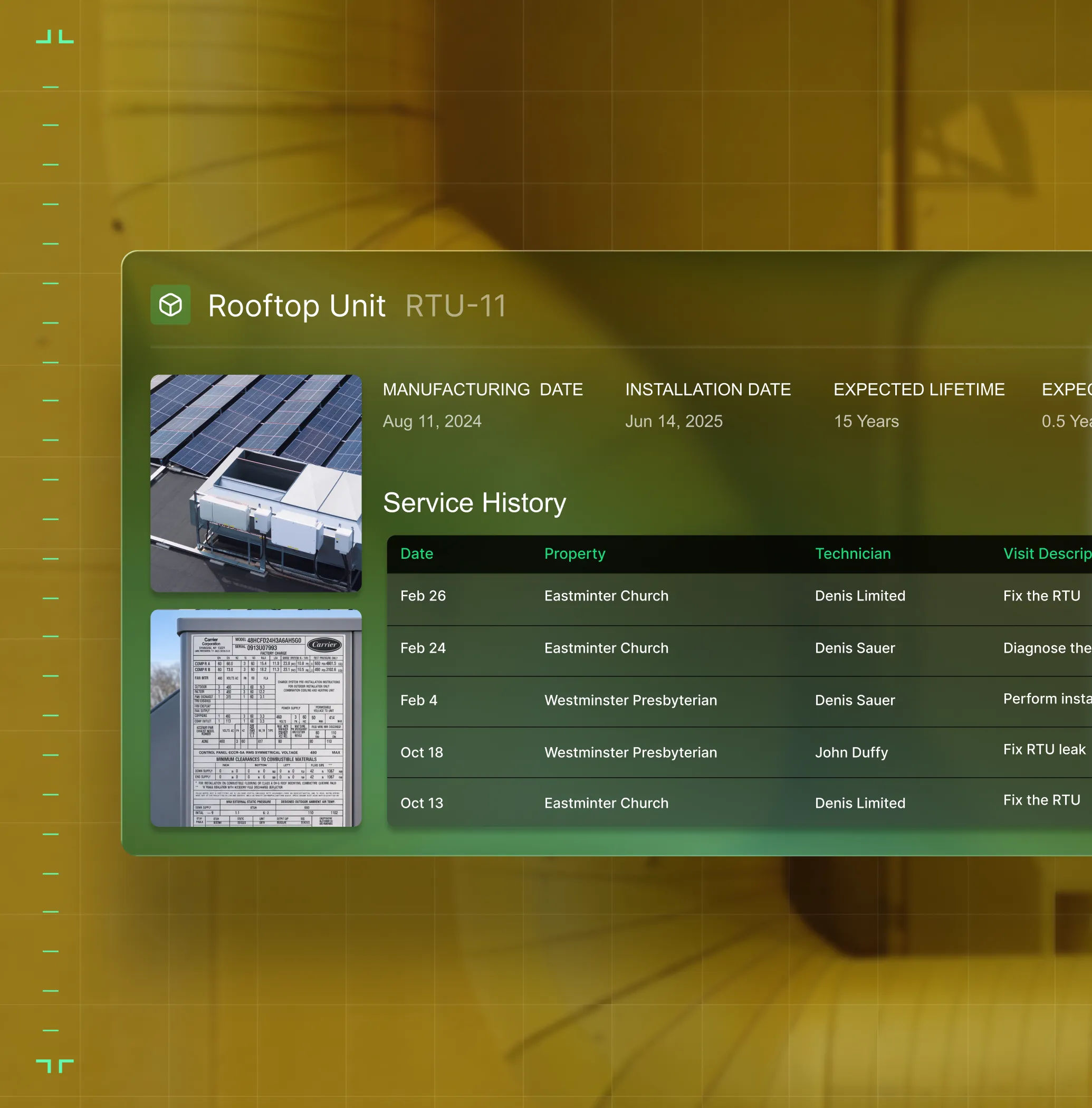
Service techs see the full asset history and parts they'll need. Project crews pull up drawings, RFIs, and yesterday's daily report. Everyone shows up informed, so work gets completed right the first time.
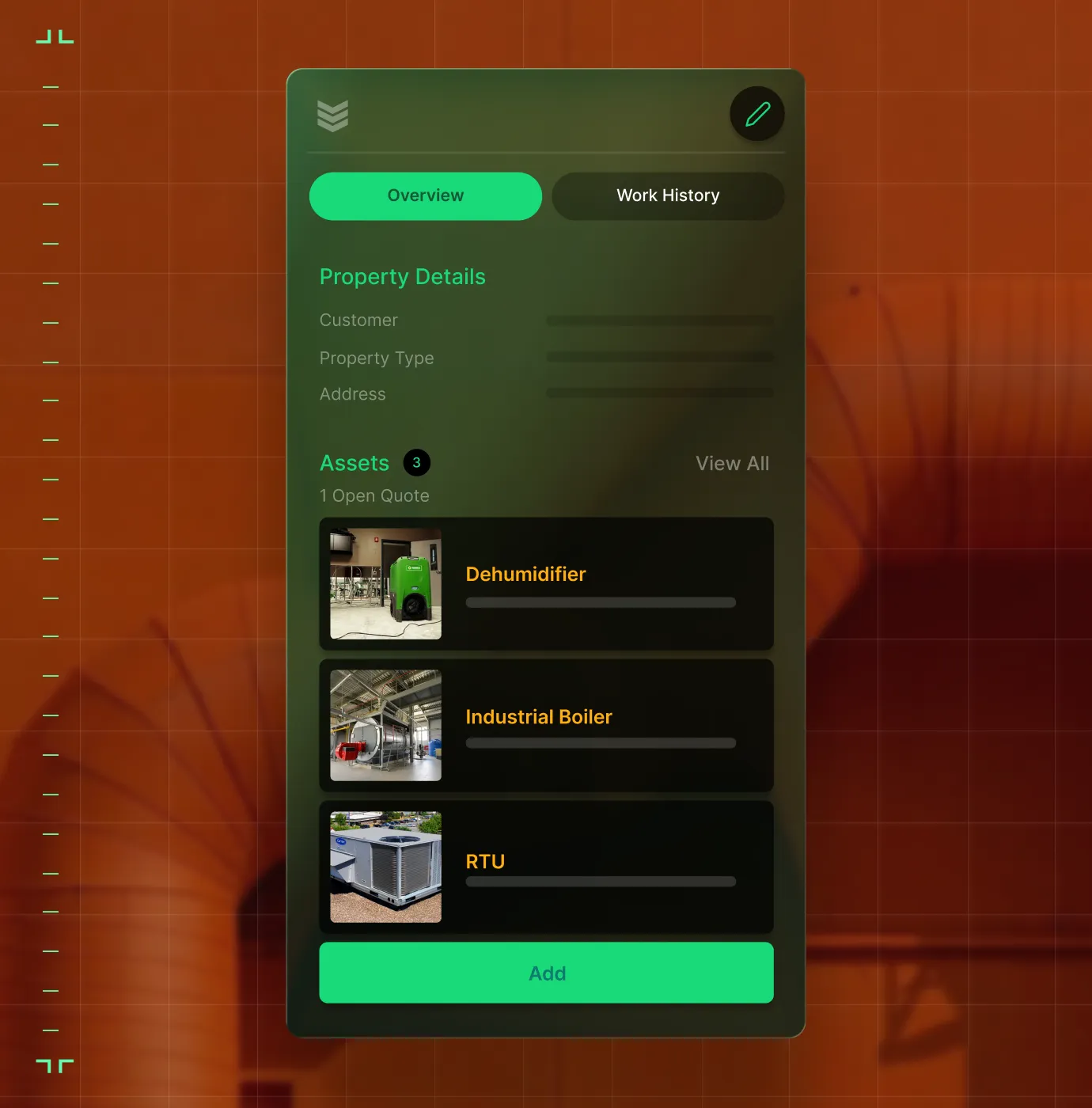
Field Teams
Full job history, asset data, and parts info on mobile, so techs fix it right the first time.
Construction Operations
Track costs, schedules, subs, and field progress across every phase of a commercial build.
Finance
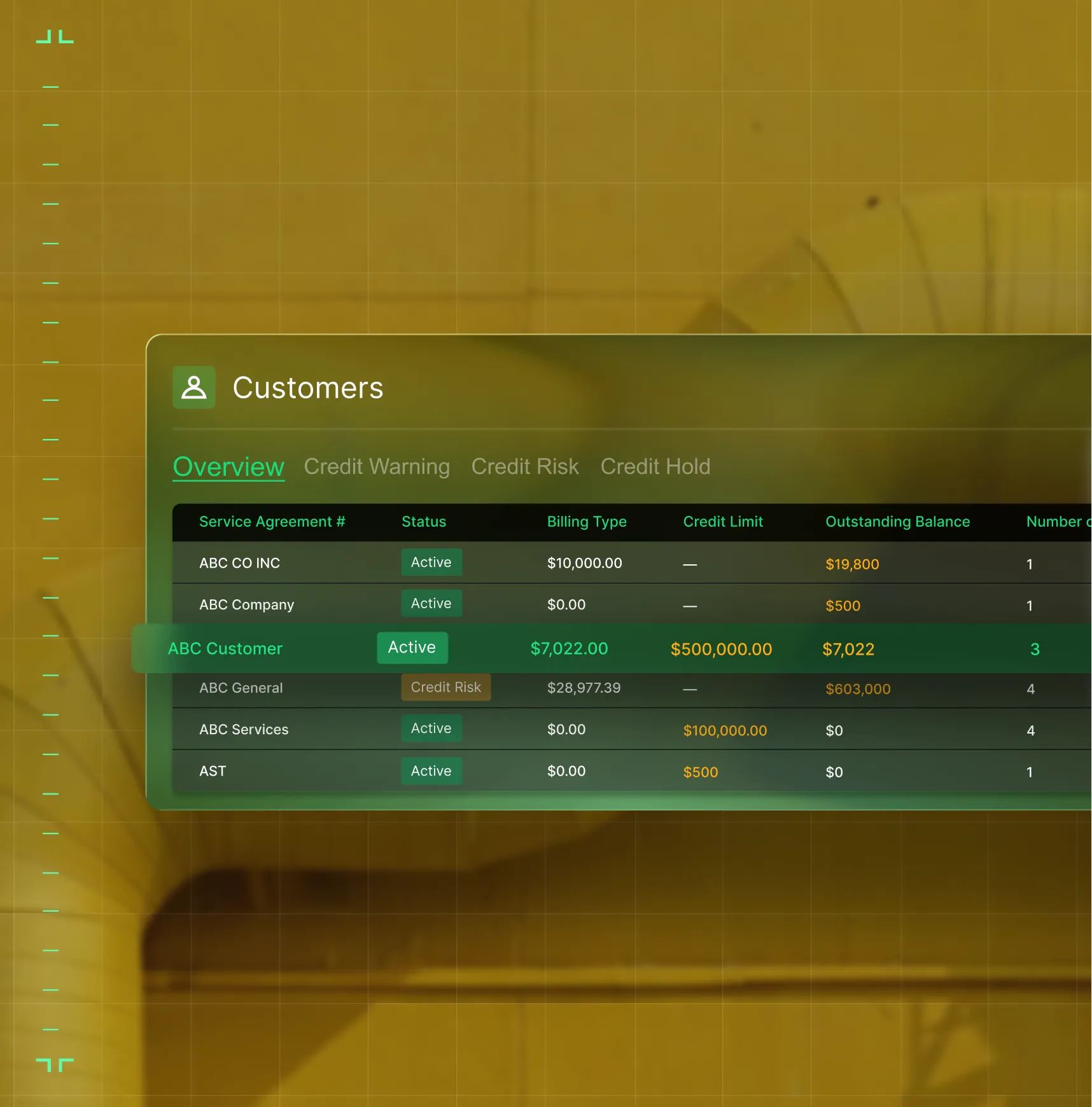
Field data flows to your books as work is logged. Invoices, pay apps, job costing, and payroll-ready exports with no re-keying.

Sales & Marketing
Track every lead from first call to signed contract. Hand off to ops with the full picture.

Common Questions
Your questions about running your business on BuildOps
What features in field ops software are most essential to business owners?
If you’re the owner of the business, a field operations software should have core features that can handle the complexity of that specific type of work done by your business. Here are the key things that are especially useful to business owners:
- Reporting & Analytics—Create custom reports and dashboards that work for you based on the exact type of work you do and how you’re trying to scale.
- Project Financials—Connect field activity directly to the bottom line with real-time visibility into costs, billing, and margins to catch drift before it becomes a problem.
- Preventative Maintenance—Auto-generate recurring visits from service agreements, tracking the margins on every contract in real time.
- Procurement—Track POs, receipts, and vendor bills from the field directly to your ERP so a job's true cost is always visible right now, not weeks after the project is done.
- Time Tracking—Enter job details and time spent on work instantly in the app, so everything is accounted for right in the moment.
- Invoicing—Send records of work to customers with full service history and detailed field notes (including photos and videos) attached.
- Integrations—With whatever other tools that are essential to you, or work within your ERP. Most platforms should integrate with key tools used by field teams like QuickBooks, Sage Intacct, NetSuite, and Viewpoint.
- Technician Mobile App—Sync data instantly right from field to office, across all team members, in real-time.
- Scheduling & Dispatching—Plan the whole week with the ability to make changes on the fly and optimize tech schedules based on skills and certifications.
Is BuildOps the best field service management business software for commercial teams?
For commercial service teams, BuildOps is a field operations business management software that’s purpose-built for multi-trade service and construction teams. It was designed from day one to handle the complexities of commercial field service work, and we believe it comes out on top when it comes to the needs of commercial field service operations. This is primarily due to its Project Management tools, customizable dashboards and reporting, and OpsAI-powered features that significantly cut down on the manual tasks of commercial work for business owners, so they can focus on leading the company rather than searching for information.
We recommend doing your own research to find the field operations business management software that’s the best fit for your team. Field ops software is not all the same, and not built for the same types of businesses. If you're a residential-only team, tools designed for simpler workflows may be a better fit.
What are the primary benefits of using a field operations management software for business owners?
Business owners see benefits like this across the entire operation when implementing a field operations management software:
- Grow revenue by increasing profit margins through data collection that comes from real work, so you can do more of the things that are working, and less of the things that aren’t making you money
- Access to real-time job data helps you make decisions that are based on what’s actually happening out in the field, or on the project right now, so you can take action based on real numbers and information, acting faster
- Increase team-wide compliance with company procedures by unifying all team members in one system with guidelines clearly set out, so you don’t have to tell employees one at a time what they need to be improving
- Fewer mistakes across the operation, especially because double or triple data entry across team members is no longer necessary
- Work is closed out faster because signatures are captured on-site and paperwork is already completed as soon as the job ends
- Faster and more accurate Quotes that leverage real service history data, photos, videos, and field notes
- Faster invoicing with more detailed summaries that actually make sense to your customers, and get paid faster
- Fewer callbacks from customers because they have access to detailed service records, and techs followed custom workflows and didn’t skip any steps
- Less drive time, and reducing mistakes of techs clocking in at the wrong jobs, or arriving without the tools and parts they needed
How is BuildOps different from the tools I'm already using to run my business?
Most field service businesses are running on 3–5 disconnected tools. Dispatching in one, billing in another, project tracking in a spreadsheet. BuildOps connects all of it in one platform. Your team logs data once, and every department sees the same thing. No double entry. No reconciliation. No blind spots. And no more constantly asking you for the information each role needs to do their jobs.
How does BuildOps handle multi-location or multi-trade operations?
BuildOps supports parent/child account structures, multi-branch dispatching, and cross-location reporting. PE-backed platforms run 40+ shops on BuildOps. Whether you have two locations or twenty, the data rolls up to one view.
Can BuildOps handle both service and project work?
That's the core of what we do. Service, projects, and construction all run on one platform with shared data. Your dispatch board and project dashboard talk to each other natively with no integration required.
Do you have any proof of how BuildOps has helped commercial field service business owners?
We have so many examples. Business owners love BuildOps, and using it, have seen results like this:
- Jackson Mechanical saw a 100% increase in tickets handled with no headcount added, a 50% reduction in time taken to create a job and get it scheduled, and a 30% growth in revenue
- Certified Fire saw service employee billable time increase from 75% to over 95%, monthly service billing rose 54%, and an incredible 250% increase in profit margins
- Service 1st went from 3-4 systems down to 1, saw 2x faster invoicing, and had a record year
- Jolma Electric saw a 50% leap in overall efficiency
- Omnia Mechanical Group reduced their accounts receivable period by 75%, from 120 days down to just 30
- Classic Electric unified their whole operation in a single platform, achieving 300% growth
- JL Minter Inc. slashed billing time by 73%
- Layer One fixed their job costing process, saving 1 week of manual work every month
- JBS Plumbing Services used Fleet tracking to notice no one was wearing their seatbelt, and brought that up from 0% to 90% compliance with just one message
There’s a clear reason that business owners of scaling commercial field service teams love increasing operational efficiency with BuildOps.
How do I get my team to actually use BuildOps? I can’t be the only one using it.
When your field techs and other team members see how much BuildOps is going to cut down the manual time on tasks they do every day, they’ll jump at the chance to use it. When field techs see how the nameplate scanner auto-fills asset information for them in seconds, they’ll get on board. When sales sees how pull through work is identified on the spot and quotes can go out so much faster, they’ll jump at the chance to get that extra revenue. When finance sees how field tech voice notes leverage directly into customer-facing invoice summaries they’ll want BuildOps implemented right away.
The BuildOps platform was built so even the least tech-savvy field tech can use it effectively, and most team members become comfortable with BuildOps with only 1-2 training sessions. During implementation, we help you build the custom workflows your business actually uses, so when your techs are getting started with the platform, they’re learning how to use it to complete the exact type of work they are going to do out in the field, so you can ensure compliance team-wide, without constant reminders from the business owner to use it.
How does BuildOps integrate with QuickBooks, Sage, or my existing accounting system or ERP?
BuildOps integrates with many of the tools frequently used by commercial field service businesses including QuickBooks and Sage, and has a bidirectional sync with these tools, so data can flow from the field directly into your accounting system, job costing, payroll, and other tools, cutting out the need for manual double or triple entry.
BuildOps also integrates with tools commonly used in different trades and industries, and features an integration with Bluon for HVAC teams, and an integration with Inspect Point for fire and life safety service teams.
We see BuildOps as the operational backbone you can build your field service business and operations on top of, no matter what other tools you need in your tech stack.
What does the timeline for a BuildOps integration look like for commercial field service businesses?
Most businesses are up and running on BuildOps within 8-12 weeks. We map your legacy data, configure custom workflows that match your specific field operations and the work you do, and we train your crew from business owner to office staff to field tech. Our integration specialists will be with you every step of the way to help you build out your new operational architecture.
BuildOps was created specifically for commercial companies, and continues to be guided by input from business owners, boots on the ground field techs, service department office admin, finance departments, sales, and managers.
What are some ways business owners can automate operations with OpsAI? Is OpsAI ready now?
OpsAI is live and in production today. Teams are using it now across dispatch, field documentation, asset capture, invoicing, and payment matching. It ships as part of BuildOps, not as a separate add-on.
Our customers have seen results like 80% less data entry using our PO scanning tools, have saved hours every month using our Smart Dispatch and invoice automation, and love the ability to turn tech voice notes into structured field notes in seconds—all powered with OpsAI.
OpsAI learns from your jobs and project data to flag issues, identify recommended work, suggest next actions, and cut busywork, getting sharper with every visit. It turns your legacy system of record (showing you the history of what was done) into a modern system of action, guiding every team member from field to office on what steps to take next.
More specifically, here are the key ways OpsAI would enhance operations for the business owners of a field service company:
- Summarizes daily reports from jobsites
- Surface jobs, trends, and risks so they aren’t caught too late for you to take action
- Answers questions by automatically pulling the information you need without you manually searching through field notes and service records
- Send the right techs to the right job based on skills and certifications to remove unnecessary manual oversight on scheduling and dispatching
- Brief the foreman on a jobsite before the crew gets there, leveraging past daily reports and service history records
- Matches bulk payments to open invoices, and pulls line items from PO photos
- Generates invoice summaries that customers can actually read and understand so they ask fewer follow up questions
- Identifies pull-through revenue and work recommendations from completed visit notes to make faster recommendations to customers for additional work
How does role-based access work in BuildOps? What does the owner see vs the field techs? How is the data secured?
Role-based permissions ensure your team only sees what they need to, and you are in full control of that. You can set permissions for contractors, for dispatchers, for the service department, for leadership, for business owners—whatever you need. BuildOps is a platform where all the data is accessible to anyone, whether they’re using a desktop or using their phone, but you are in total control of who sees what.
Maybe you want to build a custom report for each field tech to see their individual job performance stats, but you want a different dashboard for leadership to compare job profitability for all your techs. BuildOps lets you do that.
BuildOps is also SOC 2 compliant with enterprise-grade encryption for data in transit and at rest, so you can be assured: your data is secure, and your data stays yours.
