BuildOps for Field Teams
More time on the job. Less paperwork
Your field teams shouldn't spend half the day on paperwork. BuildOps is field service technician software that puts service history, project data, drawings, and RFIs in one mobile app — built for service calls and multi-month projects.


People over paperwork
Your field teams deserve better than clipboard and memory

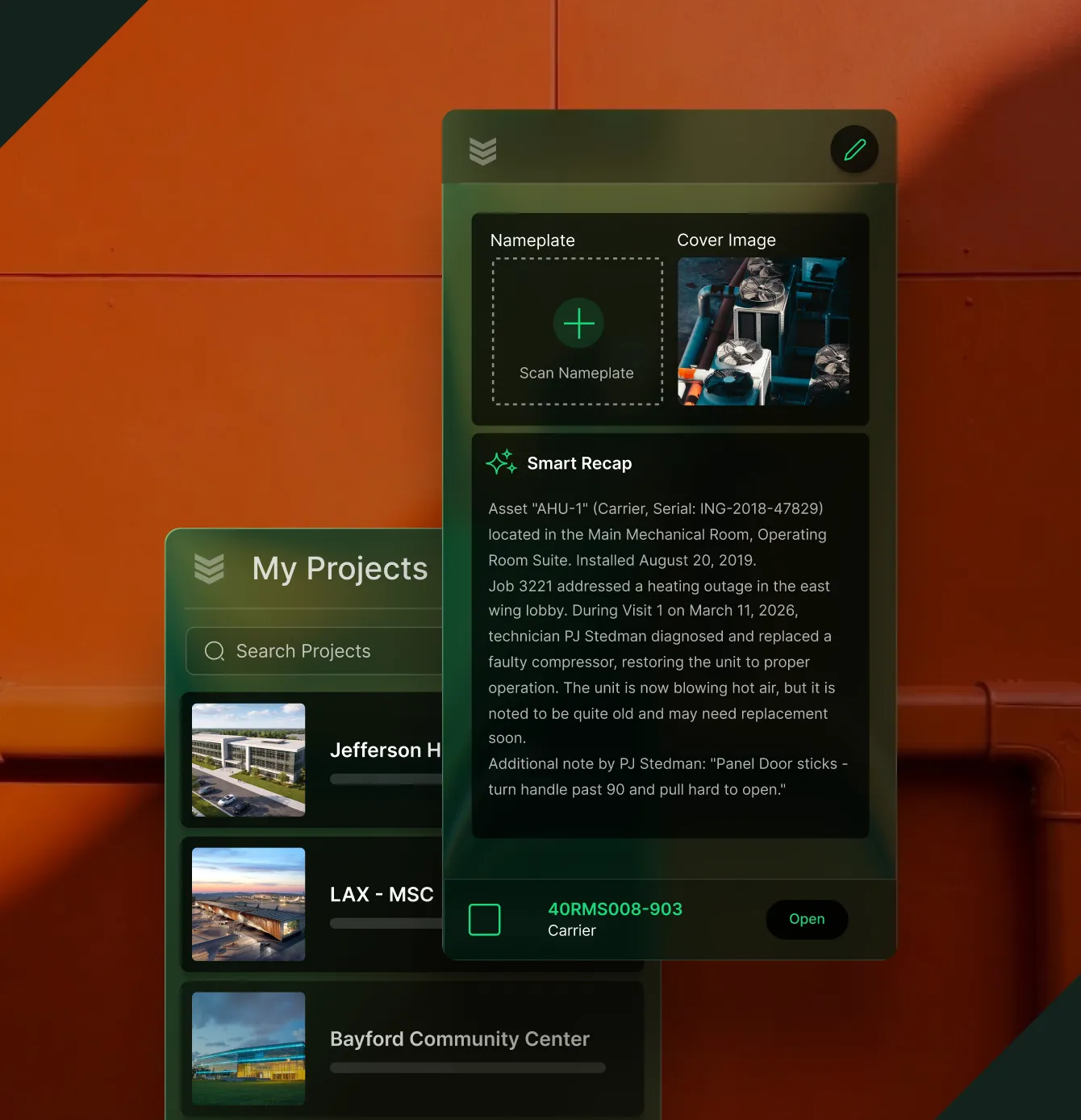
Know the job before you go
Full asset history and past visit notes for service, and current drawings, RFIs, and submittals for construction. All on mobile before you arrive.

Quote and lose on-site
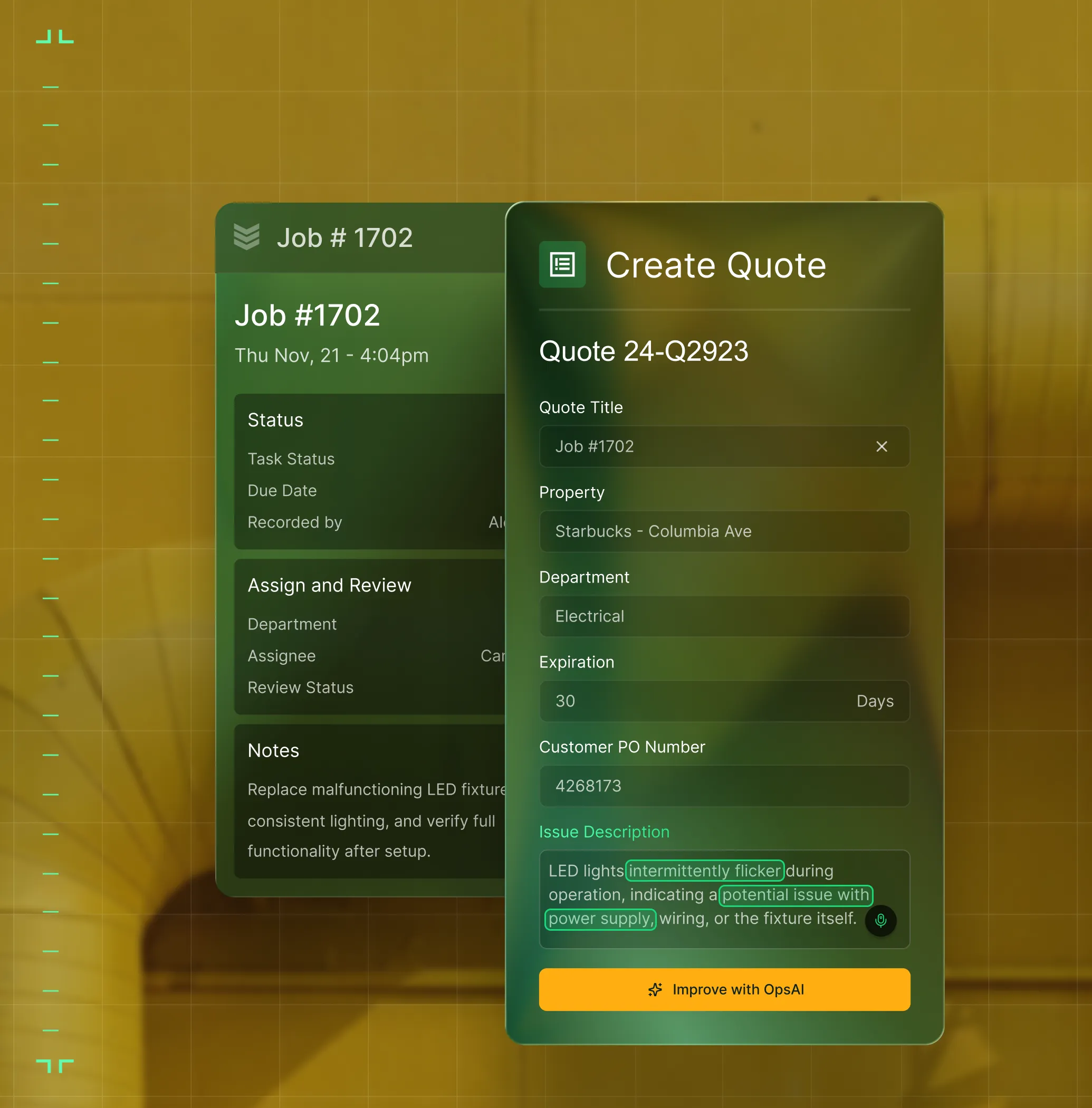
Build quotes, capture approvals, and log time, materials, and photos, then invoice on the spot or submit for progress billing.

Gated workflows keep work consistent
Guided closeout steps, whether it's a service call or a punchlists, to ensure nothing gets skipped. Field and office stay in sync as work happens.

Built for the trades, not the masses
BuildOps was built from day one for commercial work, not stretched from residential tools to fit your crew.

One app for service and projects
Manage work orders, quotes, invoicing, asset data for service and daily reports, RFIs, submittals, punch lists for construction. All in one mobile app.

OpsAI gets you up to speed
Smart Recap summarizes service visits and project daily reports, so field teams show up informed and log work faster. Clarity Assist cleans up and translates notes in English and Spanish.
ALL IN ONE PLACE
One system. The whole job
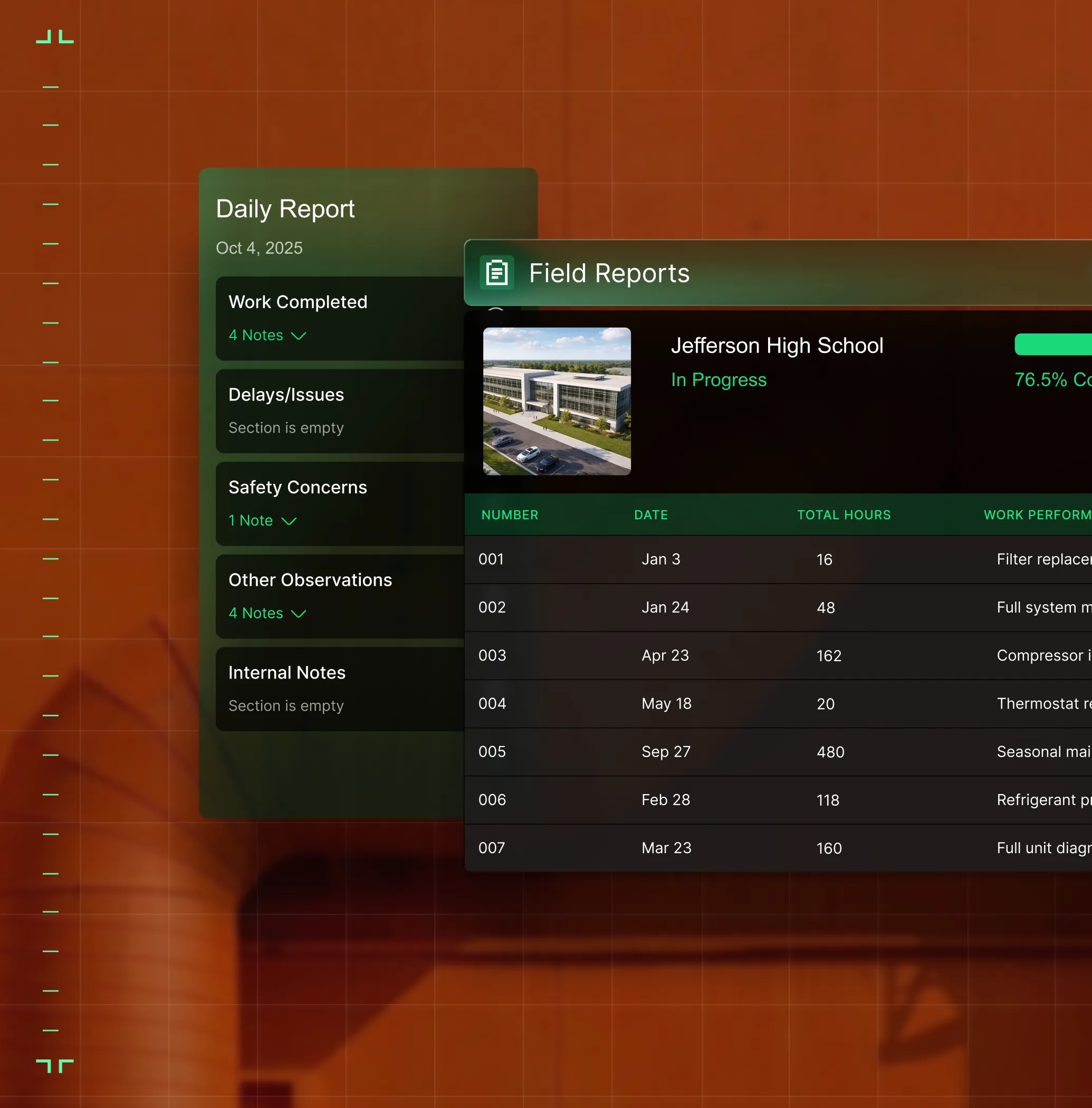
Projects, in real time
From contract to closeout, the BuildOps gives you the financial and field visibility that multi-phase commercial construction demands.


Service that scales
Every service job on track from first dispatch to final invoice. Match the right tech to the right call, track SLAs, manage assets, and close out work orders without the fire drill.


Field to invoice
Labor hours, materials, and POs flow from the field to the books as work completes. Invoices go out the day the job closes, not three weeks later. Stop chasing paper and let the money follow the work.


Quote to close
Quote faster. Follow up before the customer calls someone else. Close the work and hand it to ops with full context so nothing gets dropped.


AI that's built in, not bolted on
OpsAI is built into your workflows. It summarizes field activity — from service visits to daily reports — so your team gets the story without reading every entry. Less time on admin, more time on the work.


WHAT CHANGES
Less admin. Better fixes

First-time completion rate
Field teams show up with full context with asset history and parts for service, drawings and RFIs for projects, so work gets completed right the first time.
Zero end-of-day reconstruction
Notes, labor hours, and materials are captured as work happens. No more Friday paperwork marathons reconstructing what happened Monday.

Instant job context
Smart Recap gives field teams a complete summary of service history or project progress — no scrolling through old tickets or daily reports to find what they need.

Faster closeout, faster cash
Invoices or pay apps go out when the job closes, not weeks later. Closeout is guided steps, not a scavenger hunt.


"Since switching over to the BuildOps platform, we've experienced a significant jump in job satisfaction from our field teams and back-office employees."
What makes BuildOps different
Built from the ground up for contractors who run projects, service, and everything in between. Not adapted. Made for the work.
Commercial work isn't an add‑on
Most platforms started in residential and stretched to fit. BuildOps starts with the complexity of commercial work.
Run the work in one connected system
Field, office, finance, and sales — all in one place. No duct-taped tools, no double entry, no dropped balls.
OpsAI is built in, not bolted on
OpsAI is already in your workflows. It recaps the day, calls out risks, and gives every role a clear next step.
CONNECTED ACROSS YOUR BUSINESS
Every team on one system

Service Operations
Service techs see the full asset history and parts they'll need. Crews show up informed, so work gets completed right the first time.

Construction Operations
Track costs, schedules, subs, and field progress across every phase of a commercial build.
Finance
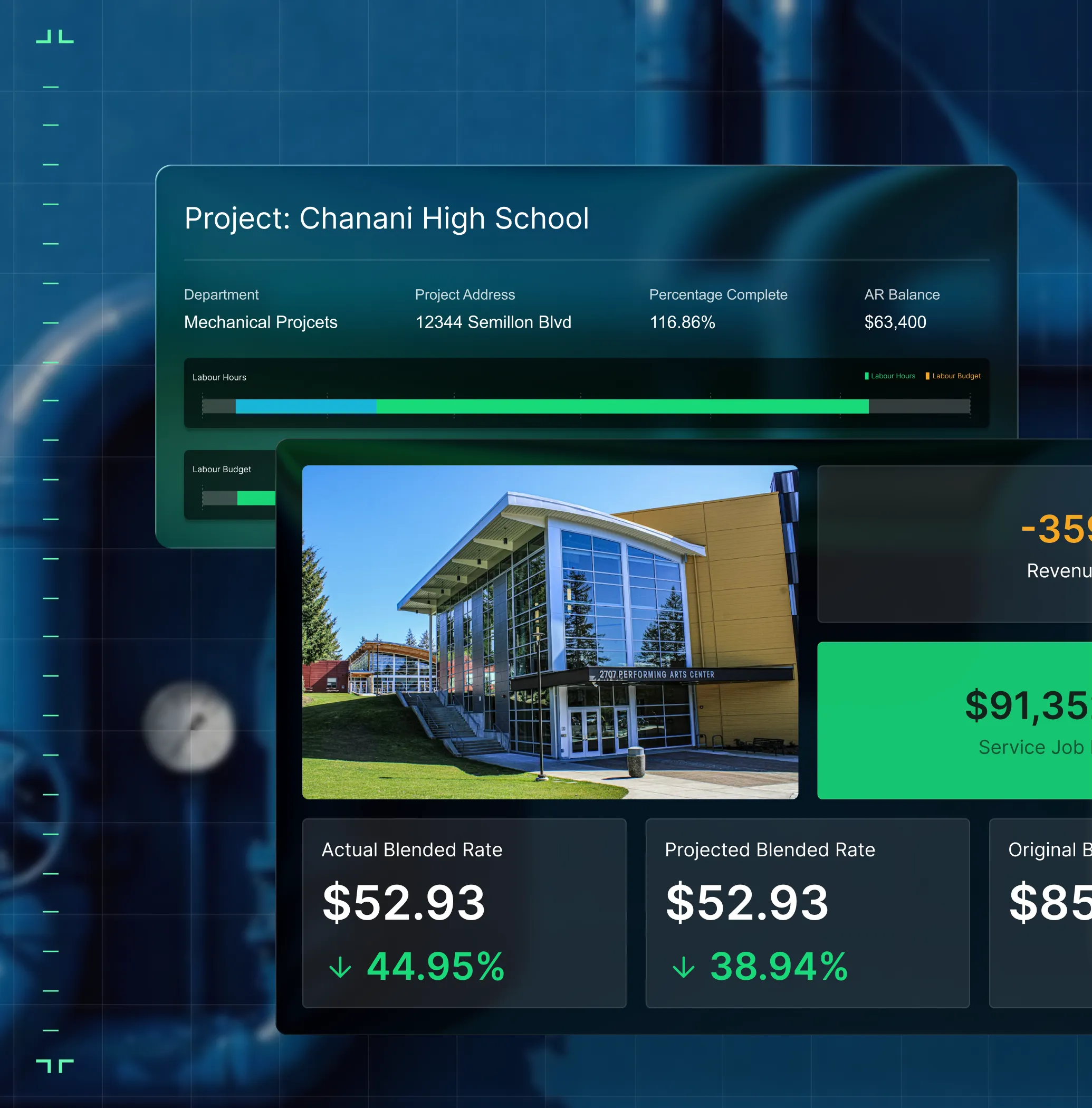
Field data flows to your books as work is logged. Invoices, pay apps, job costing, and payroll-ready exports with no re-keying.

Sales & Marketing
Track every lead from first call to signed contract. Hand off to ops with the full picture.

Owners
Revenue, margins, and crew performance across service and projects in one view.

Common Questions
Your questions on field service technician software, answered
What is field service technician software?
Field service technician software connects every aspect of field operations, unifying it in a single platform with a mobile app technicians can access as well. By unifying work orders, scheduling and dispatch, field notes and work history, reporting, and invoicing all in a single platform, field and office remain in sync, and techs can move forward with work a lot faster without constantly checking in with the office.
The primary purpose of a field tech software is to unify both field and office in a single tool to keep work moving faster and without unnecessary interruption, and to reduce the manual time frequently spent by techs on tasks that the software can handle.
What core features should I look for in field service technician software?
If you’re thinking about the boots on the ground techs out in the field, a service software should have core features that can handle the complexity of that specific type of work they do. Here are the key things that are especially useful to field techs to be on the lookout for:
- Offline Capability & Data Sync—A field service app is useless if it doesn’t work when the tech loses Internet access or cell service. Data should save locally, and then sync when signals return.
- Smart Dispatch By Tech Skill & Certification—A platform that can read the proximity and availability of techs, optimize the schedule, and then send real-time alerts to techs to help their day run smoother.
- Nameplate Scanner—Snap a photo of an asset, and have the app fill in necessary details like model and serial number for you, turning a 3-minute task into 10 seconds.
- Smart Recap for Field Notes—Techs speak. App listens. Voice notes become clean and customer-facing records of field work, and are ready to send without re-typing, fixing grammar, or waiting until techs have time to fill out paperwork.
- Custom Workflows & Checklists—Custom forms built right into the app that field techs can check off step-by-step so nothing is missed, including critical industry requirement steps.
- Built-in Time Tracking—Fill out time worked right on the job so there’s no billing errors or questions about who was where.
- Photo & Video Capability—Attach media to field notes, invoices, quotes. Helps get recommended work approved more, and shows customers detailed records and proof of the work that was done.
- Asset & Jobsite History Information—All records, accessible to everyone, anytime. Techs can pull up previous job history, old photos, what the asset requires, and more, all in the app and while on the job.
Is BuildOps the best field service technician software for commercial teams?
For techs working in commercial service, BuildOps is a field team management software that’s purpose-built for multi-trade service and construction teams. It was designed from day one to handle the complexities of commercial field service work, and we believe it comes out on top when it comes to the needs of commercial field techs. This is primarily due to its Project Management tools, customizable dashboards and reporting, and OpsAI-powered features that significantly cut down on the manual tasks of commercial work.
We recommend doing your own research to find the field tech software that’s the best fit for your team. Field service technician software is not all the same, and isn’t built for the same use cases. If your techs mostly do residential-scale work, tools designed for simpler workflows may be a better fit.
What are the biggest benefits of using field technician software?
Field technician software cuts down on manual tasks, reduces mistakes, and flags issues you might not have noticed otherwise. More specific to technicians, you should see benefits like this across your entire operation if you integrate a field tech software:
- Less drive time or misplacement errors sending the wrong tech to the wrong job
- Techs arrive with the correct tools and parts they need
- Industry compliance and critical steps are followed easily through custom workflows and on-site checklists
- Techs can pull up service and asset history for everything on-site in their mobile app
- Techs can attach photos and videos both as a record of the work they completed, or as a recommendation for future work that sales teams can leverage into Quotes
- Other teams don’t need to double or triple enter data that techs have already entered
- Work is closed out faster because signatures can be captured on-site
- Techs have greater awareness of team-wide compliance and company procedures, receiving notifications of processes and procedures
Can techs create quotes and invoices from the field?
Yes, and this is one of the biggest reasons techs love our platform and app. Techs can build quotes right on-site, get customer approval, and generate invoices — all using their mobile app. Payments can also be collected in the field and tied directly to the job.
How does field technician software help with asset management?
Field tech software allows effortless asset management from end to end. Snap a photo, and BuildOps uses OCR to automatically pull and store make, model, and serial numbers for every equipment type. Your entire team can easily access a complete audit trail of recommended and completed repairs.
Field techs can also pull up a full asset history including previous work done on the asset when on the job, which helps them determine what steps to take next, or what additional work to recommend to your customers.
Do you have any proof of how BuildOps has helped field techs specifically?
Of course we do. Here are some of the ways our customers have seen big field efficiency gains using BuildOps:
- Jolma Electric saw a 50% leap in overall efficiency
- Jackson Mechanical saw a 100% increase in tickets handled with no headcount added, a 50% reduction in time taken to create a job and get it scheduled, and a 30% growth in revenue
- JBS Plumbing Services used Fleet tracking to notice no one was wearing their seatbelt, and brought that up from 0% to 90% compliance with just one message
- Layer One fixed their job costing process, saving 1 week of manual work every month
- Certified Fire saw service employee billable time increase from 75% to over 95%, monthly service billing rose 54%, and an incredible 250% increase in profit margins
There’s a clear reason that commercial service field techs love using BuildOps.
How do I ensure high adoption rates of BuildOps for my field techs and make sure they use it?
The entire BuildOps platform (app and desktop) is built so that even the least tech-savvy field tech can use it effectively, and most team members become comfortable with BuildOps with only 1-2 training sessions. During implementation, we help you build the custom workflows your field techs actually use based on the work your business does. That way, when your techs are getting started with the app, they’re learning how to use it to complete the exact type of work they are going to do out in the field, and they feel confident on day one.
When your field techs see how much BuildOps is going to cut down the manual time on tasks they do every day, they’ll jump at the chance to use it. With the ability to snap a photo of a nameplate and have details filled in automatically or turn their voice notes into clean field notes, the only thing they’ll be complaining about is why they didn’t have this app before.
How does role-based access work in BuildOps? What do field techs see compared to other team members?
Role-based permissions ensure your team only sees what they need to, and you are in full control of that. You can set permissions for field techs, for dispatchers, for the service department, for sales, for business owners—whatever you need. BuildOps is a platform where all the data is accessible to anyone, whether they’re using a desktop or using their phone, but you are in total control of who sees what.
Maybe you want to build a custom report for each field tech to see their individual job performance stats, but you want a different dashboard for leadership to compare job profitability for all your techs. BuildOps lets you do that.
How does BuildOps help with the labor shortage?
Newer workers get Smart Recap summaries, full work history, and gated workflows so they ramp faster without relying on senior field teams. The modern mobile experience also attracts younger workers who want to be leveraging smarter tools and AI to power their work.
