TECHNICIAN FIELD SERVICE APP
Every job in your pocket
BuildOps gives techs everything they need on-site: work orders, asset history, time tracking, quoting, and invoicing. Offline mode keeps work moving when signal drops, and everything hits the office the moment they reconnect.


Built for the whole job
Every tool a technician needs, in one app
From work orders to invoicing, techs handle the full job on-site. No paper, no callbacks, no double entry back at the office.

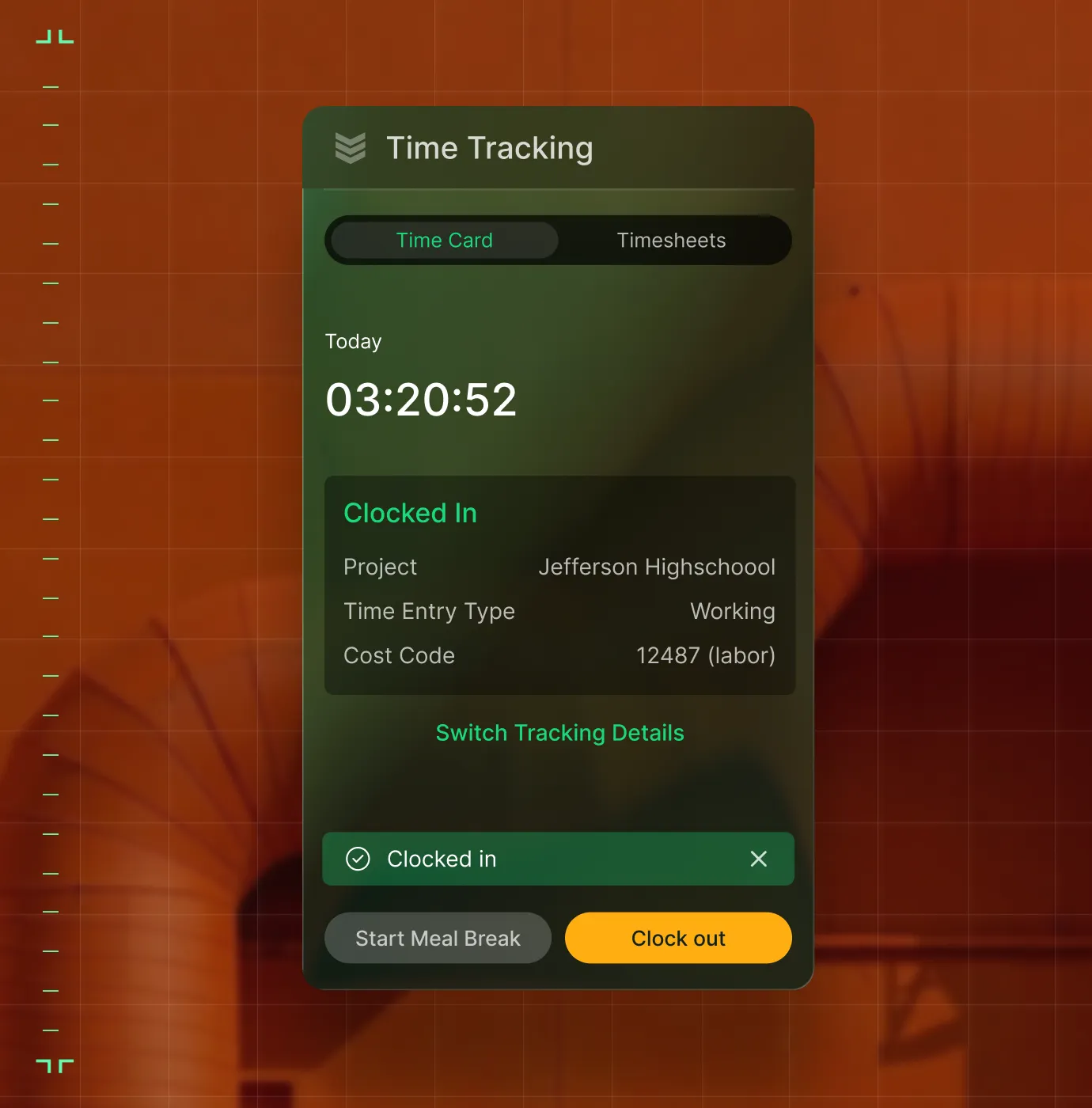
Time Tracking
Techs log hours and breaks from the field with location-tagged entries. Cost codes tie to the right job. Time flows to payroll and job costing — no paper timesheets.
Field Execution
Complete work orders, collect signatures, access site plans and manuals from the truck or the roof.

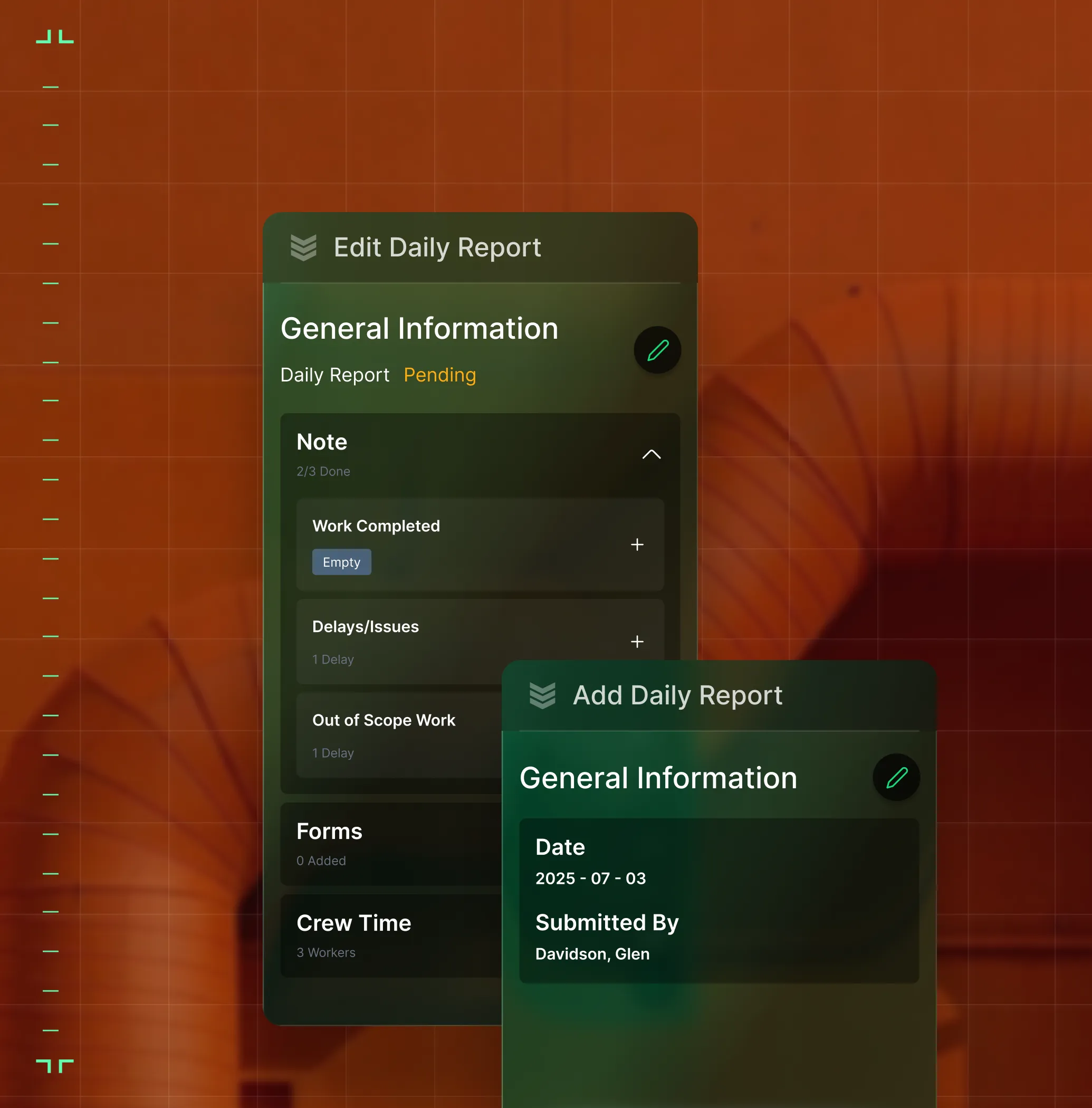
Photos & Reports
Capture photos and videos, log safety data, and submit daily reports that sync to the office instantly.
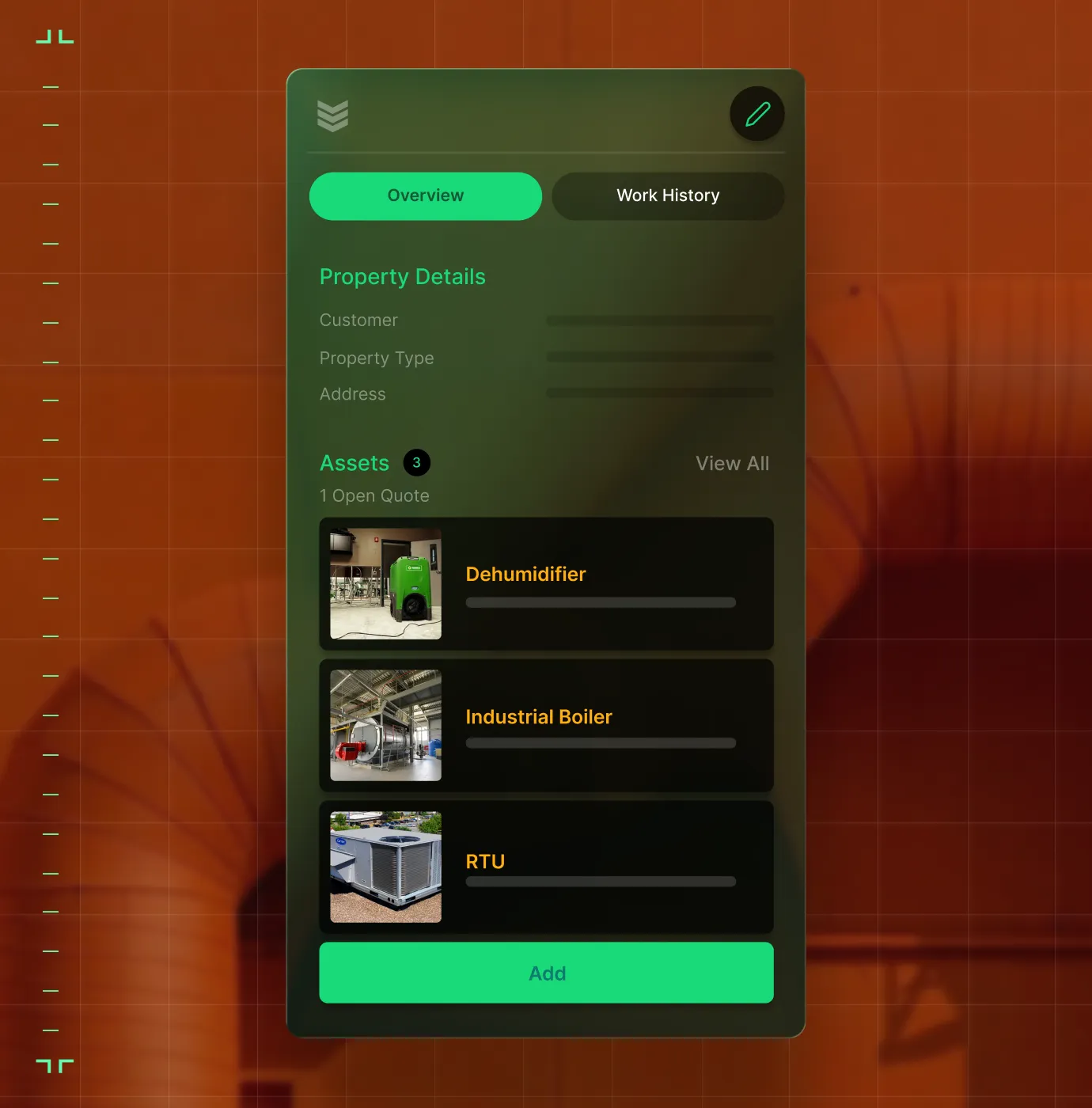
Asset Management
Pull up full equipment history, specs, and service records on-site. OCR auto-fills info from data plates.
Mobile Invoicing
Close the job and send the invoice before you leave. Cash flow starts the same day the work gets done.


Real numbers
Real results from real field teams


"We've seen an increase in day-to-day operations efficiencies that's going to add up to significant savings in time and energy over the course of a year."

"If we didn't have BuildOps and the additional cyber security they give our company, we would be dead in the water."

"The ability to produce reports either on an individual job basis, a quarterly basis, or a project basis is something we'd never seen before in other software that we've used."

"We've cut down in our receivables from about 120 days to 30 days on average."


"Before we knew it, we were seeing quicker turnaround times on job closeout and a huge improvement in the time it took for quotes to be accepted by our customers."


"With BuildOps, we feel like we can go after anything. The sky is the limit as far as the size of the project."
.webp)

"BuildOps gave us an all‑in‑one system for both service and projects. Once we saw that, it was a no‑brainer."

"With the integration of BuildOps and Sage Intacct, our accounting system, we've been able to speed up the time it takes for us to bill customers."


"Our consulting division increased 300% because we were able to free up more time from the office to help other customers."
![Service First Logo]](https://cdn.prod.website-files.com/69cad9cd3a5ef3196ea9bb65/69fa0ca0adc28a56d26717c9_Service%201st%20white.webp)
"Sometimes systems promise you the moon, then you use them and see the weaknesses. It's been the exact opposite with BuildOps. Everything we wanted it to do, it could do."

"We used to be two weeks behind on job costing. Now we're up to date daily."
What makes BuildOps different
Built from the ground up for contractors who run projects, service, and everything in between. Not adapted. Made for the work.
Commercial work isn't an add‑on
Most platforms started in residential and stretched to fit. BuildOps starts with the complexity of commercial work.
Run the work in one connected system
Field, office, finance, and sales — all in one place. No duct-taped tools, no double entry, no dropped balls.
OpsAI is built in, not bolted on
OpsAI is already in your workflows. It recaps the day, calls out risks, and gives every role a clear next step.

Get up and running fast
Get your crew on the app in days, not months
Adoption fails when the app is too complex. BuildOps was designed for service techs who'd rather hold a wrench than a phone. Smart fields make documentation faster. Most crews are comfortable within two sessions, and our team phases your rollout so the field never skips a beat.
Gated workflow guidance
Gated workflows and custom forms guide every tech step by step — so nothing gets missed and every job gets done right, even on day one.
Offline-first architecture
Works in basements, on roofs, in dead zones. Data saves locally and syncs the moment signal returns.
iOS + Android
Runs on the iPhone, iPad, Android devices your crew already carries. No special hardware required. Download and go.
Mobile App
See how the app connects to the full platform.
Common Questions
Your field service technician app questions, answered
What field service app features are most valuable for commercial contractors and teams?
If you focus on commercial service and projects, a technician app should have core features that help cut manual time and redundant tasks tied to the complexity of commercial-scale work. Here are the key things that are especially useful to enable commercial contracting work when it comes to a field tech app:
- Offline Capability & Data Sync—A field service app is useless if it doesn’t work when the tech loses Internet access or cell service. Data should save locally, and then sync when signals return.
- Smart Dispatch Alerts—A platform that can read the proximity and availability of techs, optimize the schedule, and then send real-time alerts to techs to help their day run smoother.
- Nameplate Scanner—Snap a photo of an asset, and have the app fill in necessary details like model and serial number for you, turning a 3-minute task into 10 seconds.
- Smart Recap for Field Notes—Techs speak. App listens. Voice notes become clean and customer-facing records of field work, and are ready to send without re-typing, fixing grammar, or waiting until techs have time to fill out paperwork.
- Custom Workflows & Checklists—Custom forms built right into the app that field techs can check off step-by-step so nothing is missed, including critical industry requirement steps.
- Built-in Time Tracking—Fill out time worked right on the job so there’s no billing errors or questions about who was where.
- Photo & Video Capability—Attach media to field notes, invoices, quotes. Helps get recommended work approved more, and shows customers detailed records and proof of the work that was done.
- Asset & Jobsite History Information—All records, accessible to everyone, anytime. Techs can pull up previous job history, old photos, what the asset requires, and more, all in the app and while on the job.
Does the BuildOps technician app work offline in the field?
Yes. BuildOps saves all data locally, even in basements, on rooftops, or in dead zones. Everything syncs to the office the moment your tech reconnects. No lost entries. No double work. The app was designed offline-first for the realities of commercial field service.
How do you ensure high adoption of the app with field techs? How do I know they’ll use it?
The entire BuildOps platform (app and desktop) is built so that even the least tech-savvy field tech can use it effectively, and most team members become comfortable with BuildOps with only 1-2 training sessions. During implementation, we help you build the custom workflows your field techs actually use based on the work your business does. That way, when your techs are getting started with the app, they’re learning how to use it to complete the exact type of work they are going to do out in the field, and they feel confident on day one.
When your field techs see how much BuildOps is going to cut down the manual time on tasks they do every day, they’ll jump at the chance to use it. With the ability to snap a photo of a nameplate and have details filled in automatically or turn their voice notes into clean field notes, the only thing they’ll be complaining about is why they didn’t have this app before.
Can techs create quotes and send invoices right from the app?
Of course you can create quotes and invoices from the app, and this is one of the most powerful use cases for the app, and something our customers love. Techs build and send quotes on-site for faster customer approval. They can also generate and email invoices from the app, cutting the lag between completing a job and collecting payment. You can get paid before you even leave the parking lot.
Another feature our customers love is the ability to attach photos and videos to quotes because they find customers approve them much faster. When a boots on the ground tech is on the job and can snap photos and videos that highlight issues when recommending work, it gets in front of the customer before they go looking elsewhere.
How does the field service app help with asset management?
The field service app allows effortless asset management from end to end. Snap a photo, and BuildOps uses OCR to automatically pull and store make, model, and serial numbers for every equipment type. Your entire team can easily access a complete audit trail of recommended and completed repairs.
Field techs can also pull up a full asset history including previous work done on the asset when on the job, which helps them determine what steps to take next, or what additional work to recommend to your customers.
What is the best field service app for commercial contractors?
For commercial contractors running HVAC, electrical, plumbing, refrigeration, or fire and life safety, BuildOps is the only field service app that’s built from the ground up for multi-trade complexity. It connects service, projects, and financials all in one system, keeping field and office completely in sync.
What are the biggest benefits of using a field service app?
It’s more than just field techs that benefit from a field service app. Here are some of the biggest benefits by roles across the business.
- For Field Techs—Getting Time Back: The small, repetitive, and overly manual tasks cost techs a lot of time, and a field service app gives that back.
- For Service Departments & Office Admin—Automatic Notifications to Techs: Stop answering the phone constantly, or calling to notify techs one at a time to sort out issues. The platform pushes notifications to techs in real-time, significantly cutting down time spent on this.
- For Sales—Pull-through Work: When techs can identify work recommendations on the job and sync photos and info to the office instantly, sales teams can generate quotes much faster—sometimes even before the tech leaves the jobsite, making it much more likely the work is approved quickly.
- For Finance—Faster Work Closeout: When techs can instantly turn voice notes into invoice summaries and confirm the work done through custom forms, invoices go out much faster, and even sometimes before the tech leaves. They can also email invoices and collect payments, so a job is closed out that day, not weeks later.
- For Business Owners—Real-time Data Sync for Reporting: When work completed is updated in real-time, owners have a much better overview of how long-term projects are going daily, and can identify margin leak or issues before they become big problems when a project is already done and there’s no time to fix it.
Do you have any proof of how BuildOps has helped commercial teams and increased efficiency?
We have so much proof. Using BuildOps:
- Omnia Mechanical Group reduced their accounts receivable period by 75%, from 120 days down to just 30
- Jolma Electric saw a 50% leap in overall efficiency
- Jackson Mechanical saw a 100% increase in tickets handled with no headcount added, a 50% reduction in time taken to create a job and get it scheduled, and a 30% growth in revenue
- Service 1st went from 3-4 systems down to 1, saw 2x faster invoicing, and had a record year
- Certified Fire saw service employee billable time increase from 75% to over 95%, monthly service billing rose 54%, and an incredible 250% increase in profit margins
- JL Minter Inc. slashed billing time by 73%
- Dane Electric cut invoicing time by over 30%
There’s a clear reason that scaling commercial teams love BuildOps.
How does role-based access work in the app for BuildOps? What do field techs see compared to other team members?
Role-based permissions ensure your team only sees what they need to, and you are in full control of that. You can set permissions for field techs, for dispatchers, for the service department, for sales, for business owners—whatever you need. BuildOps is a platform where all the data is accessible to anyone, whether they’re using a desktop or using their phone, but you are in total control of who sees what.
Maybe you want to build a custom report for each field tech to see their individual job performance stats, but you want a different dashboard for leadership to compare job profitability for all your techs. BuildOps lets you do that.