Document Control
Everyone builds from the same set
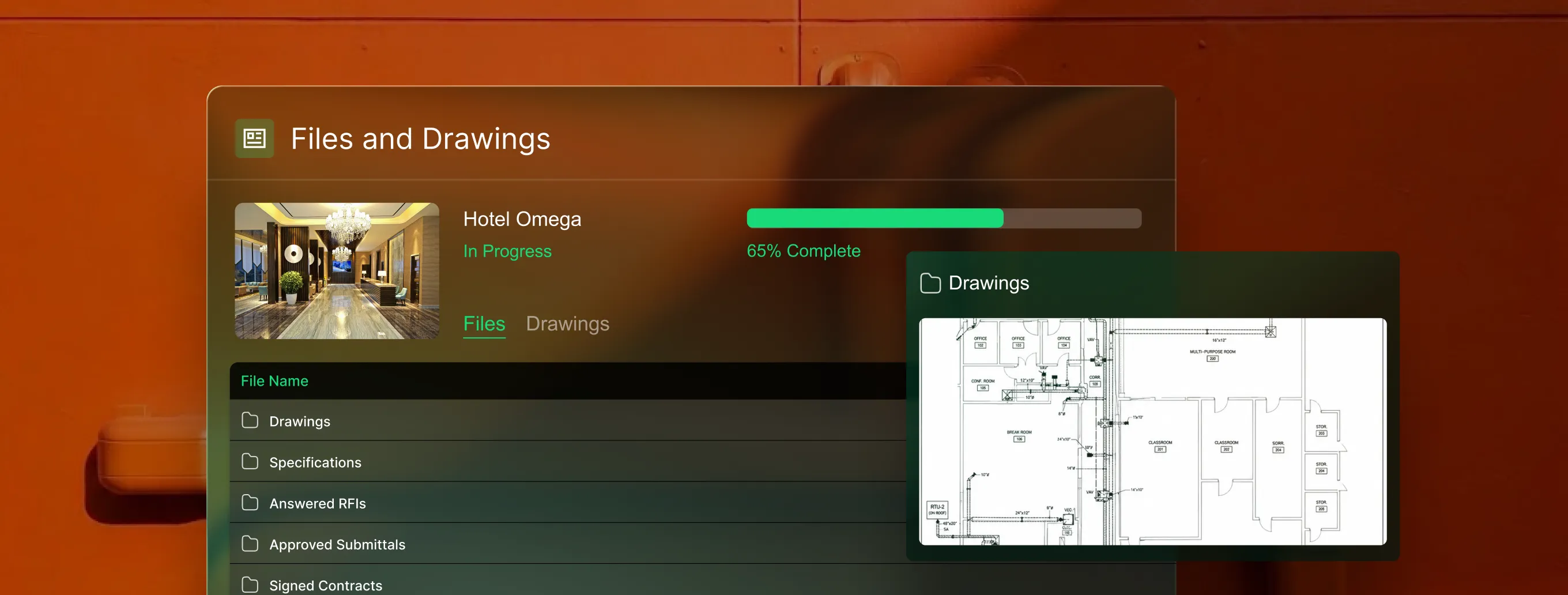
Manage RFIs, submittals, and drawings in one structured system so every document is linked to the right project and ready to defend your scope when it matters most.
Trusted by 1,500+ commercial contractors across North America















From field issue to formal record
No more chasing paper between field and office

Drawing-linked clarity
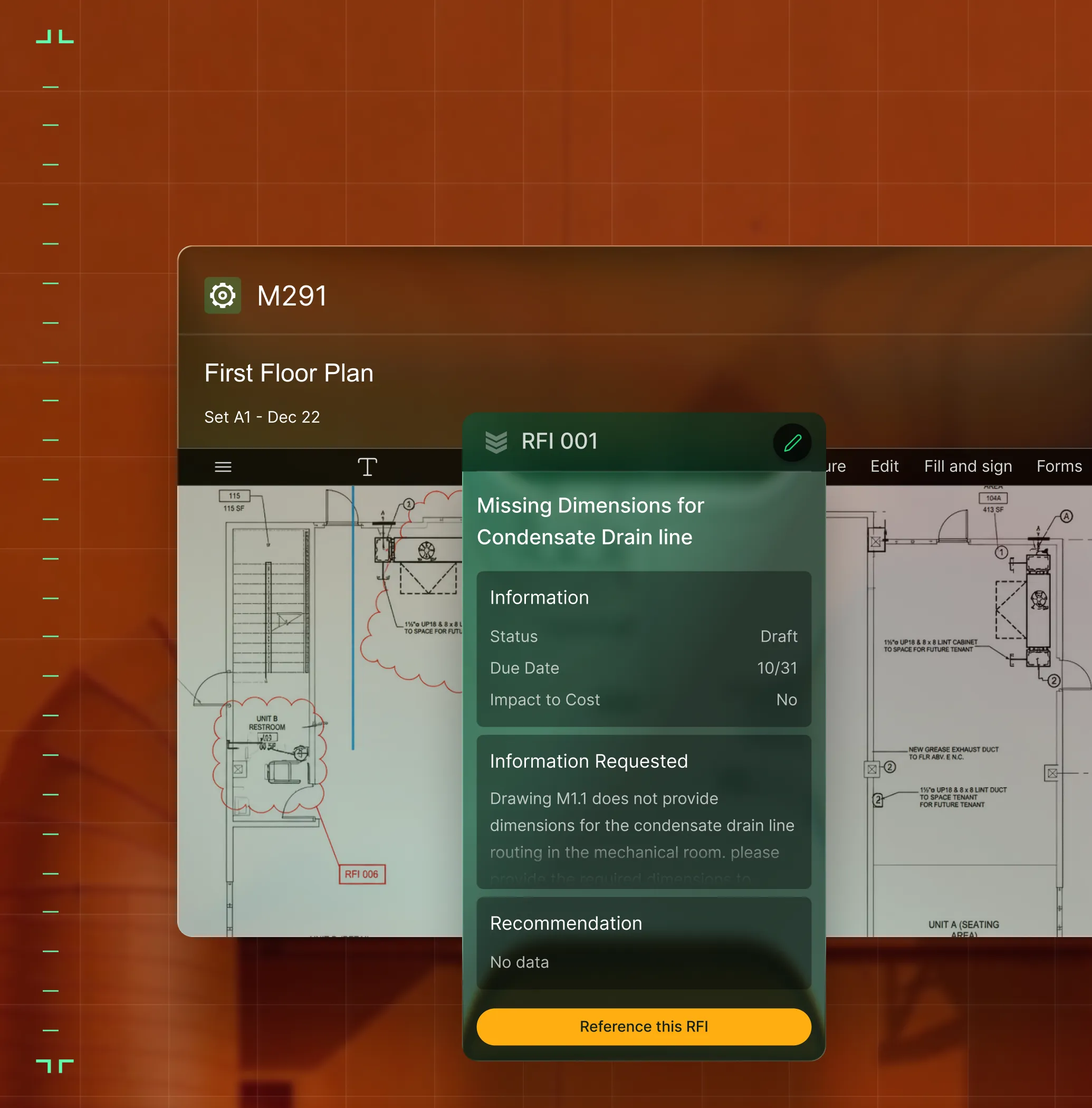
Pin RFIs directly to drawings so the field explains it once with full context.

Submittal confidence
Track submittal statuses and approvals so nothing stalls the install schedule.

Version control built in
Ensure every crew builds from the latest plans. No back-and-forth, no wrong revision.
Own your project record
Built for subs, not for the GC
GC portals control your access, your data, and your timeline. BuildOps gives specialty contractors a project record they actually own: structured, searchable, and available long after the job is done.

RFIs Pinned to the Plans
Create and track RFIs from the drawing itself, pinned to the exact location. The office sees the issue, the context, and the full response trail.
Structured Submittal Logs
Track every submittal with statuses, due dates, and approval workflows so questions and materials never stall the job.

Secure File Access
Give the right people access to the right documents with role-based permissions.

From foreman to finance
One source of truth for every role

"I get home earlier because my paperwork is done before I leave the job."
Close work orders fast with voice notes and auto-synced photos.

"I can spot a margin leak on Tuesday and fix it by Wednesday without making 20 phone calls."
See live photos and labor to catch margin leaks early.

"Every crew follows the same standard—every site."
Enforce safety and QA with required digital checklists.

Proven Results
Real-world impact for commercial leaders


"We've seen an increase in day-to-day operations efficiencies that's going to add up to significant savings in time and energy over the course of a year."

"If we didn't have BuildOps and the additional cyber security they give our company, we would be dead in the water."
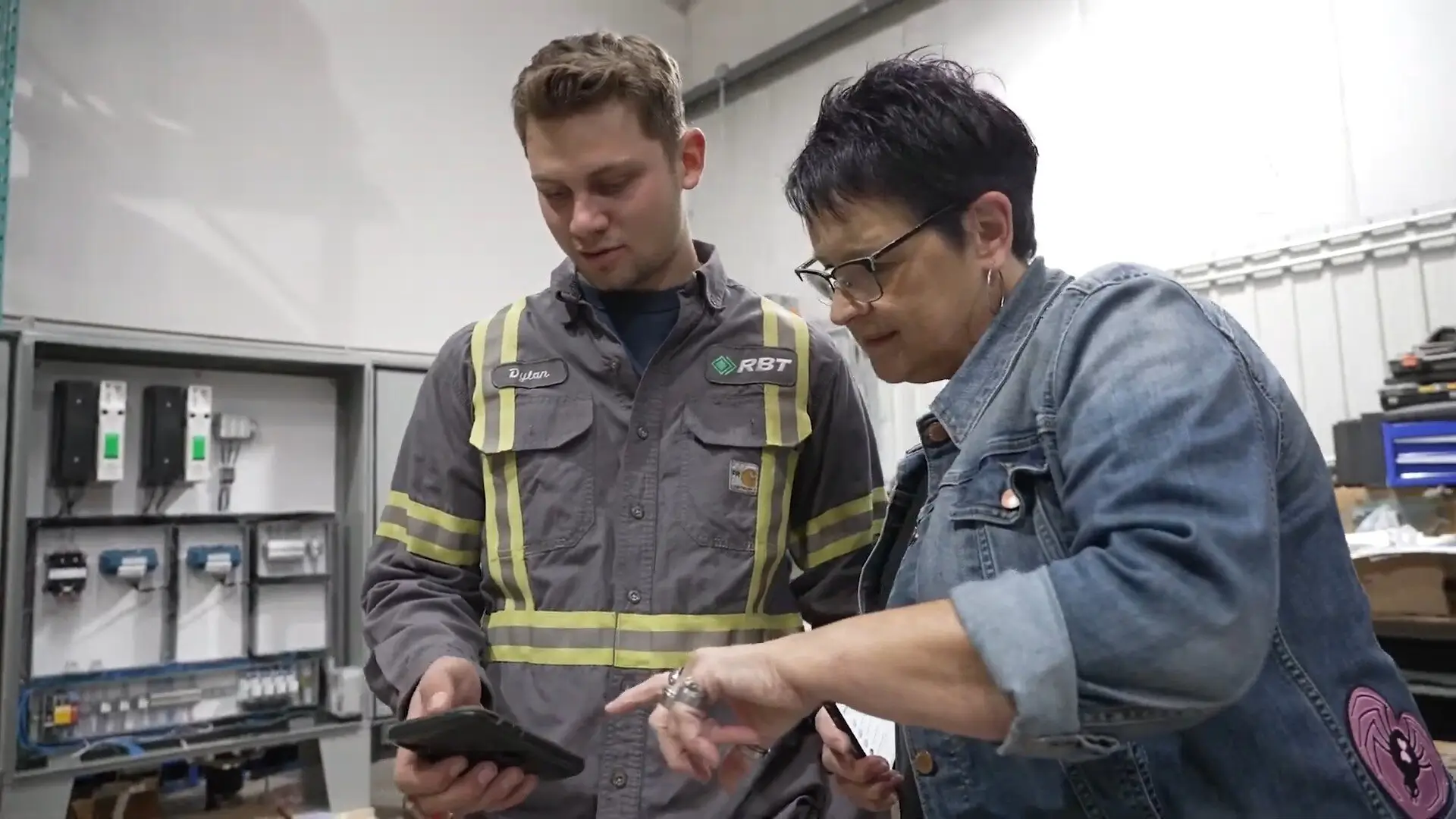

"The ability to produce reports either on an individual job basis, a quarterly basis, or a project basis is something we'd never seen before in other software that we've used."

"We've cut down in our receivables from about 120 days to 30 days on average."


"Before we knew it, we were seeing quicker turnaround times on job closeout and a huge improvement in the time it took for quotes to be accepted by our customers."


"With BuildOps, we feel like we can go after anything. The sky is the limit as far as the size of the project."
.webp)

"BuildOps gave us an all‑in‑one system for both service and projects. Once we saw that, it was a no‑brainer."
"With the integration of BuildOps and Sage Intacct, our accounting system, we've been able to speed up the time it takes for us to bill customers."


"Our consulting division increased 300% because we were able to free up more time from the office to help other customers."
![Service First Logo]](https://cdn.prod.website-files.com/69cad9cd3a5ef3196ea9bb65/69fa0ca0adc28a56d26717c9_Service%201st%20white.webp)
"Sometimes systems promise you the moon, then you use them and see the weaknesses. It's been the exact opposite with BuildOps. Everything we wanted it to do, it could do."

"We used to be two weeks behind on job costing. Now we're up to date daily."
What makes BuildOps different
Built from the ground up for contractors who run projects, service, and everything in between. Not adapted. Made for the work.
Commercial work isn't an add‑on
Most platforms started in residential and stretched to fit. BuildOps starts with the complexity of commercial work.
Run the work in one connected system
Field, office, finance, and sales — all in one place. No duct-taped tools, no double entry, no dropped balls.
OpsAI is built in, not bolted on
OpsAI is already in your workflows. It recaps the day, calls out risks, and gives every role a clear next step.


Connected across the platform
Document control is just the beginning
RFIs, submittals, and drawings don't live in a silo, they feed the entire Project Management Platform. Explore the modules that turn structured documentation into financial confidence.
Project Management features






Common Questions
Your questions on document control, answered
What is document control software in construction & field service management?
Document control software takes the documents needed for construction like RFIs, submittals, SOVs, scope agreements, drawings, and anything else used during actual construction, and stores and organizes them in a single system so they are available to all team members and stakeholders when needed. During construction, these documents are needed by a variety of roles on a daily basis, so the software makes them accessible without these team members needing to constantly search for them or ask others for them.
A document control software can be as simple as document organization, but a more robust tool will offer document control as a component of a comprehensive field service management platform so those documents can link and empower other parts of the operation, linking to things like project budget or specific tasks and jobsites.
What are the most important features in a commercial construction document control software?
If you work in commercial construction, large-scale projects require a lot of documents throughout the process. To enable that kind of work, you want a document control software with these kinds of features:
- Pin RFIs Directly to Drawings—To provide clarity on the scope of work.
- Submittal Tracking—Track submittal statuses and approvals to prevent work stalling.
- Mobile App—All team members can access all documents they have access to in the field and instantly.
- Searchable—The platform enables searching of documents, as well as other jobsite and customer information.
- Detailed Record of Work—Accessible even after jobs are complete, so it can always be presented to customers when asked for it, or used for internal reporting.
- Real-time Built-in Version Control—Any role has the most up-to-date information, without the need to ever double or triple enter documents in the platform.
- Role-Based Permissions—You can set access based on role and who needs to see what.
Can my field team create RFIs on mobile in BuildOps?
Yes. Foremen and crews can create RFIs directly from drawings on their phone, pinned to the exact location with photos and markup. The office sees the issue in full context without a single phone call.
What happens to my project documents after closeout in BuildOps?
They stay in BuildOps, and are searchable, structured, and tied to the project. Unlike GC portals that lock access after the job ends, your full document trail is available for audits, disputes, and future bids.
How does role-based access work in BuildOps? How do I control who sees what? How is the data secured?
Role-based permissions ensure your team only sees what they need to, and you are in full control of that. You can set permissions for field techs, for foremen, for office admin, for project managers, for business owners—whatever you need. BuildOps is a platform where all the data is accessible to anyone, whether they’re using a desktop or using their phone, but you are in total control of who sees what.
Maybe you want to build a custom report for each GC to see their current time tracked against the project, but you want a different dashboard for leadership to compare current hours for all GCs working on the project to date. With BuildOps, you can do that.
BuildOps is also SOC 2 compliant with enterprise-grade encryption for data in transit and at rest, so you can be assured: your data is secure, and your data stays yours.
How do RFIs and submittals connect to change orders in BuildOps?
RFIs, submittals, and daily logs build a documented trail that anchors your change order requests. When the GC pushes back, you have timestamped, linked, and structured backup instead of digging through emails.
How does drawing version control work in BuildOps?
Upload and manage drawing sets inside BuildOps. RFIs, punch items, and tasks link directly to drawing locations. When a new revision comes in, your team always builds from the current set without guesswork.
Do I still need the GC's portal if I use BuildOps for documents?
Yes, and that's the point. BuildOps doesn't replace Procore or the GC's system. It gives you your own project record that you control, so when the GC archives the job, your RFIs, submittals, and history stay with you.