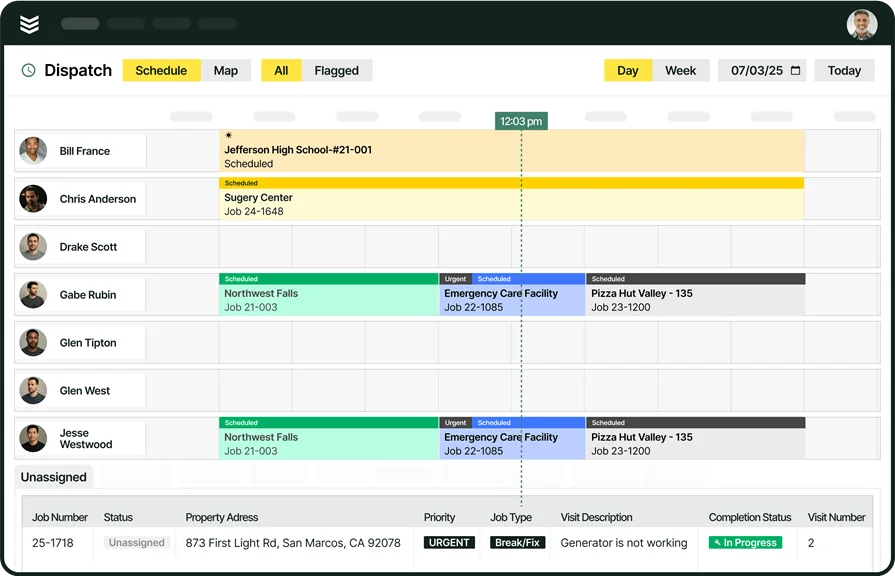
Top Commercial Construction Project Complaints We Hear


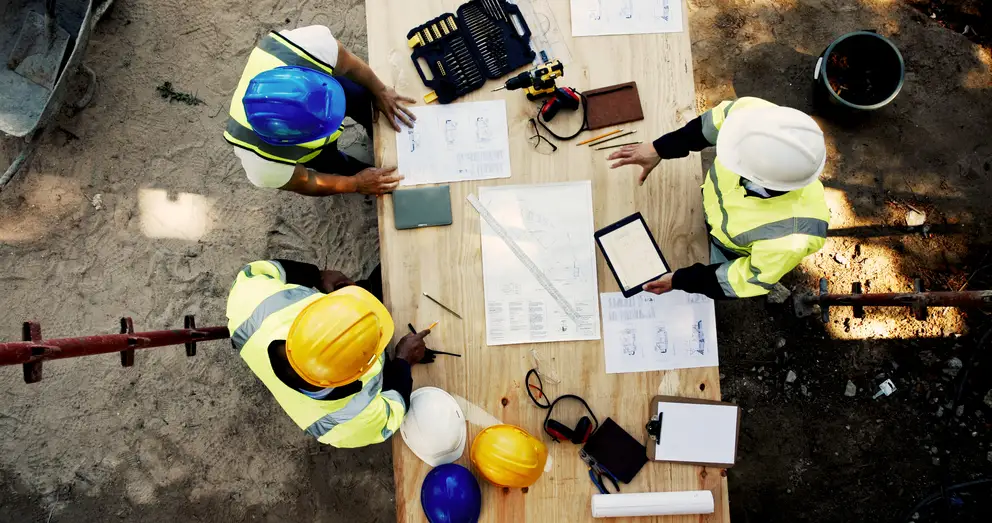
When we talk with PMs, ops leaders, and owners running commercial construction work, the same pattern keeps coming up. Projects rarely get harder to manage because of one big blowup. It is usually the smaller misses that stack up. A schedule change takes too long to reach the field. Cost moves before the PM sees it. The latest drawing lives in the wrong place. Before long, the job feels harder to control than it should.
For teams looking at commercial construction project management as part of a broader construction field service management software strategy, this guide gets into the parts that matter most: the complaints that keep coming up, the stages where work stalls, the roles carrying the load, and the questions teams ask when jobs get complicated.
The biggest commercial construction project complaints we hear from customers who switched to BuildOps
That shows up fast in the conversations we have with commercial construction contractors every day. The work itself is getting done. What starts to break down is everything around it: the handoffs, the updates, the cost picture, and the job record people are supposed to trust.
One team is chasing updates across email. Another is digging through shared folders. Another does not catch the cost issue until the money has already moved. Different setup, same pressure.
These are the project complaints that come up most often, and the gaps BuildOps is built to close.
1. “The software works for the GC. It doesn’t really work for us.”
A lot of project tools do a decent job holding documents. That’s not the same as helping a commercial contractor run the work. When the system doesn’t match the way your team tracks labor, cost codes, commitments, and billing, people work around it. That’s when project controls start slipping.
The problem gets bigger when your customer-facing billing structure and your internal budget have to fit the same mold. On paper, that sounds tidy. In real life, it makes job costing harder and billing slower.
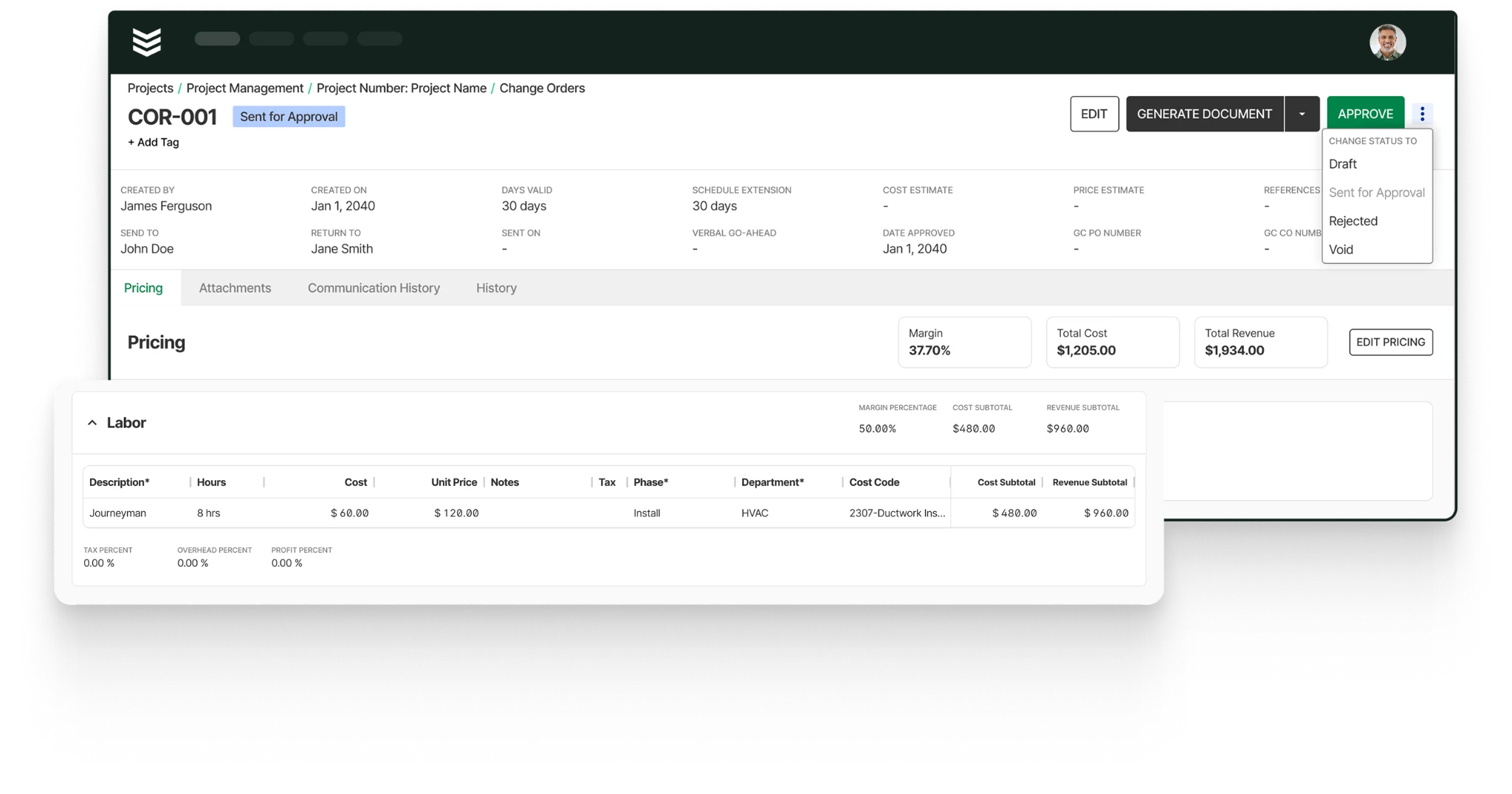
How BuildOps solves this problem: BuildOps was built around the subcontractor workflow, not around the GC portal. That’s why teams use it as their own construction project management layer, with project financials that stay separate from the customer-facing schedule of values while still giving PMs a live read on the job.
2. “We’re already doing the work once for the GC. We don’t want to do it all over again internally.”
This is one of the biggest frustrations on commercial projects. The crew does the work. Then someone in the office has to rebuild that same story from emails, logs, photos, and vendor paperwork.
That extra layer costs time. It also creates mistakes. A missed update turns into a missed change. A late note turns into a billing delay. A disconnected purchase turns into margin you don’t catch until later. It gets worse when your team is also feeding outside project requirements while trying to maintain your own internal records.
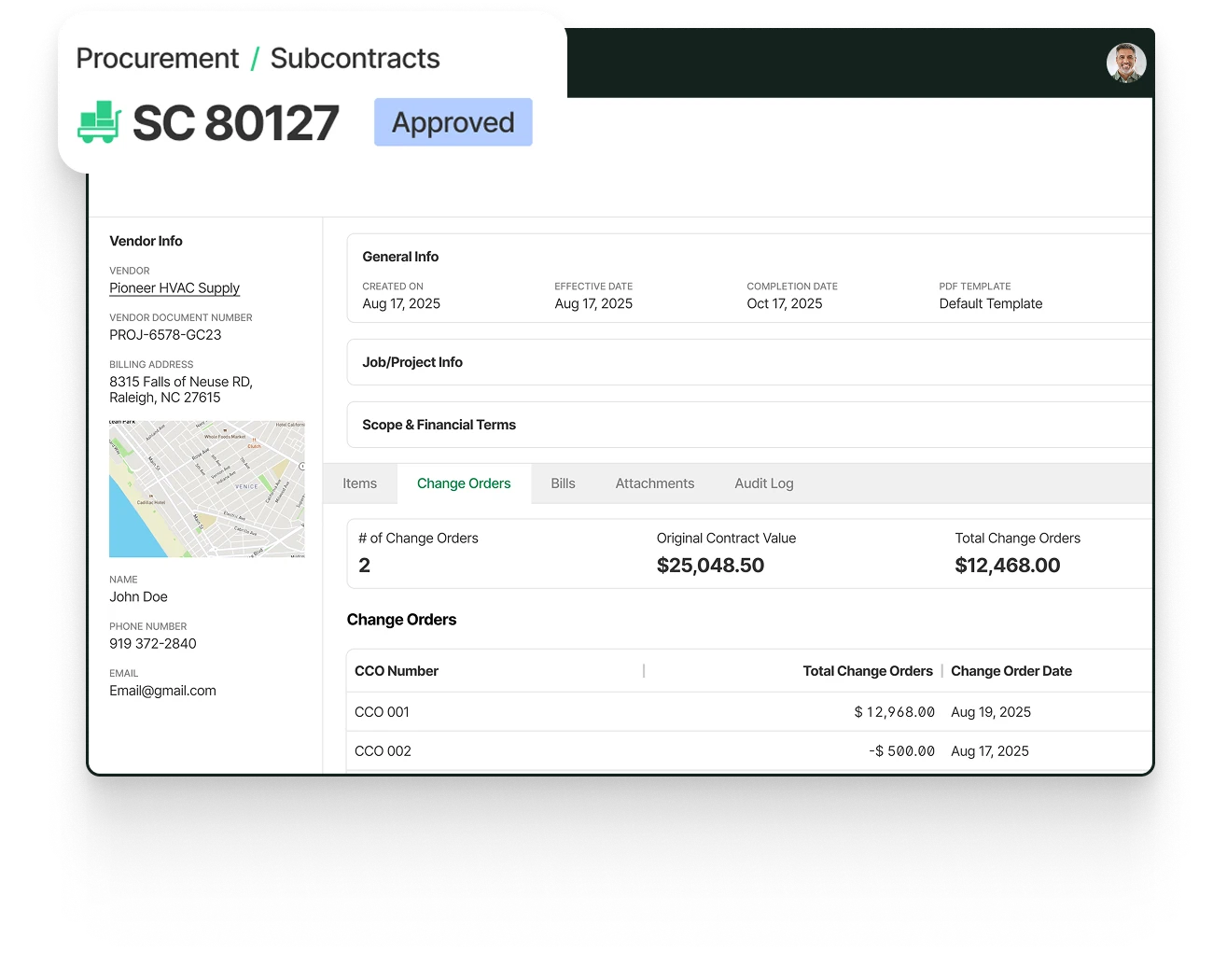
How BuildOps solves this problem: BuildOps gives subcontractors a system that runs their side of the work instead of making them live inside someone else’s. That’s where tools like materials & subcontracts and construction operations matter. They give PMs, purchasers, and finance a shared workflow for commitments, field orders, and cost movement without turning the internal operation into another spreadsheet chase.
3. “Too much of the project still lives in email, spreadsheets, Word Docs, and server folders.”
A lot of teams can make that setup work for a while, but once project volume climbs, the cracks show fast. Someone needs a current drawing. Someone else needs the latest field note. A PM needs to know whether an issue was documented, priced, or approved. If the answer depends on who saved the file and where they saved it, the job slows down.
This is the part of project management that wears teams out. Not the work in the field. The hunt for the information behind it.
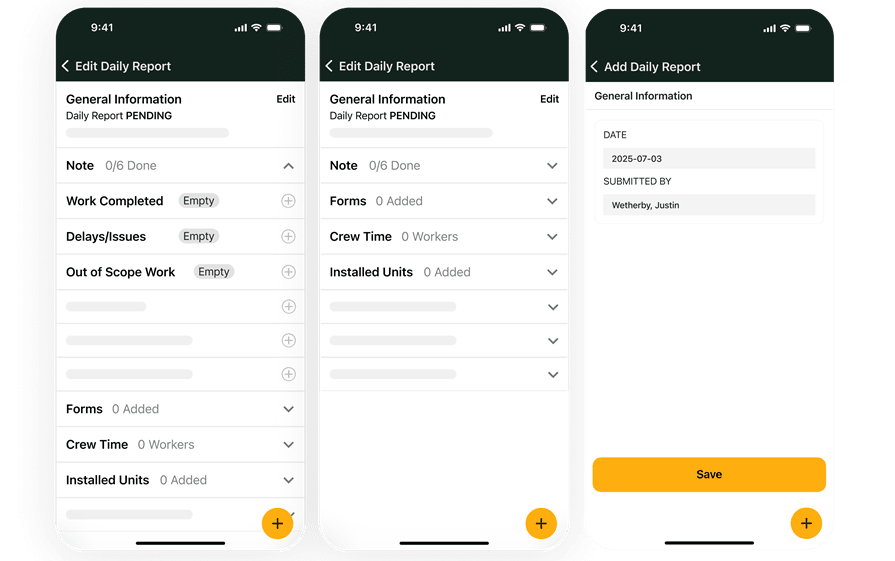
How BuildOps solves this problem: BuildOps pulls that work back into the same operating lane. Field execution gives crews a clean way to push daily job information back to the office, and document control keeps project records tied to the job instead of buried in email threads or shared drives. That’s also why more contractors are paying attention to AI for construction management, not as hype, but as a way to future-proof and clean up project data before they’re left behind.
4. “We don’t find the cost problem until the invoice shows up or after billing goes out.”
This is where project frustration turns into real margin loss. If committed costs don’t show up early, PMs are reacting late. If purchasing sits outside the project workflow, finance gets the story after the money has already moved. If change tracking lives in a separate log, billing becomes a cleanup job. That’s not just annoying. It makes it harder to protect the job while there’s still time to do something about it.
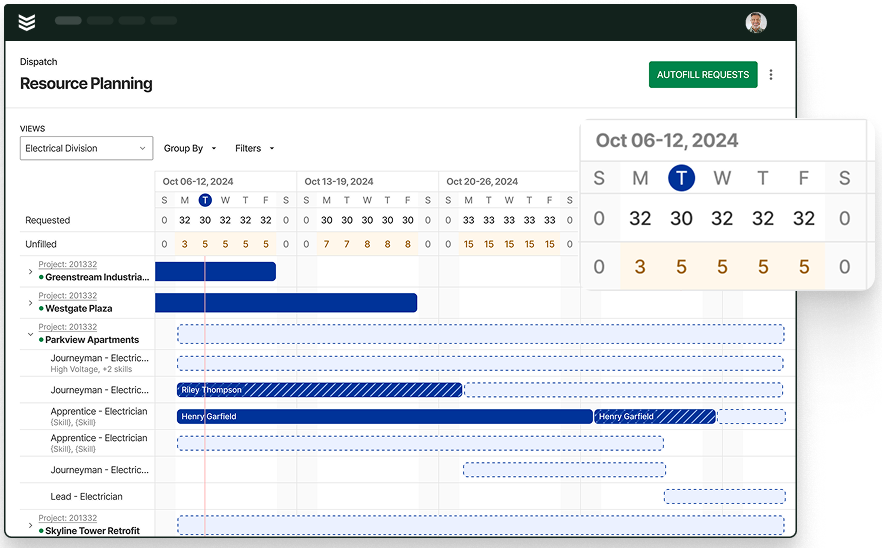
How BuildOps solves this problem: BuildOps closes that gap by putting job costing closer to the work itself. With resource planning, teams can see labor pressure coming instead of reacting after the week is gone. With live project cost tracking, commitments, and change-order workflows sitting closer to the PM, the system gives people a faster read on what’s drifting and what still needs to get billed.
5. “Our field team still needs a better way to work on drawings, floor plans, and as-builts.”
When drawing control is weak, rework follows. The wrong version gets used. Markups live on one device. Field changes don’t make it back cleanly to the office. That creates more than confusion. It creates risk. On commercial jobs, bad handoffs around plans, markups, and as-builts can slow the field down and make closeout harder than it needs to be.
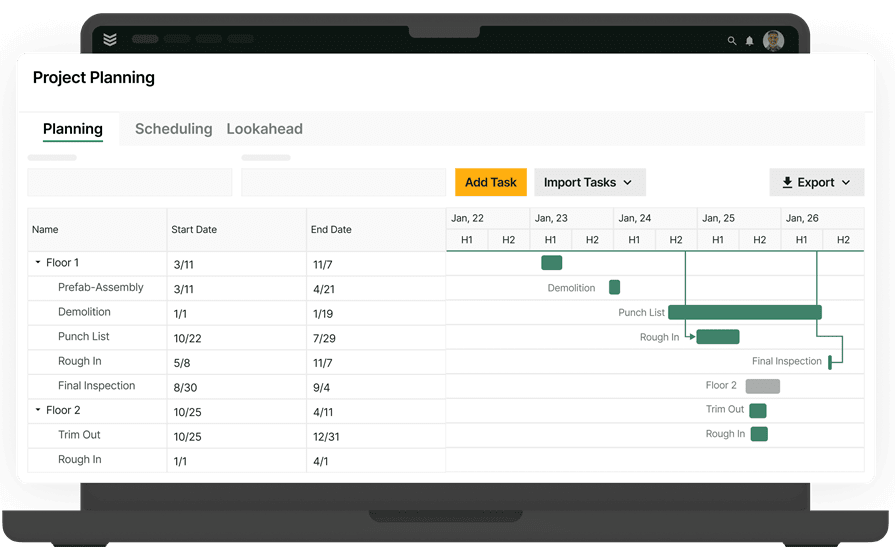
How BuildOps solves this problem: BuildOps gives field and office teams a shared place to work from the same project record, with drawings, notes, daily reporting, and job documentation tied back to the job. For contractors who need stronger field-to-office accountability, that matters more than another file repository because the record stays connected to the work, not just stored beside it.
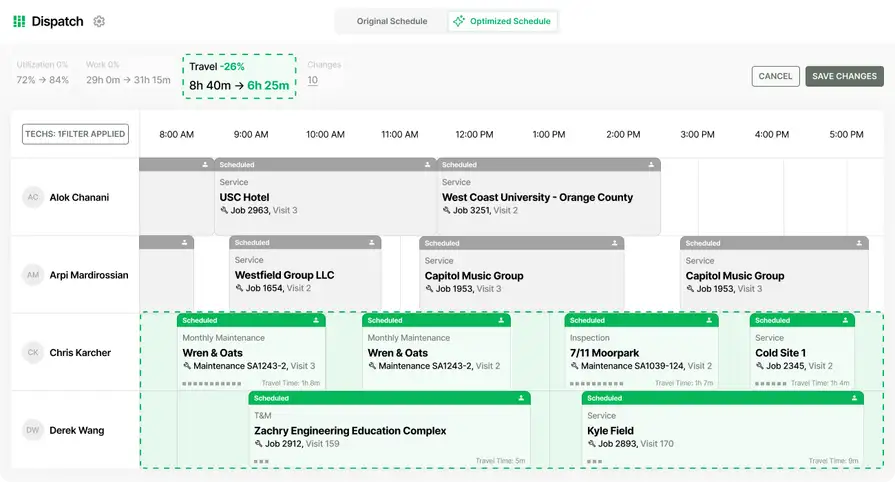
7 stages of the commercial construction project management process
Those complaints usually show up at the same points in every job. A handoff gets missed. A schedule change lags. Cost, field updates, and documentation stop moving together.
For commercial contractors, these are the seven stages where project control matters most.
1. Project conception - This is where the job gets tested. Before anyone mobilizes, the team is sizing up fit, risk, schedule pressure, and whether the margin is real.
2. Planning and design - Once the job is moving, design decisions need to stay easy to find and easy to trust. A strong construction knowledge management system helps keep specs, site history, and project decisions from getting buried.
3. Preconstruction - This is where the team tightens scope, reviews constructability, and gets ahead of long-lead items. Early schedule pressure usually shows up here first, which is why more contractors are paying attention to AI construction scheduling software.
4. Procurement - Buying late or buying blind can throw the whole job off. Teams focused on modernizing procurement in construction use this stage to lock in commitments, control material flow, and keep purchasing tied to the budget.
5. Construction - This is where project control gets tested every day. PMs need field updates, labor visibility, and clean documentation so the office and the field are working from the same record.
6. Closeout - Closeout starts before the last day on site. Punch work, turnover docs, as-builts, and final cost cleanup move faster when the team has one source of truth, which is why AI construction project management tools are getting more attention on complex jobs.
7. Post-construction - The project may be done, but the relationship is not. A connected commercial construction CRM helps your team carry forward site history, warranty details, and the next opportunity without starting from scratch.
At BuildOps, we look at these stages as one connected workflow. When the handoff from one stage to the next is clean, schedules stay tighter, costs stay clearer, and the job is easier to control.
Who makes up a commercial construction project management team?
Once you look at where projects usually break down, the next question is who is carrying the load day to day. On commercial jobs, things run a lot smoother when every role knows what they own and information moves cleanly from the field to the office. These are the core roles that keep commercial projects moving.
Commercial contractors
Commercial contractors run the job day to day. They manage labor, sequencing, material flow, schedule pressure, and communication across the work. They are also the team carrying the risk when costs drift, field updates come in late, or one bad handoff slows the whole project down.
Engineers
Engineers handle the technical side of the build. They review structural, civil, and MEP requirements, help resolve conflicts, and keep the job aligned with code and design intent. On complex commercial work, that input matters early and often. Small technical issues can turn into expensive field delays if they sit too long.
Architects
Architects shape the design and help keep the final build aligned with the original plan. They answer drawing questions, review changes, and help teams move through design decisions with less confusion. When communication is clean, architects help reduce rework and keep the job moving.
Builders
Builders turn plans into installed work. They handle field execution, equipment, coordination on site, and the pace of production. If the field team does not have current information, the schedule feels it first.

AI taps thousands of past bids and job records to surface real costs, flag margin risks, cut estimating errors, and uncover scope gaps—so you grow capacity without adding headcount.
The top AI use cases in field service break down exactly how leading contractors are turning field data into faster, smarter job management.
Subcontractors
Specialized trades like electrical, plumbing, HVAC, and concrete work fall under subcontractors. These professionals execute specific tasks under the general contractor’s direction. In commercial construction, subcontractors must align with strict timelines and quality standards while maintaining clear communication about job progress and potential issues.
Construction managers
Subcontractors carry specific scopes that have to stay on time and on spec. They need current drawings, clear coordination, and fast answers when conditions change in the field. When that support is missing, production slows and closeout gets harder.
Construction managers
Construction managers keep the moving parts aligned. They track schedule, budget, workforce activity, and project issues while helping office and field teams stay on the same page. The strongest teams make this coordination routine, not reactive. That is what keeps commercial projects easier to control from start to finish.
Each of these roles plays a critical part in keeping a commercial project on track, ensuring deadlines are met, quality standards are upheld, and budgets stay intact. A well-organized team also benefits from CRM for contractors and commercial construction, helping streamline communication and project coordination. Up next, we’ll cover best practices to help commercial construction teams scale faster and operate more efficiently.
6 other commercial construction project management FAQs asked by our customers
Commercial contractors usually ask the same few questions when they are trying to get tighter control over projects. They want to know what good project management should actually look like, what kind of system fits commercial work, and where AI can remove friction without creating more admin.
Here are the questions that come up most often.
1. What is commercial construction project management?
For commercial contractors, project management is how you keep labor, schedule, material, field updates, billing, and closeout tied to the same job. It is not just a schedule and a checklist. It is the day-to-day control that keeps work moving and protects margin when the job changes.
2. What is the best commercial construction project management software?
It depends on the kind of work you run. If you manage complex commercial jobs, the best platform is one built for commercial contractors, not one built for lighter work or one part of the job.
BuildOps fits teams that need projects connected to job costing, billing, field activity, and service work in one place. Some platforms can work well for residential or simpler use cases. Commercial contractors usually need deeper coordination across the office and field.
3. How does AI automate parts of commercial construction project management?
AI helps when it takes admin work off the job. That can mean cleaning up job data, surfacing schedule issues earlier, turning field activity into usable records, and helping teams catch problems before they turn into cost.
That is where OpsAI for field management becomes essential. It puts intelligence inside the workflow so PMs, supers, and office teams can act faster without adding more manual steps.
{{related-content-block="/resources/customer-success-highlight-on-site-with-jackson-mechanical"}}
4. Do you need a separate PM tool, or should it be part of a commercial construction management platform?
For most commercial contractors, project management works better as part of a bigger platform.
Projects touch estimating, purchasing, field execution, invoicing, and reporting. If those pieces live in separate systems, your team spends more time reconciling the job than running it. BuildOps connects project financials, materials and subcontracts, and field execution so the whole job stays closer to one source of truth.
5. What project management best practices help commercial contractors scale faster?
The teams that scale without losing control usually stick to a few habits. These are the practices that help commercial contractors keep projects tighter as volume picks up.
- Keep one live job record. Everyone should work from the same budget, schedule, and job history.
- Review cost movement early. Do not wait until billing or month-end to find the problem.
- Push field updates in daily. Small delays in notes, quantities, and labor hours turn into bigger issues fast.
- Lock down change-order flow. If scope changes are slow to document, margin slips.
- Standardize handoffs. PMs, supers, purchasing, and accounting should all be working from the same job story.
6. How to integrate a commercial construction project management tool into your existing system
A rollout goes a lot smoother when the team is clear on what needs to happen first. These are the steps that help commercial contractors bring a new platform into the business without creating more confusion.
- Map your current workflow. Start with how jobs move from estimate to buyout to field to billing.
- Clean up active job data. Bad cost codes, duplicate vendors, and incomplete records slow every rollout.
- Connect the most important workflows first. Start with the handoffs that create the most risk.
- Give the field a simple process. If updates are hard to enter, the office will never get clean job data.
- Roll it out with accountability. Set expectations, train by role, and measure adoption in the first 90 days.
The goal is not to add another system. It is to give your team a better way to run the work they already have.
Commercial construction project management gets harder when job information lives in too many places. The teams that stay ahead keep field updates, cost, drawings, billing, and handoffs connected so they can protect schedule and margin before problems grow.
You only need one source of truth for projects, field work, cost, and billing. BuildOps keeps the job connected. OpsAI for construction cuts admin and surfaces what needs attention faster. Book a demo to see how BuildOps helps your team run tighter projects and protect margin.