3 Best Construction Change Order Management Software

Change order software can quietly save a project from going off the rails. Instead of one small scope tweak snowballing into three, with paperwork trailing the actual work, the right platform keeps every adjustment visible. By the time someone reviews the job, margins are still intact, and there is no confusion about what was requested, approved, or billed.
With a connected change order workflow inside a solid construction field service management system, your team works from a single source of truth. The field, the office, and the client see the same information, so every change is tracked, priced, approved, and documented before anyone touches the job. No guessing. No chasing signatures after the fact. No “I thought that was included” conversations at the eleventh hour.
Throughout this guide, you’ll see how change order software keeps what’s built aligned with what’s billed. With the right digital workflows, your team can control scope creep, protect margins, and keep jobs moving. For modern construction crews, a tight, software-driven change order process isn’t optional. It’s how you stay aligned with real job conditions.
5 key features to evaluate in construction change order software
Construction change order software has to do more than store forms and email threads. It needs to capture scope changes, pricing, backup, approvals, and revisions in one workflow so teams can track what changed, why it changed, and what it means for cost, schedule, and billing.
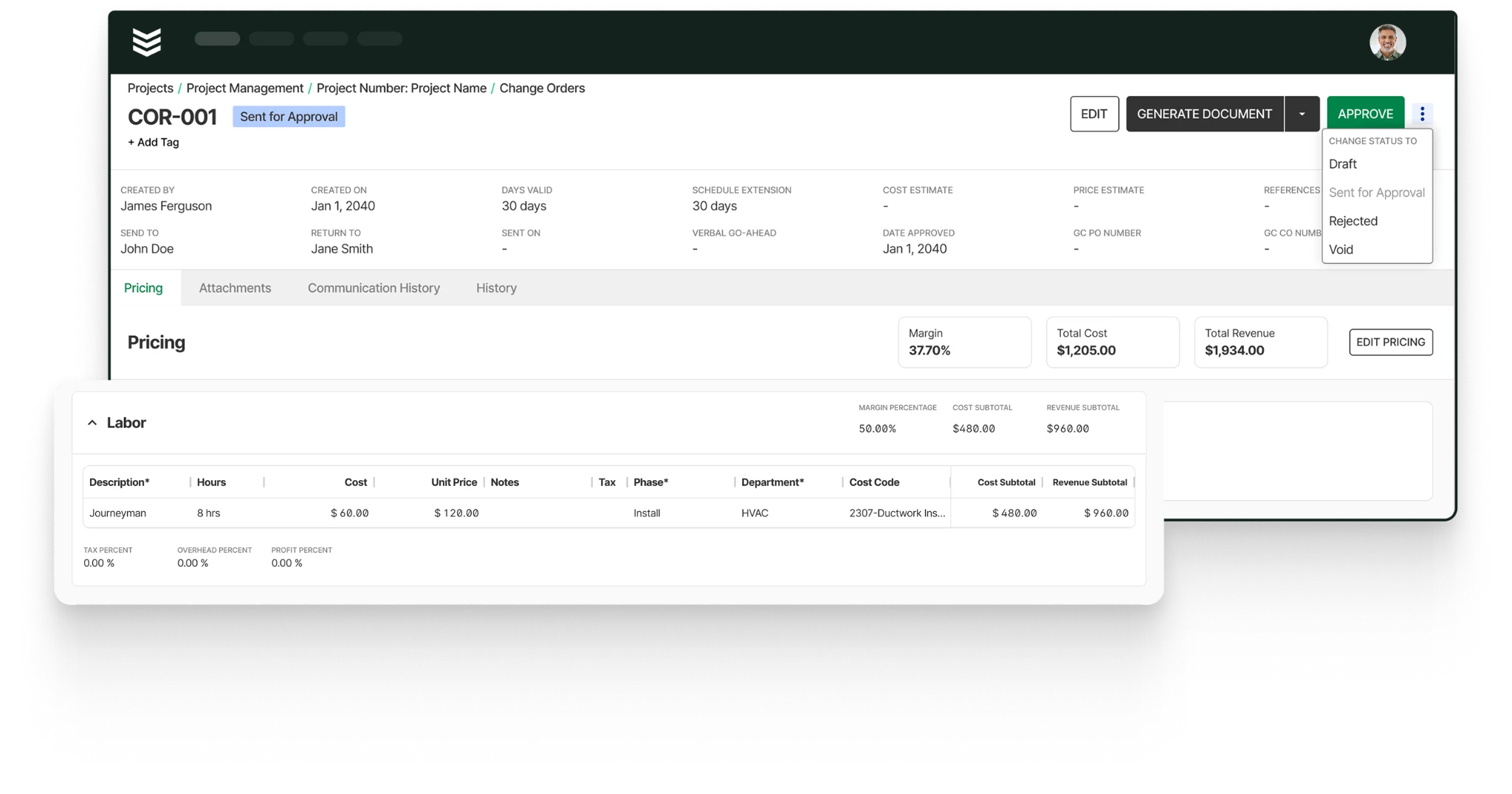
Here are the top features you should look out for, and make sure they are built into the core of any tool you use for managing construction change orders. These are the capabilities that help contractors control risk, protect margin, and keep every change clearly documented from the field to the office.
1. Mobile-friendly app accessible to field teams
Most change order risk starts in the field, where scope changes are first seen and documented. A technician mobile app gives foremen and field teams a way to capture photos, notes, and job updates from the site so that change order records begin with timely, accurate information.
Mobile access also keeps change order documentation moving when teams are away from the office. Field users should be able to review job details, add supporting backup, and update records without waiting to get back to a desk. That speed matters because delayed documentation is one of the fastest ways a valid change turns into a billing dispute.
2. Connection between change orders and your CRM
Connecting change order management to your field service CRM keeps customer data, project contacts, property details, and account history tied to the same record. That connection reduces manual entry and helps teams build change orders with the right context from the start.
CRM-linked change order software also protects consistency across accounts, sites, and stakeholders. When customer records and project details flow directly into the workflow, teams are less likely to lose track of who approved a change, which site it affects, or how it connects to the larger customer relationship.
3. Change orders synced to scheduling & dispatching
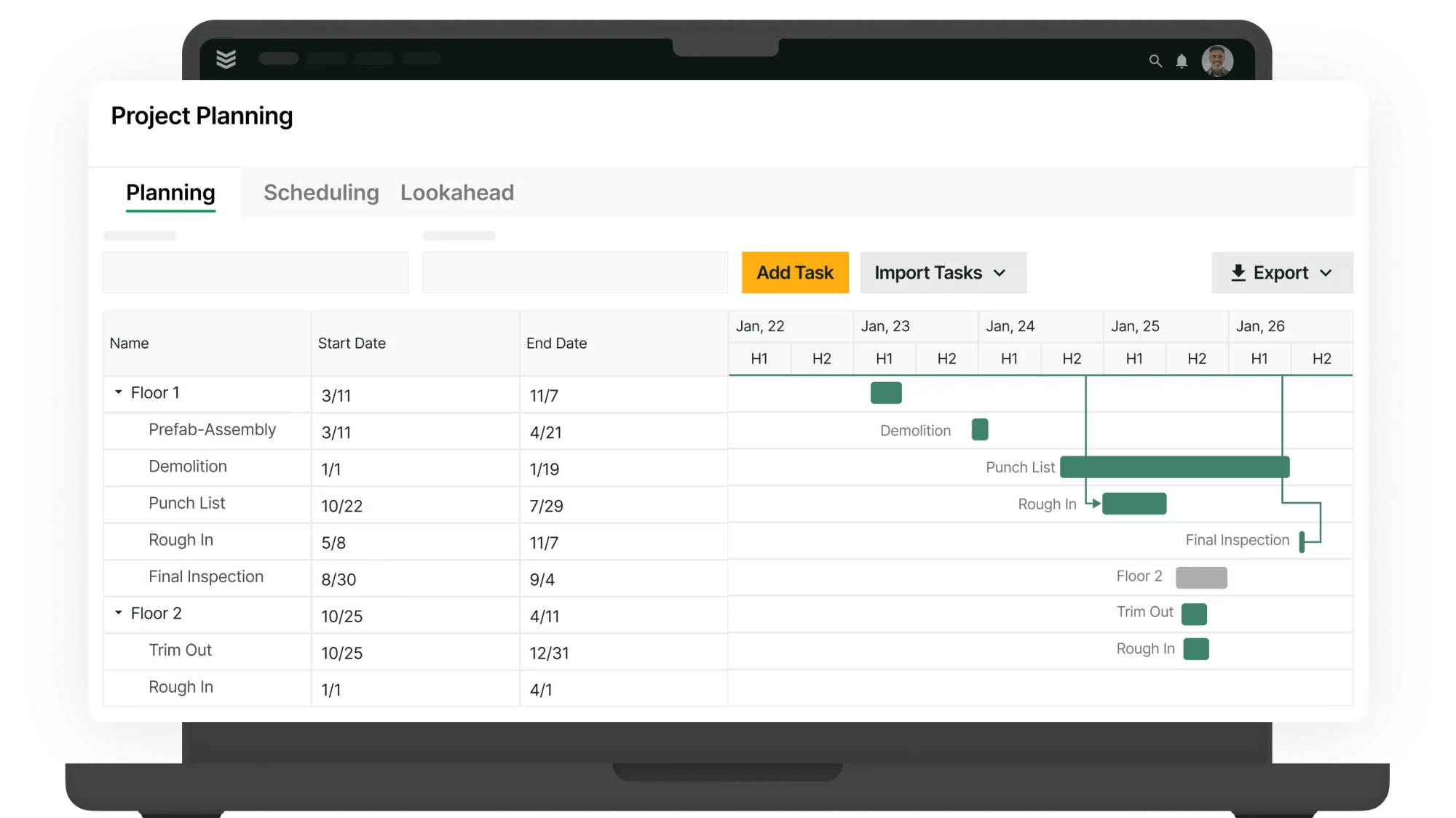
When change orders are approved, linking them to your field scheduling and smart dispatching helps labor plans reflect real project conditions. Scheduling stays aligned with approved scope, so crews are assigned based on current information instead of disconnected notes, side conversations, or manual updates.
Change order software should also reduce re-entry between project controls and execution. When approved changes flow into scheduling and dispatch, the office can coordinate labor faster, avoid missed scope, and keep jobs moving without rebuilding the plan in a second tool.
4. A field to invoice link that enables automated invoicing and payments
Invoicing and payment systems tied to approved change orders help contractors bill faster and defend the amount billed. When approved scope, labor, materials, and backup flow directly into billing, teams spend less time rebuilding records and more time moving invoices out the door.
A strong field-to-invoice solution also shortens the gap between approval and cash collection. Change order software should connect field documentation, pricing, invoicing, and payment status in one path so approved work can move cleanly from project record to invoice to payment.
5. Reporting and cost visibility
Clear field reporting tools show how change orders affect schedule, cost, billing, and risk. Reporting should surface approval cycle times, pending value, aging, and margin impact so teams can spot stalled changes and exposure before those issues show up at month-end.
Reporting also turns change order software into a management tool, not just a recordkeeping tool. When leaders can see open exposure, approval delays, and billing impact across jobs, they can tighten workflows, forecast more accurately, and act on risk while there is still time to protect margin.
3 best construction change order management software
Choosing the right construction change order management software starts with a simple question: how do your field and office teams actually build. The best platforms help contractors price scope changes, manage owner revisions, and track approvals in real time so labor, subcontractors, schedules, and budgets stay aligned instead of turning into disputes, rework, and costly project delays.
Below, we highlight leading options built for contractors, call out which project types they fit best, and flag where they may fall short depending on how you structure teams, manage subs, and control documentation.
1. Best for commercial construction contractors: BuildOps
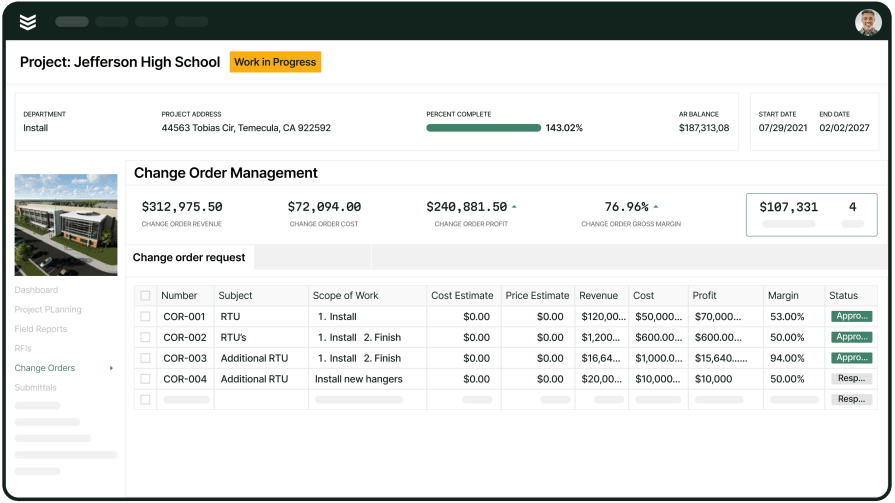
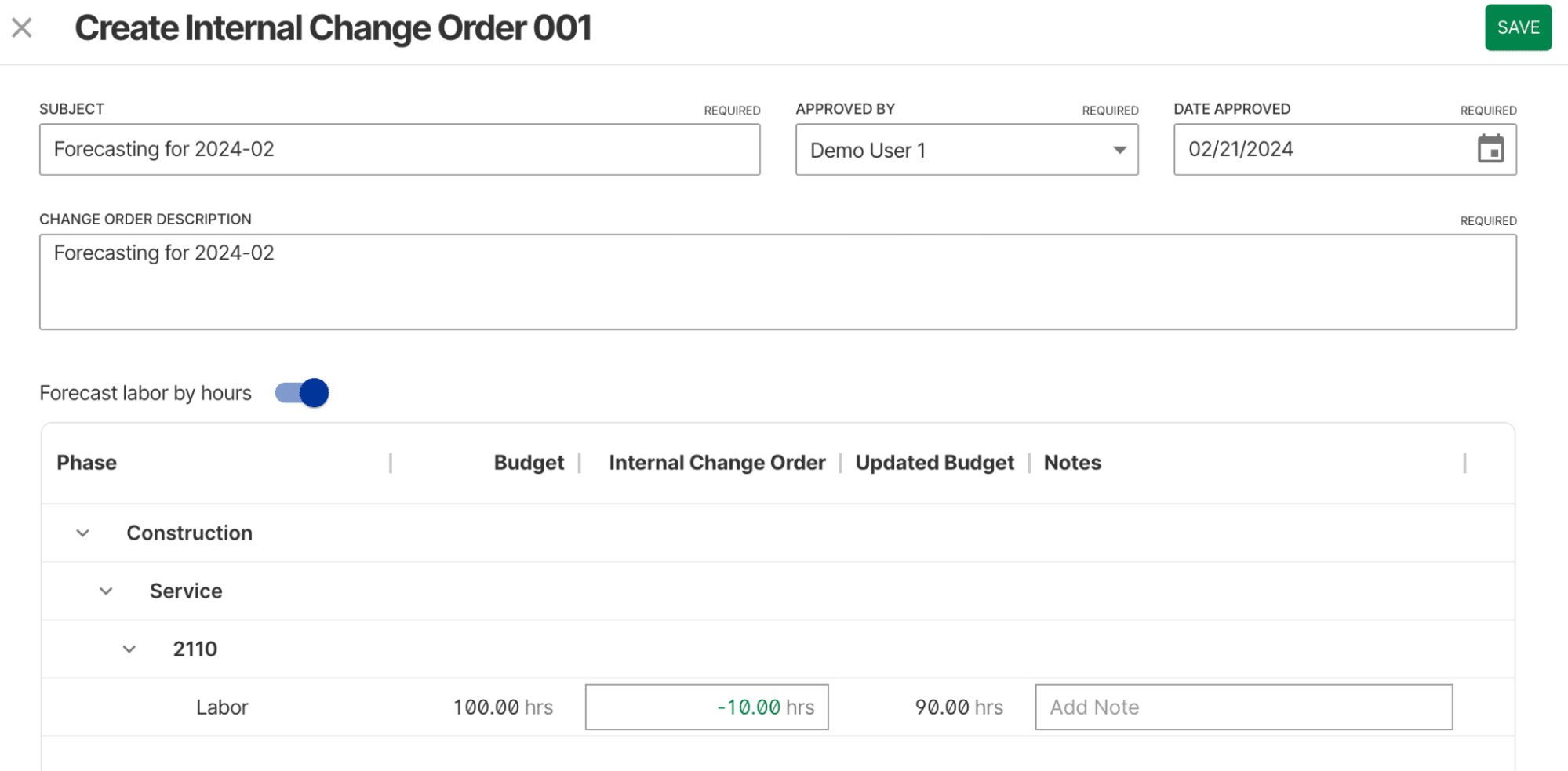
BuildOps is built for commercial contractors across the trades, including construction teams, who manage complex jobs at scale. Its construction change order tools are purpose-built for high-volume, detail-heavy documentation, so you can track scope changes, field directives, approvals, and revisions without drowning in version chaos.
OpsAI takes the mess out of change orders by turning raw field inputs, crew notes, photos, receipts, and markups into clean, structured documentation your back office can trust. Teams can capture change requests in the field, track status, and keep approvals moving between the office, the field, and final handoff without losing visibility on what still needs to be resolved.
How pricing works: BuildOps pricing is tailored to your business based on team structure, workflow complexity, and the capabilities you need. Book a demo to get a personalized walkthrough and pricing for your operation.
Features beyond change orders:
- Real-time cost tracking and job costing
- Automated labor and material calculations
- Seamless integration with AI-native scheduling and dispatch
- Invoicing and payments processing
What sets it apart for commercial use: BuildOps streamlines how commercial contractors manage construction change orders and project handoffs, making it ideal for multi-phase jobs that demand tightly coordinated documentation, approvals, and closeout packages across teams.
Rating: 4.4 on Capterra from 177 user reviews
2. Best for residential service teams: Procore
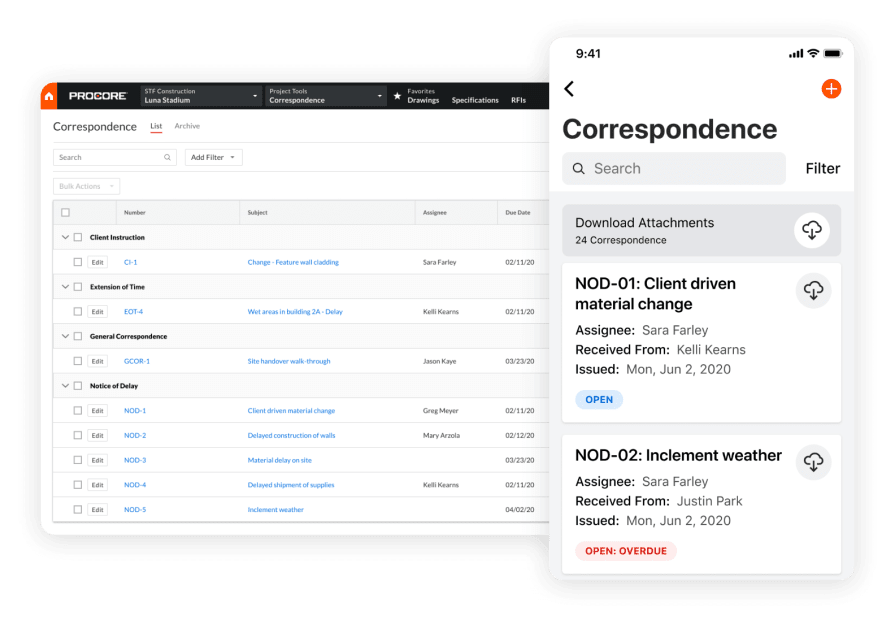
Procore is built for general contractors who need tight control over change orders across multiple trades and teams. Its platform connects pre-construction, project management, and field documentation so every scope change, RFI, and cost impact is captured in one place. Specialty contractors on large projects benefit from this coordination and clear visibility into approved and pending changes.
However, because Procore is optimized for broad project delivery, it falls short on the trade-specific workflows that service-focused contractors rely on after the build is complete. It does not prioritize recurring maintenance scheduling, detailed asset histories, or streamlined field service tickets once a project transitions from active build to ongoing service.
How pricing works: Procore uses a custom pricing model based on company size and annual construction volume. Demos are available to evaluate the platform before committing to a contract.
Features beyond change orders:
- Robust project management with RFIs, submittals, and schedule tracking
- Daily logs and job site documentation tools
- Multi-trade coordination across subcontractors and vendors
- Drawing and document management with version control
What sets it apart for general contractors: Procore stands out for managing the full lifecycle of a construction project from preconstruction through closeout, with strong change order and document workflows that keep project teams aligned. For general contractors overseeing complex, multi-million-dollar builds with many subcontractors, its project-level visibility and document control provide a centralized source of truth.
Rating: 4.5 on Capterra from 2,661 user reviews
3. Best for general contractors: Clearstory
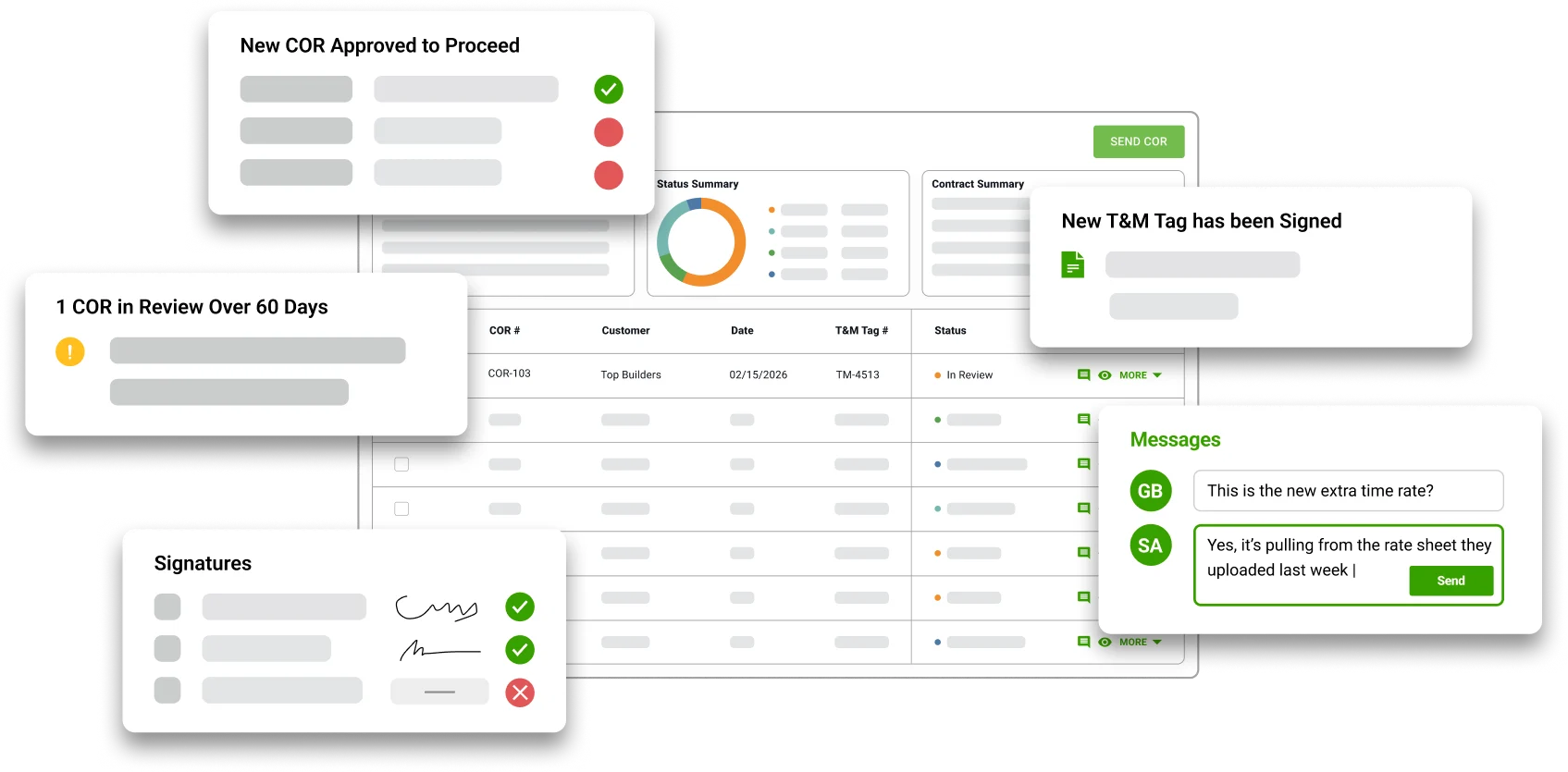
Clearstory is a dedicated change order communication platform. Unlike traditional project management tools, it focuses on aligning all stakeholders, GCs, specialty contractors, and owners on a shared, real-time change order log. It effectively eliminates the need for manual, spreadsheet-based tracking and confusing email chains.
Its primary strength lies in its ability to digitize the back-and-forth process. By providing a shared interface for reviewing and approving costs, it ensures that forecasts stay accurate and that every party sees the same data at the same time.
Features beyond change orders:
- Eliminates handwritten carbon copy tickets
- Creates a live, shared log that updates automatically when a COR is submitted
- Assigns scopes and tracks pricing responses in real-time, replacing mile-long email threads
- Provides real-time visibility into allowance buckets so budget overruns are identified early
- Built-in markup tools allow for direct commenting and markups on PDFs
What sets it apart: Clearstory is built to close the gap between stakeholders. It bridges the gap between field-directed work and back-office accounting, ensuring that what the contractor sees is exactly what the owner reviews, significantly accelerating approval times.
Rating: 4.8 on G2 from 87 user reviews
{{related-content-block="/resources/ai-construction-risk-delay-prediction"}}
7 benefits of construction change order software
Change orders only matter if they change how you manage scope and finish. When change order tasks are accurate, accessible, and tied into scheduling, inspections, and billing, commercial construction teams see real impact across every late-stage project phase.
1. Accurate change orders captured at the source
Field teams can log scope changes, pricing impact, and extra work as soon as conditions change, which cuts duplicate entry and gives the office a cleaner handoff. For contractors handling on-site field services, clean change order records mean fewer disputes, faster approvals, and less rework when crews are juggling complex installs across multiple commercial sites.
2. Faster approvals through advanced change order tools
A digital platform should do more than hold spreadsheets. With agentic AI field service tools in the mix, teams can pull in standard scope language, tag the right project areas, and connect photos, RFIs, and estimates before routing the request. That gives supers and PMs the context they need to make the call faster on busy coordination days.
3. Stronger compliance and audit-ready change order documentation
In hospitals, data centers, pharma, and food service, the paper trail has to hold up. With an AI construction project management platform, teams can keep approvals, timestamped photos, cost breakdowns, and sign-off history tied to each change item and project area. When an owner, inspector, or auditor asks for proof, the office can pull the full record fast instead of digging through binders and email chains.

Change orders do not wreck jobs. Bad change order processes do. When work starts without approval, scope stays vague, and nobody agrees on who pays, you end up with blown budgets, stalled schedules, and legal headaches.
This guide breaks down how to build a structured system for requesting, approving, and documenting every change so nothing slips through the cracks. Learn how to take the chaos out of construction change orders.
4. More profitable projects driven by AI contractor workflows
AI workflows help teams move change orders faster and with fewer misses. They can surface patterns from past jobs, flag scope or cost risks early, and keep the next step moving without extra office cleanup. Contractors who use contractor workflow AI tools can cut rework, shorten approval cycles, and keep crews focused on billable work instead of stalled paperwork.
5. Deeper customer relationships through change order visibility
Owners and GCs expect clear answers when scope shifts. When your team can pull up each change order, see what changed, when it changed, and who approved it, trust goes up. A strong contractor CRM ties change order activity to the full customer and project hierarchy, giving account managers the context they need to turn one project into repeat work.
6. Smarter scheduling aligned to change order status
Closeout and billing slow down when approved changes are still waiting on the right crew or the right timing. With live status data, schedulers can prioritize the work that actually clears the path forward instead of relying on a static plan. Contractors using AI construction scheduling can match the right techs to the right change work at the right time, cutting downtime, travel waste, and repeat trips.
7. Less admin drag on your project team
Digital change order workflows keep photos, comments, pricing, and approvals moving in real time. Field teams document changes faster, office staff spend less time chasing scattered notes, and managers get a cleaner record from request through approval. That makes change order management part of the job flow, not a scramble at the end.
{{related-content-block="/resources/construction-knowledge-management-system"}}
Choosing a construction change order management tool
Change orders create direct business risk because every scope change can affect cost, schedule, billing, and accountability at the same time. Good software does more than log a request. It keeps pricing, backup, approvals, and status tied together so your team can see what changed, what it is worth, and what still needs action.
Construction change order software should work like the office already thinks about change orders: as a control point for scope, cost, and accountability across the job. A strong system helps project teams move faster without losing documentation quality. Here are a few questions worth bringing into every demo:
- Workflow fit: Can your team create, price, route, and close change orders without extra clicks or workarounds? Good change order software should support repeatable workflows, saved scope language, and fast pulls from job records so PMs and supers can move requests quickly when schedule pressure increases.
- Review and approval flexibility: Can the system support approval workflows by trade, location, phase, or role? Strong change order management software should keep comments, photos, approvals, and status history in one live record so both the office and the field can see the same answer at the same time.
- Project type versatility: Can the tool handle both small tenant improvements and large multi-phase construction jobs? Construction change order software should support different contract types, billing structures, and customer requirements without forcing your team to rebuild the process every time project conditions change.
- Accessibility for field and office: Can PMs, supers, and field leaders create, review, and update change orders from anywhere? The best construction change order software keeps photos, notes, pricing, and status updates accessible in both field and office workflows so change activity stays tied to the full project record.
- Automation features: Does the system automate reminders, due dates, approval alerts, and document generation? Good change order software should reduce manual follow-up and keep work moving when priorities shift. If schedule impact matters, connected scheduling should tie change order status to crew planning so dispatch is not left guessing.
Bring those questions into every demo you schedule. The right construction change order management tool should fit your jobs, your standards, and the way your team actually works in the field.
3 important construction change order software FAQs to help your team
Still debating if change order software is worth the cost? When pricing, approvals, photos, updates, and billing backup are buried in emails and spreadsheets, chaos wins. Use these key questions to quickly see what change order software should actually do for contractors juggling active jobs and tight timelines.
1. What is construction change order software?
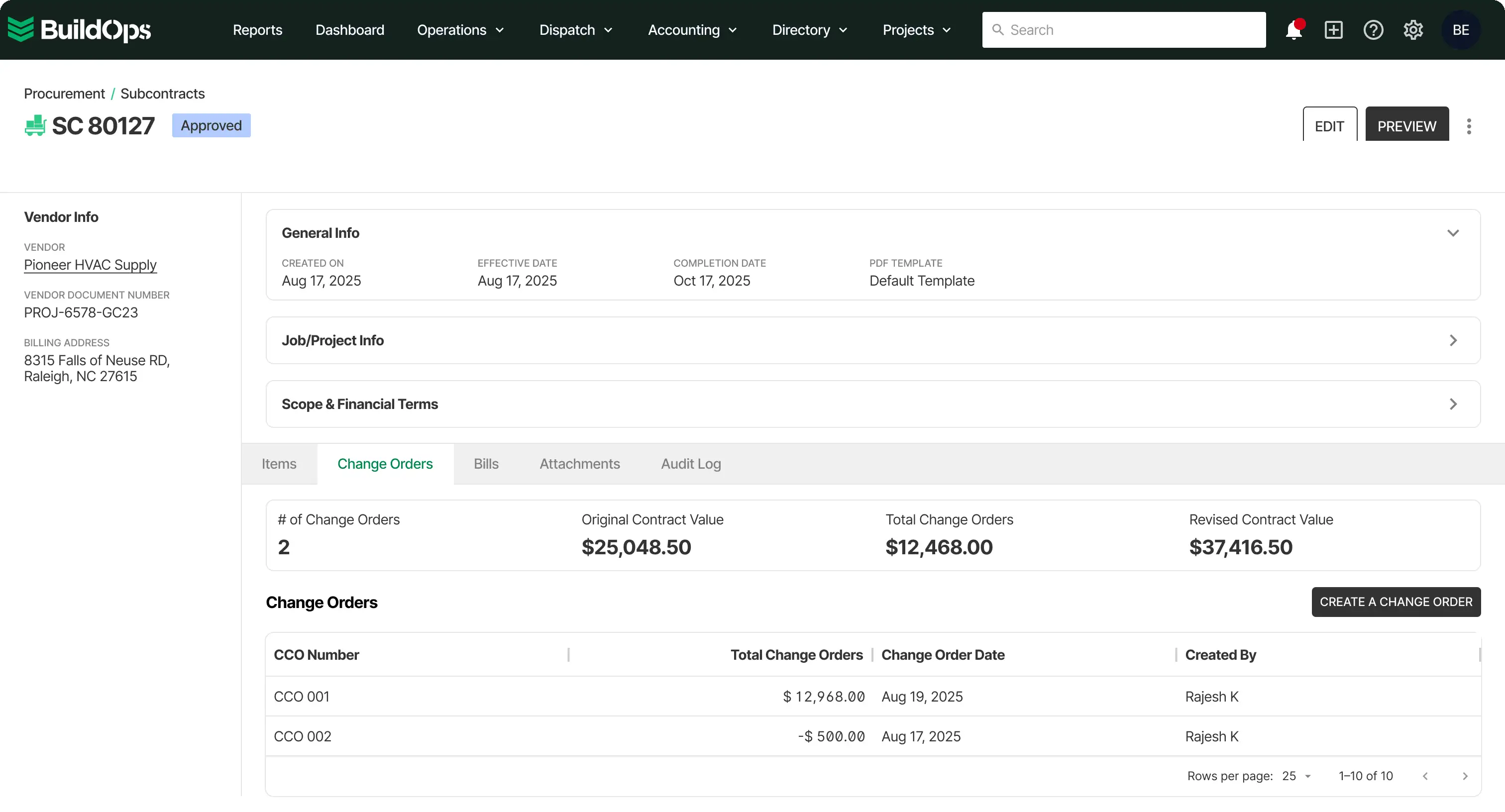
Construction change order software is a digital tool that helps contractors create, price, route, track, and approve scope changes in one workflow. Software keeps labor, material, markup, photos, notes, and approvals tied to the same record, so teams can manage revenue risk without relying on scattered files or manual follow-up.
Construction change order software matters because open change orders create business risk long before closeout. Construction change order software gives contractors a clearer way to control status, document cost exposure, and keep billing aligned with approved work. That makes it easier to protect margin, maintain accountability, and avoid discovering financial problems after the work is already done.
2. What kinds of roles get the most value from using construction change order software?
Construction change order software creates the most value when multiple teams need the same live answer on scope, pricing, status, and approval. Construction change order software helps office and field teams stay aligned because each role can work from one current record instead of piecing together updates from inboxes, spreadsheets, and separate project files.
- Project managers: Build and manage change order workflows, track status, and keep scope changes moving toward approval and billing.
- Project engineers: Organize backup, maintain documentation quality, and keep change order records complete and consistent.
- Superintendents: See what changed, what is approved, and what work can move forward in the field.
- Accounting teams: Track approved value, protect billing accuracy, and keep change order activity connected to revenue timing.
- Operations leaders or owners: Monitor exposure, approval delays, and margin risk across the project portfolio.
{{related-content-block="/resources/bl-glass-buildops"}}
3. What are some best practices when using construction change order software?
To get the most out of construction change order software, teams need disciplined workflows that make every change easy to create, review, approve, and bill. Strong change order management depends on speed, documentation quality, and clear ownership at every step. These best practices help contractors keep change orders visible, accurate, and financially useful across active projects.
- Create change orders as soon as scope changes are identified.
- Standardize pricing structure, markup rules, and scope language across the team.
- Define review and approval responsibilities before change orders start moving.
- Keep photos, notes, and backup attached to the live change order record.
- Update statuses immediately when pricing, review, or approval conditions change.
- Give field and office teams access to the same current change order record.
- Use reminders and alerts so approvals do not stall in inboxes.
- Review pending change orders weekly to catch billing and margin risk early.
- Track aging, approval timing, and open value in reporting.
- Connect approved change orders to billing workflows as quickly as possible.
Missed change order approvals do not just slow a project down. They create cost exposure, delay billing, weaken cash flow, and leave teams working without a clean record of what changed. Good construction change order management software helps contractors control scope, protect margin, and keep every change tied to pricing, status, and accountability.
BuildOps replaces disconnected spreadsheets and inboxes with one connected workflow built for commercial contractors. Change orders, project activity, financials, and team handoffs should live in the same system, so the office and field can work from one current record instead of chasing updates across tools. That means less double entry, fewer dropped details, and better control as jobs move toward closeout.
With OpsAI, change order management software can do more than store records. OpsAI is built into project and financial workflows, where it handles busywork, surfaces what needs attention, and helps teams act faster. That gives contractors earlier visibility into risk, cleaner data across the workflow, and fewer manual gaps that turn into billing problems later.
See how AI-native construction change order management software can help your team protect margin, move work forward, and keep billing closer to the work being done. Schedule a free demo.