Construction Project Management for Commercial Trades



Key Takeaways
- Commercial construction project management works best when field updates, documents, materials, change activity, and project visibility stay tied to one current job record.
- Daily Reports are most useful when they give PMs a current view of labor, completed work, blockers, and field issues while the job is active—not after the fact.
- Strong construction project management workflows support scheduling, field
Commercial contractors rarely lose control of a job because of one big blowup. It usually happens when updates, drawings, costs, and change backup are spread across spreadsheets, inboxes, and shared folders.
Construction project management helps teams in construction operations keep scope, field activity, documents, materials, and billing tied to one job record from setup through closeout.
The focus here is how commercial contractors keep the job record, field updates, documents, commitments, and project visibility connected while work is underway.
What commercial contractors need from construction project management
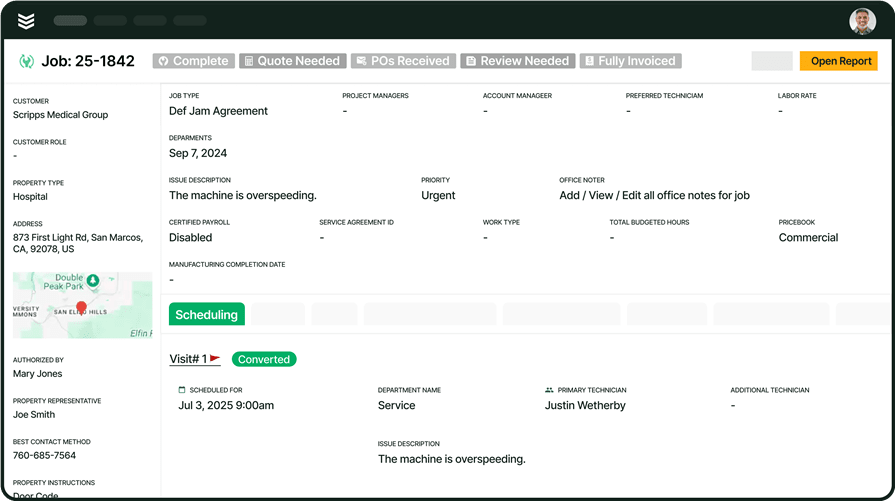
Project management on a commercial job has to keep scope, field conditions, and team decisions aligned as the work changes and multiple teams stay involved.
In practice, project management should keep Daily Reports, drawings, field issues, material commitments, change backup, and project visibility tied to one current job record. PMs need to see what changed. Field leaders need to send updates back fast. The office needs current job context before delays, rework, or missed backup turn into bigger problems.
That gets even more important for commercial specialty contractors running both service work and multi-month project work. The same people often touch both sides of the business. When those workflows live in separate systems, updates slow down, backup gets rebuilt after the fact, and the job becomes harder to control before closeout.
On commercial jobs, the stronger approach is one connected operating layer that gives the field and office the same picture while the work is still moving. When project activity, documentation, commitments, and billing context stay connected, teams can respond faster, keep a cleaner record, and make better calls before problems hit closeout.
{{related-content-block="/resources/commercial-construction-project-management"}}
5 key components of commercial construction project management
Once a commercial job is active, project management comes down to a handful of workflows that decide whether the work stays clear or starts slipping. These are the five that matter most when field teams, PMs, purchasing, and the office are all moving at once.
1. Smart scheduling and dispatch
Commercial project schedules rarely stay fixed for long. Access windows move, phases overlap, labor availability changes, and one late handoff can affect the next part of the job. Teams need a clear way to react without turning every update into a string of calls, texts, and manual follow-up.
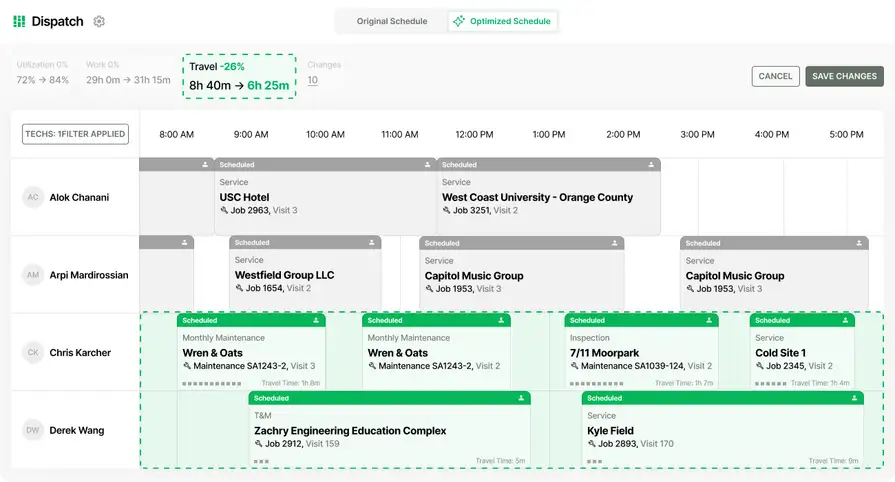
That is why scheduling still matters inside project management, even on longer commercial jobs. Scheduling & dispatch helps teams adjust labor by skill, availability, and job needs while keeping the field working from current information. When schedule changes are easier to manage, project teams can keep work moving instead of losing time to avoidable coordination gaps.
2. Daily field reporting and execution
Commercial projects get harder to manage when updates wait until the end of the day or stay stuck in texts, calls, and handwritten notes. PMs need clean field visibility while the work is still moving, not after someone has to piece the story back together.
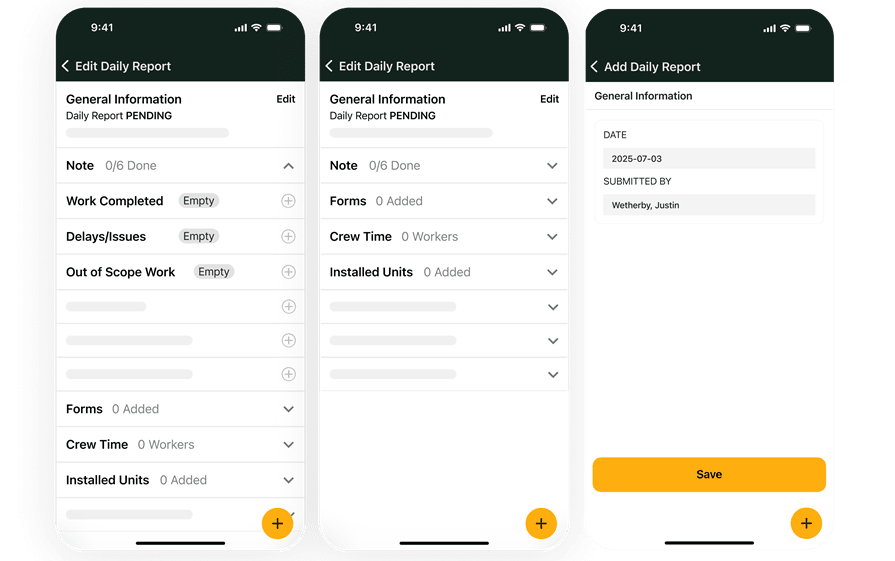
A stronger field process starts with consistent capture from the jobsite. PMs need a running view of labor, completed work, blockers, and issues so they can respond while the job is still moving. Through field execution, crews can send labor updates, quantities, punch items, and job notes back to the office from the same project record.
3. Document control and drawing access
When the latest drawing is hard to find, the field slows down. When markups, RFIs, and supporting files live in too many places, teams lose time chasing answers instead of moving the job. Commercial contractors need current project records that stay tied to the work, not buried beside it.
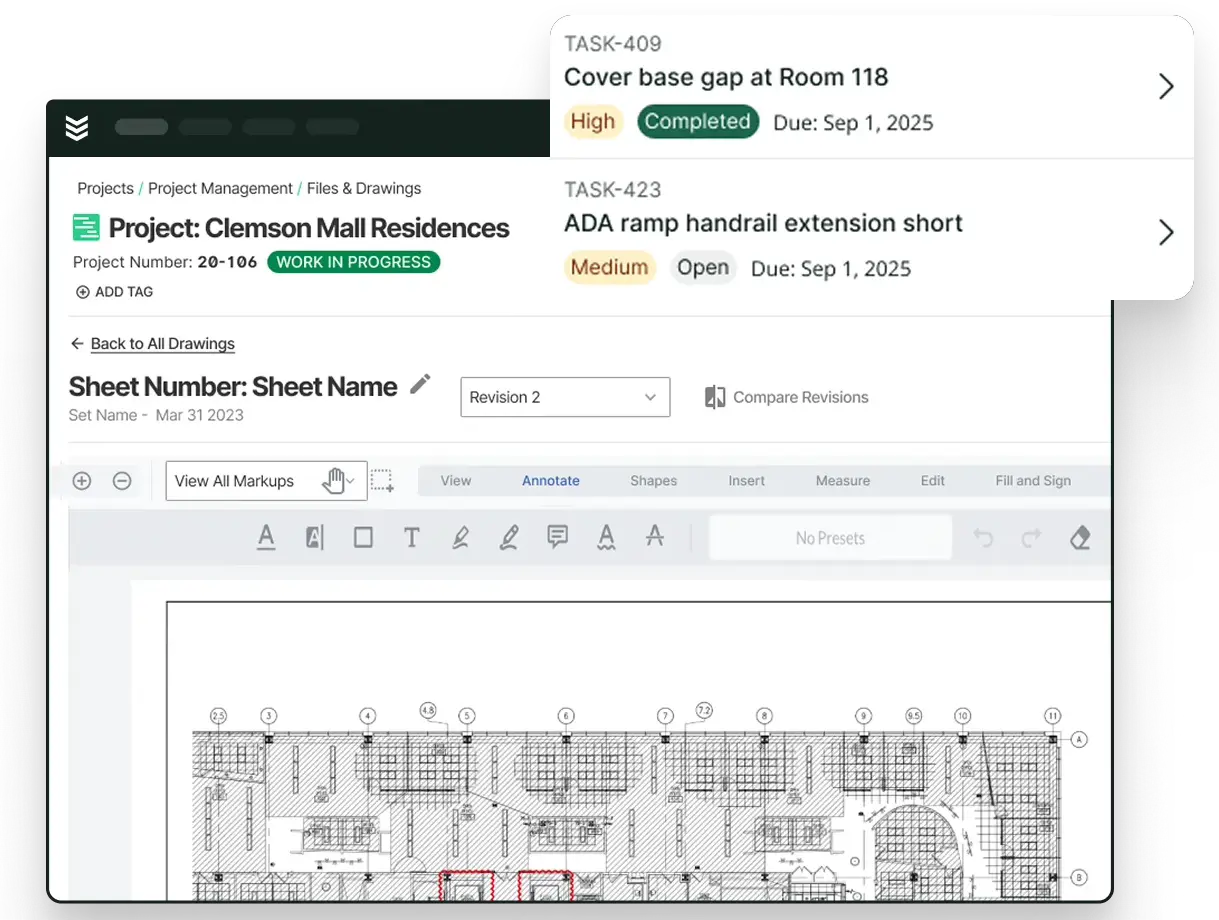
Document control matters on commercial jobs because the latest set, the latest markup, and the latest answer all have to stay easy to find. Drawings, RFIs, submittals, and job files should stay connected to the project so field and office teams are working from the same record instead of chasing files across separate folders and threads.
4. Materials and subcontract coordination
Buying late, buying blind, or tracking commitments outside the project creates problems that spread fast. Material timing, field orders, subcontract support, and commitment changes all need to stay close to the actual job if PMs want a cleaner read on what is happening.
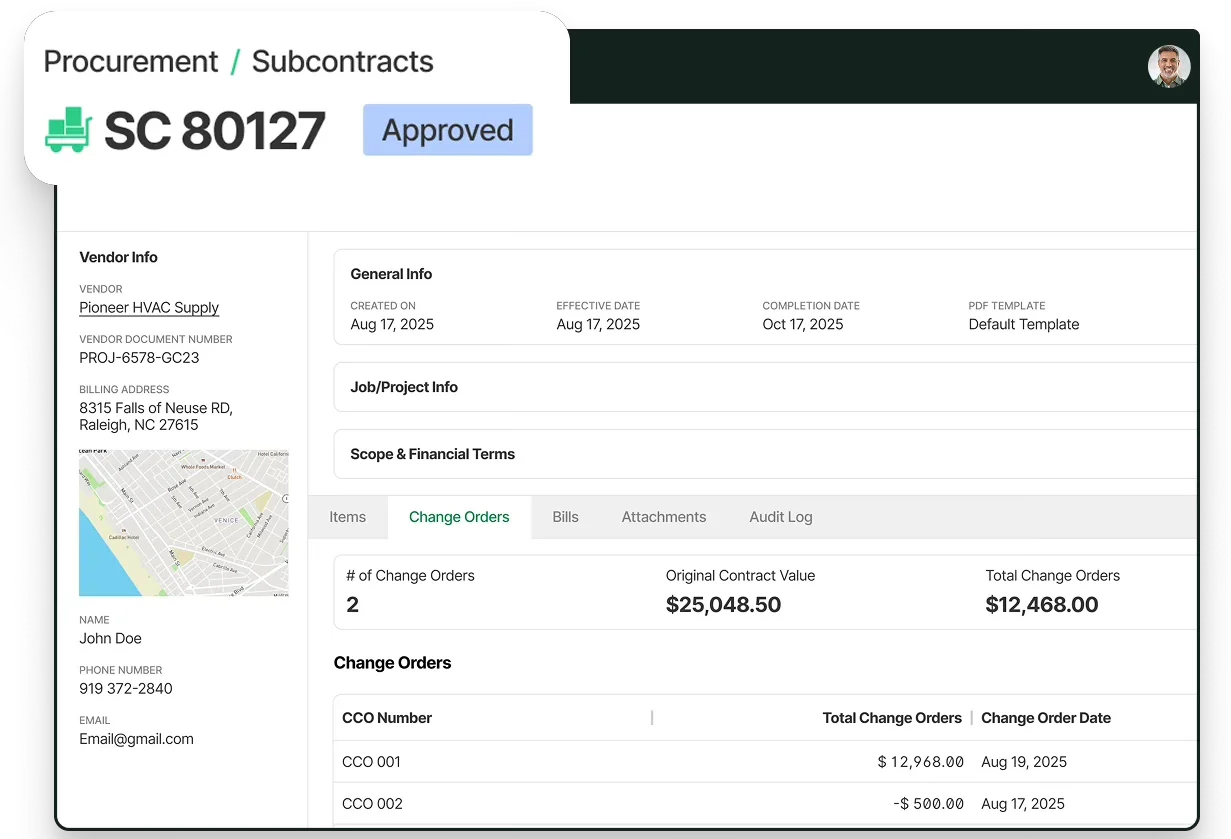
On the purchasing side, materials & subcontracts help keep field orders, subcontract records, and commitment changes tied back to the project. That gives PMs a clearer view of what has been ordered, what is still outstanding, and how purchasing activity lines up with the actual work in the field instead of pushing that work into separate trackers.
5. Resource planning and project visibility
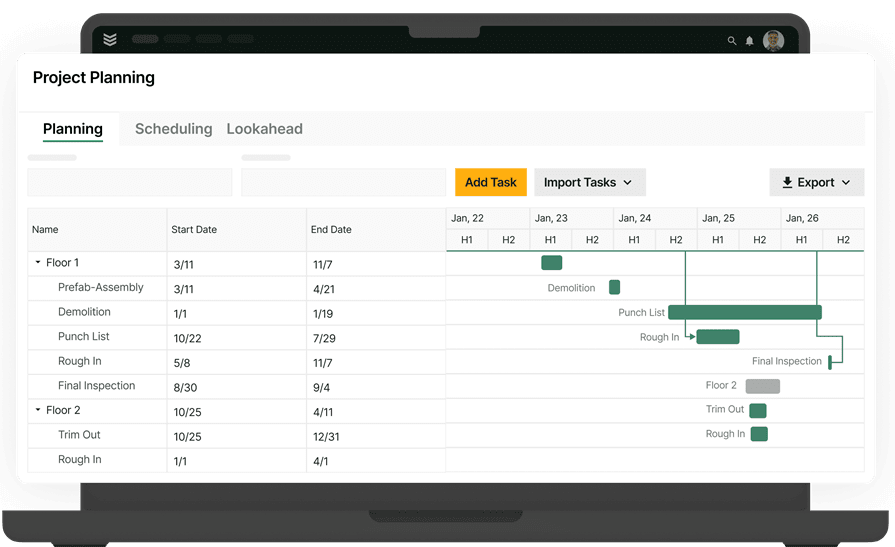
Commercial work gets harder when labor decisions, phase timing, and job pressure only become clear after the week is gone. Teams need a forward view of manpower and project load so they can spot pressure early and make adjustments before the schedule tightens up even more.
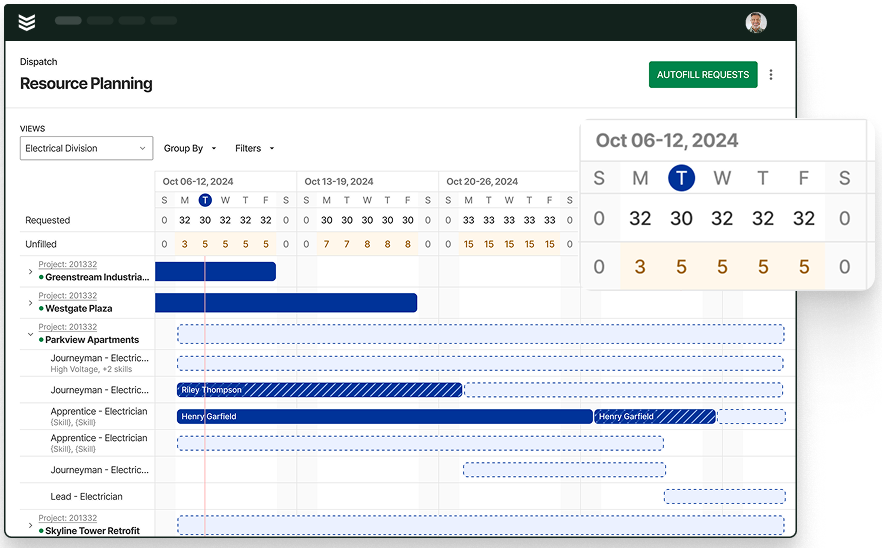
For teams planning ahead, resource planning makes it easier to map labor across projects, see where the schedule is tightening, and make earlier calls on staffing and sequencing. That matters when more than one job is competing for the same people and the same weeks on the calendar.
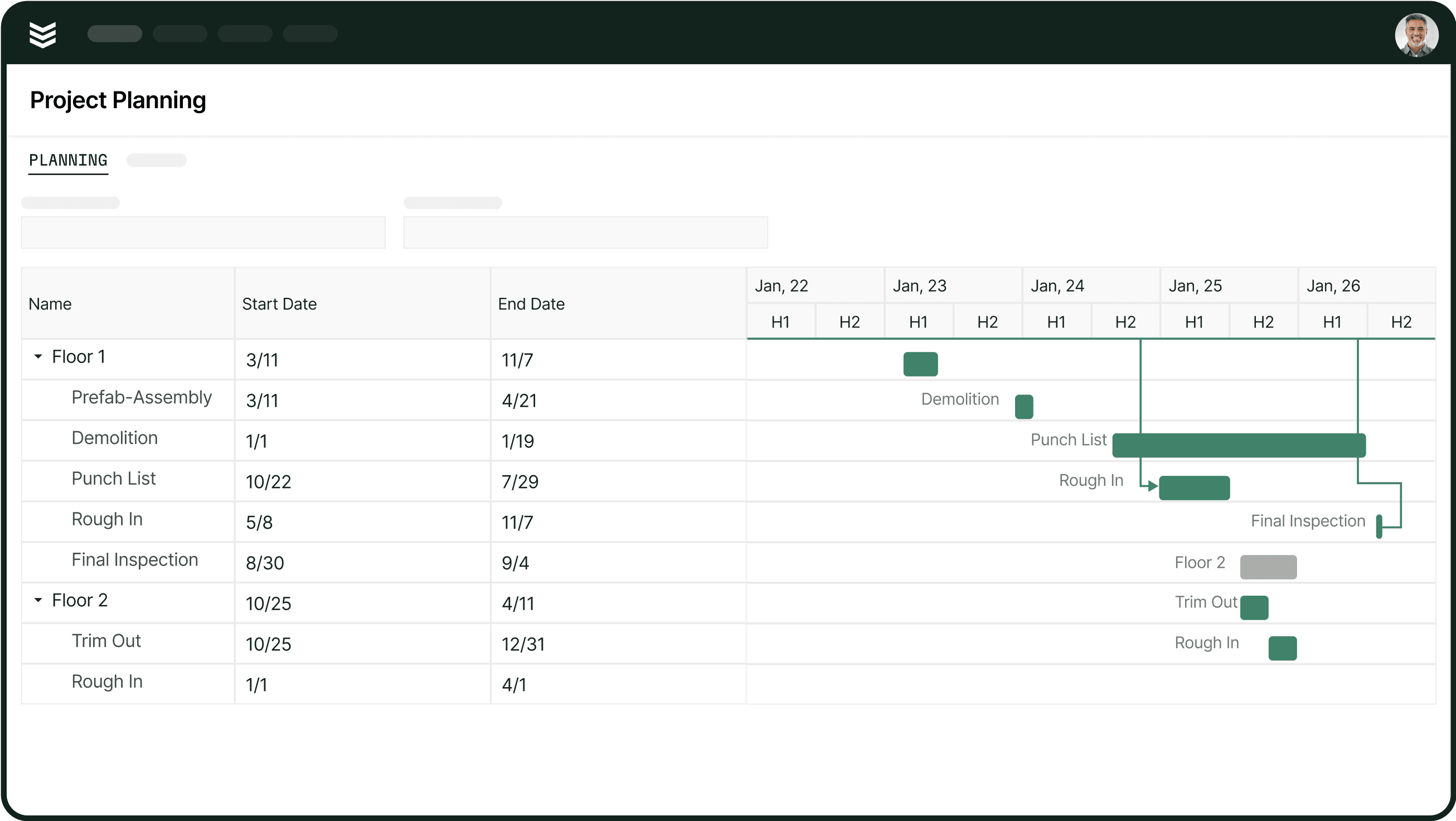
How construction project management protects commercial job execution
Project control is tested during handoffs; when scope changes, field conditions shift, materials are delayed, or billing backup needs review. Without clear ownership and timely updates, small gaps can turn into schedule pressure, rework, or unresolved project issues.

A dependable construction project management process gives PMs, field leaders, purchasing teams, and the office a clear view of current work and outstanding decisions. For commercial specialty contractors managing service calls alongside larger projects, that coordination helps teams act on issues earlier and carry better project context from one phase to the next.
What to look for in construction project management
When reviewing construction project management capabilities, focus on how a system handles the information commercial teams rely on every day: job records, field updates, project documents, purchasing commitments, service and project work, and current job status. The questions below cover each area.
- Can this keep one current job record across the full project? Look for a system that ties scope, Daily Reports, drawings, issues, and project visibility back to the same job. If your team still has to rebuild the story from multiple tools, the workflow is not really connected.
- How fast do field updates get back to PMs and the office? Commercial work changes quickly. PMs should not wait until the end of the day or the end of the week to see labor updates, blockers, photos, and job notes.
- Will we still own the project record after closeout? Drawings, RFIs, submittals, and backup should stay searchable on your side of the business. The goal is not just access during the job. It is keeping a record your team still owns after the work wraps.
- Can purchasing and commitments stay tied to the project? Material orders, subcontract records, and commitment changes should sit close to the project itself. That gives PMs a cleaner read on what has been ordered, what is outstanding, and what is already affecting the job.
- Can this handle service work and project work on one system? For many commercial specialty contractors, the same people touch both motions. A better platform makes that handoff easier instead of forcing crews and office teams to switch between separate tools.
- Can PMs see where the job stands before closeout? Good project management capabilities should help PMs spot drift while the work is active, not just summarize what happened after the fact. That includes current project status, committed cost visibility, and cleaner backup around billing and change activity while the job is still moving.
As AI becomes a larger part of construction project management, its usefulness depends on the connected records, timely updates, and project visibility covered above. The FAQs below explain how BuildOps supports these capabilities in day-to-day commercial project work.
{{related-content-block="/resources/ai-construction-project-management-tools"}}
4 common questions about construction project management
When commercial contractors look at BuildOps for project management, the same capability questions usually come up first. These are the ones that matter most when a team is trying to keep project work, field updates, and office follow-through connected in one system.
1. Can a single system handle construction service work and project work together?
A project management system can support both service and project work when teams can carry shared labor, customer, schedule, and job context between the two types of work.
In BuildOps, the same crews, PMs, managers, and back-office teams can run service calls and multi-month project work on one platform. This keeps both parts of the operation connected instead of splitting them across separate workflows.
2. How can project updates stay tied to jobs in construction management software?
Project updates stay useful when field teams capture them at the jobsite and connect them to the project record. PMs can then review labor, completed work, delays, materials, and open issues while the job is still active.
In BuildOps, field users can open a Project Visit, add a Daily Report, and record work performed, delays, out-of-scope work, labor, equipment, materials, subcontractors, notes, and forms. Daily Reports sync to the cloud for office visibility as updates are entered.
Our customer Layer One moved from being two weeks behind on job costing to staying up to date daily after connecting field activity, time tracking, project work, and purchasing in BuildOps.
{{related-content-block="/resources/layer-one/"}}
That kind of visibility matters because cleaner project updates can change how fast teams understand job health. That is the kind of shift commercial contractors are looking for when project information stays connected instead of getting rebuilt after the fact.
3. Can contractors keep their own project record after closeout?
Contractors should maintain a searchable record of project documents, decisions, revisions, and supporting backup after the job closes, even when access to a general contractor’s portal changes.
BuildOps Document Control provides a contractor-owned system of record for RFIs, submittals, drawings, and project files. Teams can keep the project history in BuildOps while generating properly formatted documents for submission through a general contractor’s portal when required.
4. Can project management help teams spot issues before closeout?
Project management can help teams identify risk earlier when current field activity, document status, commitments, billing information, and project projections are visible in the same context. It supports earlier follow-up, but it does not eliminate project risk.
BuildOps’ Project Dashboard brings together contract values, budgets, projected costs, labor details, billing status, document status, and Daily Report information. It also surfaces items such as unapproved change orders, overdue submittals, and overdue RFIs so teams can review them while the project is active.
Commercial contractors do not need project management that stops at files and schedules. They need a connected way to keep scope, field updates, change activity, purchasing, and project visibility tied to the same job while the work is still moving.
BuildOps gives commercial contractors one platform to manage project setup, daily field activity, change control, materials coordination, and financial follow-through without splitting project work away from the rest of the operation.
With OpsAI built directly into project, service, and financial workflows, teams can turn Daily Reports into office-ready summaries, flag change orders and pay applications missing supporting backup, surface overdue RFIs, submittals, and approvals, and send scheduled projected WIP, margin, and risk reports to leadership.
If disconnected tools are slowing decisions and making project control harder, book a demo to see how BuildOps supports commercial construction workflows in one system.