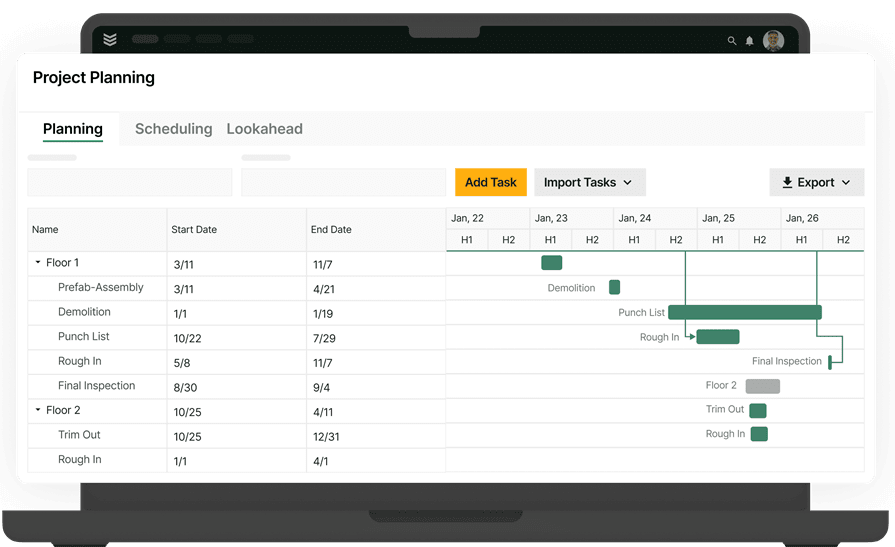
How Project Management Apps Connect the Field and Office


Key Takeaways
- Construction project management apps help commercial contractors connect project setup, field work, documents, materials, labor, and billing in one workflow.
- Mobile access lets field teams capture updates where work happens while giving PMs a current view of project progress, issues, and costs.
- Commercial specialty contractors should choose apps that support the full project lifecycle and work alongside service operations, not just task lists or file storage.
On a commercial jobsite, project details change throughout the day. A foreman may need to log progress, share photos, check a drawing, or flag an issue while the PM coordinates work from the office. When those updates stay in texts, paper notes, or separate tools, the project record falls behind.
Construction project management apps give commercial specialty contractors a mobile way to capture field work and keep it connected to the job. Teams can access project information, submit daily updates, manage documents, track commitments, and give PMs a current view without waiting for an end-of-week recap. For contractors balancing service and projects, that shared workflow supports the broader construction operations function.
The sections below explain what these apps should do for commercial contractors, starting with the workflows that keep a project moving from setup through closeout.
What construction project management apps do for commercial contractors
Construction project management apps turn routine jobsite activity into structured records tied to the project. A foreman or project lead can document labor, progress, photos, issues, and task updates from a mobile device, with each entry assigned to the right project and phase. That gives the office usable project data instead of a separate collection of notes, messages, and images.
Project managers benefit when field records are consistent enough to support daily decisions. They can verify completed work, identify unresolved issues, coordinate follow-up, and understand how jobsite activity affects schedule, commitments, and costs without waiting for a late recap. The app becomes part of the operating rhythm, not just a dashboard opened during status meetings.
The strongest construction project management apps support a simple daily workflow:
- Start with project context: Give the field access to the scope, schedule, drawings, forms, and tasks needed for the day.
- Capture work as it happens: Record daily reports, labor, quantities, photos, notes, and field conditions from a mobile device.
- Keep issues moving: Assign follow-up work, document changes, and give the office a clear view of what needs attention.
- Connect updates to the job: Tie field activity to the project phase, materials, commitments, and costs instead of leaving it in a separate app.
- Work from a current record: Help PMs and operations leaders review progress, risk, and project health while the work is still active.
Commercial specialty contractors need project management apps that keep service and project history connected, so PMs and operations leaders can make decisions from one current record.
The broader construction project management guide covers the full workflow. The sections below focus on the app capabilities that support daily project execution.
{{related-content-block="/resources/construction-project-management"}}
Key features to look for in construction project management apps
Commercial contractors should evaluate construction project management apps by how well they connect field execution with the records PMs use to manage labor, documents, commitments, schedules, and costs. The sections below examine the features that keep project work coordinated from the jobsite to the office.
1. Project setup, phases, and budgets
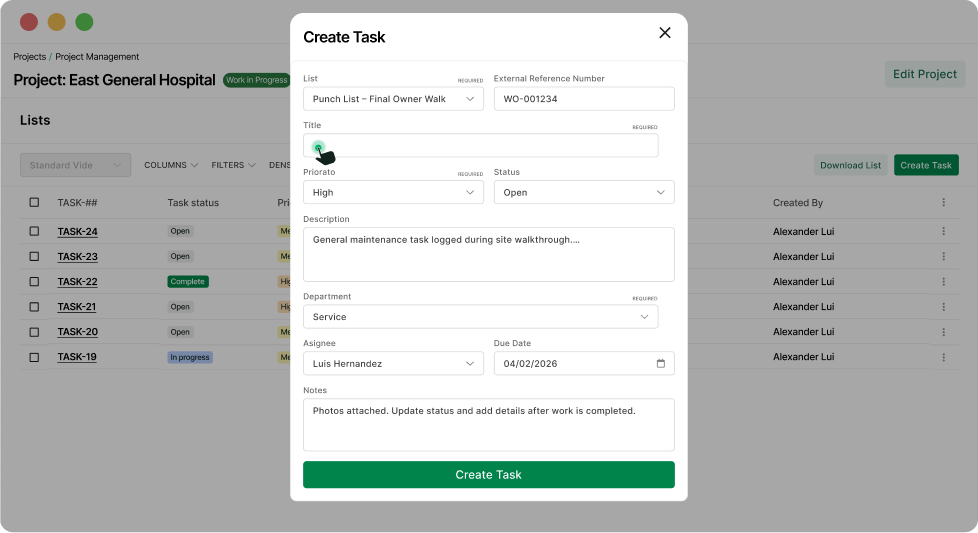
A construction project management app should give PMs and field teams one shared view of the job—from scope and phases to daily progress, labor, documents, materials, and changes. Field leaders can capture work as it happens, while PMs use current project information to coordinate schedules, resources, and costs without waiting for updates to be rebuilt in the office.
OpsAI supports project teams by summarizing Daily Reports, flagging missing backup, and surfacing overdue RFIs and approvals. Those signals give PMs a faster way to see what needs attention while the field and office work from the same project record. That gives PMs clearer visibility into project activity and more time to manage the work instead of chasing missing information.
2. Field execution and mobile access
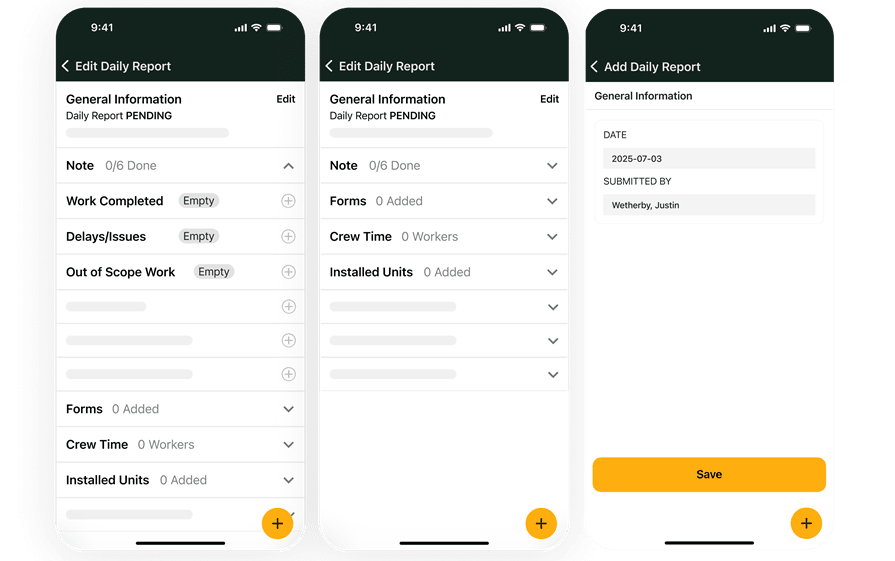
Field teams need more than a project name and an address. They need a practical way to review job information, capture what happened, and send that information back without waiting for the office.
Look for a construction project management app that lets field leaders record:
- Daily reports and labor
- Completed quantities and progress updates
- Photos, notes, and field conditions
- Issues, tasks, and follow-up work
- Forms and required project information
- Time and cost details tied to the project
Mobile access is important, but the workflow matters more than the device. The app should make it easy to capture information once, keep it tied to the job, and make it visible to the PM and office team. Offline support also matters on basements, mechanical rooms, remote sites, and active jobsites where signal is unreliable.
BuildOps field execution gives project teams a mobile workflow for daily reports, field updates, forms, and project data capture. The technician mobile app project access, time tracking, photos, reports, and offline project workflows. Mobile invoicing is a separate workflow for eligible Time & Material jobs and requires an online connection to generate an invoice.
3. Document control, drawings, RFIs, and submittals
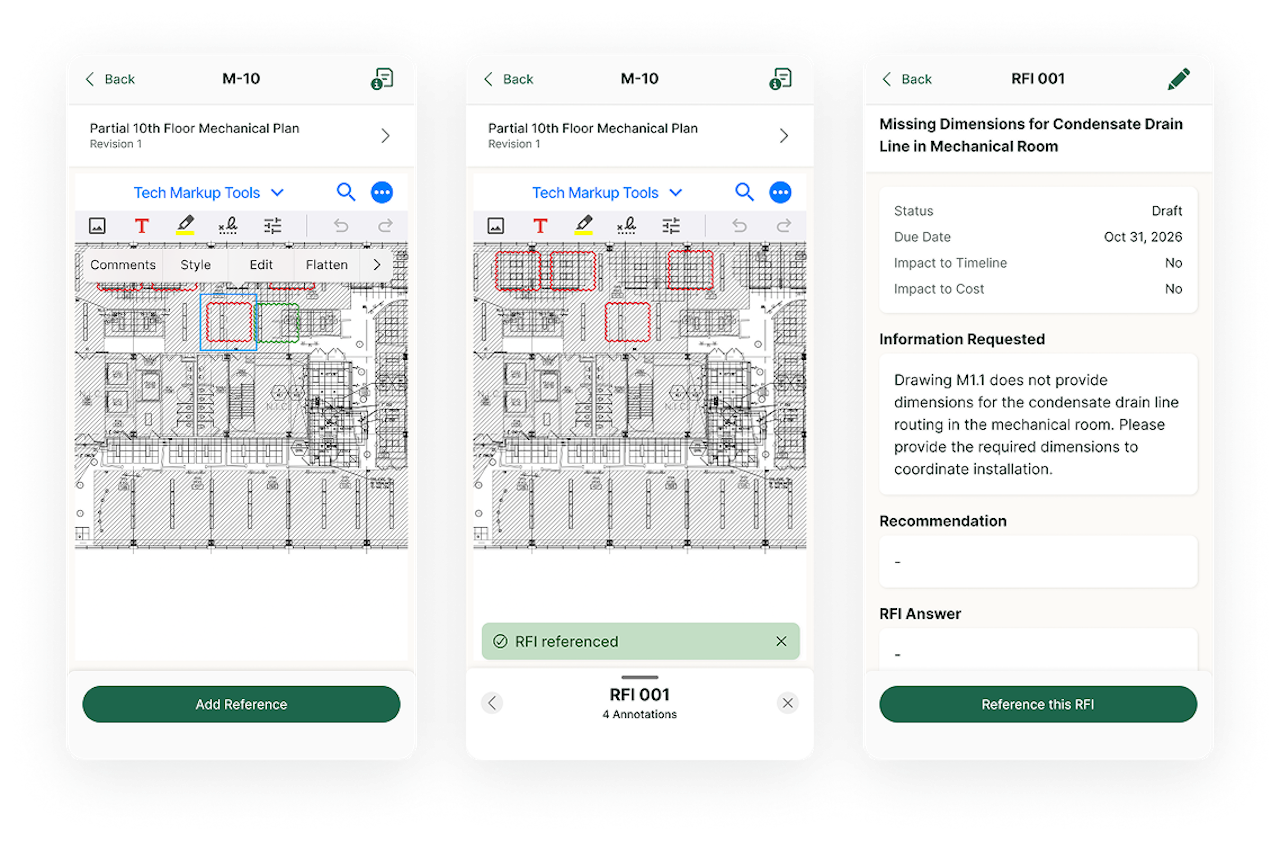
Project documents only help when people can find the current version and understand how it connects to the work. A construction project management app should give field and office teams one place to manage drawings, RFIs, submittals, forms, markups, and supporting files.
The app should help teams answer practical questions quickly:
- Which drawing or document is current?
- Who owns the next response?
- What changed from the prior version?
- Is the field working from an approved document?
- Can the team find the project record after closeout?
Document control keeps project files, drawing references, RFIs, and submittal activity tied to the project record. That gives PMs a stronger history for coordination, billing backup, disputes, and closeout.
4. Resource planning and scheduling
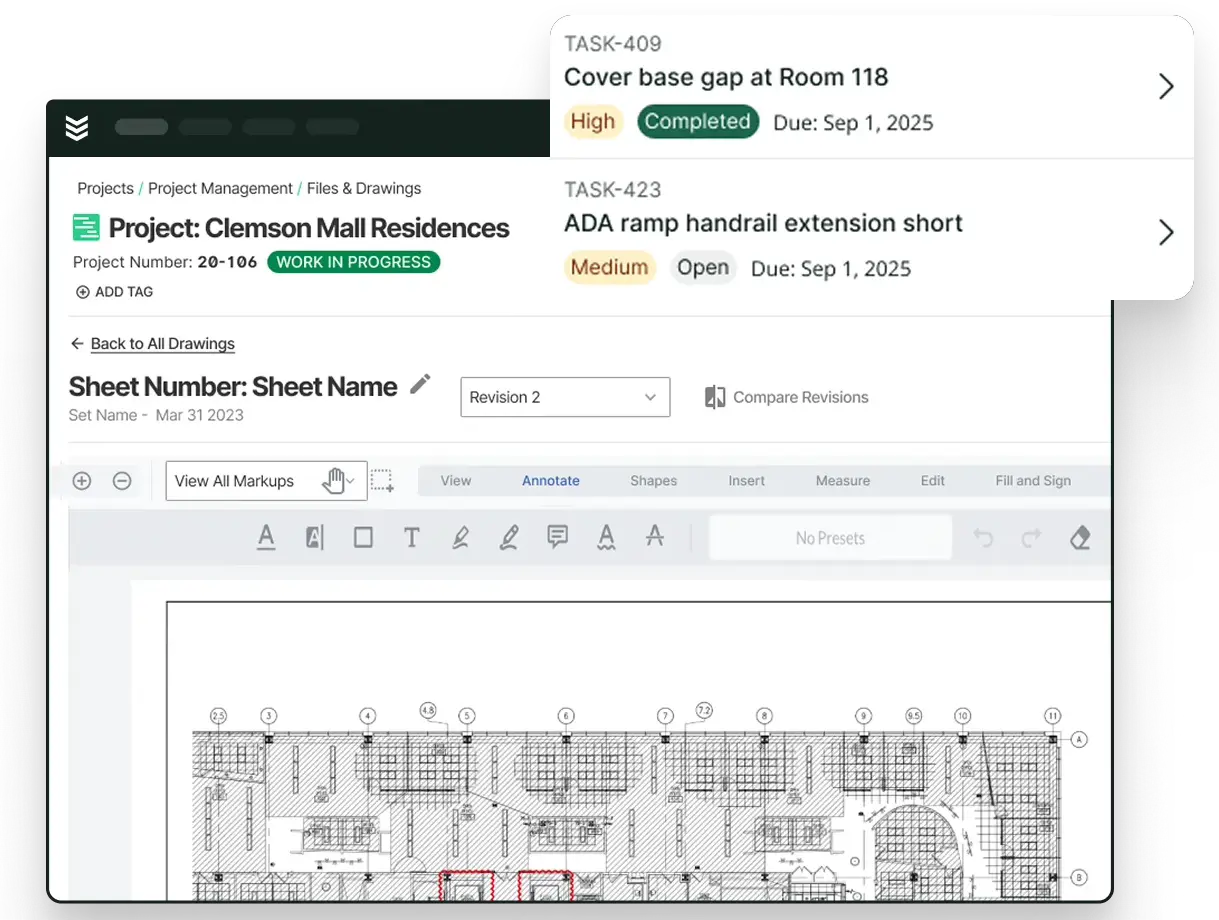
Construction schedules change. Access windows move, phases overlap, labor availability shifts, and one late handoff can affect several crews.
A useful app should help PMs and operations leaders plan beyond the current day. Look for resource planning that shows labor across projects, upcoming phase pressure, crew availability, and the work competing for the same people.
Resource planning gives commercial contractors a forward view of manpower and project load. It helps teams make earlier calls about staffing and sequencing instead of waiting for a crowded week to expose the problem.
Scheduling also needs to stay connected to the project record. When the schedule changes, the field should see the change alongside the project context that explains what needs to happen next.
5. Materials, purchase orders, and subcontract commitments
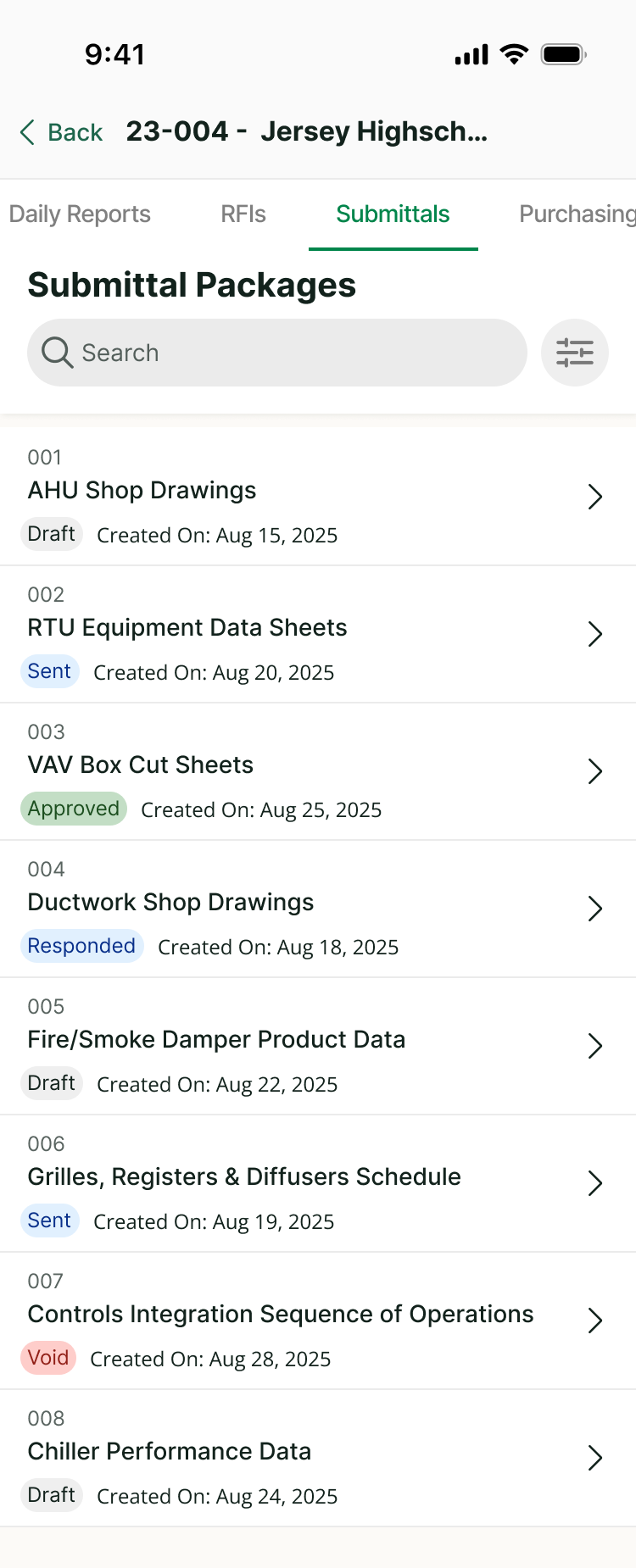
Materials and subcontracts affect schedule, cost, and field readiness. A project app should keep purchase orders, material needs, subcontract information, field orders, and commitment changes close to the job.
That gives PMs and purchasers a better answer to questions such as:
- What has been ordered?
- What is still outstanding?
- Which commitment changed?
- What material or subcontract work is tied to the next phase?
- How will the commitment affect the project cost picture?
Materials and subcontracts connects purchase orders, subcontract records, commitment changes, and field orders to the project. This reduces the need to maintain a separate tracker that the rest of the team cannot see.
6. Project financials, change activity, and billing visibility
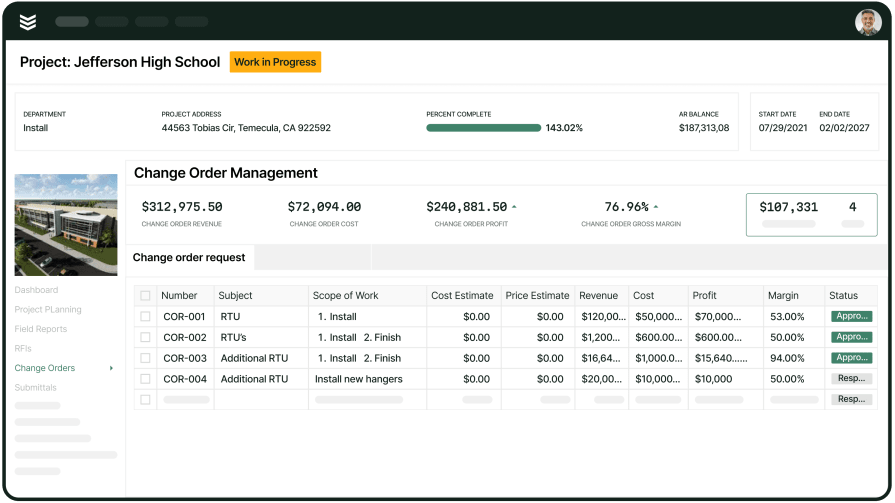
Project management apps should help the team understand the financial effect of the work while the project is active. That means more than storing the original budget.
PMs need visibility into projected cost, committed cost, budget movement, change activity, billing progress, and the documentation that supports payment. Finance needs clean project inputs that can move into the ERP and billing workflow without another round of manual reconstruction.
Project financials gives PMs a forward-looking view of projected cost, committed cost, budget movement, billing progress, and change exposure. Invoicing connects billable work to job-backed records so field activity and billing do not drift into separate workflows.
A strong app does not replace the ERP’s role as the system of record for reconciled financials. It gives the PM and operations team a forward-looking project view between financial close cycles, using the field and project data already captured in the workflow.
Benefits of construction project management apps
The value of construction project management apps shows up after the project is active, when field conditions change, costs move, and several people need the same answer. The benefits below are the practical reasons commercial contractors replace spreadsheets, shared folders, and disconnected tools.
1. One current project record
A shared project record gives PMs, field leaders, purchasing, and finance one place to check scope, updates, documents, commitments, and status. Keeping that information together makes it easier to trace RFIs for construction, project decisions, or cost changes back to the job instead of rebuilding context from email and spreadsheets.
2. Faster field-to-office handoffs
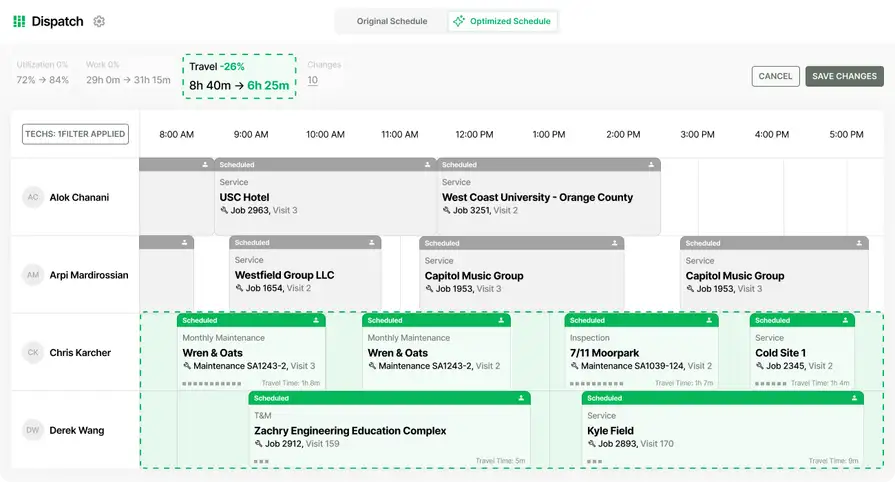
Faster field-to-office handoffs depend on getting daily reports, photos, labor, quantities, and issues back to PMs while work is active. Mobile workflows help crews send updates from the jobsite, giving the office current project context instead of a late summary.

3. Better control over documents and change activity
Project documents stay useful when drawings, construction submittals, and change records remain tied to the same job. PMs and field teams can find the decision history, current response, and supporting files without searching across email, portals, and shared folders.
4. Earlier visibility into project risk
A current view of labor, commitments, progress, and cost movement helps PMs spot pressure before closeout. Open issues and construction punch lists can provide another practical signal, showing where incomplete work, unclear ownership, or missing closeout documentation may affect the schedule.
5. Less duplicate entry between service and projects
Commercial specialty contractors often move between service calls, quoted repairs, retrofit work, and longer projects. Field tech management software can reduce duplicate entry across those handoffs by carrying customer, labor, field, and project context forward instead of making teams start over when the work changes shape.
6. Cleaner billing and closeout
When field updates and cost details arrive in a structured project record, the office has less cleanup before billing. A BuildOps and QuickBooks integration can sync supported customers, properties, vendors, invoices, receipts, and accounts-receivable payments. Purchasing and payment behavior depends on the QuickBooks edition and integration configuration, but the connection can reduce duplicate entry between field operations and accounting.
Questions to ask in a construction project management app demo
A demo should show how the app handles your real handoffs, not just how clean a sample project looks. Ask the vendor to use a project scenario that includes field updates, a drawing revision, a material commitment, a schedule change, and a cost or scope change.
- Can you show the workflow from project setup through closeout? - This tests whether the app connects the project lifecycle or simply places separate features next to one another. Ask the vendor to show how the same project record carries scope, phases, budgets, field activity, documents, materials, and billing information.
- What does a foreman or field leader see on mobile? - Ask to see the information available before the team starts work and the steps required to capture a daily report, photo, issue, quantity, or time entry. A useful mobile workflow should give the field enough context to work without calling the office for basic details.
- What happens when the field loses connectivity? - Have the vendor demonstrate offline capture and later sync. Ask which actions remain available without a connection and how the office knows when the update has arrived.
- How do drawings, RFIs, and submittals stay connected? - Ask how the app handles revisions, ownership, approvals, responses, and field access. The answer should show a project history that remains easy to search rather than a collection of unrelated files.
- How do purchase orders and subcontract commitments affect the project view? - Ask the vendor to show how a purchase order, field order, subcontract change, or outstanding material affects project visibility. This reveals whether purchasing is part of the project workflow or still depends on a separate tracker.
- How does the app show projected cost and project health? - Ask which information comes from the project workflow, what is projected, and what is reconciled through the ERP. The vendor should be clear about how PMs see current project conditions before month-end.
- Can a service job become project work without starting over? - If your company runs both service and projects, ask for a live example. The handoff should preserve the customer, property, asset, scope, and field context that the team already captured.
- What does implementation look like for PMs and the field? - Ask how the team will standardize project templates, migrate active project data, train users by role, and measure adoption. A system creates value only when the field and office use it consistently.
{{related-content-block="/resources/construction-project-management-software"}}
Construction project management apps keep the job moving
Construction project management apps help commercial contractors keep project records current as work moves from setup and planning through field execution, documents, materials, costs, and billing. For contractors that also handle service, the workflow should keep both types of work connected.
BuildOps gives commercial specialty contractors one platform for service, projects, and financials. Projects on BuildOps connects field execution, document control, resource planning, materials and subcontracts, and projected project financial visibility so the field and office can work from the same job picture. OpsAI can summarize Daily Reports, flag missing backup, and surface overdue items in supported project workflows.
If disconnected tools are making project updates harder to trust, book a demo to see how BuildOps fits the way your commercial contracting team runs work.