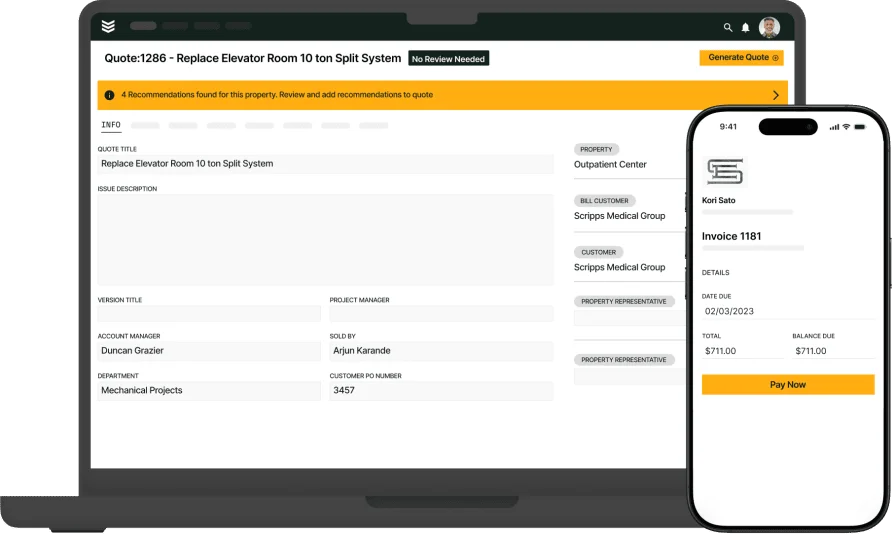
8 Best Contractor Bid Apps to Win More Jobs on the Go



Key Takeaways
- Some of the most important features to look for in contractor bidding app are how the sales to ops handoff works, and whether you can quote pull-through work right on site
- Choosing an app that’s the right fit for you primarily depends on what scale of field service work you do, whether that’s commercial, residential, general contracting, or something else
- The biggest way you stand to gain ROI from implementing a contractor bidding app revolves around the potential revenue currently sitting in your tech visit notes with no one taking action on it
This guide breaks down the top apps built for contractor bidding that actually work out in the field and not just at a desk. Whether you're using a contractor leads app to keep the pipeline full, or relying on a contractor proposal app to secure approvals on-site, each app listed here helps you handle bids without missing a beat.
We’ve organized our list based on the type of field service work your business does, because we know no two crews quote jobs the same way. Some chase high-volume leads, others focus on large commercial builds. Whether you’re quoting from the field or back in the office, your app for contractor bids should match how your team works, so it’s fast, flexible, and built to win.
We’ll go over the top options, how to choose the right fit for your business, and to start, what features take a contractor bidding app beyond the basics.
5 next-level features to look for in contractor bid app that go beyond the standard
Any contractor bidding app will have standard features like:
- Built in standardized price book you can leverage into quotes
- Ability to customize proposals for customers
- Functionality to send those proposals to customers and track their lead status
But to get your quotes read and approved more often, you need to go beyond ‘one-size-fits-all’ quoting platforms, and look for a field service management platform with strong quoting features that help you build proposals that actually get approved.
These are the key features needed in a contractor bidding app that will help take you from “They never read the proposal.” to “Can you start the work today?”
1. On-site pull-through recommendations work quoting
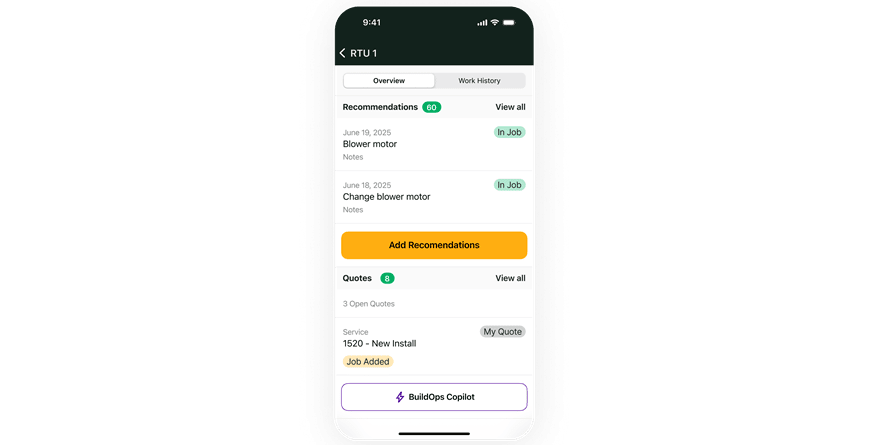
The techs that are actually doing the work on the jobsite are the ones who can flag system deficiencies, aging assets, and other recommended work. This type of pull-through recommended work functionality in a contractor bidding app is a feature that takes your operation to the next level, because it unlocks a huge source of potential revenue you wouldn’t otherwise have access to. Giving your techs the ability to do this in their app from the field is the only way to identify this kind of work.
2. Service agreement management & preventive maintenance contract functionality
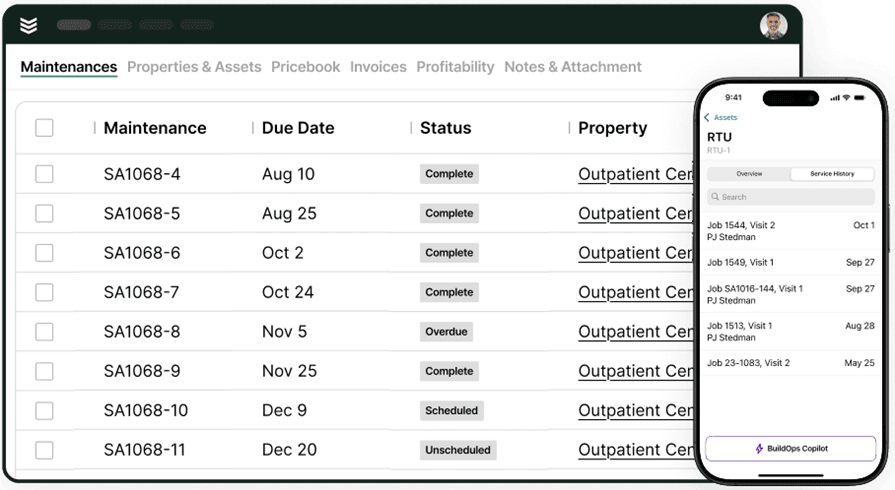
You also want to make sure the platform has functionality to set up and automate ongoing service agreement management, as well as preventive maintenance contracts. A way to set up an ongoing contract with standardized pricing, track automatically when jobs need to be scheduled, and then export clean records of service to your customers whenever contract renewal time is approaching.
This type of revenue is the bread and butter of any scaling field service businesses, and it starts with your app letting techs flag system deficiencies in their mobile app while still on the job.
3. AI that can flag recurring failures, aging equipment, and repair opportunities
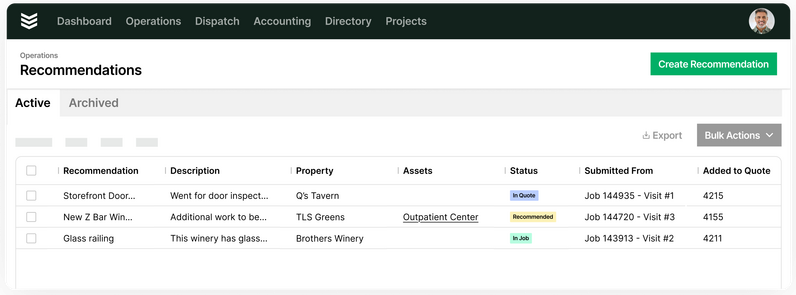
Building on that feature of techs making recommendations in the field, ideally your bidding platform would also have AI functionality that can then go through those visit notes and specifically flag the potential work for sales teams, helping them actually build those quotes. No longer does a pile of potential revenue sit hidden in tech visit notes. Your sales team turns notes to quotes in minutes and can even send them out before the tech leaves the jobsite, significantly increasing the likelihood of them getting approved.
4. A clean sales to operations handoff and automated through line right to invoicing

When sales teams are collecting customer information and setting up the scope of work, that information shouldn’t live siloed in a CRM that only your salespeople see. There should be a clean sales to ops handoff built into the app that makes this information fully accessible to all team members who need it, leveraging it from sales person to tech to finance as a job is completed.

5. Pipeline forecasting & customizable reports for sales teams
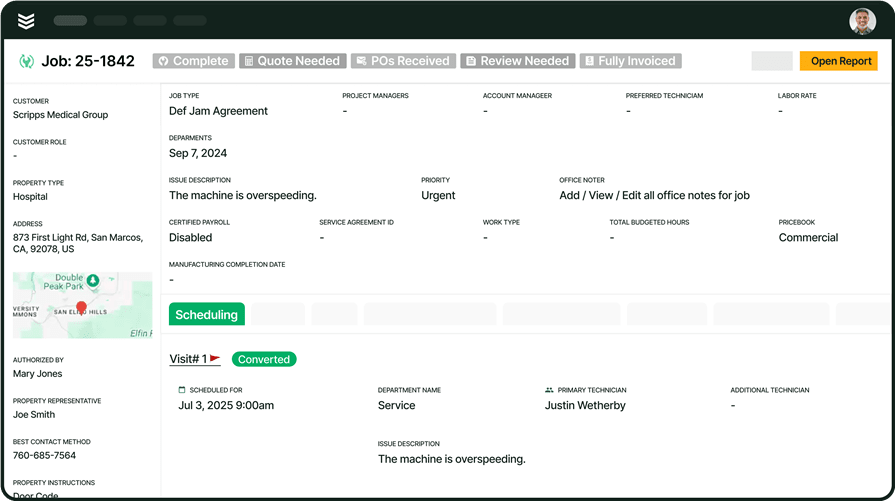
Once you get your bidding system set up and working well, customizable and flexible reporting and analytics are the key to taking a small burst in revenue to long-term scaling and growth.Set up custom reports that actually work for your sales team, based on the scale and scope of the type of work your business does, and look at them in real-time to prevent project overruns or margin slippages before it’s way too late to take action on them. Using real-time reporting to see the link from original quote to current work done is how you accomplish this.
8 best contractor bid apps for different field service work scopes and businesses
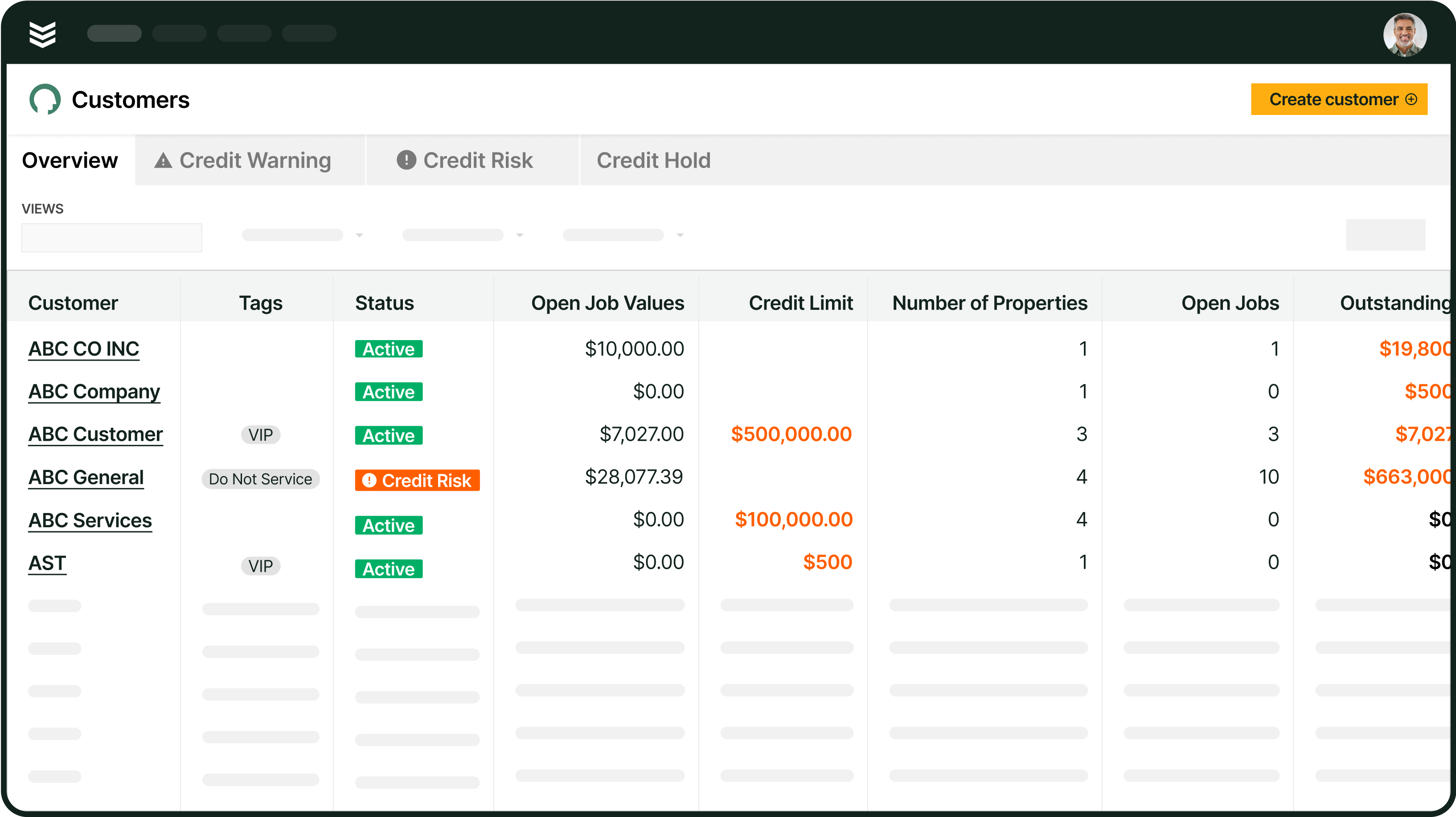
Our collection of the best contractor bid apps below are organized by the scope of field service work they are best suited for: commercial, residential, and so on, so jump down to the work type that best matches your business to see which one might be the best fit.
1. Best app for commercial field service contractor bidding: BuildOps
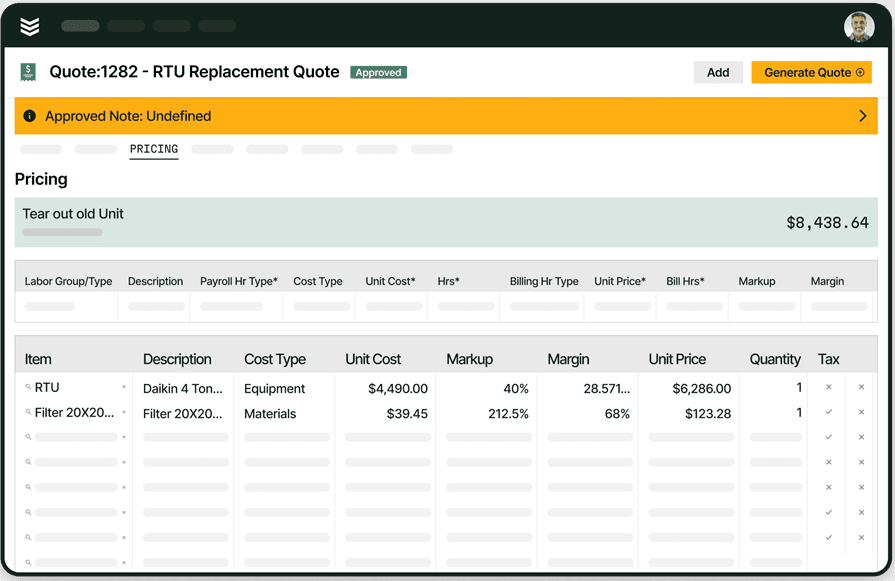
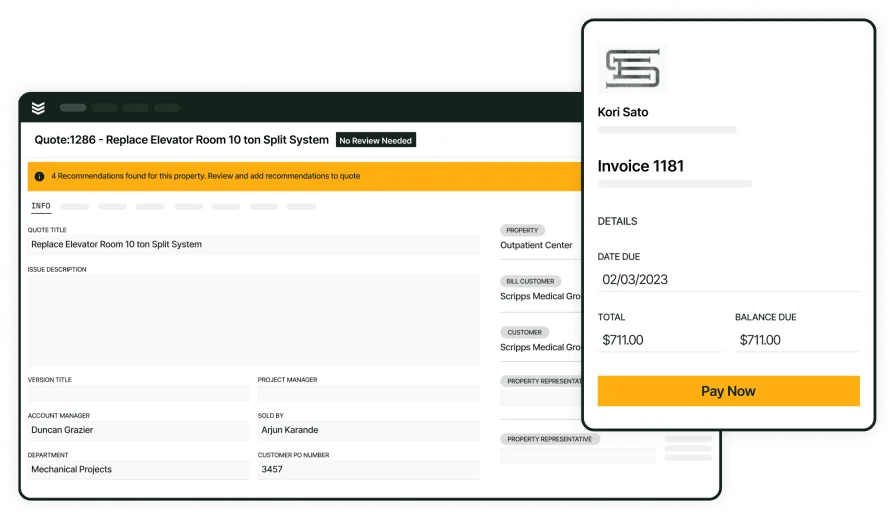
BuildOps is a comprehensive field service management platform that unifies every aspect of a commercial field service team’s work, connecting bidding to everything else it needs to link to including scheduling, time tracking, field notes, and billing. Estimators can create bids using saved templates, add service items on the fly, and lock in signed proposals right from the field.
Where BuildOps really stands out as a contractor bidding app is through its AI-powered pull-through work and recommendations that unlock huge potential sources of revenue for our customers. In BuildOps: Techs flag an aging system right in their app, OpsAI flags this as a potential revenue opportunity for Sales, Sales team builds a quote for additional work in minutes and sends it to the Customer, Customer approves the work before the Tech even left the jobsite. Think of the power this kind of quoting system could bring to your operation.
How pricing works: BuildOps offers custom pricing based on your business needs, project volume, and feature set. You'll connect with their team for a tailored demo and quote.
Features beyond bidding: Includes scheduling, dispatching, CRM, reporting, mobile field access, invoicing, time tracking, and more, all of which are linked directly to quoting and built for the complexities of commercial field service work.
What sets it apart for commercial contractors: BuildOps can quote not only small jobs but massive, commercial-scale projects. A single job, a recurring service agreement, and a years-long project can all be quoted and managed in the same platform, specifically built for this type of work.
Rating: 4.4 on Capterra from 177 user reviews
2. Best for high-volume residential service-based contractors: ServiceTitan

ServiceTitan helps service contractors build quotes, schedule jobs, and manage customer communications from one system. Its strength lies in pairing quoting with workflow tools, so from the time a job is sold, it's already lined up for scheduling and invoicing. Designed for high-volume service work, it helps field techs quote in real time with built-in pricing catalogs. It can be overbuilt for contractors focused on project work or low-volume, high-dollar installs.
How pricing works: Pricing is custom and based on business size, number of users, and feature set. Most contractors will need to request a demo to get a quote.
Features beyond bidding: CRM, job scheduling, invoicing, payments, membership management, and technician tracking.
What sets it apart for high-volume residential: Everything is streamlined from first call to final invoice. Ideal for companies that run many small jobs per week.
Rating: 4.3 on Capterra from 337 user reviews
3. Best app for general subcontractor bidding: PlanHub
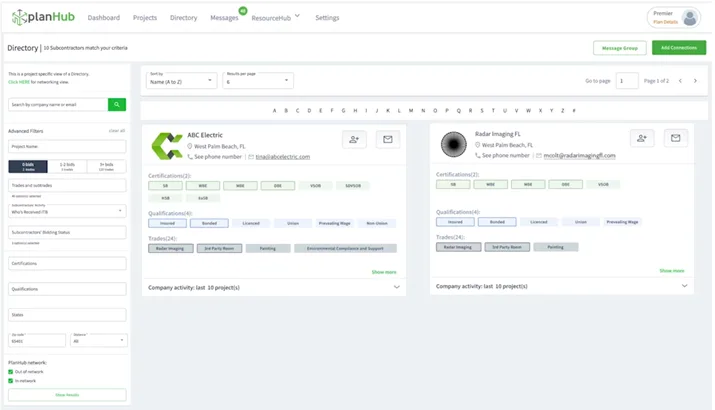
PlanHub connects subcontractors with bidding opportunities from general contractors and developers. You can search for active projects, download specs, and send in your proposals through the platform. It’s built for keeping your pipeline full, especially if you’re hunting for new work consistently. It focuses on finding jobs and not managing your team or scheduling work, so you’ll still need other tools to handle job execution.
How pricing works: Offers a free version for browsing open bids, while premium plans unlock project visibility by region, trade filters, and direct communication tools.
Features beyond bidding: Bid tracking dashboard, project alerts, document sharing, and subcontractor communications.
What sets it apart for general subs: It’s a business development tool as much as a contractor bidding app, perfect for teams looking to grow their footprint by bidding on fresh leads every week.
Rating: 4.4 on Capterra from 480 user reviews
4. Best for takeoff estimating for speciality contractors and suppliers: STACK
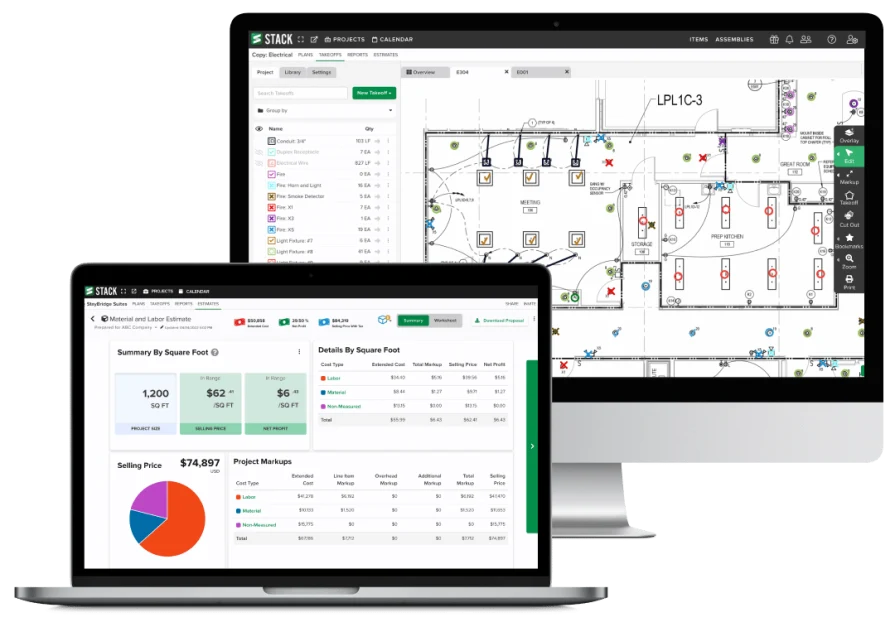
STACK is built for contractors who want to manage takeoffs and estimates inside one platform. With cloud-based plan markup tools and detailed measurement tracking, it’s geared toward trades that rely heavily on blueprints and detailed scope. Estimators can quickly mark up plans, assign quantities, and convert takeoffs into detailed bids without jumping into spreadsheets. STACK is not a full field service platform though, so contractors still need separate tools for dispatching, time tracking, or on-site quote adjustments.
How pricing works: Starts with a free version offering limited projects. Paid plans unlock full access to takeoff and estimating features, with options for additional users and integrations.
Features beyond bidding: Digital takeoff tools, material/labor database, team collaboration, and integration with project management platforms.
What sets it apart for takeoff-heavy work: It shines for teams who spend most of their time bidding from plan sets and need accuracy at scale.
Rating: 4.5 on Capterra from 1398 user reviews
5. Best app for simple and fast contractor quoting in the field: Joist
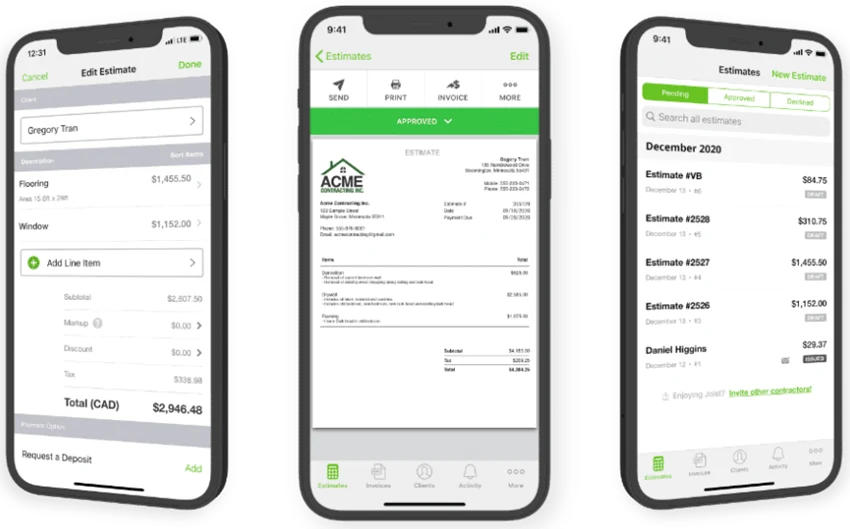
Joist is designed for contractors who quote and invoice from their phones, often while standing in front of the customer. It’s fast, mobile-friendly, and built with service work in mind. Users can create proposals, get e-signatures, and request payment in minutes. However, it’s not suited for contractors needing project coordination, scheduling, or deep cost breakdowns.
How pricing works: Free basic version with paid plans offering premium features like branding, QuickBooks sync, and customer insights.
Features beyond bidding: Client database, invoice tracking, e-signatures, basic reporting, and mobile payments.
What sets it apart for speed: If your workflow depends on getting quotes approved before you leave the site, Joist keeps everything moving without the need for a back office.
Rating: 4.1 on Capterra from 89 user reviews
6. Best small to mid-sized contractor bidding app: SmartBid
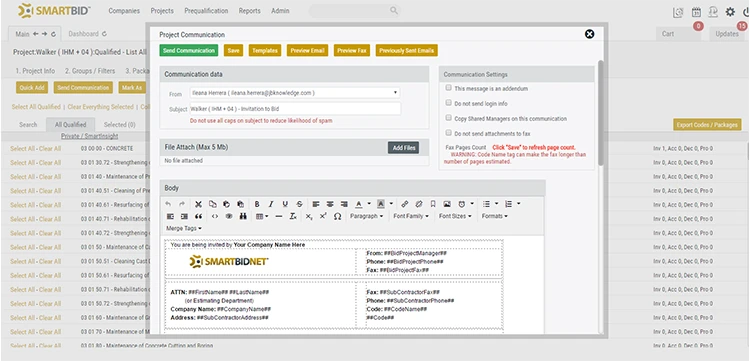
SmartBid is designed for contractors that manage formal bid processes, especially when dealing with architects, engineers, and large-scale commercial clients. It offers detailed control over project documents, subcontractor communications, and quote tracking. If you regularly work in competitive bidding environments, this gives you the structure to stay organized. It’s not built for fast-paced field work though, so contractors handling daily service or emergency calls may find it too rigid.
How pricing works: Plans are customized depending on project size, feature needs, and the number of users. You'll need to request a quote for exact pricing.
Features beyond bidding: Subcontractor invitations, bid tabulation, secure document storage, and project-specific tracking.
What sets it apart for small to mid-sized firms: It brings transparency and control to preconstruction and formal RFPs, which is valuable when you’re bidding competitively and coordinating across multiple vendors.
Rating: 4.4 on Capterra from 66 user reviews
7. Best app for subcontractor collaborative bidding: Procore Estimating
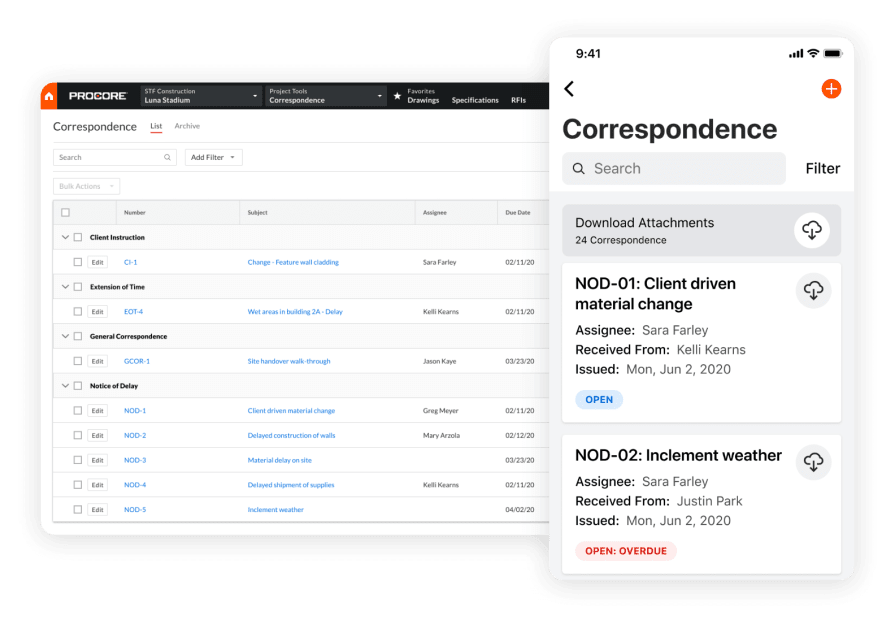
Procore works well for subcontractors who already manage jobs through that system. The estimating module supports takeoffs, cost planning, and unit pricing for large commercial projects. If your team already runs jobs inside Procore, adding this tool can create a seamless bid-to-build flow. It’s only worth the investment if you’re already deep into Procore’s ecosystem, otherwise it can be overkill.
How pricing works: Requires a subscription to Procore’s platform. Estimating is available as an added module based on your existing license.
Features beyond bidding: Change order support, cost codes, shared estimate visibility, and integration with full project lifecycle tools.
What sets it apart for collaboration: It connects field and office in one place, which is particularly useful on complex builds with multiple subcontractors.
Rating: 4.5 on Capterra from 116 user reviews
8. Best for residential subcontractor bidding: GoCanvas Handyman Bid App
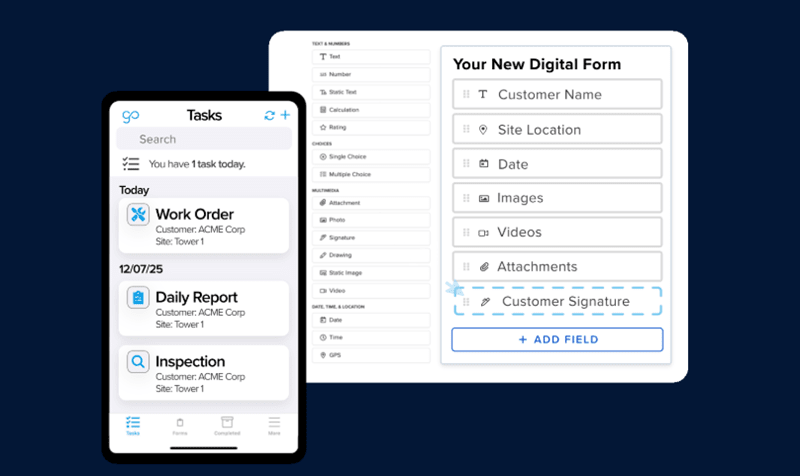
GoCanvas Handyman Bid App keeps things simple for small teams focused on residential work. It helps you generate quick quotes in the field using templates and checklists, with tools to email or print on-site. It’s a solid match for contractors doing small-scale service work like repairs, installs, and maintenance. It lacks project management, scheduling, or workforce coordination features for larger teams handling multiple jobs.
How pricing works: GoCanvas uses a tiered subscription model based on users and forms. Entry-level pricing is available for solo or small teams.
Features beyond bidding: Basic mobile forms, field data capture, photo attachments, and simple client signoff built into each quote.
What sets it apart for residential: Great for fast-turnaround work, especially if you’re running small crews without dedicated office support.
Rating: 4.4 on Capterra from 209 user reviews
7 benefits of implementing a contractor bid app into your field service operation
Here’s what you can expect to happen in your operation when you set up a strong bidding system at the base of your operation using a contractor bidding app that works for your crew:
1. Faster turnaround that wins jobs
Contractors quoting in the field need tools that keep up. A contractor bidding app lets techs build and send proposals from the jobsite, avoiding delays and giving clients fast decisions. That kind of speed often tips the scale when a customer’s comparing bids.
2. Clear pipeline visibility across every lead
When your bids track every opportunity, you don’t waste time chasing cold prospects. You know what’s been sent, who’s responded, and where to follow up. That gives your team a real shot at closing before someone else gets in the door.
3. Smarter field-to-office coordination
Quotes approved in the field should trigger the next steps automatically. When your contractor proposal app links quoting to scheduling, it makes it easier for ops to assign crews, prep materials, and keep jobs moving.
4. More accurate job costing and quote consistency
Bidding apps help reduce missed items and pricing gaps. By pulling from standardized templates and labor rates, your crew builds quotes that reflect real job needs, not rough guesses. Paired with field service reporting tools, you also gain visibility into where estimates hit or miss, so you can refine the next one.
5. Real-time insight through field dashboards
You need to see where your numbers are coming from. Setting up a field service ops dashboard helps business owners and contractors track key quoting metrics like turnaround times, win rates, and approval delays all in one place. When bidding becomes part of your performance metrics, it’s easier to spot where the crew’s winning and where you’re leaving money on the table.
6. Better forecasting through KPI tracking
The more consistent your quotes, the more predictable your pipeline. When your app captures quote data over time, you start seeing trends like how long approvals take, what type of work closes fastest, and which crews land jobs more often. Field service metrics and KPIs turn those patterns into planning tools that help forecast labor, materials, and revenue with confidence.
7. Less back-and-forth, more booked work
A solid contractor bid app keeps your workflow tight. Instead of juggling emails, spreadsheets, and approvals in different places, everything happens inside one system. That’s fewer touchpoints for your crew and fewer steps for your customer, which means faster signoffs and more work hitting the schedule.
How to choose a contractor bidding app that fits the work your team does
Here’s are some questions to ask yourself when shopping for a contractor bidding app, and things to bring up in a product demo to make sure the app is actually a good fit for the type of work your crew does:
- What kind of work you quote—Are you handling quick service jobs, major installs, or a mix of both? Does the app break out costs for labor, materials, rentals, and subs in a way your clients can actually understand? Can you create reusable scopes for common job types?
- How your team builds bids—Does the app support how your team actually creates bids—copying past jobs, using templates, or starting from zero? Can field techs adjust line items without calling the office?
Does it let you quote mid-walkthrough and send before leaving the site? - Where it gets used—Are crews quoting from job trailers, trucks, or back at the shop? Can the app run without a full signal and still sync when it comes back online? Does it work across laptops, tablets, and phones without bugs?
- Who’s using it and why—Are your estimators office-based, or do your techs in the field need to build quotes too? Can you give different access levels depending on the role? Does it make things easier for the crew, or add more steps?
- Other features—Can it pull in saved pricing, calculate margins, or flag missing scope items? Does it connect with your calendar, dispatch board, or accounting software? Can it send clean proposals through a contractor proposal app without needing a PDF workaround?
4 contractor bidding app FAQs answered
Here are some other questions we frequently get from our contractors in demos when they’re considering BuildOps:
1. What is a contractor bidding app?
A contractor bidding app helps contractors create, edit, and send job quotes. They are designed to pull in labor rates, material costs, scope notes, and markup data in real time. It lets you build proposals using saved templates or item libraries, and some connect with your schedule, dispatch, or CRM. If your crew works from both the field and the office, an app for contractor bids helps ensure that every estimate lines up with how your jobs actually run, from the first walkthrough to invoice approval.
2. How do contractor bidding apps work?
Most contractor bidding apps start with templated inputs: labor hours, materials, travel costs, and scope categories. You plug in job-specific info, make adjustments for real-world conditions, and generate a proposal that can be emailed, signed, or tracked, all from the same platform.
Some tools focus only on quoting. Others link estimates to job scheduling, technician dispatch, or lead tracking. That’s where a solid contractor proposal app earns its keep, by keeping everything in sync so your bids don’t get stuck waiting for the next handoff.
3. Is the cost of a contractor bid app worth it for business owners?
If you quote multiple jobs a week or have more than one crew in the field, yes, the cost of a contractor bidding app will pay off, and you’re likely to see ROI from it. These apps have other cost-savings value as well, frequently reducing bidding errors, creating faster handoffs between teams so the work is getting done quicker, and creates a lot more clarity for your customers that result in fewer billing disputes.
4. What are some best practices to follow when implementing a contractor bidding app?
Even the most powerful tool won’t help if your team avoids using it. That’s why rolling out a new contractor bidding app should focus on adoption just as much as features. Whether you’re a solo operator or running a full crew, the way you train, set expectations, and track early use will determine how successful the transition is.
Here are 10 best practices to make sure your contractor bidding app becomes part of your day-to-day workflow:
- Start with real jobs: Use upcoming quotes to train your crew, learning by doing helps things stick
- Build your templates: Preload materials, labor rates, and scope details before rollout
- Pilot with a lead tech: Let a trusted team member run tests and gather input before full rollout
- Make it mobile-first: Ensure your app works from the field, not just a desktop
- Keep the setup lean: Start with key features like quoting and approvals, and add the rest later
- Assign a point person: One go-to person should handle app issues and updates for the first month
- Customize for trades: Tailor templates to your work, don’t use generic HVAC, plumbing, or electrical bundles
- Track adoption: See who’s using it, how often, and what’s being skipped
- Check integration: Make sure the app ties into scheduling, dispatch, or lead tracking tools already in use
- Request feedback: Ask your crew what’s working and where they’re hitting friction
A contractor bid app only delivers value when it matches how your crew works: fast, flexible, and field-ready.
If you're managing large crews, balancing backlogs, and juggling commercial timelines, using an all-in-one field service platform becomes less of a luxury and more of a necessity. You need a system where quoting, dispatch, and job tracking actually talk to each other. That’s where BuildOps comes in, because it’s designed specifically for commercial contractors who need more than just a contractor bid app.
With OpsAI for Sales, you can take proposals to the next level, unlocking huge sources of additional potential revenue that’s currently sitting undiscovered in your visit notes. Why leave it just sitting there?