

Keeping field jobs tight takes coordination—prices shift, scope changes, and approvals slip. A contractor estimate app pulls labor, materials, and markups into one place so field and office stay aligned. Pair it with a contractor quote app and your techs can send clean numbers from the driveway without chasing paperwork.
This guide highlights the best contractor estimate app picks for field-first teams, shows what a contractor estimating app must handle on-site and at the desk, and explains where an app for contractor estimates fits inside connected field service management used by HVAC, electrical, plumbing, fire, refrigeration, and mechanical crews.
- Why getting contractor estimating and quoting right matters to field service projects
- What to consider before choosing an estimate and quote app
- 6 key features contractors should look for in an estimating and quoting app
- 8 best estimating and quoting apps for contractors
- 7 benefits of using estimate & quote apps for contractors
- 4 important FAQs about estimating & quoting apps for contractors answered
In the next section, we’ll show how estimating and quoting apps keep approvals moving, tie price books to real parts and labor, and give your team a single source of truth from first number to scheduled work.
Why getting contractor estimating and quoting right matters to field service projects
Every job starts with a number and a promise. When quotes sit in email or spreadsheets, approvals stall, scope changes slip, and margin leaks. A connected process keeps office and field aligned from the first site walk to scheduled work, so that promise holds.
A contractor estimate app ties labor, materials, and markups to real price books. A contractor quote app captures photos, notes, and signatures on-site, then converts approved work into the schedule without double entry. This creates one record across the project, which cuts disputes and gives leaders a clear view of open quotes, aging approvals, and hit rate. For field-heavy teams using HVAC, electrical, plumbing, fire safety, refrigeration, or mechanical workflows, a contractor estimating app keeps the details straight while crews stay focused on the work.
Fast approvals and clean handoffs protect profit. Clients see a polished proposal, techs work from an accurate scope, and the office tracks status without chasing updates. That is how an app for contractor estimates turns a good first impression into a job that starts on time and finishes strong.
Deep Dive
After a quote gets a yes, cash flow hinges on when you bill. Too early and it stalls in approval loops. Too late and profit leaks. The Invoicing Sweet Spot breaks down invoice timing contractors use to speed up payments—covering day-of-week patterns, milestone triggers, and how to keep crews moving while the paperwork clears.
What to consider before choosing an estimate and quote app
Contractors live by tight schedules and clean handoffs. When an estimate gets approved but never reaches the crew, time and profit slip. Choosing a contractor estimate app that fits your day-to-day keeps field and office aligned from first walk-through to scheduled work.
Your pick should help techs price jobs fast in the truck, capture signatures, and convert a yes into a job without retyping. It should also give the office a single record so nothing gets lost. Use these checkpoints while you evaluate options:
- Workflow fit: Can it keep estimates and approvals in sync without duplicate entry? Does it link price books, labor, and materials to work orders in a way that matches how your crews already operate? Can it handle version control and change orders without confusion
- Ease of use: Can a foreman figure it out in five minutes without calling support? Does it work from a phone at the jobsite, in the truck, and back at the office? Can your team send a polished estimate immediately after the visit
- Reliability under pressure: If something breaks, can you reach a real person who knows field work? Does the app stay stable during peak hours? Does it offer offline capture so techs keep moving when signal drops
- Scalability: Will it hold up when you go from ten jobs to forty? Can it support multiple trades, locations, or divisions? Does it handle subcontractor costs and approvals without add-ons
- Features: Does it provide assemblies and templates by trade? Can it track margin and tax, apply discounts with controls, pull photos into proposals, and collect e-signatures? Does it integrate with scheduling so approved estimates land on the calendar automatically
With those answers, you can shortlist the best contractor estimate app for your crew. Next, we break down the core features every contractor estimating app should include, and how an app helps techs in the field finish the paperwork without slowing the work.

6 key features contractors should look for in an estimating and quoting app
A contractor estimate app has to match field reality. Crews juggle installs, maintenance, and repair while the office tracks costs and approvals. Tie it all together with features that connect quoting and estimating to daily field service management without slowing anyone down.
1. Field-ready scheduling and dispatching

Every estimate ends with a visit on the calendar. Strong tools turn an approved estimate into a booked job and push updates to the tech’s phone. Look for field service scheduling and dispatch software that reassigns work quickly, handles priority jobs, and keeps the quote tied to the work order. That way the crew shows up with scope, parts, and notes in hand.
2. Mobile access for techs on every job

Field teams need the estimate and quote in their pocket. A technician mobile app lets techs adjust quantities, add photos, capture signatures, and send a polished proposal from the driveway. Pair it with quoting software so assemblies, templates, and markups follow the tech from site to site.
3. Built-in invoicing & payments collection


Quotes land faster when contacts, sites, and history live together. A CRM for contractors shows past quotes, equipment, and service notes, so your team answers pricing questions with facts. Duplicate a previous proposal, adjust scope, and send without starting from scratch.
5. Time tracking that ties directly to labor costs

Labor drives margin. Time tracking that feeds job costs in real time helps estimators compare planned hours to actuals and tune pricing. Techs log from the app, hours sync to the job record, and managers see which estimates hit target. Those actuals flow back into your contractor estimating app so the next quote reflects real crew productivity.
6. Service agreements that quote and schedule recurring work

Maintenance programs need pricing rules, visit cadences, and renewal reminders. Service agreements inside the estimating flow let teams build packages, quote recurring visits, and create work orders for each interval. No spreadsheets, no missed renewals. When equipment lists change, the system updates the agreement and adjusts the next quote automatically.
Other notable features to have in an estimate and quote app
Extra capabilities can lift clarity and reduce admin work as your operation scales.
- Service agreement tracking – Built-in service agreement tools help teams stay ahead of renewals and bill against completed scope without hunting through files.
- Fleet visibility – A connected fleet management system shows who is driving, where the vehicles are, and which crew can reach the next quoted job fastest.
- Reporting and insights – A strong reporting dashboard surfaces open quotes, approval times, and win rate so leaders make decisions with live data.
With these features in place, a contractor quote app supports the entire path from first site walk to scheduled work and payment. Next, we’ll look at the best contractor estimate app options teams rely on today.
8 best estimating and quoting apps for contractors
Picking a contractor estimate app depends on the work you take on, how your crews operate in the field, and how tightly you want quotes tied to scheduling and job costs. Some tools support complex commercial workflows, while others keep things simple for quick service calls. The goal is to match the way your team actually works.
1. Best for commercial contractors: BuildOps

BuildOps gives commercial teams a connected system for estimating, quoting, scheduling, invoicing, and job tracking in one place. Field and office share a single record from first walk-through to job closeout, so approved quotes turn into scheduled work with scope, parts, and photos intact. Crews see exactly what was promised, while managers track status and costs without duplicate entry.
How pricing works: Customized pricing based on team size, workflows, and the tools you need.
Features beyond estimating & quoting: Dispatch, technician time logs, contract management, service history, and coordination tools that support commercial-scale operations.
What sets it apart for commercial: Designed for commercial service complexity, with scope control across multi-site jobs and recurring maintenance, plus tight field–office integration for crews moving between calls.
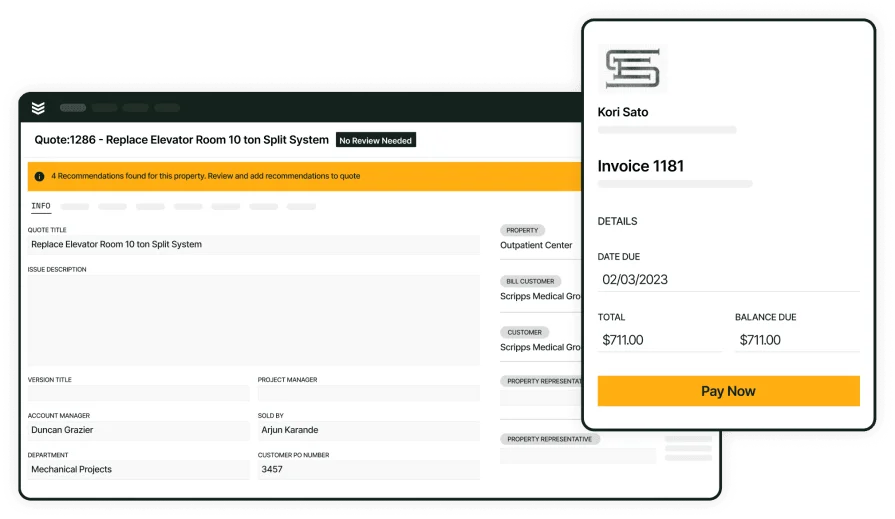
See quoting in a real workflow
Discover how BuildOps turns an approved quote into a scheduled job.
2. Best for residential contractors: Housecall Pro

Image Source: Housecall Pro
Housecall Pro focuses on residential service teams that want quick, mobile-friendly estimating, booking, and basic invoicing. Setup is simple, the interface is friendly for solo contractors or small crews, and day-to-day work runs from one screen. It may not be ideal for complex jobs, change orders, phased billing, or large crews.
How pricing works: Monthly plans that adjust by crew size and access level.
Features beyond estimating & quoting: Automated texts and emails, customer management, payment collection, and scheduling tools tailored to residential workflows.
What sets it apart for residential: Fast and simple, suited to home service visits that need quick turnaround with minimal admin.
See how Housecall Pro compares to BuildOps when it comes to estimating, and their other features.
3. Best for general contractors: Joist

Image Source: Joist
Joist suits contractors handling repairs, upgrades, and renovation work who want drag-and-drop estimates, templates, and one place to manage quotes, invoices, and payments. Crews can send bids, capture signatures, and close out jobs without a desktop. It may fall short for teams that rely on service agreements, deeper scheduling, or advanced job costing tied to field hours.
How pricing works: Starts at $129 per month for up to five users, with costs that scale by features and volume.
Features beyond estimating & quoting: Payment alerts, job tracking, customer communication, and lightweight scheduling for daily work.
What sets it apart for general contractors: Clean tools for smaller projects that need fast bids and organized client records without heavy back-office steps.
4. Best for specialty contractors: ServiceTitan

Image Source: ServiceTitan
ServiceTitan targets specialty trades such as HVAC, plumbing, and electrical. It standardizes how work gets quoted and billed, giving leaders tighter control across high-volume or multi-location teams. That level of structure can feel heavy for smaller operations that do not need enterprise depth.
How pricing works: Custom quotes based on business size, trade, and workflow needs.
Features beyond estimating & quoting: Central pricebooks, performance dashboards, job costing, call tracking, and financing options for larger service operations.
What sets it apart for specialty contractors: Strong control and visibility for contractors that need consistency across big teams and multiple service lines.
Compare ServiceTitan and BuildOps head to head and see how their estimating features meet your team’s needs.
5. Best for small service contractors: Jobber

Image Source: Jobber
Jobber helps service contractors send estimates, book visits, and keep billing in one place. The layout stays friendly for techs in the field while giving the office clear status on what’s quoted, approved, and paid. Teams that handle bigger, multi-phase projects or complex agreements may feel limited.
How pricing works: Monthly plans start at $25 for a single user; higher tiers scale by user count and features.
Features beyond estimating & quoting: Scheduling, batch invoicing, overdue alerts, and customer messaging to keep jobs moving.
What sets it apart for small service contractors: A clean pipeline for small service teams that want fast estimates, tidy billing, and low admin overhead.
6. Best for solo contractors: Invoice2Go

Image Source: Invoice2go
Invoice2go gives independent pros a simple way to build estimates, send them from the phone, and collect payment without extra tools. Setup is quick and templates stay easy to tweak on-site. It may not suit teams that need collaboration, job scheduling, or integrations with dispatch and field management.
How pricing works: Monthly plans begin with basic features and scale by document volume and access level.
Features beyond estimating & quoting: Branded documents, expense tracking, automatic payment reminders, and status updates.
What sets it apart for solo contractors: A clean, phone-first toolkit for solo operators who want quotes and payments handled from the driveway—no desktop needed.
7. Best for small to mid-sized businesses: FieldPulse

Image Source: FieldPulse
FieldPulse bundles estimating, quoting, scheduling, and customer tracking so growing teams can keep jobs organized without juggling apps. It supports service trades that need repeat visits and steady communication with clients. Shops that require heavy analytics or enterprise controls may want stronger depth than what’s available out of the box.
How pricing works: Tiered plans based on users and feature access.
Features beyond estimating & quoting: Tools for job scheduling, customer records, and status visibility across crews.
What sets it apart for small to mid-sized businesses: A balanced fit for small to mid-sized contractors adding techs and routes who want estimates, scheduling, and client notes to live together.
Check out our side-by-side comparison of FieldPulse and BuildOps to see which one might be better for you.
8. Best for field-first teams: Fergus

Image Source: Fergus
Fergus centers the day around job cards, quoting, and timesheets so crews stay focused on the work while the office tracks progress. It suits trades that run many short visits and need quick approvals from the site. Companies with complex divisions or deep service agreement workflows may outgrow its scope.
How pricing works: Tiered pricing that scales by user count and included modules.
Features beyond estimating & quoting: Job tracking, basic scheduling, and reporting to keep supervisors informed without extra steps.
What sets it apart for field-first teams: Strong field focus for crews that live on mobile—handy for plumbing, electrical, and similar trades where quotes, time, and job notes need to move fast.
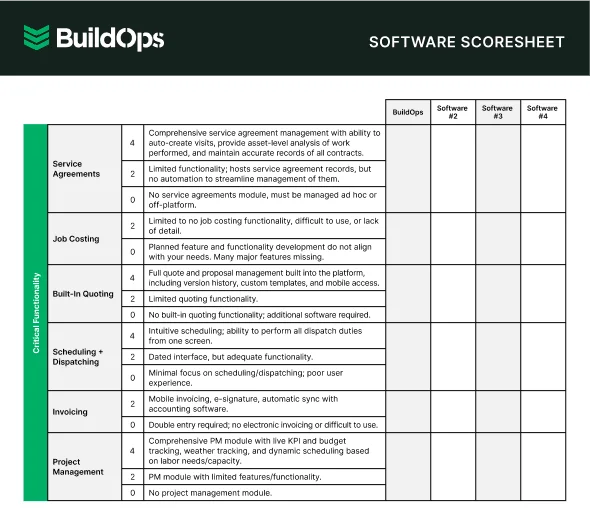
Compare the best software in one view
See how leading estimate & quoting tools stack up in one quick scoresheet
7 benefits of using estimate and quote apps for contractors
A contractor estimate app anchors pricing and scope from the first walk-through. Paired with a contractor quote app, crews send accurate numbers on-site and keep jobs moving. Here’s how the best contractor estimate app helps field teams every day. A dependable contractor estimating app keeps office and site aligned, while an app for contractor estimates puts the tools techs need in every truck.
1. Faster approvals and immediate scheduling

Clients sign on-site, then the estimate converts to a visit without retyping. Teams that connect quoting with scheduling and dispatching shrink the gap between approval and crew arrival. Techs see time, tasks, and parts on their phone, which cuts back-and-forth and keeps routes tight.
2. Consistent pricing and fewer do-overs
Live price books by trade keep labor and material rates current. Estimators pull exact assemblies and markups, so the number a client accepts matches what the crew installs. Clear pricing reduces revisions and protects margin across repeat work.
3. Better follow-up and higher win rates
Quotes tie to contacts, sites, and history, which makes next steps obvious. With a view like field service CRM software, sales and ops see who needs a nudge, which options were reviewed, and what was discussed during the visit. That steady follow-up raises hit rate without heavy chasing.
4. Real job costs from the first visit summary

Notes, photos, and labor entries sync to the estimate as work unfolds, so leaders compare planned hours to actuals early. Insights similar to field service report software help spot slip, adjust pricing on the next bid, and coach crews with real examples from the field.
5. Clean handoff from quote to work order
An approved estimate becomes the job plan with tasks, parts, and site notes intact. Tools that mirror work order software for contractors keep everything in one record, so foremen start the day with scope in hand and no missing details.
6. Fewer dropped requests across the pipeline
Service calls, add-ons, and change requests land as trackable items tied to the original quote. A workflow shaped by a field service ticketing system routes each request to the right person, logs status, and gives managers a clear picture of what needs action next.
7. Faster cash cycle after the yes
When quoting connects with billing, the office invoices at an ideal time and collects without a scramble. A helpful overview of a contractor estimate and invoice app shows how clean handoffs reduce rework and keep cash in step with completed work. That steady rhythm keeps crews on the tools and the business paid.
4 important FAQs about estimating & quoting apps for contractors answered
Field pros ask the same core questions when they move quoting and estimating into one workflow. Here are straight answers tailored for commercial service teams.
1. What is a contractor estimate and quote app?
A contractor estimate and quote app is a field-ready system that builds pricing, formats proposals, captures approvals, and converts a yes into a scheduled job. It links labor, parts, markups, and customer details, stores photos, notes, and signatures, and tracks status from walk-through to closeout.
It replaces scattered spreadsheets and email threads with one record shared by office staff and techs, so the numbers match what gets installed on-site.
2. Why do I need a single tool that can do both estimating and quoting?
Using one platform keeps scope, pricing, and approvals in the same place. Techs present options on-site, clients choose, and the approved version turns into tasks on the calendar without double entry. Leaders see hit rate, aging approvals, and margin in a single view.
A unified setup also reduces risk. Version control, signatures, and price book updates live together, which limits disputes and protects profit when change orders pop up. For field-heavy teams, this alignment keeps jobs moving while the office stays confident in the numbers.
3. Is an estimating and quoting app worth the cost for contractors?
Yes—saved hours, higher win rates, and cleaner handoffs usually cover the subscription quickly.
- Fewer site revisits because pricing and scope are captured during the first visit
- Faster green lights after clear, branded proposals with digital signatures
- Lower admin time since staff stop retyping details into separate systems
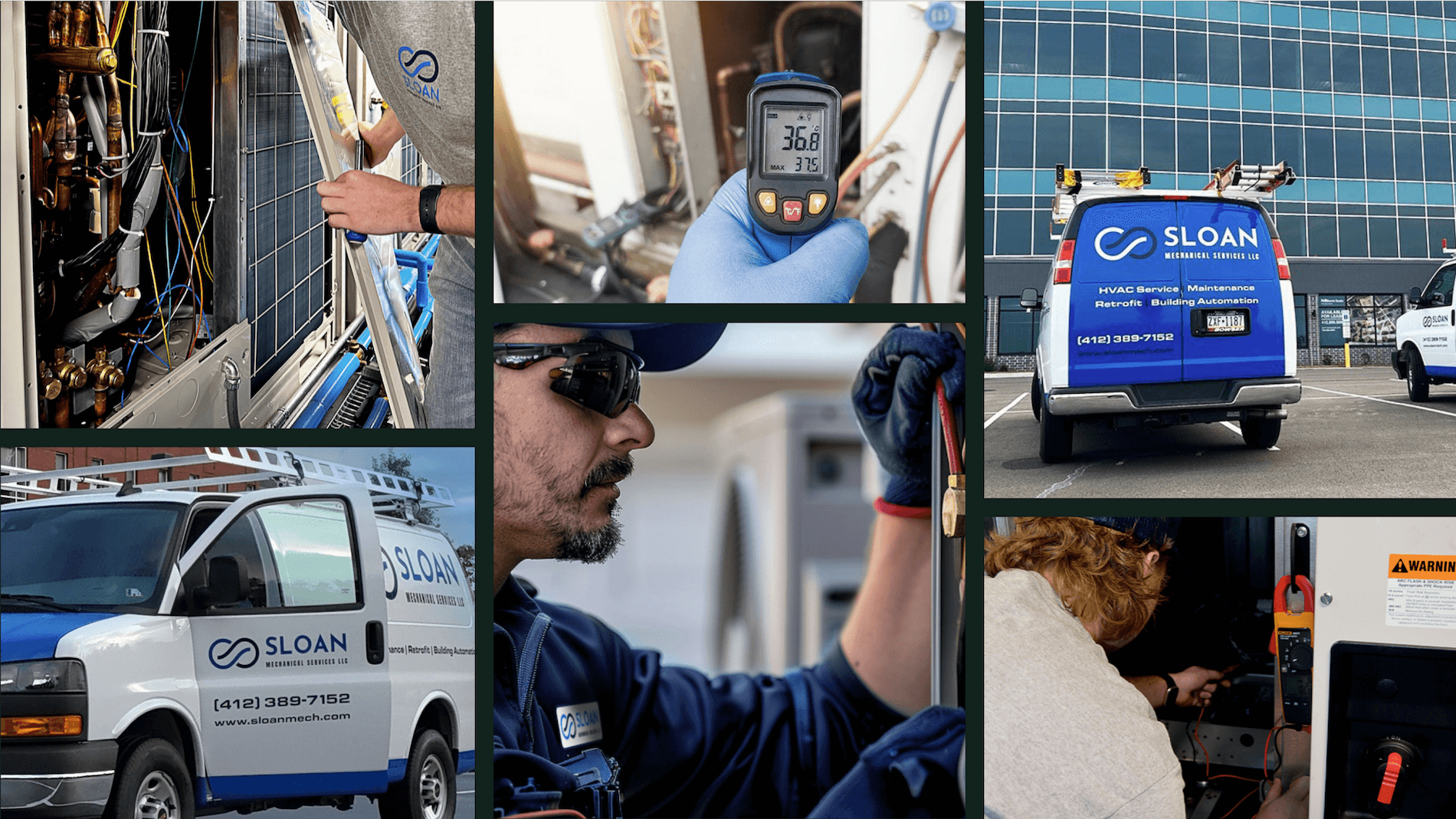
If you want a real-world example of gains tied to a connected workflow, the story of Sloan Mechanical shows how a field-first platform tightened processes and improved job outcomes.
4. Best practices for contractors using estimating and quoting apps to follow
Start with clear rules and simple habits so the tool pays off fast.
- Standardize price books by trade before rollout
- Build assemblies and templates for your most common jobs
- Require on-site photos and short notes with every estimate
- Capture signatures in the field and auto-email a copy to the client
- Convert approved quotes to work orders immediately after sign-off
- Log time and materials against the estimate on the same day
- Review won and lost quotes weekly to tune pricing and options
- Set permissions so discounts follow clear approval levels
- Sync reporting with accounting so leaders track margin and cash timing
- Train foremen first, then have them mentor techs on real jobs
Contractors win jobs when pricing stays clear and the handoff to the field stays smooth. A strong contractor estimate app paired with a contractor quote app links schedule, site notes, photos, approvals, and costs. Crews arrive with a plan, the office tracks status without chasing updates, and leaders trust the numbers. This guide covered what to evaluate, feature must-haves, proven options, and habits that keep bids clean across HVAC, plumbing, electrical, fire, refrigeration, and mechanical service.
For commercial operations that want one platform across estimating, quoting, scheduling, dispatch, CRM, time tracking, reporting, invoicing, and payments, BuildOps unifies those workflows in a single record. That unity keeps foremen and coordinators aligned from first price to job close.
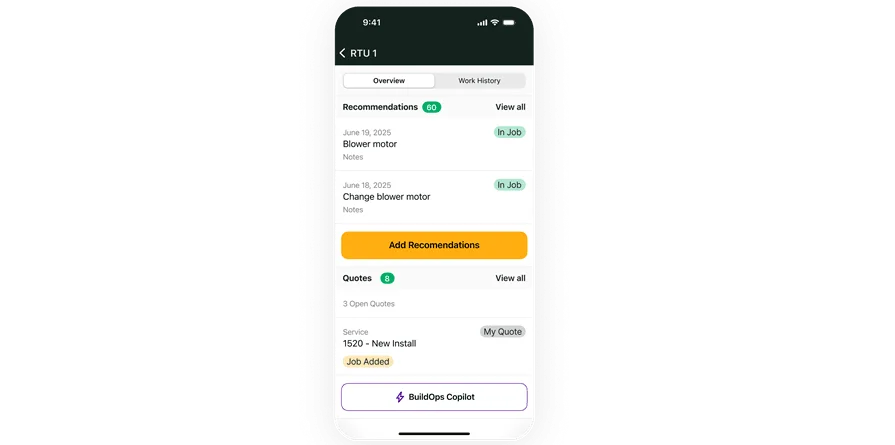
Field-ready estimate to cash with BuildOps
See quoting become scheduled work, time, and billing in one place for any trade.