7 Best Contractor Quote Tools to Keep Jobs Moving Fast

Key Takeaways
- Contractor quote tools automate quoting, and link them to other aspects of a field service operation like work orders and invoicing
- Choosing the right contractor quote tool for your business depends primarily on the scale of service work you do, and whether that’s commercial, residential, general contracting, or something else
- One of the most important features to focus on in a contractor quote tool is the ability to quote recommended work on-site while in the field, as it’s a huge source of potential untapped revenue to your service division
Improving quoting accuracy is such a critical component of field service management businesses because it both builds trust and relationships with your customers when you estimate jobs accurately (and can bill based on accurate estimates), and it critically makes or breaks your profit margins, which is so important for scaling businesses.
When choosing a contractor quote tool, you need to evaluate the options based on the scale of work you do, as each tool has different types of features more suited to commercial businesses, residential work, subcontractors, and so on. In this guide, we’ll break down which tools are best for which scope of work, which features are most important to get ROI from the tool, what you should ask in a product demo, and more. Let’s start by breaking down the specific features you need to evaluate when looking for a contractor quote tool, as they should form the foundation of your investigation.
5 key features to evaluate when selecting a contractor quote tool for your team
Whether you’re quoting a simple repair or a phased service upgrade, your contractor quote software has to handle fast turns, job updates, and crew coordination without slowing anyone down. These are the top five features every quoting system needs to stay ahead of the job:
1. Instant pull-through work quoting available on mobile in the field
Your crews aren’t stuck behind desks. They’re out fixing boilers, rewiring panels, and replacing units in real time. A contractor quote app with full mobile quoting capability lets techs send updates, attach images, and adjust quotes while they’re still on the job. Picture this: one of your lead techs is in the middle of a restaurant repair and spots an unexpected control board failure.
With the mobile quoting tool, field techs identify the pull-through work opportunities on site. Then sales back in the office can instantly generate the quote and send it to the customer for approval. You might get the approval right then and there before your tech even leaves the site. And all of this, done without calling the office once.
2. CRM integration to leverage customer insights and history
Your quoting process should connect directly to your customer relationship management system, leveraging customer details and history that can automatically be added to quotes. Any team member in the office or in the field should be able to pull up service history, past quotes, and field notes so every new estimate reflects real context.
3. Direct automated handoff from quote to field to invoicing
The sales to operations handoff is one of the biggest ways a field service business ends up getting slowed down. Your contractor quote tool should have this handoff in mind, and have ways built in that leverage the work done by sales (collecting customer information, site details, etc.), right into work orders that techs pull up on their phones.
But you don’t want it to stop there. You want the quotes to also connect directly to invoicing, so the quote as well as actual work done on site is automatically added, including full summaries of the scope of work completed. That kind of quote-to-payment flow significantly reduces work delays, and is one of the easiest ways to unlock new work and cash flow quickly within your operation.
4. Preventative maintenance agreement automation, scheduling, and tracking
A preventative maintenance agreement feature built into your contractor quote software can make recurring work easier to quote and track. Whether it’s quarterly inspections or annual system tune-ups or identifying potential issues you can leverage into recommended work, this feature helps you standardize pricing and manage contract timelines without re-quoting every job from scratch.
5. Mobile time tracking that enables labor accuracy
Your quotes are only as good as your labor estimates. That’s why contractor quote software should pull from actual job data using time tracking tools. Make sure your field techs can track time right on the job to make it as accurate as possible, creating a stream of incoming data you can use to make estimates more accurate in the future.
7 best contractor quote tools for different types of service businesses
Even with extra features that support quoting behind the scenes, the core of any contractor quote tool still comes down to how well it performs in the field. For different types of contractors managing different scales of jobs, contractor quote tools tend to stand out based on the scope of work. Let’s take a look at the best options for different types of service business contractor quoting:
1. Best contractor quote tool for commercial service teams: BuildOps
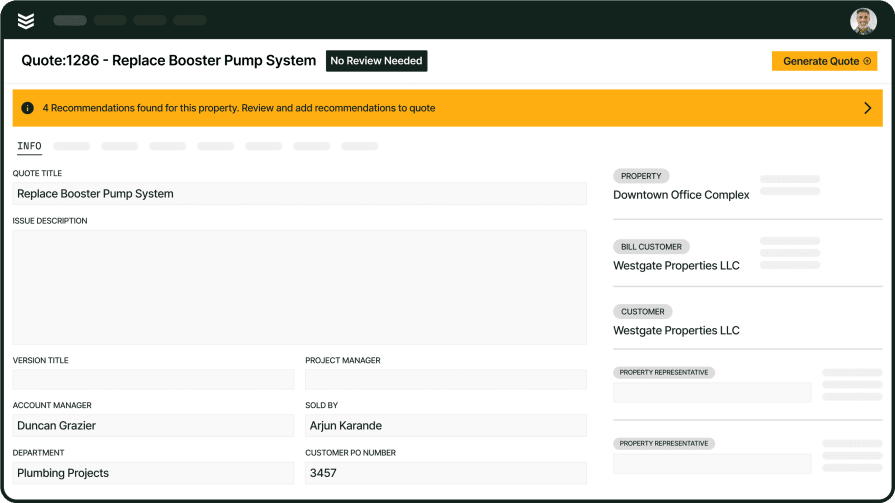
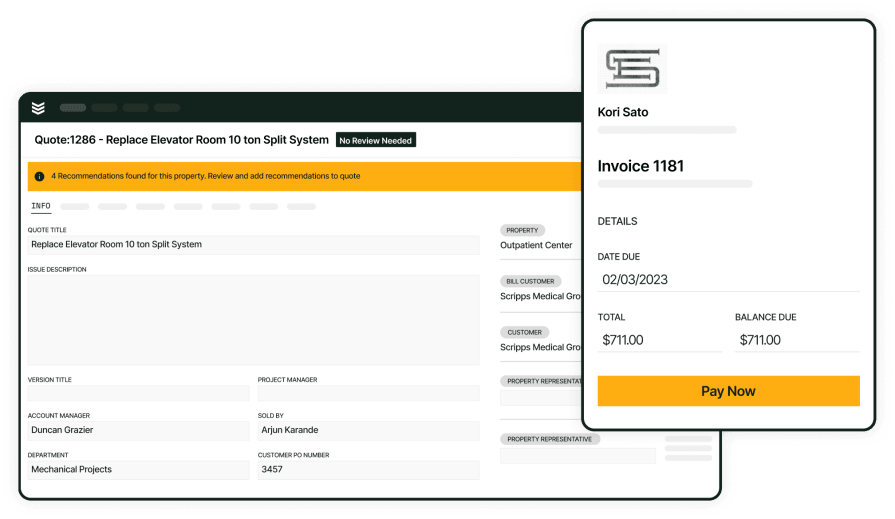
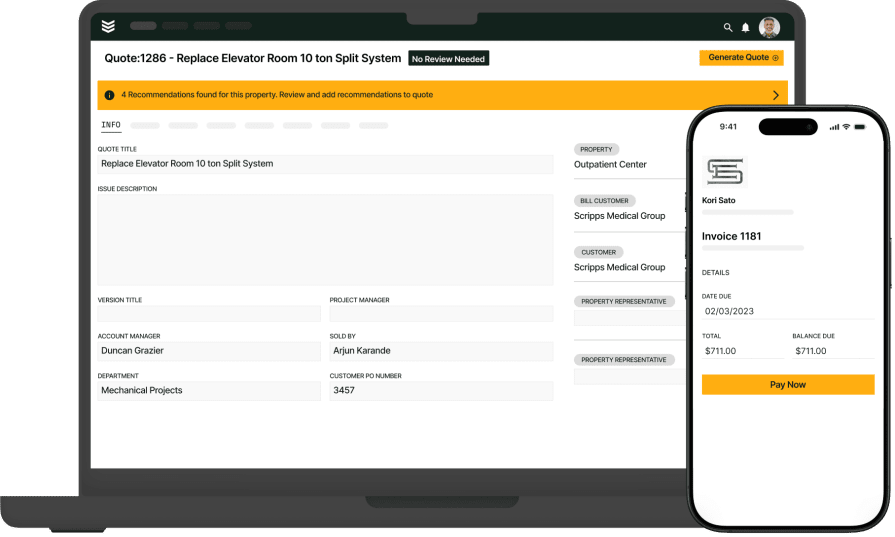
BuildOps gives commercial contractors a quoting system that works across the entire job cycle from estimate to execution. It’s designed specifically for construction crews handling large-scale service operations, where quote speed, accuracy, and follow-through all matter.
The BuildOps platform connects every quote to live job costing, field updates, and post-job billing, so nothing gets lost between teams or systems. With its deep integration into project workflows, BuildOps makes sure every approved quote leads directly into scheduled work, dispatched crews, and tracked performance. And OpsAI helps automate financial tasks like quoting and invoicing, to cut down on manual work and quoting mistakes.
How pricing works: BuildOps uses a custom pricing model based on the size and needs of your business. It’s tailored to mid-sized and enterprise commercial contractors, with advanced features that scale as your field service operations grow.
Features beyond quoting:
- Field-ready mobile tools that let techs send or adjust quotes from the job site
- Real-time tracking of labor and material costs tied to each quote
- Connected CRM tools for quote follow-ups and customer history
- Quote information can be automatically leveraged right into invoicing
What sets it apart for commercial: BuildOps is made for construction contractors who need more than a standalone quote system. It gives field teams, office staff, and project managers a single platform where quoting is just the starting point. From dispatch and scheduling to service history and billing, it keeps everyone aligned and the work moving.
Rating: 4.4 on Capterra from 177 user reviews
2. Best for residential contractor quoting: Housecall Pro
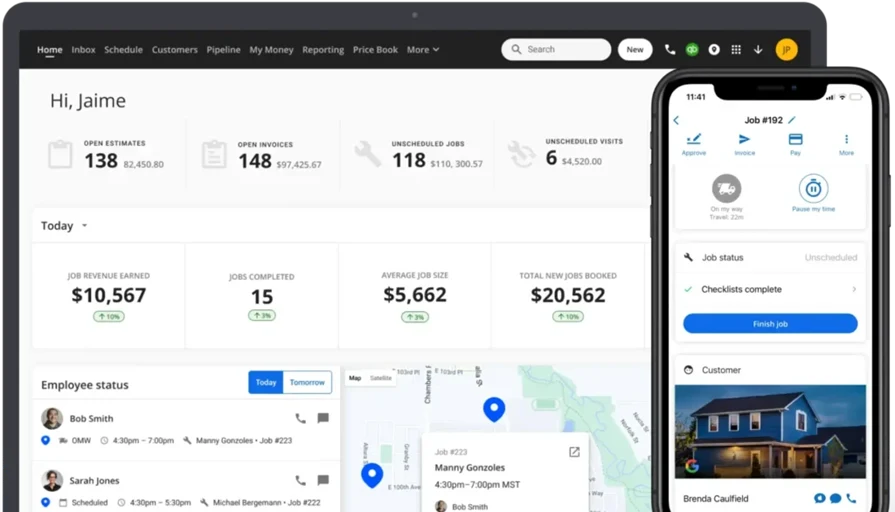
Housecall Pro is popular with residential service teams looking for a quick quoting tool. It offers templates, payment processing, and digital quote approvals that work well for smaller home-based jobs. If your team runs a lot of one-off repairs, installs, or upgrades, the platform makes it easy to send quotes on the go with minimal setup. However, its limited customization and reporting depth may not fit well for field teams managing large project volumes or multi-site service routes.
How pricing works: Housecall Pro uses a tiered subscription plan. Most of the quoting features are available at entry level, but more advanced tools like reporting or workflow automation require premium tiers.
Features beyond quoting:
- Online booking tools to collect job requests tied to estimates
- Automated alerts that notify customers on job progress
- Simple built-in payments for deposits or completed jobs
What sets it apart for residential: Housecall Pro’s strength lies in its speed and ease of use. For smaller contractors or startup crews doing home service work, it’s a lightweight option for sending fast, branded quotes.
Rating: 4.7 on Capterra from 2,736 user reviews
3. Best quoting tool with robust accounting integrations: Xero
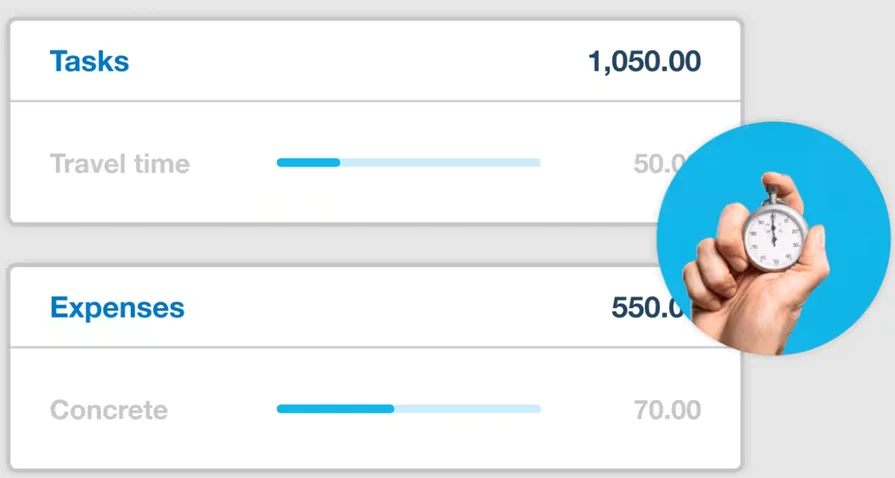
Xero is an accounting platform with basic quoting capabilities built in. It allows contractors to create, send, and track quotes, then convert them into invoices once approved. Because it keeps your financial and quoting data in one place, it’s a solid choice for lean teams that prioritize bookkeeping. Still, it lacks service dispatch, tech tracking, or mobile quoting support that many contractor quote tools rely on.
How pricing works: Xero follows a subscription-based model with quoting included in all plans. Features like advanced reporting or expense tracking may require upgrading to higher-tier packages.
Features beyond quoting:
- Built-in invoicing and payment tracking
- Inventory management tools for small-scale material use
- Bank feed connections and reconciliation tools
What sets it apart: Xero is ideal for contractors who want tight accounting integration without needing full service management features. It works best when paired with other field tools for scheduling or tech coordination.
Rating: 4.4 on Capterra from 3,256 user reviews
4. Best quote tool for general subcontractors: Joist
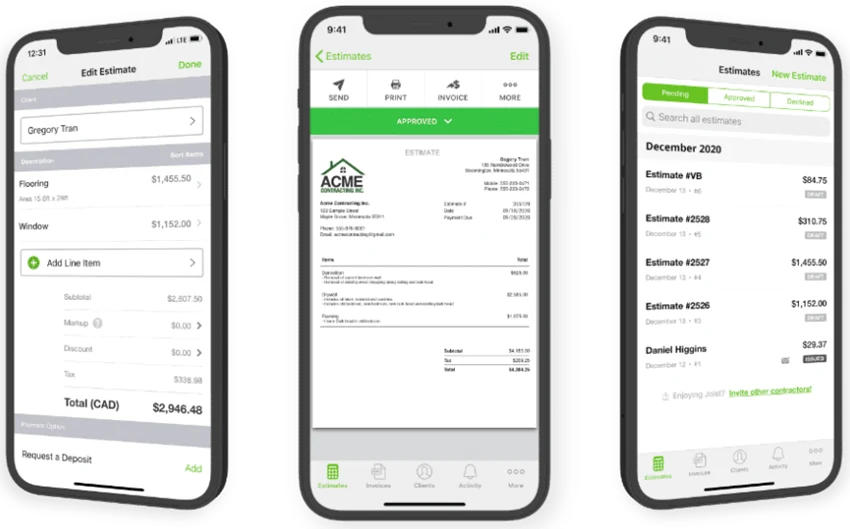
Joist gives independent contractors and subcontractors a mobile-first way to create quotes, send them to customers, and capture signatures without needing desktop software. It offers job templates, change order tracking, and simple invoicing, all from a mobile device. It’s especially useful for smaller teams that need to turn around quotes quickly for remodeling, repairs, or specialty trade work. However, it lacks deeper field service tools like dispatching, technician tracking, or workflow management that many contractor quote tools now include.
How pricing works: Joist offers both free and paid versions. The free version includes basic quoting and invoicing, while more robust options—like custom branding, financing offers, and estimating insights—are only available through paid plans.
Features beyond quoting:
- Integrated e-signature capture for fast approval in the field
- Quick-add item library for parts, labor, and custom services
- Customer-friendly quote layouts designed for transparency
What sets it apart for subcontractors: Joist fits solo tradespeople or small crews who need quick quoting tools without a large learning curve. Its clean mobile interface and client-facing features help build trust fast, even without a full back-office team.
Rating: 4.1 on Capterra from 89 user reviews
5. Best for general contractor quoting: PlanSwift
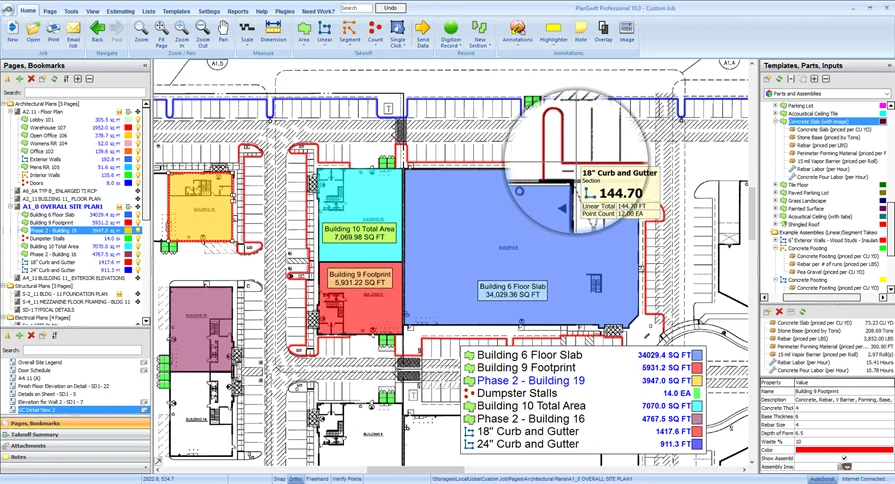
PlanSwift is a desktop takeoff and estimating platform focused on general contractors working from blueprints. It lets you upload drawings, click to measure, and auto-calculate material quantities and labor time. It’s a powerful front-end estimating engine, especially for new builds or large-scope remodels. But it’s built for the office, not the field, so contractors looking for mobile access or in-job quote adjustments won’t find what they need here.
How pricing works: PlanSwift charges a one-time license fee with optional add-ons for extra functionality. There are no ongoing monthly costs unless you add cloud tools or integrations.
Features beyond quoting:
- Advanced digital takeoff tools for PDF plans
- Real-time calculation updates as you measure
- Exportable materials and labor lists tied to your quote
What sets it apart: PlanSwift is all about precision estimating before the work starts. It’s a fit for GCs who spend their time quoting from the office, but it doesn’t serve field-focused contractors managing techs or on-site work.
Rating: 4.3 on Capterra from 401 user reviews
6. Best quoting for small to mid-sized service teams: Knowify
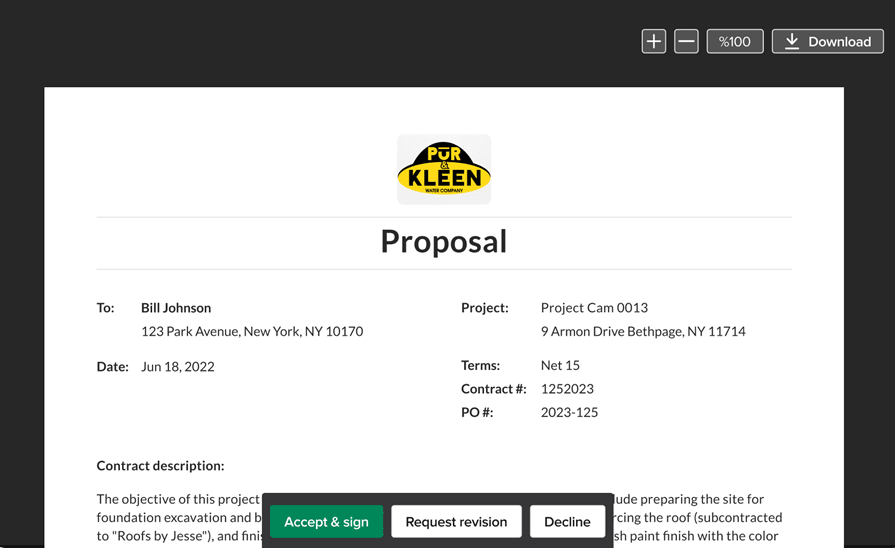
Knowify is a platform aimed at small-to-mid-size contractors trying to level up from spreadsheets. It offers fast quoting templates, job costing, and client approvals, while also helping you manage project budgets and tasks. It’s a good tool for teams that need simple control over both bidding and execution. However, it lacks a strong field mobile interface, and techs in the field may still need to rely on office help to send or update quotes.
How pricing works: Knowify uses a tiered subscription model. Entry-level plans support quoting and invoicing, while premium tiers unlock project tracking, reporting, and budgeting.
Features beyond quoting:
- Budget tracking and cost analysis dashboards
- Contract and change order management
- Task assignments and internal time tracking
What sets it apart: Knowify works best for growing contractors who need help organizing quotes, job costs, and timelines in one place. It’s a strong back-office solution, but field crews may need extra support to operate on the go.
Rating: 4.5 on Capterra from 109 user reviews
Check out our breakdown of Knowify vs BuildOps to see how they compare to each other.
7. Best tool for digital takeoff quoting: Buildxact
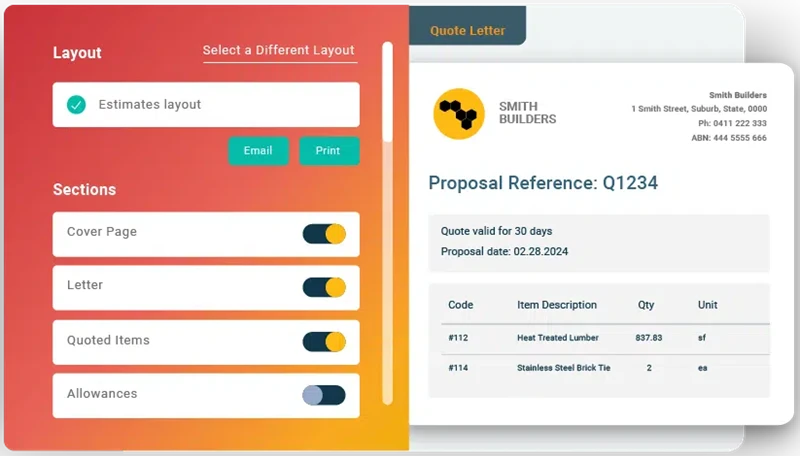
Buildxact gives small builders and contractors a way to create quotes directly from takeoffs. It combines estimating, quoting, and simple job tracking in one cloud-based platform. The quoting feature is integrated with your cost catalogs, so as you mark up plans, the estimate builds itself. However, it leans toward pre-construction and bidding workflows and may fall short for field-heavy contractors who need mobile tech tools or dispatching built in.
How pricing works: Buildxact uses a subscription model with plans based on business size and feature access. Lower-tier options include basic quoting and estimating, while higher tiers add project management and scheduling capabilities.
Features beyond quoting:
- On-screen takeoffs directly tied to live quotes
- Order management and supplier tracking tools
- Simple job scheduling and progress tracking
What sets it apart: Buildxact stands out for its fast, visual estimating tools that let you go from drawing to quote in minutes. For small contractors handling remodels or light construction, it streamlines the front end of the job.
Rating: 4.6 on Capterra from 183 user reviews
6 benefits of using a contractor quoting tool when preparing proposals
A contractor quote tool integrated within the right field service management system can speed up the entire workflow. Whether your crew is quoting HVAC installs, plumbing upgrades, or electrical repairs, quoting automation gets new work in motion faster, and unlocks potential pull-through revenue.
Here are some of the biggest benefits to getting your contractor quoting system in better shape:
1. Faster job approvals mean quicker start times
When quotes go out fast and look professional, they get signed faster. A contractor quote tool helps your team get pricing in front of the customer while they’re still on-site so there’s less downtime between the quote and the first wrench turn. Tools that connect estimating and invoicing, like those found in a well-built estimate and invoice app, let you move directly from approval to action without losing momentum.
2. Fewer mistakes across the entire quote
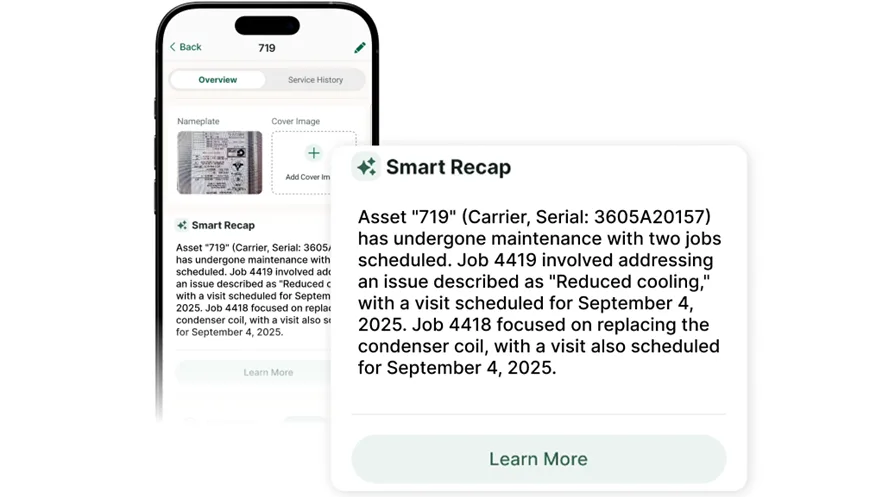
Manually entering the same job details across multiple platforms opens the door to errors like incorrect rates, outdated pricing, and missed line items. A reliable contractor quote software cuts that risk by pulling accurate job data, materials, and labor info into every quote. Apps designed specifically for field use keep everything connected and reduce the room for slip-ups.
3. Stronger margins with real-time cost control
With a contractor quote app tied to real job costs, you know if a bid is profitable before the customer signs. Every part, hour, and markup can be adjusted based on actual project conditions. This kind of visibility helps keep bids tight and profit steady, and is often a core part of the best contractor bidding apps used by crews who manage complex service jobs.
4. Better visibility into field performance
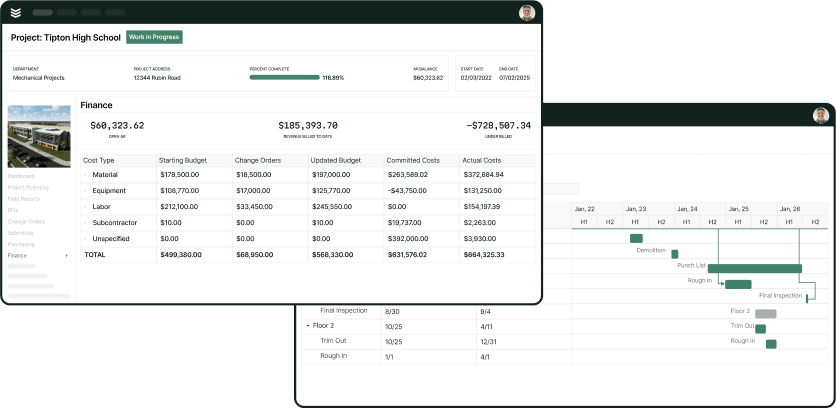
A contractor quote tool that tracks which quotes win, which sit untouched, and how long it takes to close helps you dial in your quoting strategy. This kind of insight is essential for service managers balancing tech availability, labor costs, and customer demands. Teams that rely on data-backed field service reporting can make smarter quoting decisions and plan labor with precision.
5. Easier coordination between techs and office staff
When quotes, job details, and updates live in the same system, there’s less back-and-forth and fewer missed steps. Contractor quote software that integrates with scheduling and dispatching lets field techs focus on the job instead of chasing approvals. This is especially useful when paired with field service dispatching tools that align quote approvals with tech availability in real time.
6. Cleaner job documentation for customer trust
Every quote leaves a paper trail: materials, labor, change orders, timelines. When it’s all tracked in a single platform with built-in documentation control, customers get clear expectations and your team stays accountable. Clean records help avoid disputes and back up every job from quote to invoice.
How to choose the best contractor quote tool for your team & what to ask in a demo
When trying to evaluate if a contractor quote tool is the right fit for your team, bring these tough questions to a product demo to see how that tool is actually going to fit your crew’s real day-to-day:
- Learning Curve—How fast can your team get up to speed? Does it take a week of training to use the tool, or can your techs and office staff pick it up without needing a manual? Does it feel like something built for contractors or a generic platform repackaged for the trades?
- Tool Compatibility—Will it sync with the tools you're already using—dispatch boards, inventory, time tracking? Can it pull in real-time material costs or labor data from your system? Are you stuck re-entering details every time you quote a new job?
- Field Readiness—Can your techs build and send quotes right from the job site? Or do they still need to call the office to confirm pricing? Does the tool work offline when cell service drops? Can it send quotes while your crew is still at the customer’s front gate?
- Quote Flexibility—Can you change pricing, labor hours, or parts on the fly? Does the software support job-specific breakdowns for service calls, installs, or long-term maintenance agreements? Will it flag missing items before the quote goes out?
- Features—Does the contractor quote app include templates for repeat jobs? Can it automatically calculate markups and tax? Does it support customer signatures, attachments, or approval tracking? Are quotes easy to review later when questions come up?
5 other FAQs about contractor quote tools, their costs, and how they bring ROI
If you still have more questions about contractor quote tools, here are the answers:
1. What is contractor quote software?
Contractor quote software is a platform that helps field service teams build, edit, and send estimates using real labor rates, material costs, and job scopes. Having the software cuts out paperwork, tracks pricing changes in real time, and helps techs send quotes from wherever the job takes them. Contractor quote tools connect your quoting process to job history, dispatch, approvals, and invoicing so that once a quote is signed, the work can start without skipping a beat.
It creates a consistent workflow that saves time and reduces mistakes for both field and office crews.
2. How does contractor quote software work?
Contractor quote software pulls from live material costs, labor rates, and job templates to generate accurate estimates. Once submitted, the quote can be approved digitally, tracked for updates, and tied directly into scheduling and dispatch workflows.
A quality contractor quote tool syncs across office and field so your crew quoting on-site can send approvals back to the office in seconds. And when it’s connected to job history or CRM data, your team can avoid pricing guesswork and repeat the winning playbook on future bids.
3. How much does contractor quote software cost?
Most contractor quote software platforms use a subscription model, with pricing that varies based on feature set, business size, and user count. Entry-level plans may start around $40–$60 per user per month, while more advanced systems with reporting, automation, or integrations can go into the hundreds per user per month.
Enterprise-grade contractor quote tools often use custom pricing, depending on team size, job volume, and integration needs. Look closely at which features come standard and which require upgrading, especially if you need CRM access, multi-user quoting, or field dispatch sync.

4. Who needs an automated contractor quote system?
Any contractor who wants faster estimates, fewer errors, and cleaner job handoffs can benefit from automated quoting. It’s especially useful if you manage field teams and need to keep jobs moving without stopping to double-check prices or track paperwork manually. Whether you run residential repairs or commercial service contracts, contractor quote software helps standardize your process, boost approval rates, and save hours per week on admin.
5. What are best practices when using contractor quote software?
To get the most out of your contractor quote app, there are a few habits worth building across your field and office teams. These best practices help make quoting easier, cleaner, and more profitable from day one.
- Always update labor and material costs before sending quotes
- Use saved templates for repeat job types
- Include photos, job notes, or scope summaries in every quote
- Train techs to send quotes from the field, not just the office
- Connect quoting to dispatch and scheduling for faster handoffs
- Track which quotes convert and follow up on pending ones
- Review common errors and update templates regularly
- Link quote data to job costing and invoice tracking
- Use digital approvals to reduce paper trails and delays
- Keep quotes short, clear, and easy for customers to approve
If you’re running a commercial contractor service business, the value of an all-in-one platform becomes even more critical. A tool like BuildOps stands out because it doesn't stop at quoting. It helps your entire operation stay locked in from the first bid to the final invoice. That kind of visibility keeps your margins tight and your team focused where it matters: on the work. See exactly how BuildOps could power your quoting process by setting up a demo below.