Guide To Choosing the Best HVAC Computer Software

HVAC service businesses don’t have time for inefficiencies. The right HVAC computer software keeps schedules tight, teams in sync, and jobs on track—whether you’re running a small service crew or managing a large operation. In an industry where speed and precision matter, having the right tools can be the difference between a job well done and a missed opportunity. If you're in the HVAC industry, finding software that fits your business model is key.
This guide covers everything you need to know, from selecting the best software to must-have features and specialized solutions for different areas of your business. We’ll break down:
- HVAC computer software types & how to choose the right one
- 12 features to look for in HVAC computer software
- Best HVAC computer software for field service operations
- Best HVAC computer software for financial management
- Best HVAC computer software for system development & maintenance
- Best HVAC computer software for monitoring & performance optimization
- 7 benefits of using HVAC computer software
- 4 important HVAC computer software FAQs answered
Before diving into the best software options, let’s start with how to determine the right fit for your team.
HVAC computer software types & how to choose the right one
Different HVAC businesses have different needs, and the right HVAC computer software depends on the type of work being done. Whether you’re managing field service operations, handling finances, overseeing system maintenance, or monitoring performance, there’s a specialized solution designed to streamline each aspect of your business.
There are 4 general types of HVAC computer software that serve different purposes:
- Field service operations – Includes software for field service management, scheduling, dispatching, and routing. These tools ensure technicians are assigned the right jobs, have real-time updates, and can navigate routes efficiently.
- Financial management – Focuses on invoicing, billing, and payment processing. These systems help HVAC businesses maintain cash flow, automate billing, and reduce administrative workload.
- System development & maintenance – Covers design, development, diagnostics, and troubleshooting. This type of software helps track service histories, schedule preventive maintenance, and ensure equipment operates at peak efficiency.
- Monitoring & performance optimization – Enables facility and system monitoring, helping businesses track HVAC system performance, detect potential failures, and optimize energy efficiency.
Finding the right HVAC computer software isn’t as simple as picking the most popular option—it has to work for your business. Every HVAC company runs differently, so the right software should fit the way your team schedules jobs, manages customers, and tracks finances.
Before making a decision, these are the key things you should be looking at to choose the right fit for your team:
- Scalability – Will this software grow with your business? If you add more technicians, locations, or services, can the system handle it? Does it offer features you might not need now but will in the future?
- Ease of use – Is the software intuitive for both office staff and techs in the field? Will your team need extensive training, or can they pick it up quickly?
- Integration – Does it sync with the tools you already use, like QuickBooks for accounting, GPS for tracking, or inventory management systems?
- Mobile accessibility – Can techs access schedules, job details, and customer history from their phones or tablets? Is there a mobile app, and does it work well in the field?
- Customer support & training – What kind of support does the software provider offer? Is there live customer service, or are you stuck with chatbots and forums? Do they provide onboarding and training resources?
- Features - What features are absolutely necessary for your business? Are you looking for scheduling, dispatching, invoicing, or something more advanced like predictive maintenance tracking?
A great HVAC software system should check all these boxes. To learn more and see what’s right for you, dive deeper and check out our guide to the best HVAC software. Now, let’s take a closer look at the 12 essential features that make the biggest impact.
{{related-content-block="/resources/best-hvac-software/"}}
12 features to look for in HVAC computer software
For HVAC contractors, every job is a moving piece—technicians in the field, office staff handling invoices, and customers expecting updates. Without the right tools, scheduling mix-ups, lost invoices, and slow response times can cost time and money. That’s where HVAC computer software comes in, streamlining daily operations so businesses can focus on what matters—getting the job done.
Imagine this: a tech arrives at a job site only to realize the wrong part was loaded onto the truck. Meanwhile, dispatch scrambles to reroute another tech, and the customer is frustrated over delays. Now, compare that to an HVAC team using a centralized HVAC scheduling system that automatically matches jobs with the right techs and equipment, eliminating confusion before it starts. That’s the power of smart software.
Here are 12 essential features to look for when choosing HVAC software:
1. Smart scheduling & dispatching

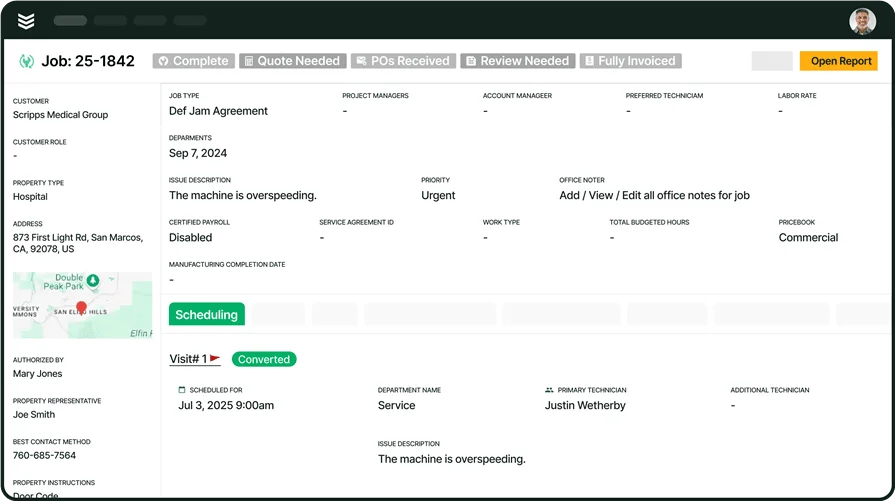
Coordinating service calls efficiently is one of the biggest challenges in HVAC. A scheduling and dispatch system should let you assign jobs based on availability, location, and skillset—so the right tech is on the right job every time. Say a last-minute repair request comes in for a failing rooftop unit. Instead of scrambling, your system should suggest an available technician nearby with the right expertise.
With scheduling software, HVAC dispatchers can make quick, informed decisions without flipping through spreadsheets or making dozens of calls.
2. Mobile access for technicians
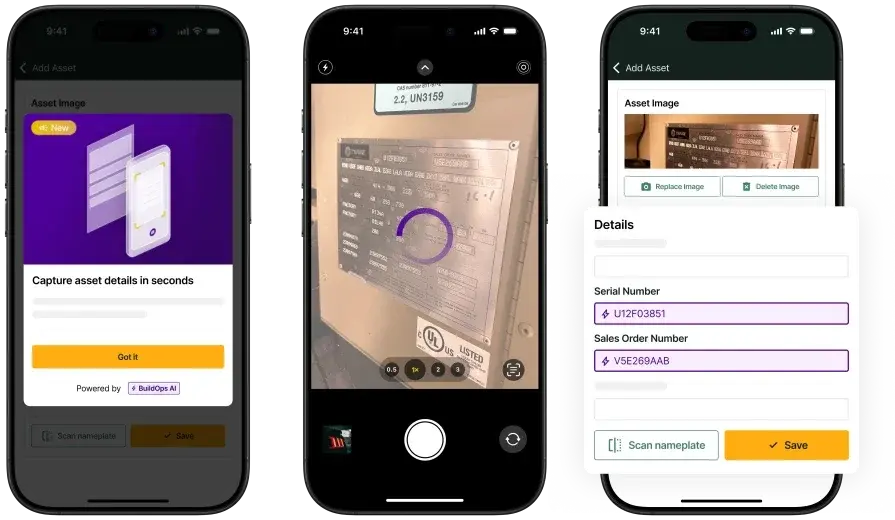
Techs need real-time job details, not stacks of paperwork orders. A mobile-friendly HVAC software ensures they can access customer history, upload photos, and update job statuses from the field. For instance, a technician is mid-repair and needs to check previous maintenance records for a tricky commercial HVAC system. Instead of calling the office, they pull up the details instantly on their phone through an HVAC technician mobile app, keeping the job moving without delays.
3. Automated invoicing & payments
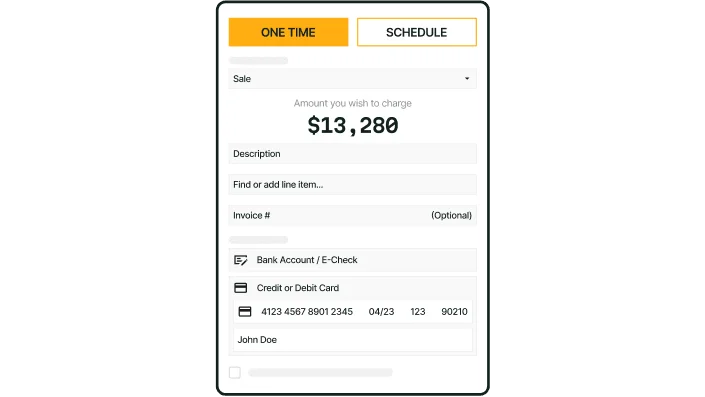
Getting paid on time is just as important as doing the work. A good HVAC invoicing system should generate invoices instantly and allow for easy digital payments. Imagine finishing a job and sending an invoice before even leaving the site. With HVAC invoicing software, customers can pay online immediately, cutting down on unpaid balances and manual paperwork.
4. Customer management (CRM)
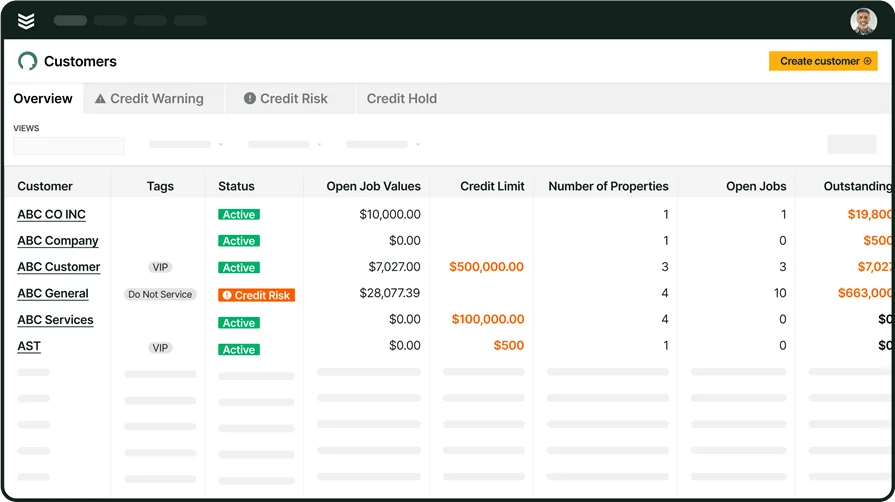
Keeping track of customers—past jobs, service agreements, and communication—helps maintain long-term relationships. A CRM designed for HVAC businesses stores all this info in one place. Given a scenario wherein, an office manager needs to schedule annual maintenance for a commercial client with multiple properties. Instead of piecing together job history, they pull everything up in an HVAC customer management system, ensuring no service request falls through the cracks.
5. Fleet tracking & management

From fuel costs to maintenance logs, managing company vehicles is a major task. Fleet management software keeps HVAC service trucks running smoothly and efficiently. Think about this example: a technician breaks down on the way to an emergency call. Instead of scrambling, the dispatcher checks their HVAC fleet tracking software for the closest available vehicle, ensuring the job gets done with minimal downtime.
6. Automated time tracking
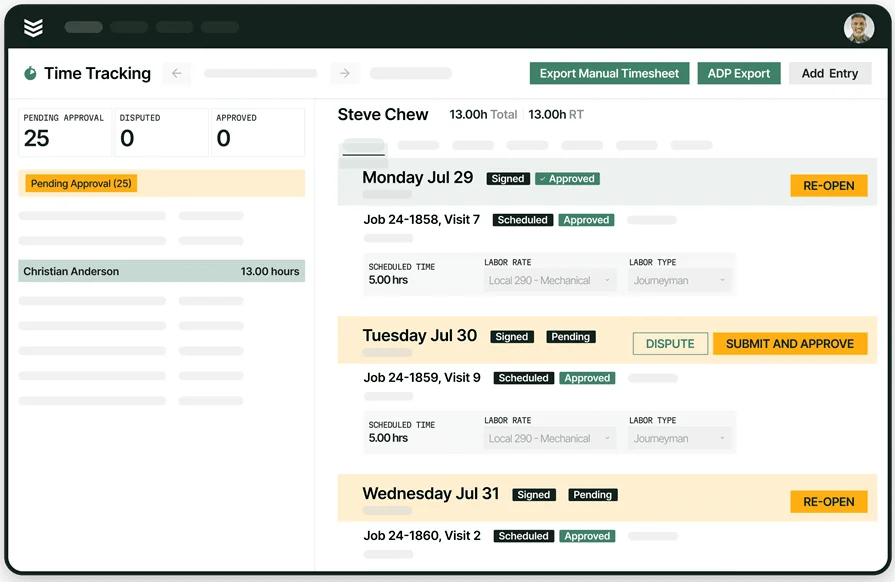
Manually tracking hours can lead to payroll errors. A time-tracking tool built into HVAC software logs work hours automatically, ensuring accurate timesheets. Picture a field tech working overtime to finish an installation. Instead of logging hours manually at the end of the week, the time tracking system records everything in real-time, keeping payroll accurate and hassle-free.
7. Service agreements & recurring jobs

A steady stream of repeat business is key for HVAC companies. Service agreement tracking ensures recurring jobs don’t slip through the cracks. Say for instance, a restaurant chain needs quarterly HVAC inspections across multiple locations. With an HVAC service agreement system, these jobs are scheduled automatically, keeping contracts up to date without manual input.
8. Quoting & estimating tools
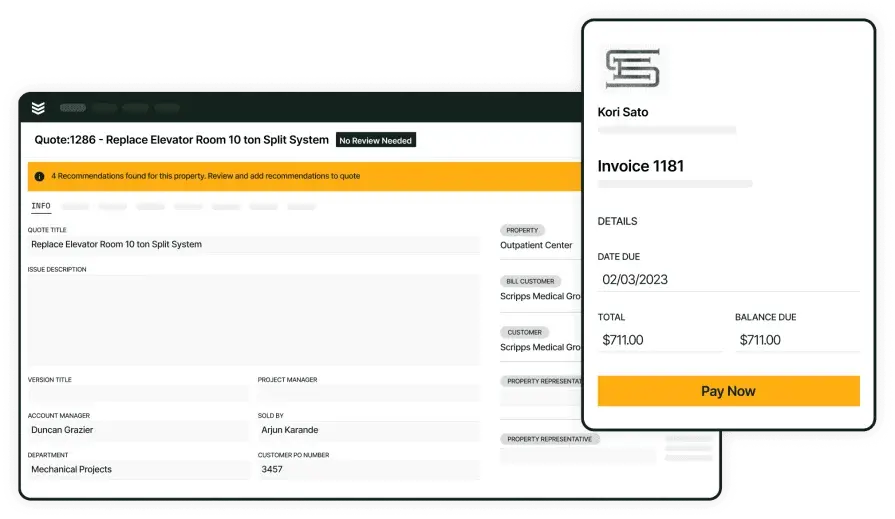
Creating fast, accurate estimates wins more business. An HVAC quoting tool should allow techs to build and send quotes on-site. This empowers techs to identify additional repairs while servicing a commercial chiller. Instead of waiting for the office to draft an estimate, they generate one instantly through quoting software, increasing approval rates and reducing downtime.
9. Real-time reporting & analytics

To improve operations, HVAC businesses need to track job performance, revenue, and customer trends. A reporting dashboard provides real-time insights. Think about how an HVAC business owner wants to see which services generate the most revenue. Instead of sifting through spreadsheets, they pull up reporting software to analyze trends and adjust pricing strategies accordingly.
10. Pipeline & job tracking
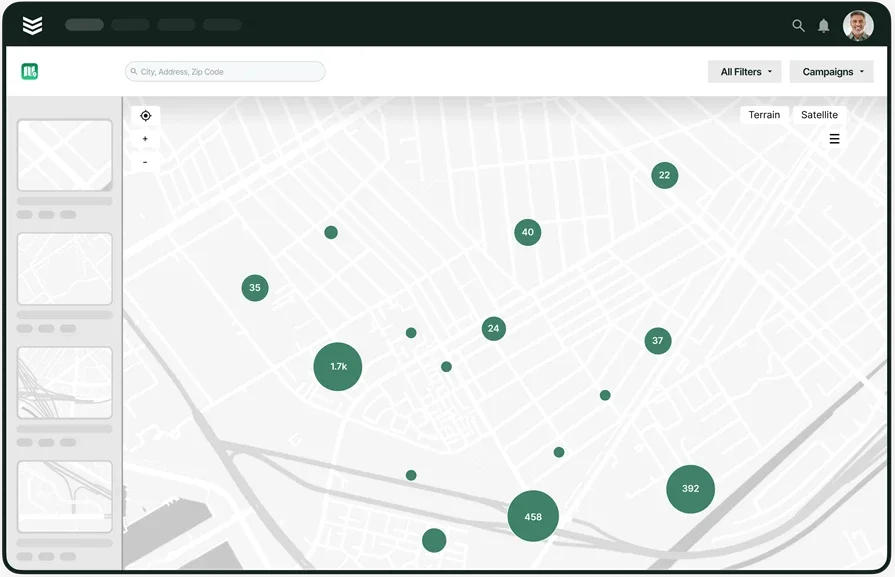
Knowing the status of every project—from lead to completion—keeps HVAC businesses running smoothly. A pipeline management system tracks jobs through every stage. Given a scenario that a growing HVAC company juggles multiple commercial installations. With pipeline tracking software, managers can monitor job progress, upcoming deadlines, and potential delays, keeping everything on schedule.
11. Field-to-office communication
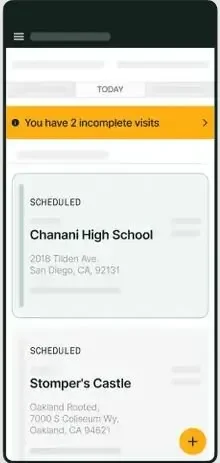
Clear communication between techs and the office prevents job delays. A centralized messaging system ensures everyone stays connected. If a technician encounters a complex issue mid-installation and needs immediate input from an engineer. Instead of playing phone tag, they use an dispatch software with built-in messaging, getting answers instantly and keeping the project moving.
12. Online payment processing
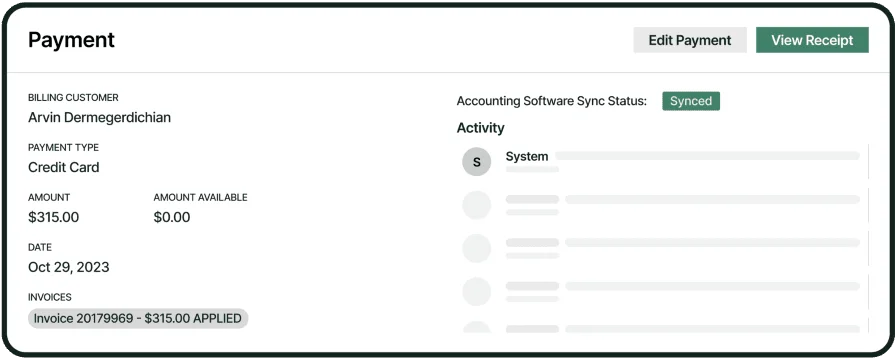
Giving customers easy ways to pay—credit cards, ACH transfers, or digital wallets—helps HVAC businesses get paid faster. Say for example, a property manager prefers to pay invoices digitally instead of mailing checks. With payment processing software, they can complete transactions securely from their phone, reducing late payments.
The right HVAC software should make day-to-day operations smoother, from scheduling to invoicing and everything in between. Whether you’re a small service team or a growing company, choosing the right system means fewer headaches and more efficiency. By focusing on these key features, HVAC professionals can invest in software that truly supports their business.
{{related-content-block="/resources/hvac-software-for-small-businesses/"}}
Best HVAC computer software for field service operations
Field service operations are the backbone of any HVAC business. From dispatching technicians to managing job schedules, having the right software can make or break efficiency. The best HVAC computer software for field service operations goes beyond basic scheduling—it provides real-time updates, route optimization, and seamless communication between office staff and field techs.
BuildOps
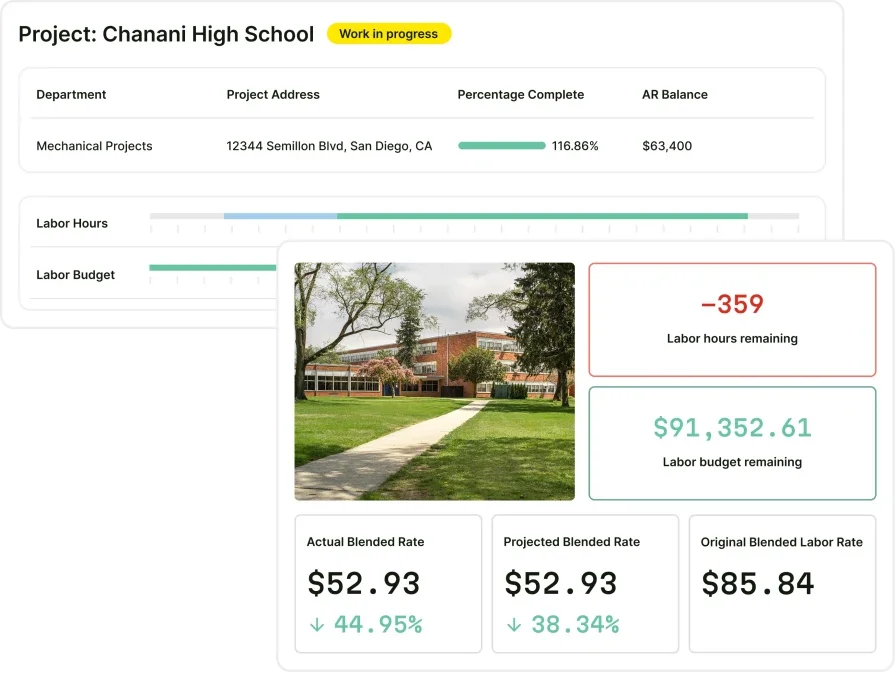
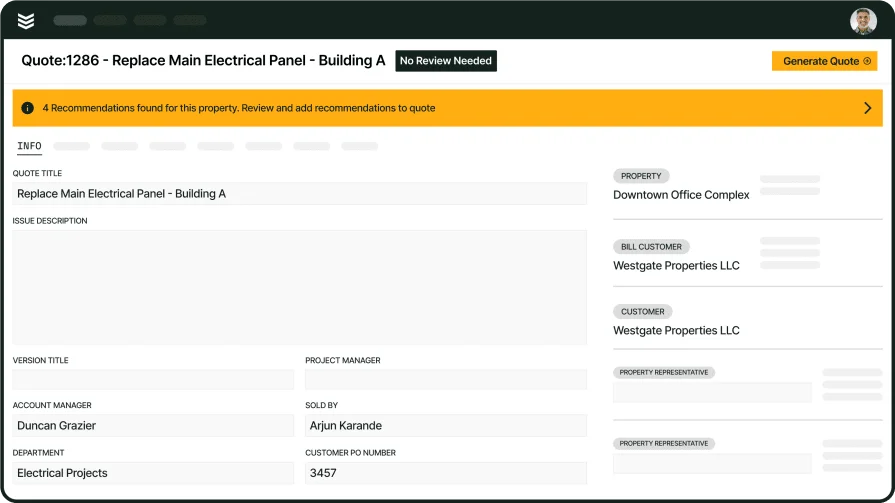
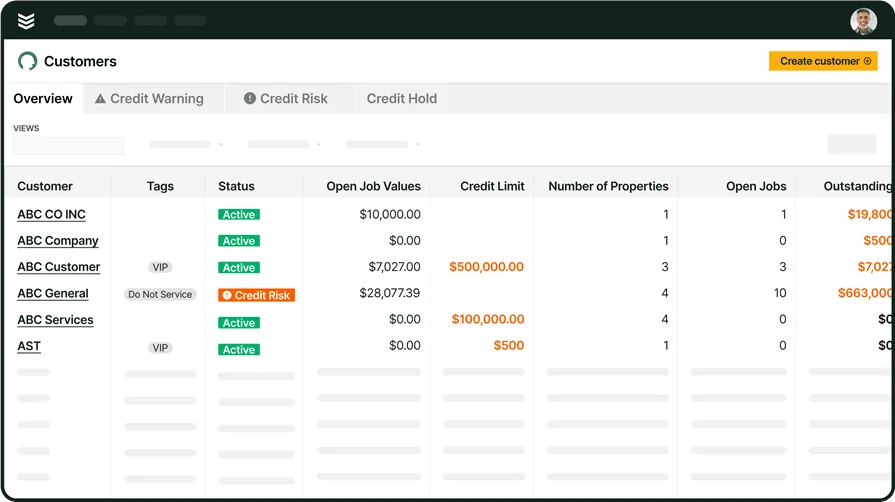
BuildOps is designed specifically for commercial HVAC companies, offering a complete service management suite that streamlines scheduling, dispatching, and job tracking. Its intuitive interface ensures that office staff can assign the right techs to the right jobs while technicians receive real-time updates through the mobile app. Features like automated job status updates and GPS tracking help improve response times and reduce scheduling conflicts.
How Pricing Works: We provide weekly live demos and the opportunity to schedule a customized session where we help you explore features and select the best option for the needs of your small business.
Features Beyond Field Service Management: In addition to scheduling and dispatching, BuildOps includes integrated invoicing, service agreements, and customer relationship management (CRM) tools.
What Sets it Apart for Commercial Field Service: Most field service software tries to be a one-size-fits-all solution, but BuildOps is built for the real-world chaos of commercial HVAC. It keeps job coordination tight, eliminates wasted trips, and ensures your techs show up prepared—every time. Real-time updates and a dispatch board built for busy HVAC teams help companies scale without losing efficiency.
Successware
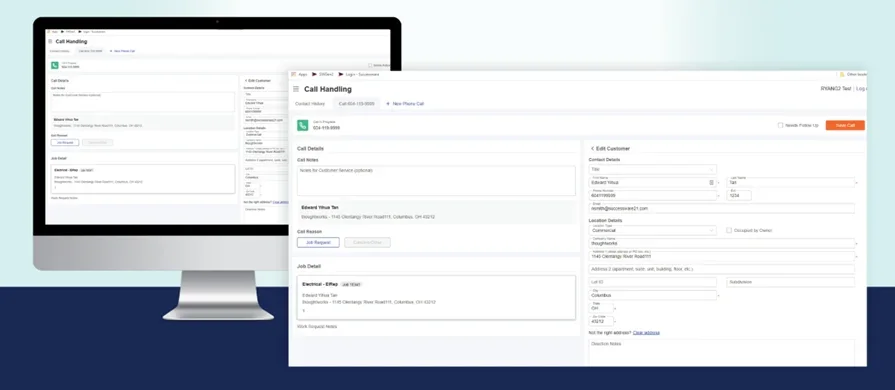
Successware is a field service management software designed for HVAC contractors who need better control over scheduling, dispatching, and customer interactions. It provides a full suite of tools to manage jobs from start to finish, helping teams boost efficiency and reduce downtime. While it offers strong dispatching and job-tracking features, the interface can feel a bit rigid, and it lacks the seamless, all-in-one workflow that some HVAC teams need for full operational visibility.
How Pricing Works: Successware offers tiered pricing based on business size and required features. Pricing details are available upon request.
Features Beyond Field Service Management: The platform includes built-in accounting, job costing, and customer relationship tools to streamline back-office operations.
What Sets it Apart for HVAC Field Service Operations: Successware’s real-time dispatching and route optimization ensures that the right technician gets to the right job faster, helping businesses increase daily job completions without overloading their crews.
FieldEdge

FieldEdge is an HVAC-specific field service software built to help contractors manage dispatching, work orders, and customer interactions in real-time. Its mobile app ensures technicians have full job details on the go, helping them complete more calls per day. However, while it provides solid scheduling and invoicing tools, it lacks some of the advanced automation and deep reporting features that growing HVAC businesses might need to scale efficiently.
How Pricing Works: FieldEdge offers tiered pricing based on company size and required features, with personalized quotes available.
Features Beyond Field Service Management: FieldEdge includes built-in accounting integrations with QuickBooks, dynamic pricing tools, and call booking features for office staff.
What Sets it Apart for HVAC Field Service Operations: FieldEdge prioritizes efficiency, helping HVAC businesses reduce paperwork, automate scheduling, and improve communication between field techs and office teams.
Best HVAC computer software for financial management
Handling HVAC finances is more than just sending invoices—it’s about keeping cash flow steady, tracking expenses, and making sure technicians get paid on time. The right HVAC financial management software helps contractors manage billing, payments, and reporting, all while reducing manual paperwork. Whether you're a small business looking for basic invoicing or a growing company in need of deeper financial analytics, choosing the right solution can make all the difference.
Here are two HVAC-focused financial management software options designed to keep your business running smoothly.
Housecall Pro
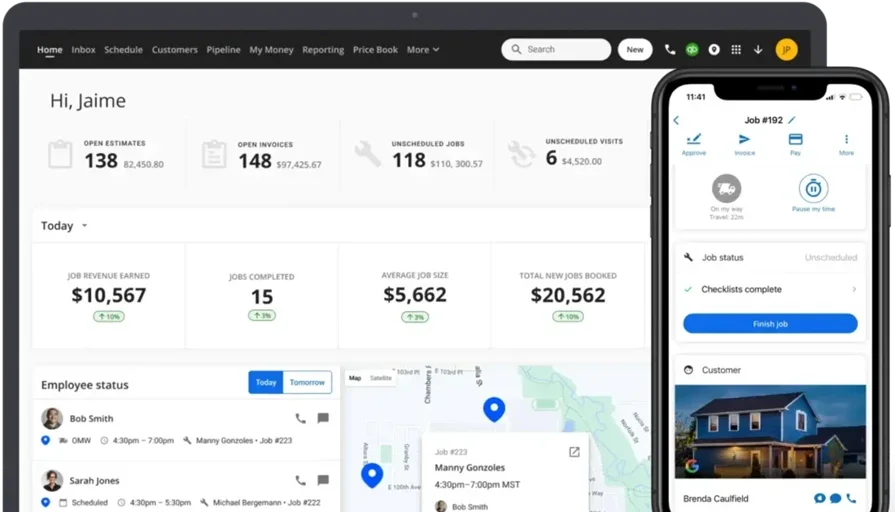
Housecall Pro is a cloud-based HVAC invoicing and payment software designed to help service businesses automate billing, collect payments, and manage financial records. It allows technicians to generate invoices in the field and send digital payment requests directly to customers. While it’s a solid tool for smaller HVAC businesses, it lacks the advanced financial reporting and deeper customization options that larger contractors might need.
How Pricing Works: Housecall Pro follows a subscription-based model with different tiers, starting at a basic plan for small teams and scaling up for larger businesses.
Features Beyond Financial Management: In addition to invoicing and payments, Housecall Pro includes job scheduling, automated customer notifications, and basic marketing tools.
What Sets it Apart for HVAC Financial Management: The platform’s instant invoicing and mobile payment options make it easy for HVAC contractors to get paid faster, reducing the time spent chasing payments.
Service Fusion
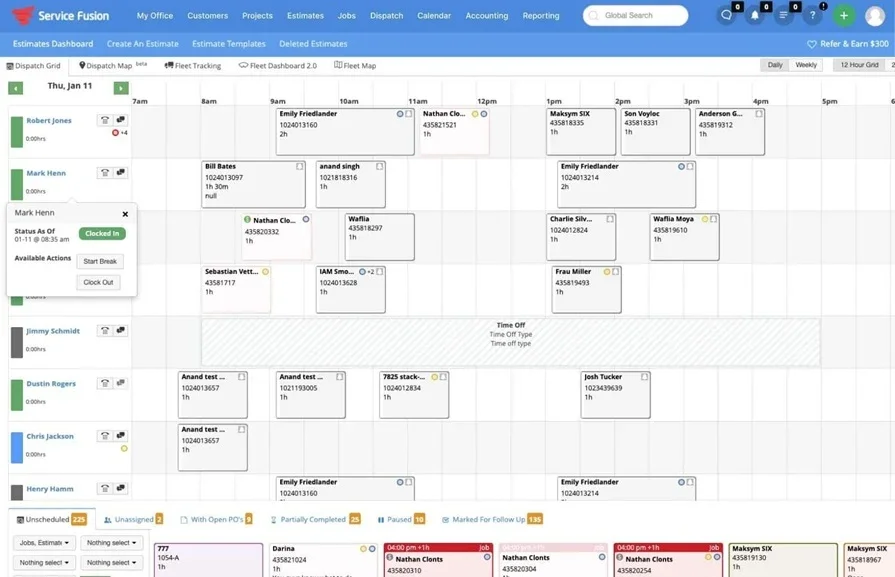
Service Fusion is an HVAC billing and accounting software that simplifies financial operations by integrating invoicing, payments, and expense tracking into one platform. It’s built for HVAC contractors who need a mix of automation and flexibility to manage their business finances. However, while it offers strong accounting tools, its reporting features aren’t as robust as some industry-specific solutions designed for large-scale HVAC operations.
How Pricing Works: Service Fusion offers subscription-based pricing with different tiers based on business size and feature needs. Pricing is available upon request.
Features Beyond Financial Management: The software includes GPS tracking, customer relationship management (CRM), and technician scheduling tools to support overall business operations.
What Sets it Apart for HVAC Financial Management: Service Fusion’s automated invoicing and QuickBooks integration help contractors streamline bookkeeping and reduce manual data entry.
Best HVAC computer software for system development & maintenance
Keeping HVAC systems running efficiently is about proactive system maintenance, diagnostics, and troubleshooting. The right HVAC system development & maintenance software helps contractors track service histories, schedule preventative maintenance, and analyze system performance before issues become costly failures. Whether you're managing large-scale commercial systems or residential units, having the right tools can streamline operations and extend equipment lifespan.
Here are two HVAC-focused system development & maintenance software options built to keep systems performing at their best.
UpKeep
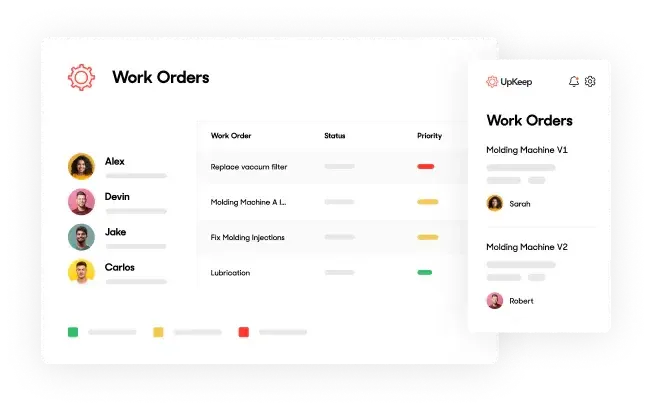
UpKeep is a maintenance management software designed to help HVAC businesses stay ahead of equipment failures through preventive maintenance scheduling and real-time asset tracking. It provides a mobile-friendly platform where technicians can log system issues, track repairs, and receive automated reminders for scheduled servicing. While it covers the basics well, it lacks some of the deeper integration capabilities and automation features found in more HVAC-specific platforms.
How Pricing Works: UpKeep offers subscription-based pricing with different tiers based on the size of the business and required features. Custom pricing is available for larger teams.
Features Beyond System Development & Maintenance: The platform includes inventory tracking, work order automation, and asset history management to help businesses manage equipment lifecycles more effectively.
What Sets it Apart for HVAC System Maintenance: UpKeep’s preventive maintenance alerts and mobile-first design ensure that HVAC teams can track service schedules, reducing emergency breakdowns and unexpected repair costs.
Fiix
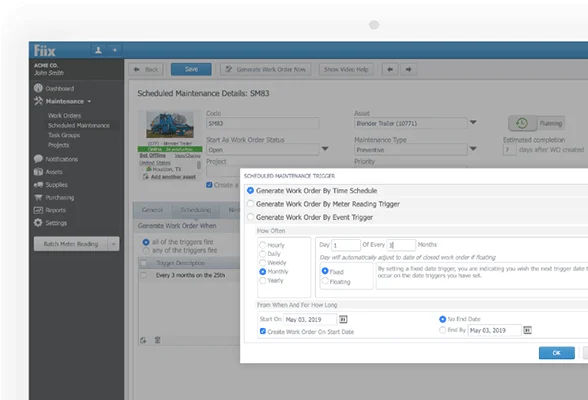
Fiix is a computerized maintenance management system (CMMS) built to help HVAC companies organize, schedule, and optimize system maintenance. It allows businesses to centralize all equipment data, create maintenance schedules, and automate work orders. While it provides strong asset management features, it lacks some of the specialized HVAC diagnostic tools that contractors might need for complex troubleshooting.
How Pricing Works: Fiix follows a monthly subscription model with pricing that varies depending on the number of users and features selected. Enterprise-level plans are available for larger organizations.
Features Beyond System Development & Maintenance: Fiix includes predictive maintenance analytics, reporting dashboards, and IoT (Internet of Things) connectivity to improve system performance tracking.
What Sets it Apart for HVAC System Maintenance: Fiix’s automated work order generation and predictive maintenance tools help HVAC teams stay proactive, reducing downtime and improving long-term system efficiency.
Best HVAC computer software for monitoring & performance optimization
Keeping HVAC systems running efficiently isn’t just about maintenance—it’s about real-time monitoring, performance optimization, and predictive analytics. The right HVAC monitoring software helps contractors track system performance, identify inefficiencies, and prevent costly breakdowns before they happen. Whether you're optimizing energy usage in a large commercial building or ensuring residential units operate at peak efficiency, having the right tools can make all the difference.
Here are two HVAC-focused monitoring & performance optimization software options designed to keep systems running at their best.
Workiz
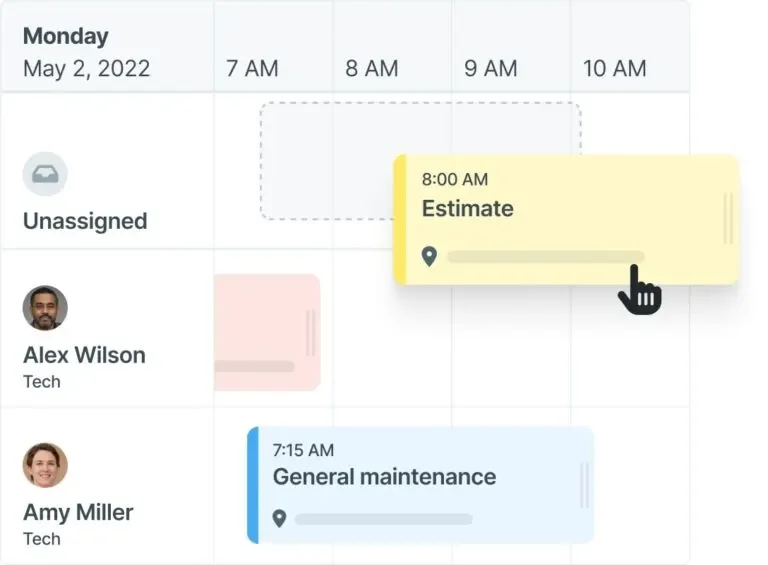
Workiz is a field service management software that offers monitoring and tracking tools to help HVAC contractors optimize job performance and system efficiency. It includes live performance tracking, job automation, and reporting features that allow businesses to analyze technician productivity and system performance. While Workiz is a strong platform for operational management, it lacks some of the deeper HVAC-specific diagnostics that specialized monitoring tools provide.
How Pricing Works: Workiz follows a tiered subscription model, with pricing based on the number of users and additional features selected. Businesses can request a quote based on their needs.
What Sets it Apart for HVAC Performance Optimization: Workiz’s live tracking and job analytics help HVAC businesses identify inefficiencies in their workflow, reduce downtime, and improve overall team productivity.
ServiceTrade
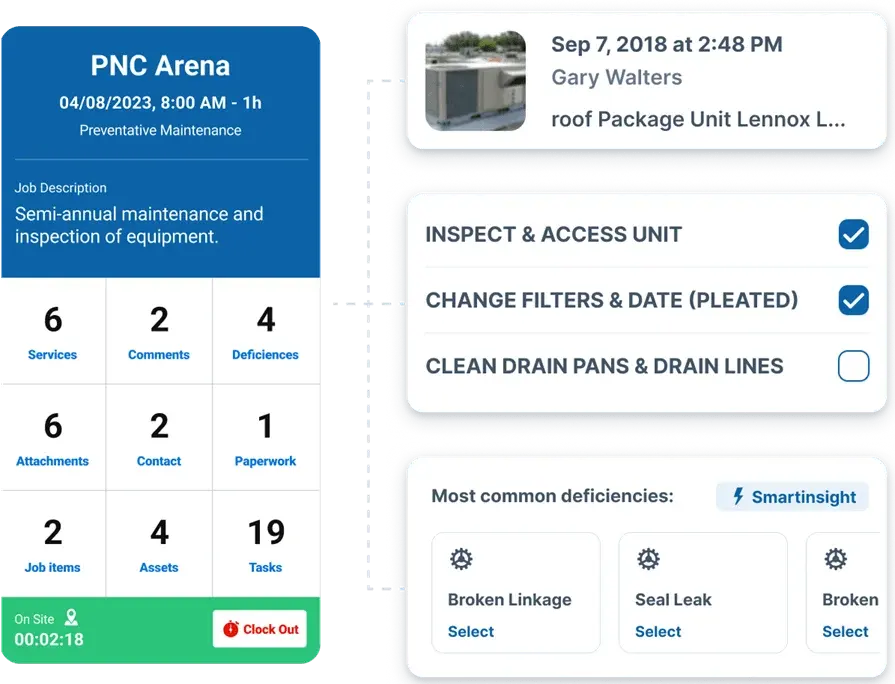
ServiceTrade is a HVAC service management software designed to enhance job performance through real-time system monitoring and performance tracking. It allows contractors to document service histories, track recurring maintenance, and analyze equipment performance trends. While ServiceTrade offers strong reporting and monitoring tools, it doesn’t provide as much automation in predictive maintenance compared to more specialized HVAC monitoring systems.
How Pricing Works: ServiceTrade offers flexible pricing based on company size, user count, and required features. Quotes are available upon request.
Features Beyond Monitoring & Performance Optimization: ServiceTrade includes digital job documentation, customer notifications, and cloud-based work order management to help teams stay organized.
What Sets it Apart for HVAC Performance Optimization: ServiceTrade’s system tracking and reporting tools enable contractors to monitor HVAC performance trends, reduce unexpected failures, and ensure optimal system operation.
7 benefits of using HVAC computer software
Running a successful HVAC business means juggling multiple moving parts—technicians in the field, office staff handling scheduling and invoicing, and customers expecting seamless service. Without the right tools, businesses risk scheduling errors, lost paperwork, and delayed payments. That’s where HVAC computer software makes all the difference. From improving efficiency to increasing profitability, investing in the right system can transform daily operations.
Here are seven major benefits HVAC professionals gain from using software in their day-to-day operations.
Running a successful HVAC business means juggling multiple moving parts—technicians in the field, office staff handling scheduling and invoicing, and customers expecting seamless service. Without the right tools, businesses risk scheduling errors, lost paperwork, and delayed payments. That’s where HVAC computer software makes all the difference. From improving efficiency to increasing profitability, investing in the right system can transform daily operations.
Here are seven major benefits HVAC professionals gain from using software in their day-to-day operations.
1. Smoother job scheduling with fewer delays
Coordinating service calls, managing last-minute cancellations, and ensuring technicians arrive on time can be challenging. With the right software, businesses can automate scheduling, reduce inefficiencies, and make real-time adjustments without scrambling at the last minute. Using job management software built for HVAC teams, contractors can prevent double bookings, send automated job confirmations, and improve response times, keeping operations seamless.
2. Faster payments with automated invoicing
Late payments slow down cash flow and create unnecessary stress. Digital invoicing software makes it easy to generate invoices on-site, send automated reminders, and offer customers flexible payment options. By implementing billing and invoicing software for HVAC businesses, companies can reduce outstanding balances, simplify bookkeeping, and get paid faster without chasing clients.
3. Stronger customer relationships through better record-keeping
Remembering customer preferences, past services, and maintenance agreements can be tough without an organized system. A centralized database ensures no client detail falls through the cracks, leading to better service and repeat business. With CRM software tailored for HVAC companies, office teams can access detailed customer history in seconds, making every interaction more personalized and efficient.
4. More accurate job estimates and proposals
Pricing out jobs manually can lead to inconsistencies and missed details. With automated tools, HVAC businesses can create professional, itemized proposals that help customers understand exactly what they’re paying for—boosting approval rates. Contractors using quoting and proposal software designed for HVAC can build estimates on-site, adjust pricing based on materials and labor, and send polished proposals that close deals faster.
5. Better control over parts and equipment
Running out of critical supplies or overstocking on rarely used parts can hurt efficiency and increase costs. A proper inventory system tracks stock levels, alerts teams when supplies are low, and helps avoid unnecessary expenses. With inventory tracking tools for HVAC companies, businesses can ensure every truck is stocked with the right materials, reducing wasted trips and project delays.
6. Increased revenue with a more structured sales process
Lost leads and missed follow-ups can mean thousands in lost revenue. Sales software ensures every lead is tracked, estimates are sent promptly, and follow-ups happen on time—leading to higher close rates. HVAC businesses using sales and lead management software can organize customer interactions, automate follow-ups, and turn more inquiries into booked jobs.
7. A scalable solution for small HVAC businesses
Smaller teams often struggle with juggling multiple tasks manually, from scheduling to invoicing to customer calls. An all-in-one software solution helps consolidate these tasks, allowing owners to focus on growing their business. For contractors looking to streamline operations, HVAC software built for small businesses provides the tools to manage scheduling, payments, and customer relationships in one easy-to-use platform.
{{related-content-block="/resources/commercial-hvac-service-agreement"}}
The right HVAC computer software isn’t just about convenience—it’s about running a more organized, profitable, and customer-friendly business. Whether it’s improving scheduling, securing payments faster, or keeping track of customers, investing in the right technology pays off in the long run.
4 important HVAC computer software FAQs answered
HVAC professionals often have questions about how computer software can improve their workflow, reduce costs, and streamline operations. Below are four key questions answered to help businesses understand the role of HVAC computer software and whether it's the right investment for them.
1. What is HVAC computer software?
HVAC computer software is a tool that helps contractors manage scheduling, dispatching, invoicing, customer records, and system performance. It makes your daily HVAC business operations more efficient in so many ways. Many platforms also offer mobile access, inventory tracking, and reporting.
For HVAC businesses, software isn’t just a convenience—it’s a necessity for keeping teams organized and jobs on track. With features designed to handle every aspect of service operations, from customer management to real-time job tracking, software helps businesses run smoother and stay competitive. Many platforms also integrate with accounting tools, fleet tracking, and even predictive maintenance, providing a full-service solution.
2. How does HVAC computer software work?
HVAC software acts as a digital command center, helping businesses handle everything from customer interactions to system maintenance. Here’s how it works:
- Scheduling & dispatching – Assigns jobs based on technician availability, skillset, and location, reducing travel time and ensuring faster service.
- Customer management – Stores client information, service history, and recurring maintenance plans in one accessible place.
- Invoicing & payments – Automates billing, sends payment reminders, and allows for secure digital transactions.
- Inventory tracking – Monitors parts and supply levels to prevent shortages or overstocking.
- Job tracking & technician communication – Allows field techs to update job statuses, upload photos, and communicate with the office in real-time.
- Performance analytics – Generates reports on job efficiency, revenue, and system health, helping businesses make informed decisions.
By integrating these features, HVAC software ensures smoother workflows, fewer scheduling conflicts, and better overall service delivery.
3. Who needs HVAC computer software?
Any HVAC business that wants to improve efficiency, cut down on paperwork, and optimize service operations can benefit from software. Here’s who it helps the most:
- Small HVAC businesses – Helps owners manage scheduling, invoicing, and customer records in one place, eliminating the need for spreadsheets or manual tracking.
- Mid-size contractors – Automates job assignments, tracks technician productivity, and integrates financial reporting to manage growth effectively.
- Large commercial HVAC companies – Provides real-time monitoring, predictive maintenance, and compliance tracking for complex operations.
- Service managers – Ensures their teams are properly assigned, have access to job details, and can update progress remotely.
- HVAC sales teams – Uses proposals and quoting tools to generate estimates quickly, improving bid approval rates.
Whether it’s a one-person operation or a multi-location business, HVAC software eliminates inefficiencies and helps businesses scale without added complexity.
4. Is HVAC computer software worth the cost?
Investing in HVAC software reduces costs and increases profitability by streamlining operations. Here’s how it pays off:
- Reduces admin workload – Automates scheduling, invoicing, and reporting, allowing office staff to focus on higher-value tasks.
- Cuts labor costs – Optimizes technician schedules and routes, reducing unnecessary travel time and increasing job capacity.
- Prevents lost revenue – Tracks outstanding invoices, sends automated payment reminders, and integrates with accounting systems.
- Optimizes system efficiency – Uses real-time performance tracking to detect inefficiencies, helping businesses lower energy costs and avoid expensive repairs.
- Reduces downtime – Keeps track of parts inventory, ensuring technicians always have what they need to complete jobs.
- Improves customer retention – Automates follow-ups, maintenance reminders, and service agreements, keeping customers engaged and generating repeat business.
By improving efficiency and reducing errors, HVAC software quickly pays for itself through time savings, increased job capacity, and better financial tracking. For businesses looking to scale or improve profitability, it’s one of the smartest investments they can make.
{{related-content-block="/resources/sloan-mechanical-build-ops"}}
Choosing the right HVAC computer software isn’t just about upgrading technology—it’s about transforming the way your business operates. From streamlining scheduling and invoicing to improving customer relationships and system performance tracking, the right software can help HVAC companies work smarter, not harder. But not all tools offer the same level of integration or features. Many solutions focus on just one or two aspects, leaving businesses juggling multiple platforms to manage daily operations.
For commercial HVAC teams that need an all-in-one solution, BuildOps provides a platform designed specifically for field service businesses. With tools that cover scheduling, dispatching, invoicing, reporting, and performance monitoring, it helps contractors stay organized, reduce inefficiencies, and scale their business without the usual headaches.