Best Move-in Inspection Apps for Asset Turnovers
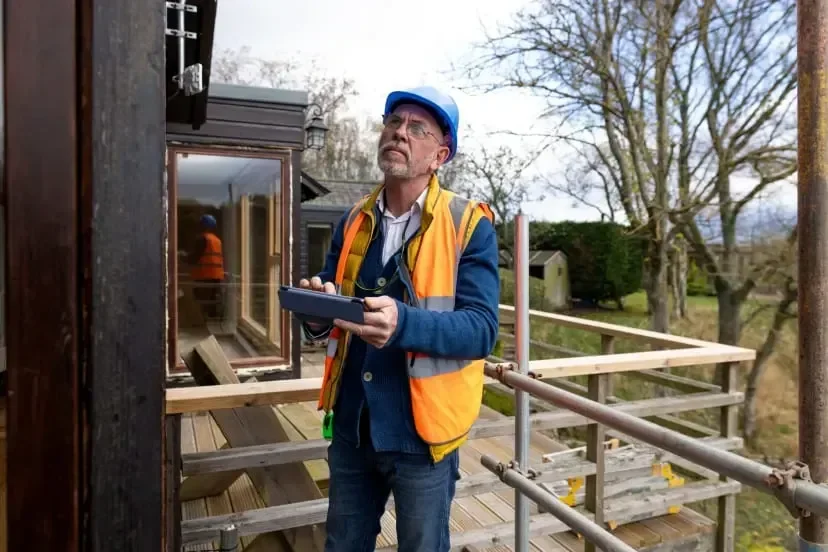
Move-in inspections sit at the center of every turnover run you manage. If you lead crews handling make-readies for multifamily, student housing, or commercial tenant spaces, you’re already dealing with tight access windows, exacting photo documentation, and follow-up work that can blow up the schedule fast.
In the field service industry, inspection data should flow straight into dispatch, materials, and closeout—no extra office re-entry. Inspection apps keep every room note tied to the work order, the asset record, and the documentation trail your customers expect, so nothing gets lost between the field and the office.
Here’s what this guide covers.
- Choosing the right move-in inspection app for your team
- 5 key features to look for in a move-in inspection app
- 4 types of move-in apps
- 3 best move-in inspection apps for field management
- 7 benefits of using a move-in inspection app as a contractor
- 4 important FAQs about move-in inspection apps answered
When you’re turning units across a portfolio, your techs spot issues during HVAC start-ups, leak checks, appliance testing, life-safety checks, and lock changes—plus all the logistics that come with it: key tracking, meter reads, serial numbers, and photo proof for damage claims.
An inspection app keeps those findings connected to the next step, so your team can go from inspection to assigned work, tracked parts, and clean reports without losing the thread between field and office.
Choosing the right move-in inspection app for your team
You’re already running fast-paced turnovers where one missed note can mean a second trip, a blown turn date, or back-and-forth with ownership. A good move-in inspection app ties every finding to the unit, work order, and asset history, so your tech records it once on-site and your office can immediately schedule follow-ups, order parts, and send closeout docs without rebuilding the story later.
- Unit and asset traceability – Can you assign a unit-level ID that stays consistent across buildings, floors, and portfolios? Can a tech pull prior inspection history, photos, and repair notes while standing in the unit? Can you tie appliances, HVAC equipment, water heaters, meters, and serial numbers to that same record without juggling separate tools?
- Inspection-to-work workflow – Can failed items convert into actionable tasks with labor notes, parts, and priority in the same screen? Can dispatch create follow-up visits without breaking the link back to the original inspection record? Can you track status from found to scheduled to completed to verified without side spreadsheets?
- Evidence that holds up in disputes – Can you standardize photo requirements by room and item so your team captures proof the same way every time? Can you stamp time, tech, and location for photos and notes to support damage claims and tenant move-in disagreements? Can you lock required fields so no one closes an inspection with missing documentation?
- Customer-ready reporting and sign-off – Can you batch deliverables by property, building, unit type, or client template without manual cleanup? Can you produce consistent PDFs that keep photos, annotations, and signatures in the same place every time? Can you share reports quickly with property managers while keeping internal notes separate?
- Field conditions and change control – Can techs work offline in stairwells, basements, and dead zones, then sync later without losing attachments? Can you log who changed a finding, what changed, and when it changed after submission? Can you run an approval flow for supervisors so edits stay controlled and auditable?
- App features – Does it support field-ready checklists for each asset or area on the job, with configurable pass/fail criteria and severity ratings that align with your SOP? Can technicians capture photo markups, add voice notes from the job site, and scan barcodes/QR codes on equipment, parts, and keys while in the field? Can supervisors review, approve, and send service reports directly from the field—without having to wait for paperwork or office processing?
{{related-content-block="/resources/field-service-management-software"}}
5 key features to look for in a move-in inspection app
Turn days don’t fall apart because your techs miss problems. They fall apart because findings get stranded in photos, texts, and half-finished notes—while dispatch scrambles, the PM asks for proof, and the office rebuilds a report from scratch.
Move‑in inspection apps earn their keep when they connect inspection capture to the rest of the operation: crew assignments, follow-up work, equipment records, and closeout packages—without turning your team into data-entry clerks.
1. Scheduling & dispatch
When inspections drive the day, your plan has to survive access changes and priority flips. Tie inspection routes to scheduling and keep changes moving through smart dispatch software so a failed fridge temp check or a missing smoke detector turns into a task on the board, not a loose note.
Here is a common one: you have six units to clear before noon, unit 204 has no key, and unit 311 fails the water heater T&P discharge—dispatch shifts the crew to the next door, books a return window, and keeps every follow-up linked back to the original inspection record so nothing disappears between calls
2. Technician mobile workflow
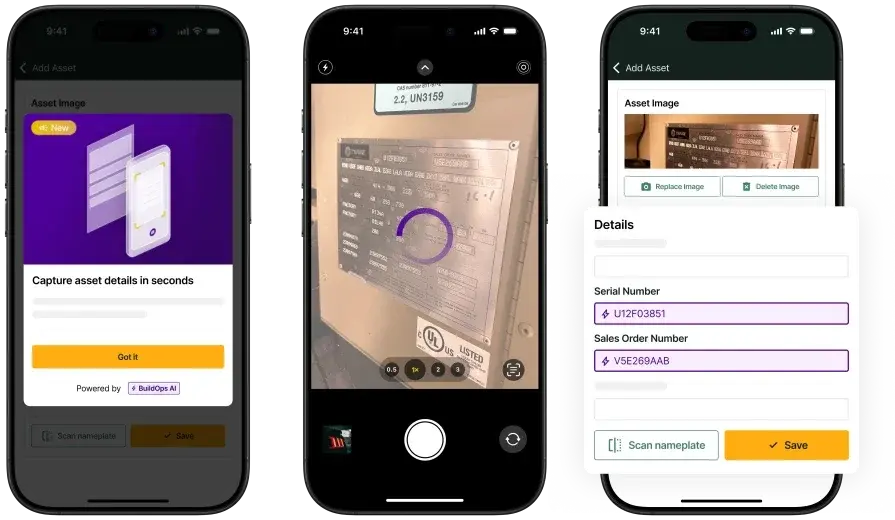
A field-first capture flow wins when techs log room findings, meter reads, photos, and serial numbers while standing in the unit, using a technician mobile app that ties each entry to the work order and asset record.
Take this situation: your tech finds a mismatched condenser serial during the move-in walkthrough, snaps the nameplate, tags the unit’s equipment, and flags it for follow-up—your inspection app for move-in services keeps that evidence attached to the job so the office can order the correct part and avoid a return trip with the wrong material
3. Scope control tied to recurring work
Move-in programs live or die on scope clarity across properties, and service agreements help you separate included checks from chargeable fixes without a debate on every line item.
You see it when a PM questions a door hardware replacement after a walkthrough—your coordinator pulls the agreement terms and the inspection note trail in the same thread, then approves the add-on work based on documented condition and agreed coverage
4. Reporting that clients can review fast

Your deliverables get forwarded, audited, and challenged, so your equipment-tracking data and reporting have to be consistent across techs, properties, and unit types.
Every time a tech touches a piece of equipment, the same standardized record is updated—model, serial, location, condition, photos, annotations, and signatures all land in the right place automatically—so when ownership wants a unit-by-unit equipment register or your supervisor needs an asset list by building, the system can batch, organize, and report on it instantly without manual cleanup.
5. Customer and site context in one place
Move-in work touches owners, property teams, tenants, and vendors, so a connected field service CRM keeps contacts, unit history, access notes, and prior issues together.
You feel it when a PM calls from the leasing office asking why unit 118 keeps failing the same GFCI check—your dispatcher pulls the inspection history, past repairs, and current status in seconds, then routes the next step with zero guessing
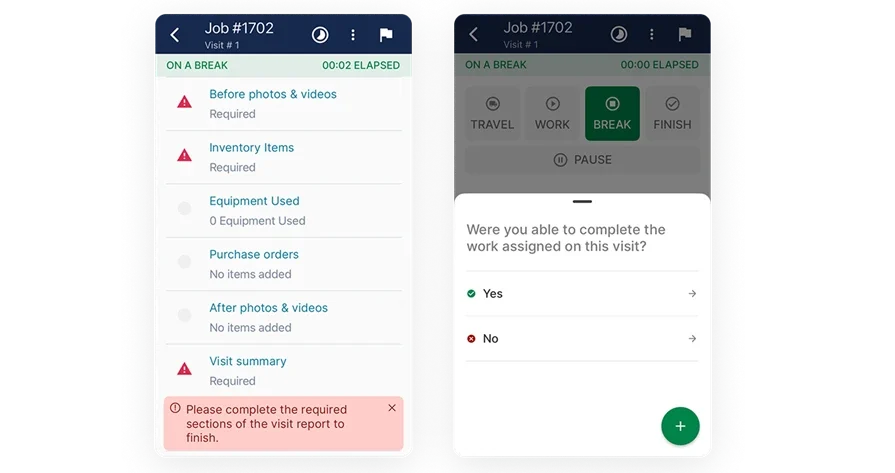
Other notable features contractors should look for in a move-in inspection app
Once your inspection workflow is dialed in, these supporting capabilities decide whether unit findings move cleanly from field notes to approved work, closeout docs, and cash collection—without the office rebuilding anything by hand.
- Quoting, invoicing, and payments in one thread – Price follow-up repairs from inspection findings with service quoting software, push approved work into invoicing, then collect through payments while keeping photos and notes attached
- Time accountability across turnovers – Validate labor on inspections, returns, and rechecks with time tracking that ties hours to the job and property
- Route and vehicle visibility – Keep zones and truck coverage aligned during heavy turn weeks with fleet tools that support dispatch decisions
Use these as tiebreakers when two platforms handle inspection capture equally well.
4 types of move-in apps
Not every platform handles turnover the same way. Some move‑in inspection tools zero in on fast capture in the unit, others prioritize office review and reporting, and a select few push findings straight into dispatch and follow‑up work orders.
- Mobile-first inspection capture app – Runs on a phone or tablet and prioritizes room-by-room checklists, offline mode, photo proof, and quick tagging for keys, meters, and equipment so techs keep moving even when reception drops
- Cloud-based inspection platform – Centers on a web portal with mobile support so supervisors can review findings in real time, standardize templates across properties, and keep a clean audit trail when multiple techs rotate through the same building
- Desktop-first inspection software – Expects office entry or laptop-heavy workflows with manual photo handling and report assembly, which can work when admin teams control documentation tightly and field teams feed notes back after the walk
- Field service management platform – Connects inspections to scheduling, dispatch, customers, and follow-up work orders so unit findings turn into assigned tasks, tracked return visits, and consistent closeout packages without breaking the job record chain
Once you choose the category that matches how your operation actually runs, you can zero in on the right options fast—and skip the clunky workarounds, whether it’s tech in the field or cleanup in the back office. Your move‑in inspection app should mirror your handoff from inspection to action so your team can execute without friction, not fight the system to get work done.
3 best move-in inspection apps for field management
Move-in inspections seem straightforward—until they hit a real turnover day. Techs are bouncing between units, access times are shifting, and small findings quietly turn into extra truck rolls that blow up the schedule. The right inspection workflow captures clear, unit-level proof in seconds and keeps every detail tied into dispatch, follow-up work, billing, and closeout, so nothing slips through the cracks and no one in the office has to rebuild the story after the fact.
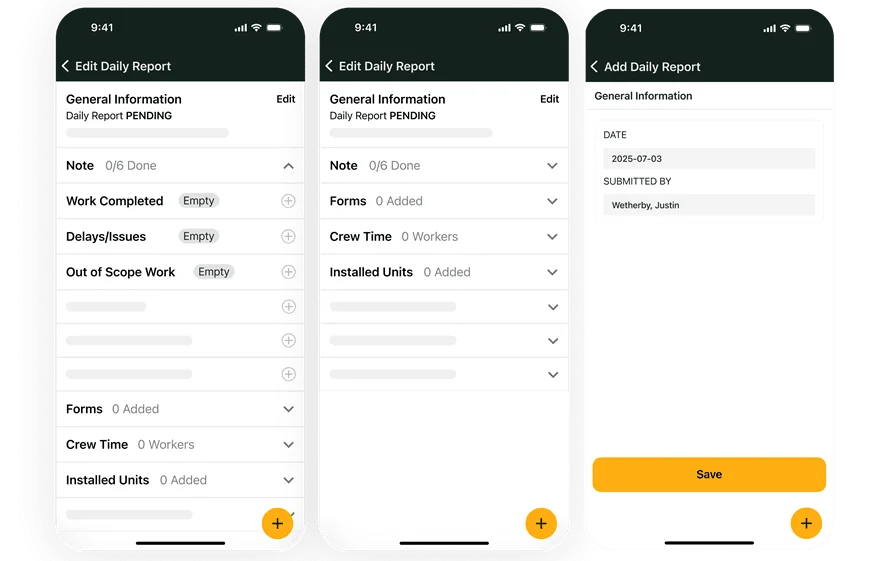
1. Best for commercial property teams: BuildOps
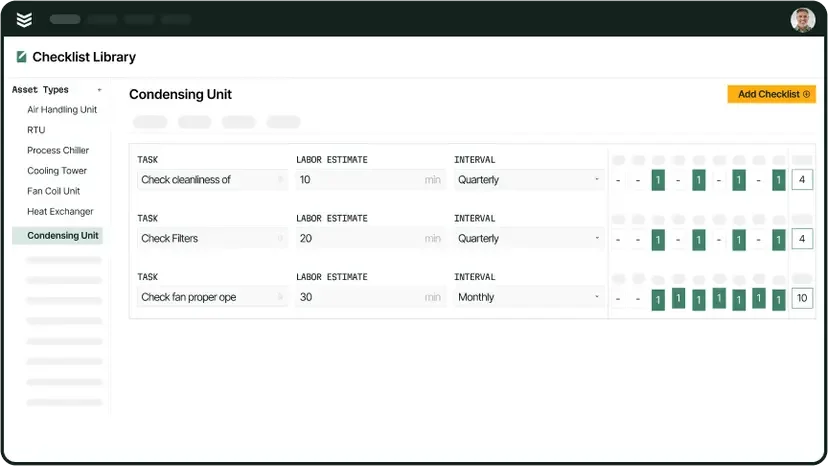
BuildOps is built for commercial service contractors who manage move‑in inspections alongside their day‑to‑day work across properties and sites—keeping every inspection, follow‑up task, and closeout deliverable connected in the same operational workflow your team runs on every job.
How pricing works: BuildOps offers tailored pricing based on factors like your team size, number of users, and the specific feature modules you choose to run your operations.
Features beyond move-in inspection: You can run the full job cycle in one place, from assigning the tech to documenting unit conditions, logging deficiencies, and pushing the job through billing and reporting. That matters when an inspection triggers same-day repairs, return trips, or a bundled closeout package that needs consistent documentation across the account.
What sets it apart for commercial: Commercial turnover programs live in asset history, customer standards, and repeatable reporting across a portfolio. BuildOps supports that operational reality, so supervisors can track site history, see open follow-up items by property, standardize inspections and capture issues in the field, and keep field and office teams working from the same record.
2. Best for residential teams: myInspections
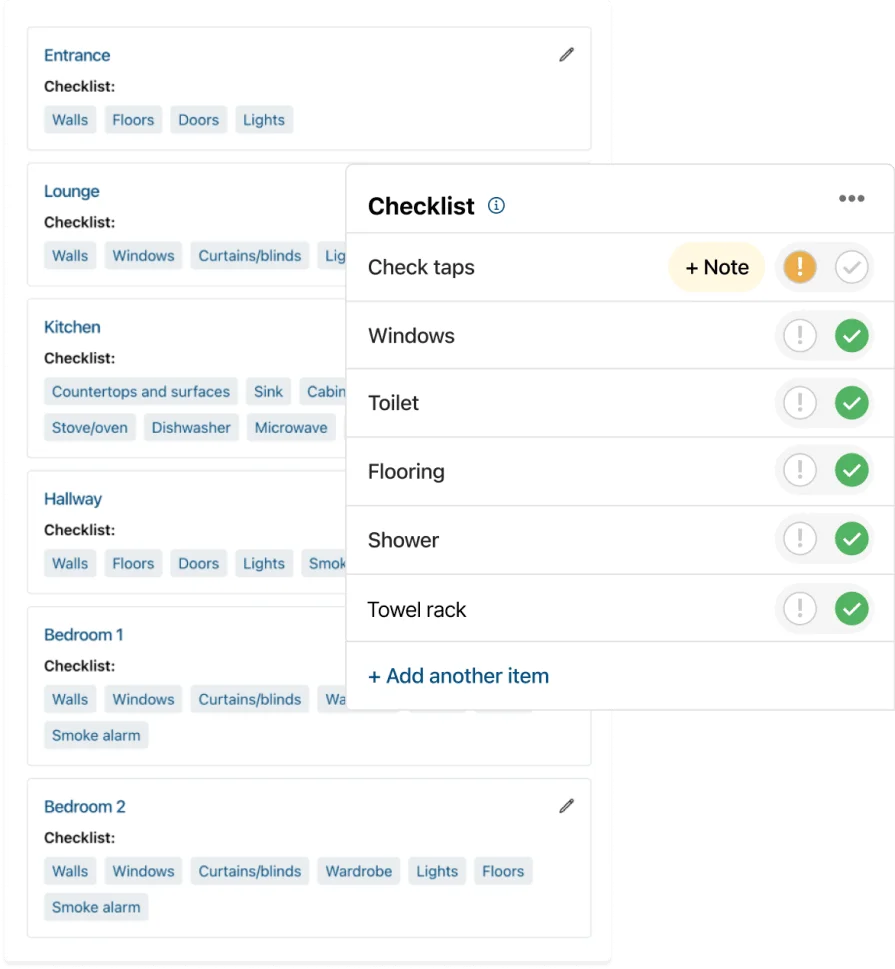
myInspections works well for property teams that want fast inspection capture, clean shareable reports, and signature collection tied to move-in documentation. It stands out for simple, polished reporting that helps reduce back-and-forth when a tenant or PM disputes condition notes. It may not be the ideal choice if your crew needs inspections to drive dispatch, follow-up work orders, and billing inside one connected field ops system.
How pricing works: myInspections sells subscription tiers, with pricing based on plan level and team needs.
Features beyond move-in inspection: Teams can share reports for review and signatures, store signed PDFs for later reference, and manage inspections from a web portal when supervisors need oversight across a portfolio.
What sets it apart for property teams: If your primary win sits in clean documentation and sign-off speed, myInspections keeps the report package easy to produce and easy to hand over.
3. Best for customizable inspection workflows: zInspector
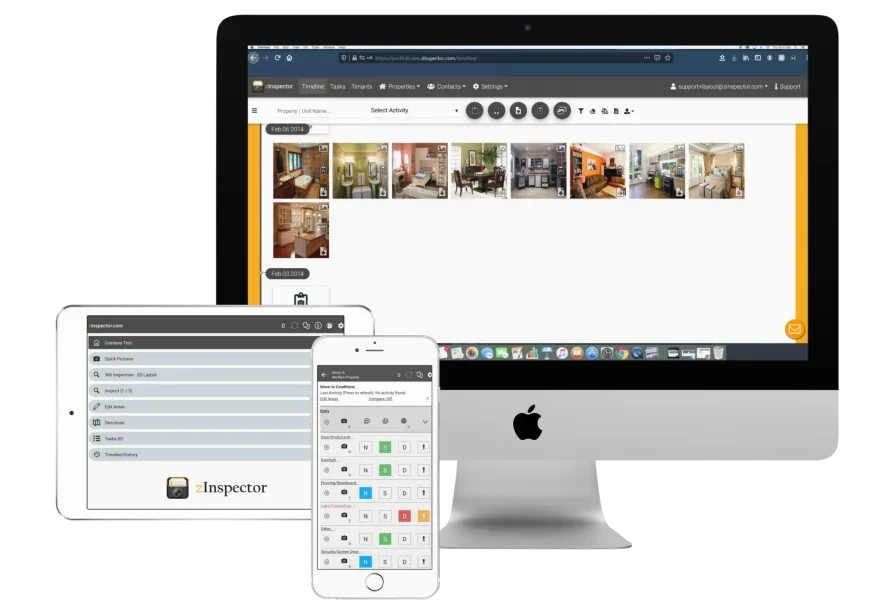
zInspector focuses on mobile inspection capture with a strong field-to-office handoff, so photos, videos, notes, and reports stay searchable and organized across the team. It stands out for flexible templates and workflows that fit different property standards, which helps when each client wants their own room list, condition scale, and photo protocol. It may not be the ideal choice if you need an end-to-end field service platform that runs dispatch, quoting, invoicing, and payments around the inspection record.
How pricing works: zInspector sells subscription plans, with final pricing tied to package and user count.
Features beyond move-in inspection: The platform supports collaborative access across mobile and desktop, plus property and task management tooling that helps coordinators keep inspection activity and follow-ups visible.
What sets it apart for customizable workflows: When your contracts demand different reporting formats across owners, zInspector’s customization helps you standardize inspection execution without forcing every site into the same template.
7 benefits of using a move-in inspection app as a contractor
Turn work can go sideways fast. One missed photo, a vague note like “bedroom wall,” or a mistyped serial number can spark callbacks, disputes, and return trips that steal time from the rest of your turns.
Purpose-built move-in inspection apps keep each unit tied to a single job record—condition notes, photos, signatures, equipment details, and follow-ups—so field and office stay in lockstep when the schedule shifts mid-turn.
1. Cut return trips caused by missing proof
Techs capture required photos and condition notes while they’re still in the unit, so you’re not chasing “one last shot of the dented fridge door” later. That built‑in structure gives you airtight documentation, fewer callbacks, and routes that actually stay on schedule.
2. Keep production moving when access changes
Keys disappear, leasing pulls a unit for a showing, and a tenant move-out runs late. When your inspection trail connects to scheduling and dispatching, dispatch can reroute crews in real time while keeping deferred items tagged to the same unit record, so nothing gets lost in texts or side notes.
3. Send closeout packages clients accept without back-and-forth
An inspection app for move-in services gives every tech the same playbook for “done right”—from photo sequence to required fields and signatures—so your reports come out consistent across properties and unit types. That consistency pays off when ownership needs clean documentation for damage claims or wants backup for resident chargebacks.
4. Turn findings into billable follow-up work with fewer dropped tasks
A move-in walk can uncover a no-cool, a leaking angle stop, and a tripping GFCI in the same unit. A workflow that supports work order dispatch keeps those fixes assigned, scheduled, and tracked under the same job chain, so follow-up work does not fade out after the walkthrough.
5. Reduce coordination drag across PMs, leasing, vendors, and your team
Turnovers involve multiple stakeholders, and each one wants updates in their format. Using principles from agentic AI field service helps teams keep next steps clear—who owns the action, what got approved, and what still blocks readiness—without your dispatcher playing telephone all day.
6. Tighten parts control and prevent mid-day supply runs
Move-in checks expose inventory gaps quickly: missing filters, wrong locksets, untracked thermostats, and “we thought it was on the truck” materials. A process rooted in field service inventory management keeps parts tied to the unit and job, so techs arrive with what the inspection flagged and avoid emergency runs.
7. Speed up decisions when the field hits exceptions
Every turn week brings curveballs—water damage, safety issues, or a unit that needs quick triage across trades. An AI field service assistant can help your team summarize findings and pattern-match repeat issues inside the job record, so supervisors approve next steps fast without digging through a long photo roll.
{{related-content-block="/resources/field-service-dashboards"}}
4 important FAQs about move-in inspection apps answered
You already know what an inspection looks like on paper. These FAQs zero in on what actually counts on-site and at closeout—where move-in inspection apps either lock in a clean, defensible job record or leave your office buried in catch-up work.
1. What is a move-in inspection app
A move‑in inspection app lets your team capture unit conditions in real time with notes, photos, timestamps, and signatures—all tied directly to the job. Keep equipment details organized by unit so you can back up chargebacks, stay ahead of follow-up work, and deliver consistent, reliable handoff reports every time.
The right tool doesn’t just store data; it enforces discipline. Required fields, standardized room names, and a clear photo protocol ensure every inspection is documented the same way, no matter who’s in the unit.
2. How do move-in inspection apps work
Your tech opens the work order, picks the exact unit, and moves through a room-by-room checklist aligned to your customer’s standards. The app walks them step-by-step—photos, condition ratings, notes, and signatures—so nothing gets skipped, even when the jobsite is hectic.
When the walkthrough wraps, the system turns that data into a clean report and highlights any exceptions that need attention, all locked to the unit and job history. That link pays off when you book a return visit, send a different tech, or need rock-solid documentation to settle a dispute weeks down the line.
3. Is the cost of a move-in inspection app worth it for contractors
It pencils out when it cuts admin hours and prevents repeat trips. If your team loses afternoons hunting for missing photos, clarifying which “Unit 3B” someone meant, or rewriting notes into a client format, the app converts that time into completed turns and billable follow-ups that close cleanly.
It also protects you during disputes. Clean timestamps, consistent photo trails, and a documented exception record reduce callbacks and keep conversations focused on facts instead of opinions.
{{related-content-block="/resources/how-service-1st-got-rid-of-the-work-arounds"}}
4. Best practices to follow when implementing a move-in inspection app
Rollout succeeds when you treat it like an operating standard, not a tech project. Lock down how your team identifies units, captures evidence, and hands exceptions into follow-up work so every site produces the same caliber of documentation.
- Standardize unit IDs and room naming conventions across every property and crew
- Require photo sets by room with a consistent shot order that matches client expectations
- Make critical fields mandatory: access method, key status, meter reads, equipment serials, and safety exceptions
- Define condition grades and exception categories that match how you sell follow-up work and chargebacks
- Tie every exception to an owner and a next step so findings do not die in a PDF
- Set supervisor review rules for high-risk items: water damage, electrical hazards, mold indicators, life-safety issues
- Train offline capture and sync habits for dead zones, including attachment checks before report release
- Lock templates by customer and property type so techs do not freestyle language and scope
- Audit a small sample weekly for ID accuracy, photo completeness, and note clarity, then coach fast
- Keep an escalation path for edge cases so field teams can document consistently when conditions change mid-walk
An inspection app for move-in services pays off when it standardizes field capture and keeps exceptions connected to follow-up work, reporting, and approvals without extra office re-entry.
When you run turns at scale, you do not win by writing better notes. You win by keeping every inspection tied to what happens next—follow-up work, parts, approvals, reporting, and billing—without making the office retype what the tech already did.
Most tools stop at a checklist export. A real move-in inspection app keeps one clear thread from first photo to final sign-off. Dispatch sees what changed, supervisors clear exceptions fast, and every image and timestamp stays attached to that unit’s history.
That is the gap BuildOps closes. One platform, one record, from inspection to closeout—so your team is not juggling five systems to finish a single turn.
If you want to see how it fits your process, grab a quick demo. No pitch, no pressure—just a clean look at what your inspections could run like end to end.