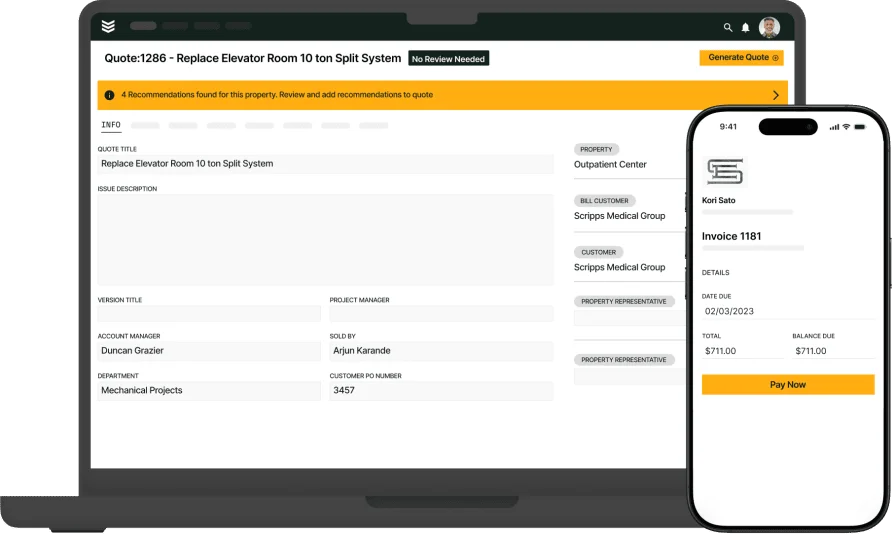
7 Best POS Systems for Contractors That Closeout Work

When you run service calls every day, closing a job at the curb or boiler room sets the tone for cash flow and customer trust. Choosing the best POS system for contractors determines whether techs can price add-ons, capture signatures, and accept payment on site without chasing the office. In field service management, POS ties directly into dispatch, work orders, inventory, and invoicing so the handoff from fix to payment stays tight.
A POS system for contractors should support card-present and digital payments, sync pricing and tax rules, and keep audit trails that stand up during billing reviews—no rework for the back office, no awkward delays for the customer. Veteran teams expect that standard, and contractor point-of-sale systems now sit at the center of that last mile in the job workflow.
- Choosing a contractor POS system for field service jobs
- 6 key features to look for in contractor POS systems
- Best for commercial contractors
- Best for residential contractors
- Best for general contractors
- Other notable POS systems for field service contractors
- 7 benefits of using a contractor POS system for field services
- 4 important FAQs about contractor POS systems answered
Selecting an effective POS platform demands precision, transparent pricing logic, and alignment between technicians and the office. The sections below walk through practical criteria that help experienced contractors identify a system that integrates cleanly with existing processes and supports fast job closeout in the field.
Choosing a contractor POS system for field service jobs
Out in the field, your closeout routine defines cash flow, not just paperwork control. Selecting the best POS system for contractors starts with field realities: variable connectivity, complex tax rules, price books that change by contract, and crews that need to finish the ticket without calling dispatch. The winning choice lets technicians accept payment in the driveway, sync clean data to the office, and keep approvals airtight across service agreements and projects.
- Scalability & fit – Can the POS handle single-visit tickets, multi-day projects, and maintenance agreements without custom workarounds? Will it scale from five techs to fifty without choking syncs or price updates? Can you segment branches, divisions, and tax jurisdictions without duplicate catalogs?
- Field speed & offline – Can techs build a cart, apply labor tiers, and accept chip, tap, or ACH when signal drops? Does it queue transactions and sync automatically when coverage returns? How quickly do price books and tax rules load on older devices?
- Payments, fees & risk – What are effective rates, surcharge options, and funding timelines for your ticket size and card mix? Who owns chargeback response and what data is captured at swipe to defend disputes? Can the provider pass Level 2/3 data for commercial cards to lower interchange?
- Integration & data flow – Does the POS push line items, taxes, photos, and signatures into your FSM, ERP, and accounting without CSV juggling? Can it honor existing job numbers, cost codes, and negotiated pricing? How are refunds, partial payments, and split tenders mapped back to the work order?
- Controls, compliance & audit – Can you lock discounts, tax overrides, and pricing by role and contract? How are PCI scope, P2PE, tokenization, and device management handled end-to-end? Will the audit trail satisfy service agreement billing, prevailing wage requirements, and warranty recovery?
- Software features – Does it support estimate-to-invoice conversion, digital signatures, photo attachments, and serialized parts on the ticket? Are deposits, financing, tips, and surcharges available in the field? Can you configure bundles, upsell menus, and approvals that match your playbook?
Dial in your priorities, pilot on live calls, and measure time-to-close, acceptance rate, and reconciliation accuracy—then move to detailed feature evaluation next.
{{related-content-block="/resources/field-sales-software"}}
6 key features to look for in contractor POS systems
A strong POS stack closes tickets in the field without friction. The best POS system for contractors unifies payment capture, price book control, and clean data handoffs so dispatch, accounting, and service managers stay aligned. The features below show what contractor point-of-sale systems must deliver for consistent, fast job closeout.
1. Invoicing and payment readiness
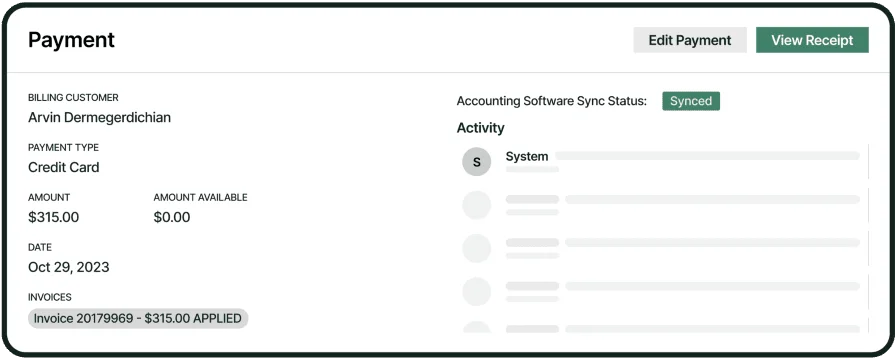
A POS system for contractors must move from approved work to invoice without double entry, then take payment on-site. Look for tight links between invoicing systems and your ticket flow, plus payments in the field supporting card-present, tap, ACH, and stored card options. Interchange optimization, surcharge settings, and refund rules should be configurable by contract.
For instance, when a plumbing team finishes a leak repair at a retail store, the lead converts the job to invoice, applies a manager-approved discount, and taps to collect—funding lands the next day with clean ledger mapping.
2. Mobile tools for technicians
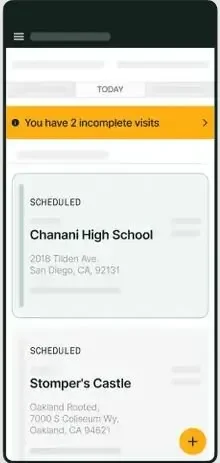
Technicians need a robust mobile technician app that supports offline carts, contract pricing, bundles, taxes, photos, and signatures—then syncs as coverage returns. Device management and role-based controls prevent price drift.
As an example, during a generator PM at a hospital, the tech loses signal in the basement but still adds coolant, adjusts labor tiers, and records a compliance note; once topside, the app syncs, the customer signs, and payment processes without a second call.
3. Scheduling and dispatch alignment

Field service scheduling and dispatch software should pass job context straight into the POS—crew, cost codes, contract, and task templates—so line items and approvals match the assignment. Capacity rules and skill routing keep price books consistent.
For example, an electrical service outfit books an emergency panel repair at noon; dispatch assigns a senior tech, the job imports hazard fees automatically, and the POS enforces those rates at closeout.
4. CRM context and customer tracking
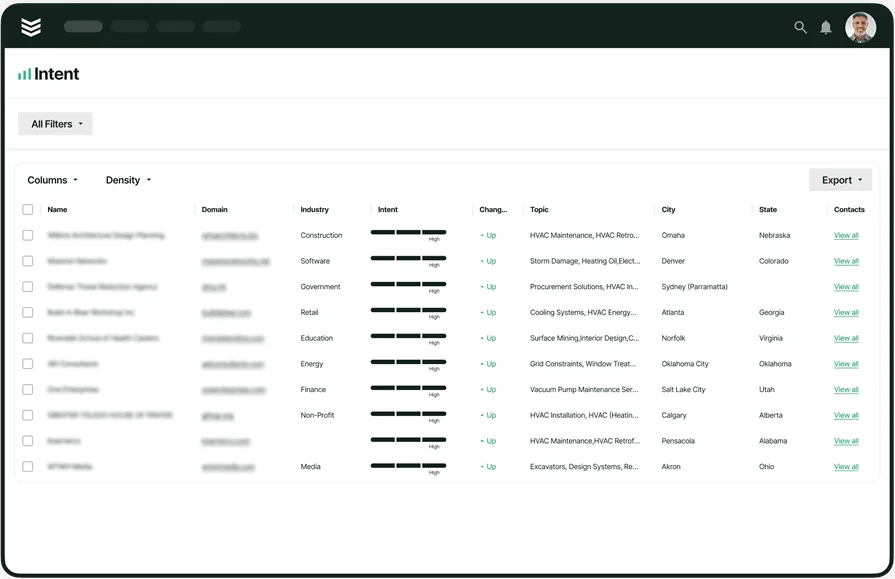
Your POS should consume data from CRM software for contractors—sites, contacts, service levels, and previous quotes—so the ticket reflects promised terms. Credit limits, tax exemptions, and custom price books need to apply automatically.
Case in point, a refrigeration tech servicing a multi-site grocer pulls up site history, sees a no-trip-charge note on contract, and the POS removes the fee while keeping parts pricing strict.
5. Reporting and job data insights

Contractor point-of-sale systems should feed reporting that exposes acceptance rate, time-to-invoice, funding lag, and discount usage by tech and division. Leaders can spot write-off patterns and train against them.
For example, after reviewing weekly dashboards, a service manager sees heavy partial-payment use on after-hours calls; they adjust policy and enable deposits on those job types, lifting cash collection within days.
6. Agreements, labor, and compliance controls
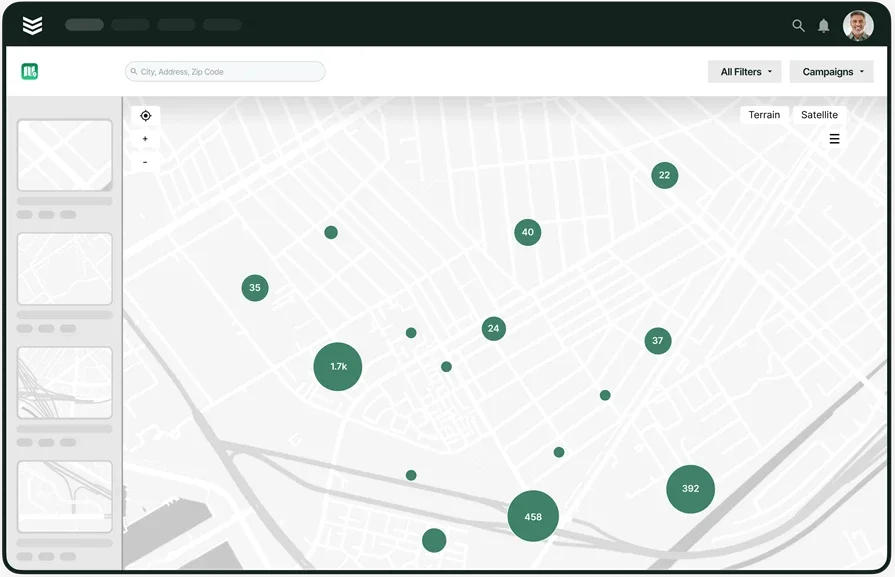
Service agreements must push negotiated pricing, included tasks, and NTE limits into the POS, with time tracking mapped to labor tiers for audit. The system should lock discounts by role and tag surcharge exceptions for tax reporting.
In practice, a controls technician working under a campus agreement hits an NTE threshold; the POS requires approval, records labor to the correct tier, and documents the variance for billing review.

Other notable features to look for in a contractor POS system
Core POS handles closeout, payments, and data sync, yet a few add-ons strengthen how the platform supports wider field service management operations. These capabilities sharpen scheduling readiness, billing accuracy, and compliance across divisions.
- Inventory and parts catalog sync – POS should reference a controlled price book with kits, alternates, and serialized items, then update truck stock in real time. Include return-to-stock, RMAs, and core charges on the same ticket so techs close accurately and the warehouse reconciles without manual edits.
- EMV hardware and reliability – Field devices need certified chip, tap, and PIN on glass with store-and-forward for poor signal. Rugged readers, automatic firmware updates, and battery health alerts keep crews collecting on site while meeting PCI and P2PE requirements.
- Fleet and asset visibility – Truck location, ETA, and equipment status influence price accuracy and job readiness. Linking POS and fleet tracking software gives dispatch current availability, helps stage parts for upsells, and supports accurate arrival windows that reduce reschedules.
Each of these features plays a supporting role in how contractor point-of-sale systems perform in the field, especially for teams with high volumes or complex agreements that want stronger visibility and tighter compliance.
Best for commercial contractors: BuildOps

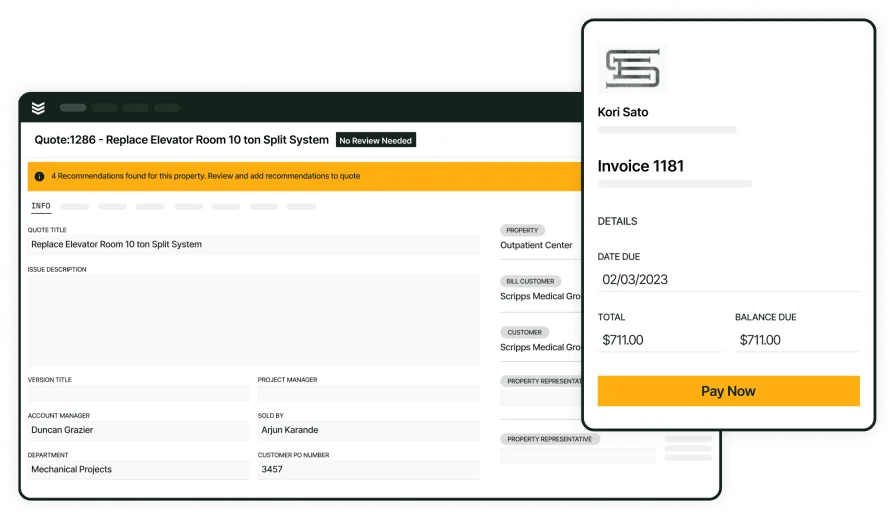
BuildOps serves commercial service contractors with an all-in-one field service management platform that includes fast, reliable POS at closeout. Crews quote, convert to invoice, capture signatures, and accept payment on site while the office receives synchronized work order, pricing, and tax data in real time. It fits multi-day jobs, portfolio accounts, negotiated rates, and complex approvals across divisions and trades. Teams that want consistent field execution with clean financials can run POS, scheduling, inventory, and reporting in one connected system.
How pricing works: BuildOps offers flexible, scope-based pricing aligned to team size and required modules. A live walkthrough helps map costs to your workflows and compliance needs.
Features beyond POS: Mobile tools for technicians, advanced reporting, role-based controls, scheduling, inventory, invoicing, and payments keep the entire job cycle connected. Techs close out on site with real-time updates while the office tracks status, funding, and follow-ups with full visibility.
What sets it apart for commercial POS: Policy enforcement and audit trails at scale. BuildOps applies price books, approvals, and tax logic consistently, even in offline conditions, giving speed in the field and accuracy in the ledger.
Best for residential contractors: FieldEquip
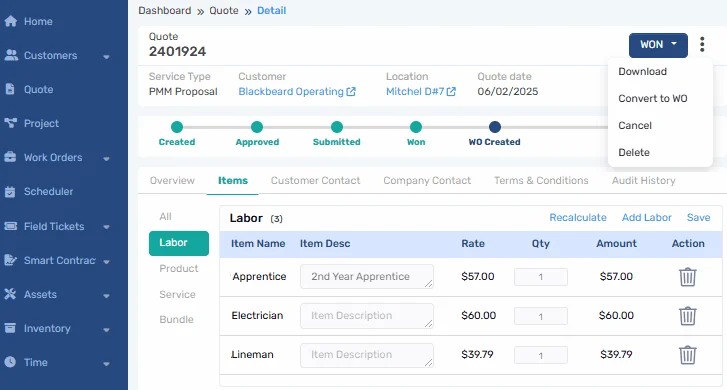
FieldEquip targets residential and light commercial teams that want straightforward POS closeout from a mobile device. Crews can build carts, apply standard pricing, convert to invoice, and take payment with minimal training, which helps small shops move off paper quickly. It may not be ideal for larger operations that require advanced automation, multi-branch controls, deep integrations, or strict offline resilience.
How pricing works: FieldEquip uses modular pricing that varies by features and number of users. Contact their team for specific tiers and bundles.
Features beyond POS: Work order tracking, asset records, and customer history keep details centralized so technicians have context during visits and office staff can reconcile efficiently.
What sets it apart for residential POS: A simple, approachable interface that accelerates adoption. For contractors standardizing processes after years of ad-hoc invoicing, it provides a clear path to consistent field closeout.
Best for general contractors: Fieldpoint
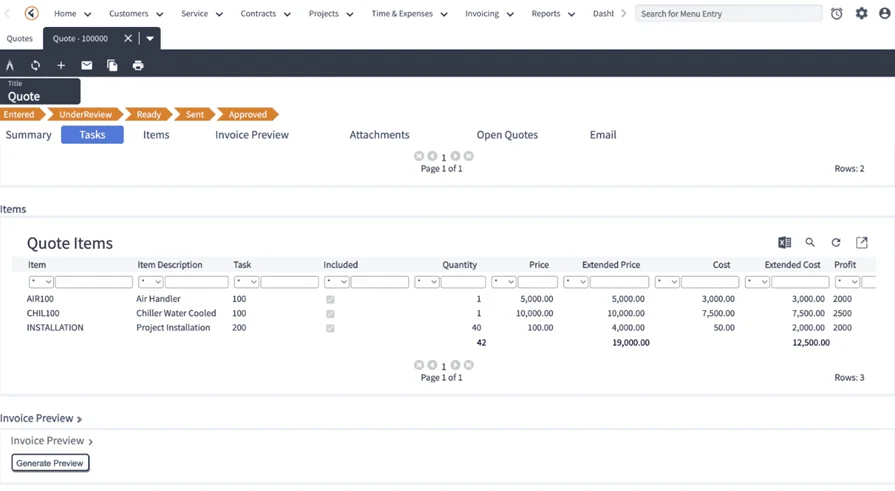
Fieldpoint supports project-centric contractors that need detailed cost control across service and construction work. Its POS and billing tools align with job costing, change orders, and multi-phase projects, with strong ties to ERPs and accounting. It may not be the ideal choice for high-volume service teams that prioritize rapid, card-present POS on tough job sites, since the mobile experience emphasizes broader project workflows.
How pricing works: Fieldpoint provides quote-based pricing tailored to workflow requirements and integration depth.
Features beyond POS: Job costing, project planning, dispatch, and integrations with CRMs and inventory tools support organizations that manage both quick service tickets and long-duration project work.
What sets it apart for general contractor POS: Strong on complex labor and material breakdowns with audit-ready billing. It suits organizations that need granular control from quote through final invoice while maintaining enterprise integration standards.
Other notable POS systems for field service contractors
Beyond the primary platforms that anchor large field operations, several contractor point-of-sale systems can support specific setups and budgets. These options may not carry every integration or field-first workflow you need in a POS system for contractors, yet they can deliver value depending on crew size, contract mix, and how you close tickets today while you evaluate the best POS system for contractors for your organization.
Simpro
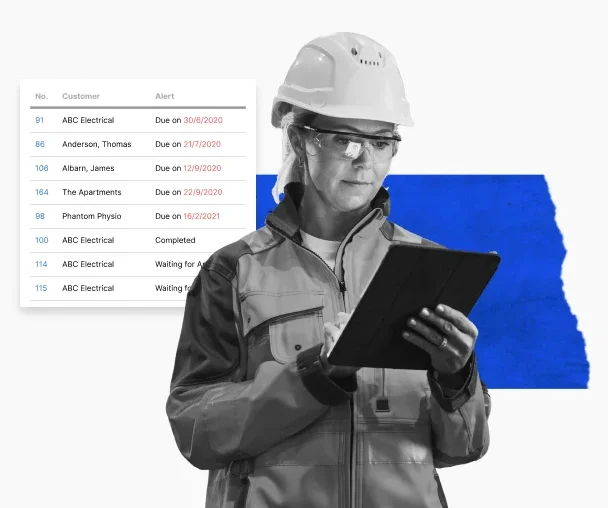
Simpro provides POS capabilities inside a broader job management suite that covers scheduling, inventory, time capture, and purchasing. Office teams can manage pricing, taxes, and contract rules while technicians convert work to invoices and take payment in the field. Strong catalog controls and prefabricated kits help standardize parts and labor across branches. It may not fit crews that require deep offline resilience or advanced price governance for complex enterprise contracts.
How pricing works: Simpro follows a subscription model that varies by modules and user count. You will need to work with their team for a tailored quote.
Features beyond POS: Detailed reporting, purchase order workflows, stock control, and maintenance planning give operations a single place to coordinate field and office tasks.
What sets it apart for field service POS: Solid inventory integration with service work, useful for contractors that depend on accurate truck stock and supplier links during closeout.
See how Simpro compares to BuildOps as a contractor POS when we stack them up against each other.
FSM Global
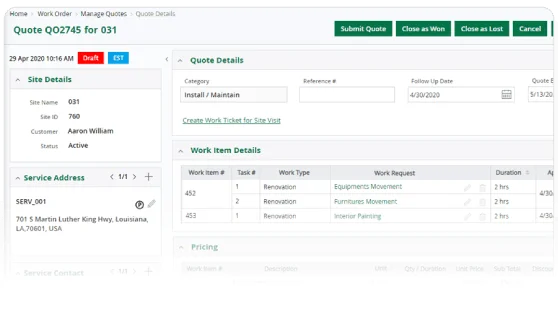
FSM Global supports construction, field service, and maintenance with configurable pricing logic and regional labor rules that feed into POS and billing. The platform suits organizations that manage complex service catalogs across locations and departments. It may not be ideal for field-focused teams seeking a lightweight, high-speed mobile POS experience for heavy same-day ticket volume.
How pricing works: FSM Global offers quote-based packages based on implementation scope and feature set, often with onboarding and configuration to match operating standards.
Features beyond POS: Inventory tracking, contract management, and full service lifecycle modules help teams coordinate procurement, asset service, and renewals.
What sets it apart for field service POS: Highly configurable quoting and charging structures with strong support for geographic or departmental variations that need tight control.
FIELDBOSS
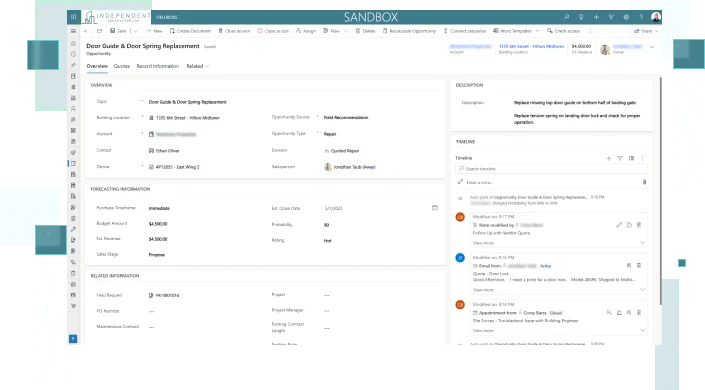
FIELDBOSS runs on Microsoft Dynamics and focuses on specialty trades such as elevator, HVAC, and building systems. POS ties closely to job costing, recurring maintenance, and contract billing, with templates that map directly to service programs. The dependency on Dynamics can be a hurdle for contractors not already standardized on Microsoft’s stack or those who prefer a leaner deployment.
How pricing works: Licensing follows Microsoft Dynamics conventions with module selections and configuration level influencing total cost.
Features beyond POS: Maintenance program management, inspection checklists, and compliance logging support regulated environments and detailed audit requirements.
What sets it apart for field service POS: Deep links to operations and labor controls on the Dynamics platform, well suited to teams that run structured programs and require strict compliance.
Clik Software
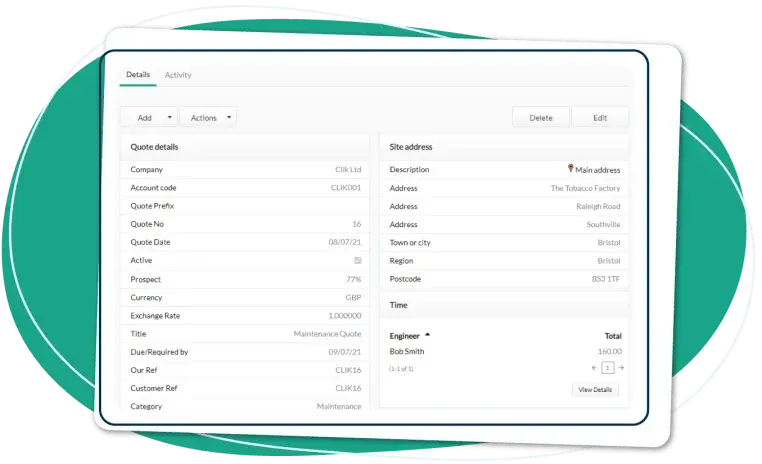
Clik Software offers a straightforward platform that helps small service businesses move away from spreadsheets. Technicians can build quotes, assign job numbers, and complete closeout with basic scheduling and offline support inside a simple interface. It may not suit growing contractors that need real-time two-way sync with multiple systems or advanced automation across divisions.
How pricing works: Clik provides upfront license pricing per product with optional add-ons. Quotes depend on the tools you select.
Features beyond POS: Job sheets, scheduling tools, a light CRM, client portals, and offline capabilities support contractors working in remote locations.
What sets it apart for field service POS: Simplicity and fast adoption, practical for teams that want a compact POS workflow without overhauling their entire tech stack.
7 benefits of using a contractor POS system for field services
A well-implemented POS platform does far more than speed up checkout. The best POS system for contractors creates measurable impact across dispatch, office, and finance by tightening pricing control, reducing rework, and improving handoffs. Below are seven practical advantages you can expect when your POS system for contractors connects cleanly to the rest of the stack.
1. Faster job turnaround
When techs convert work to invoice and collect payment in the field, jobs move to the next slot without delay. A connected field service booking software setup routes finished tickets straight into the calendar so crews stay productive and the office avoids manual rescheduling.
2. Better visibility across teams
Centralized POS data keeps technicians, managers, and accounting aligned on what is approved, paid, or pending. Visibility jumps again when POS sits inside a broader field service management solution that unifies scheduling, dispatch, inventory, and reporting.
3. Reduced billing errors
Manual entry at closeout invites mistakes with taxes, contract rates, or parts. A digital POS standardizes price books and approvals, then pushes exact line items back to a field service ticketing system so what was performed matches what was billed.
4. Stronger customer trust
Card-present checkout with accurate pricing shows professionalism and removes friction at the curb. Customers receive a clear, itemized invoice and receipt on the spot, which sets a positive tone for repeat service and account renewals.
5. Easier scheduling after approval
Once a ticket is closed and payment is posted, the next visit should be on the calendar in minutes. POS that syncs with field service scheduling tools assigns follow-up tasks without duplicate entry and keeps capacity plans current.
6. Centralized customer data
Technicians work faster when account terms, tax exemptions, site notes, and past work are available during checkout. Tying POS to field service CRM software keeps everything in one profile so contractor point-of-sale systems honor negotiated pricing and service levels automatically.
7. Higher close rates
Clear pricing, instant signatures, and fast payment options raise acceptance on add-ons and quoted repairs. Teams see higher conversion when deposits, financing, or stored cards are part of the standard field checkout.
{{related-content-block="/resources/contractor-estimate-app"}}
4 important FAQs about contractor POS systems answered
Closing work on site requires discipline. Contractor point-of-sale systems keep pricing, approvals, and payments consistent from truck to ledger. Use this section to pressure-test a POS system for contractors and align it with mature field operations.
1. What is a contractor POS system?
A contractor POS system enables field techs to convert approved work into an invoice, capture signatures, and accept digital payment while enforcing price books, taxes, discounts, and contract terms from a central source. The best systems also sync with scheduling, ERP, and CRM for reliable handoffs.
2. How does contractor POS software work?
It centralizes field closeout. From the active work order, the app applies pricing and taxes, records parts and labor, generates an invoice, and processes payment on the device. Approvals, audit data, and funding statuses sync to scheduling, ERP, and CRM without duplicate entry.
3. Is contractor POS software worth the cost?
Yes—when it cuts DSO, reduces write-offs, and locks pricing policy. Look for gains in time to invoice, acceptance rate on add-ons, chargeback defense, and funding speed. Validate with a pilot using hard KPIs and compare against the status quo across divisions and crews.
{{related-content-block="/resources/sloan-mechanical-build-ops"}}
4. What are the best practices for implementing a contractor POS system?
Treat POS as a cross-team rollout, not a single app install. Set targets, finalize policy, and harden offline workflows before go-live.
- Train field and office together with live ride-alongs.
- Finalize price books, tax rules, surcharges, and financing.
- Enforce roles, approvals, and discount limits.
- Pilot offline first and validate store-and-forward.
- Configure payments, deposits, refunds, and chargeback playbooks.
- Map integrations to ERP, CRM, scheduling, and inventory.
- Standardize devices, readers, cases, and update cadence.
- Define KPIs: time to invoice, funding lag, acceptance rate, write-offs.
- Lock audit trails with signatures, photos, and geo-stamps.
- Review weekly, tune price books, and coach outlier behavior.
Contractor point-of-sale systems sit at the curb where jobs finish and cash starts. The teams that win standardize price books, taxes, approvals, and payment capture, then sync that activity into scheduling, CRM, inventory, and accounting without retyping. When a POS system for contractors works in concert with field service management, dispatch stays aligned, finance closes the day cleanly, and leadership sees reliable job margins across divisions.
For crews that handle commercial service at scale, BuildOps functions as an all-in-one platform: quoting, invoicing, payments, scheduling, inventory, mobile, reporting, and policy controls in a single system. Use the checklist in this guide to evaluate options, pilot on live calls, and measure against hard targets like time to invoice, acceptance rate, funding lag, and write-offs. That approach will point you to the best POS system for contractors for your operation and keep contractor point-of-sale systems working as a growth engine rather than a bottleneck.
Ready to see how a connected platform handles real field workflows end to end? You can schedule a free demo to walk through your process with our team and decide at your pace.