8 Best Service Call Tracker Software for Field Pros


When service calls stack up, gaps show fast—missed windows, callbacks without history, and techs driving blind between sites. A service call tracker gives dispatch, job data, and customer context in one place, so every call moves from intake to invoice without guesswork.
If your company operates in field service management, this ties call intake to scheduling, mobile updates, parts, and reporting across HVAC, plumbing, electrical, refrigeration, and fire life safety teams. Many contractors use software to capture the request, send the closest unit, document the job, and keep the clock honest.
Here’s what we’ll walk through:
- How to choose the right service call tracking software
- 5 key features to look for in software for service call tracking
- 8 best service call tracking software platforms for all types of teams
- 7 benefits of using software to track service jobs
- 4 important FAQs about service call tracking software answered
Every operation runs a different mix of emergency work, contract PMs, and project punch lists. The selection process mirrors how seasoned operators judge the best service call tracking software—real uptime, GPS and status context, clean mobile logging, and integrations that cut double entry.
Up next, we’ll break down what to evaluate before choosing a platform that fits how your crews already work in the field, whether they carry a technician app or even a dedicated service call tracking software.
How to choose the right service call tracking software
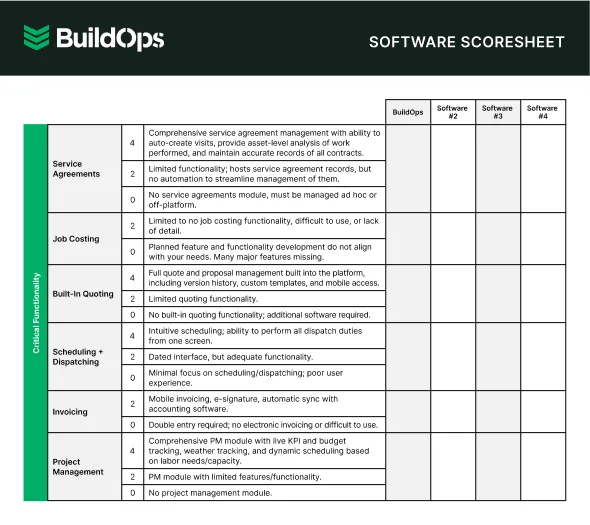
Service calls come fast, and a solid tracker keeps one clean thread from intake to invoice without retyping. Judge options by how they handle real constraints—SLAs, skill routing, truck stock, travel windows, and proof-of-work from the field. Aim for first-call completion, accurate billing, and live visibility for dispatch, techs, and customers. Before you compare vendors, map how work truly flows and pressure-test against these questions:
- Call load and channels – Which intake paths drive volume? Do you need VoIP with caller ID and screen pop? How should after-hours rollovers route to on-call?
- Dispatch model and constraints – Do you dispatch by territory, skill, or union rules? How should truck stock and travel windows influence assignments? Will live GPS and route optimization change coverage?
- SLA and contract entitlements – What response targets apply by customer tier? Do warranties, NTEs, or rate tables require automatic checks? How do service agreements trigger priority and pricing?
- Field execution and handoff – What must work offline on mobile? Do techs need checklists, photos, and two-way texting? How does parts requesting and PO creation flow back to the office?
- Job costing and accountability – Which metrics decide success—first-call completion, WIP aging, or margin by call? How do you track callbacks and technician productivity? What exports or APIs sync with accounting or ERP?
- Features – Do you need a live queue, drag-and-drop board, skill-based scheduling, and custom statuses? Will GPS/AVL, route optimization, customer portal, IVR, and two-way SMS cut phone time? Do integrations across field service management and adjacent tools, like a scheduling & dispatch software, remove double entry?
Pick a platform that matches your field reality and proves it in metrics. Next, we’ll detail the feature checklist that separates serious call trackers from basic ticketing.
{{related-content-block="/resources/field-service-management-software"}}
5 key features to look for in software for service call tracking
A service call tracker should keep one clean thread from intake to invoice and give dispatch, techs, and accounting the same source of truth. Think in terms of flow: capture the call, place the job on a board, guide the visit, and finish with proof of work and billing. Quick example—your office takes a no-cool call at 7:18 a.m., a warranty ticket at 8:02, and a leak at 8:11; service call tracking software routes each to the right crew, pushes site history to phones, and feeds accounting the moment the job closes.
1. Scheduling and dispatching

Your board should handle spikes without chaos. Use field service scheduling to assign by skill, territory, or certification, then pair it with dispatching software for live GPS, ETAs, and status changes. For instance, a pharmacy refrigeration outage hits at lunch; dispatch drops the ticket on the unassigned lane, scheduling auto-filters to EPA-certified techs, and the closest van gets the ping with parts notes and a promised window.
2. Mobile access for field techs

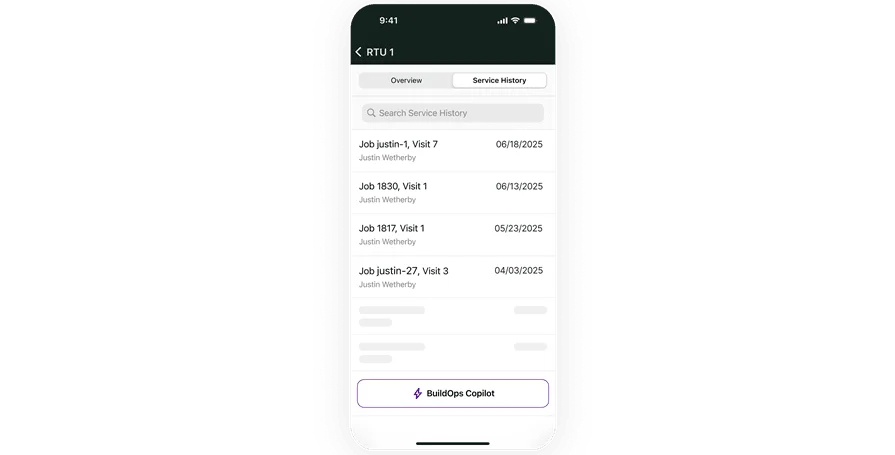
Jobs move faster when techs carry the plan in their pocket. A strong technician mobile app should load work details, past notes, checklists, photos, and customer signatures—even offline. Case in point: a senior electrician lands on-site during a network outage; he opens the last panel inspection from his phone, works the checklist, snaps proof-of-repair, and closes the call without dialing the office.
3. Service agreement automation
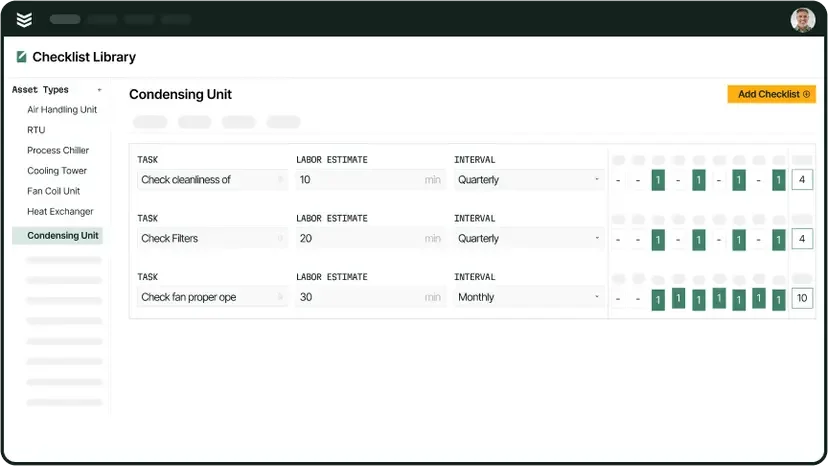
Recurring accounts drive predictable revenue and demand strict compliance. Service agreement tools generate visits by frequency, lock in entitlements, and flag SLA breaches before they happen. As an example, a grocer’s quarterly filter changes and semiannual coil cleanings auto-create on the calendar; when a condenser failure triggers a break-fix call, the tracker applies warranty rules and priority levels tied to that agreement.
4. Time tracking and job logs
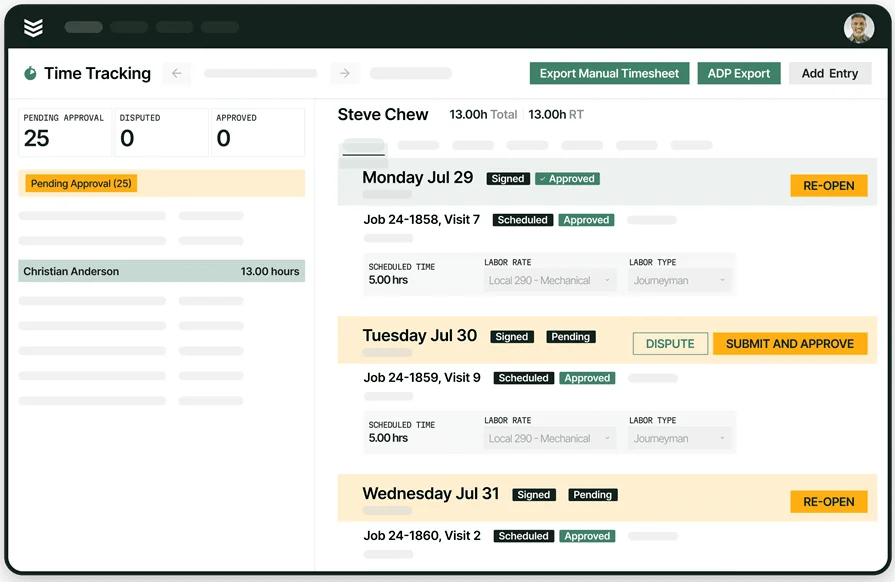
Hours, crews, and costs need tight control. Built-in time tracking ties labor to each task, records drive time vs. wrench time, and feeds payroll and job costing. Here’s a familiar scenario: your techs keep bouncing back to a rooftop unit; logs show two callbacks tied to missing parts. With clean time entries and notes, ops sees the true cost and approves a permanent fix instead of another patch.
5. Reports and customer history
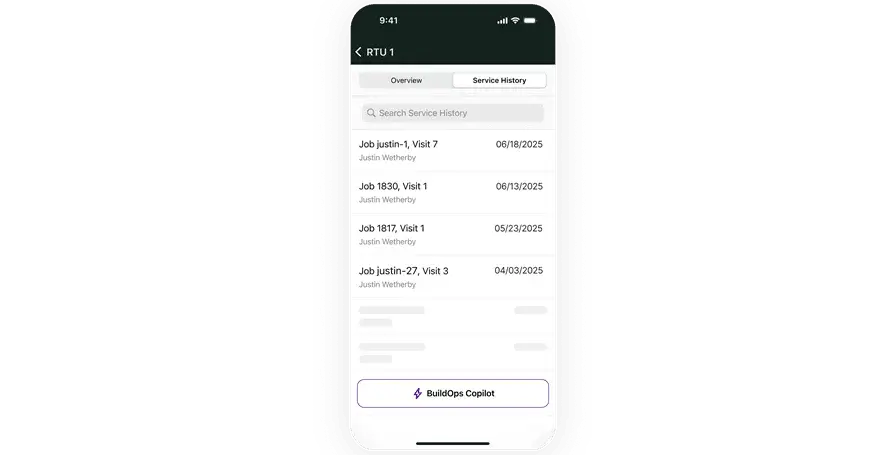
Leaders need facts, not guesses. Robust reporting tools surface first-call completion, SLA hit rate, backlog, margin by call, and aging WIP, while customer history keeps every visit connected. For example, a property manager requests proof of backflow tests for a city audit; your office runs a report with timestamps, photos, and sign-offs and emails a complete record in minutes.
Other notable features for contractors and technicians
A service call tracker runs the core workflow, and these add-ons keep service call tracking software tightly connected to field service management as a whole.
- Quoting and estimating - With quoting software tied to the ticket, estimators price repairs from photos, parts, and notes captured on the call. Approvals move quickly because everything lives on the same record.
- Fleet tracking - Fleet management software shows vehicle location and utilization so dispatch routes the nearest qualified tech and sets accurate ETAs. Safety and fuel policies stay visible alongside the job.
- CRM integration - A connected service CRM keeps contacts, site assets, warranties, and special instructions beside every work order. New PMs or property managers get full context the moment a call comes in.
- Invoicing and payments - Invoicing software rolls labor, parts, photos, and signatures into a clean bill, while payment tools collect on-site or via email. Cash flow stays tight and disputes drop.
Up next, we’ll look at the best software options contractors rely on to run call tracking at scale.
8 best service call tracking software platforms for all types of teams
When calls stack up across jobsites and trades, service call tracking software keeps dispatch, field crews, and the office working from the same playbook. The options below fit different team sizes and workflows.
1. Best for commercial field service contractors: BuildOps

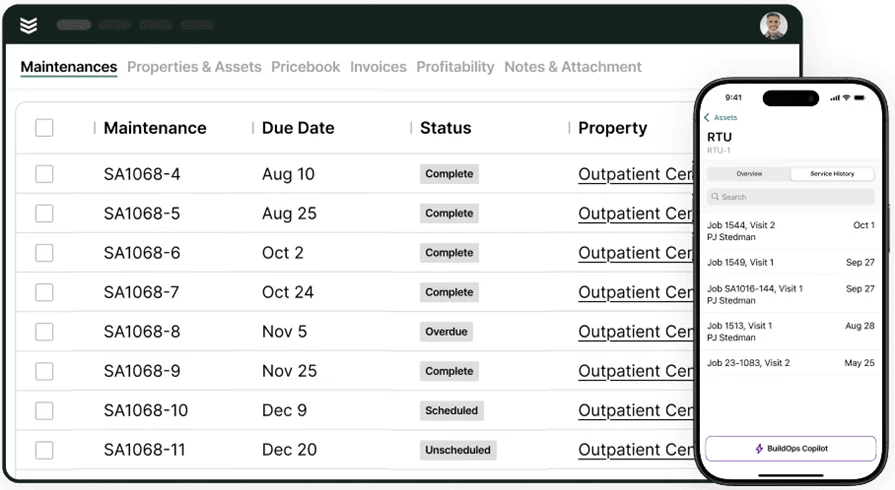
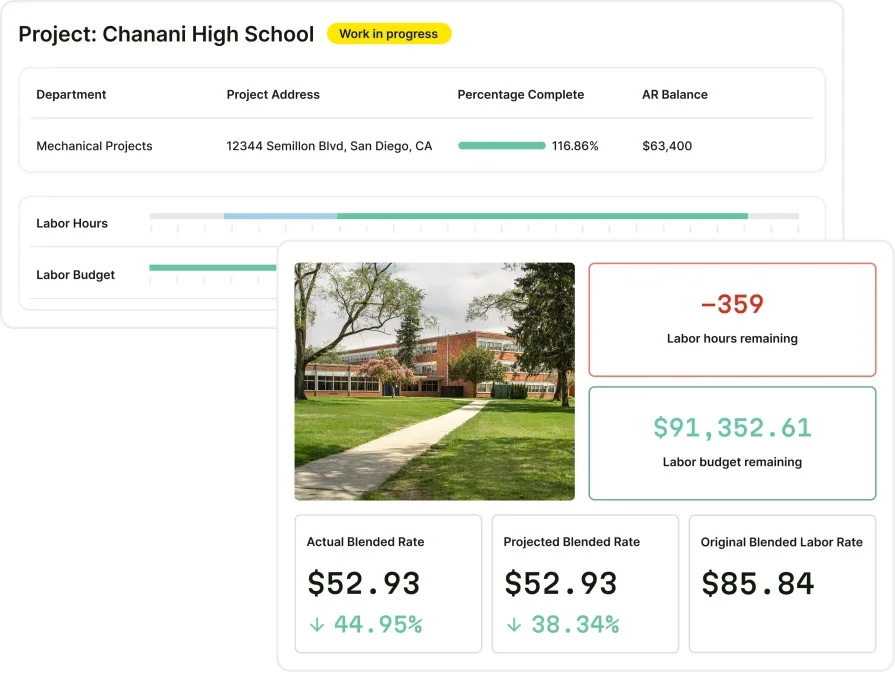
BuildOps focuses on mechanical, electrical, plumbing, refrigeration, and fire life safety teams that live on service work. It combines scheduling, dispatch, site history, asset records, service logs, and invoicing with live mobile updates, so a ticket moves cleanly from intake to documentation to payment. There is no single toggle labeled “service call tracking,” because the platform covers the entire lifecycle rather than a narrow service call tracker alone.
How pricing works: User-based pricing that scales with features and seats.
Features beyond tracking: Mobile job updates, field service scheduling, live dispatch, photo attachments, digital timecards, service agreements, reporting, invoicing, and payments.
Why it’s best for commercial contractors: It connects every step of the workflow so teams see progress in real time without bouncing between systems.
2. Best for manufacturing teams: Fiix
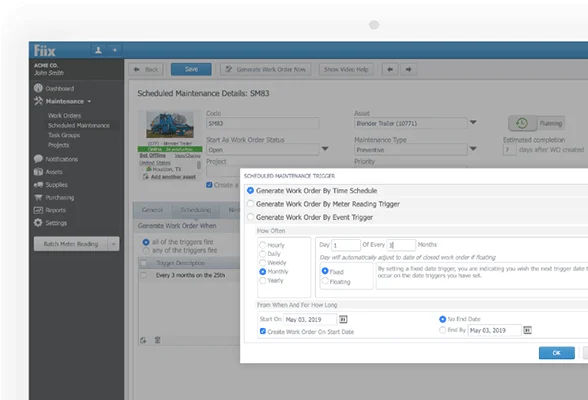
Fiix centers on plant maintenance with strong work orders, asset health monitoring, and parts control inside facility walls. It excels where equipment uptime and preventive routines drive the day, and where teams operate around a fixed footprint. It may feel lacking for contractors who need rapid call-by-call dispatch, customer billing, and field-ready mobility.
How pricing works: Subscription tiers such as Basic, Professional, and Enterprise.
Features beyond tracking: Asset tagging, inventory control, reporting dashboards, preventive maintenance planning, and API integrations.
Why it’s best for manufacturing: Built to cut downtime and standardize maintenance across large facilities.
3. Best for mobile field techs: MaintainX
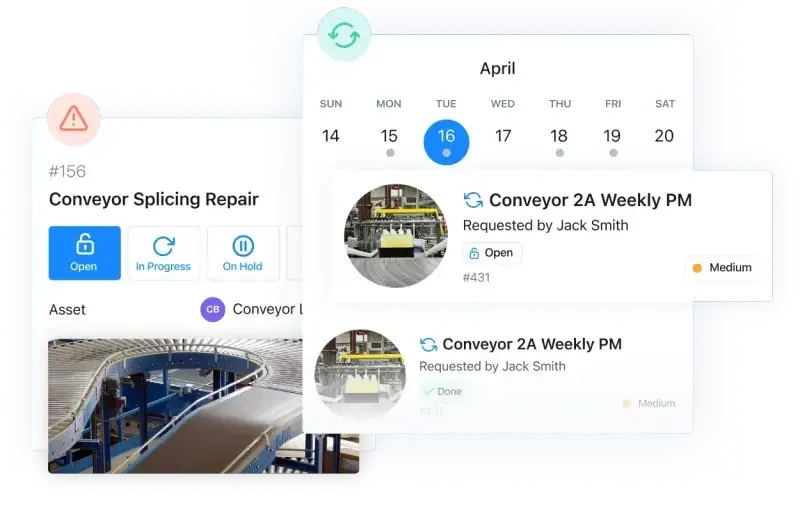
MaintainX delivers a simple mobile-first experience for technicians who need quick access to work orders, digital checklists, photos, and history from a phone. Light messaging and basic analytics help crews close tickets on the go and keep office calls to a minimum. It may not provide deeper contract automation, invoicing, and dispatch control that many commercial service contractors expect from a full service call tracking software stack.
How pricing works: Free plan available, with paid tiers based on feature access and user count.
Features beyond tracking: Image uploads, team messaging, asset history, checklists, and limited analytics.
Why it’s best for mobile teams: Keeps crews connected in real time and makes job execution straightforward from a mobile device.
4. Best for property and facility teams: Maintenance Care
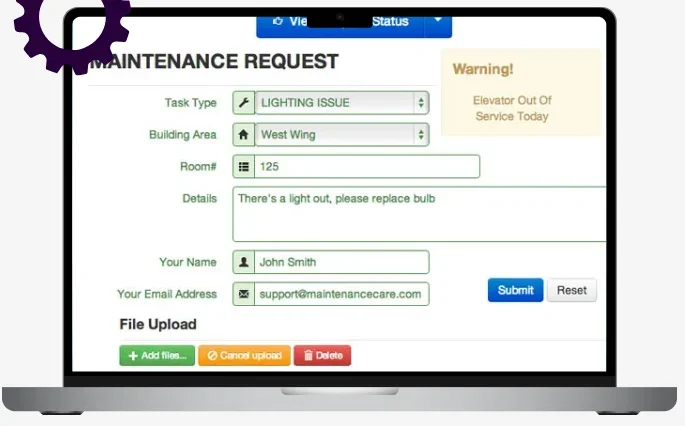
Maintenance Care suits property managers and facility teams handling internal service requests across buildings. It logs requests, assigns tasks, and documents fixes in a clean dashboard that helps nontechnical staff submit issues and track progress. For contractors who rely on a service call tracker with advanced dispatching, crew skills, and third-party coordination, the setup may feel light.
How pricing works: Free plan with core features, with paid tiers unlocking premium tools.
Features beyond tracking: Facility dashboards, request portals, work order forms, preventive scheduling, and mobile compatibility.
Why it’s best for facility teams: Centralizes internal building repairs, room-by-room service, and non-urgent tasks with clear visibility.
5. Best for PM-focused teams: Limble CMMS
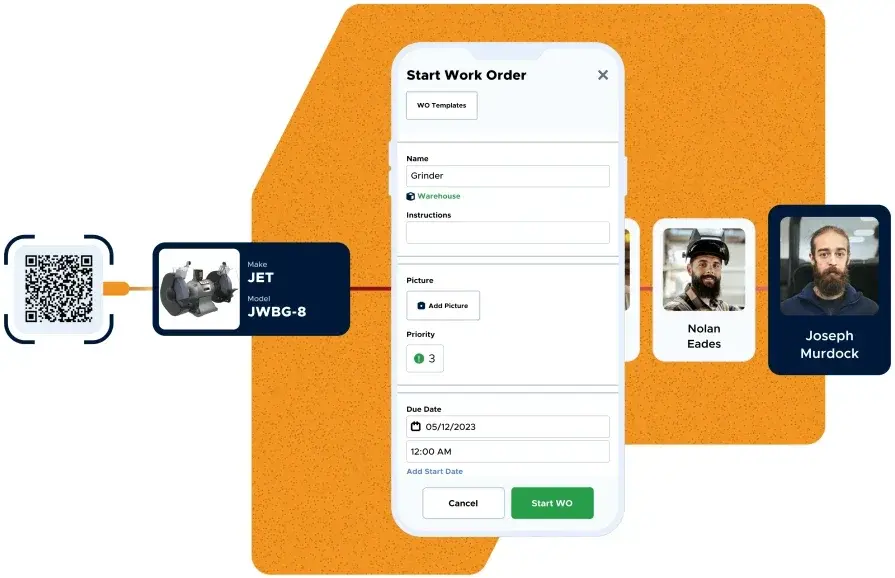
Limble emphasizes preventive maintenance planning, asset lifecycle rules, and alerts that keep recurring work on schedule. Contractors use it to structure long-term service timelines and standardize job checklists while maintaining history by asset. For fast field operations that need real-time dispatching, call-by-call invoicing, and customer-facing documentation, Limble may require extra integrations.
How pricing works: Tiered, per-user monthly pricing with a free trial.
Features beyond tracking: PM triggers, asset profiles, real-time alerts, checklists, reports, and mobile features.
Why it’s best for PM-heavy operations: Helps reduce breakdowns and maintain compliance across long service intervals.
6. Best for multi-site contractors: FMX
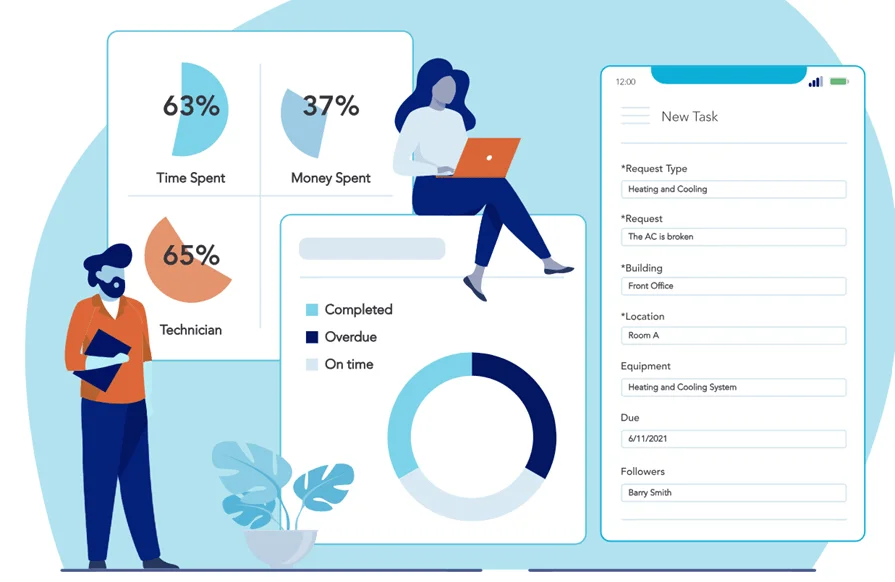
FMX suits contractors serving portfolios with many locations and centralized contacts, such as retail chains, healthcare groups, and property managers. Its calendar views, request portals, and asset lifecycle tracking help coordinate predictable job types across sites while keeping stakeholders in the loop. That said, teams that rely on complex call-by-call dispatch, technician routing, or customer billing in service call tracking software may find FMX limited as a primary system.
How pricing works: Subscription pricing based on user count and number of facilities.
Features beyond tracking: Calendar views, asset logs, inventory tracking, custom reporting, and request portals.
Why it’s best for multi-site contractors: Organizes cross-location service work and approvals for clients with recurring job patterns.
7. Best for home services and small teams: Workiz
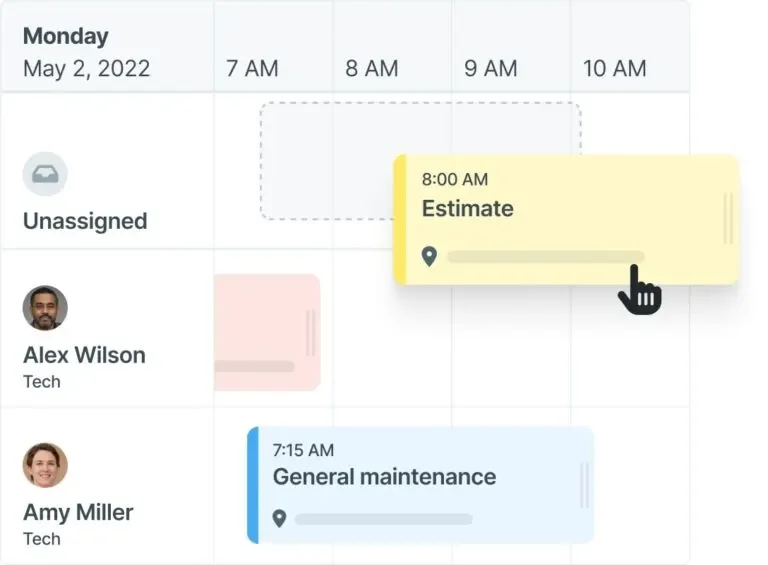
Workiz targets residential HVAC, plumbing, garage door, and similar home services with call intake, scheduling, estimates, and invoicing in a single app. Its phone system ties calls to jobs and customers, which helps teams act on a ticket the moment it rings—useful for a lean office that relies on a service call tracker to keep trucks moving. It may feel light for commercial contractors who need complex SLAs, multi-site dispatch rules, or deep service agreement management in service call tracking software.
How pricing works: Subscription tiers on a per-user basis.
Features beyond tracking: In-app phone/VoIP, online booking, estimates and invoices, payments, GPS tracking, and automations.
Why it’s best for home services: Handy all-in-one workflow for small residential teams that want call tracking plus scheduling without heavy setup.
8. Best for service trades seeking accounting-friendly workflows: FieldEdge

FieldEdge supports HVAC, plumbing, electrical, and appliance service with a dispatch board, pricebook-driven work orders, mobile invoicing, and tight accounting links. Incoming calls can attach to customer records and site history so CSRs book jobs with context, which supports a clean service call tracker flow from the office to the truck. It may be less flexible for multi-branch commercial firms that need complex SLAs, advanced routing, or broad enterprise integrations inside service call tracking software.
How pricing works: Subscription, typically quote-based with add-ons by module.
Features beyond tracking: Pricebook management, QuickBooks integration, maintenance agreements, technician mobile app, and reporting.
Why it’s best for service trades: Accounting-centric and pricebook workflows help residential and light-commercial teams move quickly from call to cash.
7 benefits of using software to track service jobs
Service work moves fast, and a service call tracker ties scheduling, dispatch, agreements, parts, and billing into one flow. When service call tracking software feeds the same details to the board, the mobile app, and accounting, crews move with confidence and leaders manage by facts.
1. Faster job turnaround times
When dispatch assigns by skill, territory, and parts availability, trucks stop idling and calls finish sooner. Solid field service scheduling fills gaps on the calendar, updates ETAs in real time, and sequences visits so techs arrive prepared. The result is fewer callbacks, tighter windows, and a board that clears without overtime.
2. Visibility across the whole operation
A single timeline from intake to invoice shows status by customer, site, and technician. Tools like field maintenance software turn raw logs into usable data, so leaders can spot patterns early and plan parts, labor, and follow-up work with confidence.
3. Clearer communication with field techs

Techs work faster when the plan lives on the phone. Guides that explain how to track field employees help teams set standards for updates, photos, and checklists without a dozen calls. Two-way visibility keeps CSRs, dispatch, and the customer aligned while the work is in progress.
4. Better documentation for compliance and reporting
Digital records create an audit-ready trail tied to each ticket. Actionable reporting tools surface SLA performance, warranty usage, and cost trends, and they package proof of work with timestamps and sign-offs. Clear documentation builds trust with facility managers and protects crews during audits.
5. Stronger accountability on time and labor
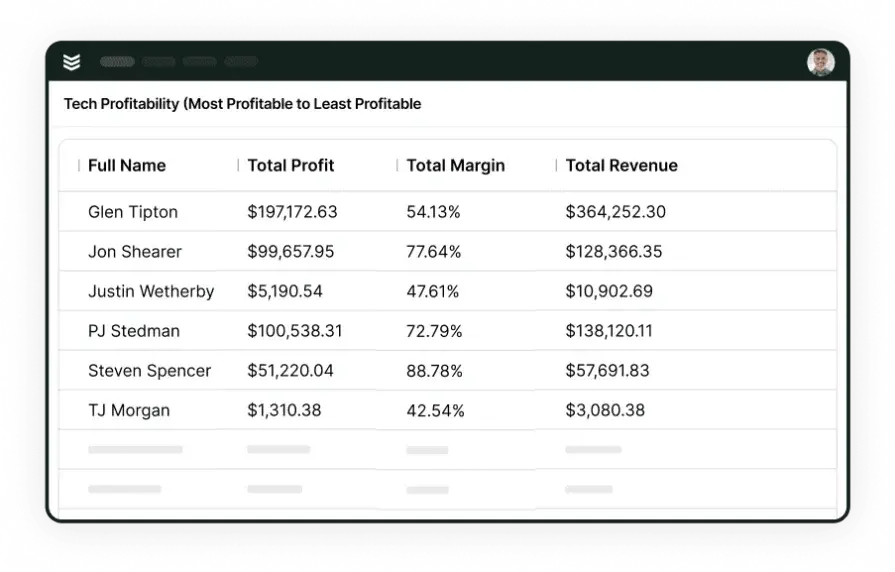
Accurate time tracking for field technicians separates drive time from wrench time and links labor to tasks and materials. Managers see profitability by tech, contract, and call type, which improves estimates, staffing plans, and job costing.
6. Smoother ticketing and job handoffs
Structured intake converts calls into trackable work orders with priorities, statuses, and SLA rules. Guides on field service ticketing systems show how clean handoffs move tickets from CSR to dispatcher to tech without retyping, and how closeout details flow to billing in one pass.
7. Reduced equipment downtime
Consistent tracking turns repeat issues into scheduled work instead of emergencies. A service call tracker ties failure codes, notes, and photos to assets, which helps teams plan permanent fixes and cadence visits under service agreements. Over time, that discipline lowers emergency spend and extends asset life.
{{related-content-block="/resources/ai-in-field-service-management"}}
4 important FAQs about service call tracking software answered
Contractors running service-heavy ops care about speed, proof of work, and clean handoffs. These FAQs focus on what a seasoned team needs from a service call tracker inside a wider field service management workflow.
1. What is service call tracking software?
For teams that live on fast response, service call tracking software links intake, dispatch, mobile updates, and closeout so each call runs on one timeline. It surfaces history and entitlements at booking and feeds billing at sign-off. It replaces ad hoc spreadsheets and text chains with a shared source of truth.
2. How does a service call tracker work?
At a high level, it moves through these stages.
- Call capture and triage with SLA and entitlement checks
- Skill-based scheduling and dispatch with GPS context
- Mobile execution with checklists, photos, parts, and signatures
- Closeout with time, materials, and customer communication
- Invoice, payment, and reporting from the same record
3. Is service call tracking software worth the price?
For pros managing high call volume or strict SLAs, yes. Gains show up in first-call completion, dispatcher throughput, and fewer revenue leaks from missed labor or parts. The data trail also sharpens pricing, hiring plans, and contract negotiations.
{{related-content-block="/resources/rabine-group"}}
4. What best practices drive real results with service call tracking software?
Keep the process tight and consistent across office and field, then measure it daily. Use the list below as a playbook for adoption and scale.
- Funnel every intake channel into a single call queue
- Encode SLAs, warranties, and NTEs so checks happen automatically
- Route by skills, certifications, and truck stock—not just proximity
- Standardize mobile checklists and required photos per job type
- Capture time at the task level and tag callbacks with root-cause codes
- Require parts and PO entries before closeout to protect margin
- Use clear status codes from triage to invoice for zero retyping
- Sync with accounting and payment tools to shorten cash cycles
- Review daily dashboards for WIP aging, SLA risk, and margin by call
- Run weekly post-mortems on misses and update templates accordingly
A strong service call tracker ties the whole day together—intake, scheduling, dispatch, field updates, and closeout—so crews move with confidence and the office has clean proof of work. The sections above walked through what to evaluate, core features that matter, notable add-ons, platforms to consider, benefits you can measure, and answers to questions seasoned contractors keep asking. Treat it like a single playbook for field service management, not a stack of disconnected tools.
BuildOps goes beyond simple job tracking by connecting scheduling, dispatch, job history, agreements, invoicing, payments, and reporting in one system. Commercial field service teams use it to follow every call from the first ring to a paid invoice, with live context for techs and leaders at each step.
If you want a closer look, we’re happy to walk through your workflow and see if it fits. Grab a free demo when it suits your schedule—no pressure, just a practical tour with your use cases.