6 Best Towing Dispatch Software for Busy Rotations Now
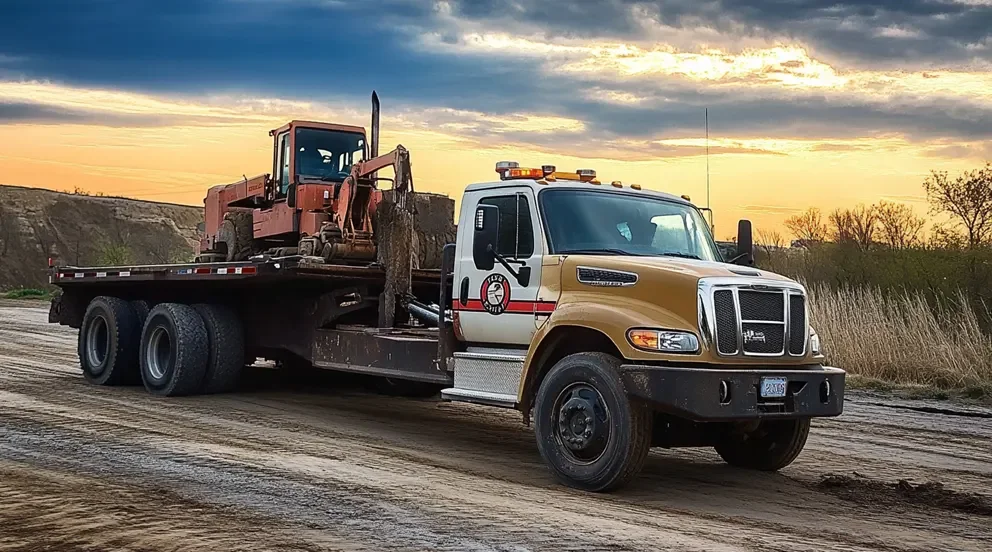
In towing, strong towing dispatch software keeps drivers moving and jobs tight. You juggle police rotations, motor club calls, heavy-duty recoveries, and lot releases—often at 2 a.m. The best towing dispatch software ties scheduling, GPS, pricing, and storage into one workflow your dispatchers can run under pressure.
If your crews rely on a towing dispatch app in the truck, it should sync jobs, ETAs, photos, and signatures without phoning the office. For complete visibility across scheduling, work orders, and billing, connect it with field service management so your back office and trucks operate from the same playbook.
Here’s what we’ll cover:
- Choosing the right towing dispatch software for your needs
- 6 key features to look for in a towing dispatching software
- Best towing dispatch software for commercial
- Best towing dispatch software for residential
- Best towing dispatch software for general contractors
- Other notable towing dispatch software solutions
- 5 benefits of using dispatch software for towing services
- 4 important towing dispatch software FAQs answered
Let’s start by exploring how to choose towing dispatch software that fits your operation.
Choosing the right towing dispatch software for your needs
Picking software for a towing fleet takes field-tested filters, not vendor brochures. Start with how your dispatchers work under pressure, match that to towing dispatch software that handles rotations, impounds, and rate quirks, then pressure-test it on a weekend surge. Use these prompts to separate generic tools from the best towing dispatch software for light-, medium-, and heavy-duty crews.
- Budget and licensing - What is the true monthly cost once you add GPS, photo storage, and motor club integrations? Can you scale seats up or down during winter rotations without penalties? Are trucks, users, and devices billed separately?
- Mobile use and offline work - Can drivers complete tickets in dead zones under overpasses or in canyons? Do photos, notes, and signatures sync cleanly once the towing dispatch app reconnects? Does navigation open with truck-safe routing from inside the job?
- Dispatch and scheduling fit - Does it auto-assign by truck class, boom capacity, wheel-lift availability, and proximity? Can it manage consent and non-consent tows, police rotations, and auction pickups? Do dispatchers see live ETAs, travel time, and multi-stop jobs at a glance?
- Integrations and data flow - Does it connect to your accounting stack for invoices and payments? Can it accept digital dispatch from motor clubs and return status codes without retyping? Are exports available for rate tables, storage logs, and impound records?
- Security and roles - Who can view pricing, storage rates, lien data, and release paperwork? How are GPS breadcrumbs, images, and customer details protected? Is there a complete audit trail for each ticket change?
- Features - Does it support impound and storage tracking with timers and notices? Can you build custom rate matrices for hook, mileage, winch, dolly, and after-hours charges? Does the towing dispatch app capture timestamped photos, signatures, and driver location?
Dialing in these filters sets up a clean rollout. Next, we’ll break down the key capabilities to expect from a field service dispatch app used in towing—so your crew gets fast assignments, accurate pricing, and fewer radio calls while you keep the board under control.
{{related-content-block="/resources/field-service-dispatch-app"}}
6 key features to look for in a towing dispatching software
The best towing dispatch software should go beyond putting tickets on a screen. It should cut radio chatter, keep ETAs honest, and handle storage clocks without guesswork. Picture a Friday pileup: police rotation calls stack up, a heavy sits on a recovery, and a storage timer starts the moment a unit hits the yard. The best towing dispatch software keeps assignments, GPS, pricing, and paperwork moving through one towing dispatch app, so your team stays focused on the road and the customer.
1. Real-time dispatch and scheduling

Use a platform that updates trucks and jobs instantly, ties capacity to truck class, and prevents double booking. With scheduling connected to a live board powered by dispatch software, dispatchers can slot the closest flatbed, hold a heavy for recovery, and push accurate ETAs to customers without a phone call. As an example, during a storm surge the board auto-assigns a wheel-lift by proximity while a heavy is flagged recovery-only until cleared.
2. GPS visibility and route logic
Live location and routing save minutes on every call and keep fuel in check. With fleet management, you see who is closest, which unit fits a low garage, and where traffic clogs a ramp. For instance, a police rotation drops for Exit 23 while a light-duty truck clears a jump nearby—the system reroutes that unit and updates the ETA on the ticket before the driver reaches the next light.
3. Pricing, quotes, invoices, and card capture
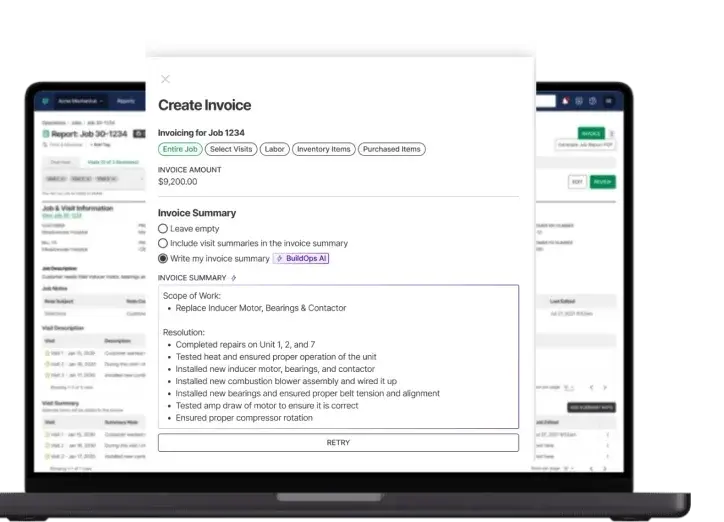
Towing rates get complex—hook, mileage, winch, dolly, after-hours, plus storage timers. Use tools that build accurate quotes, push clean invoices, and accept cards on scene through quoting software, invoicing, and payments. For example, a consent tow from a tight garage calculates a low-clearance fee and mileage automatically, sends the invoice at drop-off, and posts the payment from the curb.
4. Mobile field access for drivers
Drivers need job details, photos, signatures, and payment status without calling the office. A dependable technician mobile app caches work when signal drops and syncs the moment it returns. As a case in point, a driver in a canyon completes a private property impound offline—photos, notes, and releases sync automatically once the truck hits a tower, keeping the impound record airtight.
5. Service history and storage records

Past tickets, damages, and release rules should be a click away. With service agreements, you can lock terms, storage rates, and notice schedules while tying them to each site. For example, a property manager disputes a dolly charge—the dispatcher pulls the agreement, review photos from the last tow, and closes the call without a back-and-forth.
6. Reporting, compliance, and time accuracy
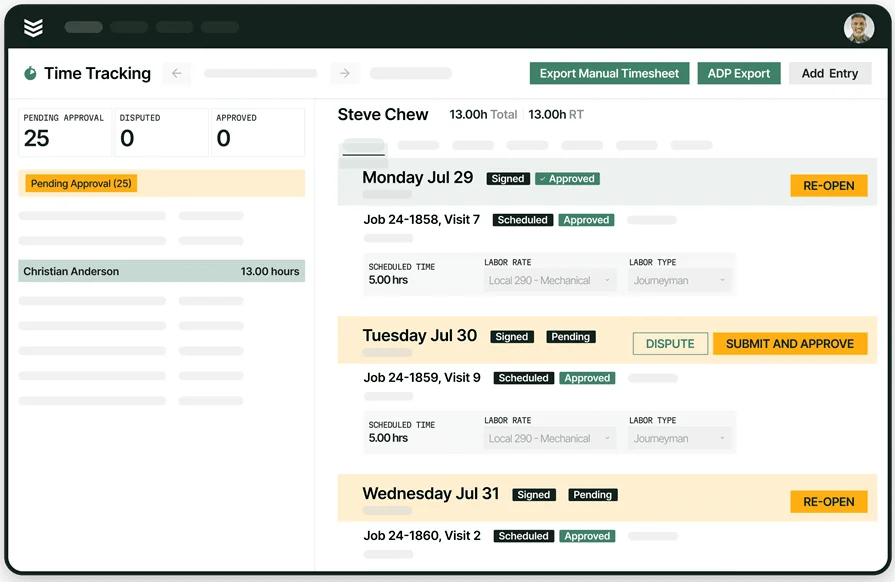
Audits, police rotations, and payroll all demand clean timestamps. Use reporting for ticket aging, storage revenue, and call volume by zone, then back it up with precise labor using time tracking. For example, a city review requests arrival times for five rotation calls—reports show creation, dispatch, arrival, hook, and drop, while time entries cover overtime without guesswork.
Best towing dispatch software for commercial: BuildOps

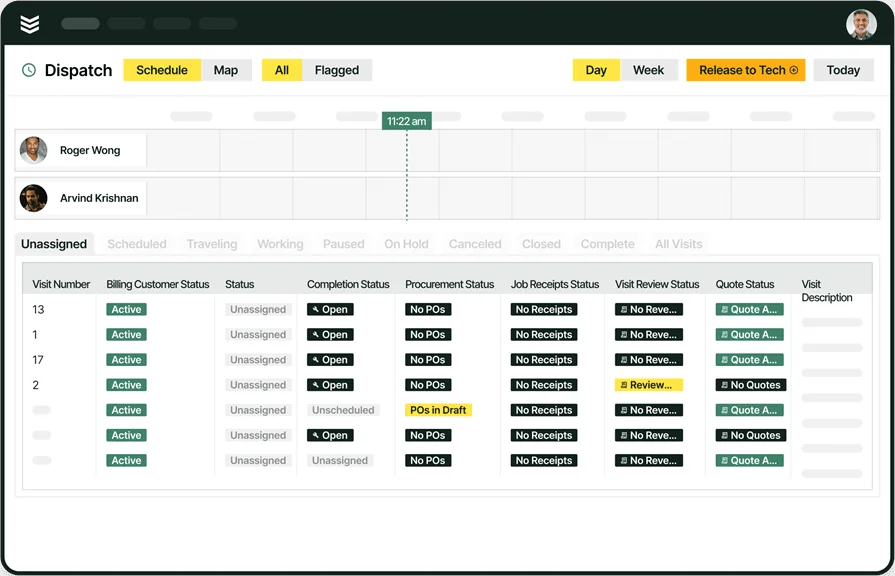
BuildOps gives commercial towing and jobsite support a clean runway on busy days. Dispatchers work a live board with drag-and-drop towing dispatch software, tight scheduling, and customer hierarchies. Crews run one towing dispatch app for assignments, ETAs, photos, and signatures while the office keeps billing accurate.
This setup helps when you’re juggling rotations, GC gate rules, and multi-site moves across large projects—the best towing dispatch software keeps every ticket traceable from call to drop.
How Pricing Works: Live weekly demos and offer tailored plans by fleet size and workflow.
Features Beyond Dispatching:
- Customizable invoicing and billing for hook, mileage, winch, dolly, and storage fees
- Integrated analytics with reporting to track call volume by zone, arrival times, and storage revenue
- Fleet oversight through fleet management for inspections, GPS, and utilization
What Sets It Apart for Commercial: Built to manage complex commercial workflows, BuildOps unifies real-time dispatching, invoicing, and strong scheduling in one system that stands up to high call volume.
Best towing dispatch software for residential: Housecall Pro
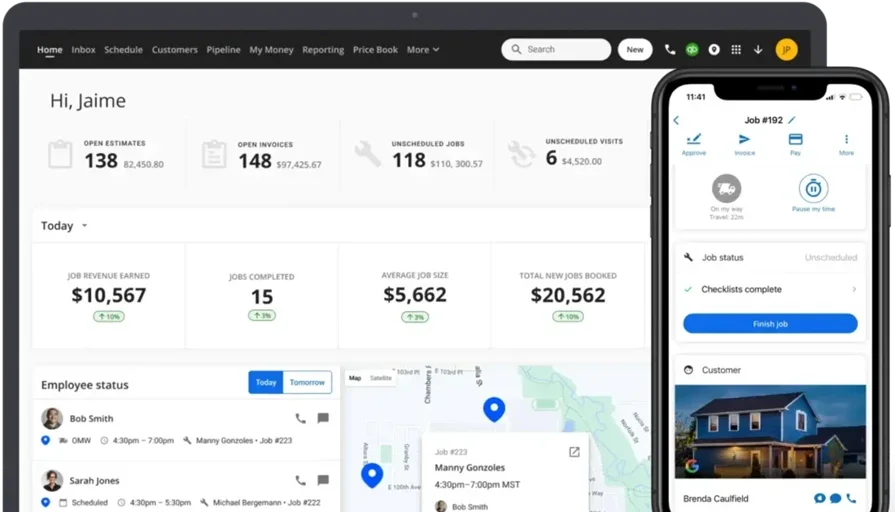
Housecall Pro fits small residential operations that handle driveway tows, HOA calls, and straightforward impounds without heavy overhead. Its hub pairs estimates, calendar-based dispatch, and payments, with the software tying customer records and job history together and a light mobile experience that functions like a simple towing dispatch app for drivers.
Dispatchers can place nearest units and keep homeowners in the loop using job scheduling while the back office invoices quickly. That said, teams that rely on rotation queues, storage clocks, or detailed towing rate matrices may find this towing dispatch software hits a ceiling as call volume and towing-specific demands rise.
How Pricing Works: Tiered plans that unlock added features by package
Features Beyond Dispatching:
- Customer portal for approvals and history
- QuickBooks integration for basic accounting
- Text and email updates for appointment changes
What Sets It Apart for Residential: Fast setup, familiar workflows, and easy onboarding suit light-duty crews seeking the best towing dispatch software for simple home calls without complex configuration
Compare Housecall Pro and BuildOps directly here to see which one has the dispatching features more suited to your towing business.
Best towing dispatch software for general contractors: FieldEdge

FieldEdge supports GCs and service contractors coordinating towing alongside other trades on active jobsites. Its scheduling and dispatching tools help coordinators assign crews, view routes, and track status across sites, while FieldEdge centralizes customers, invoicing, and service history. This breadth works for mixed-trade environments where towing support sits next to installation or repair work.
However, towing-heavy workflows—police rotation queues, impound storage logs, and towing-specific rate structures—often require extra configuration or added tools, which can slow adoption for fleets seeking a purpose-built fit.
How Pricing Works: Costs vary by user count and selected capabilities
Features Beyond Dispatching:
- Inventory and parts tracking for multi-trade jobs
- Built-in reporting for ticket status and revenue trends
- CRM and marketing tools to manage follow-ups
What Sets It Apart for General Contractors: Wide functional coverage and reporting help GCs align towing support with electrical, HVAC, or plumbing schedules without juggling separate systems
Other notable towing dispatch software solutions
Choosing towing dispatch software comes down to fleet mix, call volume, and how your office runs tickets. Some platforms lean into telematics and routing. Others focus on small teams that want simple boards and quick invoicing. If your crews live in a towing dispatch app, weigh how each option handles rotations, storage, rates, and on-scene proof.
Samsara
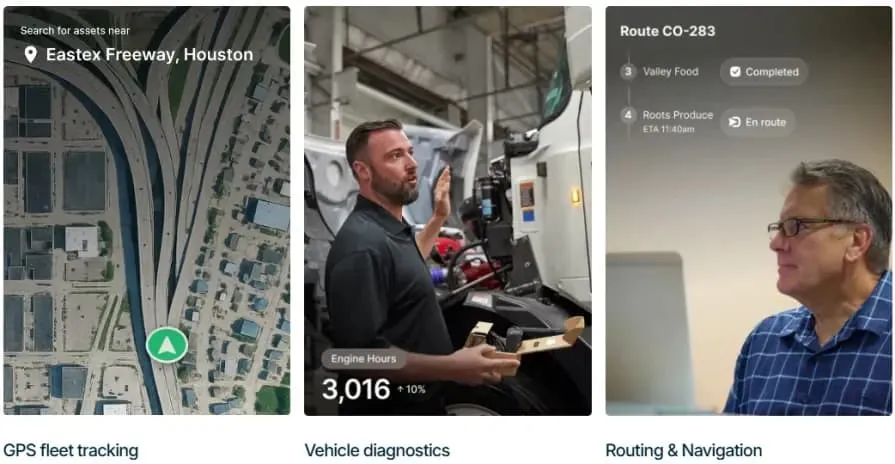
Samsara centers on dispatch plus deep fleet management, which fits towing companies running many trucks across wide service areas. GPS tracking, route optimization, dashcam context, and real-time updates help dispatch shave minutes on each call. Its fleet-first approach can feel light for offices that need a full back-office stack for complex towing invoices and storage workflows.
How Pricing Works: Subscription model with added costs for hardware such as trackers and cameras
Features Beyond Dispatching:
- Fleet monitoring and driver safety tools
- Vehicle diagnostics and maintenance alerts
What Sets It Apart: Solid pick for operators that prioritize route optimization and fleet control
Jobber
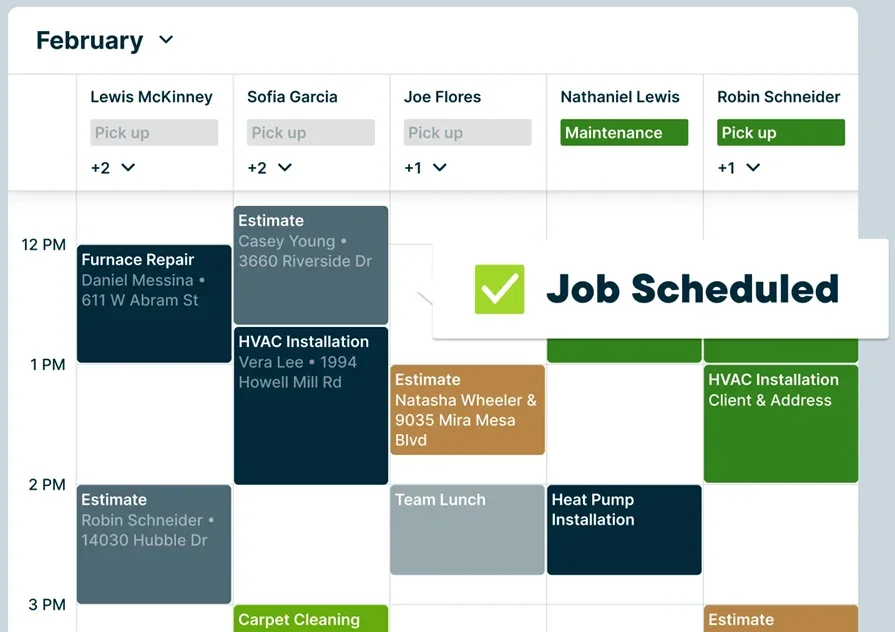
Jobber targets small and midsize service teams with job scheduling, invoicing, and crew management in one hub. The interface stays straightforward, which helps a new dispatcher settle in quickly. Larger towing shops that handle police rotations, impounds, and custom rate matrices may hit limits as complexity climbs.
How Pricing Works: Tiered plans at entry level with upgrades that unlock added capabilities
Features Beyond Dispatching:
- Client management with saved contacts and sites
- Customizable invoicing and basic reporting
What Sets It Apart: Quick setup and simple workflows suit light-duty teams that value ease over depth
Workiz
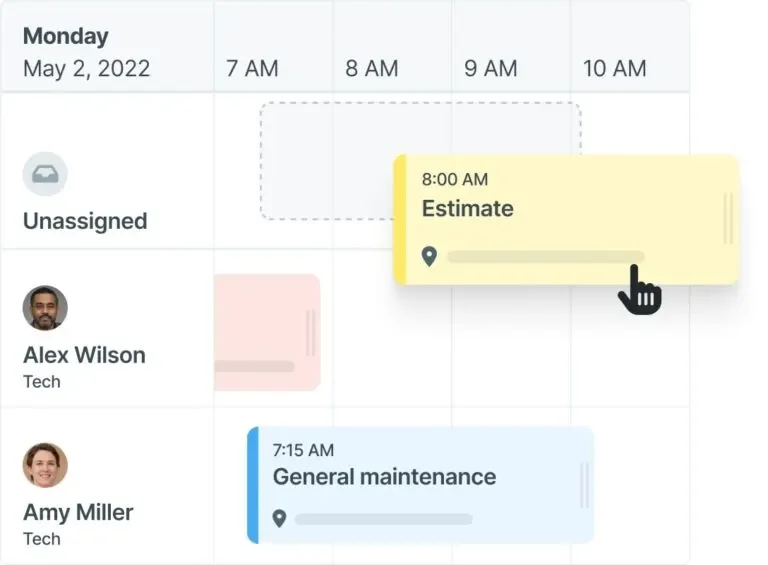
Workiz focuses on residential service providers that want scheduling, online booking, and automated reminders in one place. The system keeps office tasks tidy and gives drivers a clean mobile view for on-site updates. Large commercial fleets that rely on rotation queues, storage timers, or detailed pricing logic may find the feature set too light for heavy call volume.
How Pricing Works: Affordable packages with options to add capabilities such as reviews and automations
Features Beyond Dispatching:
- Online booking and customer portal
- Automated text and email reminders
What Sets It Apart: Customer-friendly booking and reminders help small teams reduce no-shows and keep homeowners informed
{{related-content-block="/resources/dispatch-management-software"}}
5 benefits of using dispatch software for towing services
When the phones light up and traffic stalls, towing dispatch software decides who rolls, what it pays, and when the customer receives an ETA. The best towing dispatch software turns chaos into a clear board—drivers see clean tickets in a towing dispatch app, the office sees live progress, and customers get honest updates without a flood of calls. Here’s what teams feel day to day.
1. Faster scheduling and balanced loads
Calls land on the board, trucks auto-match by class and proximity, and double booking disappears. Teams that follow proven playbooks for scheduling and dispatching cut dead time between tickets and keep heavies focused on recoveries while light-duty units clear quick wins.
2. Shorter routes and lower fuel spend
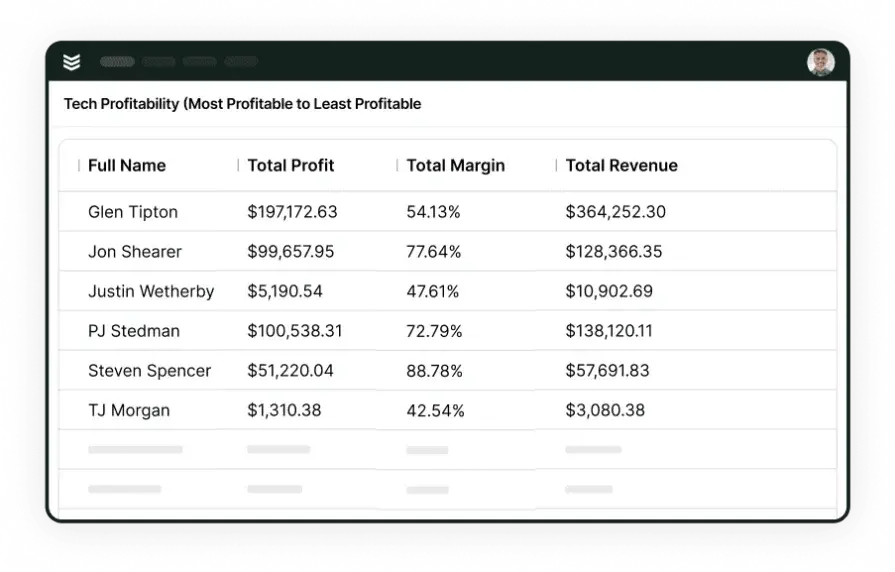
Closest-unit logic trims miles and keeps ETAs honest. A dispatch manager app lets leads reroute around a backup, hold a flatbed for a low garage, and move a wheel-lift to a nearby jump without radio chatter—fuel use drops and trucks complete extra calls per shift.
3. Stronger customer relationships and fewer surprises
Clear status, accurate pricing rules, and clean history build trust with property managers, fleets, and motor clubs. With CRM dispatch software, offices keep contacts, sites, and preferred rules in one place, so releases, approvals, and notices happen fast.
4. Faster cash flow, fewer write-offs
Card capture on scene and accurate rate math—hook, mileage, winch, dolly, after-hours—speed up deposits and cut disputes. Teams that standardize billing with field service invoicing software see cleaner tickets and tighter DSO.
5. Audit-ready records and smoother handoffs

Photos, timestamps, storage timers, and signatures live with each job, so city reviews and chargebacks feel routine. A structured field service ticketing system keeps every step traceable—from call creation to drop—making impound releases and interoffice handoffs painless.
4 important towing dispatch software FAQs answered
Busy fleets already know the fundamentals. This section zeroes in on how towing dispatch software gets used day to day by seasoned teams, where it pays off, and how to run it well. We’ll keep it tight, practical, and focused on outcomes with the best towing dispatch software and a dependable towing dispatch app in mind.
1. What is towing dispatch software?
It’s the system that coordinates calls, units, ETAs, and pricing in one place. It connects the office, the yard, and trucks with GPS and mobile tickets, including photos, signatures, storage timers, and accurate rate math. The software removes retyping and cuts radio chatter during peak hours.
2. What’s the difference between dispatching and scheduling?
Scheduling allocates truck time on the calendar and blocks capacity by class, zone, and crew. Dispatching moves live work: it assigns the actual call, tracks location, updates ETAs, and handles changes on the fly inside the towing dispatch app. Both must work together or the board gets messy.
3. Is towing dispatch software worth the price for established fleets?
For high-volume shops, yes—if it reduces dead miles, lifts first-pass invoice accuracy, and proves timestamps for rotations and storage. Savings show up in fuel, DSO, and fewer disputes. The payoff lands fastest when leadership enforces data habits and keeps rate tables current.
{{related-content-block="/resources/rabine-group"}}
4. What are best practices for running dispatch at scale?
Pros don’t guess; they operate by standards. Use these to keep calls moving and records clean.
- Standardize job types, rates, and add-on rules
- Route by proximity, truck class, and current load
- Lock photo sets: scene, VIN, hookup, drop
- Enforce storage timers and notice milestones
- Push ETAs by text from the board, not by phone
- Require driver notes for exceptions and damage
- Audit arrival-to-hook times weekly by zone
- Sync accounting daily; stop double entry
- Limit who edits prices; review audit logs
- Train backups for after-hours and storm surge
You juggle rotations, jobsite access, storage clocks, and rate quirks every day. This guide walked through how to pick towing dispatch software, the capabilities that actually move the needle, the best-fit options by use case, fleet-first alternatives, real benefits, and field-tested practices. The goal stays simple: faster assignments, honest ETAs, clean billing, and audit-ready records through a dependable towing dispatch app and the best towing dispatch software for your operation.
For teams that want one system across construction and service, BuildOps ties scheduling, dispatch, CRM, mobile tickets, invoicing, payments, reporting, and fleet into a single workflow. That unity helps crews in the field and the office work from the same facts.
Curious how this would run on your board? Set up a free demo and see a live walkthrough with your use cases. No pressure, just a clear look at how it could fit your crews and customers.