ProCore vs. BuildOps: The Comparison for Subcontractors

BuildOps is the only operating platform built for commercial subcontractors who live in service, maintenance, and construction projects—and can’t afford to depend on a GC’s Procore instance as their only system of record.

With a tech‑friendly mobile app, job history, asset tracking, and real‑time job costing and invoicing, BuildOps is the best solution for your specialty trades business.

Procore vs BuildOps: How It Actually Feels as a Subcontractor

Compare FeaturesBuildOpsProcore

Who is BuildOps for?

BuildOps is built for:

  • Commercial mechanical, hvac, electrical, plumbing, and fire/life safety contractors
  • Subcontractors working under GCs who still need to run their own operations
  • Teams that run projects, service, and PM agreements out of the same crews
  • Contractors who want a trade‑first platform they own and run their business from
Who is BuildOps for?

Trusted by Growing Commercial Contractors

1,500+ commercial contractors run their operations on BuildOps.

Built by leaders with experience at Procore and in the trades, focused on specialty contractors—not GCs.

Used by subs replacing tool sprawl, Procore‑only workflows, and spreadsheets with one trade‑first platform.

G2 Winter 2026 badgeSoftwareAdvice Front runners 2026 badge for BuildOps HVACGetApp's badge icon awarded to BuildOps for Leaders in FSM category 2025GetApp's review badge denoting their average user review score of 4.6Capterra Shortlist 2026 Badge for BuildOps FSMG2 Badge for Users Love BuildOps

Why You Can’t Rely on the GC’s Procore

For most subs, Procore is one step in the workflow, not the whole journey. This creates:

  • Double entry between Procore, service tools, and accounting
  • Risk when a GC’s Procore access is removed mid‑project or during litigation
  • Blind spots in crew productivity, project profitability, and service margins because the truth lives everywhere and nowhere

BuildOps becomes your operational source of truth—and Procore becomes one of the places you share, not where you run your business.
Why You Can’t Rely on the GC’s Procore

Built for the Way Subcontractors Actually Work


Projects and Service in a Single Operating System

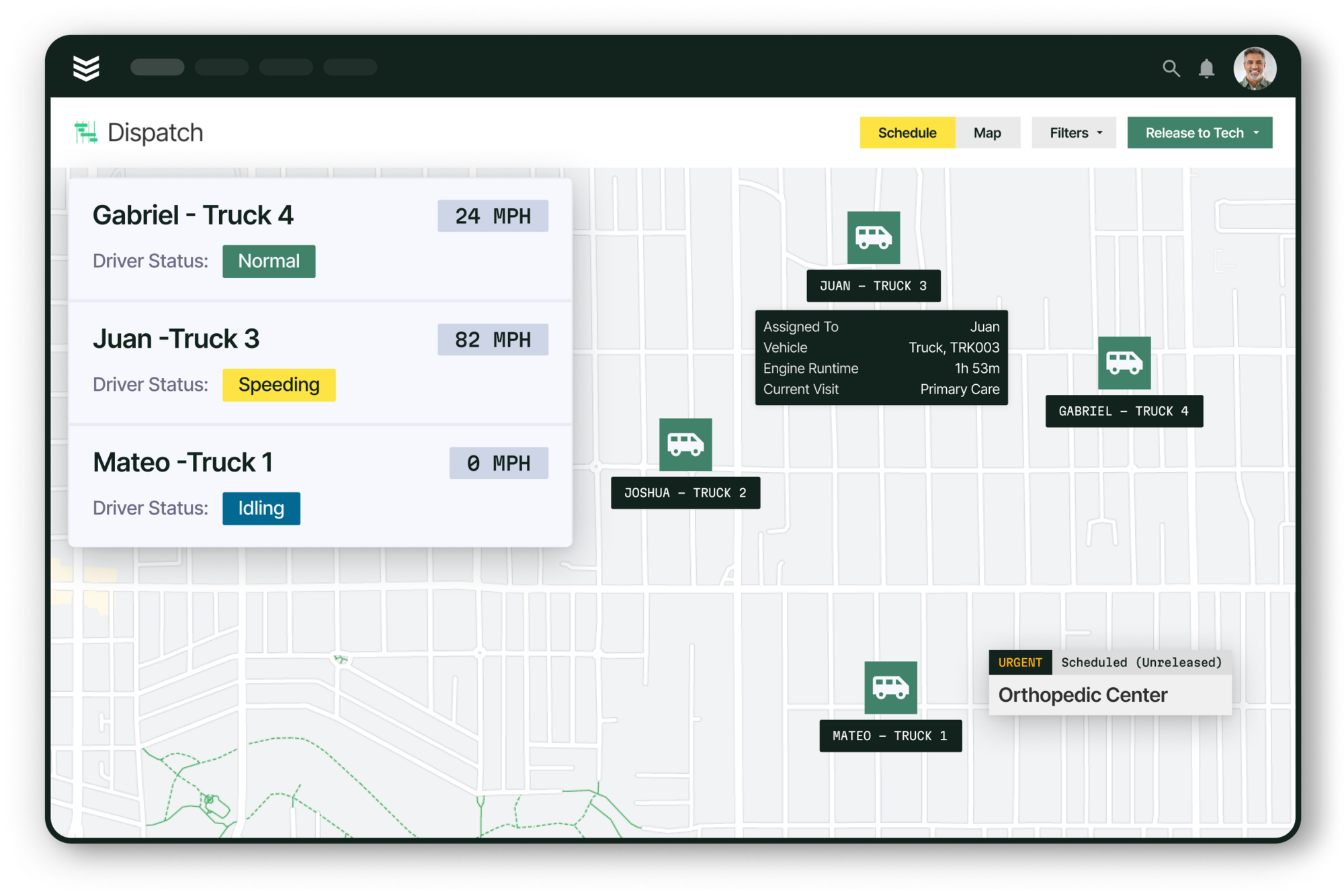
Whether you’re on a long‑cycle capital project or a same‑day warranty call, BuildOps keeps projects, service tickets, agreements, and assets connected. This allows you to be agile when milestones change.
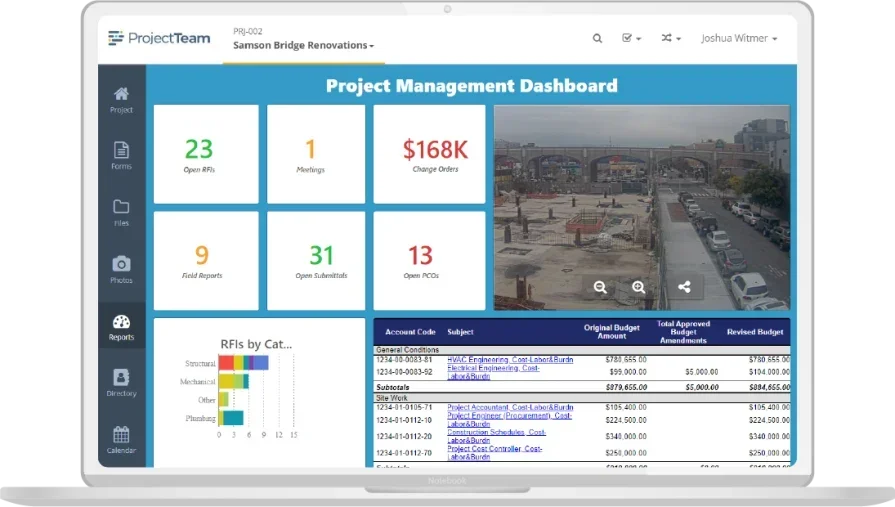
  • Manage RFIs, submittals, drawings, change orders, and AIA pay apps in one place.
  • Tie every project asset to future service and PM visits so techs hit the site with full history and documentation.
  • See labor and material performance across service and construction for each customer, GC, and property—not just by project ID.
Projects and Service in a Single Operating System

Customizable Reporting for Specialty Contractors

Where Procore focuses on project‑portfolio analytics, BuildOps gives you trade‑level reporting for field and office across all of your projects.
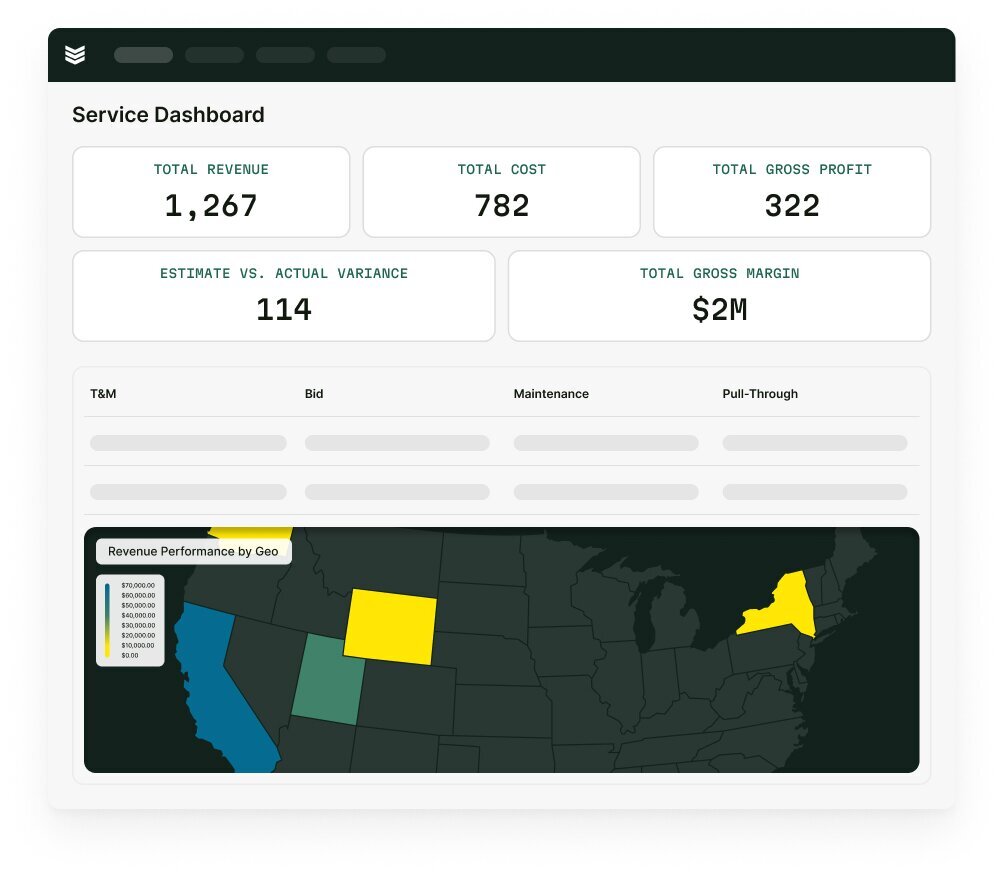
  • Track labor productivity by crew, foreman, project type, or GC, using real‑time job cost data—not after‑the‑fact exports.
  • Break down service vs construction mix, agreement performance, and pull‑through work for each account.
  • Monitor budget vs actuals in real time, with labor, materials, change orders, and POs posting as soon as events happen in the field.
Customizable Reporting for Specialty Contractors

Own Your Paper Trail, Even on GC‑Driven Projects

You’ll still work in the GC’s Procore—but BuildOps ensures you’re never dependent on it.
  • Use BuildOps as your project‑attached document control: drawings, specs, contracts, RFIs, and change documentation, with roles & permissions to protect sensitive folders.
  • Let field events (delays, out‑of‑scope work) automatically become potential change orders, then convert them to formal COs and have budgets and SOVs update in one click.
  • Integrate with QuickBooks and pay apps, so AR, payroll, and financials stay aligned to how you actually execute work—even when you’re feeding multiple GCs’ systems.
Own Your Paper Trail, Even on GC‑Driven Projects

See How BuildOps Works

See how BuildOps becomes your operating system—while still giving owners and GCs exactly what they need.

  1. Live demo tailored to your trade, size, and preferred SOP’s 
  2. Walk‑through of job costing, change orders, and data ownership
  3. Overview of available integrations, such as QuickBooks