Field Service Scheduling Software
The right tech, every job
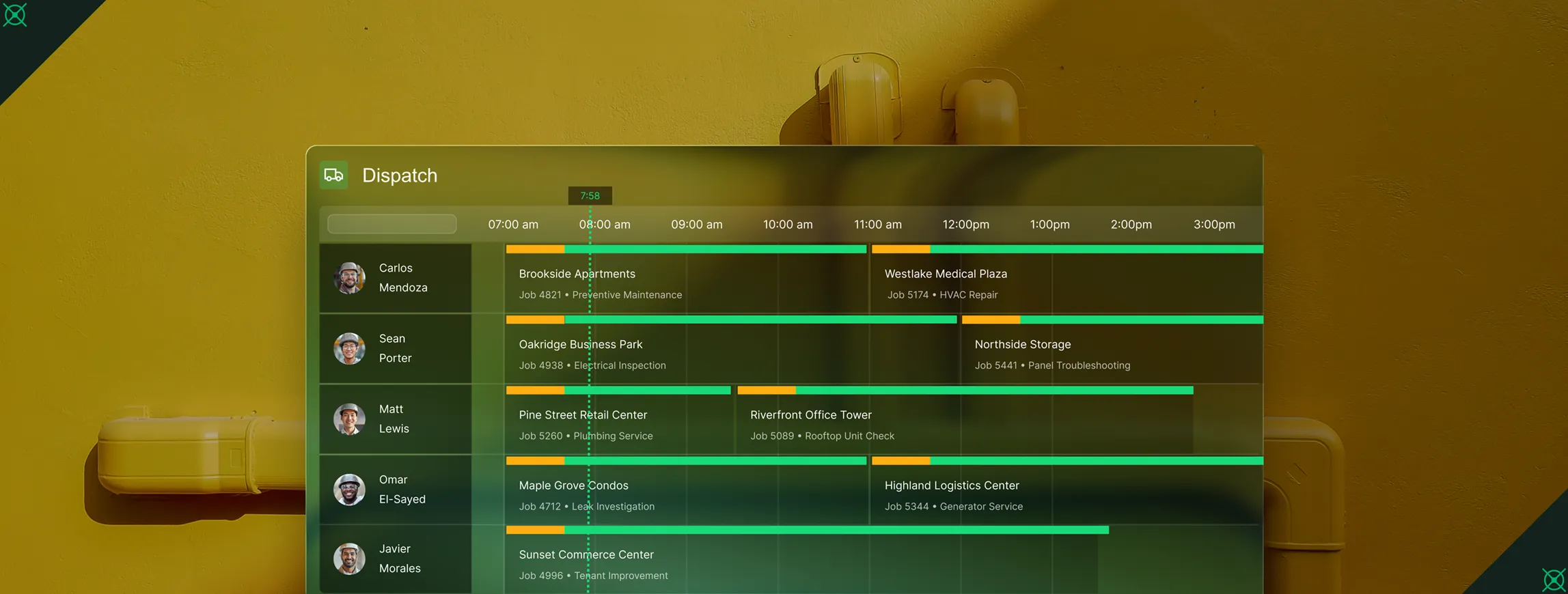
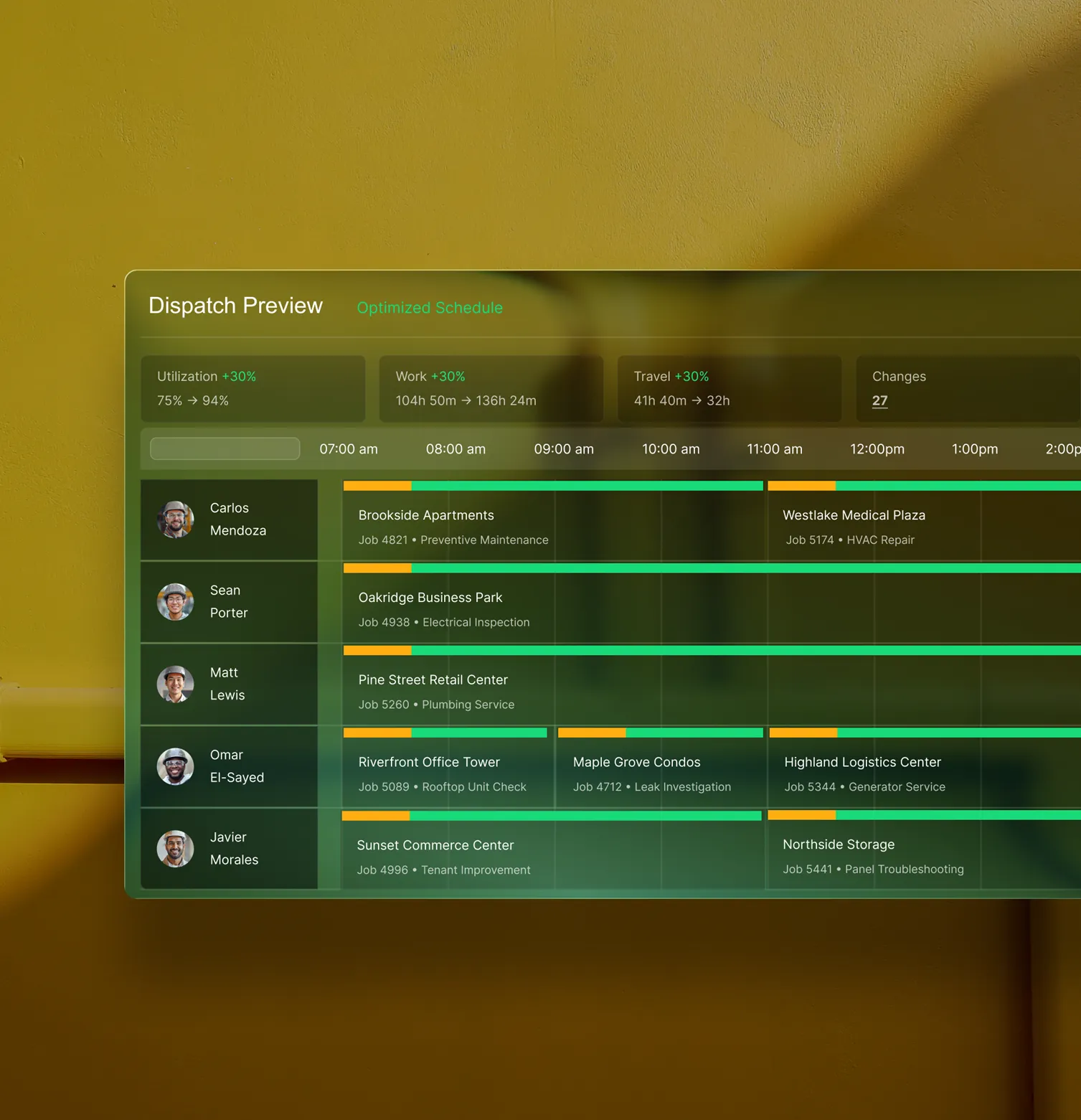
BuildOps matches your techs by skill, availability, and distance to the job so dispatchers stop guessing and crews stop doubling back.
Trusted by 1,500+ commercial contractors across North America















Built for dispatchers
Less guesswork. More jobs closed right

Confidence at the board
See availability, skills, and distance to the job. Drop it on the right tech and move on.

Administrative freedom
A board that respects how you work. Assign by skills, certs, and distance to the job. See conflicts, fix them fast, and standardize details with job and visit templates.

Everyone aligned
Clear job details and templates cut rework. Techs arrive ready, office aligned.
Relief for the field
Dispatch built for commercial service
A dispatch board that respects how you work. Assign by skills, certs, and distance. See conflicts. Fix them fast. Standardize details with job and visit templates.

Smart Dispatch
AI assists every dispatch decision: suggesting the best tech, building tomorrow's plan, and reducing unnecessary drive time with distance-based matching.
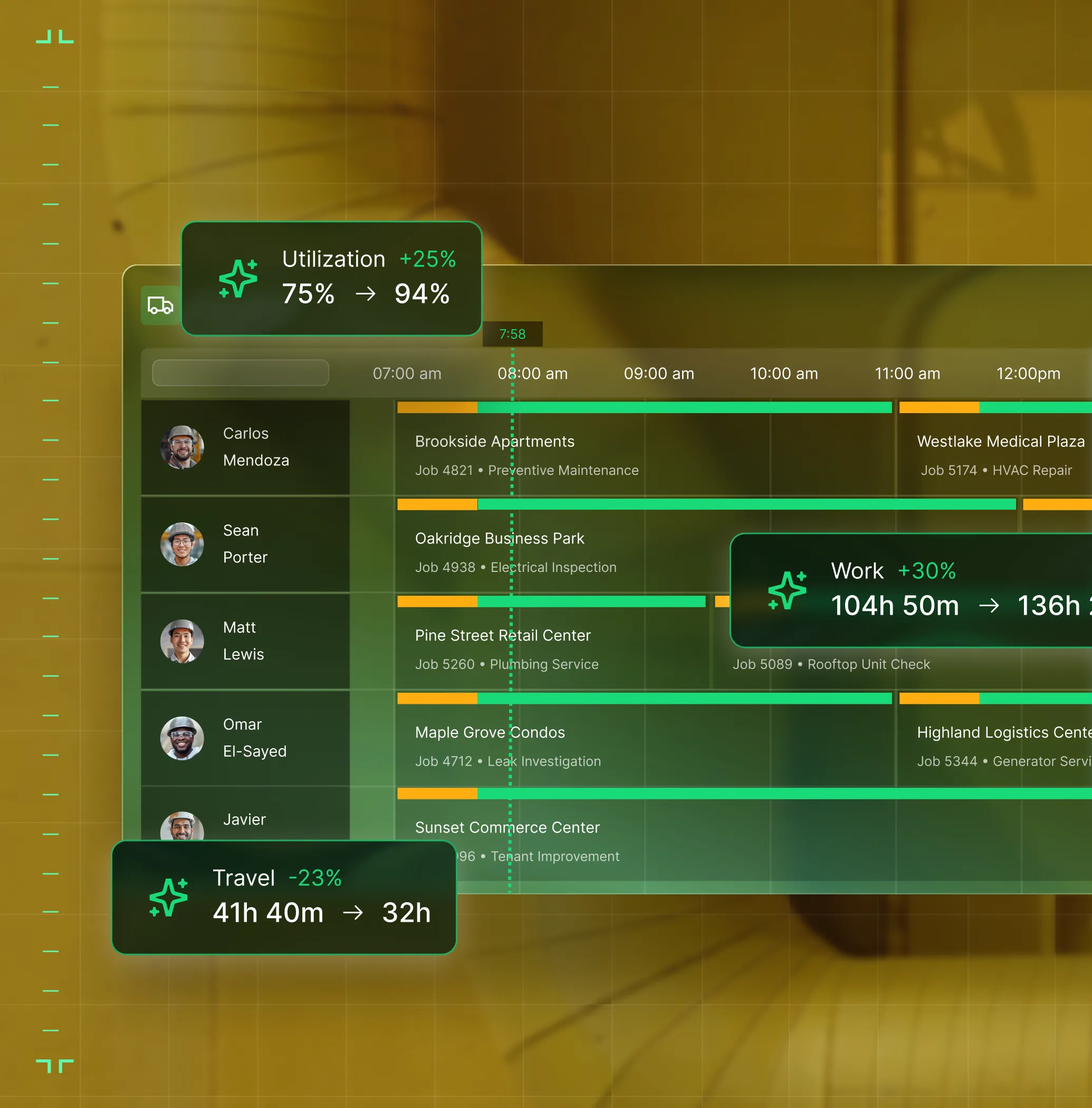
Schedule Assistant
As you build the visit, OpsAI recommends the best tech and time slot — based on skills, availability, and distance to the job. One click. No hunting.

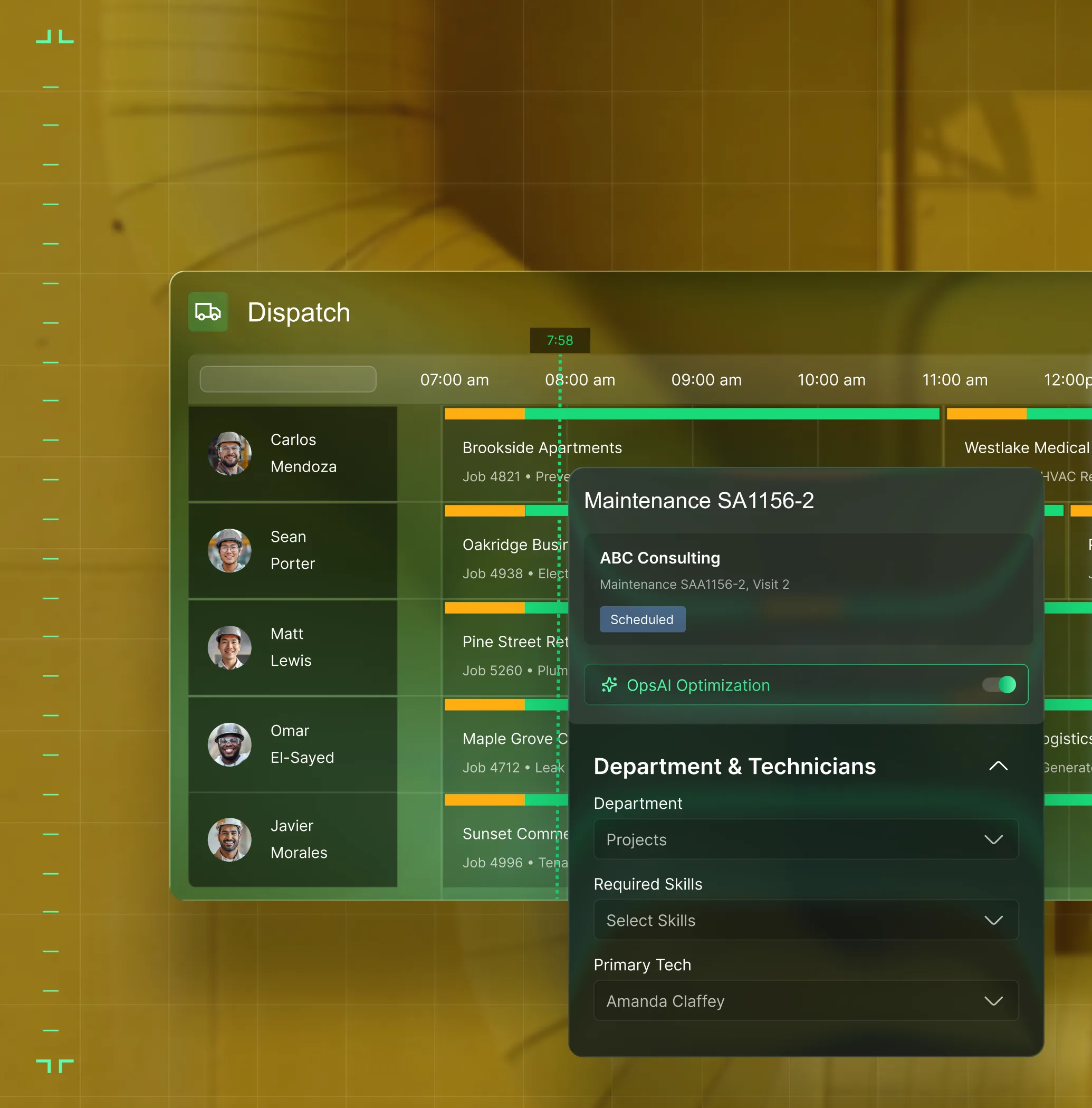
Tech Suggester
OpsAI ranks techs by who knows the site, holds the right certs, and is closest to the job — so every assignment is a confident one.
Clarity across the board
One schedule. Every team. No gaps

"Board's ready before phones ring. I adjust the day, I don't rebuild it."
Drag-and-drop board with AI-ranked tech suggestions built in.

"I see every tech, every conflict, and every gap in the schedule — before any of it becomes a problem."
Skills, availability, and distance to job in one view. Build tomorrow's plan in minutes.
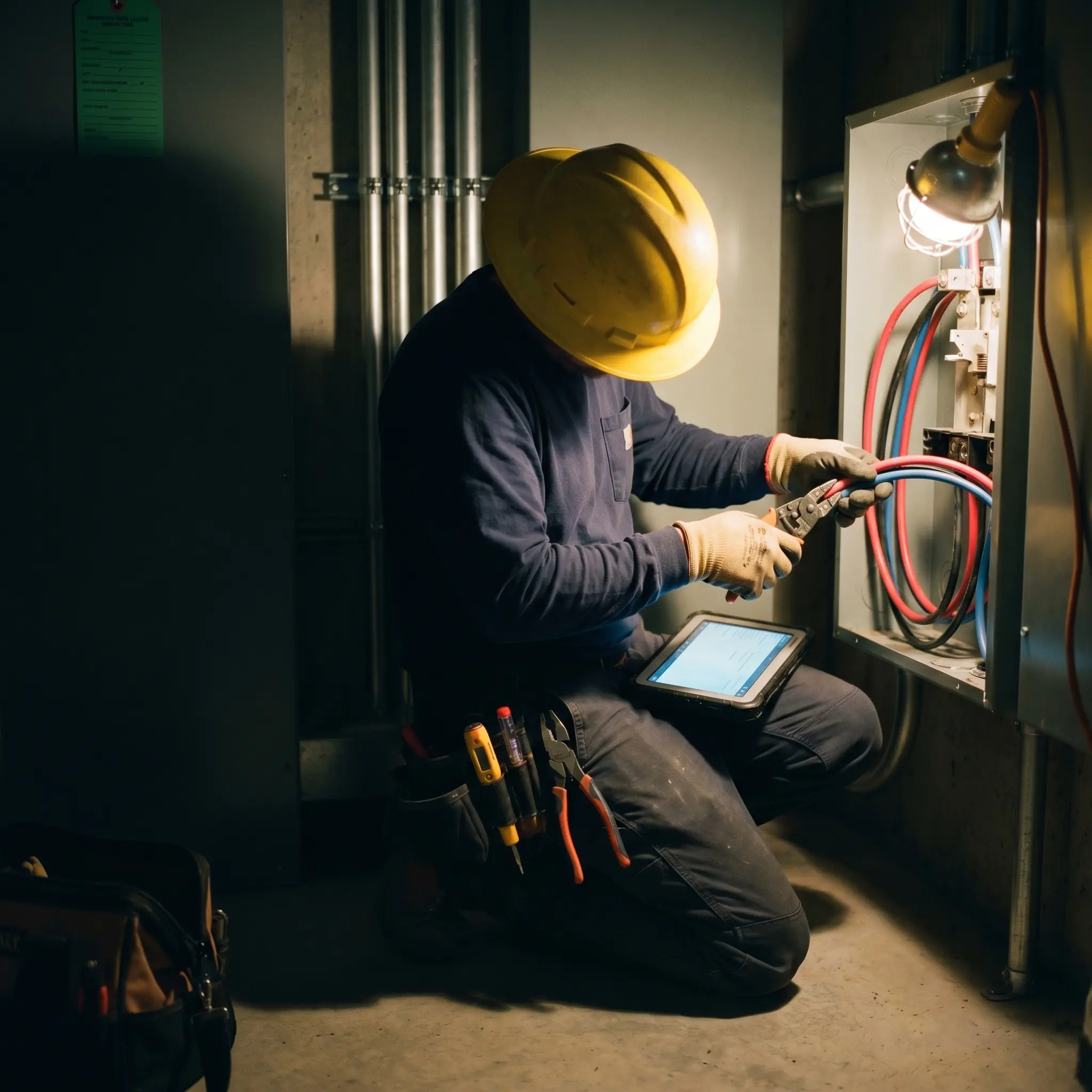
"BuildOps gives us leverage. Full stop."
From dispatch to job close in one connected platform.

Proven Results
Real-world impact for commercial leaders


"We've seen an increase in day-to-day operations efficiencies that's going to add up to significant savings in time and energy over the course of a year."

"If we didn't have BuildOps and the additional cyber security they give our company, we would be dead in the water."

"The ability to produce reports either on an individual job basis, a quarterly basis, or a project basis is something we'd never seen before in other software that we've used."

"We've cut down in our receivables from about 120 days to 30 days on average."


"Before we knew it, we were seeing quicker turnaround times on job closeout and a huge improvement in the time it took for quotes to be accepted by our customers."


"With BuildOps, we feel like we can go after anything. The sky is the limit as far as the size of the project."
.webp)

"BuildOps gave us an all‑in‑one system for both service and projects. Once we saw that, it was a no‑brainer."

"With the integration of BuildOps and Sage Intacct, our accounting system, we've been able to speed up the time it takes for us to bill customers."


"Our consulting division increased 300% because we were able to free up more time from the office to help other customers."
![Service First Logo]](https://cdn.prod.website-files.com/69cad9cd3a5ef3196ea9bb65/69fa0ca0adc28a56d26717c9_Service%201st%20white.webp)
"Sometimes systems promise you the moon, then you use them and see the weaknesses. It's been the exact opposite with BuildOps. Everything we wanted it to do, it could do."

"We used to be two weeks behind on job costing. Now we're up to date daily."
What makes BuildOps different
Built from the ground up for contractors who run projects, service, and everything in between. Not adapted. Made for the work.
Commercial work isn't an add‑on
Most platforms started in residential and stretched to fit. BuildOps starts with the complexity of commercial work.
Run the work in one connected system
Field, office, finance, and sales — all in one place. No duct-taped tools, no double entry, no dropped balls.
OpsAI is built in, not bolted on
OpsAI is already in your workflows. It recaps the day, calls out risks, and gives every role a clear next step.

One connected system
Scheduling that powers the rest of your work
Jobs, visits, and time flow through BuildOps—into quotes, invoices, and job costing. Dispatch faster today and close the loop on revenue tomorrow.
Service Management features






Common Questions
Your questions on scheduling and dispatch, answered
What makes a field service scheduling software a good fit for commercial contractors? What features should I look for?
If your business performs commercial work, there are a few key things you should look for in a field service scheduling software:
- Project Management—When larger scale work, multiple jobsite locations, and different customer project leaders all come into play, the tool should be able to make sense of these complexities, and allow you to enter jobsite data in a way that it’s understood by everyone from back office to field to business owner.
- Financials & WIP Reporting—Protect margins for projects with real-time tracking of assets, project spend, project progress, timelines, and more, so you never end up surprised and over budget.
- Customizable Workflows—Build your own templated workflows with built-in forms that techs work through on the jobsite, so industry requirements and compliance are followed, and work is closed out instantly when they complete the workflow.
- Advanced Reporting & Dashboards—Commercial work requires the ability to look at the smallest data point all the way to the big picture. In BuildOps, you can build your own reports using every single data input in the platform. Your dashboards, your way.
- AI Powered Scheduling—A tool that can understand and optimize the schedules when multiple jobsites within a single project come into play.
How does field service scheduling software increase capacity?
When you automate the manual aspects of scheduling and reduce the errors and mistakes, you cut drive time, reduce callbacks, and fill gaps in the day that were previously going to waste. A field scheduling software can cut down on administrative work, sometimes saving an amount of time that’s required for multiple people in the back office. The lack of mistakes and optimizations on which tech goes to what jobsite also saves significant time, meaning your techs spend more time on the jobsite, and closing out their jobs quickly.
BuildOps customers report more jobs closed per tech without adding additional headcount.
How does dispatch software close the office-to-field gap?
Good dispatch software pushes job updates, schedule changes, and notes to the field in real time. Using role-based permissions, techs see what they need to without calling in, supervisors can get updates as they arrive to the jobsite, and the office stops managing all the work by phone, trying to fill in the gaps.
How do commercial field service teams automate operations with OpsAI?
OpsAI is live and in production today. Contractors are using it now across dispatch, field documentation, asset capture, invoicing, and payment matching. It ships as part of BuildOps, not as a separate add-on.
OpsAI was built to truly understand and automate the work of commercial field service teams. OpsAI learns from every jobsite visit, can flag issues, recommend additional work, cut down on administrative work, and even suggest next actions for the team.
BuildOps customers have seen results including 80% less data entry using our PO scanning tools, have saved hours every month using our Smart Dispatch, and turned tech voice notes into structured field notes in seconds—all using OpsAI.
Does BuildOps integrate with the other field service tools & my existing ERP?
BuildOps is an operational backbone for commercial field service teams to build on top of, no matter what other tools are in your tech stack. It integrates with the ERPs frequently used by field service teams including Sage, Viewpoint, and Quickbooks. BuildOps syncs field data (time tracking, POs, invoicing, etc.) directly with your ERP's job costing and payroll modules. Data flows both ways, keeping financials accurate without manual re-entry.
How does role-based access work in BuildOps? What can my field techs see vs office staff? How is the data secured?
Role-based permissions ensure your team only sees what they need to, and you are in full control of that. You can set permissions for field techs, for dispatchers, for office admin, for leadership, for business owners—whatever you need. BuildOps is a platform where all the data is accessible to anyone, whether they’re using a desktop or using their phone, but you are in total control of who sees what.
Maybe you want to build a custom report for each field tech to see their job stats so they can work to improve, but you want a different dashboard for leadership to compare job profitability for all your techs. With BuildOps, you can do that.
BuildOps is also SOC 2 compliant with enterprise-grade encryption for data in transit and at rest, so you can be assured: your data is secure, and your data stays yours.
Can you point to any efficiency-related success for field teams already using BuildOps?
Of course we can. Using BuildOps:
- Layer One saved 1 week per month of manual work using BuildOps
- Jackson Mechanical saw a 100% increase in tickets handled with no headcount added, a 50% reduction in time taken to create a job and get it scheduled, and a 30% growth in revenue
- Jolma Electric saw a 50% spike in overall efficiency
There’s a clear reason scaling commercial field teams trust BuildOps.
How do I get my field techs to actually use BuildOps scheduling and dispatching once I set it up?
The BuildOps platform was built so even the least tech-savvy field tech can use it effectively. Most of your team members will be comfortable using BuildOps after only 1-2 training sessions. When it comes to scheduling and dispatching, you’ll find your techs want to use it even more, because they can use their own phones to see real-time updates to their schedules, and spend less wasted time driving to the wrong place or waiting around at jobsites.
When setting up BuildOps, our implementation specialists will help you build the custom workflows your service business actually uses in the field, so when your techs are becoming familiar with the platform, they’re really learning how to use it for the exact type of work they are going to do in the field.
What scheduling software is best for contractors?
For commercial contractors, BuildOps is built specifically for multi-trade service and construction. Most alternatives started in residential and were stretched to fit commercial work, while BuildOps was built from day 1 to fit the complexities of commercial work, and has advanced Projects, Service Management, and Financial Reporting features all built it, that are specifically suited to commercial contracting teams.