


Winning bids start with solid electrical estimating by square foot. When your office prices jobs while techs juggle calls, you need a fast way to size scope and keep numbers consistent across estimating, dispatch, and invoicing. A square foot electrical estimate gives your team a clean baseline you can refine with takeoffs, labor rates, and site details.
This guide speaks to contractors in the electrical industry who manage field crews with software and want a repeatable method that holds up in the field and at the office.
- Electrical estimates by square foot: quick cost reference
- The basics of electrical estimating by square foot
- Factors to consider when estimating electrical work by square foot
- Benefits of estimating electrical work by square foot
- Challenges and limitations of electrical estimating by square foot
- 5 best tools for performing square foot electrical estimates
First, a quick cost view you can use to set starting numbers. Then we’ll dig into methods, variables, benefits, pitfalls, and the tools that help your estimators and techs stay aligned.
Electrical estimates by square foot: quick cost reference
When schedules are tight, you need a fast baseline for estimating electrical work by square foot. Use these national ranges to start an electrical estimate per square foot, then tune with takeoffs, labor rates, supplier quotes, and site conditions. Treat this as a starting point your office and field teams can align on inside your estimating and field service management software.
Use this quick list when doing electrical estimating by square foot. Pick the closest building type, note the range, then adjust for device density, gear location, ceiling height, after-hours access, and inspections.
- Office (open plan or TI): $6–$12 — Receptacles and data-ready conduit, lighting layouts, panel tie-ins, basic controls
- Warehouse / Distribution: $3–$7 — High-bay or LED strip lighting, limited devices, long conduit runs, lift access
- Retail: $7–$13 — Display lighting, checkout power, signage circuits, back-of-house wiring
- Restaurant / Commercial Kitchen: $9–$16 — GFCI, 3-phase equipment drops, appliance circuits, panel upgrades, hood interlocks
- Light Industrial: $7–$14 — Machinery drops, panelboard coordination, floor box feeds, task lighting
- School / Education: $7–$12 — Classroom device counts, lighting controls, low-voltage pathways, gym or lab areas
- Medical Clinic / Outpatient: $12–$22 — Dedicated circuits, exam lighting, isolated grounds, low-voltage coordination
- Hospital / Critical Care: $20–$40+ — Redundant power, generator/ATS, UPS, dense pathways, compliance testing
- Data Center / Lab: $25–$45+ — High-capacity distribution, UPS, PDUs, grounding, containment, commissioning
- Multifamily Common Areas & Parking: $3–$6 — House panels, corridor and garage lighting, FA tie-ins, controls
These figures give you speed and consistency for electrical estimating by square foot and a clean baseline for any square foot electrical estimate. Capture photos, counts, and feeder paths in your FSM platform so estimators and techs stay synced from site walk to closeout. Next up: The basics of electrical estimating by square foot—when to use it, when to switch to unit or assembly pricing, and how to refine these ranges with real project data.
The basics of electrical estimating by square foot
Electrical estimating by square foot applies a cost-per-SF baseline to a defined building type, then adjusts with scope and site data. It works best early—when you need speed for budgeting, quick quotes, and go/no-go calls. A square foot electrical estimate pulls from your historical jobs, current supplier pricing, and crew productivity. Store those ranges in your estimating and field service management software so office staff and techs work from the same playbook across bids, change orders, and closeout.
Other ways to estimate, and how they differ:
- Unit price takeoff: Count devices and fixtures, multiply by unit rates, then add feeders and gear; a bottom-up approach, slower than per-SF, but tied tightly to scope
- Assembly pricing: Use standard assemblies (e.g., “branch circuit + device + box + labor”) for common rooms; faster than unit counts while keeping detail, relies on a strong library
- Time & material / cost-plus: Track hours and parts against actual field conditions; ideal for service calls, unknowns, and maintenance contracts, not tied to square footage
With a baseline in hand, align office and field on the inputs that shape an electrical estimate per square foot: building type, device density, service size, gear location, low-voltage scope, and schedule. Capture photos, counts, and notes in your FSM so both sides price the same scope before you lock the number.

Factors to consider when estimating electrical work by square foot
Square foot pricing gives a quick baseline you can stand behind. Accuracy still depends on a few specific variables. When estimating electrical work by square foot, check the items below before you send a number. Capture photos, counts, and notes in your field service app so office and field price the same scope.
Quoting workflow and client expectations
Speed helps you win work, but consistency protects margin. An electrical quote app lets you pull templates, apply square foot baselines, and attach photos from the walk. Send scope, alternates, and exclusions in plain language so clients know exactly what you priced. Sync the quote to the work order or project to avoid retyping.
Market conditions and bid strategy
Procurement method and competition shape pricing posture. Hard bids, negotiated work, and service agreements each call for a different markup and labor productivity target. The guide on electrical bidding breaks down tactics by opportunity type. Track wins and losses by building type to tune your approach.
Cost libraries and continuous improvement
Square foot ranges work best when fed by job actuals. Keep a living database of labor units, takeoffs, and supplier quotes by occupancy and region. Review closeout data quarterly and update your baselines before the next electrical estimate per square foot leaves the office.
Occupancy and device density
Different occupancies drive different device counts and circuiting. Open offices push receptacles and data drops, while retail adds lighting controls and signage power. Kitchens bring GFCI and heavy equipment on dedicated circuits. Tie each square foot electrical estimate to a room-by-room plan, not guesswork.
Service size, calculated load, and gear location
Service size, feeder length, and gear placement can swing cost. Run a quick load calc and confirm voltage, phase, and spare capacity before you lock pricing. An electrical load calculation app helps you validate assumptions and store them with the job. Note panel locations and clearances so crews know what they will face on day one.
Pathways, ceiling height, and installation method
Path of travel dictates labor and material. Tall ceilings require lifts and setup time, while congested plenums change routing and supports. Decide early whether the plan calls for EMT, MC, or tray and flag slab cores or wall penetrations. Add photos and measurements so installers can plan anchors, bends, and staging.
Existing conditions and retrofit risk
Renovations rarely match drawings. Old gear without spares, buried junction boxes, and brittle conduit introduce risk that a simple electrical estimate per square foot may not cover. Open panels, trace circuits, and test for live conditions during the walk. Build allowances and spell out exclusions so expectations stay clear.
Schedule, access, and phasing
Night work, occupied spaces, and security checkpoints slow production. Freight elevator limits, storage constraints, and delivery windows affect crew output. Lock these items with the GC or owner and tag your estimate with assumed shifts and crew sizes. Mirror that plan in your FSM schedule so dispatch and payroll match the bid.

Perfect your invoicing process
Learn how to nail your invoicing to save time and get paid faster.
Benefits of estimating electrical work by square foot
Using electrical estimating by square foot sets a baseline your team can trust. It speeds early decisions and keeps buyout and labor planning on track.
- Portfolio pricing at scale: Chain clients ask for budgets across many sites. A tuned square foot electrical estimate prices a prototype layout, then applies clear adders for gear moves, ceiling height, and local code so numbers stay steady from store to store
- Pre-buy and prefab readiness: Density metrics highlight repeatable runs and assemblies. Estimators hand that detail to prefab and procurement so wire, raceway, and devices arrive when crews need them
- Estimator-to-estimator consistency: A shared cost-per-SF library tied to past jobs reduces spread between bid teams. Labor units and material factors match field productivity
- Go/no-go and crew slotting speed: Early budgets translate into rough labor hours, circuit counts, and feeder quantities. Ops can hold crew dates while drawings and vendor quotes firm up
- Quoting accuracy and speed: The baseline flows into templated scopes, alternates, and exclusions. Each electrical estimate per square foot links back to assumptions, which keeps quoting fast and clean
Set the target with square footage, then refine with site data and supplier input. If quoting is next, this baseline makes the handoff simple.
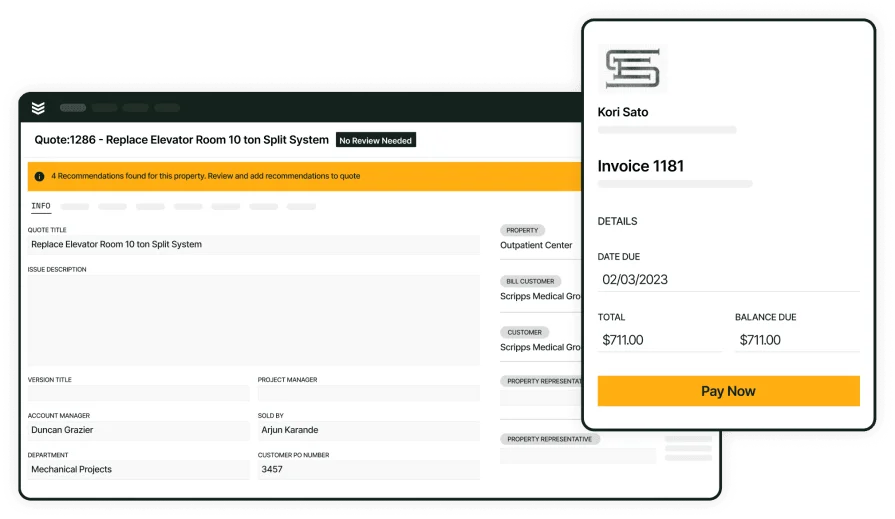
Quoting for electrical contractors
Turn square-foot baselines into clean proposals handed to the field—fast
Challenges and limitations of electrical estimating by square foot
A quick baseline helps, yet certain conditions can swing cost. Flag these risks when estimating electrical work by square foot.
- AHJ and code-driven adders: Local amendments to energy, life-safety, and receptacle counts alter devices and terminations you will not see in an average.
- Unknown tenant loads and specialty gear: Kitchen equipment, medical devices, server racks, and EV infrastructure reshape service size, feeders, and grounding. Until a load letter lands, any electrical estimate per square foot carries exposure.
- Retrofit conditions and shutdown logistics: Old gear with no spares, brittle conduit, hidden junctions, and abatement push night work and temp power. Coordinated shutdowns with building ops add premium time.
- Pathways, structure, and access: Long feeder routes, slab cores, congested plenums, and limited elevator or dock access cut productivity. Tall spaces require lifts, staging, and extra safety watchers a generic SF number will not cover.
- Commodity swings and lead times: Copper, switchgear, and lighting packages fluctuate. Long-lead gear can force redesign or temporary setups, which changes labor and schedule.
Square footage gives speed, but margin depends on how well you surface these risks, price them, and document assumptions before the number leaves your hands.
5 best tools for performing square foot electrical estimates
These platforms help estimators and field teams stay aligned from walk-through to closeout. Each one supports a fast square foot electrical estimate you can refine into a full quote and work order.
1. Best for commercial: BuildOps

BuildOps connects estimating, quoting, scheduling, and job costing in one system. Create electrical estimating by square foot templates by building type, apply regional labor and material factors, and pull photos and counts from the walk using the mobile app. Use alternates, allowances, and exclusions to lock scope, then push the baseline to a proposal and a work order without retyping. Historical wins feed a cost library so your next square foot electrical estimate starts closer to target.
How pricing works: BuildOps offers custom pricing based on company size, number of users, and selected modules—giving teams flexibility to scale.
Why it’s best for commercial: Ideal for contractors running service and projects. Estimators set the baseline, techs add field notes in the mobile app, and operations sees labor forecasts and costs tied to the original electrical estimate.
Key features: Template-driven estimating; quote builder with alternates and exclusions; mobile capture for site walks; scheduling and dispatch that mirror the bid; job costing against the baseline; variance reporting from square foot electrical estimate to actuals
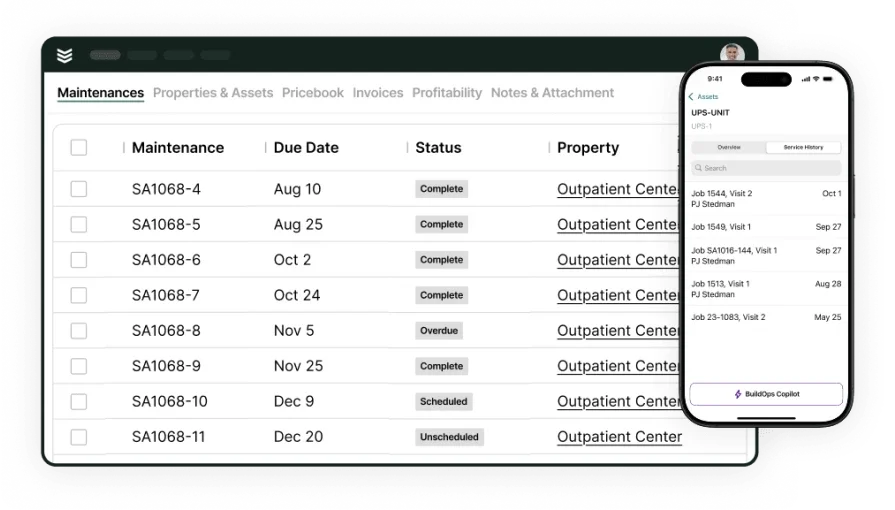
Take a deeper look at BuildOps
We help electrical contractors manage big, fast-moving jobs with precision.
2. Best for residential: Clear Estimates

Image Source: Clear Estimates
Clear Estimates delivers a straightforward workflow with room templates and a maintained parts library, which helps small teams turn site notes into quick proposals. Assemblies cover common circuits and devices, and the tool builds a clean scope with pricing tied to local databases. You can start with an electrical estimate per square foot and refine with unit counts, though large multi-site commercial work and field service coordination typically need additional systems.
How pricing works: Monthly subscription with tiered plans available online
Why it’s best for residential: Well suited to service upgrades, remodels, and single-family jobs where speed and simplicity matter. Estimators can start with an electrical estimate per square foot, then swap in unit prices for rooms or fixtures as drawings firm up.
Key features: Room and assembly templates; localized cost databases; branded proposal output; simple change tracking that keeps assumptions visible while estimating electrical work by square foot
3. Best for general contractors: Procore

Image Source: Procore
Procore centralizes drawings, RFIs, submittals, schedules, and budgets so preconstruction and project controls sit in one place. Bid management tracks coverage from subs while teams hold allowances based on estimating electrical work by square foot, then convert those allowances to detailed cost events once scopes finalize. The platform focuses on GC oversight and financial control, while trade-specific electrical takeoff and cost libraries usually live in connected tools.
How pricing works: Enterprise licenses through sales with modules and usage tiers
Why it’s best for general contractors: Useful when managing multiple trades while carrying electrical allowances early. Teams can hold an early square foot electrical estimate as an allowance and convert changes to cost events tied to contracts.
Key features: Drawing management with version control; RFI and submittal workflows; change events linked to budgets; integrations that pass estimate values into commitments and pay apps; reporting that shows movement from allowance to final cost
4. Best for accurate takeoffs: PlanSwift

Image Source: PlanSwift
PlanSwift delivers fast on-screen takeoff from PDFs and CAD exports. Counts, lengths, and areas convert to labor and material through custom assemblies and formulas, so a baseline electrical estimating by square foot number can be tightened with exact devices, conduit runs, and wire lengths. It focuses on takeoff and quantity-building; teams still need a separate platform for quoting and field operations.
How pricing works: Subscription per seat with optional plugins; purchased through sales with trial access
Why it’s best for accurate takeoffs: Drawing-driven projects need precision on fixtures, receptacles, homeruns, and feeders. PlanSwift lets estimators scale plans quickly, snap to corners, trace pathways, and apply productivity factors. Exports drop into Excel or an estimating system, turning a quick electrical estimate into a detailed build with audit trails.
Key features: Custom assemblies and formulas for conduit fill and wire factors; multi-page takeoff with overlays and revision compare; item linking that rolls counts into labor and material; Excel/CSV exports; plugins that speed device counting and fixture schedules
5. Best for built-in database: Estimating Edge

Image Source: Estimating Edge
Estimating Edge centers on a strong cost database and assembly library. Electricians can standardize devices, gear, feeders, and room assemblies, then apply regional pricing and labor tables. Budgets can feed production tracking so field leads see the same structure. Setup takes commitment, and very small service shops may find the platform heavy for quick quotes.
How pricing works: Per-user subscription with implementation and database services; sold through sales
Why it’s best for a built-in database: Firms that want uniform pricing across estimators gain a single source for labor units, material, markups, and alternates. Historical jobs update the library, so each electrical estimate starts with proven assemblies and cost codes. Change orders and revisions stay tied to the original scope, which helps accounting and project teams stay aligned.
Key features: Central trade database with assemblies and labor tables; WBS/cost code structure; alternates, allowances, and change order control; proposal builder; reporting that compares estimate, budget, and actuals; integrations that pass quantities and costs to accounting or project platforms

Estimating software turns rough ideas into repeatable numbers—labor and material libraries, regional factors, templates by occupancy, load calculators, on-screen takeoff, vendor quote tracking, and audit trails. The payoff shows when that data flows into quoting, scheduling, and cost control without retyping. That keeps each electrical estimate per square foot connected to field reality as drawings evolve and site conditions shift.
For commercial electrical contractors, BuildOps brings those pieces under one roof. Set electrical estimating by square foot ranges by building type, capture photos and counts in the mobile app, then convert the baseline into a quote, a work order, and a live schedule in a single path. Job costing tracks labor and material against the original assumptions, and closeout data feeds the library so the next electrical estimate starts closer to target. One platform, office to field, with the context your crews need.
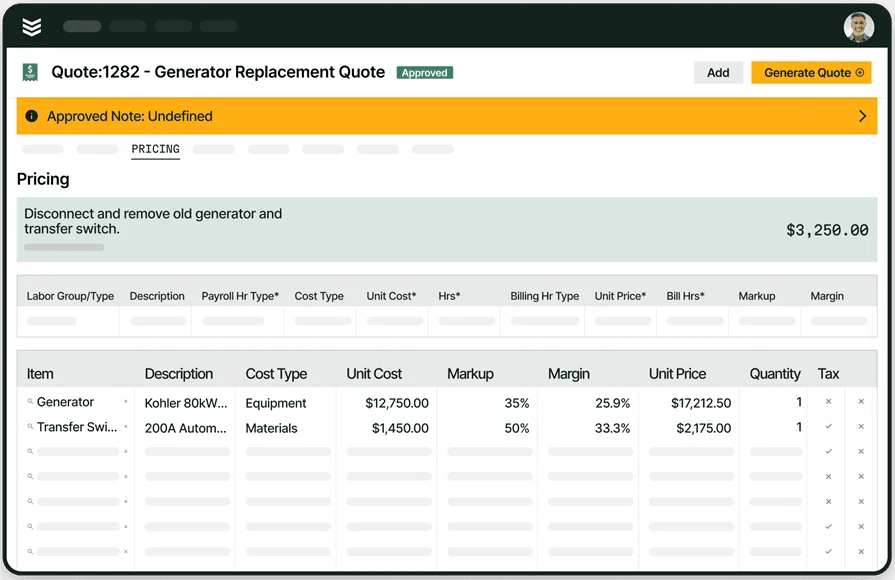
Run field service on one platform with BuildOps
Quotes, crews, and invoices working together from day one.