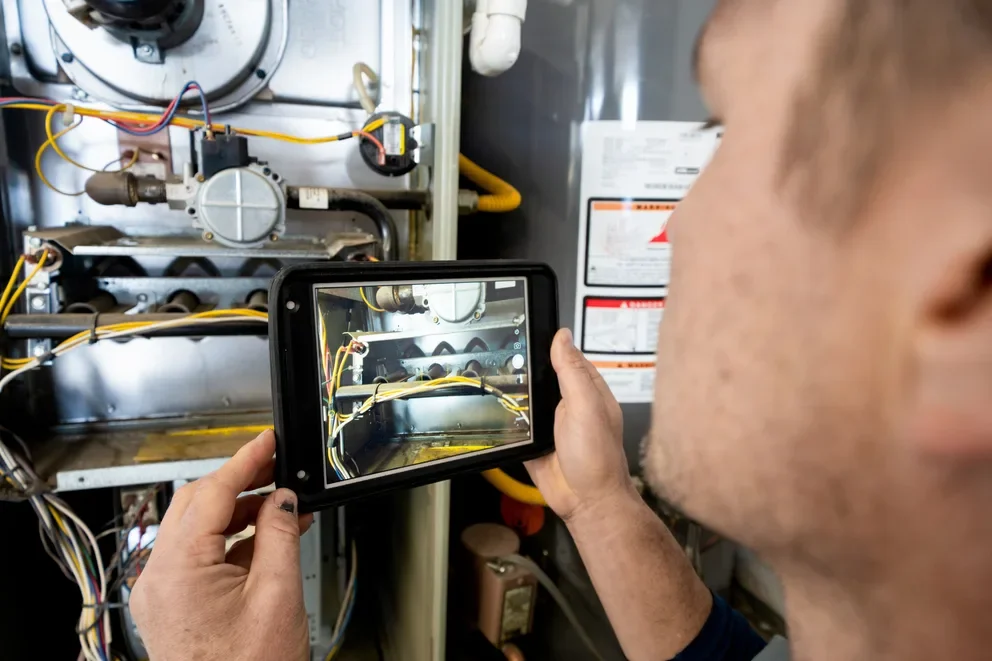


Fire scenes move fast. Evidence stacks up quickly: photos, sketches, interviews, sensor readings, and chain-of-custody notes. Fire investigation software keeps that data clean and accessible. Techs capture origin points, burn patterns, and scene notes on a tablet while the office views updates in real time inside the same field service management system.
Across the fire safety industry, teams rely on connected tools that tie dispatch, documentation, and compliant reporting together, including fire investigation report software that turns field notes into defensible case files. Use this guide to pick a platform and put it to work.
- Choosing a fire investigation software for your team
- 5 key features to look for in a fire investigation software
- 8 best fire investigation software
- 7 benefits of using fire investigation software
- 3 important fire investigation software FAQs answered
Getting set up starts with selection. Pick a platform your investigators and techs can use in the burn room, the truck, or the office. One system for photos, diagrams, evidence tags, and final reports, all tied to dispatch and job records. Let’s dig into how to evaluate options that fit field work.
Choosing a fire investigation software for your team
Selection drives defensible work. Pick fire investigation software that aligns with NFPA 921 methodology and qualifications consistent with NFPA 1033. Confirm readiness for NERIS while you plan the NFIRS handoff. Tie everything back to field service management so dispatch, job data, and reporting stay in one flow.
- NFPA 921 and NFPA 1033 alignment - Does the platform guide investigators through NFPA 921’s scientific method? Does it map roles and training to NFPA 1033 job performance requirements? Can edits and approvals lock under a complete audit trail?
- NERIS readiness and NFIRS migration - Can the system validate against the NERIS data model and export the required files? Can it migrate legacy NFIRS records without data loss? Does the vendor document a phase-in plan consistent with USFA guidance?
- Evidence handling and chain of custody - Are timestamps, hashes, and user IDs captured automatically? Can you barcode or RFID tag evidence from scene to lab to archive? Are permissions granular enough to prevent unauthorized changes?
- Field operations and FSM integration - Do offline mobile forms sync cleanly with photos, EXIF, GPS, and sketches? Can dispatch push tasks and checklists to investigators and see real-time status on the board? Does scheduling handle multi-day scenes and cross-discipline crews?
- Features - Can you configure forms and picklists without code? Do you have scene diagramming, e-signatures, evidence barcode printing, role-based approvals, and an API or ETL for your data warehouse? Can fire investigation report software outputs embed originals, EXIF, and diagrams while producing agency-ready exports and courtroom-ready PDFs?
Next up, we will cover the key features to look for so your checklist matches field reality and reporting requirements.
5 key features to look for in a fire investigation software
Fire investigations live on defensible facts. Your platform must capture scene details with precision, enforce NFPA methodology, and hand validated outputs to agencies and clients without breaking field service flow. The features below reflect what seasoned FLS teams demand from fire investigation software and the fire investigation report software that rides with it.
1. Standards-aware reporting with NERIS-ready structure

Reports should mirror NFPA 921’s scientific method and qualifications consistent with NFPA 1033 while mapping every field to a NERIS data dictionary that replaces legacy NFIRS inputs. Look for narrative templates with evidentiary references, exhibit numbering, and citation blocks; form logic that prevents out-of-range entries; and export packages that pass agency validators on the first submission. Tie this to your analytics stack so trend views, handoff timing, and closeout rates surface in the same workspace you already use for reporting & analytics.
2. Mobile scene capture that survives bad signal

Investigators work in basements, rural sites, and concrete shells where connectivity drops. The mobile client needs true offline operation with conflict-free sync, EXIF-preserved photos, audio notes, sketch layers, barcode scans, GPS stamping, and tamper-evident timestamps. Require role-based access, digital signatures, and SHA-256 file hashes to protect chain of custody. Adoption jumps when the same app that runs daily service tickets also handles investigations; teams already carrying a technician mobile app should be able to capture everything at the scene and push it straight to the case file.
3. Scheduling and dispatch built for multi-day, multi-party work

Origin-and-cause assignments rarely fit a single time slot. Your board should gate dispatch by credentials, equipment, and evidence hold windows; support staggered arrivals for labs and adjusters; and keep install and service crews visible alongside investigators. Capacity rules, blackout dates, geofenced travel, and auto-notifications keep scenes moving without phone tag. If your operation coordinates crews today with field service scheduling and a dedicated dispatch software module, investigations should sit in that same calendar and route logic.
4. Time-stamped activity and labor capture tied to cost recovery

Every action needs a clock and a context. One tap should log arrival, scene release, interviews, and transfers with user, device, and location recorded automatically. Map activities to labor classes, overtime rules, and mileage so cost recovery and payroll match testimony. Evidence movement should generate its own audit entries while technician hours feed job costing without retyping. Using a platform with native time tracking keeps finance, supervision, and counsel aligned.
5. Financial closeout with invoicing and payments in one flow

When the case wraps, finance should not hunt for details. Approved time, expenses, exhibits, and deliverables should populate a draft invoice automatically with retainers, claim numbers, and attachments pulled from the job record. Secure card and ACH collection should sit in the same screen, post back to accounting, and return a receipt linked to the report package. Teams that already bill service work can extend that pattern to investigations using invoicing alongside integrated payments.
Other valuable features for fire investigation software
These capabilities round out the workflow from first call to archive and keep investigators in step with field service operations.
- Field service CRM - Using service CRM centralizes adjusters, AHJs, attorneys, and property managers, linking email threads, permits, and site history to each case so teams working in fire investigation software see context immediately.
- Quoting and change orders - Build structured proposals with quoting software for lab analysis, demolition support, or remediation, capture approvals, and push accepted pricing into jobs and financials without retyping.
- Fleet and equipment - Fleet management assigns vehicles and specialty trailers, tracks telematics and geofences, and logs PTO hours for generators and pumps during extended scenes to support cost recovery and accountability.
- Service agreements - Manage recurring site obligations through service agreements so inspection commitments, impairment notices, and post-incident tasks appear on the calendar and carry compliance milestones into the case file.
- Evidence barcoding - Generate unique IDs, print labels, and scan custody events as items move from scene to lab to archive, with hash values and photo references stored inside your fire investigation report software for defensibility.
- Scene diagramming - Import 2D plans or 3D point clouds, annotate layers, tie exhibits to evidence numbers, and export diagrams into reports and NERIS packages for consistent case assembly.
- Data pipelines - Use API and ETL connectors to push cases, artifacts, and time logs into legal hold systems and your data warehouse, enabling audits, bench strength analysis, and performance dashboards.
8 best fire investigation software
Pro-level teams need tools that back up origin-and-cause work with standards alignment, airtight evidence controls, and agency-ready outputs. The options below focus on platforms used by FLS contractors in the field and the office, including fire investigation software that pairs clean data capture with fire investigation report software for defensible deliverables.
1. Best for commercial: BuildOps

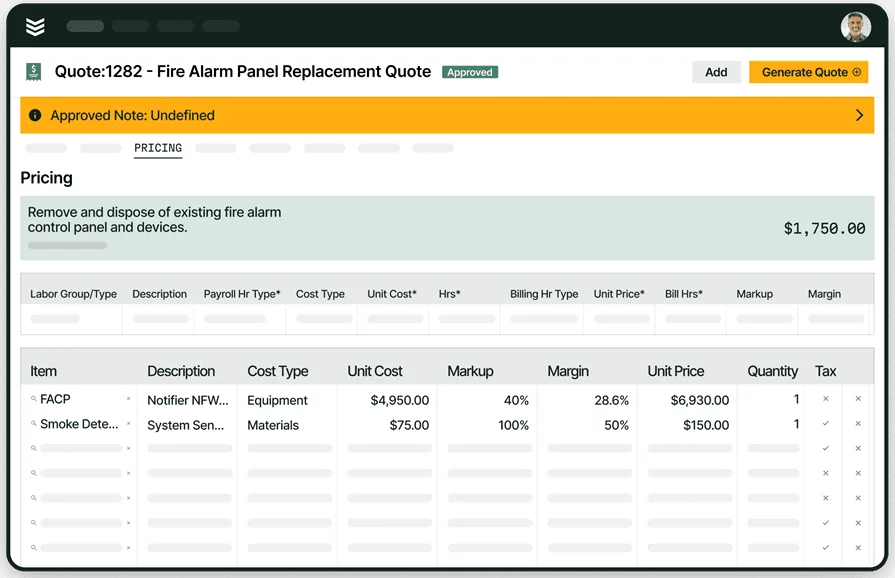
BuildOps supports commercial fire and life safety operations end to end, connecting dispatch, mobile capture, service history, and reporting in one system. Investigators log photos, sketches, interviews, and chain-of-custody details in the same platform that runs scheduling and job records, so case files tie back to asset history and prior deficiencies. Contractors working large portfolios benefit from consolidated evidence, NFPA-oriented narratives, and clean report packages that move from field to office without retyping.
How Pricing Works: Subscription licensing with per-user billing; annual agreements are common in commercial deployments.
What Sets It Apart for commercial: One platform covers service, projects, and investigations, which helps multi-site teams keep schedules, artifacts, and final reports aligned with customer and asset records.
See how BuildOps powers fire safety teams
We help fire safety pros identify and track deficiencies with fewer delays.
2. Best for residential: ServiceTrade

Image Source: ServiceTrade
ServiceTrade targets fire protection contractors with inspection scheduling, field data capture, and AHJ-friendly reports, giving residential outfits a clear path from route planning to deliverables. The platform highlights industry-specific forms and workflows designed for fire protection work, which helps smaller teams standardize field output. It may not be ideal if you require deep origin-and-cause workflows or a single system that also handles complex commercial portfolios.
How Pricing Works: Tiered subscription based on features and user count.
What Sets It Apart for residential: Strong inspection tooling and reporting for alarms, sprinklers, and suppression systems suit contractors focused on recurring residential routes and AHJ submissions.
3. Best for general contractors: Zenfire

Image Source: Zenfire
Zenfire centers on inspection management with built-in NFPA forms, customizable checklists, and quick report generation, which helps general service contractors add fire work alongside other trades. AI-assisted deficiency detection and templated outputs accelerate closeout while keeping documentation consistent across sites. Teams seeking broad FSM coverage or confirmed NERIS export packages may find the product narrower than a full operational suite.
How Pricing Works: Subscription model; published listings indicate monthly per-user pricing with feature tiers.
What Sets It Apart for general contractors: Ready-to-use NFPA templates and fast report creation fit mixed-trade shops that need a focused inspection module they can deploy quickly.
4. Best for small service teams: InspectNTrack

Image Source: InspectnTrack
InspectnTrack focuses on barcode-driven asset inspections with mobile capture, offline operation, and dynamic scheduling, which suits lean crews that need fast extinguisher and device rounds tied to NFPA checklists. Teams get EXIF-preserved photos, scan-to-record updates, and route planning without heavy admin overhead. This option may not fit contractors seeking a single platform for full FSM, quoting, and deep origin-and-cause reporting.
How Pricing Works: Subscription licensing; public listings indicate per-user tiers with feature add-ons.
What Sets It Apart for small service teams: Strong barcode workflow and offline mobile app keep inspections moving when signal drops while keeping asset histories clean.
5. Best for solo contractors: SafetyCulture

Image Source: SafetyCulture
SafetyCulture offers a flexible inspection app with checklist templates, mobile capture, and instant PDF reports, which helps a single tech finish site walkthroughs and send documentation without office support. The platform spans many industries, so origin-and-cause workflows, AHJ nuances, and NERIS-focused outputs can require heavy customization and may feel basic for FLS work.
How Pricing Works: A mature mobile experience, a large public template library, and fast report generation let a one-person shop move from inspection to deliverable with minimal admin.
What Sets It Apart for solo contractors: A mature mobile experience, a large public template library, and fast report generation let a one-person shop move from inspection to deliverable with minimal admin.
6. Best for installation contractors: Onsite Software

Image Source: Onsite Software
Onsite Software focuses on life safety inspections with forms mapped to NFPA codes and standards, producing detailed reports and dashboards that installation crews can use through commissioning and acceptance. The product sits squarely in inspection and reporting, so teams seeking broad field service management, construction workflows, or confirmed NERIS export options may find coverage limited.
How Pricing Works: Vendor-quoted SaaS with implementation support and modules based on scope.
What Sets It Apart for installation contractors: Deep NFPA-oriented forms and structured outputs help crews document installed assets, punch items, and acceptance results in a consistent package.
7. Best for ITM contractors: firepro365

Image Source: firepro365
firepro365 runs on Microsoft Dynamics 365 and pairs CRM, inspection reporting, and field service elements for fire protection companies that live inside the Microsoft stack. The approach supports asset histories, customer communication, and report generation in one environment, though licensing and administration tied to Dynamics can add complexity for lean teams.
How Pricing Works: Subscription pricing quoted by the vendor, often aligned to Microsoft seat counts and chosen modules.
What Sets It Apart for ITM contractors: A Dynamics-based backbone, inspection reporting features, and native integrations with Outlook, Teams, and Power BI suit organizations standardizing on Microsoft.
8. Best for FLS auditors: Array

Image Source: Array
Array provides a flexible forms engine with offline mobile apps, e-signatures, user permissions, and secure cloud storage, which helps audit teams build consistent checklists and action plans across sites. The platform is cross-industry, so FLS teams typically tailor templates and connect external systems for scheduling or investigation-specific reporting.
How Pricing Works: Custom plan quotes with published entry tiers and trials through the vendor site.
What Sets It Apart for FLS auditors: Fast checklist creation, controlled access, and instant report packets make it a solid choice for standardized audits, corrective action tracking, and verification rounds.
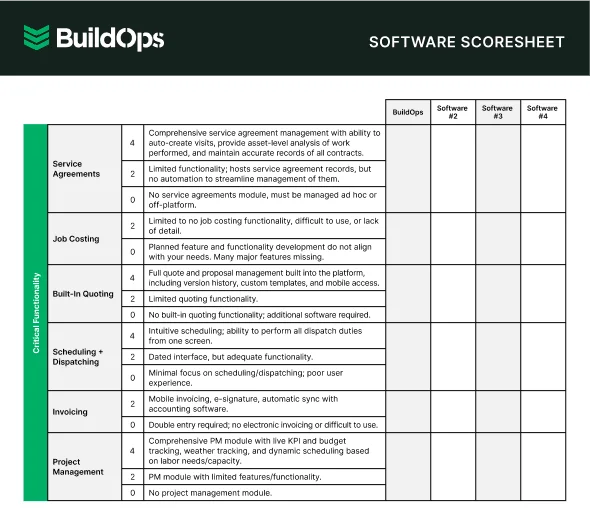
Compare the best software in one view
See how leading inspection tools stack up in one quick scoresheet
7 benefits of using fire investigation software
Seasoned FLS teams need speed, accuracy, and defensibility. Fire investigation software pairs field capture with structured outputs, while fire investigation report software turns that raw evidence into agency-ready packages that hold up under scrutiny.
1. Faster scene coordination and less idle time
Coordinators slot certified investigators, reserve specialty gear, and stage travel inside the same calendar used by service ops. Cases move when tasks, checklists, and arrival windows follow scheduling and dispatching practices already proven on daily work. The result is tighter timelines and fewer return trips.
2. Defensible documentation from first photo to final PDF
Templates reflect NFPA methodology and lock narratives to exhibits, timestamps, and user actions. Evidence logs carry hashes, signatures, and barcodes into the report package so chain of custody reads clean. Teams that align their narratives with guidance from the fire alarm inspection report software playbook see smoother AHJ conversations because sections and references stay consistent.
3. Standards alignment and NERIS readiness with less rework
Forms validate against expected ranges and required fields before submission. NERIS-aligned structures replace NFIRS-style free text, which cuts agency rejection and revision loops. Auditors and counsel gain confidence because the case stays inside the scientific method from origin theory to cause statement.
4. A single source of truth across inspections, assets, and history
Investigators step onto a scene already holding device inventories, impairment notes, and prior deficiencies. That history often lives in systems informed by fire safety inspection software, so photos, tags, and test records flow directly into the case file. Patterns emerge faster when inspection data and investigation notes sit side by side.
5. Clearer stakeholder communication and fewer status calls
Contact history for adjusters, attorneys, AHJs, and owners stays tied to the job record. Emails, call notes, and meeting outcomes sync with the case, following the same conventions outlined in a dedicated fire CRM workflow. Everyone sees the same facts, which reduces missteps.
6. Accurate cost recovery and simpler audits
Timecards, mileage, and material pulls attach to activities with user, device, and location context. Finance builds invoices from approved logs without hunting through folders. Auditors can replay the timeline and trace every charge to an action, an exhibit, or both.
7. Repeatable playbooks and faster onboarding
Checklists, safety prompts, and diagram templates encode how your best investigators work. New hires follow the same steps, and veterans document decisions with consistent language. Over time, teams refine forms and prebuilt narratives so future cases start with a proven structure.
3 important fire investigation software FAQs answered
For field and office pros running origin and cause cases, the questions below focus on standards, programs, and payoff without rehashing basics.
1. What is fire investigation software?
Fire investigation software manages origin and cause work end-to-end. It handles mobile capture, evidence control, NFPA-aligned workflows, and report builders that export NERIS or NFIRS files linked to field service records. Paired software assembles narratives, exhibits, and chain of custody into a defensible package.
2. What requirements or regulations apply to fire investigation software?
Your system should reinforce NFPA 921’s scientific method in templates and procedures and support qualifications aligned to NFPA 1033 job performance requirements. It must also map data to NERIS, which the U.S. Fire Administration states will replace NFIRS after a phased transition, while legacy NFIRS stays available until decommissioning.
That calls for validation rules, export packages, and audit trails that match NERIS structures, with clear references to the standards in narratives and training checkpoints.
3. Is fire investigation software worth the cost?
Standards-aware forms cut revision loops, chain-of-custody logging reduces challenges, and NERIS-ready exports limit administrative drag during agency review. When the same platform ties scheduling, time capture, and billing to the case file, finance closes out faster and supervisors can defend timelines with precise activity history.
Fire investigation software should protect findings, keep teams in sync, and deliver agency-ready outputs without breaking field flow. The strongest setups connect mobile capture, NFPA-aligned workflows, and NERIS exports to dispatch, labor, and customer history. That linkage turns scattered artifacts into a clean, defensible case file that moves from scene to final report with less friction. Fire investigation report software then packages exhibits, citations, and timelines so counsel, clients, and AHJs see the same record.
If you want one system for commercial field service and investigations instead of a patchwork, BuildOps brings scheduling, dispatch, mobile, reporting, and financial closeout into a single platform that your crews can use on ladders, in trucks, and at the office.
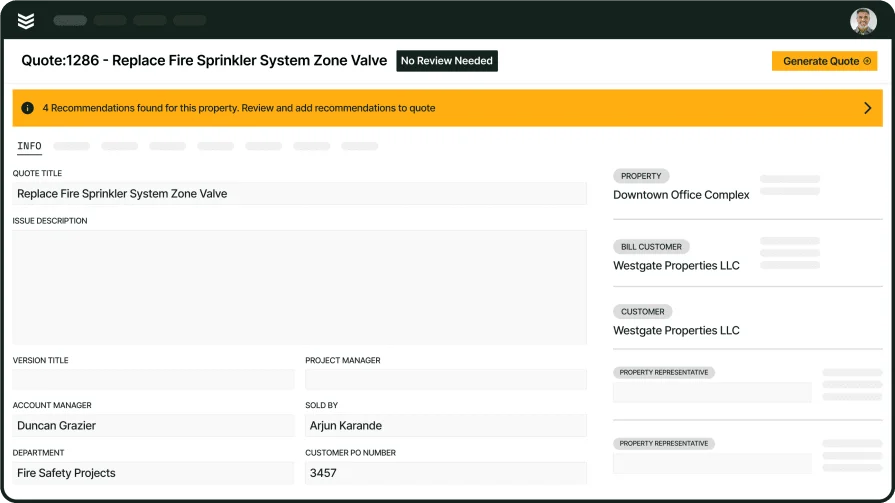
Unify investigations with field ops
One platform for mobile capture, reporting, and closeout across FLS teams.