What to Look for in Field Service Management Software


Commercial service contractors can finish a job in the field and still wait days to bill it when photos, notes, labor, and materials have to be re-entered in the office. That overhead adds up quickly: the 2026 BuildOps Benchmark Report estimates that a technician who spends 20 minutes a day on paperwork, parts lookups, or office calls loses roughly 85 hours of billable time each year.
Field service management software closes that field-to-office gap by connecting customer records, properties, jobs, visits, dispatch, mobile fieldwork, service history, and billing in one workflow. The evaluation starts with the priorities that shape how commercial contractors choose an FSM platform.
What contractors prioritize when choosing field service management software
Across sales evaluations, renewal discussions, and workflow reviews with commercial service contractors, the same needs come up when teams describe what they want from field service management software. They are not looking for more features for their own sake. They want fewer handoffs, cleaner operational data, and workflows that protect revenue from the first customer request through field execution, closeout, and billing.
1. Reliable field execution when connectivity and handoffs are imperfect
Contractors describe field connectivity and manual handoffs as business risks, not minor inconveniences. In their words, if technicians cannot enter work in the field, the company can be “dead in the water.” When photos, notes, labor, and materials must be re-entered later, the office has to reconstruct what happened before it can close the job or bill accurately.
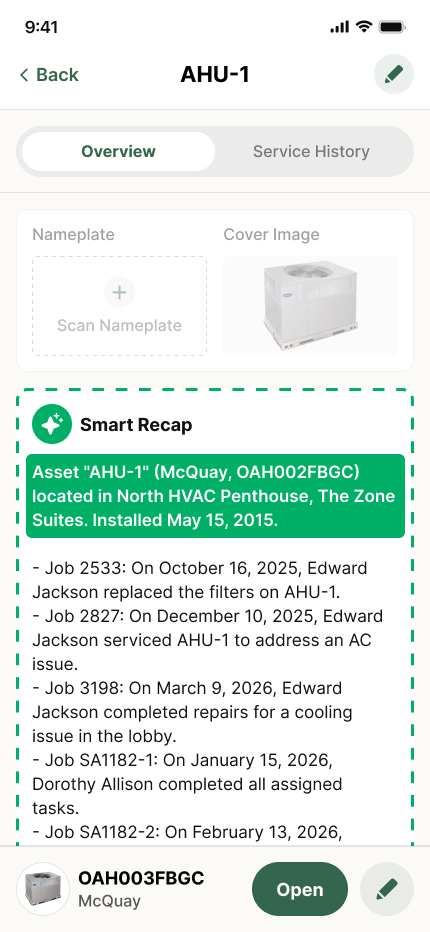
BuildOps keeps field activity connected to the office through its technician mobile app. OpsAI for Field can surface visit history, parts used, and asset context when a technician opens the job. Work order closeout helps move the completed record into office review without making the team rebuild the visit.
2. Faster billing and a shorter path to cash
Contractors talk about billing delays in operational terms: some describe two to three weeks between doing the work and sending the invoice. Invoices sit in queues, office teams re-key completed work, and revenue remains stuck after the technician has already finished the job. They want FSM software that makes accurate, invoice-ready information available as soon as the work is complete.
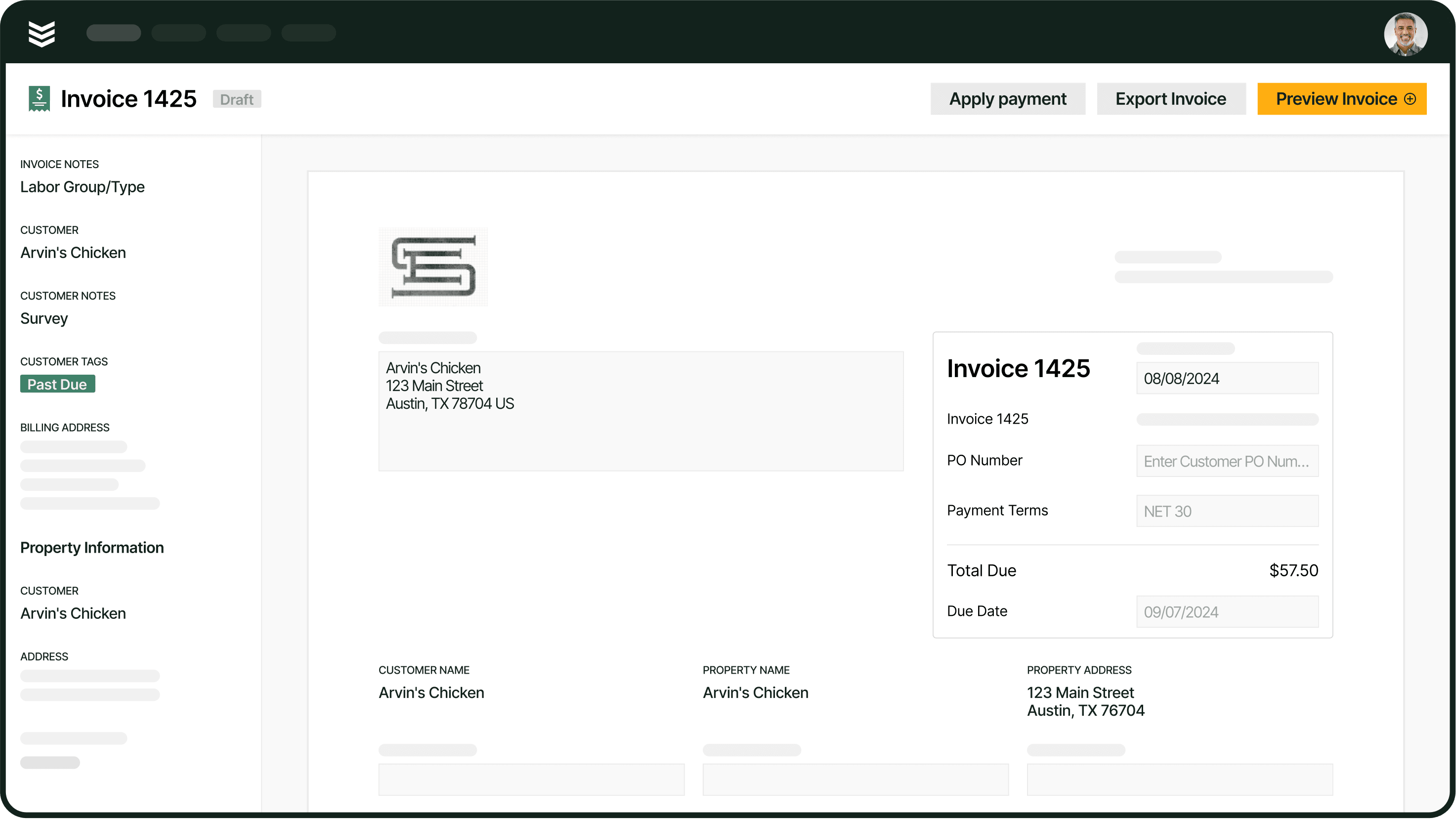
BuildOps connects your work orders to invoicing, so completed field details can move into billing with less manual cleanup. When customers are ready to pay, payments extends the same workflow beyond invoice creation.
3. A controlled workflow for change orders and extra work
Commercial contractors need a place to capture extra work while it is still being reviewed. They want to put time and materials against a change number before the change is fully approved and billable, without scattering approvals, revised values, and supporting detail across spreadsheets or informal requests.
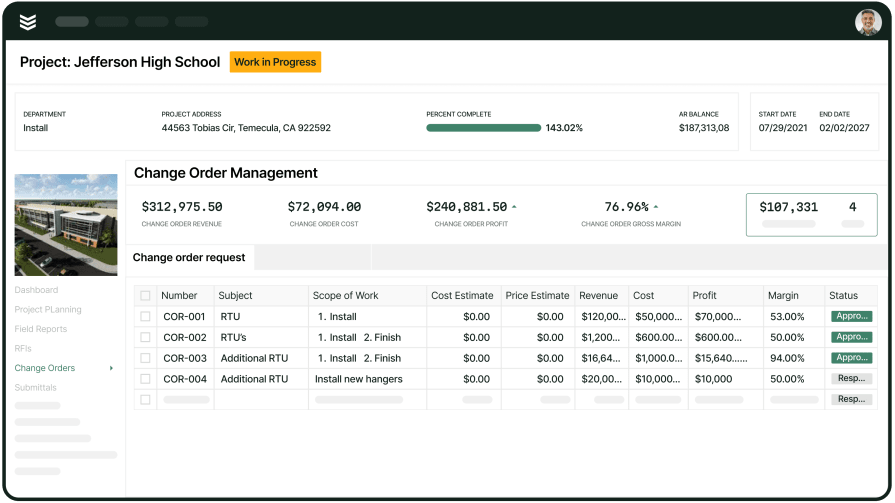
BuildOps can keep field findings and related costs connected through field execution. When added work becomes a formal quote, quote to contract carries it into review and approval. Materials and subcontracts keeps related commitments tied to the work instead of creating a separate record for the office to reconcile.
4. Earlier job-cost and margin visibility
Contractors want the operational record and the accounting record to agree—the cost they review in their field-service system should be the exact same cost they see in their ERP. If purchase orders, labor, or materials do not show up where job costs are reviewed, leaders cannot see margin pressure early enough to correct it.
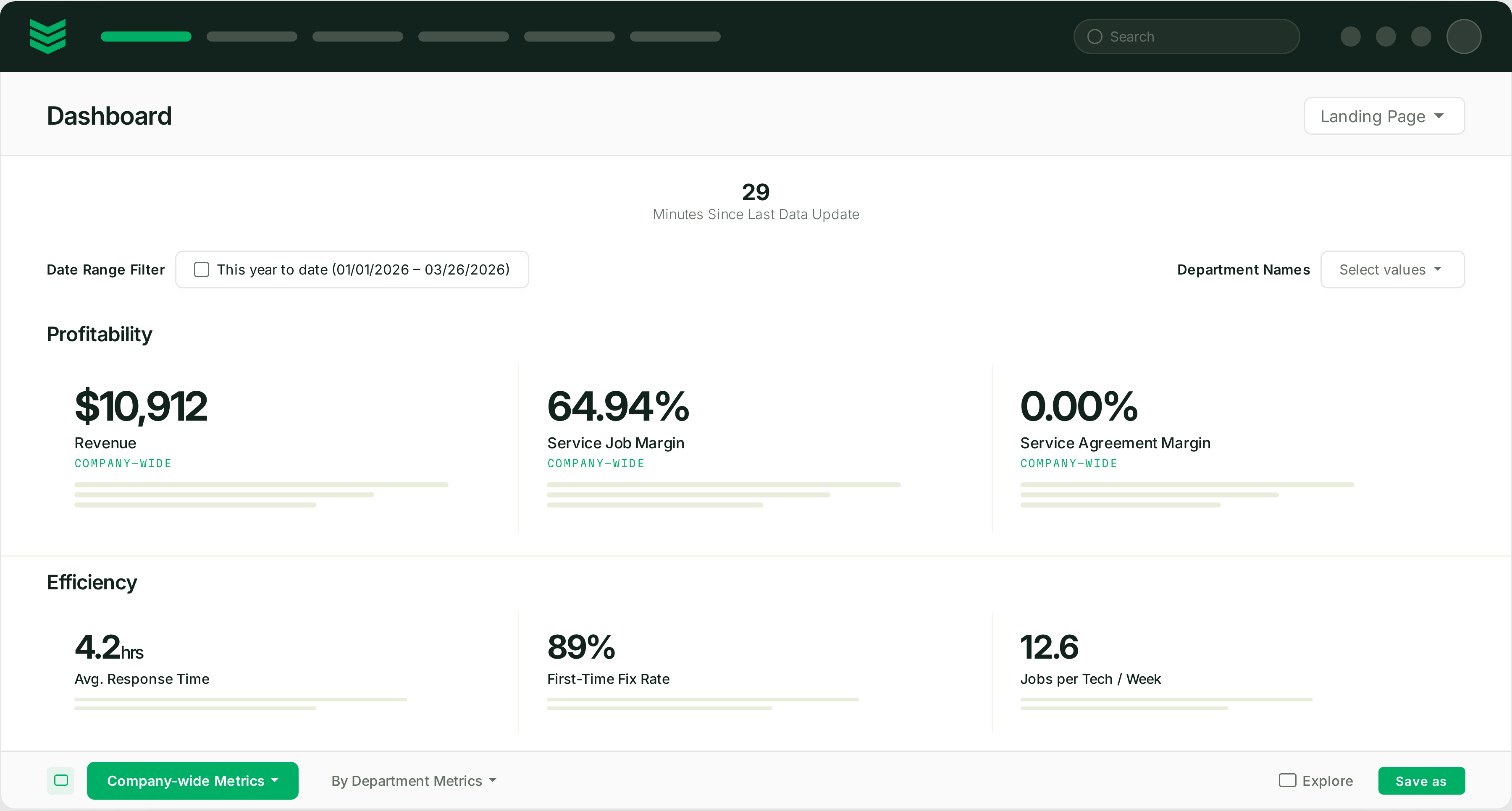
BuildOps gives commercial teams an operational view through Financials. Project financials helps teams follow labor, materials, job costs, and projected margin against the work. Reporting and analytics gives leaders a broader view of performance. The ERP remains the source of truth for reconciled actual costs, formal WIP, and audited financials.
5. Service agreements that turn recurring work into dependable revenue
Contractors want service agreements to do more than store contract terms. They do not want “a spreadsheet full of accounts” that an administrator has to work through manually and risk missing revenue. Inspections, recurring tasks, asset coverage, follow-up work, and billing need to line up.
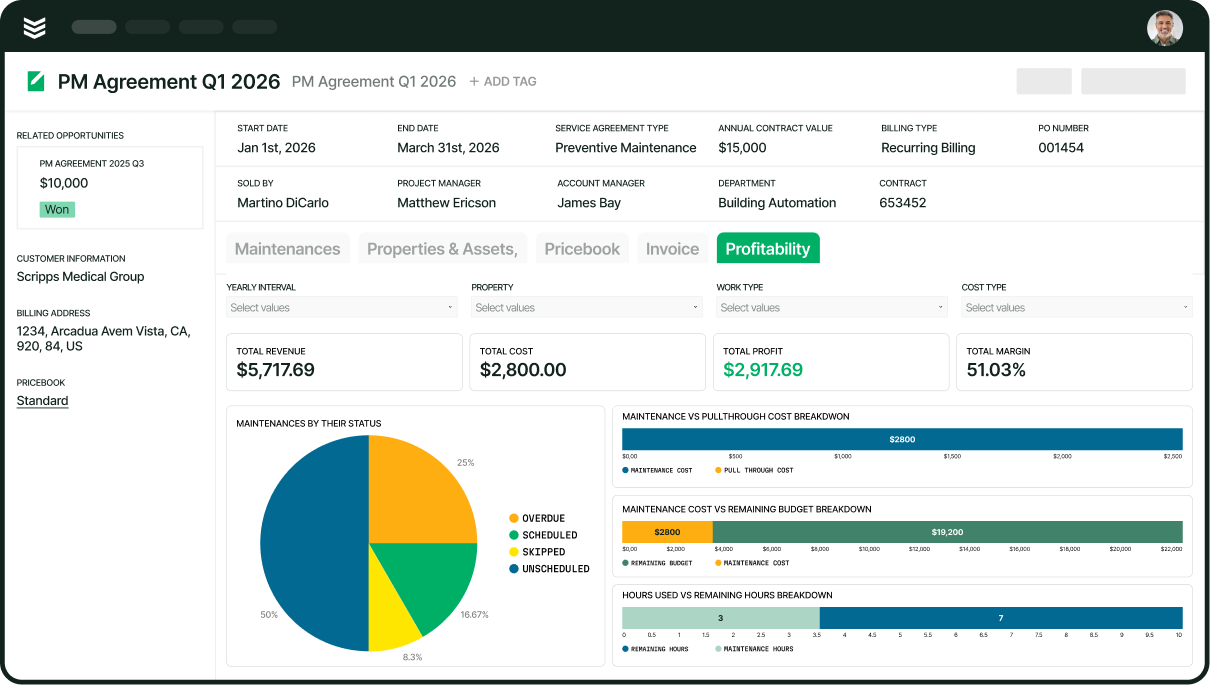
BuildOps uses preventive maintenance to organize recurring visits around assets and planned work. Pull-through work helps teams carry follow-up opportunities from those visits into revenue. The service management suite keeps the broader customer, property, and service workflow connected.
6. Inventory and purchasing accuracy at the point of work
Inventory problems often begin before the office sees them. Contractors describe warehouse demand starting outside the system, with technicians sometimes submitting paper requests. They want material demand created when the technician needs a part, parts tied to the right job, and receipts or approvals captured without manual comments that can disappear from job costing.
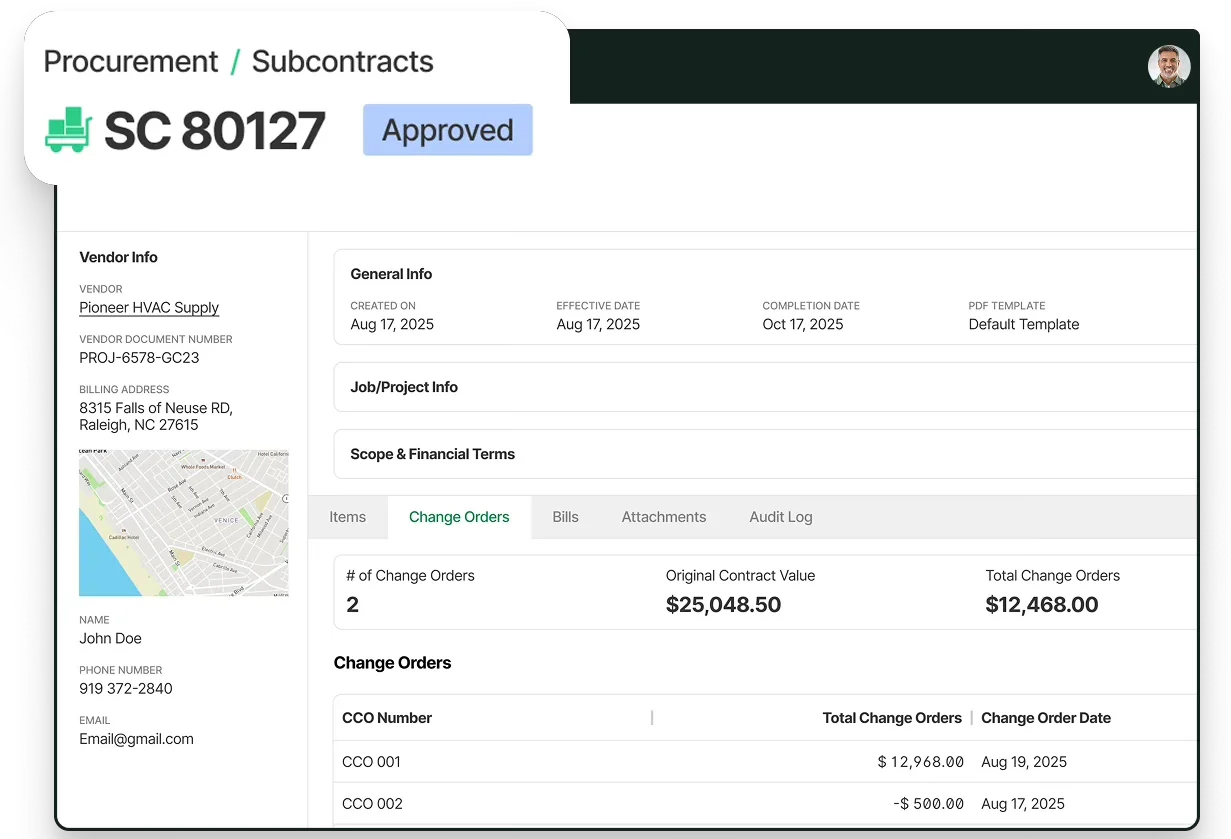
BuildOps starts with purchasing and inventory to connect material needs to the job. Procurement and inventory helps the office manage purchasing activity. Purchase orders keeps vendor requests, receipts, and job-related commitments tied to the work.
7. Dispatch and capacity control when the day changes
Contractors describe scheduling as a compounding problem: once the first job runs late, every job after it can “snowball.” Unassigned calls, limited capacity, and informal communication make the board harder to trust, so they need dispatch software that helps the office adjust the day without losing the context behind each visit.
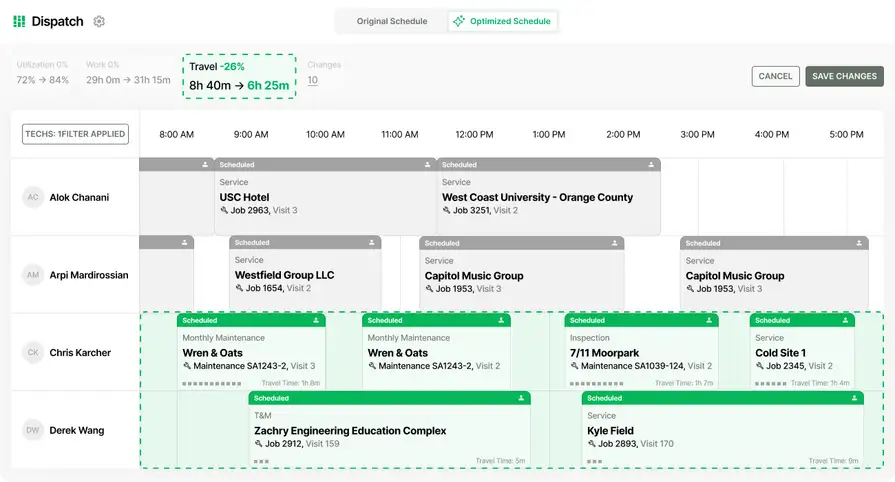
BuildOps gives dispatchers a shared board through schedule and dispatch. Service operations adds context around crews, SLAs, and daily service work. OpsAI for Field helps dispatchers make faster assignment decisions using skills, certifications, proximity, availability, and SLA timing.
8. Automation that reduces vendors without sacrificing control
Contractors want “one place” to do the work instead of paying multiple vendors and stitching the records together themselves. They are interested in automation when it removes administrative glue work, but they still want control over the data that reaches accounting, the records that drive billing, and the workflows their teams use every day.
BuildOps connects day-to-day service work through the service management suite. OpsAI adds automation across the platform. OpsAI for Finance supports invoice summaries, purchase-order document scanning, and payment matching inside financial workflows.
Choosing the right field service management software for you: questions to ask in a demo
After the priorities are clear, use the demo to see how the FSM platform connects the office, dispatch team, technicians, service agreements, and billing. These questions turn the product tour into a test of the workflows contractors are already pressure-testing in real evaluations.
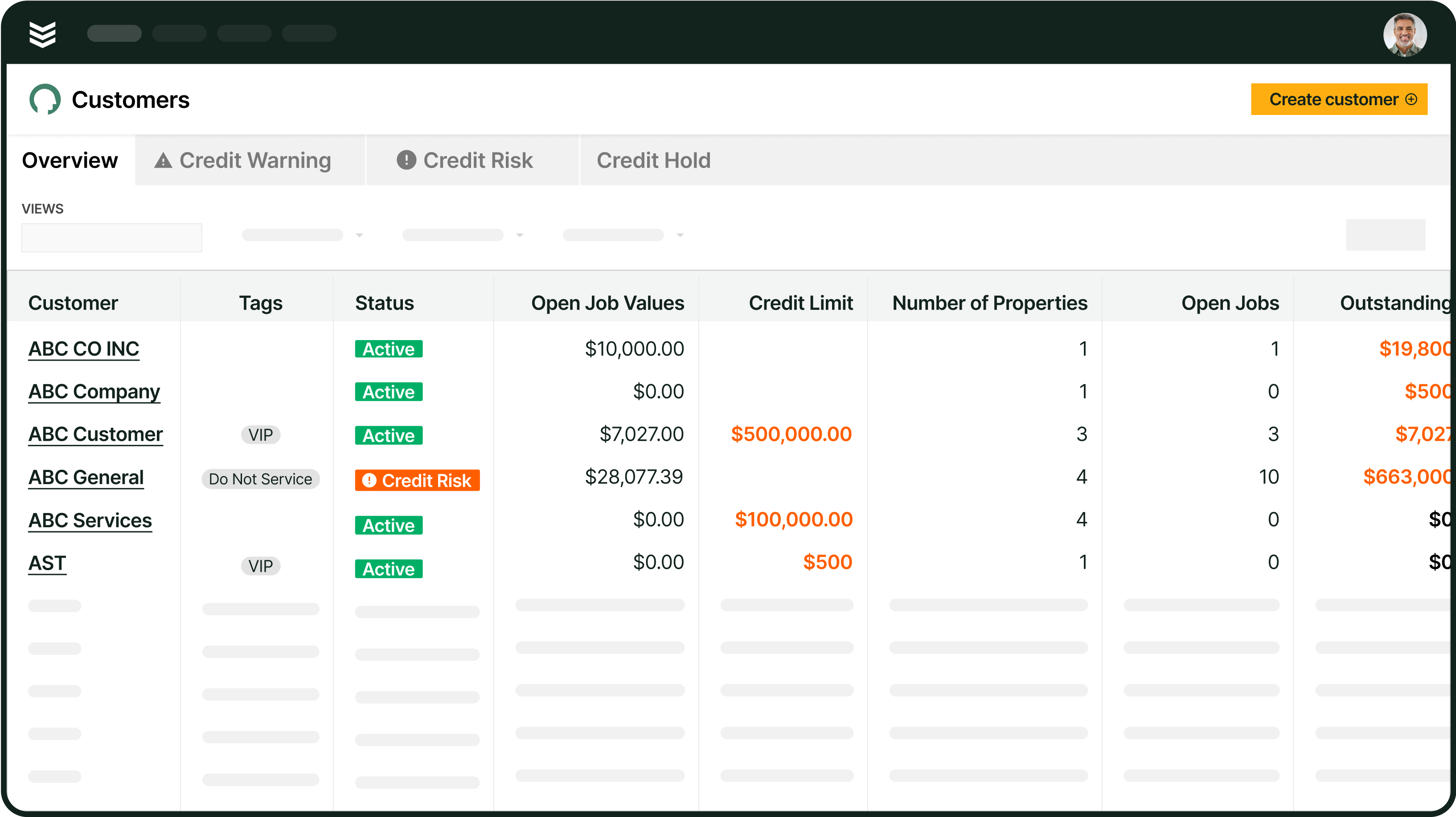
- How does the platform organize customers, properties, jobs, and visits? — Contractors need to know whether the system can keep multiple locations, work orders, scheduled visits, and service history connected instead of creating separate records for each step.
- Can the platform show everything scheduled today and help us adjust the board when the day changes? — Dispatchers ask this when emergency calls, callbacks, late jobs, and limited capacity start competing for the same technicians. The demo should show the live schedule, reassignment process, and visibility the field receives after a change.
- What does a technician see when they open a job on mobile, and what can they complete from the field? — Field teams need more than a mobile calendar. Walk through job context, visit history, time, materials, photos, forms, signatures, and offline capture to see whether the platform can support the entire visit.
- How does completed field work become an invoice and payment without duplicate entry? — Billing teams ask this when completed work still has to be rebuilt in another system. The demo should trace a visit from technician documentation through review, invoice creation, posting or export, and payment status in the accounting workflow.
- How do parts, purchase orders, labor, and job costs flow through the platform and into our accounting system? — Contractors want to know whether material usage and labor stay tied to the job or disappear into manual comments and disconnected spreadsheets. Have the vendor show the field entry, office review, job-cost update, and accounting handoff for your specific integration.
- Can the platform create recurring visits and asset-specific tasks from a service agreement? — Service leaders ask this when maintenance schedules depend on spreadsheets or manual setup. The demo should show how an agreement creates visits, assigns the right work across assets, and handles either bill-on-completion or recurring billing.
- How do quotes and approved work move into a job and its visits without re-entering customer and scope details? — Contractors ask this to test the handoff between selling, scheduling, field execution, and billing. The answer should make clear what information carries into the job, what still needs to be scheduled, and where the office must intervene.
{{related-content-block="/resources/adopting-field-service-ai"}}
3 other field service management software FAQs asked by our customers
The FAQs below answer common questions that come up when commercial service teams evaluate what field service management software can support beyond scheduling.
1. What is field service management software?
Field service management software helps commercial contractors coordinate work that happens away from the office. It connects customer and property records with jobs, visits, dispatch, technician activity, service agreements, documentation, and billing so teams can manage the work from the initial request through closeout.
2. Is field service management software only used for scheduling technicians?
Scheduling is one part of FSM software. Depending on the platform, FSM software may also support mobile fieldwork, time and materials tracking, service history, recurring maintenance, quotes, purchase orders, job costing, invoicing, and accounting handoffs. The value comes from keeping those workflows connected instead of making the office rebuild information in separate systems.
3. Can field service management software manage recurring service agreements?
Commercial contractors can use FSM software to organize covered properties and assets, define maintenance tasks, generate recurring maintenance occurrences, create and schedule technician visits, and select recurring or on-completion billing.
Bring your FSM priorities together
Commercial contractors choose field service management software to solve specific operating priorities: fewer field-to-office handoffs, clearer dispatch decisions, complete mobile records, accurate job and material costs, dependable service agreements, and a faster path from completed work to billing. BuildOps connects those workflows across customers, properties, jobs, visits, dispatch, service agreements, closeout, and financials. OpsAI works inside the platform to reduce administrative work and surface the next action.
See how these priorities map to your operation. Book a demo to walk through the workflows that matter most to your team.