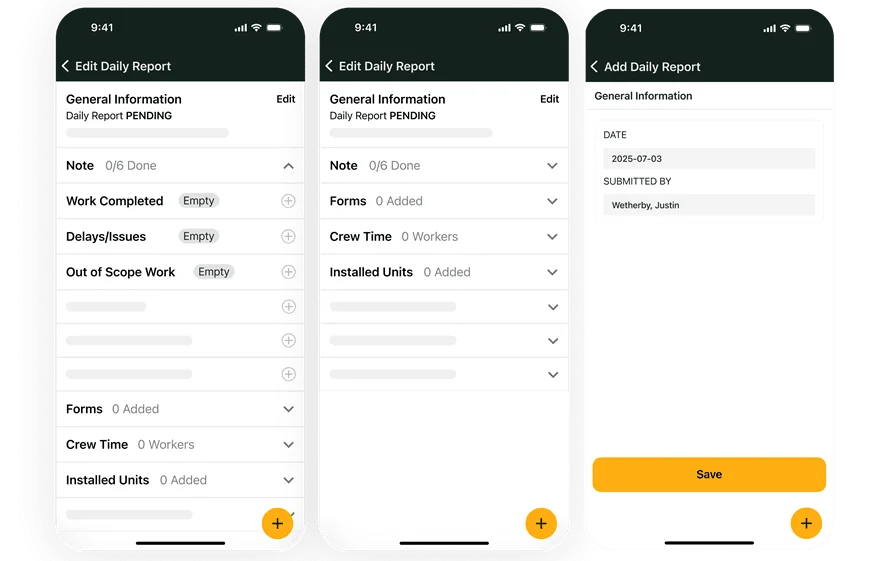
Skip HVAC Paperwork With Automation That Sticks On-Site

If you run work in the HVAC industry, you already feel how HVAC paperwork piles up between the truck and the office. Every call brings readings, photos, parts, signatures, and notes that protect your scope and your invoice.
The trouble starts when techs write it down once, then someone retypes it later, then dispatch hunts for missing details, then accounting patches gaps before billing. Field service management should keep that chain tight from dispatch to closeout, and automation helps you capture job info once and push it where it needs to go.
Here’s what we’ll cover:
- Common HVAC forms and paperwork
- The challenges of HVAC paperwork: understanding heating and cooling system codes
- How to skip HVAC paperwork and automate operations with BuildOps
Paperwork problems do not stay in one lane. They hit scheduling, dispatch handoffs, closeout, and billing all at once. Next, we will zoom out and look at how field service management connects those pieces so your team stops chasing documents after the job ends.
{{related-content-block="/resources/hvac-field-service-management"}}
Common HVAC forms and paperwork
HVAC paperwork sits at the center of every handoff between dispatch, techs, and the office. When each form carries clean, consistent job details, field service management runs smoother and billing stays defensible.
- HVAC estimates: Estimates lock scope, exclusions, and pricing before your crew rolls. Keep a reference handy like these HVAC estimate forms when you standardize labor, equipment, access notes, and start-up requirements. Automation cuts HVAC paperwork by auto-filling customer and site info, then routing approvals without re-entry
- Work orders: Work orders tell the tech exactly what to do and prove what got done. Use a baseline like this HVAC work order to tighten asset details, unit location, test readings, photos, and customer sign-off. Automation cuts HVAC paperwork by capturing field updates once and pushing them straight into closeout and billing
- Maintenance agreements: Maintenance agreements protect margin by defining task scope, visit cadence, and what triggers quoted repairs. Compare your terms against these HVAC maintenance agreements so checklists match asset types and client expectations. Automation cuts HVAC paperwork by scheduling visits, generating asset-based checklists, and logging condition photos in the same record
- Invoices: Invoices get paid faster when they show labor, parts, and proof of work in plain language. Borrow structure from this HVAC invoicing guide so your invoice ties back to readings, photos, approvals, and scope. Automation cuts HVAC paperwork by turning approved work into an invoice with labor, parts, and attachments carried over from the field
- Service agreements: Service agreements set response rules, coverage limits, rates, and approval steps for ongoing service. Pressure-test your template against these HVAC service agreements so dispatch and billing follow the same playbook on every call. Automation cuts HVAC paperwork by applying agreement terms to the job automatically and keeping approvals linked to the work order
When these forms stay connected, your team stops chasing missing details after the tech leaves site. Next, we will get into the headaches that keep HVAC paperwork messy—codes, inconsistent field notes, and handoffs that break between the truck and the office.
The challenges of HVAC paperwork: understanding heating and cooling system codes
On a busy service board, HVAC paperwork turns into a code puzzle fast. You see it in day-to-day field service operations when a tech finishes the fix, then the job stalls because someone still needs “code-backed” notes, readings, and a clean closeout package.
Codes do not live in one place. A single call can touch mechanical, fuel gas, electrical, ventilation, energy, and refrigerant rules—plus whatever the local AHJ enforces this month. HVAC paperwork gets messy when your team has to prove what you did with startup sheets, airflow readings, combustion results, setpoints, and photos that match the scope and the site conditions.
Manual code work slows everything down. Techs hunt for the rule, guess at the documentation the inspector expects, then the office rebuilds the story from scattered notes. That gap leads to failed inspections, rework, delayed closeout, and billing hold-ups that frustrate your customers and GCs—and mirror the paperwork headaches we hear from HVAC leaders in almost every first conversation.
Automation helps by standardizing what your techs collect based on job type and equipment, then prompting for code-sensitive details before they leave site. It also keeps readings, photos, and sign-offs tied to the job record so your closeout packet tells one clear story without another round of typing.

How to skip HVAC paperwork and automate operations with BuildOps
HVAC paperwork eats time when techs capture job details in the field, then the office rebuilds the same story for closeout and billing. BuildOps keeps those handoffs inside one system so the job record stays complete from dispatch to invoice.
1. Build consistent quotes that carry clean scope into the job
Estimates break down when each estimator writes scope in a different format, and techs walk into a call with gaps. Start with an HVAC estimate template that forces the basics every time—equipment, access, start-up requirements, exclusions, and approval notes. Then automation carries customer info, site details, and scope forward so dispatch and the field see the same plan without retyping. That cuts revision loops and keeps change order conversations anchored to the documented scope.
2. Standardize bidding so pricing assumptions stop living in someone’s head
Commercial bids get messy when alternates, unit counts, and labor assumptions sit in scattered spreadsheets. Use HVAC bid templates to standardize line items, inclusions, exclusions, and alternates so your team's prices work the same way across similar jobs. Automation helps by keeping bid inputs tied to the customer and site, so you reuse proven job data instead of rebuilding each bid from scratch. When a bid converts, your team carries key details into the job record instead of starting over.
3. Keep service terms attached to the job so dispatch stops guessing coverage
Service work turns into admin chaos when agreement terms live in a folder, and nobody checks them until the customer disputes the invoice. Ground your terms with an HVAC service agreement template that spells out coverage limits, response rules, rate structure, and approvals. Automation applies those terms at the job level, so techs document work under the same rules that dispatch and billing use. That reduces back-and-forth when a job shifts from “covered” to “quoted repair.”
4. Run PM work with repeatable documentation that holds up during audits
PM visits fail on paper when each tech documents differently and the proof ends up incomplete. Use an HVAC maintenance agreement template to define the visit cadence, asset scope, and required documentation for filters, belts, coils, drains, and performance checks. Automation supports consistent capture in the field with structured checklists, required photos, and flagged deficiencies tied to the asset. That keeps recurring work predictable and turns findings into documented follow-up without office rework.
5. Turn field closeout into bill-ready invoices without rebuilding the job
Billing stalls when labor, parts, photos, and approvals sit in separate threads, and accounting has to reconstruct the job. Use an HVAC invoice template to define what every invoice must include—labor detail, materials, scope notes, and proof of work. Automation pulls those details straight from the job record, so invoices reflect what the tech actually did, with attachments already connected. That shortens the gap between “job done” and “job billed,” with fewer disputes.
{{related-content-block="/resources/sloan-mechanical-build-ops"}}
HVAC paperwork does not slow you down because your techs miss the work. It slows you down because the proof gets split up. Notes end up in a notebook, photos sit on a phone, approvals live in email, and billing has to stitch it together later. When your closeout package stays inside one job record, you cut the calls for missing details, speed up approvals, and keep invoices tied to what happened on-site.
The fixes in this guide, like template-driven estimates, consistent work orders, agreement terms that follow the job, field closeout that feeds billing, and code-ready documentation, are not standard in most tools. Many systems cover one slice, then you patch the rest with spreadsheets and follow-up calls. BuildOps keeps those pieces connected as an all-in-one platform for commercial field service needs, so your team captures job data once and uses it from dispatch through invoice.
If you want to see how it would work with your jobs, your forms, and your crew workflow, you can book a free demo. No pressure. It is simply a chance to walk through a real service scenario and decide if it fits your operation.