Guide to HVAC Proposals: Clear Scope, Fast Approvals

Winning jobs starts with a clear HVAC proposal, not a handshake. Crews move fast, customers expect clarity, and every line item must stand up in the field. This guide walks HVAC pros through building HVAC proposals that close work and protect profit. The steps come straight from service and install work across the HVAC industry.
Here’s what we’ll cover:
- What is an HVAC proposal?
- 5 basic steps in any HVAC proposal process
- Key components to include in any HVAC proposal
- How to write winning HVAC proposals
- 6 top HVAC proposal templates for you to use
- Top 3 HVAC proposal software tools for contractors
- 5 best places to submit HVAC proposals online
Let’s start with a quick definition so your whole team aims at the same target. Then we’ll map the process, break down each section of an HVAC project proposal, and show how to write an HVAC proposal a customer signs without delay.
What is an HVAC proposal?
An HVAC proposal is a written offer that spells out scope, price, equipment, labor, schedule, exclusions, and terms for service, repair, or install work. It converts a site visit and estimate into a contract-ready package the customer can review, accept, and authorize. Sign-off is simple now.
Use the document to align your team and the client on deliverables, equipment, and timing. A complete HVAC project proposal lists alternates, warranties, permits, payment schedule, and a clear acceptance line. Photos, model numbers, and simple diagrams cut change orders and callbacks.
Why are HVAC proposals important?
HVAC proposals protect margin and speed approvals. When scope, parts, and labor are clear, your dispatcher, tech, and coordinator work from the same plan. Clients see the value and the path. Fewer disputes. Faster signatures. Clean handoff from sales to operations.
A clear HVAC project proposal also reduces truck rolls and wasted trips because the crew shows up with materials and schedule set. It supports progress billing and change control. As you refine how to write an HVAC proposal, software helps: digital templates, price books, photos, and e-sign keep the process tight and the shop efficient.
{{related-content-block="/resources/hvac-proposal-software"}}
5 basic steps in any HVAC proposal process
A clean HVAC proposal process keeps sales, ops, and the client on the same page. Use these steps to move from lead to signed scope without confusion or delays.
- Qualify the opportunity: confirm decision maker, timeline, budget, and problem to solve
- Site visit and data capture: document loads, access, power, code limits, and take photos
- Build scope and price: select equipment, estimate labor hours, add materials, and calculate margin
- Draft and internal review: write the HVAC project proposal, check compliance, and validate costs with your foreman
- Deliver, present, and follow up: send the proposal, walk the client through options, handle questions, and set a decision date
Those five steps turn HVAC proposals into a repeatable system your team can run on busy weeks. Next, lock in the parts every proposal should include.
{{related-content-block="/resources/hvac-proposal-app"}}
Key components to include in any HVAC proposal
Every HVAC proposal needs clear parts your crew and client can scan quickly. Keep each section short and precise.
- Cover page: job title, company info, and point of contact
- Client and site details: legal name, address, site access notes
- Scope of work: tasks, locations, and deliverables the crew will complete
- Equipment and materials: model numbers, quantities, accessories, and lead times
- Labor plan: craft types, crew size, and estimated hours
- Pricing breakdown: equipment, labor, materials, permits, and total investment
- Options/alternates: good/better/best choices with separate pricing
- Exclusions and assumptions: what is not included and conditions you rely on
- Schedule and milestones: start window, duration, and key checkpoints
- Permits and code compliance: jurisdiction, forms, and inspections you will handle
- Warranty and maintenance: coverage terms and recommended service plan
- Payment terms: deposit, progress billing, retainage, and final payment trigger
- Acceptance: signature, printed name, and date line for approval
- Attachments: photos, drawings, submittals, and spec sheets
Dialing in these parts makes handoffs clean and keeps change orders low. If you want ideas on layout and structure for how to write an HVAC proposal, templates help tighten the process and save admin time.
{{related-content-block="/resources/hvac-proposal-templates-examples"}}
How to write winning HVAC proposals
You win work with clarity, speed, and proof. Use these best practices to turn every HVAC proposal into a fast yes. These plays fit service calls, replacements, and plan-and-spec work, so your team runs the same approach during busy weeks.
1. Lead with the problem and fix
Open with a summary the client can repeat to a boss. State the issue, your selected solution, and the result in plain language. Keep the opener tight so value lands fast.
Follow with one example that uses job data. Mention space type, load, and target conditions so the outcome feels real. Example: “Server room overheats. Install 5-ton split with controls. Hold 72°F under peak load.”
2. Offer clear options
Choices help buyers align budgets and risk. Present good, better, best packages with equipment, warranty length, and timeline. Keep labels and layouts consistent across HVAC proposals.
Show model numbers, capacities, and delivery windows for each tier. Provide separate price lines so the client can initial a selection. Add a short note on trade-offs for each tier.
3. Show lifecycle value
Decision makers care about cost across the life of the system, not just day-one price. Tie your recommendation to energy use, maintenance, and uptime. Keep the math simple and transparent.
Include a small table with SEER or EER, expected hours, filter changes, and projected savings. Cite utility rates and run patterns for that site. Close with a clear payback window.
4. Define scope boundaries
Scope clarity protects margin and prevents disputes. Spell out what you include and what sits with others. Use bullets the field can follow on day one.
Call out power availability, roof access, curb work, crane time, patching, and controls integration. Note owner-furnished items and who handles permits and inspections. List exclusions and assumptions in bold so nothing gets missed.
5. Prove you can deliver
Proof builds confidence and shortens buying cycles. Show similar projects and the team that will run the job. Keep credentials easy to scan.
Add two short references with contact info. Include safety stats, photos, and a one-page schedule with milestones. Close with licenses, insurance, and any OEM certifications.
6. Make acceptance effortless
Friction at signature slows jobs and kills momentum. Make approval simple so the crew can roll. Keep steps to a minimum.
Place an acceptance box with signature, printed name, date, deposit, and progress billing. Offer e-sign and a secure payment link. Set a decision date in the cover note and book a follow-up call.
7. Standardize with templates and a live price book
Consistency speeds turnaround and keeps pricing accurate across HVAC proposals. Templates also help train new reps and keep language uniform. A standard process strengthens each HVAC project proposal.
Use a shared template with locked fields for scope, equipment, and terms. Maintain a live price book so updates flow into every HVAC proposal. Software ties this together with digital files, photos, and e-sign, which keeps operations efficient and teaches new staff how to write an HVAC proposal at scale.
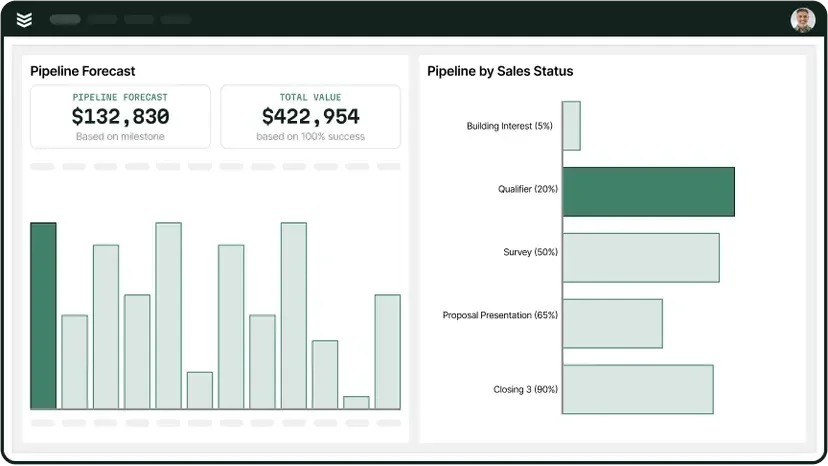
6 top HVAC proposal templates for you to use
Standard templates keep pricing tight, language consistent, and handoffs clean. They also help new reps learn how to write an HVAC proposal without missing key sections. Below are the first three options HVAC pros use to build clear, fast, and accurate HVAC proposals.
1. Proposify
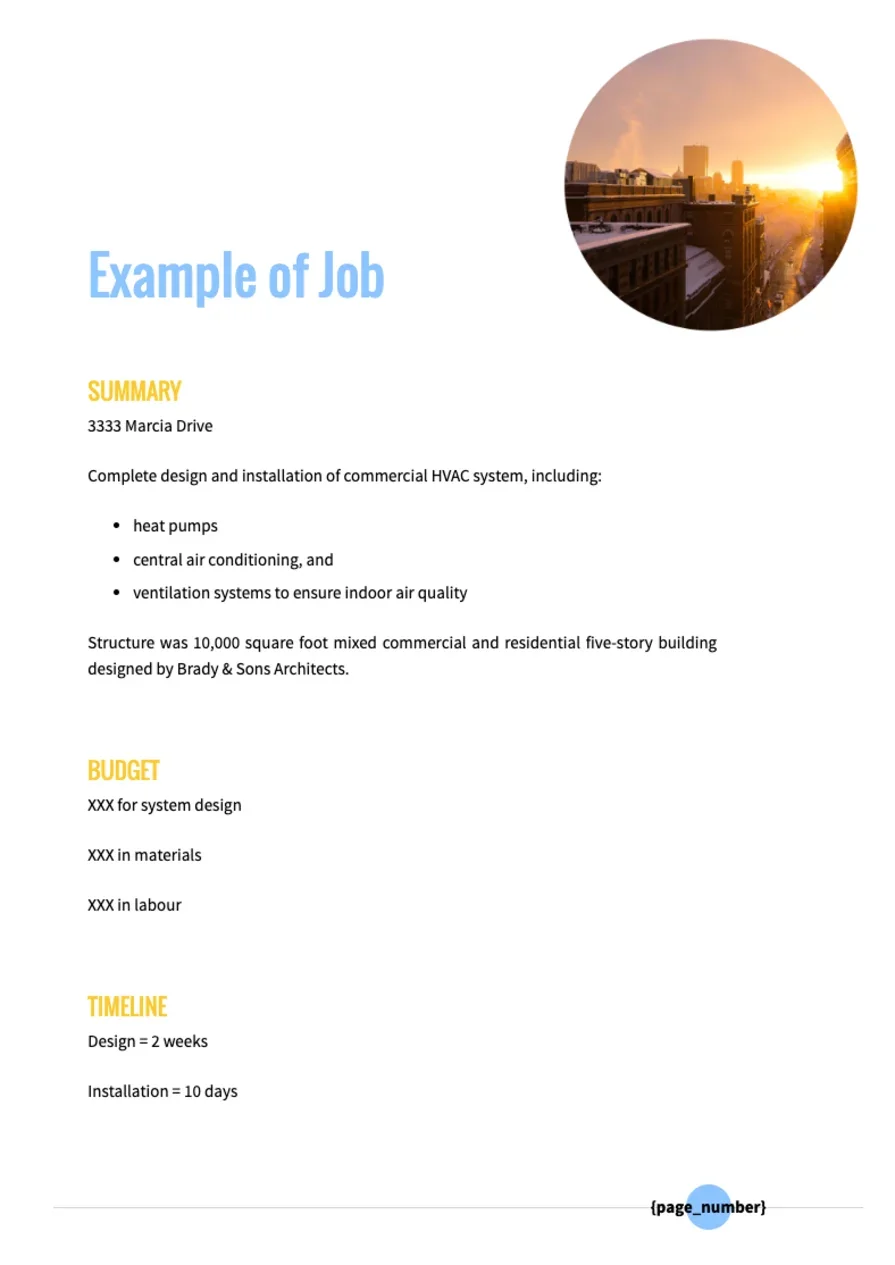
A web-based template system with drag-and-drop blocks, a reusable content library, and built-in e-signature. You can standardize an HVAC project proposal with locked sections for scope, options, and terms, then auto-fill client and site variables. Pricing tables support add-ons and image rows, which helps sell upgrades and accessories without confusion.
Why use it: Proposify helps teams that send a high volume of quotes keep branding consistent and approvals quick. Deal views and notifications show who opened the HVAC proposal and which sections drew attention, so follow-ups hit the exact concerns. Approval routing keeps managers in the loop before a package goes out.
Why it may not be ideal: The subscription adds a recurring line item, which can pinch solo operators. It relies on stable internet, so weak connections slow edits and sending. Deep customization takes setup time, and admins must maintain libraries to keep language current.
2. PandaDoc

PandaDoc centers on document workflow, tracking, and approvals. Templates include roles, comment threads, and an audit trail, which helps sales and ops coordinate changes on complex HVAC proposals. Its catalog and pricing table features make it easier to list equipment, alternates, and warranty tiers with accurate math.
Why use it: Real-time alerts show when a client opens, scrolls, and signs, giving the salesperson clear cues for timing. Pre-built tables keep model numbers, quantities, and labor lines tidy, which reduces back-and-forth. Native payments and e-signature speed acceptance, so the crew can schedule sooner.
Why it may not be ideal: The platform carries many features that small shops may not use, which can feel heavy. Users need time to tune roles, catalogs, and templates before the first HVAC proposal goes live. If your team prefers simple docs, the interface may feel busy.
3. HVACBase.AI
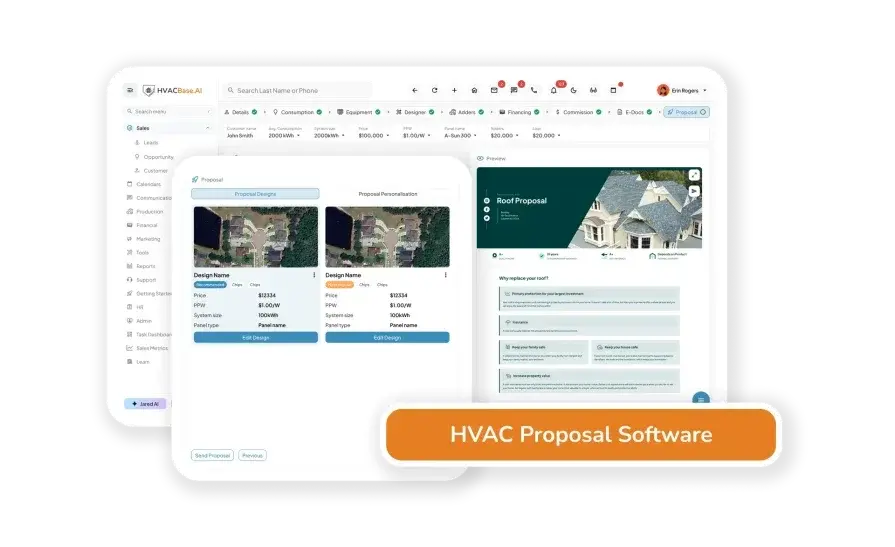
HVACBase.AI’s trade-focused option prioritizes fields HVAC teams care about: tonnage, SEER, ductwork line items, and controls notes. Side-by-side comparisons make it easy to present good, better, best packages inside the HVAC project proposal, along with energy impacts and warranty differences. The layout reads like a technician wrote it, which helps the client and the installer land on the same scope.
Why use it: Defaults match common residential and light-commercial jobs, so reps can assemble an HVAC proposal quickly without hunting for fields. Built-in comparisons tell a clear story about lifecycle value and expected performance. Calculators reduce manual math and help prevent pricing mistakes.
Why it may not be ideal: The tool focuses on HVAC, so firms that also quote plumbing or electrical may need a separate system. Very large design-build projects with engineering attachments may require external spreadsheets or PDFs for full detail. Integrations and add-ons feel narrower than broad document suites.
4. ArcSite

ArcSite pairs site sketches with pricing so you can build an HVAC proposal while still on location. Techs capture dimensions, duct runs, and notes on an iPad, then drop in assemblies tied to a price book. The export creates a clean PDF HVAC project proposal with photos, markups, and measured takeoffs, which helps the office order parts without delays.
Why use it: Great for field teams that need quick drawings, fast counts, and offline access. Sketches reduce rework and help customers visualize the fix. Built-in takeoffs keep scope, material, and labor aligned.
Why it may not be ideal: Best for iOS devices. Deep branding and complex multi-phase formatting can take extra setup. Web-first editing feels limited compared with desktop suites.
5. HVAC Business Solutions
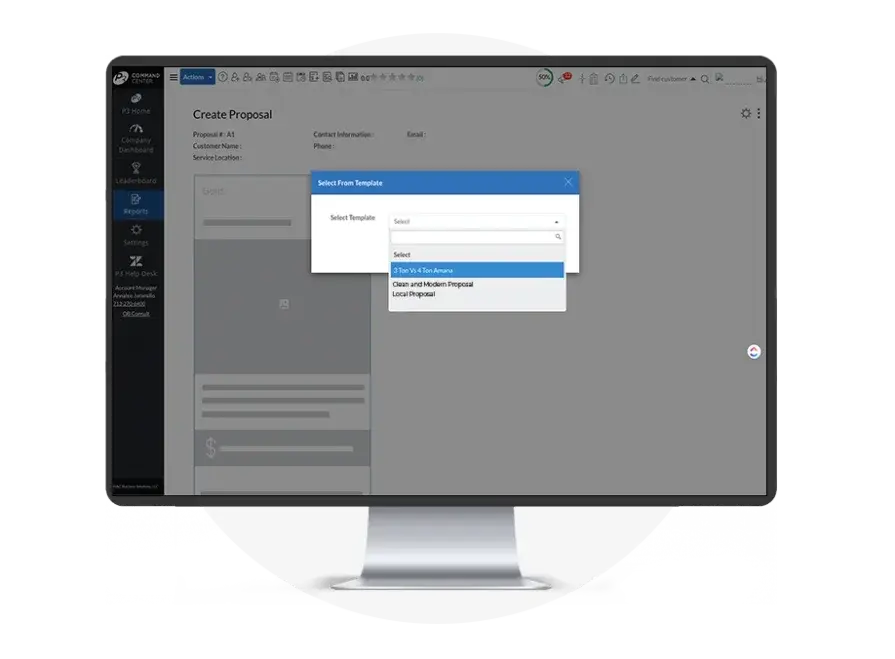
HVAC Business Solutions focuses on residential and light commercial sales, with proposal templates that plug into financing, maintenance plans, and reputation tools. Reps build good, better, best options with equipment data and monthly payment estimates, then present a clear HVAC proposal on a tablet at the kitchen table or in a facility office. The workflow ties leads, dispatch, and proposals so handoff to install runs smooth.
Why use it: Trade-focused features like flat-rate catalogs, financing, and service agreement add-ons help close faster. Templates teach new staff how to write an HVAC proposal without skipping warranties, permits, or exclusions.
Why it may not be ideal: Layout flexibility and branding depth trail general document suites. Very large plan-and-spec jobs may require outside exhibits or spreadsheets. Setup time is required to tune catalogs and pricing.
6. Salescamp
Salescamp combines proposal templates with a simple sales pipeline. You can store scope blocks, price tables, and cover letters, then send an HVAC proposal with e-sign and payment collection. Activity timelines, reminders, and view alerts help reps follow up with precise timing, which moves deals from quote to schedule without gaps.
Why use it: Useful for small teams that need clean templates, notifications, and fast acceptance in one place. The pipeline view keeps managers on top of open HVAC proposals and next steps.
Why it may not be ideal: Formatting options are basic, and integrations feel lighter than enterprise tools. Complex equipment schedules or engineering notes often need attached PDFs.

HVAC proposals often grow out of bids, using the same backbone: scope, equipment, pricing, terms, acceptance. If you want added structure for your proposal library, review our complete list of HVAC bid templates and adapt the layouts to your sections.
Teams focused on facilities and plan-and-spec work can pull strong examples from the commercial HVAC bid templates guide that align with proposal best practices.
Top 3 HVAC proposal software tools for contractors
Solid software turns estimates into clean HVAC proposals, tracks follow-ups, and hands off to ops without retyping. Here are three options contractors use across commercial, residential, and GC work. Each one helps your team present a clear HVAC project proposal and move it to a scheduled job.
1. Best for commercial: BuildOps
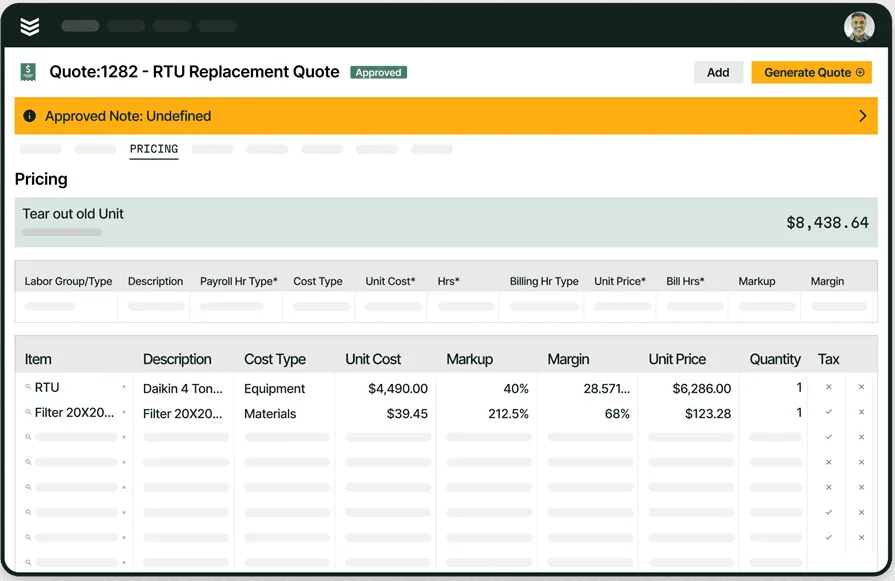
BuildOps connects proposals, quotes, estimates, service agreements, CRM, scheduling, purchasing, and invoicing in one system. Estimators pull parts and labor from a live price book, build options, attach photos and cut sheets, send the HVAC proposal for e-sign, then convert it straight to a work order and invoice. Sales sees activity, ops sees scope, and accounting sees margin.
Key features: digital proposal templates, options and alternates, live price book, e-sign, deposit links, recurring service agreement proposals, multi-location customer records, job costing, and analytics
What sets this apart for commercial: handles multi-site accounts, complex scopes with phases and cost codes, planned maintenance proposals, and approval routing for bigger teams; records tie into assets and service history, so future quotes land faster
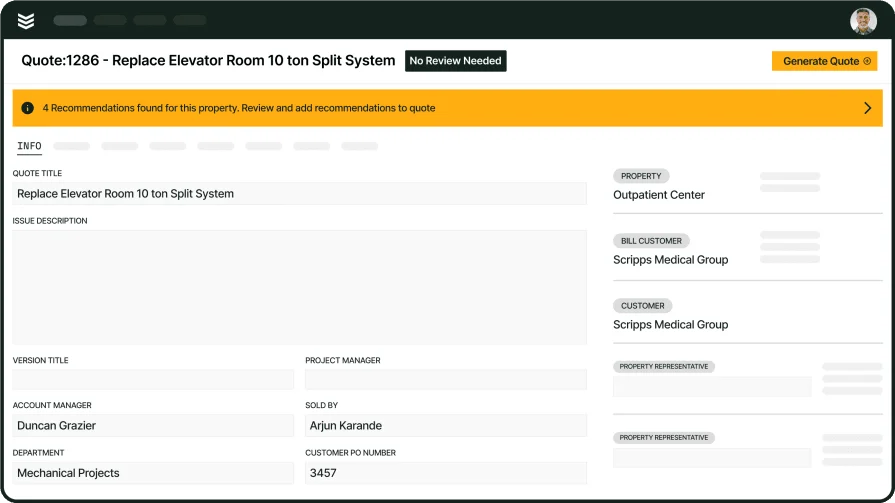
2. Best for residential: ServiceTitan

ServiceTitan offers a proposal builder tied to a residential pricebook, financing, and a polished presentation mode for tablet sales. Techs and comfort advisors can create options, show payment plans, and capture signatures at the kitchen table. It supports strong residential workflows with built-in dispatch, marketing, and call tracking. It may not fit firms that focus on complex plan-and-spec or multi-site commercial work.
Key features: pricebook management with images, financing integrations, option builder, presentation mode, e-sign, call tracking, and marketing tools
What sets this apart for residential: strong sales presentation on tablets, payment plan visibility, and homeowner-friendly proposals that make upgrades easy to choose
Dig in a little deeper by checking out our direct feature comparison of ServiceTitan and BuildOps to see which one has the built-in proposal features better suited to the kind of work your team does.
3. Best for general contractors: Jobber
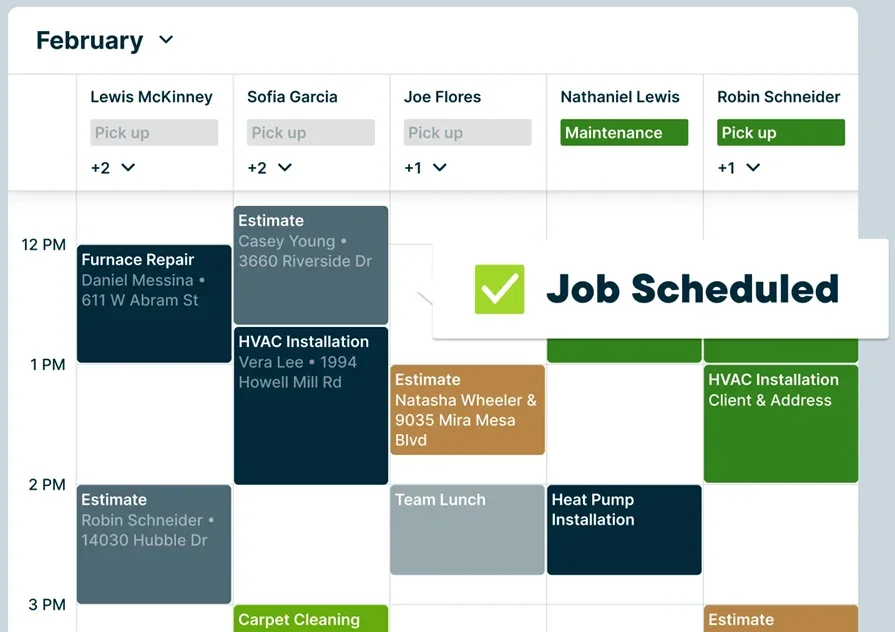
Jobber covers quoting, basic HVAC proposals, scheduling, and quick invoicing for small teams that handle service tickets and light install. It shines for fast turnaround and clear client communications through a customer portal and text updates. It may not fit contractors who need advanced estimating, cost codes, or deep project controls.
Key features: quick quotes with line items, client portal, scheduling and routing, e-sign, deposits, and invoice collection
What sets this apart for general contractors: easy setup, clean client communications, and a single place to send simple HVAC proposal packages alongside standard field service work

Turn every HVAC proposal into a job
A strong HVAC proposal sets scope, price, and expectations so your crew, your customer, and your back office stay aligned. Treat each HVAC project proposal as the job blueprint: options, warranties, schedule, and clear acceptance. That’s how to write an HVAC proposal that protects margin and earns fast approvals.
Teams win when proposals connect to the rest of the operations. Price books, e-sign, scheduling, purchasing, and invoicing should talk to each other so nothing gets retyped. Point tools cover slices of this flow; an all-in-one platform brings it together. BuildOps does that for commercial HVAC field service with proposals that convert straight to work orders, job costing that tracks actuals, and CRM that keeps multi-site accounts organized.
If you also run a commercial plumbing division, the same setup matters. An all-in-one field service software keeps proposals, submittals, and service agreements consistent across trades, making handoffs cleaner and keeping every ticket tied to asset history.




