

Key Takeaways
- HVAC software comes in many types, including tools for field service management, sales & CRM enablement, and design, architecture, & troubleshooting software
- Choosing software that’s the right fit for your HVAC business depends entirely on those industry-driven needs, as well as the scope of your jobs: commercial, residential, general contracting, etc.
- Some of the top HVAC software include BuildOps for commercial field service, Buildertrend for sales management, and Tejjy for drafting/drawing
No matter what size HVAC company you run, having software to run it is essential, as is making sure you’re saving time, minimizing mistakes, making things easier on your employees, and ultimately earning more money from your efficient operation. The best way to do that is to choose an HVAC software that’s suited to your specific business needs, because HVAC software comes in many different forms, and is certainly not one size fits all.
We’ll help you work through the process of how to choose the right tool, what features you need to evaluate, and look through our list of the best HVAC software. To do all of that, we’ll cover the following topics (or jump down to the type of tools that apply to you):
- How to choose the right HVAC software for your business type
- Top HVAC software features to look for & evaluate
- 6 best HVAC management software for field service teams
- 4 best HVAC business, CRM, & sales software
- 3 best HVAC system design architecture & simulation software
- 8 benefits of using HVAC management software
- 4 important HVAC software FAQs answered
We’ll get started with the factors you should consider that will help you choose what software your HVAC company should select. If you’re just looking for a more condensed list of HVAC software for field service companies, read our list here instead.
How to choose the right HVAC software for your business type
HVAC software tends to focus on specific processes, some are better for smaller or scaling teams, and some are for larger companies. Some even have different service tiers so you don’t have to pay for advanced features you don’t need.
To decide which one is the right fit, here are some questions you can ask yourself when evaluating your options:
- Cost – How much do you have to spend to use the software? How long is the commitment term, and does that affect the price (monthly vs. annual)? Is the price charged per user? Is there a demo or free trial available?
- Complexity – How difficult is the software to use? What is the time and effort required to onboard your team for the software, and are there any extra costs for this?
- Market specialization – Does your company handle mostly residential jobs, or does it need an HVAC platform that can handle commercial-scale work? Does it generally do one-off service calls, or does it tend to tackle longer-term projects?
- Onboarding and system integration help – How dedicated is the software vendor to helping onboard your team to the software, including answering questions and troubleshooting problems? Do they go beyond that and offer additional coaching to help your team use the software more effectively? Will they help you build custom workflows that map to your HVAC work now?
- Reviews – What are other people mentioning as pros and cons of the software on review sites? How credible are these reviews, and how relative are the points they make to what you want or need in the software?
- Company size – Is the HVAC software designed for small businesses, medium-sized ones, or enterprise-level ones in terms of pricing and features? Does it have different tiers of service so you can scale up or down if you need to?
- Features – Are the stand-out features of the software things your team is likely to take advantage of? Is it missing anything that would be critical to your operation? Are you getting value for money for the features you’re paying for?
Top HVAC software features to look for & evaluate
It can be hard to recommend specific features in HVAC software because this software can help your HVAC operations in many different ways. Some programs focus on aiding a specific function (or two or three) of your operations, while others offer an all-in-one management suite.
To keep things simple, we’ve split up HVAC software programs into three general categories to make it easier to identify the features you should look for (and these are the same lists we’ve sorted the top HVAC software into below!):
Field service management & project management HVAC software features

Image Source: BuildOps Scheduling
HVAC field service management focuses on taking care of the day-to-day operations of your HVAC business. A big part of this is scheduling appointments and making sure the right technicians get to them (i.e. dispatching), often by tracking tech’ locations.
It also includes drafting proposals, estimates, and service agreements so customers know what they’re paying (and paying for). Another significant component is tracking techs’ progress in the field, such as hours worked, tasks completed, job milestones reached, and so on.
Project management software is field service management software that’s designed to handle big, multi-job projects that may last more than a couple of weeks. It typically includes functions from one or both of the other two categories of software covered below. You may also see or hear it referred to as HVAC Enterprise Resource Planning (ERP) software, subcontractor software, or “pro” software.
The features you want to see in this category of software generally make it easier to schedule & dispatch HVAC techs more efficiently, estimate costs more accurately, streamline note & document writing, and keep techs connected & accountable while they’re out in the field.
The most critical field service management HVAC software features to be on the lookout for include:
- Mobile connectivity – HVAC software that includes a mobile app for techs in the field. It allows techs to receive dispatch times and details on the go, communicate with dispatchers if they need help, and instantly share job details with other team members for various purposes (scheduling, invoicing, marketing, analytics, etc.).
- Advanced scheduling & dispatch functions – Ensuring the right tech gets to the right job at the right time is fundamental to your HVAC business. HVAC software that gives you a bird’s eye view of your techs’ schedules, and can sort or filter techs by the kind of work they can do, will go a long way toward deploying techs efficiently. This leads to less idle time and burnout, letting you complete more jobs.
- Analytics & reporting – Measuring your HVAC team’s key metrics helps you know where you are, relative to where you want to be with company performance. Could routes to service calls be faster? Does techs’ work need to be quicker, more thorough, or both? Do techs need more training to be able to do different kinds of jobs? HVAC software that includes reporting & analysis functions can tell you what you’re already good at and what needs improvement.
- Custom workflows & forms – Your HVAC business likely does things a little differently than others—your software should be able to accommodate that. Features like customizable forms and required data fields let you standardize procedures and information-gathering so everyone on your team is pulling in the same direction.
- Resource monitoring – Your HVAC software should have a way to track the condition and supply of tools and parts: not just for the actual work, but also for your fleet of vehicles if you have one. Better yet, get HVAC inventory management software that can automatically order new tools and parts when their condition deteriorates or their stock runs low. Prevent problems before they happen by ensuring your team is well-stocked and well-equipped.
- Assisted document creation – AI-powered software can help your techs write notes faster and more accurately. It can also help your financial team speed up estimating and invoicing by analyzing your techs’ notes and translating them into a financial report.
CRM & sales HVAC software features

Image Source: BuildOps CRM
HVAC sales software & CRM (customer relationship management) software handle the marketing and customer service functions of your HVAC company. Sales software helps you make connections with potential new customers, whether through mass advertising or through targeted outreach to specific people and businesses.
CRM HVAC software helps you organize customer data and makes it easily searchable – both their personal details and their service history. You’ll quickly know where they are and what they (likely) want so you can help them with any issues, or make suggestions on what products & services they might be interested in going forward.
- Customer hierarchies – Some customers (especially in the commercial sector) own or manage more than one property, and each of these properties may have different contact people. This adds layers of complexity to CRMs because you need to account not only for what needs service, but also where that system is and who needs to know about it. Having a feature that lets you see these relationships at a glance helps to ensure you’re focusing on the right item at the right property in the right location – and the right person to notify – when talking with a client about a service call.
- Service history – To predict what HVAC services your customers may need next, you should know what work they’ve already had done. Having an extended record of a customer’s service calls can help you identify patterns of what work they need, when. You can even use AI analysis to generate suggestions and potential upsell opportunities.
- Feedback mechanism – Tracking a customer’s history extends beyond strictly service calls. You should also have a way to gather feedback and track other interactions from customers, such as phone calls, emails, and surveys/reviews. Analyzing this can tell you how you could serve your customers better, and maybe also what else your company needs to do to improve.
- Targeted communication – You can also use your interaction history with a customer to inform how and when you communicate with them in the future. For instance, you can provide discounts, queue priority, and other incentives for customers who consistently pay their invoices early or on time. Meanwhile, you can follow up more often with clients who are often late in paying their invoices, stressing the importance of paying on time and the potential consequences of not doing so.
HVAC system design architecture & simulation features

Image Source: BuildOps RFIs
System design architecture & simulation software assists with the technical aspects of HVAC work. It’s about visualizing where the components of an HVAC system will go in a building, calculating how much energy is needed to heat or cool a particular building, and running tests to check system behaviors and optimize energy efficiency.
It also includes being able to simulate potential problems with an HVAC system – even without physical access to the system – in order to troubleshoot them. It can also involve HVAC inventory management: accounting for the materials needed to build or repair an HVAC system.
- Load calculation – Load calculation determines how much energy is needed to heat or cool a building, and is a critical component of HVAC architecture. It should account for factors such as the building’s size and specific geometry, insulation, humidity, sunlight, overall climate, occupancy, heat-generating electronics in the building, and so on.
- Duct design – How ducts are actually built and placed is also key to HVAC design. Layout, shape, and materials can affect air distribution, air pressure, energy consumption, noise, and other factors that affect comfort and price for occupants.
- Inventory management – Once you know what’s required to build or repair an HVAC system, you need to make sure you actually have it. Software that can compare building models against your company’s HVAC inventory list helps ensure you have everything you need for a job before you start.
- Simulation capabilities – It’s useful to be able to model how an HVAC system works without needing to access or operate it. This lets you test its energy efficiency in order to improve its design, or simulate expected behaviors so you can troubleshoot a problem.
Again, some solutions will focus on one or two of these main functional categories, while others try to cover virtually everything an HVAC company might need. In addition, some platforms are designed for HVAC companies that take on certain classes of jobs: some for residential buildings, others for commercial projects, and still others for general contractors who might oversee either type of job (or other tasks in addition to HVAC).
The point is that whether or not an HVAC contractor software has the features you want is going to depend significantly on two things: how the software is designed to function, and what kind of company it’s designed for based on what type of HVAC work you do.
6 best HVAC management software for field service teams
Field service management & project management software help with the everyday tasks within your HVAC operations, like scheduling & dispatching service calls, putting together estimates, coordinating technicians in the field, and writing reports & invoices. This is our collection of the best HVAC software out there that’s best suited to field service teams.
1. Best for commercial field service teams: BuildOps

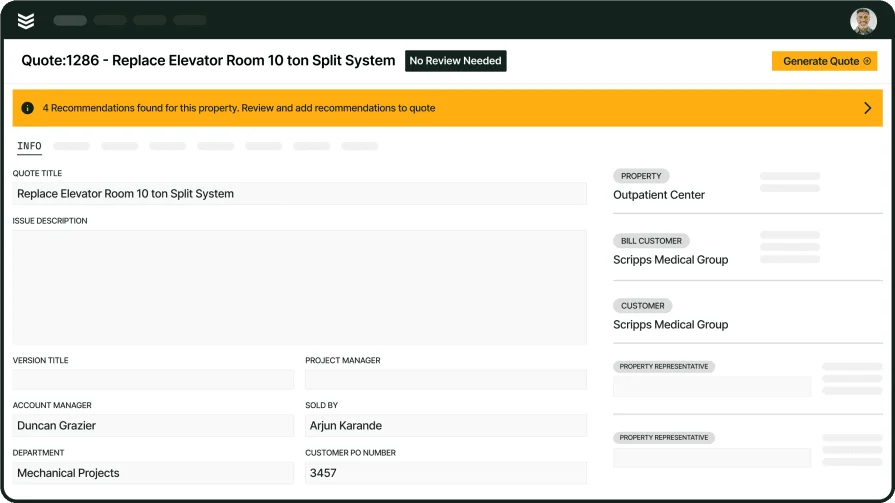
BuildOps is the only field service software that’s purpose built specifically for commercial HVAC companies. Its advanced search and organization functions are purpose-built to help you handle the complexities of commercial clients. For example, you can view and search all assets at all properties managed by a specific client, including the contact person you need to deal with at each property.
The BuildOps mobile app features real-time dispatching and AI-powered notetaking, so your techs can spend less time getting their marching orders and writing reports, and more time getting jobs done.
Industry Specialization: Commercial
How Pricing Works: Contact BuildOps for a demo for your business specifically, with custom pricing to follow
What Sets It Apart: Built-in customer hierarchies that organize and display assets split between multiple properties managed by the same customer, knowing what work needs to be done, on which property, and who needs to be notified about it, which is especially useful for commercial-scale and larger projects.
Key Features for Commercial HVAC Teams:
- AI-powered, real-time, Smart Dispatching that makes suggestions based on tech skills availability
- Nameplate scanner lets you snap a photo of an HVAC unit, and the app will fill in the serial number and other details for you
- Integrates with Enterprise ERP tools like Quickbooks, Vista, and Sage, as well as with Bluon
Rating: 4.5 on Capterra from 149 user reviews
Built for the challenges of commercial HVAC
BuildOps has helped HVAC shops see 30% revenue growth + 75% quote approval rates
2. Best for residential HVAC service teams: Jobber

Image Source: Jobber
Jobber is an HVAC software system for residential contractors, helping them manage their operations while growing their HVAC business. You can automatically follow up with customers to get quick responses about appointments and invoices, and easily sync timesheets for payroll, customer management, invoicing, and payment—so everything is working together.
Industry Specialization: Residential
How Pricing Works: Monthly subscription based on the number of users and features
What Sets It Apart: Exclusively geared towards residential contractors and home services
Key Features for Residential HVAC Teams:
- Customers can easily book jobs with you online, with Jobber doing the rest of the scheduling work
- Whether they’re for your clients or just your team, build intuitive job forms and checklists to make sure you finish all tasks on time
Rating: 4.6 on Capterra from 1404 user reviews
3. Best for general contractors that offer HVAC services: Service Fusion

Image Source: Service Fusion
Service Fusion is an all-in-one FSM software designed for both residential and commercial businesses. It enables you to manage your jobs, as well as your entire fleet with GPS tracking. This gives you added visibility over your vehicles so you can reduce fuel costs and maximize the efficiency of your fleet at all times.
Industry Specialization: Residential and Commercial
How Pricing Works: Monthly subscription based on included features
What Sets It Apart: GPS tracking for advanced fleet management
Key Features for HVAC General Contractors:
- Easily schedule your construction jobs from a single dashboard, and then dispatch them when it’s time to start the project
- Don’t just track which job site your vehicles are at with GPS tracking, but actually analyze downtime and fuel efficiency to get the most out of your fleet
Rating: 4.3 on Capterra from 289 user reviews
4. Best for small and medium-sized HVAC service businesses: Sera

Image Source: Sera
Sera is a newer HVAC software platform that was built to help small and medium-sized contractors streamline operations without being overwhelmed by too many program features. It offers simple yet powerful scheduling, dispatching, fleet management, invoicing, and financial functions. Hands-on customer service gets you started quickly, so you spend less time learning how to use the software and more time learning how to be successful with it.
Industry Specialization: Residential
How Pricing Works: $399/month for a team of up to 4 technicians, additional tech seats can be purchased for $149/month
What Sets It Apart: Fast and easy onboarding with dedicated training, data migration, and business coaching support
Key Features for HVAC:
- Batch invoicing, automated customer appointment reminders, and custom templates for contacting clients
- Plenty of available integrations for added functionality while keeping the base software lean
Rating: 4.4 on Capterra from 23 user reviews
5. Best for managing subcontractors: Tradify

Image Source: Tradify
Tradify covers the essentials of HVAC field service management: inquiries, quotes, scheduling, job tracking, invoicing, and receiving payments. It also has some handy functions at higher price tiers, such as integrating subcontractor schedules into your master calendar, or instantly digitizing invoices by taking photos of them. Tradify can even help you build a website that can connect to their platform in minutes.
Industry Specialization: Commercial
How Pricing Works: Tier-based monthly per-user subscription, and free trial available
What Sets It Apart: Pro and Plus tiers have dedicated tools for coordinating subcontractors’ schedules
Key Features for HVAC Subcontractors:
- Integrates with Google Calendar to make lining up your schedules easy
- Cloud-based software gives anyone on your team access to the information they need, anywhere
Rating: 4.7 on Capterra from 152 user reviews
6. Best for home services: mHelpDesk

Image Source: mHelpDesk
mHelpDesk is an FSM solution designed for a series of residential field services, including home cleaning, landscaping, painting, and even computer repair. Intuitively schedule service for your customers and manage dispatch for those jobs. Stay in contact with customers by communicating with them about their appointments.
Industry Specialization: Residential
How Pricing Works: Contact them for a private quote
What Sets It Apart: Supports a wide range of home-related field services, including landscaping and cleaning
Key Features for HVAC & Home Services Contractors:
- Lead management enables you to close more leads and take on more projects, as well as maximize your outreach efforts
- Job quotes provide more accurate estimates for the projects you’re working on, and pre-built templates make them easy to create
Rating: 4.3 on Capterra from 823 user reviews
4 best HVAC business, CRM, & sales software
CRM & sales software focuses on the customer-oriented aspects of your HVAC company: how do you get new clients, and how do you offer exceptional service to keep the ones you already have? The options below have some of the best features for those two purposes.
7. Best for sales management: Buildertrend

Image Source: Buildertrend
Buildertrend is a customer and sales management software for construction professionals, designed to help them capture and close more leads. Craft customized proposals that help you nurture leads and get closer to greenlighting your proposals. Connect with prospects with targeted email marketing efforts that show them you understand — and can help them accelerate — their business.
Keep homeowners involved in the process with clear lines of communication, helping you maintain a great relationship with clients and helping them achieve results.
Industry Specialization: Home builders & Remodelers
How Pricing Works: Monthly subscription model (starting at $499/mo)
What Sets It Apart: Nurture lead funnels with email marketing and targeted proposals
Key Features for Sales Teams:
- CRM hub connects you with everything you need to create, capture, and track leads
- Draft contract proposals and execute outreach using email marketing
- Daily logs allow techs to track construction job progress with a record of the work
Rating: 4.5 on Capterra from 2481 user reviews
8. Best CRM for residential contractors: Housecall Pro

Image Source: Housecall Pro
Housecall Pro is a CRM and sales solution built for residential contractors and home service businesses. It specializes in HVAC, plumbing, electrical, and cleaning services. The platform offers advanced reporting, invoice tracking, and accounting tools that make it easy to manage all aspects of the customer relationship.
Industry Specialization: Residential Contractors
How Pricing Works: Monthly subscription based on the number of seats you’ll use
What Sets It Apart: Features that cater towards residential contractors
Key Residential CRM Features:
- Use pipeline management to intake and manage customers more effectively, automating the process from estimate through to invoice
- Creates engaging sales proposals that lead to more closed contracts
- Boosts upsell success to increase job ticket sizes
Rating: 4.7 on Capterra from 2736 user reviews
Make sure to check out our comparison of Housecall Pro vs BuildOps right here to see which one is the better fit for your HVAC team.
9. Best for tender management: Procore

Image Source: Procore
Procore is an FSM platform designed for general contractors and specialty subcontractors. Among its notable features are pre-construction tools that facilitate accurate and professional-looking proposals. Make bidding for jobs – and transitioning from bid management to project management – easier with financial integrations, templates, filters, and AI automations.
Industry Specialization: General and Specialty Contractors
How Pricing Works: Contact them for a custom quote
What Sets It Apart: Financial features and integrations make shift from estimates to proposals to budgets easy
Key Features for Tender Management:
- Integrates with over 15 accounting integrations (and over 500 apps in total) to get sales & CRM tasks done faster and easier without needing separate platforms
- Use AI and filtering tools to properly count items, view material/labor rates, and format documents so you can move between pre-project phases quickly and seamlessly
Rating: 4.5 on Capterra from 2655 user reviews
10. Best for inventory management: ServiceTrade

Image Source: ServiceTrade
ServiceTrade is an end-to-end FSM solution that helps commercial contractors with office coordination, sales management, and inventory management. Increase visibility into jobs for all team members, from office admin to field service technicians, ensuring everyone is in the loop.
ServiceTrade improves operational efficiency and effectively manages your inventory so you always have the parts you need, and your technicians aren’t waiting for parts they need to complete jobs.
Industry Specialization: Commercial
How Pricing Works: Subscription pricing based on the number of seats you need
What Sets It Apart: Inventory management solutions that ensure your technicians always have the points they need
Key Features for Inventory Management:
- Tracks jobs with absolute precision using timecards, helping you limit unnecessary office visits and estimate future jobs with even better accuracy
- Forecasts the parts you’ll need so you can keep your inventory fully stocked, without running into overstock issues and limiting available storage
Rating: 4.6 on Capterra from 339 user reviews
3 best HVAC system design architecture & simulation software
Design & simulation software is about making sure HVAC systems are built right and are working right. This includes visual planning, efficiency calculating, troubleshooting, and behavior testing. Here are some of the top HVAC software and tools that facilitate those kinds of functions.
11. Best for HVAC drafting and drawing: Tejjy

Image Source: Tejjy
Tejjy is a leading property and facility management company in the architecture, engineering, and construction (AEC) sector. They offer MEP (mechanical, electrical, and plumbing) drafting and drawing for HVAC, electrical, and fire protection. They can also do BIM consultation services, including modeling, fabrication, assembly, and installation.
Industry Specialization: Architectural Design & Engineering
How Pricing Works: Contact them directly for a quote
What Sets It Apart: Specialization in BIM consultation and design services
Key Features for Drafting & Drawing:
- Get precise mechanical, electrical, plumbing, and fire protection drawings that help with HVAC fabrication, assembly, and installation
- In-house 3D scanning
- Create MEP designs that account for variable conditions in residential, commercial, and infrastructure projects
Rating: 4.8 on Goodfirms from 3 user reviews
12. Best for HVAC design and planning: Flatworld Solutions

Image Source: Flatworld
Flatworld Solutions specializes in HVAC design for both residential and commercial industries, servicing homes, buildings, commercial properties, and hotels. With HVAC modeling and duct design services, they find the right fit for your space by accurately calculating the load and fitting the ideal unit. This gives you adequate air control without overspending.
Industry Specialization: Residential & Commercial
How Pricing Works: Contact them to request a quote
What Sets It Apart: Focus on delivering high-efficiency HVAC installations through cutting-edge designs
Key Design & Planning Features:
- Services a range of commercial HVAC installations, emergency repairs, and routine maintenance
- Specializes in designing residential heating and cooling systems that deliver reliable, consistent results
Rating: 4.7 on Clutch.co from 23 user reviews
13. Best for HVAC engineering: TrueCADD

Image Source: TrueCADD
TrueCADD is a leading CAD (computer assisted design) company that specializes in CAD engineering services and BIM (building information modeling) design and 3D modeling. As part of their service offerings, they provide HVAC design and development, load calculation, 2D drawings, 3D modeling, and duct sizing & layout planning.
They help teams choose HVAC systems that are compliant with code, energy-efficient, and suitable for the building & use case.
Industry Specialization: Industrial
How Pricing Works: Contact them to request a quote
What Sets It Apart: Multidisciplinary engineering company that specializes in BIM and mechanical engineering
Key HVAC Engineering Features:
- Spatially plan the assembly, fabrication, and piping to ensure you install the best layout for the HVAC assembly
- Design and draft schematics for heating and cooling systems
- Create final documentation and specifications for finalizing equipment development
Rating: Not yet rated on any popular software rating websites
8 benefits of using HVAC management software
Here are some of the top ways you stand to see ROI on an investment in HVAC software.
1. Increased productivity
Coordinating schedules, finances, customer information, inventory, and everything else you need to worry about through paper files or spreadsheet software is time-consuming and eats up a lot of your human resources. It also increases the chances that information is entered incorrectly or files are lost, costing you more time while you fix or find things.
HVAC software streamlines your processes with fewer errors, so you can spend less time managing your operation and more time completing jobs or chasing leads.
2. More efficient scheduling & dispatching

Scheduling/dispatching is a balancing act between delegating work equally between technicians, not overworking any one tech, and ensuring any tech who shows up for a job is qualified to do it.
3. Maintaining communication and collaboration on the go
By using HVAC software that includes a mobile app, you can provide your techs with dispatch alerts, job details, and more wherever they happen to be. There’s no need for them to spend extra time returning to headquarters to get this information. Plus, they can send real-time updates back to headquarters on how the job is progressing and if they need help.
4. Better customer service

HVAC software with built-in or integrated CRM tools allows you to organize customer data efficiently and access it quickly: where clients are, what HVAC work they’ve had done, and what they need. This lets you offer prompt service, improves troubleshooting, and informs recommendations when building an HVAC maintenance schedule for a specific client.
5. Improved resource management
With a function like inventory management, HVAC software becomes capable of tracking your tool conditions and material supplies. Some can even automatically order new equipment when it wears out or runs low. Fleet management functions can perform similar monitoring of your vehicles’ parts and fuel.
6. Centralized information for closer teamwork
Using separate tools to coordinate your HVAC business can mean information gets broken up and stuck in places where other team members need it, but can’t get to it (or don’t know it exists). This can lead to wasted time – or even mistakes – because not everyone in your company is working with the same information.
Having a central hub for information on clients, properties, jobs, finances, etc. that all relevant stakeholders can access makes it easier for your team to work together seamlessly.
7. Broader view of your company’s strengths and weaknesses

Another benefit of having a central source of information for your HVAC operations is that you can do more thorough analysis and reporting across your whole company. Where could your business improve? Reducing time to reach job sites? Making techs more productive so they take less time to complete jobs? Collecting more specific (and, ideally, positive) customer feedback? Training techs so they can do more types of jobs and balance your workload better?
With all your information in one place, it’s easier for stakeholders to make comparisons to show what your company is good at and what it needs to be better at.
8. Reduced costs
Most HVAC software costs money to use; there’s no getting around that. However, its management functions can end up saving you much more money in the long run. By tracking inventory, optimizing service call routes, and efficiently coordinating dispatch schedules, HVAC software can limit money (and time!) wasted on unneeded equipment, excess fuel use, and idle techs.
Get the HVAC top shop business growth report
See how real leading HVAC pros are able to grow and scale their businesses faster
4 important HVAC software FAQs answered
If we haven’t answered all of your questions yet, here are answers to a few other key questions that will hopefully give you the information you need.
1. What is HVAC software & how does it work?
HVAC software is a computer and mobile app platform designed to help manage the operations of an HVAC company. It can serve various functions, including in-the-field management, scheduling/dispatching, estimating/invoicing, system design, simulation/troubleshooting, and more.
Some HVAC software specializes in a few particular functions, and some focus on just a single work type or feature. Other software combines several tools together to create a comprehensive business solution for an entire HVAC business. Which one you pick will depend on your organization’s budget and specific needs.
HVAC software could be desktop programs run at your headquarters, mobile applications for use by your technicians out in the field, a cloud-based platform accessible from virtually anywhere, or any combination of these.
2. What does a typical job workflow look like in an HVAC software platform?
HVAC software is built on a central platform, usually containing a desktop and mobile app version, so any tech, office, or leadership team member can access all the features from wherever they are.
Here’s an example workflow for a simple job, executed BuildOps as an example HVAC software:
- A new customer calls to request work and customer details and recorded in the CRM
- Dispatching assigns a tech to visit the jobsite and examine the scope of work, recording Notes and taking Photos
- A Quote is generated by office staff based on the tech’s assessment of the jobsite, and sent to the customer
- Customer approves the quote, and dispatching Schedules the job
- Tech arrives at the jobsite while Fleet Tracking and Route Optimization got them there at the idea time
- Custom Checklists and Workflows are all accessible to the tech through their mobile app, which they complete as they go
- Field Report Notes are completed by the tech, and then automatically turned into an Invoice Summary
- The customer receives the Invoice, and then is offered Payment options
- Custom Dashboards that pertain to this type of work, this tech, or general operations are automatically updated with job data and then reviewed by leadership to improve future operations
3. Who needs HVAC service software the most?
Pretty much any HVAC company could benefit from using software to organize and automate its operations. If any of these sound like your business, you might want to consider getting on HVAC software, or making a switch to a new tool:
- You’re taking too much time and/or making too many mistakes doing manual data entry
- You finding it hard to efficiently schedule calls and divide work among your techs
- You waste a lot of time and fuel when techs constantly return to headquarters for information or equipment
- You’re constantly sifting through paper files to find the right information on customers
- You work less efficiently than you could because departments are sharing information manually (or not at all)
- You feel like you’re In the dark about how it could most effectively cut costs or increase revenue
If that sounds like your operation, you should consider investing in software for your HVAC business.
4. Is HVAC management software worth the cost?
Most teams feel that HVAC software is well worth the costs, because you recoup the cost of the software in the way the software automates manual work, and cuts down on critical mistakes.
There are some factors that typically influence HVAC software pricing, including:
- The number of employees who need to use it – This is the big one. Many HVAC software vendors will charge the monthly rate for their software for each person on your team who needs access. So a local residential HVAC company with few techs might pay less than an enterprise commercial HVAC company with hundreds of employees.
- The service tier – Many HVAC service software programs have multiple service tiers. Higher tiers have more features or fewer limitations, but are a bigger investment. This gives you some flexibility in choosing the package that’s right for you.
- Additional customer service – Some HVAC software providers will offer extra customer support for their product. This may include training sessions with their staff, dedicated on-demand troubleshooting teams, or even advanced success coaching. Some of these may be included in higher service tiers, or may need to be purchased separately.
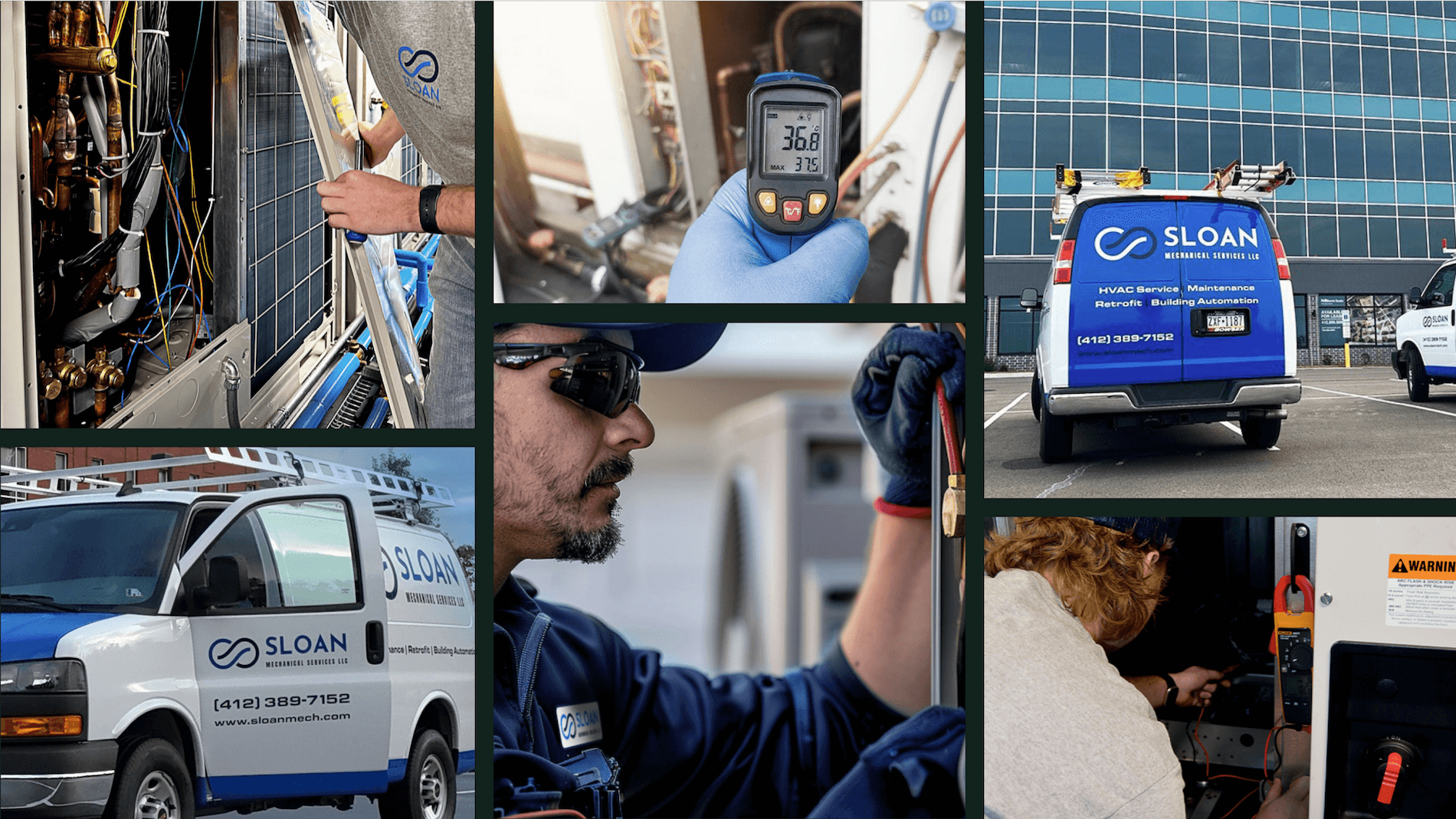
If you’re a commercial HVAC contractor looking for powerful field service management software, BuildOps is likely best suited for your needs. We’ve designed our platform from the ground up specifically to help commercial HVAC pros like you tackle every challenge you face - from winning new customers and getting paid faster to managing routine maintenance and long-term construction projects.
Unlike the other ‘one size fits all’ platforms, BuildOps includes features like asset management for multi-property clients, real-time scheduling & dispatch, work report forms with custom required fields, and AI to assist with notetaking and generating reports or invoices.
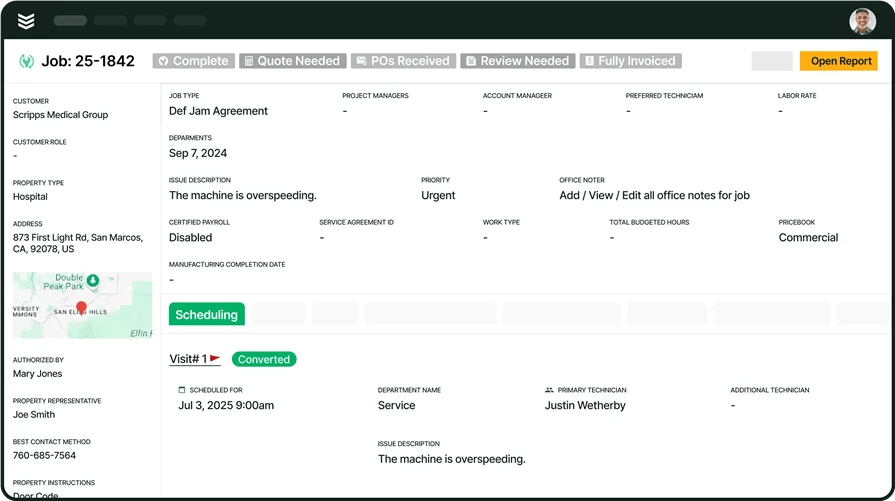
Deep dive into our features for HVAC pros
BuildOps HVAC customers have seen a 30% growth in revenue—learn how you could too!