6 Best AI Field Management Software & How To Choose One

Field service work moves fast. Jobs change, techs update notes on the go, and dispatch is constantly adjusting the board. AI field management software helps teams capture what happens in the field and turn it into clean job data that supports scheduling, customer updates, and billing. In the field service industry, that can mean fewer gaps between what techs do and what the office needs to close the loop.
Here’s what we’ll cover:
- How to choose an AI field service management tool for your business
- 7 key features to look for in an AI field service management software
- 6 best AI field management software & tools to power your operations
- 8 benefits of using an AI-powered field management software
- 4 FAQs about AI field management software & tools
Now that the basics are clear, the next section breaks down how to choose AI field service software for day-to-day field operations, including what to prioritize for technicians, dispatch, and the back office.
How to choose an AI field service management tool for your business
Before you compare feature lists, pressure-test business fit. In AI field service management software, factors are the questions tied to your workflows, your team, and your rollout plan. Features are the capabilities inside the tool, like scheduling, route optimization, or automated reminders.
- Workflow fit across dispatch, techs, and the office - Map how work moves from call intake to closeout. Confirm the tool supports your real steps, job types, and handoffs without forcing a full rebuild of your process.
- Field adoption and daily usability - Ask a tech to run a job from start to finish in the demo. Look for fast updates, clean checklists, and simple photo uploads so job data stays accurate in AI field management software.
- Training and change management plan - Get clarity on how training works for techs, dispatch, and managers, plus what it takes to reach consistent usage across the team.
- Implementation timeline and resourcing - Confirm what you must provide during rollout, such as job templates, price books, forms, asset fields, and permissions. Ask who owns configuration, testing, and go-live support.
- Integrations and data migration - List the systems you depend on, including accounting, payroll, CRM, phones, and email. Ask how integrations connect, what data migrates cleanly, and what requires cleanup before switching.
- Data quality and AI inputs - AI outputs depend on what your team captures. Ask what inputs drive recommendations and automation, and how the system handles gaps like missing asset history or incomplete job notes.
- Controls, approvals, and audit trail - For AI-generated notes, summaries, or customer-facing messages, confirm your team can review and approve before anything sends. Also verify how edits and approvals are tracked.
- Reporting that matches your KPIs - Decide what you manage daily, such as job status, response time, utilization, callback rates, and margin by job type. Make sure reporting aligns with how you run the business.
For a practical view of how AI shows up in day-to-day operations, the related blog post on AI in field service management provides helpful context. Next, we will break down the key features to look for so you can compare AI field service software with a consistent checklist.
{{related-content-block="/resources/ai-in-field-service-management"}}
7 key features to look for in an AI field service management software
Field service days rarely follow the plan. A tech runs long on a repair, a callback hits the board, and the office needs clean documentation for billing before the day ends. Having AI capabilities in field management software helps connect those moving parts by turning job activity into usable actions, like scheduling adjustments, clearer job notes, faster invoicing, and cleaner reporting.
1. Smart dispatch & scheduling

In AI field service management software, Smart Dispatch uses job type, priority, location, and technician history to suggest assignments and reshuffle the board when conditions change, while field service scheduling keeps availability and job timing structured across the day.
Pair that with smart dispatch software and dispatch can react to real-time updates without chasing every technician for ETAs. On a Monday morning when three urgent calls land before 9 a.m., the system can recommend who to send, propose a revised route order, and draft customer arrival windows based on live progress, so the team stays aligned even as the board shifts.
2. Fleet management

Fleet tools matter when they do more than show dots on a map. Look for fleet route optimization that uses job locations, traffic patterns, and schedule constraints to cut dead drive time and reduce late arrivals, supported by fleet management insights that help dispatch confirm where crews are and where they can realistically go next. Tie that visibility to time tracking and you get cleaner labor records that match what actually happened on the road and on site.
3. Asset capture
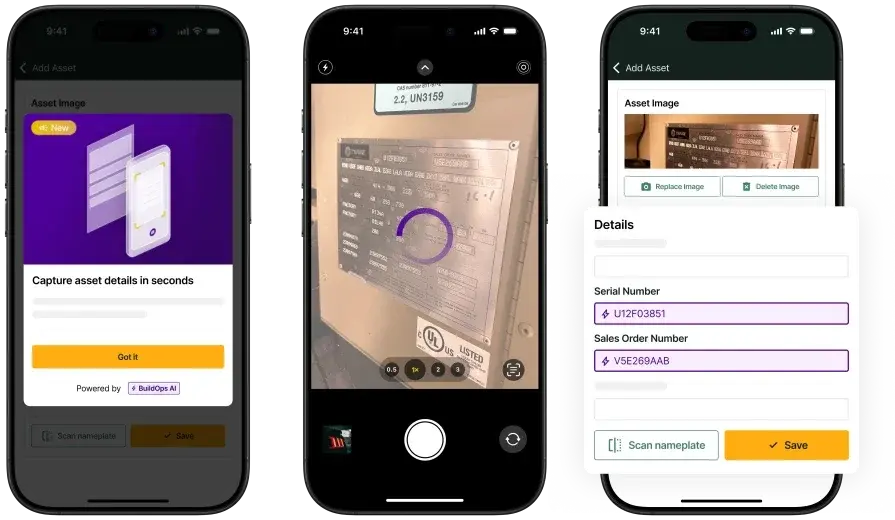
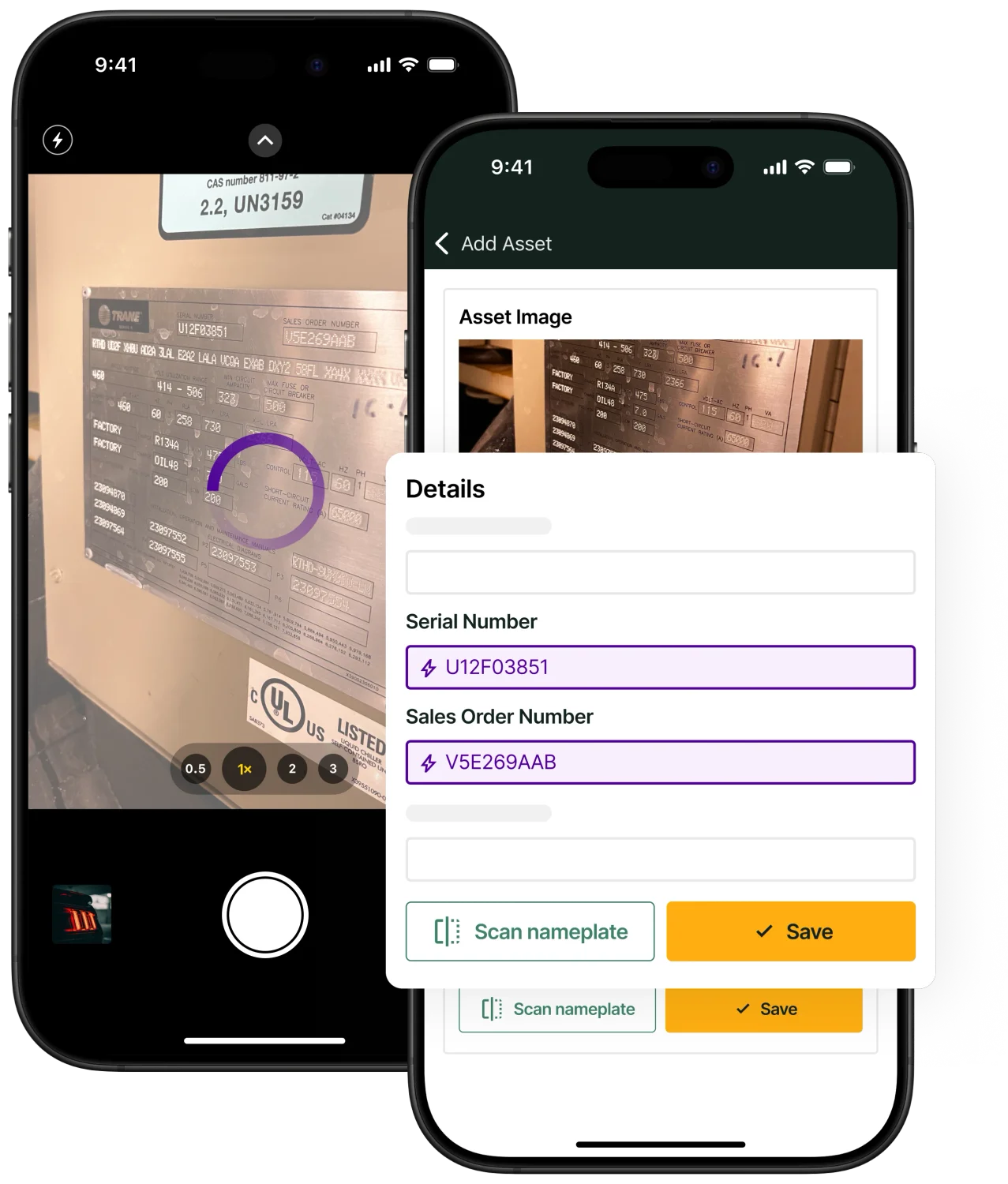
Asset capture gets valuable when it removes typing and prevents bad records from getting saved. Nameplate (asset) capture uses AI to read equipment details from a photo, then fills model, serial, and key fields so techs can keep moving while the office gets consistent data. With a technician mobile app, that capture happens at the unit, not back at the desk. When a tech walks into a mechanical room with a hard-to-read nameplate, snapping a photo can populate the asset record on the spot, which supports future service history, parts decisions, and warranty checks without a string of follow-up calls.
4. Field reporting
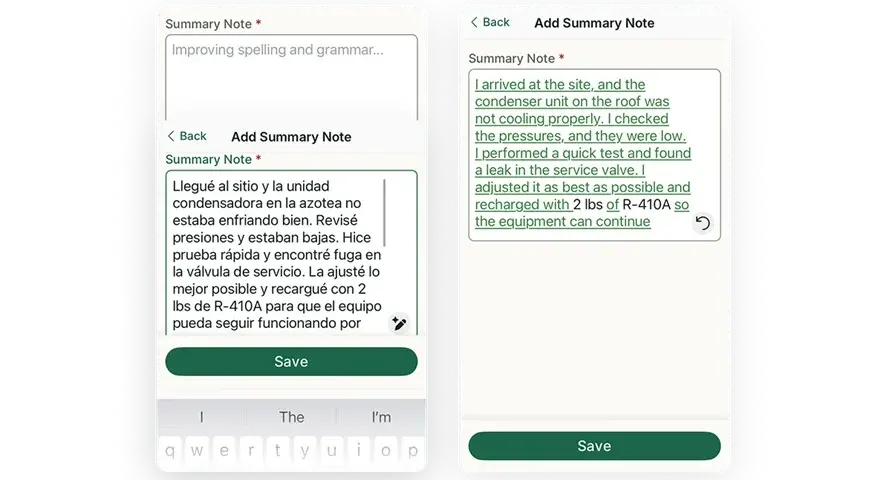
Field reporting should not depend on who has time to write the cleanest notes. Auto-complete field note summaries use AI to turn bullets, voice notes, and checklists into a clear visit recap with problem, work performed, and next steps, then roll that into reporting dashboards that managers can trust. During a late-day closeout, a tech can log the essentials quickly, and the system can generate a structured summary that a supervisor can review before it goes to a customer or into a job record, which keeps documentation consistent across the team.
5. Invoicing & payments

Invoicing speed depends on clean inputs. Invoice scanning uses AI to pull details from invoices and receipts, match them to jobs, and flag missing fields before billing goes out, which strengthens the workflow inside invoicing and reduces rework for the back office. When you combine that with payments, the path from job completion to cash collection stays tight and trackable.
6. Service CRM

A service CRM becomes a real operational tool when it keeps context close to the job. AI can help summarize prior visits, surface relevant notes, and highlight customer patterns so teams walk in prepared, while a field service CRM keeps communication history, assets, and job status in one place. Connect that to service quoting software and teams can move from diagnosis to approved work without delays caused by scattered details.
7. Service agreements

Service agreements work best when they keep work predictable and easy to manage. AI can help identify which customers fit an agreement based on service history, automate reminders for upcoming visits, and support consistent checklists for recurring maintenance inside service agreements. When a seasonal rush hits, the system can flag agreement visits that need scheduling attention and help dispatch prioritize based on due dates and workload, so recurring revenue stays steady and crews avoid last-minute scrambles.
6 best AI field management software & tools to power your operations
AI shows up in the field when it saves a dispatcher time, helps a tech document work cleanly, and keeps billing moving. Below are six platforms teams evaluate when they want AI field management software that supports day-to-day service work plus installs, maintenance, and repair.
1. Best for commercial teams: BuildOps

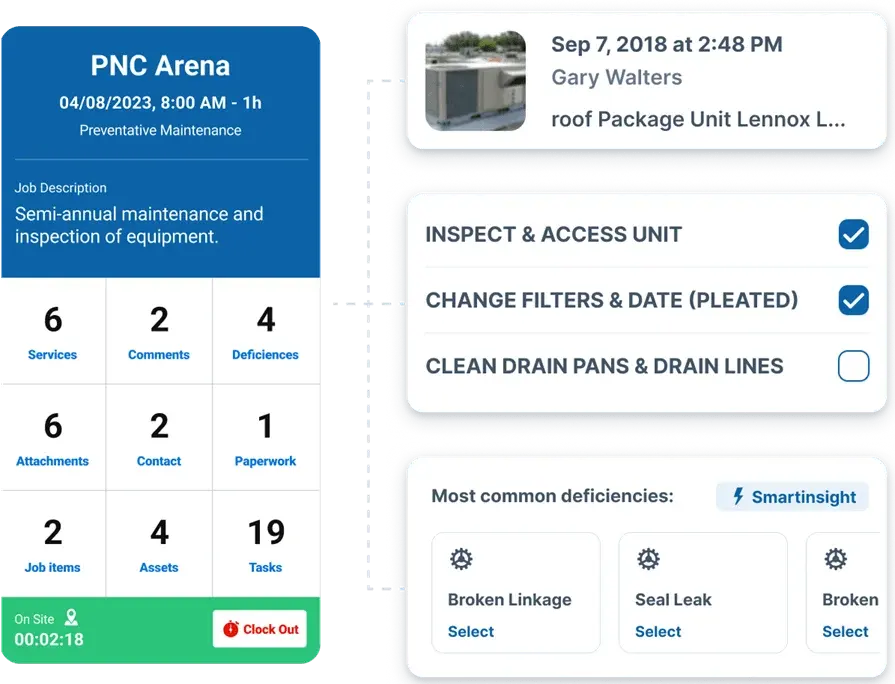
BuildOps ties AI to the daily workflows that keep field work moving, including dispatch changes, technician documentation, asset details, and invoicing. For teams comparing AI field management software, OpsAI helps turn field inputs like notes, photos, and invoices into structured job data that the office can use without extra cleanup, which keeps service calls, installs, maintenance, and repair work on track from first dispatch to closeout.
AI Field Ops Features: AI supports Smart Dispatch decisions, fleet route optimization, nameplate capture for fast asset details, auto-complete field note summaries for cleaner field reports, and invoice scanning that extracts key information and flags missing items before billing.
Features Beyond AI: The platform also covers scheduling and dispatch workflows, quoting and approvals, customer and job history, invoicing and payments, reporting for performance and utilization, service agreements for recurring work, and time tracking for payroll accuracy and job costing.
How Pricing Works: BuildOps prices based on team size, user count, and the capabilities you need, quoted per user per month with options for larger operations
2. Best to clean up field notes: ServiceTrade
ServiceTrade focuses on job documentation and customer-ready wrap-ups, which can matter when techs are closing tickets from the field and the office needs clean records fast. As AI field management software, it leans into turning what techs capture during the visit into usable job details, especially when notes, photos, and equipment info need to be consistent across a team. It may not be an ideal choice for teams that want one platform to run complex scheduling, billing, and project-style workflows without leaning on other systems.
AI Field Ops Features: Its AI set centers on converting technician audio into text, cleaning up job notes into professional language, generating a single job summary from the full ticket history, scanning nameplate details into the asset record, and surfacing operational answers from your data so managers spend less time digging through tickets.
Features Beyond AI: Outside of AI, it supports day-to-day service operations with tools for dispatching and recurring work, technician mobile workflows for photos and job updates, and customer-facing reporting and documentation that helps standardize closeouts across your accounts.
How Pricing Works: Pricing is typically provided by quote and varies based on the size of your team and the package you select.
3. Best for spelling & grammar fixes: Simpro
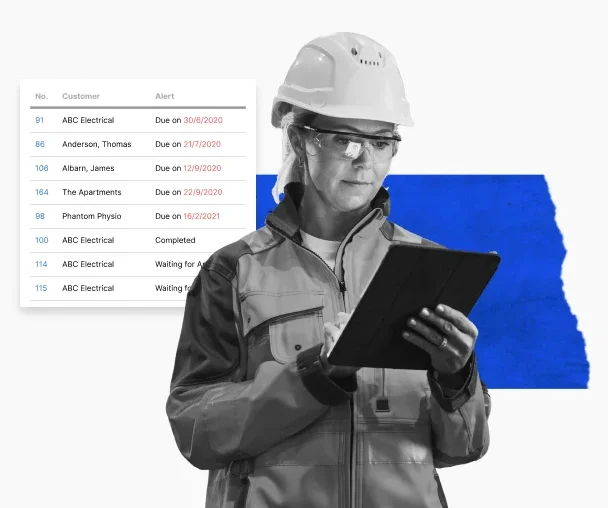
Simpro covers service and project work in one system, which can help contractors that bounce between maintenance, repair, and install work while still tracking costs. In the context of AI field service software, Simpro has introduced AI assistance in its mobile workflow to help techs produce clearer “work completed” notes during closeout, which supports faster review and cleaner job history. It may not be an ideal choice if AI functionality and controls are a primary requirement, since availability and maturity can vary by plan and rollout stage.
AI Field Ops Features: Simpro’s AI support is geared toward mobile closeout, including generating work-completed notes from job details and improving writing quality with grammar and spelling fixes, which can reduce back-and-forth between the field and office when documentation needs to be consistent.
Features Beyond AI: Beyond AI, it offers core field operations coverage such as scheduling, job management, quoting, reporting, and tools that help tie field activity to operational tracking, plus an ecosystem of integrations that can extend the platform depending on how your team runs service and projects.
How Pricing Works: Pricing is quote-based and often depends on user count and selected modules, with setup and onboarding costs common for configuration, training, and data migration.
4. Best for schedule adjustments: Praxedo
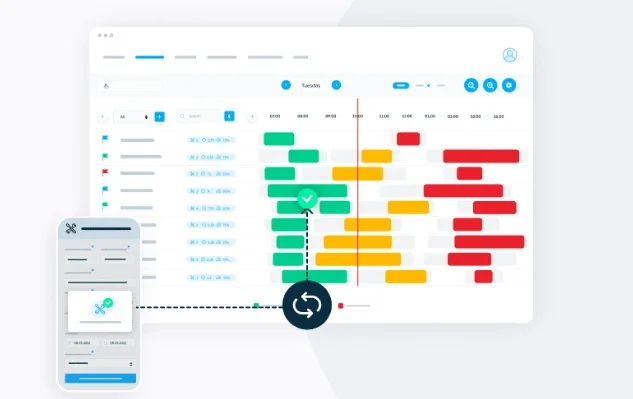
Praxedo is a field service platform that focuses on planning, work order execution, and technician mobility, with AI positioned as a way to keep the schedule realistic as jobs shift. For teams evaluating AI field management software, Praxedo’s value is in using automation and AI signals to help dispatch stay ahead of delays, tighten job documentation, and keep customers in the loop without piling admin on techs. It may not be an ideal choice if your operation needs deeply connected financial workflows and complex, end-to-end controls across every system you run.
AI Field Ops Features: Praxedo highlights AI-assisted planning that supports dispatch decisions and day-of schedule adjustments, plus AI support for keeping field activity data consistent so job records stay usable for the office.
Features Beyond AI: The platform covers core FSM execution with scheduling, work orders, a technician app for on-site updates, real-time visibility for coordinators, and tools that support service delivery across maintenance, repair, and installation work.
How Pricing Works: The pricing figures shown for Praxedo typically reflect plan tiers, with $39 as an entry tier, $69 and $99 as higher tiers with expanded operational capabilities, $149 as a tier that includes AI, and custom pricing for larger deployments and advanced requirements.
5. Best for call answering: Workiz
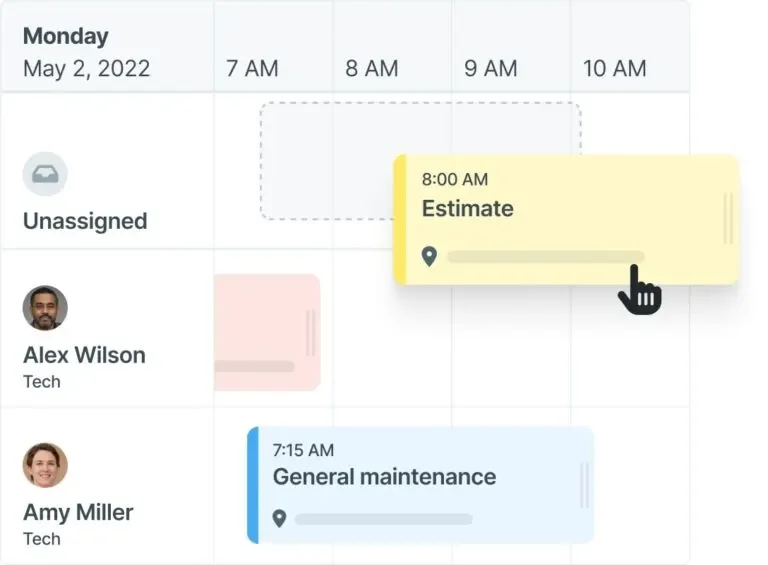
Workiz emphasizes communication-heavy service workflows, where speed to answer, qualify, and schedule work drives the day. In an AI field service management software setup, Workiz leans into AI tied to calls and lead handling so office teams can capture demand quickly and route it into dispatch, while techs stay focused on work orders and closeouts. It may not be an ideal choice if you need advanced operational depth for complex dispatching, layered approvals, and large-scale field execution across multiple teams and job types.
AI Field Ops Features: Workiz promotes AI capabilities that support answering and routing calls, capturing leads, and generating call insights so teams can respond faster and keep job details accurate from the first customer touchpoint.
Features Beyond AI: Beyond AI, it supports common field workflows like scheduling, dispatch, estimates, invoicing, customer communication, and mobile execution so service teams can run the day without bouncing between tools.
How Pricing Works: The listed figures for Workiz commonly represent package tiers, with $187 as an entry package, $229 and $270 as higher packages that add expanded capabilities, and custom pricing for larger teams or advanced needs.
6. Best for residential teams: ServiceTitan

ServiceTitan is a broad platform used by trade contractors running high volume service work and aiming to standardize execution across the field and office. From an AI field service software angle, its AI initiatives focus on reducing time spent writing and cleaning up documentation, including AI-generated invoice summaries that help billing read clearly and consistently after a job closes. It may not be an ideal choice if you want a lighter rollout and faster time to adoption, since implementation and ongoing administration can take significant internal time.
AI Field Ops Features: AI-driven documentation support, including invoice summary generation, helps reduce manual write-ups and keeps closeout details consistent across technicians and office review.
Features Beyond AI: The platform spans core service operations such as dispatch and job management, customer communication, reporting, and financial workflows that support field execution at scale.
How Pricing Works: ServiceTitan typically uses custom pricing based on business size, trade, and the modules selected, with tiered packaging that changes with operational scope and feature requirements.
See how BuildOps and ServiceTitan compare directly right here.
8 benefits of using an AI-powered field management software
This is where the features you just reviewed show up in real operations. AI field management software pays off when it turns day-to-day field inputs into actions the office can trust, so dispatch, techs, and billing spend fewer cycles chasing missing details.
1. Faster board changes when the day goes sideways

When a high-priority call hits mid-morning, AI-supported dispatch can suggest the best technician based on skill, location, and active workload, then recommend a schedule adjustment that avoids knocking the rest of the day off track. A dispatcher can review the suggestion, confirm the assignment, and push an updated plan to the tech’s phone in minutes. That replaces the usual chain of calls, manual reshuffling, and “where are you now” checks that slow the team down.
2. Cleaner closeouts without chasing technicians
When techs finish a job at the end of a long day, AI-assisted note summaries can turn quick bullets, voice notes, and checklist items into a clear visit recap that reads like a professional field report. That helps a service manager approve closeouts faster and gives billing a consistent story to reference when questions come in. Instead of calling the tech the next morning to fill gaps, the office starts with a complete narrative and moves the job forward.

A Kickstand report based on a survey of 606 contractors across the U.S. and Canada found that 78% are using AI tools on the jobsite, while 47% say one in five positions remain unfilled. That combination explains why AI-backed workflows matter in field ops: they reduce admin load and help teams keep output steady with the headcount they have.
3. Asset records stay accurate across repeat visits
Nameplate capture helps techs create dependable asset records while they are standing in front of the unit. Instead of typing model and serial numbers or snapping photos that never get logged, the tech captures the plate once and the system fills key fields into the asset record. Next time a different tech shows up, they have the equipment history and details ready, which cuts diagnostic time and prevents repeat questions to the customer.
4. Faster invoicing with fewer billing disputes
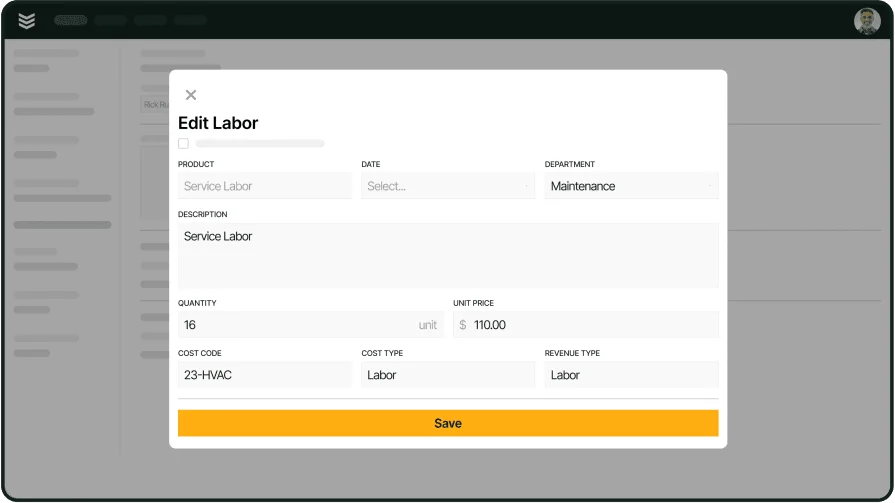
Invoice scanning helps the office pull key details from invoices and receipts, match them to the job, and flag missing items before anything is sent out. Think about a tech who grabs parts on the way to a site and uploads the receipt from their phone. AI extracts the vendor, cost, and line details so the invoice reflects what happened on site, which reduces corrections, shortens approval cycles, and helps cash collection stay on schedule.
5. Quotes move from site visit to approval with fewer handoffs
When AI helps organize job details, quoting becomes simpler for both field and office teams. A tech can capture the problem, recommended scope, and photos, and the office can generate a clean quote based on structured notes instead of deciphering raw messages. That keeps customers from waiting days for a follow-up and helps service managers keep work in motion without constant back-and-forth.
6. Recurring work stays predictable even during busy seasons
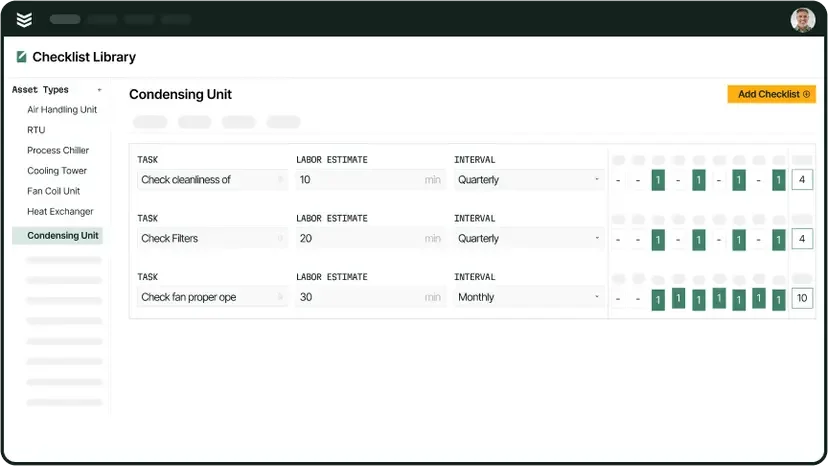
Service agreement workflows get easier when AI supports planning and documentation consistency across repeat visits. A service coordinator can see upcoming maintenance, spot gaps in coverage, and schedule visits before the calendar fills up. In the field, technicians follow standardized checklists and produce consistent summaries, which keeps agreement work profitable and prevents missed tasks that lead to callbacks.
7. Better visibility into utilization and field performance
Reporting gets stronger when job data arrives clean and on time. With AI-supported summaries and consistent time entries, ops leaders can see where hours go, which job types run long, and where travel time is eating the schedule. That supports practical coaching, staffing decisions, and route planning based on real patterns rather than guesswork.
8. Fewer office follow-ups across the full job lifecycle
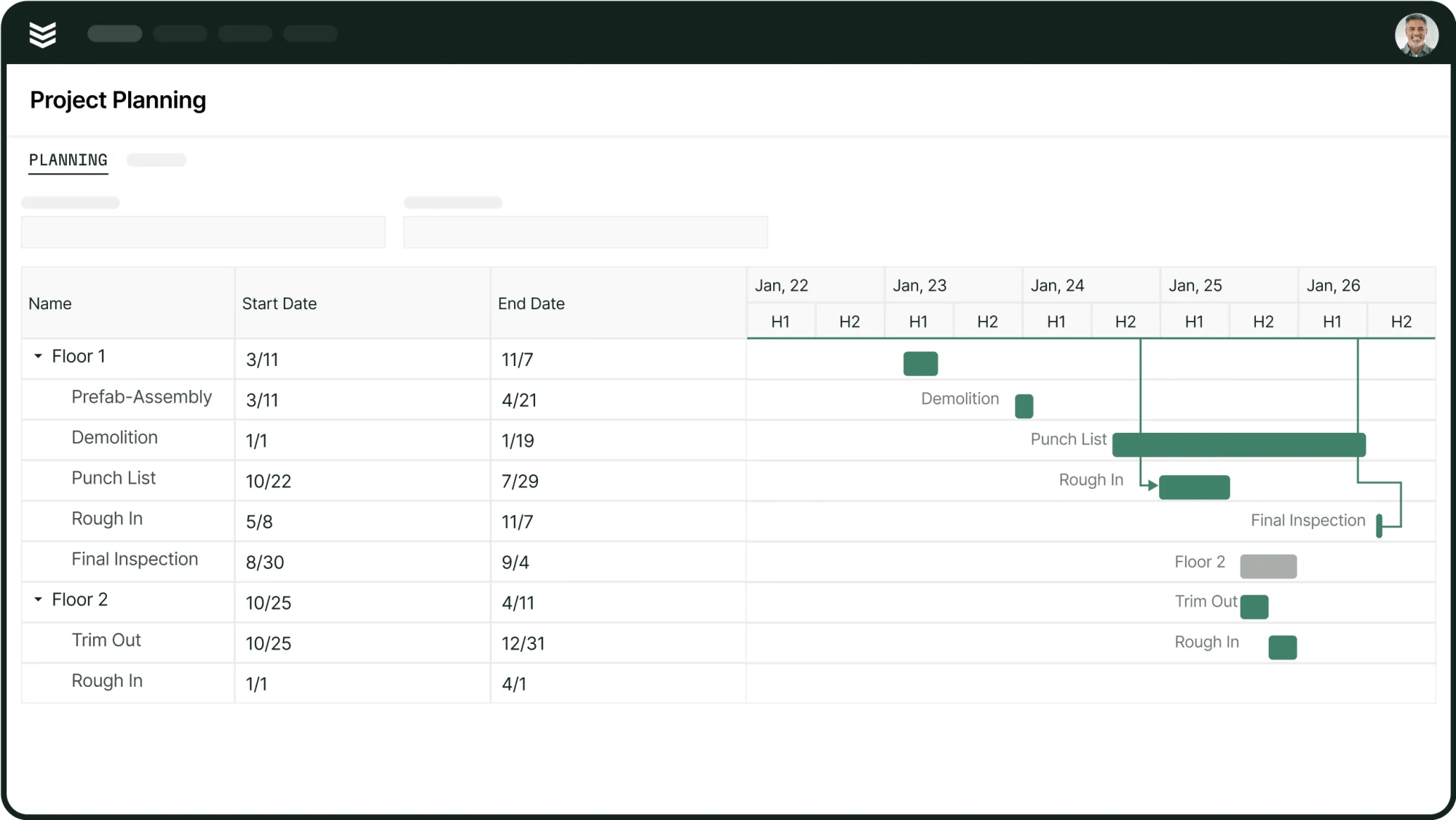
The biggest benefit is the drop in “cleanup work” after the job. When AI helps techs capture assets, produce clear notes, and attach supporting documentation, the office can move straight to billing, customer updates, and scheduling the next step. That turns field activity into office-ready records automatically, which reduces rework and keeps service delivery consistent across crews.
4 FAQs about AI field management software & tools
AI works best in field operations when it is tied to real tasks your team already does every day, like dispatch updates, asset capture, field documentation, invoicing, and customer communication. These FAQs explain what that looks like in practice, what it changes for your crew, and what to confirm before you commit to a platform.
1. How is AI actually used inside field management software during a normal day?
In field management software, AI supports dispatch by suggesting assignments and schedule adjustments based on job priority, location, technician fit, and live job status. It can also reduce drive-time waste by factoring traffic and schedule constraints into how the day gets organized.
On the field side, AI helps techs move faster through documentation. It can capture equipment details from a nameplate photo, turn quick notes or voice inputs into a clean visit summary, and scan receipts or invoices so costs and line items attach to the correct job without a round of office cleanup.
2. Will AI field management software replace our dispatchers, CSRs, or technicians?
No. AI is designed to reduce repetitive admin and prep work, while people still control decisions and customer outcomes. Dispatchers still make the call on exceptions and service promises, with AI offering suggested boards, recommended tech assignments, and draft ETAs that staff can accept or override.
Technicians still diagnose and complete the work, while AI supports closeout with clearer summaries, cleaner asset data, and faster receipt logging. CSRs can rely on AI-supported call capture and summaries to keep job intake accurate during peak hours, with humans handling tone, judgment, and edge cases.
3. How should AI field management software integrate with our accounting, CRM, and phone systems?
Start with accounting and job data. You want clean, consistent sync for customers, jobs, tax handling, and AR outputs so AI-assisted invoicing and scanned receipts post correctly and do not create duplicates or reconciliation issues.
For CRM and phone systems, the priority is shared context inside one job record. Call summaries, booking details, and customer promises should flow into the same ticket dispatch and techs use, so AI reduces system sprawl and keeps customer communication aligned across the office and the field.
{{related-content-block="/resources/classic-electric-scales-business-with-buildops"}}
4. What should we plan for in terms of cost, rollout, and ROI from AI field management software?
Costs typically include per-user licenses, AI features that may live in higher plan tiers or add-on modules, and implementation work such as configuration, integrations, and data migration. You should also plan time for training and data cleanup, since AI depends on consistent asset records, customer details, and job history.
ROI shows up when AI reduces the back-and-forth that slows field ops down. Faster schedule changes, cleaner closeouts, fewer billing corrections, and stronger reporting happen when AI features become part of daily workflows, so field updates turn into office-ready records without follow-up calls.
The best AI field management software turns field activity into office-ready job data without extra back-and-forth. When AI supports dispatch changes, routing, asset capture, field reporting, and billing inputs, teams spend fewer cycles chasing updates, fixing documentation, and rebuilding the board every time the day shifts.
BuildOps supports commercial field service teams that want one platform to run the full operation, with AI helping tighten execution from scheduling and technician closeout to asset history and invoicing. It also covers the workflows around AI, so the field and office stay aligned on the same job record; if you want to see how that would map to your routes, job types, and closeout standards, a free demo is available if it feels useful to your evaluation.