Top Sales & CRM Problems that Small Construction Businesses Encounter



Small commercial contractors can walk a site, send a bid, and still lose the opportunity when follow-ups, site-visit notes, and customer history are scattered across inboxes, notebooks, camera rolls, and spreadsheets. According to the Torque 2026: Commercial Contractor Benchmark Report, the average quote-to-close performance is 48.9%, versus 62.8% for best-in-class contractors—a 14-point gap that can leave awarded work on the table.
Closing the quote-to-close gap starts with software that fits a small commercial contractor’s reality, where a few people may own the customer relationship, the bid, and the handoff into delivery. The system should connect prospects, properties, contacts, bids, site visits, inspection details, and next actions to one opportunity, then carry that context into a project, job, or service agreement when the work is won. That continuity is the difference between a CRM that merely stores activity and one that keeps the work moving.
7 CRM problems our small construction business customers bring up on sales calls
Across our sales calls, product demos, and enablement sessions with commercial construction contractors, owners, sales reps, estimators, and project managers point to the same pressure points: the moments when a record stops being useful—ownership is unclear, pipeline status is hard to trust, or a small change forces the team to recreate work. The problems below come from those real conversations and show where a CRM has to hold the work together.
1. Follow-ups disappear after bids
Small contractor teams often manage open bids while handling active jobs, customer calls, and field questions. A proposal may go out, but the reminder to check in later stays in someone’s inbox, calendar, or head. When nobody can see which bids are waiting for a response, opportunities age without a clear owner.
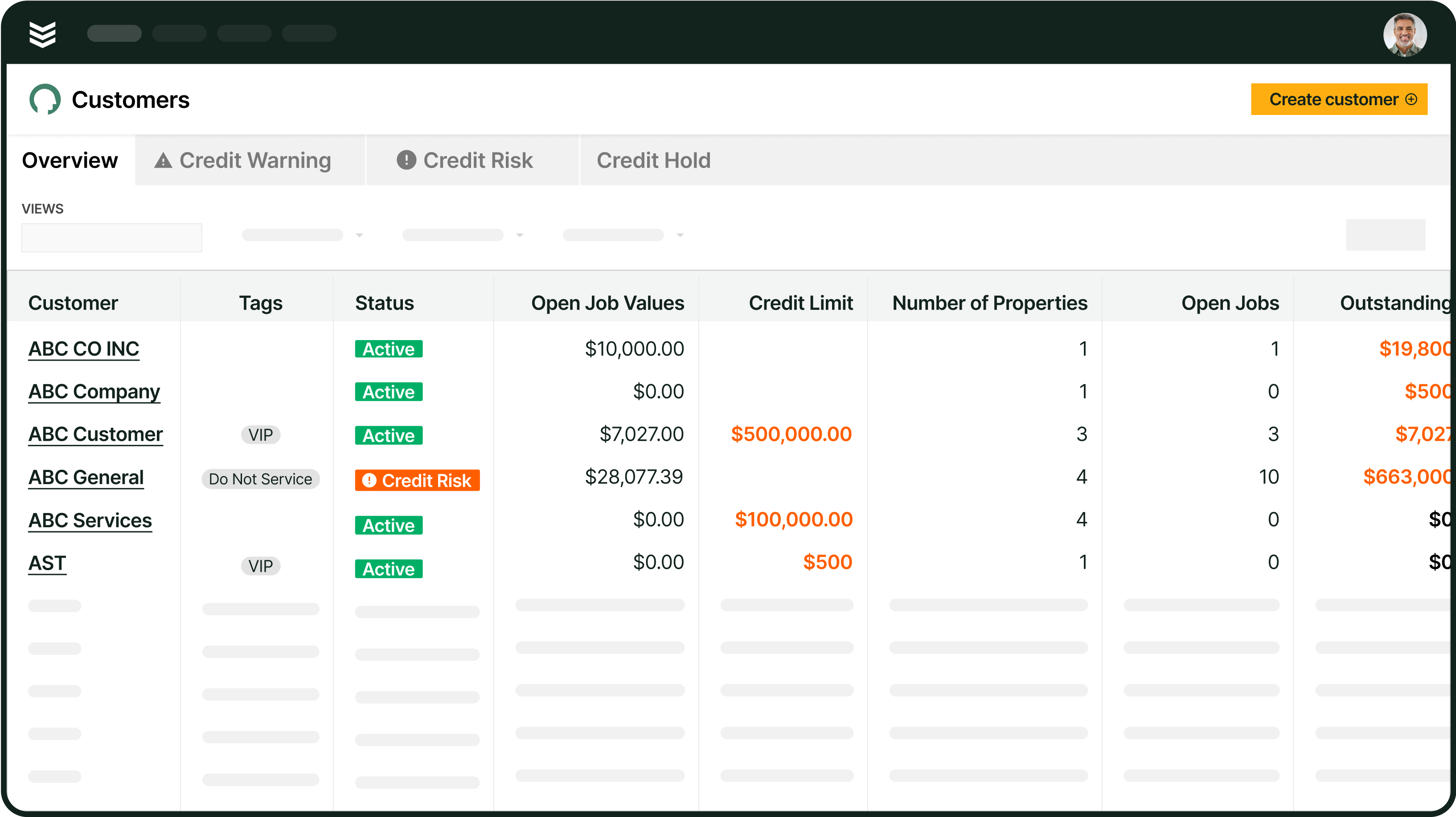
BuildOps gives each opportunity a shared place for the bid, customer contact, stage, and next action. The sales pipeline management view shows where opportunities sit, while activity tracking keeps upcoming and overdue follow-up visible to the people responsible for moving the work forward.
2. Bid dates, RFIs, and job walks live in separate reminders
A construction bid rarely has one date to remember. Teams may need to track the invitation, RFI deadline, job walk, equipment count, estimate, proposal submission, and follow-up. When those milestones live in different calendars or personal notes, the company has no shared view of what must happen next or who owns each deadline.
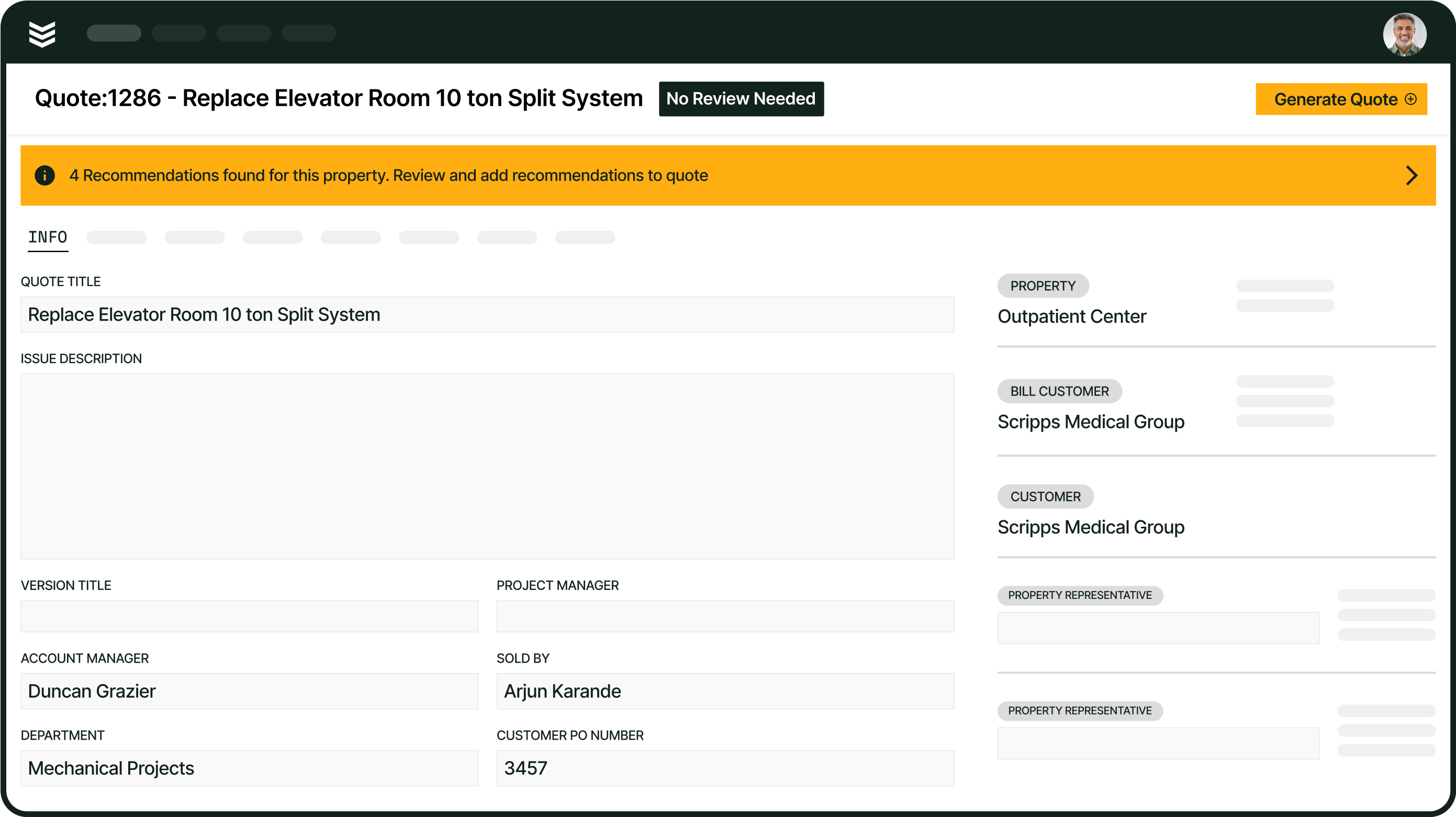
CRM+ lets teams build touchpoints into the opportunity record through milestones and activities. Calls, emails, meetings, and follow-ups can be documented there, while bid due dates, job walks, and RFI deadlines can be added as custom activity types when configured for the team’s workflow. That keeps the pursuit’s timeline visible instead of leaving key dates in personal reminders.
3. Site-walk and equipment details do not make it back to the estimate
A site visit or equipment survey can produce the details that determine whether a bid is accurate: equipment counts, measurements, photos, access instructions, and scope notes. Small contractor teams told us that this information often starts in a notebook, camera roll, email thread, or separate field app. By the time an estimator is ready to price the work, the original context may be difficult to find or incomplete.
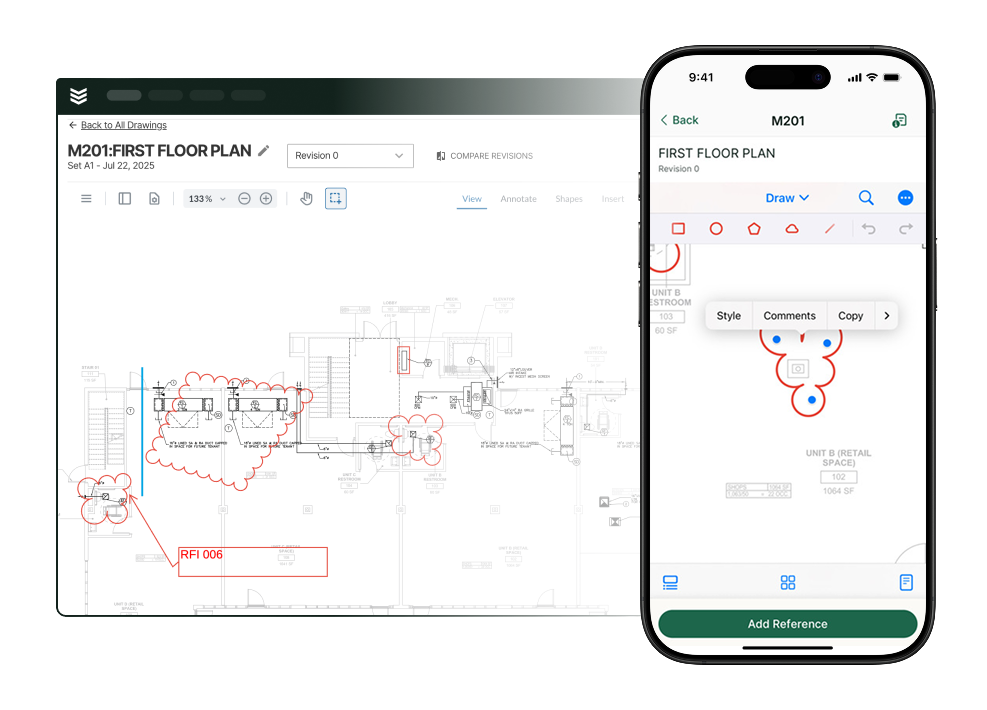
BuildOps CRM+ lets teams associate an opportunity with the account, property, contacts, and assets involved in the work, giving estimators more site context before pricing. Once the work is active, field execution gives crews a structured place to capture reports, photos, forms, issues, and punch items tied to the project record.
4. Customer history is difficult to share across the team
A small contractor may have one person meeting the customer, another preparing the bid, and a project manager or field lead taking over after approval. Each person needs to know what was discussed, what was promised, which property is involved, and who can approve the work. Without that history, the next conversation starts with repeated questions and a higher risk of missed context.
BuildOps CRM+ connects the account to its contacts, properties, assets, opportunities, and activity history. Customer relationship management keeps those details in a shared record, so sales, project, and field teams can work from the same customer story as the relationship moves from pursuit to delivery.
5. One project is bid to several general contractors
Commercial contractors may receive the same project invitation through several general contractors and send the same scope to each one. Teams still need to know which recipient received which proposal, which conversations happened, and who ultimately awarded the work. Creating separate records without a clear relationship between them can duplicate the pipeline and make win-and-loss reporting hard to trust.
BuildOps CRM+ connects each opportunity to an account, property, contacts, assets, and work type, but an opportunity currently centers on one customer or account. For a project bid to multiple general contractors, confirm in a demo how your team will keep the shared scope, recipient-specific details, and final winning relationship without duplicating the pipeline.
6. Approved work has to be re-entered for operations
The handoff does not end when a customer says yes. Operations may still need the sold scope, customer and property details, project manager, budget, contacts, files, and timing before a job or project can start. When those details do not carry forward, someone has to open the original bid, copy the information, and rebuild the work record by hand.
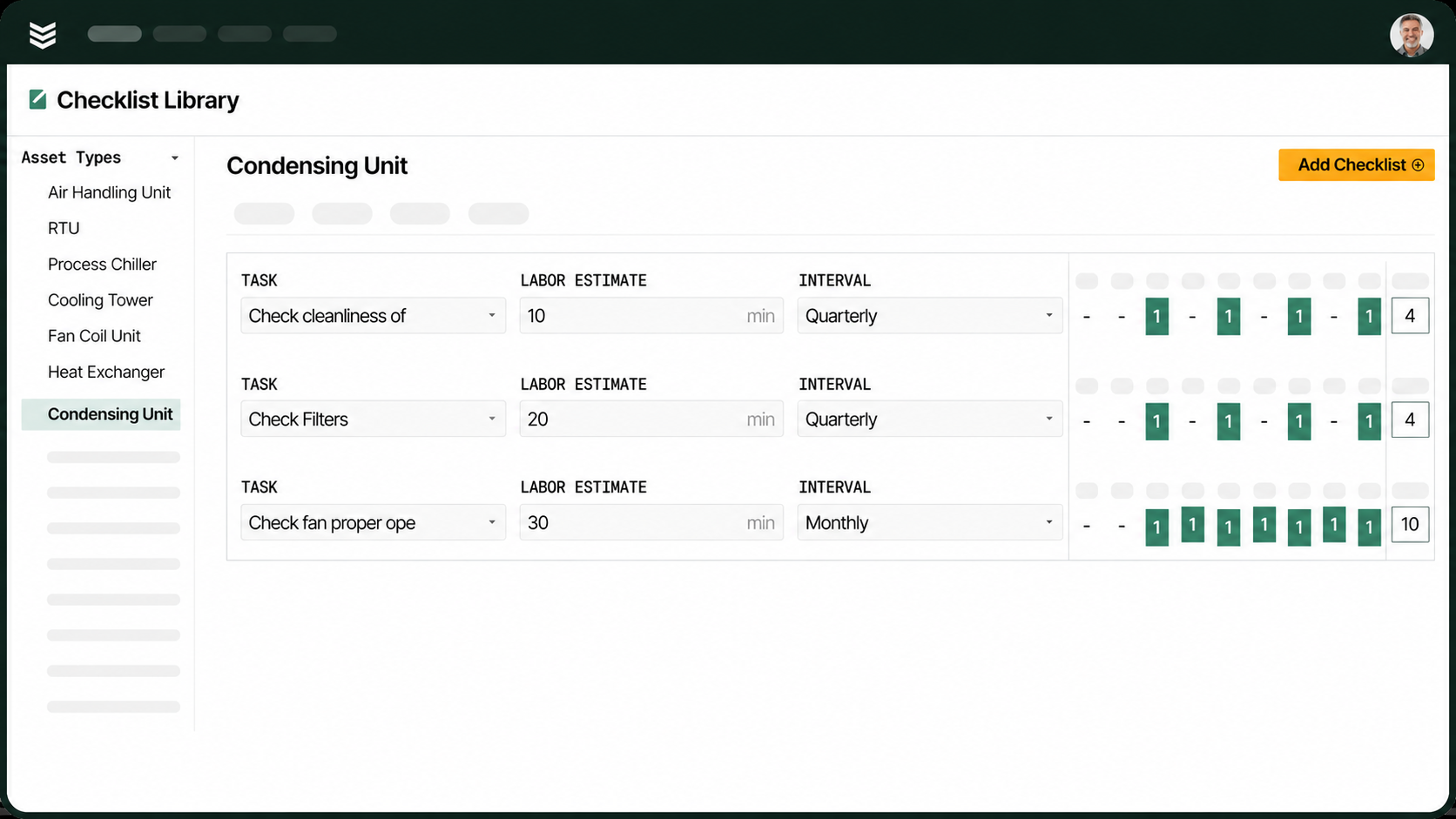
BuildOps supports a sales-to-operations handoff that can convert a closed-won opportunity into a project, job, or service agreement. Depending on the workflow and record type, customer details, contacts, scope, budgets, and files may carry forward, so confirm the exact fields your team needs before relying on a zero-reentry handoff.
7. The CRM asks for more administration than a small team can support
Small contractors need structure, but they do not have time to manage a sales system that feels like a second job. A long list of fields, unnecessary stages, and extra clicks can make the CRM harder to maintain than the spreadsheet or whiteboard it replaced. Adoption drops when the system asks every user to document more than the work actually requires.
BuildOps CRM+ supports configurable stages, required fields, opportunity types, and activity tracking, so teams can create a workflow that fits quick quotes, service agreements, and commercial projects without forcing every pursuit through the same funnel. The result is a sales and CRM workflow that gives a small team visibility without burying the people responsible for keeping it current.
Choosing the right CRM for your team: questions to ask in a demo
A polished product walkthrough can make any CRM look easy. Commercial construction contractors get a more useful answer by bringing a real bid, job walk, property, and handoff scenario into the demo and asking the vendor to show the records, steps, and decisions involved. Use the questions below to test how the system behaves in the work your team actually sells.
- Can we use different sales processes for project work, quoted jobs, and service agreements? Contractors ask this because a quick quote, a service agreement, and a larger commercial bid may not follow the same path. A demo should show how each opportunity type is configured, where each process can begin, which fields are required, and where a won opportunity lands. That makes it easier to tell whether the system fits the company’s actual sales motions instead of forcing every opportunity through one funnel.
- Can we track the bid invite, RFI deadline, job walk, bid due date, and follow-ups in the opportunity? This question comes directly from contractors who want their CRM to act as a bid board and follow-up tracker. Have the vendor add those dates as the team would use them, then show the opportunity, activity, list, and calendar views—including what becomes visible when an item is overdue. The demonstration should clarify which details are stages, which are activities, and whether the team can manage the bid cycle without a separate spreadsheet.
- Can the opportunity show the property and equipment information we collect during a site survey? Service contractors ask this when their estimate depends on the equipment found at a customer’s building. Start with a property that has assets attached, then ask the vendor to show what appears on the opportunity, what must be entered manually, and how the information is used in the estimate or proposal. This test separates useful site context from a full takeoff or estimating workflow, so the team can judge the system against the work it actually needs to perform.
- Can we add multiple general contractors to the same opportunity? Commercial subcontractors ask this when several GCs are bidding the same project and the company wants to count the pursuit once. Use one project with several recipients, then ask how the system distinguishes contacts, proposals, pricing, and outcomes for each GC. BuildOps CRM+ currently centers an opportunity on one customer or account, so a live demonstration is the right way to confirm whether the workflow fits your bidding model or requires a workaround.
- When an opportunity is won, what information carries into the project, job, or service agreement? Contractors ask this to find out whether the sales record gives operations a usable starting point or creates another round of data entry. Mark a sample opportunity as won and create the record your team would actually deliver, then inspect the customer, property, scope, budget, contacts, dates, files, and assigned people. Because the fields can vary by workflow and record type, the live conversion—not a feature list—should determine whether the handoff meets your needs.
B&L Glass cut quote approval time by 63% with BuildOps
A connected customer and job record can make a measurable difference when field details need to reach the office before a quote is prepared. B&L Glass replaced paper forms, scattered digital notes, and memory-based recall with BuildOps, giving its field and estimating teams access to measurements, photos, past visits, and property history in one workflow.
The outcome was clear: B&L Glass reduced average quote approval time from nearly 10 days to 3.5 days—63% faster than the previous year. The B&L Glass customer story shows how accessible job details helped the team move from field information to approved quotes faster, a practical result to look for when evaluating CRM and connected project workflows.
3 other small construction business CRM FAQs asked by our prospective customers
A useful CRM comparison should answer more than whether a platform can store contacts and opportunity records. The questions below clarify where CRM responsibility ends, how property relationships are organized, and how sales information connects with estimating so small commercial contractors can assess whether a system fits the way their teams work.
1. What is the difference between CRM software and construction project management software?
CRM software organizes prospects, accounts, contacts, opportunities, and sales activity. Construction project management software typically supports active delivery through schedules, field work, documents, budgets, and project reporting. Understanding the distinction helps contractors assess whether one platform connects sales and delivery or whether separate systems must work together.
2. Can a CRM manage multiple commercial properties for one customer?
In BuildOps CRM+, one account can have multiple property records. Each property can include its own contacts, opportunities, assets, attachments, and history. Active properties also show related jobs and visits, maintenance, projects, and tasks, helping contractors keep work and site information organized by location.
3. Does CRM software replace estimating software?
CRM software does not automatically replace specialized estimating software. BuildOps CRM+ includes an Estimate tab for labor, materials, sections, and tax, while complex commercial takeoffs may still require dedicated estimating tools. Contractors should compare the built-in workflow with the depth of estimating their teams perform before deciding whether a separate system is needed.
Built for commercial construction work
For a small commercial construction business, a CRM earns its place when it supports the way work moves from customer relationship to revenue. A CRM should give sales a dependable view of active business while fitting the realities of properties, projects, service needs, and the office work that keeps delivery moving.
BuildOps connects sales and CRM with service, project management, and financial workflows in one platform built for commercial contractors. When field teams capture a repair, replacement, or service-agreement opportunity during a visit, OpsAI for Sales reads those notes and surfaces the opportunity for sales or service teams to act on.
If you want to see how that workflow fits your commercial construction operation, book a demo.