Best Takeoff Software for Field Teams in the Trades

Service takeoffs set your margin. Your techs grab dimensions during scope walks, then the office turns that into quantities, assemblies, and pricing. When takeoffs live in texts, inbox threads, or markups that never feed the system, counts drift and scope changes slip past billing. Takeoff software fixes that by keeping quantities tied to work orders inside your field service management workflow, including dispatch, asset history, and invoicing.
This guide shows how experienced service contractors evaluate best takeoff software across HVAC, plumbing, electrical, fire protection, refrigeration, and mechanical service.
Here’s what we’ll cover:
- How to choose the right takeoff software for your team
- Top takeoff software features to look for & evaluate
- 10 best takeoff software for field teams, construction, & trades
- 7 benefits of using takeoff software
- 4 important takeoff software FAQs answered
Next, we lock in selection criteria that control outcomes: your service-to-project mix, who owns the scope walk, how field notes flow back to estimating, and how takeoffs connect to dispatch and accounting. That keeps demos grounded in real jobs and keeps pricing comparisons consistent.
How to choose the right takeoff software for your team
You price service work under pressure and you own the miss. Treat demos like a field test, not a slide deck. Use these questions to pressure-test takeoff software against how your teams scope, price, and hand off service work.
- Cost and commitment - What does a three-year total cost include across seats, storage, support, and implementation? Are rate increases and overage fees spelled out in the contract? Can you reduce licenses or cancel without penalties?
- Rollout and governance - Who migrates your item master, assemblies, and templates? How fast can estimators and techs run live takeoffs without shadow spreadsheets? Do admins get role-based permissions for libraries, pricing, and approvals?
- Takeoff production - Can you measure from PDFs and site photos with reliable scale control? Does it support fast count tools for devices, hangers, and fixtures? Can you break quantities out by system, zone, floor, or work order?
- Assemblies and pricing logic - Can you build service-ready assemblies that include labor units, material, and subcontract lines? Can you version assemblies and keep history when pricing changes? Does it connect to your price book and vendor catalogs without duplicate entries?
- Revision and change control - Does it compare plan sets and show quantity deltas per sheet? Can you lock a baseline when the quote goes out? Does it generate an audit trail that holds up in a change order conversation?
- Features tied to field operations - Can techs capture measurements, photos, and markups on mobile and sync them to the estimate? Can approved takeoffs flow into work orders, purchasing, and scheduling without retyping? Does invoicing pull from the same scope so billable items stay on the ticket?
Dial in these answers and you separate contenders from the best takeoff software for seasoned service teams. Next up, we break down the feature sets that carry weight in daily field operations.
{{related-content-block="/resources/construction-field-service-management-software"}}
Top takeoff software features to look for & evaluate
In service work, scope changes between the walkthrough and the truck roll. Takeoff software keeps quantities tied to crew planning, material lists, and billing so your team prices what you actually install. Here are the features that separate tools that only measure from tools that hold up through dispatch, execution, and invoice review.
1. Scheduling and dispatch connected to quantities

This feature turns approved counts into an execution plan. Quantities should translate into crew size, planned hours, visit windows, and a parts pull list before the job hits the board. Once those numbers flow into scheduling and smart dispatch software, ops can assign the call with scope, labor plan, and materials attached, then update the plan when counts change. The result is a single source of truth from estimate to truck roll, with fewer handoffs and fewer missed items.
2. Quote generation from assemblies and counts
Quoting converts measured scope into priced scope with controls. Your team needs assemblies that bundle labor units, material, alternates, and tax or markup rules, then a quoting flow that keeps revisions clean and traceable. When those mechanics live inside service quoting software, takeoff updates recalculate totals, options stay organized, and approvals prevent untracked edits. You end up with quotes that match field reality and a defensible revision history when scope shifts.
3. CRM for bid tracking and handoffs

This feature prevents scope drift between pursuit and execution. Measured counts, assumptions, exclusions, and site constraints need to stay tied to the opportunity so follow-ups stay precise and award handoffs stay intact. With a field service CRM in the middle of that workflow, the pipeline carries verified scope, decision dates, and next steps without separate spreadsheets. When the job awards, ops receives the same counted scope that drove the price, not a condensed summary.
4. Technician mobile app for execution
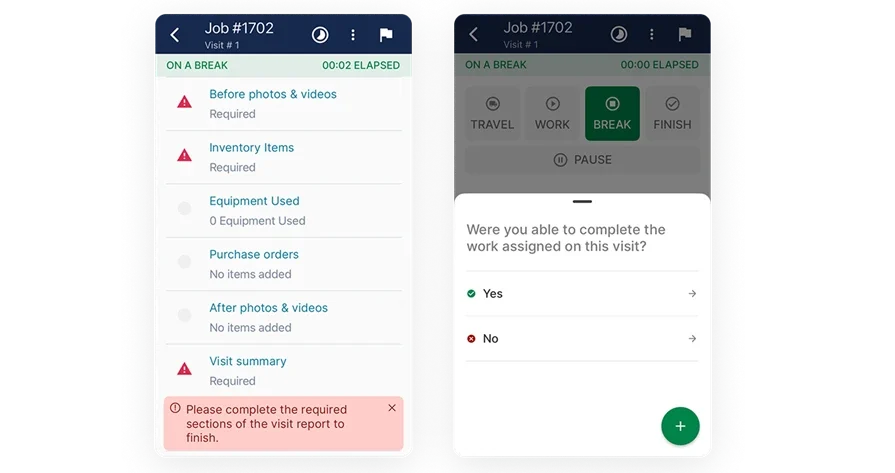
Having a tech put scoped work while in the field gives clarity and efficiency back to the office. Techs need takeoff-driven task counts, plan snippets, photos, and material requirements on the work order, plus a fast path to record changes as they happen. When that runs through a technician mobile app, field markups, photos, and notes sync to the job record with location context, so estimating and ops can act on verified updates. That closes the loop between what was measured and what got installed.
5. Pricing controls and change-order agility with AI support
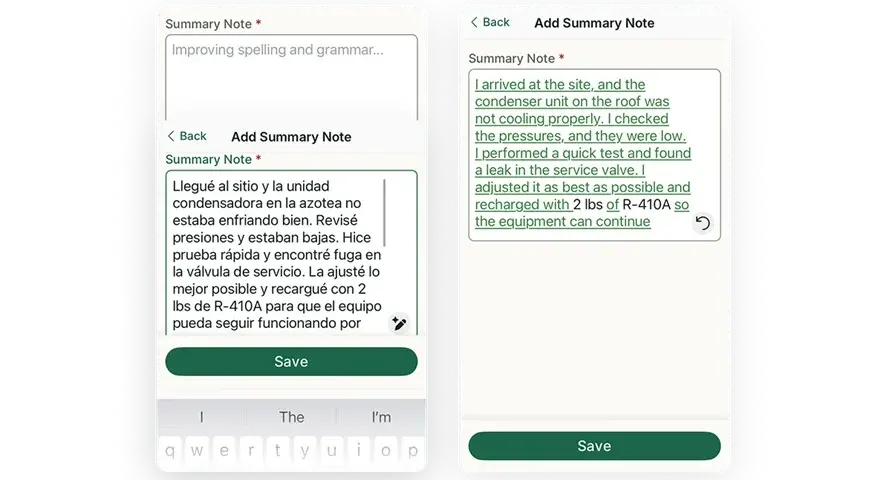
This feature accelerates revision work while keeping change control tight. Your team needs automated checks for omissions, clear deltas between versions, and a controlled approval path before updated numbers reach the customer. When you have the ability to utilize AI for field service, you’ll gain significant support in that workflow. It can flag missing line items, highlight quantity changes, and package before-and-after scope for a clean change order trail. This is where AI-capable takeoff software earns trust: it catches gaps early and produces a defensible delta when scope changes.
Other valuable features for construction takeoff software
Veteran teams get extra leverage when takeoff connects to downstream controls.
- Invoicing and payments: push approved quantities into invoicing and collect through payments, so billing matches installed scope
- Reporting and job cost visibility: use reporting to compare estimated quantities to actuals by crew, item code, and call type
- Service agreements and time tracking: tie recurring scopes to service agreements and verify labor with time tracking
- Fleet coordination: align vehicle capacity with takeoff-driven material needs through fleet management
Next, we’ll stack top picks and show which platforms deliver these capabilities day in, day out.
10 best takeoff software for the trades
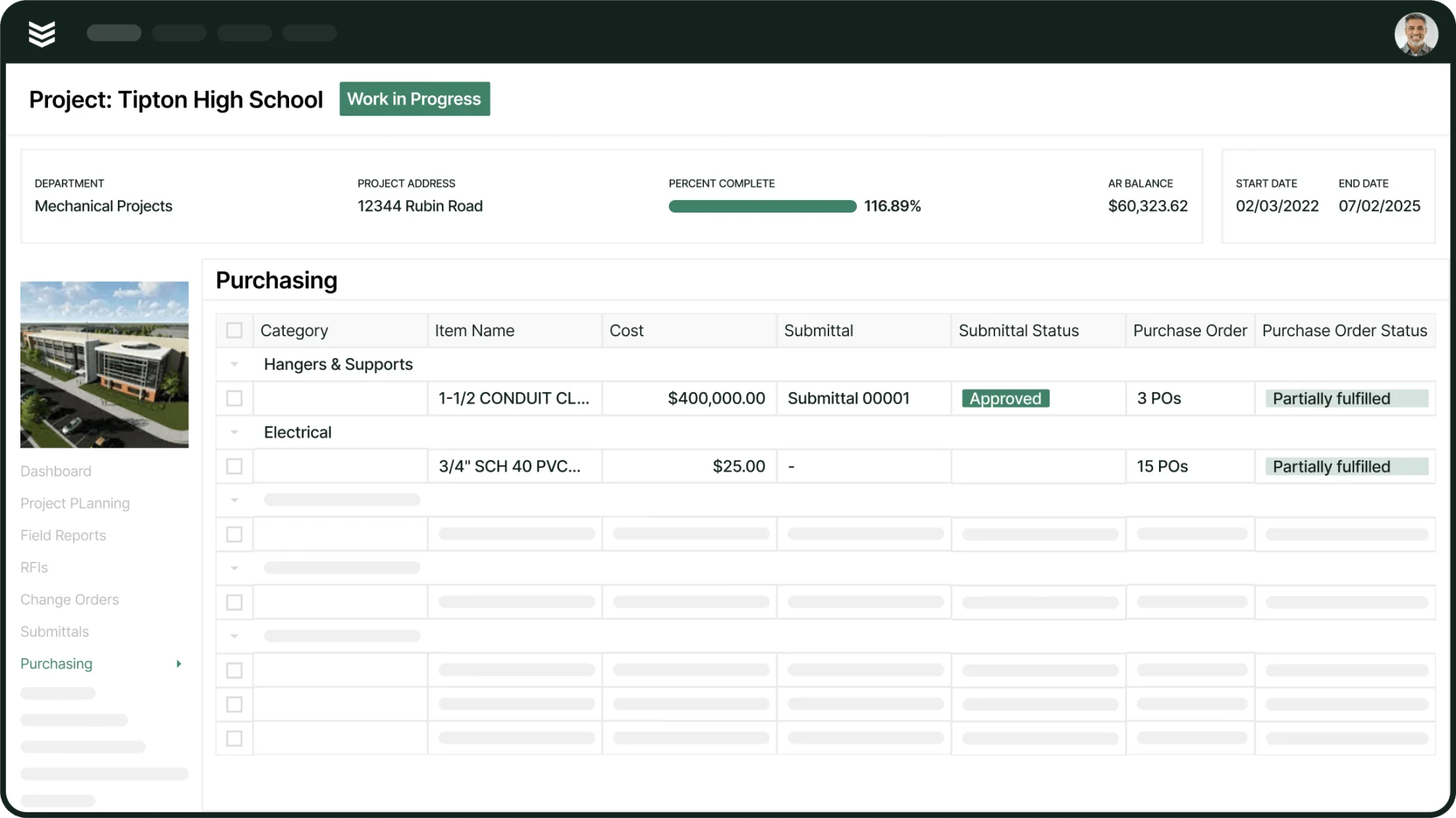
Service contractors need takeoffs that move as fast as the work—straight from walk-through to crew plan to invoice, with zero double entry. This roundup highlights the top takeoff tools built for field teams running installs, maintenance, repairs, and small projects, and breaks down how each one connects the dots between takeoff, dispatch, scheduling, and field controls to keep your operations in sync.
1. Best for commercial field service contractors: BuildOps

Though BuildOps isn’t built as a takeoff software itself, as a comprehensive, AI-powered field service platform, BuildOps turns your takeoff data into action in the field. Quantified assemblies flow straight into scheduling, feed your construction dispatch board, and power accurate pricing in service quotes—all inside one platform.
Estimators, project managers, and technicians all work from the same live job record, so every count, assembly, and change stays connected from the original takeoff to the work that actually gets done.
That end-to-end handoff makes it a strong fit when you want takeoff software that supports service execution and project work without duplicate entry.
How pricing works: Subscription licensing with modular packages that align to team size and scope.
Features beyond takeoff: Native scheduling and dispatch, quoting, CRM, invoicing, payments, technician mobile app, reporting, service agreements, time tracking, and fleet coordination.
What sets it apart for commercial: Designed around MEP service divisions that balance recurring work and small projects, with estimate-to-actual visibility that helps leaders catch labor drift early.
2. Best for residential: Buildxact
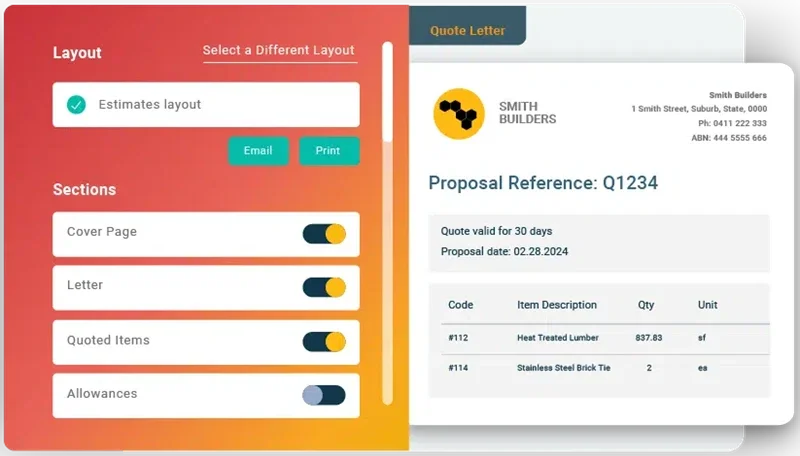
Buildxact supports template-driven takeoffs and estimating that work well for remodelers and small residential teams who want quick setup and consistent proposal output tied to quantities. It stands out when the workflow centers on homeowner selections, simple bid packages, and repeatable scope templates. Service divisions that rely on tight dispatch, deep trade assemblies, and field-first controls can hit limits that slow handoffs.
How pricing works: Tiered subscription with user and feature levels.
Features beyond takeoff: Estimating libraries, proposal generation, light scheduling, and client portals for approvals and variations.
What sets it apart for residential: Residential templates help renovation teams quote quickly and keep owners aligned on scope and selections.
3. Best for general contractors: Procore
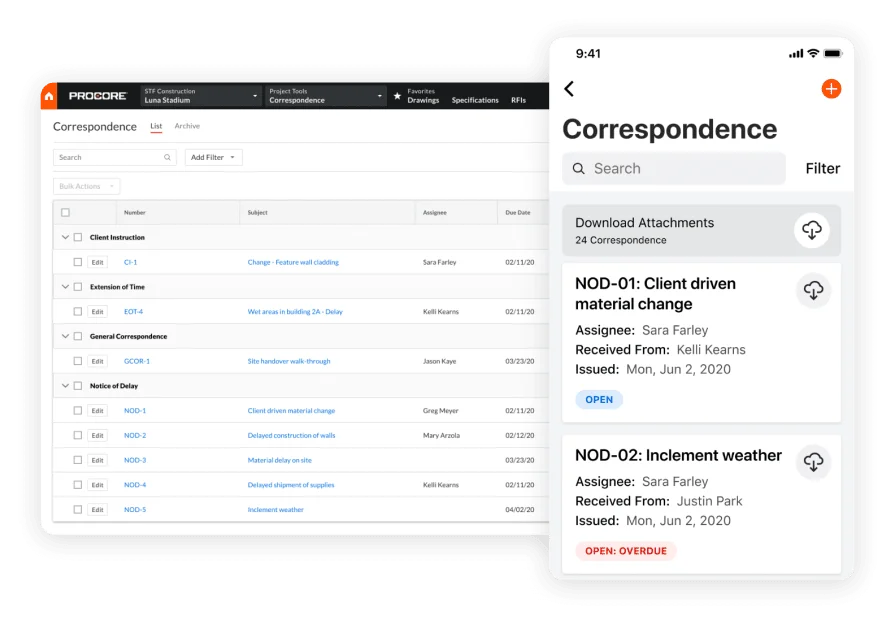
Procore pairs takeoff with a broad project management suite that covers documents, RFIs, submittals, financial workflows, and field collaboration. It stands out for GC environments where stakeholders, compliance, and formal change control drive day-to-day coordination, and where teams need strong audit trails tied to plan sets. Field service groups that prioritize fast quoting, dispatch speed, and high-volume ticket work may find the system heavy for tight-turn service operations.
How pricing works: Annual subscription priced by product bundle and company profile.
Features beyond takeoff: Drawing and document control, correspondence and change management, subcontractor collaboration, and audit trails.
What sets it apart for general contractors: Enterprise controls and collaboration depth fit complex GC operations where documentation discipline drives the schedule.
4. Best for small to mid-sized businesses: Planswift
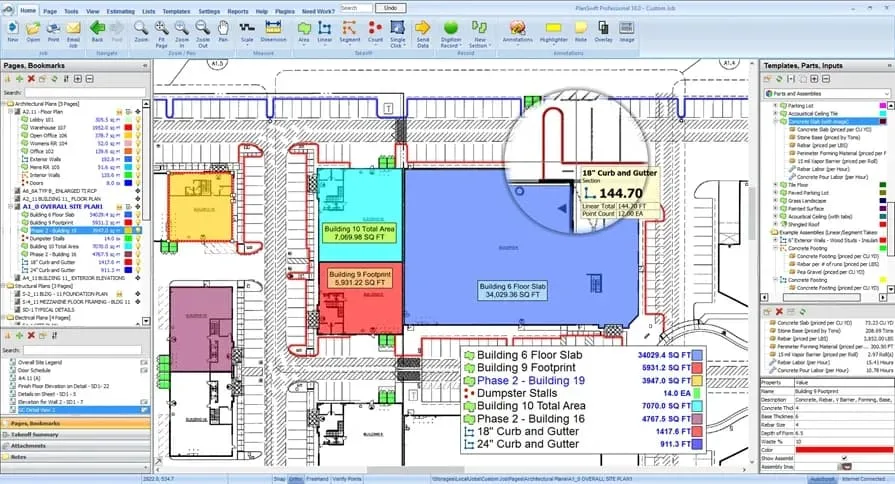
Planswift focuses on fast 2D measuring with customizable assemblies, digitizer support, and exports that estimators can push into spreadsheets and legacy estimating systems. It stands out when your field service team needs quick counts from PDFs for installs, repair scopes, and TI packages, then wants flexible output formats for pricing and purchasing. However, service-heavy operations that need native dispatch, mobile execution, and tight estimate-to-actual control often end up stitching together extra tools to keep scope, schedule, and billing aligned.
How pricing works: License-based pricing with optional maintenance and add-ons.
Features beyond takeoff: Template libraries, plug-ins for common trades, integration options for estimating systems.
What sets it apart for small to mid-sized businesses: Straightforward 2D measurement and assembly tools help lean teams quantify quickly without a long ramp.
5. Best for subcontractors: TRUE
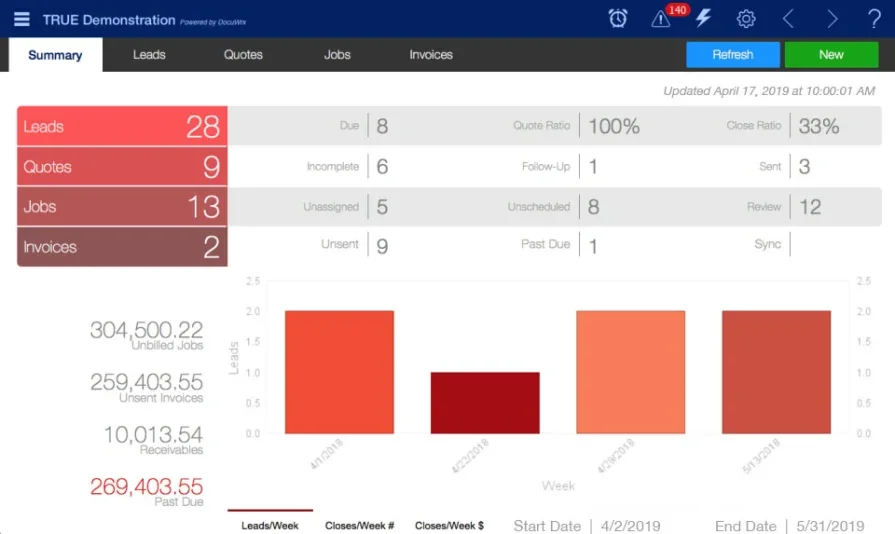
TRUE targets subcontractor workflows by tying quantity takeoff to cost codes, purchase orders, and progress billing, which helps trade teams keep service work and small project scopes tight at the line-item level. It stands out for budget discipline and visibility into committed costs, so foremen and PMs can track labor and materials against the measured scope while jobs move. However, teams that depend on deep field service scheduling, robust dispatch boards, and technician mobile controls can feel boxed in when volume and complexity climb.
How pricing works: Quote-based subscription that scales by users and modules.
Features beyond takeoff: Purchase order tracking, change order management, committed cost reporting, and progress billing.
What sets it apart for subcontractors: Cost code discipline and buyout controls fit trade partners who live inside budgets and need clean audit trails for every quantity.
6. Best for specialty trade contractors: Buildertrend
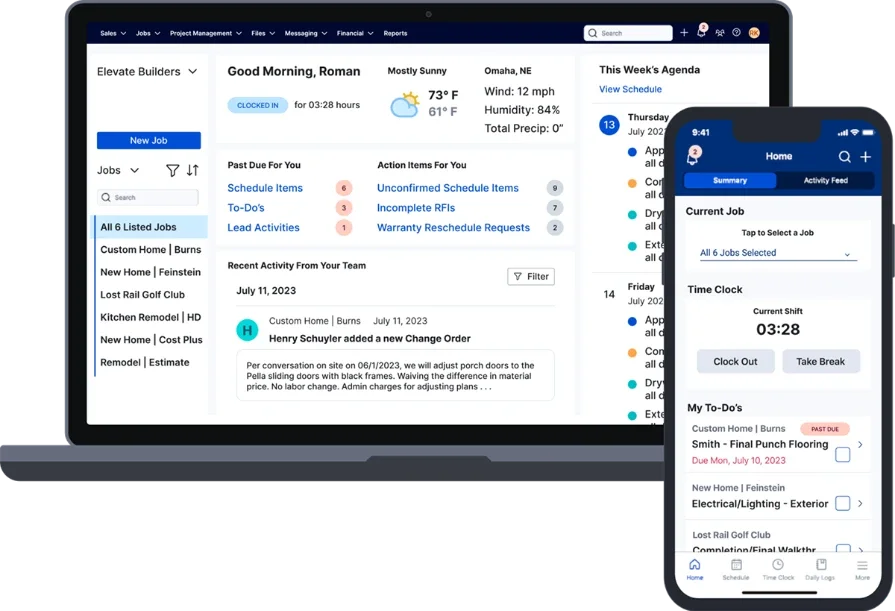
Buildertrend pairs takeoff with estimating, scheduling, and customer communication so specialty trades can move from quantities to proposals, then track daily logs, photos, and change approvals in one place. It stands out when your work involves client-facing coordination and you want scope documentation tied to what the customer approved, especially across install and light project work. However, service contractors who run high ticket volume, need advanced dispatching, and rely on granular MEP assemblies can outgrow the operational depth.
How pricing works: Tiered monthly plans priced by feature bundle and company size.
Features beyond takeoff: Client portal with approvals, schedule and daily logs, change orders, and invoicing.
What sets it apart for specialty trade contractors: Strong customer communication and documentation help crews keep decisions, changes, and costs aligned with measured scope.
7. Best for high-volume residential service: ServiceTitan

ServiceTitan runs fast-paced service operations where the office needs tight control over booking, dispatch, and on-site approvals. It fits teams that sell replacement and maintenance work at scale, then need techs to capture approvals and close tickets cleanly in the field. However, if your estimating team needs deep plan-based counts, trade assemblies, and tighter handoffs from takeoff into complex commercial workflows, you will likely add other tools to cover the gaps.
How pricing works: Contact vendor for a tailored plan.
Features beyond takeoff: Call intake, dispatch, and route visibility for rapid response; technician app with price presentation and on-site approvals; membership and recurring service program management.
What sets it apart: Mature service workflows and a polished technician experience.
8. Best for small home service crews: Jobber
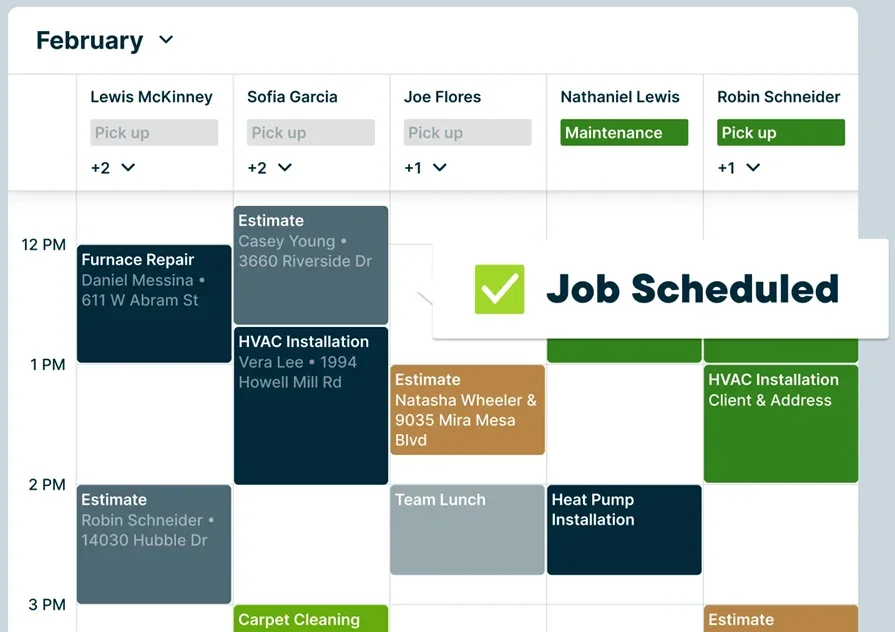
Jobber fits crews that live on quick-turn calls and small-ticket work where you need scheduling, customer records, timesheets, invoices, and payments in one place. It keeps the day moving for repairs, punch work, and light maintenance, especially when the office needs simple follow-ups and clean customer communication. However, teams that depend on plan-driven takeoffs, detailed assemblies, and advanced cost structure controls can outgrow its depth.
How pricing works: Monthly subscription by user count and feature tier.
Features beyond takeoff: Online booking with automated confirmations and reminders; intuitive job forms and checklists; drag-and-drop scheduling with basic route optimization.
What sets it apart: Strong focus on home services with simple scheduling and customer communication.
9. Best for inventory-aware service sales: ServiceTrade
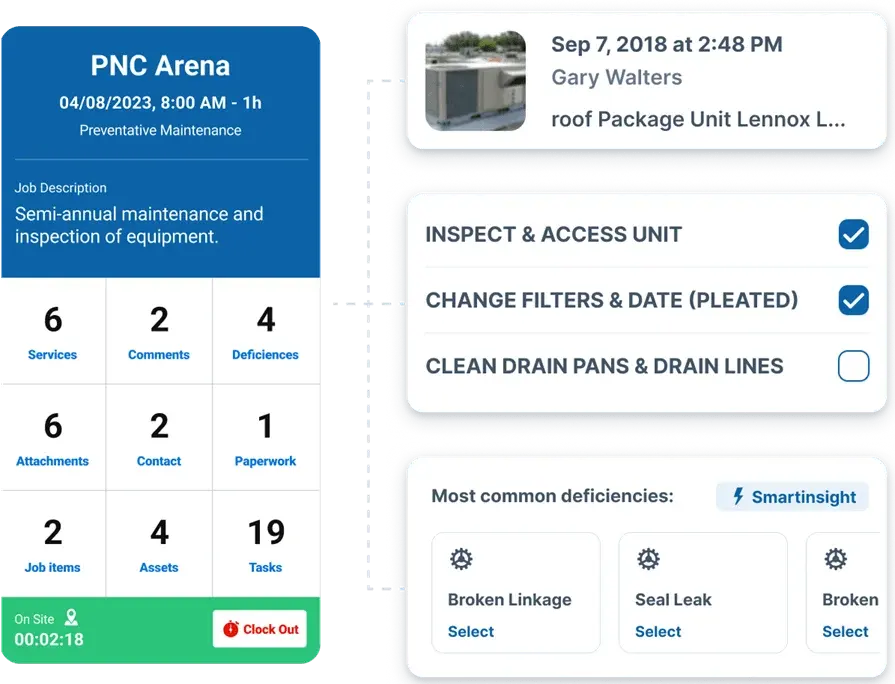
ServiceTrade supports commercial service teams that need coordination across office staff, account reps, and field techs, with a focus on sales tracking and parts visibility. It helps teams quote with real inventory and lead-time awareness, then keep stakeholders aligned through job history and service documentation. However, if your takeoff process depends on plan measurement and your operation runs heavy project controls, you will usually pair it with a dedicated takeoff or project system.
How pricing works: Subscription pricing based on seat count.
Features beyond takeoff: Parts forecasting to prevent stockouts during quoted work; precise job tracking with timecards that refine future estimates; customer updates and documentation that keep stakeholders aligned.
What sets it apart: Inventory visibility tied to sales activity so quotes reflect real stock and lead times.
10. Best for controlled drawings tied to models: Autodesk Build
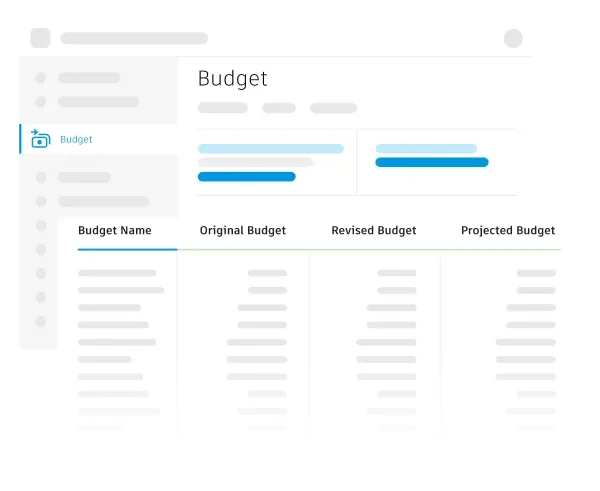
Autodesk Build centralizes drawings, RFIs, submittals, issues, and cost events, with tight connections to models for teams already invested in Autodesk Construction Cloud. It helps field teams mark up sheets, compare versions, and push issues to owners with due dates, which keeps install coordination tight when work shifts daily. However, service contractors who run high ticket volume and need technician dispatch, work-order-first execution, and takeoff-driven handoffs typically add a separate field service platform.
How pricing works: Tiered annual licensing.
Features beyond takeoff: Sheet and model management with version compare and markups; RFI, submittal, and change workflows tied to budgets and cost codes; issue tracking with assignments and due dates.
What sets it apart: Tight link between controlled documents and model views.
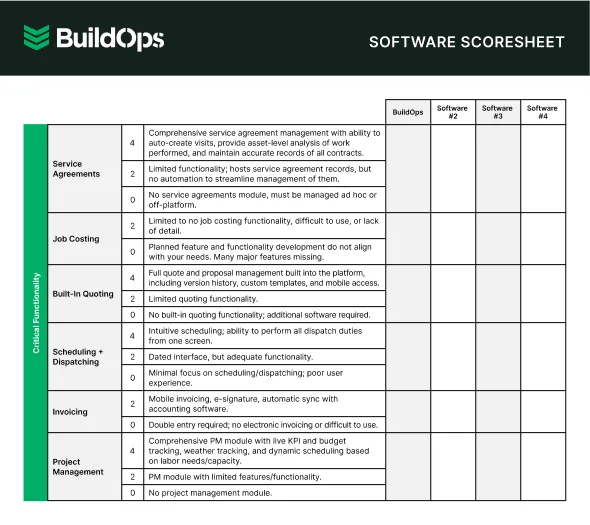
7 benefits of using takeoff software
Veteran field teams win when scope stays consistent from walkthrough to closeout. Takeoff software converts plan sheets, site photos, and field notes into quantities that drive labor targets, material staging, and work orders across install, maintenance, and repair. Judge tools by outcomes you can measure: cleaner handoffs, tighter change control, and fewer missed billables.
1. Faster approvals and cleaner handoffs
Measured counts become the scope baseline for pricing, alternates, and labor targets with no re-entry. Ops gets the same quantities the estimator priced, so dispatch and the lead tech execute against a single scope record. That cuts rework and prevents “what did we carry in the number” debates.

When you connect takeoffs to field execution, AI can flag missing line items and scope deltas before they turn into callbacks or write-offs. For practical examples of how teams apply AI across estimating, dispatch, and closeout, review these top use cases AI field service.
2. Clearer pipeline forecasting
Forecasting improves when every opportunity carries measured scope, not a placeholder number. A pipeline tied to quantities supports real labor factors and real margins, so staffing plans hold. Teams that anchor this in field service CRM software stop chasing deals that fall apart at scope review.
3. Estimate-to-invoice consistency
Takeoff-driven assemblies keep pricing logic, change lines, and taxes consistent through invoicing. Customers see what the crew installed, not a retyped version of it, so invoice edits drop. Teams that standardize workflows across field service operations remove the common failure point: scope breaking during the handoff from estimating to execution.
4. Material planning that matches the job
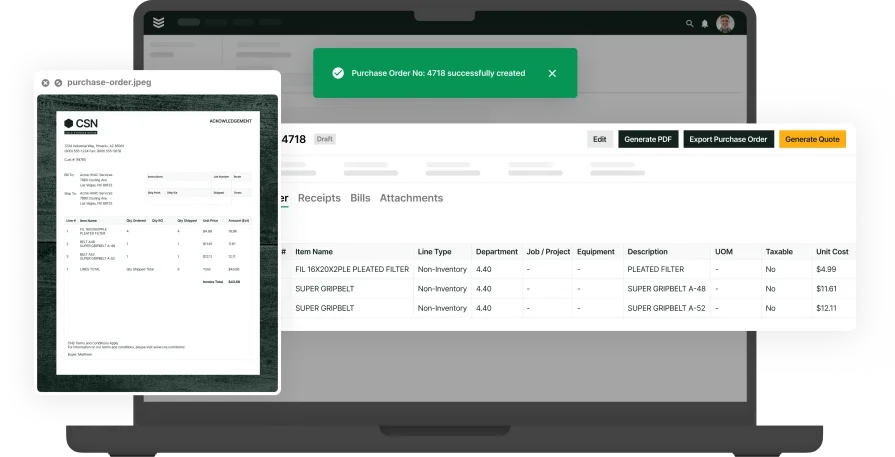
Takeoff quantities create a purchaseable material list that supports kitting and staging. Buyers release POs on time, and trucks roll with the parts that match scope. Crews stop losing hours to missing fittings, devices, heads, or controls.
5. Fewer billing disputes

When invoices reference measured quantities and approved changes, disputes fade. The customer can see what changed and why, with backup tied to the job record. Teams that run this through contractor dispatch management keep documentation attached to the ticket from first call to sign-off.
6. Real labor accountability
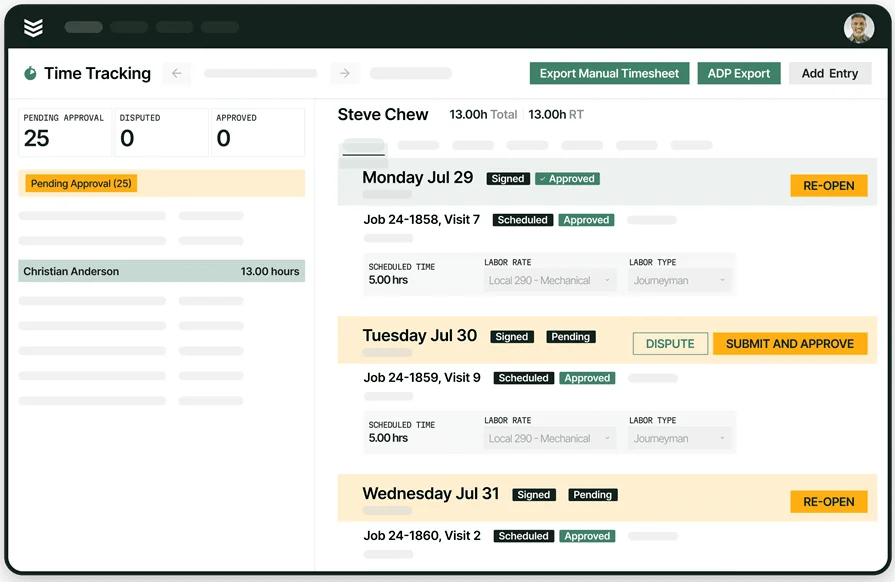
Labor stays controllable when time entries map to measured tasks and assemblies. Variance shows up while the job is active, so you can adjust crew mix or production assumptions before margin slips. A schedule-first workflow using contractor scheduling software makes planned vs actual labor visible without extra reports.
7. Stronger service call triage and upsell
Takeoff data strengthens service history with installed quantities, equipment types, and past alternates tied to the account. Dispatch sends crews that match the scope, and techs arrive prepared, which lifts first-visit completion. Pair that with routing and vehicle constraints from fleet dispatch software and you reduce second trips caused by missing parts or tools.
Running mixed trades across bids and small projects? If you need one place to compare options, start with our roundup of the best construction takeoff software for service teams, then dig into trade-specific guides for electrical, HVAC, plumbing, and mechanical takeoff software so every crew gets quantities and labor targets they can trust.
4 important takeoff software FAQs answered
On service work, takeoffs are your control panel, not more paperwork. Either your counts stay accurate from the field through dispatch, execution, and billing, or you silently lose margin to change orders and missed billables. These FAQs zero in on what matters most to today’s commercial contractors: keeping field and office in sync while protecting every dollar of profit.
1. What does takeoff software do in a service operation?
In service, takeoff software converts plan sheets, photos, and field notes into accurate quantities that automatically feed assemblies, labor budgets, and material lists. It logs every revision and delta so what you estimated matches the work order and the invoice, eliminating double entry and helping you protect your margins on every job.
Best-in-class takeoff software locks in your baseline and tracks every change in real time, so operations can confidently approve scope updates before field teams or buyers make a move.
2. Which data flow matters most for takeoffs in the trades?
Treat quantities as a system record, not a file export. Map counts to assemblies, item codes, and labor units, then push that baseline into quoting, purchasing, and work orders with a single revision trail. Require approvals for scope changes, keep a timestamped audit log, and enforce one job record that field and office reference without side spreadsheets.
3. Is best takeoff software worth the price for a field service team?
Yes, when it cuts three costs you already pay: admin re-entry, missed billables, and repeat truck rolls from bad kitting. You see payback when crews install what you priced, buyers stage what techs need, and invoices match approved scope without cleanup. If your work sees frequent add-ons, tight labor windows, or multi-visit installs, the margin protection shows up fast.
{{related-content-block="/resources/bl-glass-buildops"}}
4. What best practices keep takeoffs tight across field and office?
Strong teams run takeoffs with the same discipline as safety and QA. They standardize scope, control revisions, and keep field proof tied to counted quantities. Use these best practices to keep counts defensible through closeout.
- Lock a scope baseline at quote approval and enforce tracked deltas on every revision
- Tie every counted item to an assembly that includes labor units, material, and alternates
- Assign one owner for the item master and pricing rules, with change control
- Require a source reference for each count: sheet, detail, photo, or site note
- Standardize zone, floor, system, and work-order naming so teams sort scope the same way
- Gate scope changes with approvals before purchasing, scheduling, or dispatch moves
- Generate a kit list from approved quantities and stage to the planned visit sequence
- Set field capture rules for photos, markups, and measurements, tied to specific line items
- Review estimate vs actual weekly by call type and assembly, then update labor units
- Use AI-capable takeoff software to flag omissions and quantify deltas, then keep humans in the approval path
Takeoffs set the pace for every job that follows. When your counts stay connected to labor targets, material staging, and a fully digital work order, your techs hit the scope you sold and billing stays tight. When they don’t, you feel it in missing parts, return visits, and invoice cleanup that eats margin.
Plenty of tools can measure drawings. Very few keep one accountable thread from takeoff through scheduling, dispatch, field documentation, and closeout—with revision control built for change-heavy commercial service. Those connected workflows are not standard in most point solutions. BuildOps unifies them in a single commercial service and construction platform, so quantities stay tied to the job record and teams stop rebuilding scope at every handoff.
If you want to see how a truly end-to-end workflow runs takeoff-to-ticket execution inside a paperless work order system, you can schedule a free demo. If now isn’t the right time, keep this guide handy and use it to pressure-test any platform you’re evaluating.