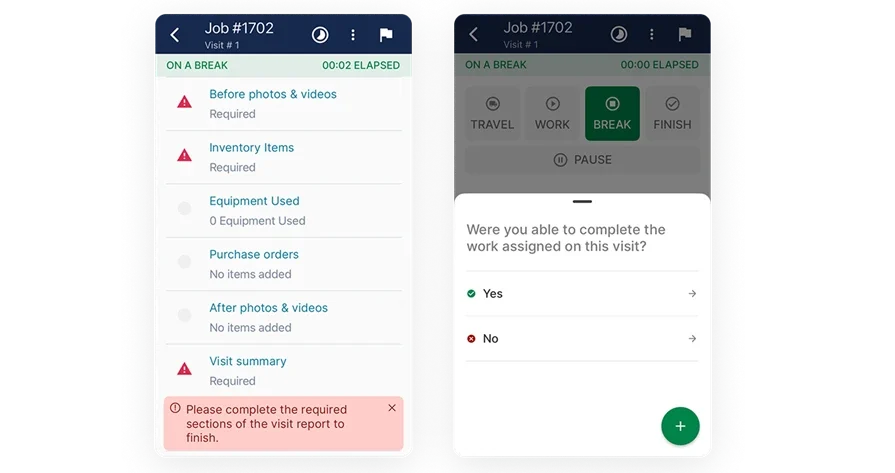
Top 6 Construction Time Clock Apps: From Tap to Payroll
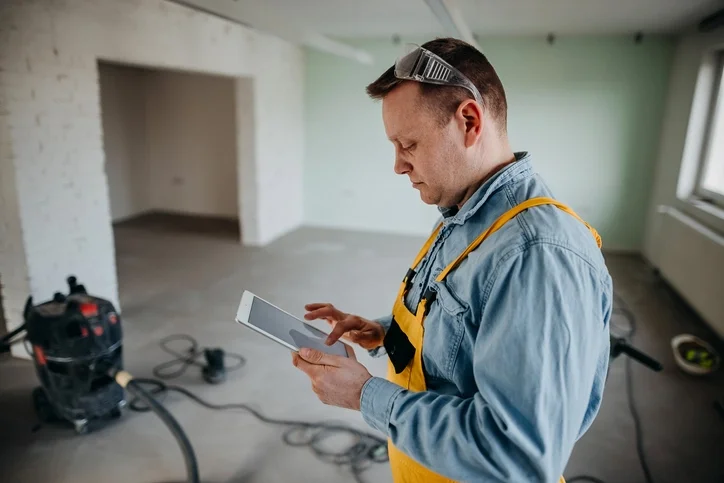
Running crews across active job sites takes a clean system for hours, cost codes, and travel. A construction time clock app puts a clock in every tech’s pocket and pushes field data to payroll and job costing without extra paperwork.
In the trades, time data sits at the center of field service management—dispatch, work orders, and invoicing all depend on it. A solid construction time tracking app keeps foremen, project managers, and accounting on the same page while you manage crews and solo techs in the field.
Here’s what we’ll cover:
- Choosing the right construction time clock app for your team
- 6 key features to watch for in a construction time clock app
- Types of contractor time tracking apps
- 6 best time tracking apps for construction
- 7 benefits of using a time clock app for construction
- 4 important FAQs about construction time clock apps answered
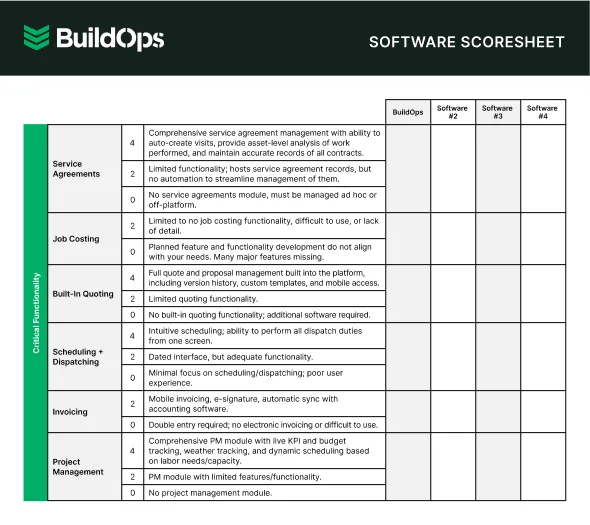
Before you compare options, ground the choice in how your team works today. Think clock-in method, cost codes, travel, per diem, union or prevailing wage rules, who approves, and how edits flow. When process and tool align, time flows cleanly from phones to payroll and job costing. With that lens, this guide shows what to evaluate, when each construction time clock app fits, and which picks seasoned contractors trust in the field.
Choosing the right construction time clock app for your team
Set your lens first. Match daily routines before features. Watch how techs clock in, switch between tasks, travel, and who signs each shift. Pick a construction time clock app that mirrors those habits and moves clean hours to payroll and job costing. A construction time tracking app should also fit into dispatch, work orders, and accounting without retyping.
- Crew size and job mix — How many techs run across service calls and projects each day? Do foremen capture time for the crew or only themselves? Do subs, apprentices, or shop staff need access?
- Field capture and mobility — Can a tech start or stop time in two taps even without signal? Do you need a kiosk at the shop or a shared tablet on site? Should geofencing auto-prompt clock-ins and clock-outs?
- Payroll rules and compliance — Which state, union, or company overtime rules apply? Do you track paid breaks, unpaid meals, and penalties? Do you need certified payroll or prevailing wage reports each week?
- Job costing and approvals — Can hours tag cost codes, phases, and work orders during entry? Who approves daily—foreman, project manager, or office? Do certain projects require photos, notes, or signatures on shifts?
- App features — Do you need GPS stamps, travel segments with rates you control, and offline capture? Will the construction time tracking app sync with scheduling, dispatch, accounting, and kiosks—and support bilingual crews?
You’ve mapped how crews work; now zero in on features that matter on site. A solid construction time tracking app should make clock-ins simple, keep compliance tight, and pass clean hours to payroll and job costing.
{{related-content-block="/resources/contractor-time-tracking-app"}}
6 key features to watch for in a construction time clock app
Time only pays off when field and office stay in sync. A strong construction time clock app plugs into scheduling, dispatch, costing, and billing so hours captured on-site hit payroll without rework. Start with the features below and judge how each construction time tracking app fits the way your crews actually work.
1. Scheduling and dispatch that feed clean time

Your day starts with a board full of calls, change orders, and crews spread across town. Tight integration with field service scheduling keeps time entries tied to the assigned job, not guesswork. Pair that with construction dispatch software so the app updates stops, prompts at arrival, and tags hours to the correct work order. For instance, a dispatcher slides a PM to the afternoon, the tech receives the updated stop, clocks on the right code, and the office sees clean time without double entry.
2. GPS stamps and fleet awareness

Travel burns minutes fast, so the app should record drive time accurately and show where trucks actually go. Tie time entries to fleet management data such as location, ignition, and odometer so office staff can see real movement. Combine that with the technician mobile app for reliable offline capture and quick prompts. For example, a tech clears a rooftop unit and heads to an emergency call, the GPS stamp confirms departure and arrival, and the drive segment lands in the timecard at the rate you control.
3. Foreman approvals with real-time reporting

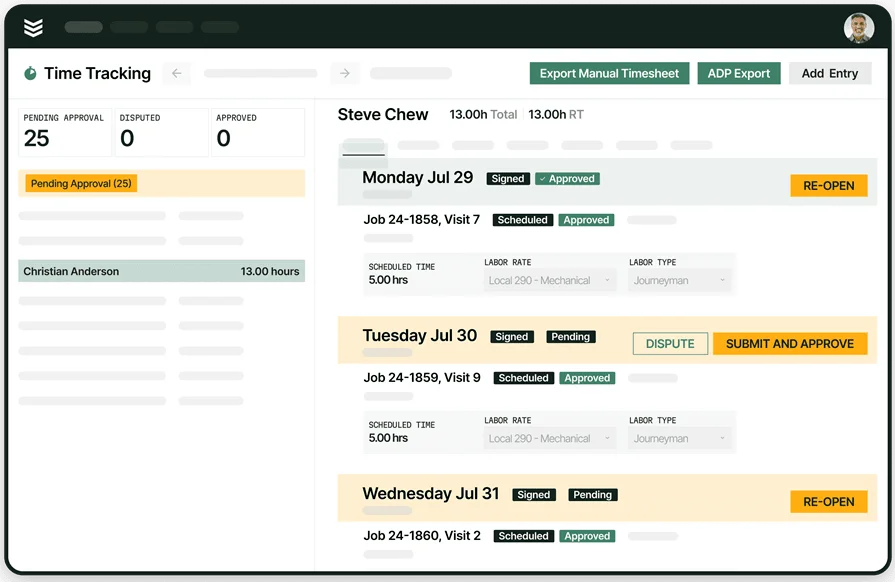
Daily approvals stop payroll chaos. Look for simple foreman sign-offs and instant visibility through reporting tied to job costing. Here is a common flow. The foreman reviews each tech’s hours before leaving the site, approves with one tap, and the project manager sees labor burn against the phase that evening. That feedback loop keeps the crew on budget without waiting for a weekend dump.
4. Billing-ready entries that sync to invoicing

Service calls need clean handoff to billing. When the app tags time by work order and rate, those hours flow straight into service invoicing. Think of a no-cool call where the tech adds one hour diagnostic and two hours repair. The app pushes both lines to the invoice with the correct rates so the office can review and send that same day.
5. On-site payment capture tied to time
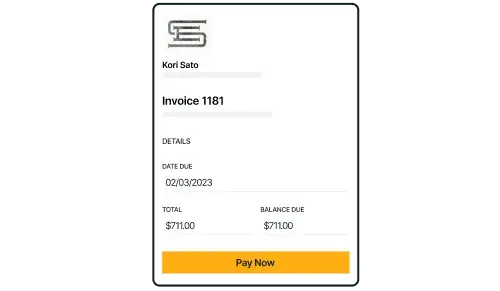
Close tickets while you are still on the driveway. With integrated payments, approved time turns into a balance the customer can settle in the field. For example, after a water heater swap, the tech finishes the timecard, the app calculates the total, and the customer taps a card on the phone. Job wrapped, cash collected, and the team heads to the next stop.
6. Construction CRM that aligns contacts and sites with time

A construction CRM ties customers, sites, and assets to every work order so time entries land under the correct account. It should push site-specific rates, tax rules, and contract terms to the ticket and surface history for the crew on arrival. Case in point, a foreman clocks the team on Building B after a change order shifts them from Building A, the CRM sync updates the work order, pulls the correct PO and contact, and accounting receives a clean invoice backed by timecards and notes.
Other valuable features construction teams should watch for
Beyond the core five, these capabilities keep time data tight on busy days and across mixed crews
- Certified payroll & prevailing wage — Pay classes on time entries, export formats for Davis–Bacon and city mandates, weekly packets with digital signatures
- Kiosk and shared-device modes — Shop, trailer, and gate clock-ins with PIN, NFC, or QR, plus photo capture and geofence prompts
- Role-based permissions & audit trail — Control who edits hours, lock approved entries, and trace every change by user and timestamp
- Multilingual and offline-first — Spanish prompts and forms, automatic sync once signal returns, background retries that protect entries on remote sites
These complete the checklist. Next, step into the types of contractor time tracking apps and what to expect from each, focusing on how a construction time clock app maps to your workflows and how your construction time tracking app carries hours cleanly to payroll, billing, and cost codes.
Types of contractor time tracking apps
For field service teams in the trades, a construction time clock app should clean up clock-ins, payroll, and job costing without adding steps. Pick a system that matches crew movement and how data flows back to the office. Whether you run service trucks, project crews, or both, the choice hinges on how a construction time tracking app supports field habits and approvals.
- Desktop software — Traditional desktop time tools live on office machines and often rely on manual entry. Good for shops that clock in at a single location with steady crews. For mobile teams, delayed data and rekeying can slow payroll and cost code accuracy.
- Cloud-based solutions — Web apps store time data online so teams and admins can access it anywhere. These pair well with scheduling, dispatch, and invoicing stacks and handle split crews across service and projects. Centralized rules for overtime, classes, and approvals keep payroll clean.
- Mobile time tracking apps — Phone and tablet apps keep time with GPS, geofencing, and offline capture. Techs clock in at the truck, tag cost codes in seconds, and switch jobs as the day shifts. This path suits contractors who need time to follow the crew from site to site without gaps.
Once you lock in the type that fits your operation, the next step is comparing features and then lining up the best apps for your field setup.
6 best time tracking apps for construction teams
Choosing a construction time clock app for field management can change day-to-day operations. A well-chosen platform ties time entry to scheduling, dispatch, job costing, and payroll in one place. The apps below support construction service work on active sites and keep field data moving without retyping inside a construction time tracking app.

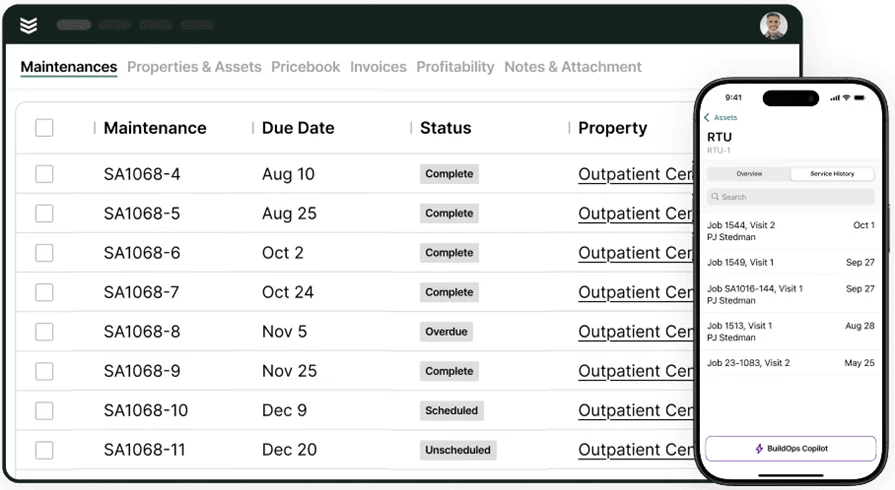
BuildOps centers on commercial service and project-driven shops. Crews run dispatch, work orders, preventive maintenance, quotes, invoicing, payments, and reporting inside one workflow on mobile. Techs capture photos, asset history, custom forms, and signatures even with weak signal, while the office sees status updates in real time and closes tickets fast.
As an all-in-one platform, BuildOps ties labor to jobs, cost codes, and wage classes so payroll, billing, and job costing stay aligned across installs, retrofits, and maintenance. For teams seeking a construction time tracking app that keeps approvals and edits controlled from field to office, the workflow stays consistent from clock-in to payroll and invoicing.
How pricing works: Custom pricing based on company size, user count, selected modules, and support level.
Features beyond time tracking: Drag-and-drop scheduling and skill-based dispatch keep crews moving; the technician app supports offline capture with asset and site history; digital checklists and forms standardize visits; service agreements manage planned maintenance; invoicing and payments close tickets without extra retyping; reporting covers margins, first-time fixes, and callbacks.
What sets it apart for construction: Office and field operate on one system from dispatch and scheduling to job costing, invoicing, and reporting. It handles complex approvals, cost codes, and union or prevailing wage rules at scale, making it a strong fit for commercial service contractors that want a scalable operations stack.
2. Best for specialization: Workiz
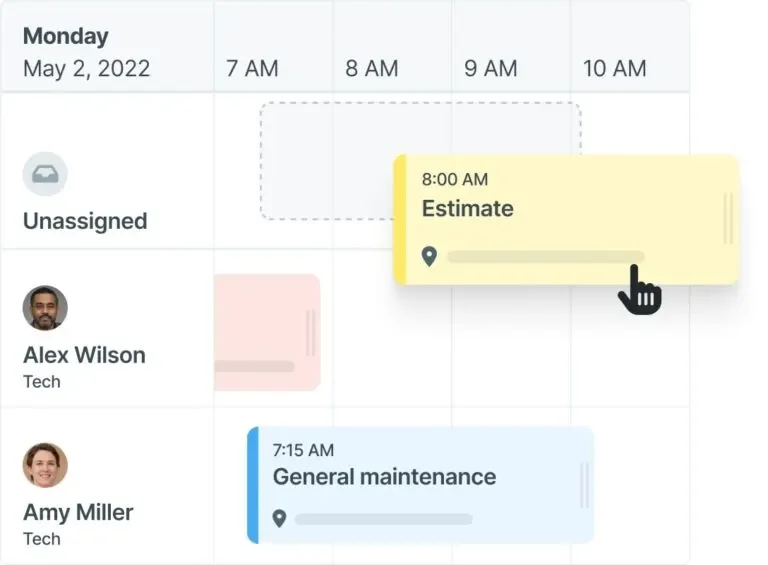
Workiz is a field service platform that unifies scheduling, live dispatch, time capture, and work orders for service crews. The mobile app gives techs job details, photos, and updates while the office sees status and GPS check-ins in real time. It stands out for call-driven coordination and phone-based workflows that keep quick-hit service moving. Teams that need deep cost code structure, layered approvals, or certified payroll may outgrow it.
How pricing works: Subscription with per-user tiers; entry plans start around $225 per month and scale with users and add-ons.
Features beyond time tracking: Lightweight CRM for call intake and two-way texting, online payments, QuickBooks sync, and simple estimates to speed closeout.
What sets it apart for construction: A strong fit for high-volume service routes—HVAC tune-ups, drain clears, quick repairs—where rapid dispatch and clean mobile steps keep crews moving.
3. Best for specialization: Odoo

Odoo field service delivers a modular operations stack with a time tracking tool tied to work orders, inventory, and accounting. Techs log hours from the field while the office links time to tasks, parts, and invoices for clear job costing. Teams can activate needed modules and add others as they grow, creating a unified back office connected to field activity. Shops seeking a fast, low-config launch may find setup and upkeep heavy.
How pricing works: Per-user subscription with add-on modules; total cost depends on module mix and hosting choice.
Features beyond time tracking: Route planning, parts usage linked to inventory, quoting that converts to invoices, CRM connections, and APIs for custom flows.
What sets it apart for construction: ERP-style flexibility that suits contractors wanting time, materials, and billing under one roof, from service calls to small projects.
4. Best for specialization: FieldEdge

FieldEdge gives service-focused contractors a construction time clock app tied to scheduling, dispatch, and service history so hours land on the correct work order with fewer edits. The mobile app supports quick clock-ins, GPS-tagged trips, and simple notes that feed payroll and job costing. It stands out for HVAC and plumbing workflows with built-in pricebooks and agreement tracking. Project-heavy shops that need deeper cost code controls and custom approval paths may find FieldEdge limiting.
How pricing works: Subscription with per-user licensing. Final cost depends on user count, modules, and onboarding.
Features beyond time tracking: Customer database with equipment records, flat-rate pricebook, maintenance agreements, QuickBooks sync, and tools that reconcile labor against parts in one pass.
What sets it apart for specialization: Solid pick when crews run daily service routes and need timecards linked to agreements, pricebooks, and a live dispatch board for fast approvals.
5. Best for specialization: ServiceTitan

ServiceTitan combines call booking, dispatch, and revenue dashboards with a construction time tracking app that captures labor, drive time, and job status across the day. Techs clock on mobile, switch tasks with cost codes, and submit photos and notes that roll into payroll and billing. It shines for high-volume residential service with rich reporting and phone integrations. Smaller crews or project-centric teams may see setup, training, and total cost as heavy for what they need.
How pricing works: Custom subscription priced by users and feature bundle.
Features beyond time tracking: Pricebook tools, marketing add-ons, payments, and deep reporting that shows labor impact on revenue without juggling separate apps.
What sets it apart for specialization: Strong option for larger residential outfits that want phone-to-dispatch workflow tied directly to timesheets and performance metrics.
Compare ServiceTitan and BuildOps side by side to see which one can track your crew’s time better as jobs progress.
6. Best for specialization: Fieldwire
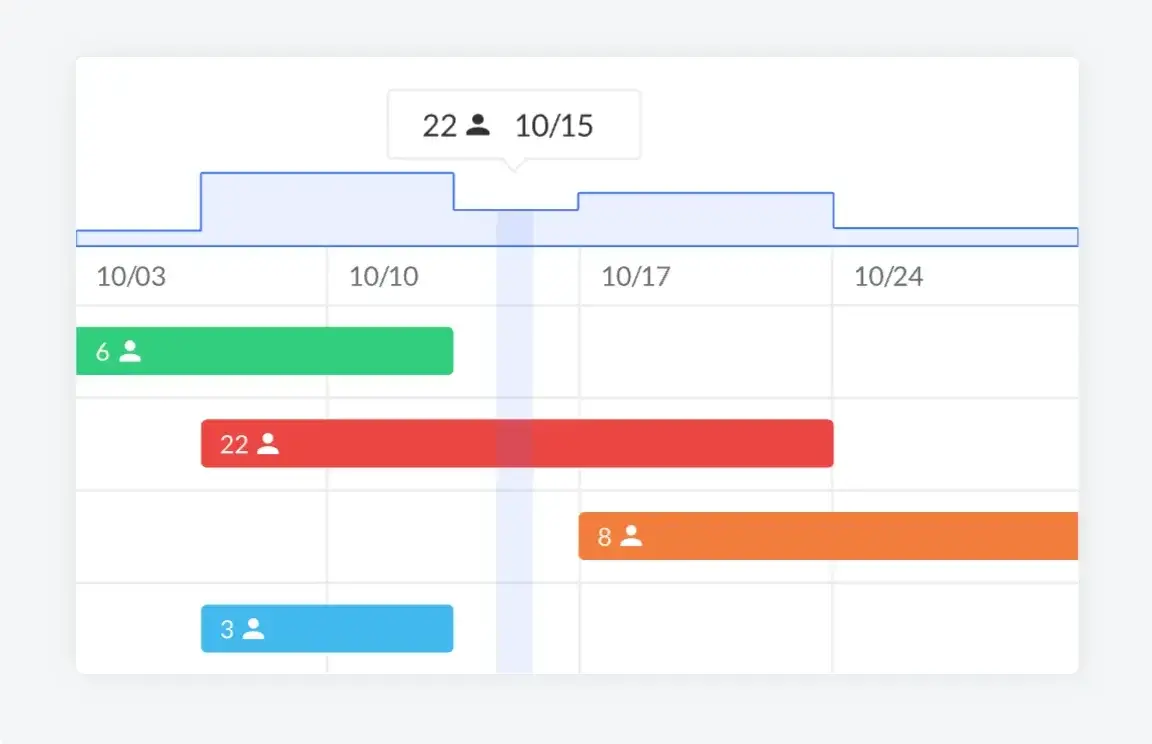
Fieldwire leans project-first. Crews track time against tasks and plans, attach photos, and log daily reports so PMs get a clear labor read by location or phase. As a construction time tracking app for jobsite coordination, it keeps foremen close to drawings, punch lists, and timesheets inside a single mobile view. Service contractors who need dispatch, quotes, and invoicing under the same roof may find Fieldwire light on service workflows.
How pricing works: Tiered, per-user plans. Cost varies by feature tier and team size.
Features beyond time tracking: Plan viewing, task assignments, RFIs, and punch list management alongside daily logs that help PMs tie hours to field documentation.
What sets it apart for specialization: A fit for construction teams that want timesheets anchored to drawings and task progress rather than ticket-based service calls.
7 benefits of using a time clock app for construction
A dependable construction time clock app turns field hours into clean payroll and defensible job costs. It gives foremen daily control, the office instant visibility, and leadership solid labor data. Paired with a construction time tracking app, approvals move fast and errors drop.
1. Accurate payroll and job costing
Techs tag hours to work orders and cost codes as work happens, so totals land in payroll without guesswork. Daily approvals lock entries before they drift. Overtime rules, paid breaks, and wage classes apply automatically, which cuts corrections and reruns. That accuracy builds trust with crews and clients alike.
2. Faster billing and cash flow
When the timecard ties to the work order, hours and notes flow straight into an invoice. An invoice app for contractors helps the office send bills the same day and capture payments sooner. Fewer manual steps reduce delays and write-offs. Customers see exactly what they are paying for, line by line.
3. Smoother crew coordination
Schedulers assign jobs, dispatch tweaks routes, and the app updates each stop on the phone in real time. Strong scheduling and dispatching keeps clock-ins tied to the current ticket, not yesterday’s plan. Travel, on-site time, and pauses appear cleanly on the timesheet. That clarity keeps trucks moving and calls on pace.
4. Strong service history for repeat work
Each visit adds labor and notes to the asset record, creating a clean trail for maintenance and warranty work. Linking your tracker with field service CRM software keeps photos, parts, and hours in one timeline. Estimators and techs see what fixed the problem last time and how long it took. That history leads to tighter quotes and quicker fixes.
{{related-content-block="/resources/construction-contractor-crm"}}
5. Clear customer context on every call
Time entries sit beside site notes, approvals, and contact history, so techs arrive prepared. Pairing the tracker with a contractor CRM puts names, access codes, and warranty details a tap away. Crews waste less time digging through texts or paper. Jobs finish faster and callbacks drop.
6. Less time theft and idle drive time
Geofence prompts and GPS stamps encourage on-time clock-ins and capture travel segments accurately. Foremen spot long gaps or off-route detours and correct them the same day. Clear policies plus visible data curb bad habits. Payroll ends up fair to the crew and fair to the business.
7. Better bids and labor forecasting
Reporting shows actual hours by task, crew, and phase across jobs. Estimators plug those numbers into the next proposal to set realistic labor costs. Managers track trends by season, trade, or customer and adjust staffing before schedules get tight. The result is steadier margins and calmer weeks.
4 important FAQs about construction time clock apps answered
Construction leaders ask the same four questions before rolling out a construction time clock app or construction time tracking app. Here are concise, field-tested answers you can share with owners, foremen, and payroll.
1. What is a construction time tracking app?
A construction time tracking app records clock-ins, tags hours to work orders and cost codes, captures travel, and routes approved time to payroll and job costing. The best providers run on phones with offline capture, GPS prompts, and role-based approvals that keep edits controlled.
2. How do construction time tracking apps work?
Quick view of the daily loop from phone to payroll.
- Techs receive scheduled jobs on mobile and clock with GPS or geofence prompts
- Hours tag work orders, phases, and cost codes; travel logs between stops
- Foremen approve daily; office edits only when required
- Approved time syncs to payroll, job costing, and invoicing; reports update instantly
- Kiosk and offline modes cover shops, trailers, and weak-signal sites
3. Is a construction time clock app worth the price?
Pros weigh cost against payroll fixes, cash flow, and admin load. In practice, clean mobile clock-ins, quick approvals, and stack integrations cut rework and speed billing, so subscription cost often pays back within weeks—even faster if you’re replacing paper.
{{related-content-block="/resources/sloan-mechanical-build-ops"}}
4. What are the best practices for implementing a construction time tracking app?
Set policy, anchor habits, then wire integrations. Keep communication tight and audit early so drift does not creep in.
- Define pay classes, overtime rules, and cost codes before go-live
- Map job types to simple entry options the crew understands
- Require daily approvals by foremen, not end-of-week catch-up
- Use geofences and GPS as prompts, not punishment
- Train field leads first; have them coach the crew on-site
- Pilot with one schedule team, then roll to projects and shops
- Standardize notes, photos, and signatures attached to time
- Connect time to scheduling, dispatch, payroll, and invoicing on day one
- Audit weekly for drift in travel and idle time
- Document the process so new hires clock in correctly on day one
Pick a construction time clock app that mirrors how your crews work today—clock-ins, travel, cost codes, and approvals—so hours move from phones to payroll, job costing, and invoices without retyping.
Dialing in a construction time clock app pays off when every shift lands clean on payroll, cost codes, and invoices. The playbook here covered what to evaluate, the core features that keep data tight, the types of tools you’ll run into, the best options on the market, and the benefits and FAQs that matter to field leaders. Pick a construction time tracking app that mirrors how your crews actually work—phones in hand, jobs shifting by the hour, approvals happening the same day.
For commercial field service teams, BuildOps functions as an all-in-one platform that goes beyond time tracking. Scheduling, dispatch, job costing, invoicing, payments, and reporting live in one workflow. Crews clock once, foremen approve fast, and finance closes the loop without retyping.
Ready to see how that could fit your mix of installs, retrofits, and maintenance? Set up a quick demo—free to try, and no pushy pitch. If it’s a match, great. If not, you’ll still walk away with a sharper plan for your operation.