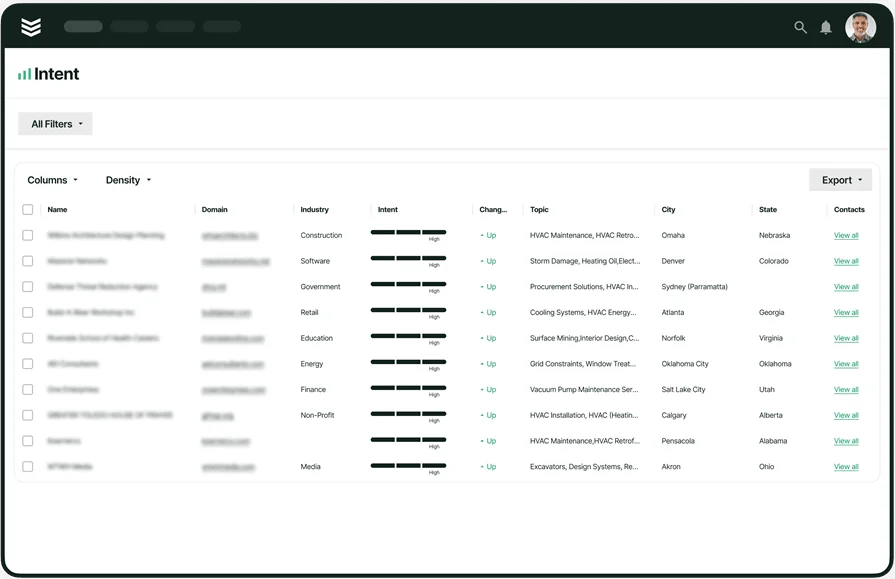
Guide to Construction Office Management for Service Ops

You juggle crews, quotes, change orders, and inspections every day. Construction office management keeps the moving parts in sync. It links scheduling, work orders, invoices, payroll, and compliance to real field activity inside one system.
For teams in the construction field service industry, that connection turns job photos, notes, and parts from tech phones into clean records in the office. When software connects construction operations to office management operations, billing speeds up, errors drop, and cash flow steadies.
Here's what we'll cover:
- Fundamentals and essentials of successful construction office management
- Benefits of automating construction office management operations
- 8 construction office management best practices
- Top 7 construction office management metrics & KPIs to measure operational performance
- 3 best construction office management tools for contractors
Next, we start with the fundamentals. You will see how office construction management aligns dispatch, purchasing, payroll, and compliance with live field updates. Then we will cover practices, metrics, and tools that support office construction project management from kickoff to closeout.
Fundamentals and essentials of successful construction office management
Construction office management sets the pace for the entire operation. It links dispatch, work orders, purchasing, payroll, and billing to live field activity so data moves cleanly in both directions. With tight coordination, the office guides decisions and the crew stays focused on the work.
What is construction office management and what does it entail?
Construction office management coordinates scheduling, dispatch, purchasing, payroll, billing, documentation, and compliance for service and project work. It connects field updates, labor, and materials to office systems so jobs, changes, and invoices move through one accurate workflow.
This function tracks costs, approvals, and records, while enforcing safety and licensing requirements. It creates a single source of truth for estimates, timecards, and job closeout.
{{related-content-block="/resources/field-service-management-platform"}}
What does a successful construction office manager do?
A successful office leader steers the schedule, coordinates dispatch, manages purchasing, reviews timecards, oversees billing and payroll, and maintains records. They keep technicians, project leads, and accounting aligned with current job data and clear budget visibility.
Day to day, they confirm parts availability, issue purchase orders, push change approvals, and close work orders quickly. That is where office construction management delivers speed and accuracy.
Types of projects construction office managers oversee
Office leaders touch a wide range of field assignments. The items below show common categories and how the office supports each one.
- Service and preventive maintenance routes: Recurring visits across HVAC, electrical, plumbing, and fire life safety with checklists, time capture, and strict compliance needs.
- Tenant improvements and build-outs: Short schedules, dense coordination, and frequent change approvals that require fast document control.
- Retrofits and energy upgrades: Work inside active facilities with staged deliveries, careful shutdown planning, and detailed as-builts.
- Emergency dispatch and after-hours repairs: Rapid call intake, priority scheduling, and clean billing for parts and labor.
- Warranty punch lists and project closeout: Final documentation, retention tracking, and handoff packages that clear payment.
These project categories depend on clean handoffs between the field and the office. Next we will focus on the friction points that slow teams down and how to address them inside office construction project management.
Common challenges in construction office management
Even strong teams struggle when field data arrives late or sits in separate tools. The issues below create rework, slow billing, and fuzzy job costs.
- Late or incomplete status updates: Details arrive by text or paper, which forces retyping and introduces mistakes.
- Purchasing trapped in spreadsheets: Parts and purchase orders sit outside the system, which hides true costs until invoicing.
- Uncoded time entries: Hours lack job and phase codes, which breaks labor tracking against estimates.
- Change approvals stuck in email: Requests and signoffs remain in inboxes, which leads to unauthorized work and disputes.
- Disorganized compliance files: Certificates, inspections, and safety records scatter across folders, which triggers audit fire drills.
Tackle these gaps and office construction management gains speed and accuracy. With cleaner handoffs, your office can guide decisions using live field data.
Benefits of automating construction office management operations
When the field and the office share one platform, teams act faster and with confidence. The gains below support accurate costing and dependable closeout.
- Faster billing: Work orders, time entries, and materials sync to invoices automatically.
- Reliable job costing: Live purchasing and labor data track against budgets without manual rebuilds.
- Cleaner compliance: Standard forms, signatures, and centralized records pass audits.
- Fewer callbacks: Photos, notes, and checklists captured in the field protect quality.
- Clear planning and forecasts: Leaders see workload, parts needs, and cash position in real time.
These advantages lift office construction project management from kickoff to closeout. Next, we outline how automation turns these gains into daily habits across scheduling, purchasing, billing, and reporting.

8 construction office management best practices
Strong construction office management connects field updates to clean back-office workflows. The practices below help office construction management run on accurate data and clear handoffs, which supports dependable office construction project management from call intake to closeout.
1. Centralize field reporting for tech profitability
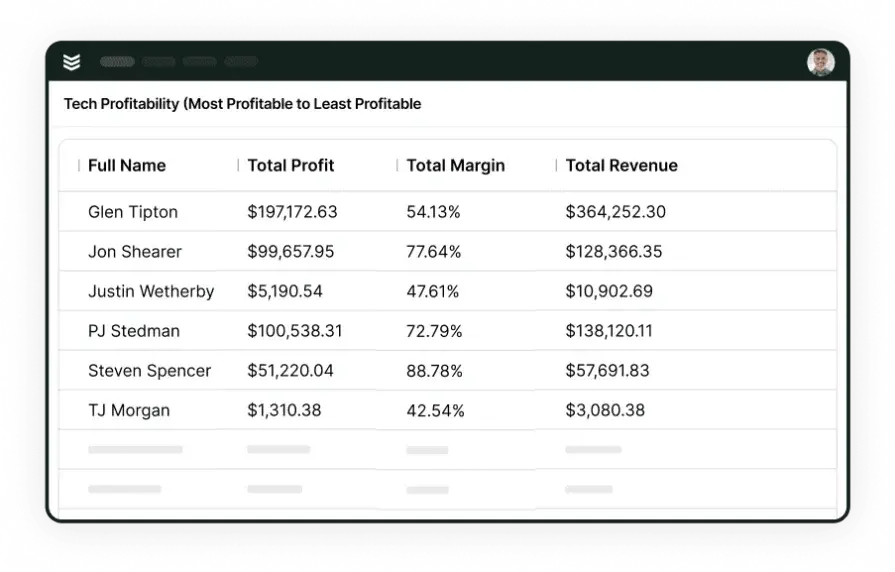
Capture photos, notes, materials, and signatures in the field, then route everything to a single record. Teams that use construction field report software standardize collection, lock required fields, and give the office real-time labor and parts detail. That visibility highlights profitable service lines and coaching opportunities.
2. Standardize work orders and checklists
Create job templates by trade and task. Include scope, parts lists, safety checks, and required photos. Technicians finish faster, and the office receives consistent data every time. That consistency shortens review, billing, and warranty work.
3. Enforce clean invoicing with pricebooks and rules
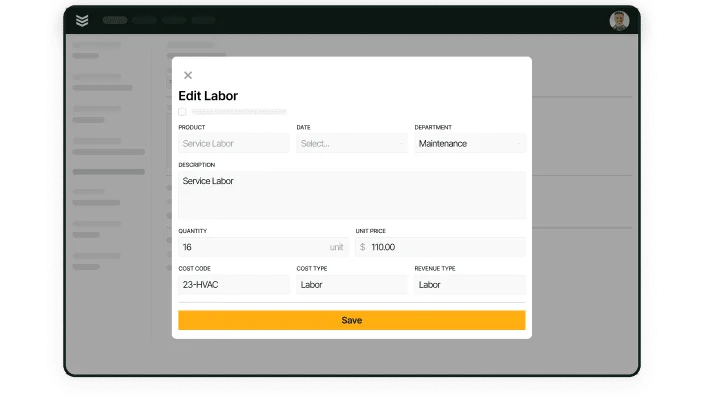
Build a single pricebook for labor, materials, and fees. Require job and phase codes on every time entry. Add approval rules for discounts and change orders. Teams that rely on construction invoice software keep margins protected and collections on schedule.
4. Keep a single customer and site record
Use one profile for each customer, facility, and asset. Store contacts, contracts, warranties, and site-specific instructions. Dispatchers find details quickly, and techs arrive prepared. Accurate records also cut callbacks and disputes.
5. Track equipment with photos and attachments
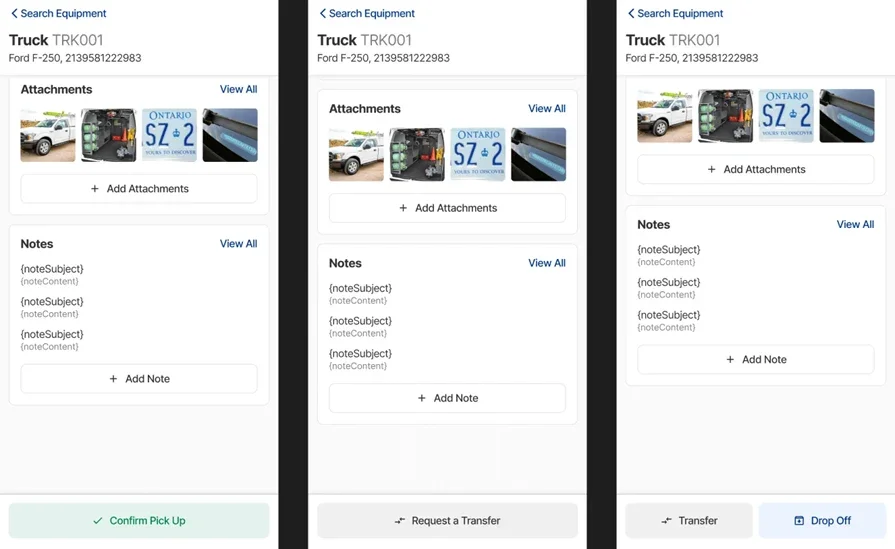
Log serial numbers, location, service history, and manuals. Attach startup sheets, test results, and asset photos. A mobile-first construction app gives techs instant context in the field while the office sees life-cycle cost.
6. Capture time against jobs in real time
Adopt a mobile time clock tied to work orders and phases. Require start, stop, and travel codes. Supervisors review daily so payroll and job costing stay accurate. Teams often lean on the best time clock app for construction to keep entries clean and compliant.
7. Automate purchasing and inventory
Create digital POs from approved estimates and work orders. Link receipts to the job and update stock levels as items are consumed. The office sees committed costs early and avoids surprise overages. Field teams get parts on time without extra calls.
8. Use project dashboards and margin alerts
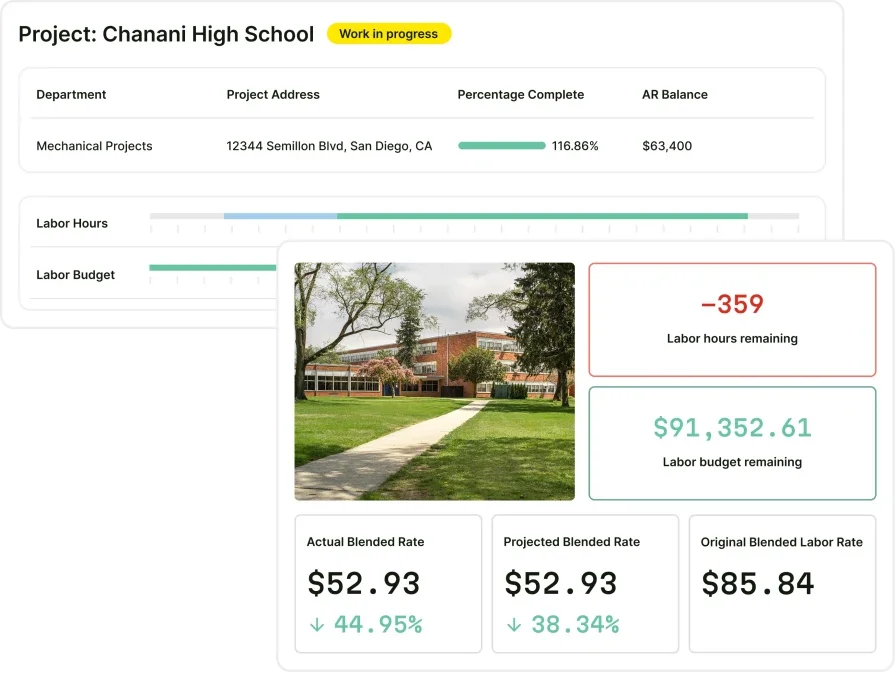
Track earned value, labor burn, change exposure, and cash position on one screen. Set alerts for budget thresholds and aging invoices. These controls reflect sound commercial construction project management practices and keep decisions proactive.
Top 7 construction office management metrics & KPIs to measure operational performance
Construction office management runs on clear numbers. Track the KPIs below to see cash speed, labor accuracy, and job health in real time. These metrics help office construction management steer dispatch, purchasing, billing, and payroll with confidence.
- Invoice lead time: Days from work completion to invoice sent. Shorter cycles tighten cash flow and limit disputes.
- Days sales outstanding (DSO): Average days to collect payment after invoicing. Lower DSO signals strong collections and clean paperwork.
- First-pass invoice acceptance: Share of invoices approved without rework. High acceptance shows that time, materials, and documentation line up.
- Labor utilization: Billable hours divided by total paid hours. Rising utilization indicates accurate scheduling and clean timecards.
- Estimate vs. actual cost variance: Difference between budgeted cost and actual spend by phase. Tight variance points to controlled purchasing and precise time coding.
- Purchase order approval time: Hours from request to approved PO. Faster approvals prevent delays and keep job costs visible sooner.
- WIP aging: Days that open work orders or project phases sit without billing. Low aging reduces revenue stuck in limbo.
Use these numbers to tune daily habits, not just to report at month-end. When teams watch them weekly, office construction project management stays proactive and profitable.

For teams that want a broader scoreboard covering dispatch, service quality, and collections, this guide to field service metrics and KPIs explains formulas and target ranges clearly.
3 best construction office management tools for contractors
Construction office management software should connect scheduling, field documentation, purchasing, payroll, and billing so the office and crews move together. The three options below serve different needs across commercial service, residential work, and general contracting. Each pick focuses on office construction management with strong field tools so data stays accurate from job start to closeout.
1. Best for commercial construction: BuildOps

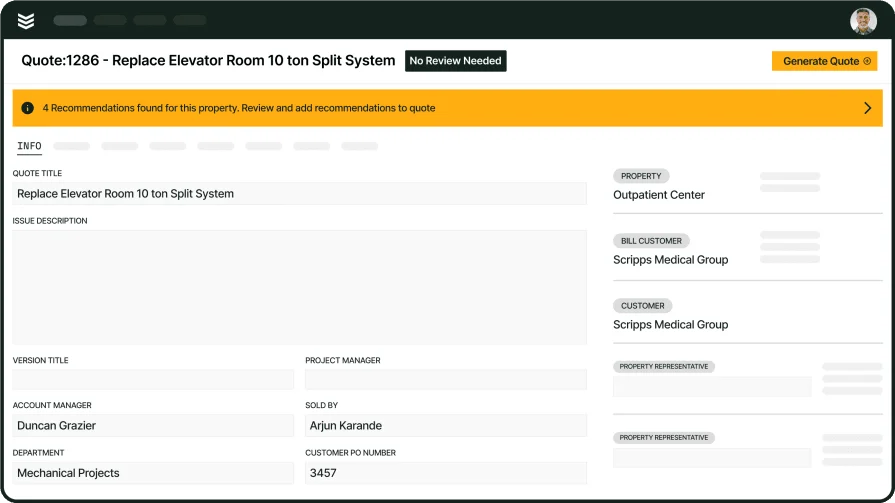
BuildOps unites dispatch, work orders, purchasing, inventory, timecards, and invoicing for contractors that run service and projects. Technicians capture photos, parts, and notes on mobile, and the office sees updated labor and costs tied to each job, which keeps construction office management clean and current. Commercial teams use it to manage preventive maintenance, T&M work, and installation with one record of truth.
How Pricing Works: Per user, per month with annual options.
What Sets It Apart: Purpose-built for commercial service and construction workflows. Strong job costing and billing that pull directly from field data, plus asset histories, service agreements, and project dashboards suited to office construction project management.
2. Best for residential: Housecall Pro
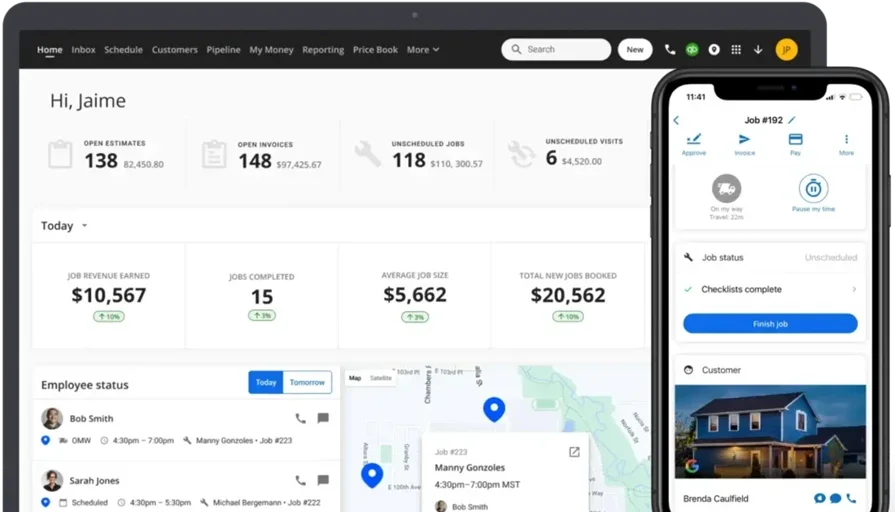
For home services and light install work, Housecall Pro offers simple scheduling, on-site payments, and customer messaging that help techs move through the day with less paperwork. Mobile invoicing and card-on-file tools suit fast residential visits where jobs wrap on the driveway. It may not fit larger commercial service agreements or complex multi-site asset tracking needs for office construction management at scale.
How Pricing Works: Tiered monthly plans based on features.
What Sets It Apart: Mobile-first experience that lets technicians send estimates and invoices from the field with minimal setup, plus customer reminders and payment capture.
Check out Housecall Pro vs BuildOps to see their features stacked up side by side.
3. Best for general contractors: Procore
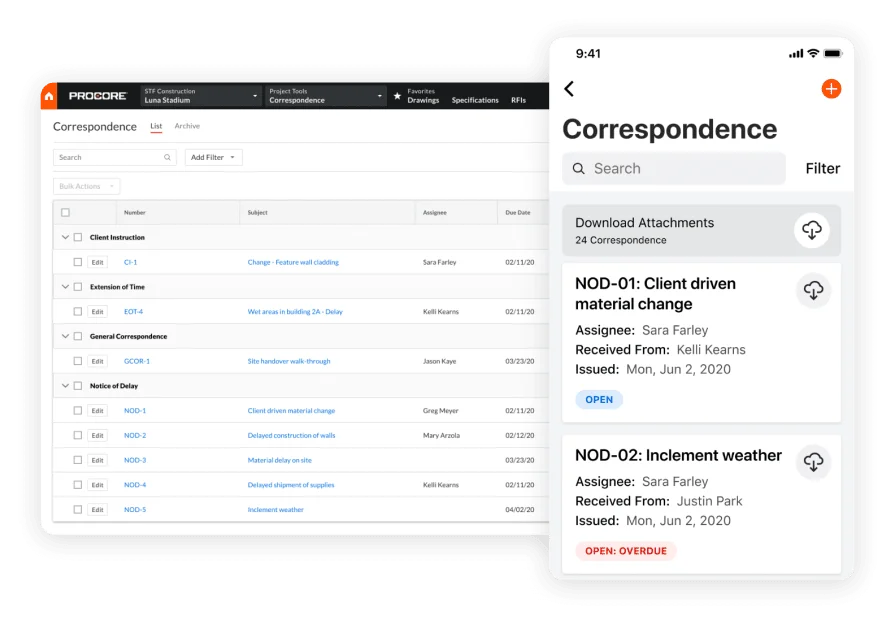
Procore supports enterprise project delivery with document control, RFIs, submittals, drawings, and financial tools that span preconstruction to closeout. General contractors use it to coordinate subs, track budgets, and manage approvals across large builds, while the office leans on its reporting and integrations for deep office construction project management. Smaller service contractors may find the platform heavy for day-to-day dispatch and service workflows.
How Pricing Works: Custom pricing based on products, seats, and contract length.
What Sets It Apart: Robust project controls, strong document management, and stakeholder collaboration that fit complex GC operations where compliance and audit trails matter to construction office management.
Strong construction office management keeps crews moving, records clean, and cash predictable. The fundamentals, best practices, and KPIs in this guide create a loop where field updates power office decisions and the office provides clear direction that supports office construction management and steady closeout.
BuildOps extends past construction office management by tying work orders, asset histories, purchasing, timecards, invoices, and projects into one platform. That connection supports office construction project management across service, install, and maintenance while giving leaders a single source of truth.