6 Best Estimating Takeoff Software for Daily Service Ops

You move fast. Drawings land late. Techs still need quantities and labor targets they can stand behind. Estimating takeoff software converts plans and PDFs into counts, assemblies, and hours your crew can install today and bill tonight. Hook it to scheduling, job costing, and purchasing so numbers stay aligned with work orders through closeout.
In the field service industry, that tight loop between office and van keeps HVAC, electrical, plumbing, refrigeration, and mechanical teams on budget. For leaders running crews, estimating and takeoff software brings consistent pricing, faster change quotes, and clear production goals on every call and small project.
Here’s what we’ll cover:
- Choosing the right estimating takeoff software for your service crew
- 5 key features to look for in estimating takeoff software
- 6 best estimating takeoff software for contractors
- 7 benefits of using estimating takeoff software
- 4 important estimating takeoff software FAQs answered
First up: selecting estimating takeoff software that fits your workflows, tech adoption, and budget for service contractors. Then we’ll rank our picks for the best estimating takeoff software, break down must-have features, map the benefits, and wrap with straight answers to common questions.
Choosing the right estimating takeoff software for your service crew
You already run tight bids and busy schedules. The job now is selecting estimating takeoff software that feeds dispatch, purchasing, and job costing without extra admin. Use this checklist to judge tools against how your team actually estimates, builds, and services in the field.
- Workflow fit & integrations: Does it push quantified assemblies into work orders, purchase requests, and job cost codes? Can it sync with your FSM, ERP, and accounting stack without CSV juggling? Will foremen and PMs see the exact quantities the estimator approved?
- Accuracy & assemblies: Can you lock standard assemblies with labor factors, waste, and crew mix? Does the tool hold scale across PDFs and vector plans when sheets update? Can assemblies be reused across retrofit packages and small projects?
- Collaboration & revisions: Does it track plan versions, change clouds, and who changed what? Can estimators, PMs, and foremen comment without stepping on each other’s edits? Are permissions tight for quantity edits and approvals?
- Field execution linkage: Do techs receive mobile pick lists and tasks tied to the estimate? Can counts convert to work orders and purchasing in one flow? Will closeout compare estimate to actuals without manual reconciliation?
- Data, pricing, and codes: Does it pull supplier pricing or support catalog updates at scale? Can you tag items with CSI or custom codes for job costing? Will it map cleanly to cost buckets and templates you already use?
- Features: Do you need auto-count, symbol detection, or AI-assisted takeoff on repetitive plan sets? Do you require 3D/BIM quantity links for coordination and prefabrication? Do you need quick assemblies for change quotes and service replacements?
Next up, we’ll cover the feature checklist that separates the best estimating takeoff software for service-driven contractors.
{{related-content-block="/resources/estimating-programs-for-construction"}}
5 key features to look for in estimating takeoff software
Speed, accuracy, and clean handoffs decide profit on service work. Estimating takeoff software should convert plan counts into labor plans, purchase lists, and work orders without retyping. Estimating and takeoff software keeps office and field aligned across HVAC, electrical, plumbing, refrigeration, fire protection, and mechanical service. The points below separate the best estimating takeoff software for field service operations.
1. Scheduling and dispatch connected to quantities

Counts should drive labor plans inside your CRM. Estimating takeoff software needs to push assemblies straight into scheduling and out through dispatch software so PMs, dispatch, and techs work from the same scope. For instance, a bank branch retrofit assigns two electricians and a helper, links the lift requirement, and drops material pick lists onto the calendar from the estimate.
2. Quote generation from assemblies and counts
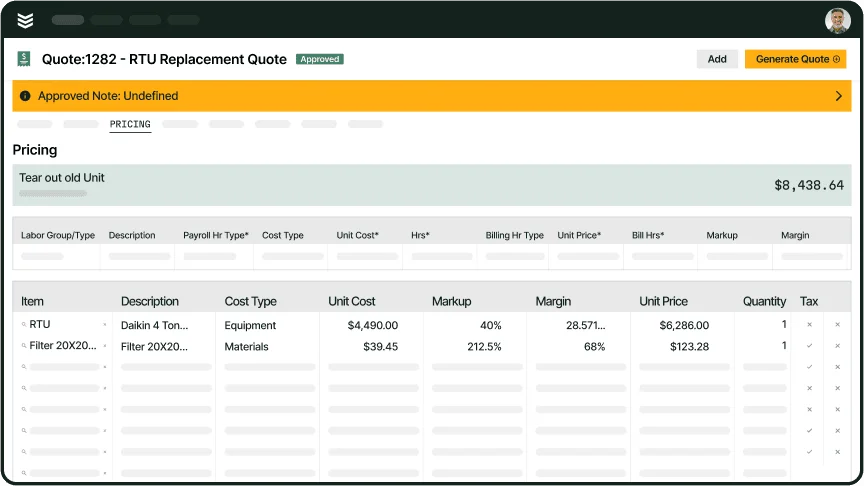
Quantified items must convert to customer pricing without spreadsheet acrobatics. With service quoting software, your CRM turns measured counts into proposals with labor factors, alternates, and taxes locked. An example would be a property manager asking for an upsized RTU; the estimator clones the assembly, bumps capacity, and the CRM logs the revision and approval in one thread—exactly how the best estimating takeoff software should behave.
3. Technician mobile app for execution

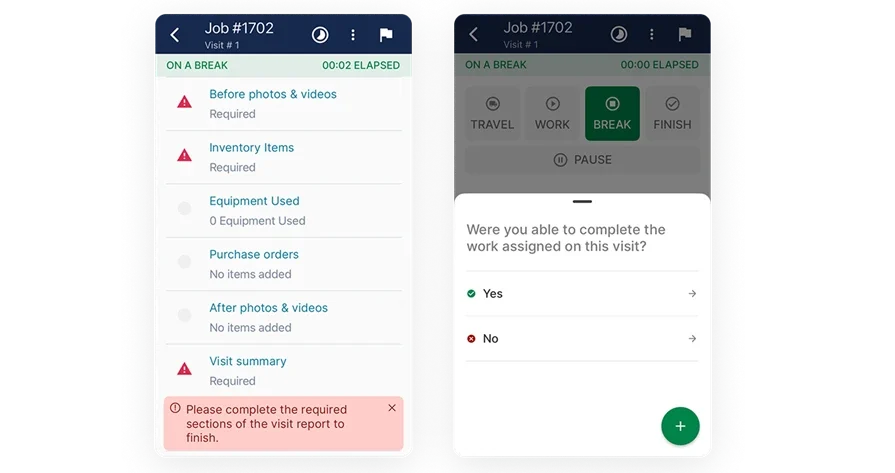
Field teams need the exact scope sold to the customer. A strong technician mobile app should surface task counts, plan snippets, photos, and pick lists tied to each work order. For example, on a grocery call, the refrigeration lead opens the job on-site, confirms valve counts from takeoff, scans parts, and the CRM updates the account timeline instantly—tight feedback into estimating and takeoff software.
4. Job-cost visibility and estimate-to-actual tracking
You need real-time proof that targets hold. Live reporting compares measured quantities and labor plans against actuals by phase, crew, and code, then flags slippage early. As an example, during an AHU replacement across three facilities, a foreman sees duct demo hours trending hot; the PM rebalances crews from the CRM before the next shift to protect margin set by estimating and takeoff software.
5. Scope-to-cash handoff without rework
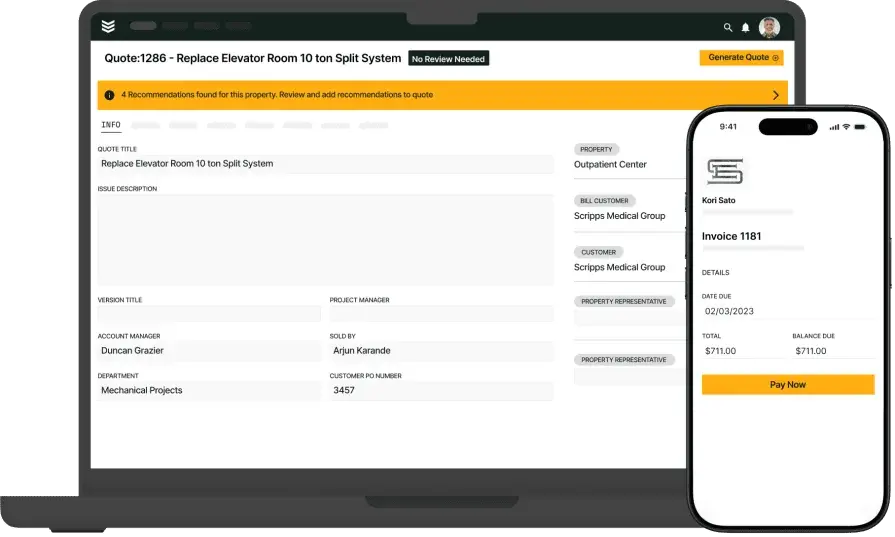
Approved quantities should become invoices without copy-paste. Connected invoicing pulls assemblies and counts from the estimate and creates progress or final bills with taxes and retainage handled. For instance, after a weekend chiller swap, accounting issues a progress invoice Sunday night straight from percent complete while crews finish punch items Monday—clean handoff driven by the best estimating takeoff software.
Other valuable features for estimating takeoff software
Veteran teams unlock extra value when takeoff connects with downstream controls.
- Payments and collections: Pair invoicing with integrated payments so service managers keep DSO tight without spreadsheet gymnastics
- Service agreements and labor verification: Tie recurring scopes to service agreements and verify hours with time tracking; maintenance teams quote, schedule, and bill recurring tasks off measured templates
- Fleet coordination: Sync crew routes and equipment needs through fleet so dispatch matches vehicle capacity to material lists from takeoff
Next, we’ll stack top picks and show which platforms nail these features day in and day out.
6 best estimating takeoff software for contractors
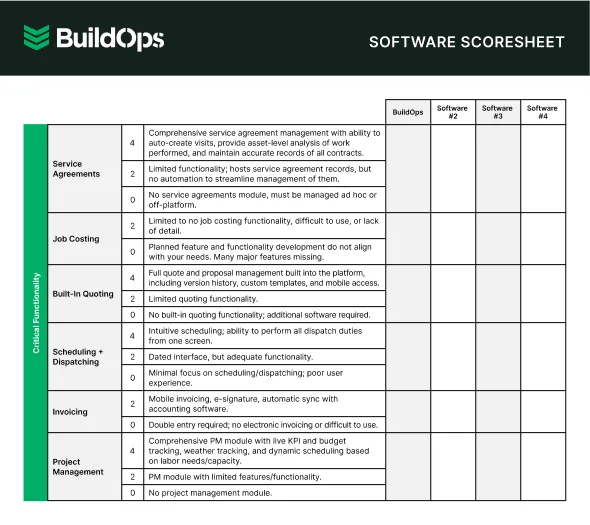
Service-driven teams need quantities that drop straight into labor plans, purchase lists, and work orders without retyping. This roundup spotlights the best estimating takeoff software for field service operations handling installs, maintenance, repair, and TI work. Each pick puts estimating and takeoff software at the center, then shows how it supports dispatch, scheduling, and job-cost control in the field. If you’re evaluating the best estimating takeoff software for service crews that live on tight timelines, start here.
1. Best for commercial field service teams: BuildOps
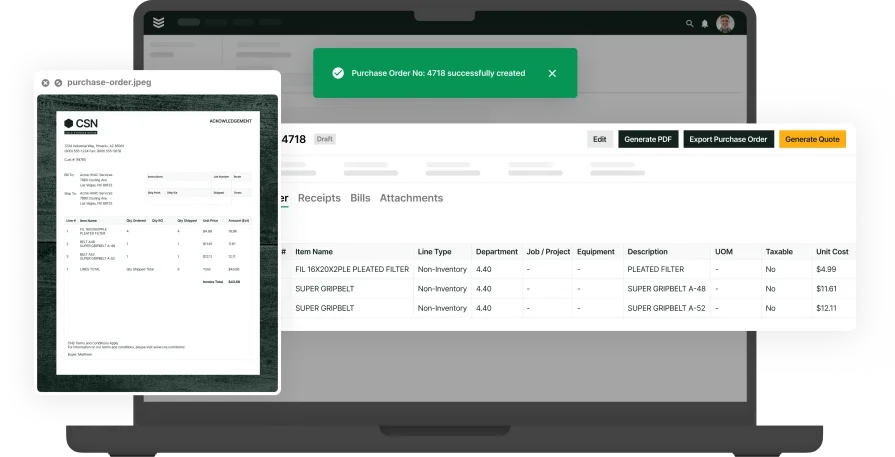
BuildOps connects estimating takeoff software to daily operations so quantified assemblies flow into scheduling, dispatch, purchasing, and invoicing without re-entry. Estimators, PMs, and techs work from one source of truth, and mobile crews see counts, pick lists, and plan snippets on every visit. That clean handoff makes it a strong pick when you’re evaluating the best estimating takeoff software for service-heavy work that needs tight field execution.
How pricing works: Subscription licensing with modular packages sized to team and scope.
Features beyond takeoff: Native scheduling and dispatch, quoting, CRM, invoicing, payments, technician mobile app, reporting, service agreements, time tracking, and fleet coordination.
What sets it apart for commercial service: Built for MEP divisions handling recurring work and small projects, with estimate-to-actual tracking that helps PMs act on cost trends early.
2. Best for residential service outfits: Buildxact
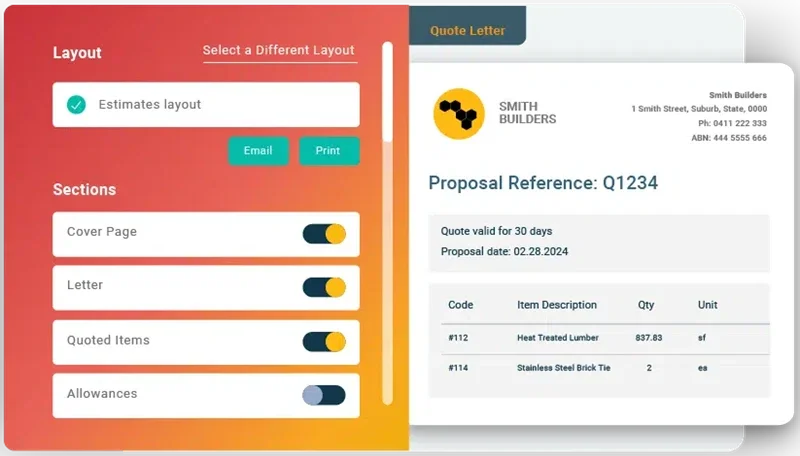
Buildxact serves small builders and remodelers with template-driven takeoffs, estimating, and client selections tied back to quantities. It shines for quick setup and workflows that suit single-crew outfits and light project work. However, teams that need tight dispatch, deeper MEP assemblies, and field-first controls may hit limits that slow handoffs.
How pricing works: Tiered subscription with user and feature levels.
Features beyond takeoff: Estimating libraries, proposal generation, light scheduling, and client portals for approvals and variations.
What sets it apart for residential: Templates help renovation teams quote quickly and keep homeowners aligned on scope and choices.
3. Best for general contractors: Procore
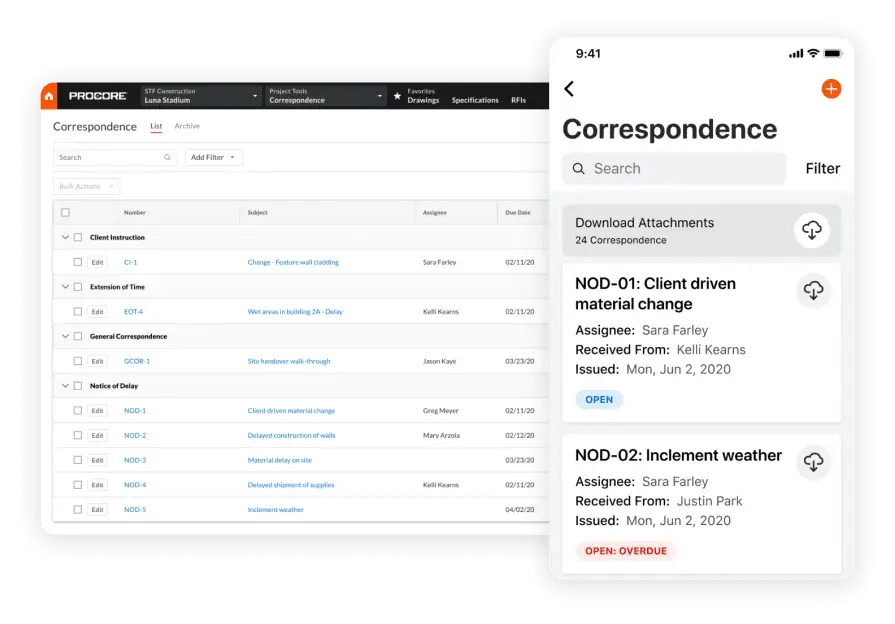
Procore combines takeoff with a broad project management suite covering RFIs, submittals, financials, and field productivity. Quantities sit inside coordination tools that help GCs manage many stakeholders and heavy documentation. However, service divisions focused on rapid quoting, dispatch, and mobile tasking may feel overhead and a learning curve that slows fast-turn work.
How pricing works: Annual subscription priced by product bundle and company profile.
Features beyond takeoff: Drawing and document control, correspondence and change management, subcontractor collaboration, and strong audit trails.
What sets it apart for general contractors: Enterprise controls and collaboration depth fit operations where compliance and trade coordination drive the schedule.
4. Best for small to mid-sized businesses: PlanSwift

PlanSwift centers on fast 2D measurement with customizable assemblies, digitizer support, and exports that drop neatly into estimating sheets. It helps lean teams build libraries for repetitive scopes, then push counts to pricing with minimal friction—useful when service crews juggle installs and TI work across multiple sites. That said, contractors who need native dispatch, mobile execution, and tight estimate-to-actual tracking may need add-ons to close the loop, which can slow field handoffs compared to estimating and takeoff software built around service workflows.
How pricing works: License-based pricing with optional maintenance and add-ons.
Features beyond takeoff: Template libraries, plug-ins for common trades, and integration options for estimating systems.
What sets it apart for SMBs: Straightforward 2D tools help teams quantify quickly without a steep learning curve—handy when speed matters on service bids.
5. Best for subcontractors: TRUE
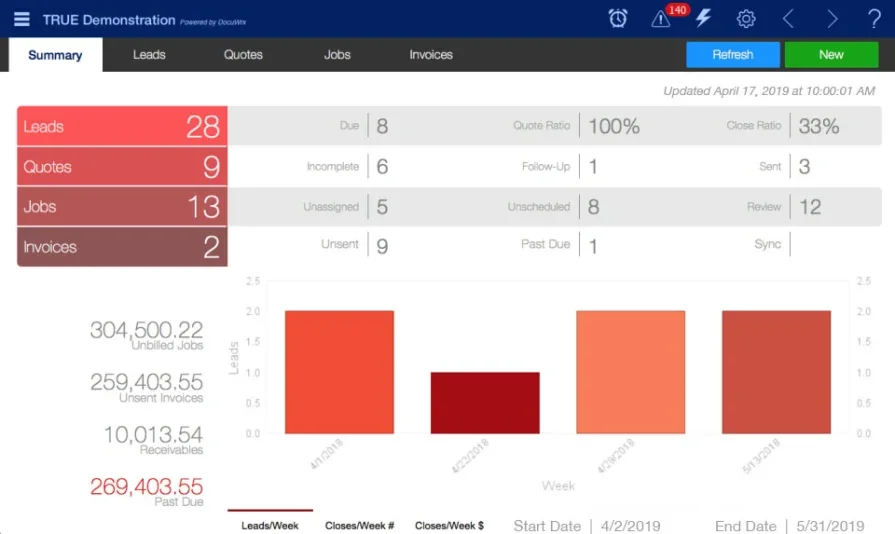
TRUE construction software targets trade partners who live inside cost codes and buyout. Quantities tie directly to codes, POs, and progress billing, giving foremen and PMs granular control of labor and materials on service, TI, and install work. It suits subcontractors that want estimating and takeoff software connected to accounting, yet teams that rely on deep scheduling, dispatch, and technician mobile tools may feel limited.
How pricing works: Quote-based subscription that scales by users and modules
Features beyond takeoff: Purchase order tracking, change orders, committed cost reporting, and progress billing
What sets it apart for subcontractors: Cost-code discipline and buyout controls support tight audit trails on every quantity
6. Best for specialty trade contractors: Buildertrend
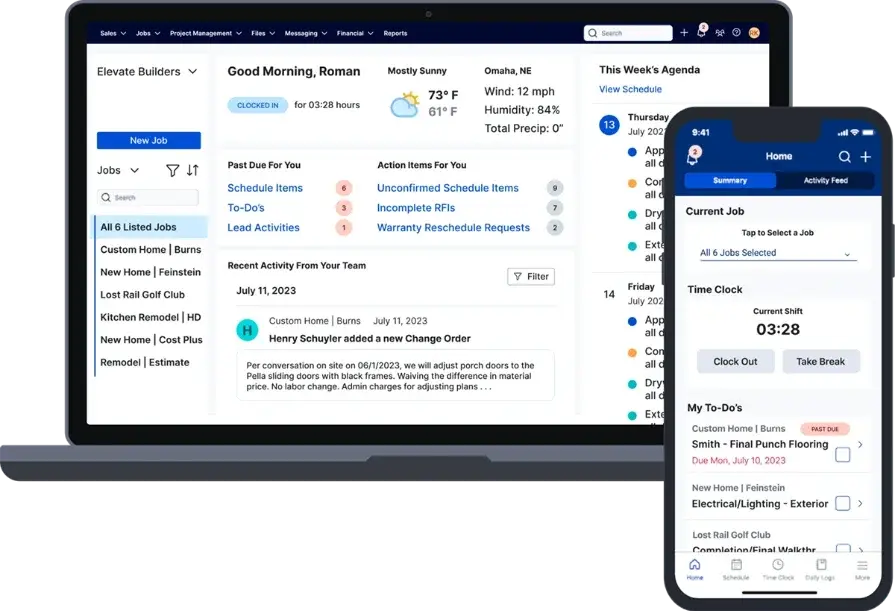
Buildertrend pairs easy-to-use takeoff with estimating, scheduling, and client communication. Specialty crews get a clean path from quantities to proposals, then into daily logs, photos, and change approvals—useful when owners want visibility throughout the job. It works well for client-facing trades, yet service contractors who need advanced dispatch and granular MEP assemblies may want deeper field controls within their estimating takeoff software.
How pricing works: Tiered monthly plans priced by feature bundle and company size
Features beyond takeoff: Client portal with approvals, schedule and daily logs, change orders, and invoicing
What sets it apart for specialty trades: Strong communication and documentation keep decisions, changes, and costs aligned with measured scope
7 benefits of using estimating takeoff software
Veteran service crews move fast when estimates talk to the field. Estimating takeoff software turns plans into quantities that drive labor hours, purchase lists, and work orders without retyping. Use these benefits to judge estimating and takeoff software across install, maintenance, repair, and TI work as you evaluate the best estimating takeoff software for your operation.
1. Faster approvals and cleaner handoffs
Accurate counts roll into scopes, alternates, and pricing without re-entry. Sales sends a polished proposal, the customer signs, and PMs already have labor targets and material pick lists tied to the same quantities. That single thread removes guesswork between estimator, dispatcher, and foreman. For end-to-end steps on this handoff, see contractor estimate and invoice software.
2. Clearer pipeline forecasting

Every opportunity carries measured scope, not gut feel. With a CRM tuned for service work, pipeline values reflect assemblies, labor factors, and margins instead of loose ranges. Forecasts stay dependable, and managers stage crews and long-lead buys with confidence. See how this connects across dispatch and job-costing in field service operations.
3. Estimate to invoice consistency
Small math slips create write-offs. A strong workflow keeps assemblies, change lines, and taxes consistent from takeoff to pricing to invoice, so the customer sees exactly what the crew installed. That alignment cuts back-and-forth and speeds cash. Mobile pricing and documentation, powered by the contractor estimate and invoice app, support this flow from the first quote to final billing.
4. Material planning that matches the job
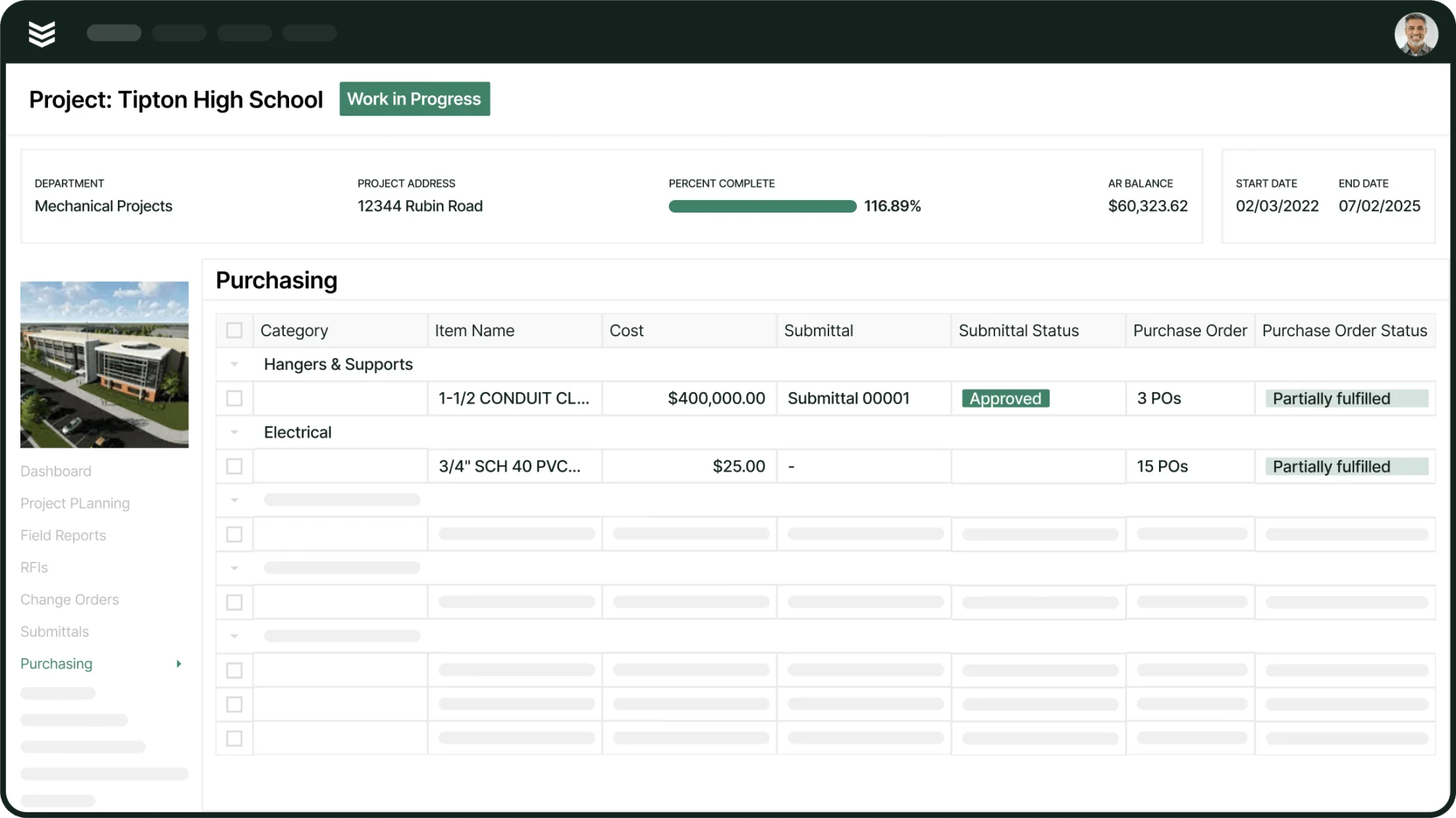
Counts only help when purchasing can act. Itemized takeoff tied to catalogs and cost codes helps buyers release POs on time, stage consumables, and kit trucks correctly. Field teams avoid dead time from missing fittings, lift gear, or breakers because the takeoff already specified them.
5. Fewer billing disputes

Clear line items and summaries linked to plan measurements reduce noise when the invoice arrives. Customers receive a side-by-side view of estimated quantities, installed items, and approved changes. The result is faster approvals and predictable cash. Formats and controls live in field service billing software.
6. Real labor accountability
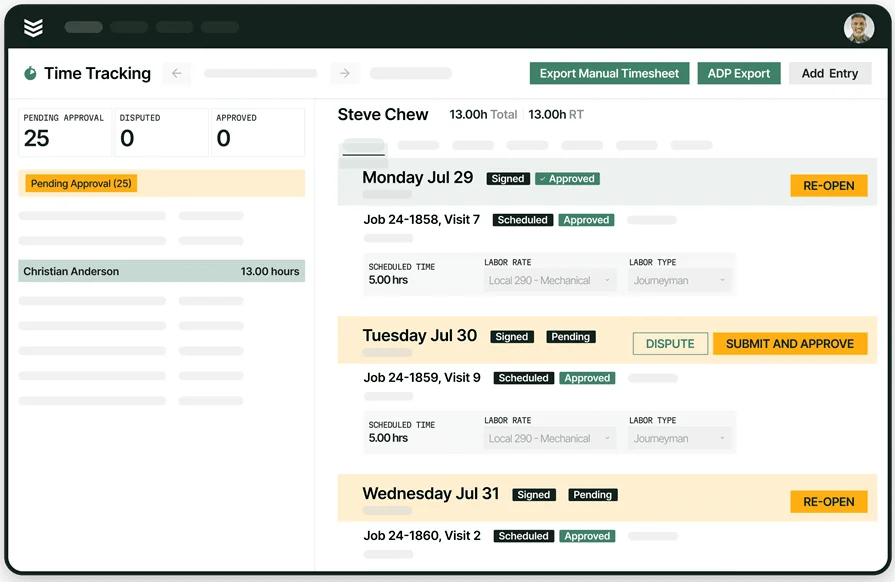
When time entries reference measured tasks, PMs see labor burn against the exact assemblies that drove the bid. Overruns appear early, not after closeout. Crews learn which scopes chew hours and where to adjust crew mix. Practical tips sit inside the field service scheduling app.
7. Stronger service call triage and upsell
Takeoff data enriches the service history. Dispatchers know installed quantities, equipment types, and past alternates before the truck rolls. Techs arrive with the correct parts and uncover follow-up work that ties back to the original scope. Sales sees which replacements and add-ons fit the measured conditions on site.
{{related-content-block="/resources/field-service-operations"}}
4 important estimating takeoff software FAQs answered
Pros ask sharper questions. These answers focus on how estimating takeoff software supports field service teams that live in install, maintenance, repair, and TI work—without teaching basics you already know.
1. What is estimating takeoff software?
Estimating takeoff software converts drawings into quantified materials, labor hours, and assemblies, then pushes those numbers into estimating, scheduling, purchasing, and job costing for service crews; it keeps counts aligned from bid through dispatch so techs, PMs, and accounting act on the same scope.
2. How does estimating takeoff software work?
At a glance: import plans, set scale, build assemblies with labor factors, and measure with auto-count tools. Quantities then flow to estimating, scheduling, purchasing, and work orders. Revisions cascade downstream, so crews always build against current scope using your estimating and takeoff software.
3. Is estimating takeoff software worth the price for service professionals?
Yes—saved time per sheet, fewer disputes, tighter labor planning, and accurate buyout usually beat license costs fast. Predictable counts cut callbacks and write-downs that erode margin. Payback accelerates when the platform links estimating with dispatch, scheduling, purchasing, invoicing, and job-cost reporting inside the best estimating takeoff software.
{{related-content-block="/resources/sloan-mechanical-build-ops"}}
4. What are best practices for using estimating takeoff software?
Veteran teams keep counts, pricing, and field work in sync. Use discipline on templates and versions, and make quantities visible to the crew that installs the work.
- Standardize assemblies with approved labor factors and waste
- Map item codes to cost buckets before the first bid
- Version control every sheet and log change clouds
- Push quantities directly to work orders and purchase requests
- Deliver mobile pick lists and plan snippets to each crew
- Require photos and notes for quantity variances in the field
- Reconcile time entries against measured tasks weekly
- Stage materials from measured lists and track buyout against estimate
- Run estimate-to-actual reports by phase and crew after each job
- Archive final quantities and outcomes to refine future templates
Field service wins when estimates talk to the field. The crews that hit budgets fastest run estimating takeoff software that connects counts to schedules, dispatch, purchasing, and billing—without retyping. That link turns quotes into clear tasks, kits, and hours your team can trust on-site.
If you’re weighing platforms, judge how well estimating and takeoff software fits the way your technicians actually work: CRM context, mobile pick lists, quick change pricing, live reporting, and clean invoice trails. Those pieces separate busywork from speed and accuracy—the hallmarks of the best estimating takeoff software for service work.
BuildOps ties takeoffs and estimates to daily operations in one place—scheduling, dispatch, CRM, quoting, invoicing, payments, reporting, service agreements, time tracking, and fleet. That single source keeps PMs, dispatch, and techs aligned from bid to closeout across HVAC, electrical, plumbing, refrigeration, fire protection, and mechanical service.
Curious whether this setup fits your shop? Book a quick walkthrough and kick the tires with your own workflows—free, flexible, and zero pressure.