


Many field service companies rely on field service management software to run various parts of their daily operations: calculating estimates, scheduling service calls, balancing tech and equipment workloads, supervising fieldwork, sending invoices, and so on.
If you’re looking to start using field service management software or replace your current platform because it’s not working out, you might be wondering what the best field service management software for your company is.
Unfortunately, that’s not an easy question to answer. Each field service management (FSM) solution has different features and is ultimately built for different functions, industries, and company sizes.
For example, commercial contractors often deal with added layers of complexity, like coordinating teams with different skill sets, juggling jobs across multiple locations, and keeping track of extensive assets and complex service agreements. Meeting these demands calls for software that’s built specifically for commercial workflows, not just residential tools with a few commercial features bolted on.
The good news is that we’ve done some legwork for you in this article to give you a starting point on what to look for in an FSM platform and why. We’ve also created a list of the best field service management software, grouped by what type of contracting jobs you take on, so you have some early options to check out.
To help you make your choice, we’ll cover the following:
- The essentials of field service management software
- How to choose the right field service software for your team
- Top field service management software features to look for & evaluate
- 20 best field service management software & tools for your business
- 5 benefits of using field service management systems
- 3 important field service management software FAQs answered
- Other field service software recommendations by niche & industry
Let’s get started with the basics.

The essentials of field service management software
Let’s first go over some essential things to understand about FSM software before you dive in: what it is, how much it can cost, who in a company can make use of it, and what it can help your company do.
What is field service management software?
Field service management (FSM) software is designed to streamline and automate the core workflows that field service companies rely on every day. This includes scheduling and dispatching techs, generating quotes and invoices, tracking time and labor, managing fleets and assets, and organizing customer data across jobs and properties.
In practice, this often looks like:
- A commercial HVAC company using real-time dispatch boards to reassign techs across multiple properties without overbooking or overlap
- A fire safety contractor auto-generating visit summaries and invoices from the field using BuildOps’ AI-powered mobile app
- An electrical firm organizing thousands of assets across customer sites with hierarchical asset tracking and searchable CRM records
- A mechanical contractor syncing job costing and time tracking across teams to ensure service agreements stay profitable and on schedule
The aim of field service software is to get more done in less time while improving the quality of work, making fewer clerical mistakes, saving money, boosting revenue, and giving customers better service.
How much does field service software cost?
Field service software typically costs $60-$350 per user, per month. It’s often priced at a per-month rate based on the number of users (field techs, admin staff, or both) at your company and the number of features in the software. Some pricing models include things like per-location rates or upfront fees.
Deep Dive
Our deep-dive Field Service Software Pricing & Comparison Shopping Guide breaks down pricing models, common factors that affect the cost, and exactly how to compare your options with a checklist of what to ask in a demo. Check it out to learn more about how field service software pricing works and what it might cost you.
How different roles use field management software for their jobs
One of the reasons field service programs are so useful is they don't just make work easier for one department. Everyone at a field service company can use the software in different ways to streamline their jobs and coordinate between different teams so the whole company works more efficiently.
Here are some of the main things that staff in key roles at a field service company can use management software for:
- Field Service Technicians – Get information on the scope of work, project locations, and customers, troubleshoot issues, and submit reports once the job is completed.
- Scheduler / Field Service Dispatcher – Efficiently plan when to send out technicians for service calls, and determine which technicians should be assigned to each job based on their specific skills and the current work available.
- Office Administrators – Manage customer contact and billing records, track service history for each account, log communications (calls, emails, messages), record feedback, send invoices, and follow up to collect payments.
- Field Service Managers – Make sure the right tools are available for each job,assign tasks based on skill sets and availability, and keep customers updated on how work is going.
- Business Owners – Review job reports and performance data to spot what’s working and what’s not, whether it’s training gaps, outdated equipment, slow processes, or areas where the team could be more efficient.
How do successful field service managers utilize software to improve operations?
Field service managers wear a lot of hats—coordinating crews, balancing workloads, getting the right equipment on site, and keeping both the office and customers up to date on what’s happening. But what separates top-performing teams isn’t just experience—it’s how well they use tools like field service management software to stay ahead of problems before they cost time or money.
A study published in Engineering found that many rework issues in field service and construction don’t come from one-off mistakes. They’re due to deeper, often-overlooked problems, like unclear communication, misaligned responsibilities, outdated documentation, and inconsistent processes. These issues may seem small in isolation, but together, they increase the risk of delays, errors, and costly do-overs on the job.
Smart field service managers use software to expose and fix these weak spots before they cause rework, delays, or safety risks. Here’s how:
- Automating inventory management – Build loadout templates for specific job types and trigger auto-reordering when stock runs low, reducing delays from missing parts.
- Optimizing travel routes – Plan the most efficient paths between sites to save fuel, reduce downtime, and hit customer time windows more reliably.
- Assigning the right techs to the right tasks – Match job scope with technician skillsets to avoid rework from misaligned assignments.
- Logging work hours accurately – Time tracking tools help ensure crews are clocked in when they should be and that labor costs stay on budget.
- Tracking technician locations in real time – Know where your people are at all times, and respond fast if something unexpected happens on-site.
- Keeping communication flowing – In-app messaging keeps field techs, office staff, and customers aligned without phone tag or scattered notes.
- Cutting down on paperwork – AI-enhanced forms and smart autofill make it easy to generate reports and invoices right from the field, reducing back-office cleanup.
How to choose the right field service software for your team
Not all field service applications will be right for all field service companies. Depending on your industry, company size, and several other variables, one platform might serve you better than another (no pun intended). Here are some things to keep in mind as you go shopping around for a software solution.
- Industry — Is the software designed to work with the type of field service work you do (HVAC, electrical, telecom, manufacturing, etc.)? Look for platforms shaped by people who’ve actually worked in the trades. They tend to reflect the realities of the job more accurately.
- Project Scope — Is the software designed for residential projects, commercial projects, general contractors overseeing subcontractors, or a combination of those? Look for software that’s purpose-built to handle the type of work you do. Platforms not designed for your project type can struggle with key tasks, which can lead to slowdowns, errors, or extra admin work.
- Scalability — What size business is the software designed for? Are you able to scale up to other options meant for larger organizations as your company grows?
- Price — How much does the software cost? What pricing model does it use: upfront fee, per-user-per-month, per-location-per-month, a combination of these, or something else? Does it have custom pricing plants for enterprises? Are there extra fees for implementation and training?
- Features — What kinds of things can the software do? Which ones are necessary for the industry you’re in or the specific kind of work your company does?
- Integrations — Does the software seamlessly connect to other services your company already uses? If so, are you able to scale back the plan you get because you don’t need certain features?
- Deployment — Does your company prefer an in-house solution for security, or a cloud solution for easier access and greater scalability? Does the software have a mobile app your techs can use to stay connected while in the field?
- Ease of use — How simple is the software to implement and use? How much does user-friendliness affect the software’s value in terms of efficiency (training required, time it takes to do tasks, etc.)?
- Workflow Fit & Flexibility — Does the software adapt to the way your team already works, or will you be forced to change your processes to match the tool? The best platforms are flexible enough to support your existing workflows without requiring a full operational overhaul.
We know that’s a lot to think about. So to give you a starting point, we’ll list some leading field service software companies you should look into.

Top field service management software features to look for & evaluate
Software for field service management can fulfill many different functions. Sometimes a piece of software will focus on one or two particular aspects of field service management, while others will combine functions into multi-purpose or all-in-one platforms.
Here are some of the main qualities of field service application software that are worth considering:
Main capability features

According to Gartner, work order management is the most requested FSM feature by buyers, but users rank scheduling and dispatch as the most critical feature. When evaluating software, make sure it fits the day-to-day needs of your team in the field, not just what sounds good during the sales process.
Here are some common ones that you’ll find either individually or bundled on platforms:
- Estimates & Quoting — Instantly calculate the approximate amount a job or project will cost based on the needed materials, equipment, labor, travel, and so on.
- Scheduling & Dispatching — Book service appointments at the right times so techs aren’t caught between two jobs, and assign the right techs to the right jobs based on their skillsets and proximity.
- Time Tracking — The average company makes 15 payroll corrections per pay period, and each mistake costs around $291 in direct and indirect expenses. Tight time tracking helps avoid these losses by measuring how long jobs take (including breaks), improving efficiency, spotting bottlenecks, and keeping techs accountable.
- Reporting — Create records of what went on at a job site during a work session: equipment used, procedures done, problems fixed, other issues encountered, length of work, customer feedback, and if follow-up work is necessary.
- Invoicing — Put together a final itemized bill for a customer after work is done, and track who has or hasn’t paid.
- Analytics — Measure the efficiency of every part of your field service business to see what’s working and what could be improved by more training, better processes, better equipment, and so on.
Platform features

Another consideration for field service business software is how it’s deployed. These are the common options:
- Desktop — This is a field service management application that’s kept on local servers at your office. The advantage of this is it’s less vulnerable to cyberattacks because it’s only accessible from specific devices. It can also be used even if you don’t have an Internet connection. The main downsides are that it usually has a high upfront cost to implement it, and it can’t be accessed on non-company-specific devices.
- Cloud — This kind of deployment for field service management is SaaS (software as a service), hosted by a third party on a remote Internet server. This makes it easy to access from almost any device that has an Internet connection, and it doesn’t require much cost or time for setup (since the third party has already configured it). The disadvantages are that you can’t access it without an Internet connection, it’s more vulnerable to cyberattacks (since it’s always on the Internet), and you have to trust a third party to keep your data safe.
- Mobile — Many of the top field service management software programs include a mobile app. This gives field techs a miniature version of the software they can use to input data while in the field and sync it with the main software program in the cloud or back at the office. It also lets techs communicate with the office to request help or receive new assignments and information without having to come back from the field.
Work & business type features

You may also want to look for long-term management features that help your field service business run smoothly beyond just the everyday service calls. Here are some examples:
- Service Order Management — Manage the administrative lifecycle of a job from start to finish, from communicating with a customer to set up an appointment to working with the financing department to send invoices and collect payments. Make sure all your teams are on the same page by having centralized access to all the information they need.
- Work Order Management — Track the technical specifics of each job: who’s involved, what equipment is required, where the work site is, when the work needs to be started and finished, and how the issue is to be resolved. Measure the job’s progress over time, and keep records to inform future work and for other reference.
- Customer Relationship Management (CRM) — Centralize all the information about your customers so you can search and access it from one place. Pull up service history, customer feedback, and more to schedule follow-up or maintenance service appointments, or target marketing campaigns.
Asset management features

These are additional features that offer closer monitoring of your vehicles, human resources, and other equipment you need to do your field service work:
- GPS Tracking — Use location tracking and geofencing to know when techs clock in or out of a job site, and where they are on the job site so you can reach them if they need help.
- Route Optimization — Determine the optimal roads to travel on between service calls to offer faster service and get more jobs done in a day.
- Inventory Management — Keep an eye on the parts and equipment you need to complete jobs. Track tool conditions and set reminders to replace them, or even auto-order parts when your stock dips below a certain level.
- Fleet Management — Get advanced control over the vehicles you use for field service work with ETAs to job sites, driver habit monitoring, unauthorized use prevention, workload balancing, and vehicle condition for proactive maintenance planning.

20 best field service management software & tools for your business
So what is the best field management software for your company? Well, as we mentioned, some key considerations are the type of work you do and the scope of projects you take on. We’ve organized 20 top field service management software companies based on those criteria to help you compare what each one’s software is capable of.
Find your type of company in the sections below to see what type of field service software is best for your business.
Best field service management software for commercial contractors
Commercial contractors are those who work on offices, facilities, and other business-oriented buildings for companies, governments, and other organizations. These tend to be complicated projects that may involve multiple buildings and take a long time to complete. Here’s a list of the best field service software for those purposes.
1. BuildOps

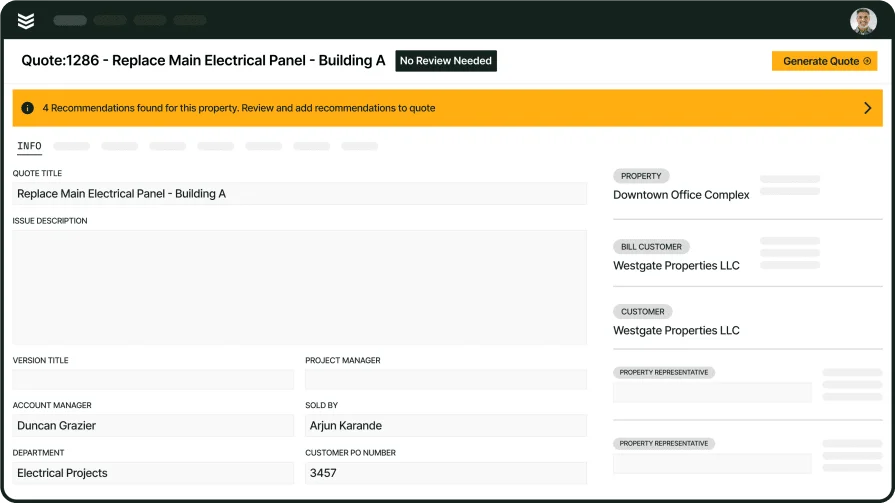
BuildOps was created specifically with commercial contractors in mind. Its unique features are suited to handling commercial customers who may manage multiple properties needing service. These include an asset-oriented CRM with advanced search capabilities, an AI-powered mobile app that speeds up report and invoice writing, and real-time dispatch updates so your techs know where they need to be and when.
Industry Specializations: HVAC, refrigeration, electrical, plumbing, fire safety
How Pricing Works: Per-month cost based on the number of users; set up a demo for a personalized quote.
What Sets It Apart: Asset management hierarchies that let you organize and search for different properties owned by the same customer.
Key Features:
- Advanced customer and property search functions that don’t require exact matching.
- Mobile app with AI-powered spelling/grammar checker, translation, and autofill for fast notetaking and invoice generation
- Real-time updates to the scheduling board take confusion and conflicts out of dispatching
Take a closer look at BuildOps
Estimate jobs precisely, cut project management costs, and boost profits.
2. Commusoft

Image Source: Commusoft
Commusoft is software that caters mostly to commercial contractors (HVAC, electrical, plumbing, building/facility management), but is good for certain residential services as well. It includes functions for automating dispatching, tracking job progress, keeping an eye on inventory status, tracking the locations of your assets, and notifying customers with timely and personalized messaging. Its main drawbacks are that its sales & marketing tools are sold as separate products, and that its pricing model isn’t very flexible.
Industry Specializations: HVAC, plumbing, electrical, building maintenance, facility management, appliance repair, generator installation, renewable energy
How Pricing Works: Daily, monthly, or annual licenses; contact the company for pricing information.
What Sets It Apart: Intuitive scheduling board that can be filtered, color-coded, and accessed by staff even when not at the office.
Key Features:
- Recurring job scheduling is ideal for planning periodic building maintenance
- Techs can access job and customer information even without an Internet connection
- Automated job progress updates and other alerts to keep customers in the loop
See more of what Commusoft’s job management software can do for your business.
3. Fieldpoint

Image Source: FieldPoint
Fieldpoint has a suite of field service management functions including scheduling, dispatching, reporting, and fleet management. Its asset management features make it a good choice for both recurring appointments or long-term projects that require more than one work session. However, Fieldpoint has a complicated interface that may require advanced training to use, so it may not be suitable for smaller teams looking for more user-friendly software.
Industry Specializations: HVAC, refrigeration, fire safety, security systems, medical devices, IT services, oil & gas, facilities management, industrial equipment
How Pricing Works: Contact the company for a demo and quote.
What Sets It Apart: Strong asset management and scheduling capabilities make it great for planning preventive maintenance.
Key Features:
- Job costing and project management features allow businesses to track expenses and resources effectively
- Automated work order handling, subcontractor management, and service analytics help closely monitor field performance
- Good scalability makes it ideal for medium-to-large field service companies
Look over the key features of Fieldpoint’s FSM software.
4. Service Fusion

Image Source: Service Fusion
Service Fusion provides essential field service management functions like quoting, scheduling, dispatching, and service agreement management. It also offers features like fleet management, VoIP integration, payment processing, and job costing. Its main draw is that it’s inexpensive, having a tiered subscription pricing model that charges flat monthly or annual rates – not a cost-per-user rate as is common among other solutions. However, it lacks advanced project management and reporting capabilities that may be needed for larger commercial projects.
Industry Specializations: HVAC, electrical, plumbing, refrigeration, appliance repair, locksmithing, landscaping, cleaning, painting, security, home remodeling + 28 others
How Pricing Works: Tiered subscription plan with flat monthly or annual rate.
What Sets It Apart: Each of its plans allow unlimited users, making it an affordable option for scaling your business.
Key Features:
- Technician skill tagging and service zone mapping help with dispatching
- Supports many different industries, making it great for multi-trade contractors
- Cloud-based platform with mobile app and multiple integrations that help with accessibility
Learn more about Service Fusion’s FSM software.
5. ServiceTrade

ServiceTrade is built for commercial contractors, with its specialty being fire and life safety. It works well for medium-sized businesses that work in specific niches, and has tools for tracking long-term service agreements and customer interactions. Its project management capabilities are fairly new, though, and its reporting tools aren’t very efficient.
Industry Specializations: Fire safety, HVAC, electrical, refrigeration, kitchen exhaust cleaning
How Pricing Works: Contact to request pricing; appears to be based on number of techs.
What Sets It Apart: Digital customer communication and self-serve help options make it easy for customers to track job progress.
Key Features:
- One of the few field service management platforms built specifically for commercial contractors
- Its ability to schedule and track recurring jobs makes it a solid pick for planning routine maintenance
- Strong inventory management capabilities so you won’t overstock or run out of parts
Discover more features of ServiceTrade’s field operations management platform.
Best field service management software for residential contractors
Residential contractors are those who specialize in providing services for homes. This means they usually deal with only one property and one person – the homeowner – at a time, instead of multiple properties owned by an organization, so their projects tend to be shorter and more straightforward. This means the top field service software for this category typically doesn’t need as many advanced features as software for commercial contractors does.
Here are some of the leading field service management software vendors for residentially-oriented platforms.
6. mHelpDesk

Image Source: mHelpDesk
mHelpDesk is a cost-effective FSM solution that’s great for small or medium sized businesses. It’s easy to use, has solid essential FSM tools (scheduling & dispatch, work order management, and invoicing & payments), and has a helpful mobile app. It also features a customer portal for getting work order updates, paying invoices, and communicating with your staff. Its main weaknesses are that its reporting, analytics, and automation features aren’t that strong, and it isn’t very scalable for dealing with bigger and more complicated projects.
Industry Specializations: HVAC, electrical, plumbing, landscaping, security, home cleaning, IT & computer repair, pest control + 20 others
How Pricing Works: Contact them for a demo and quote.
What Sets It Apart: Reasonable pricing makes it great for smaller teams that need essential FSM functions without spending a lot.
Key Features:
- Strong job scheduling & dispatch features allow for assigning jobs, tracking tech availability, etc. in real time
- A mobile app lets techs access job details, update work order progress, track time, and collect payments on the go
- Invoicing & payments features allow for writing invoices, processing payments, and sending automated follow-up reminders
Learn more about mHelpDesk’s features and how they can help your field service company.
7. Kickserv

Image Source: Kickserv
Kickserv brings together basic FSM functions – estimating, CRM, scheduling, real-time job updates, invoicing, and payment processing – in a simple interface that makes it easy for your company to get up and running with it. It’s also flexible in that it has several integrations and can be used in a variety of field service industries. That makes it great for solo or small-team residential contractors. Commercial contractors, though, may find it lacks the advanced project management, asset management, reporting & analytics, integration, and customization capabilities they need for larger and more complicated projects.
Industry Specializations: HVAC, electrical, plumbing, security, landscaping, appliance repair, landscaping, locksmithing, property management, automotive & boat, cleaning, construction, IT services + 8 others
How Pricing Works: Tiered subscription model, with most tiers placing a limit on the number of users.
What Sets It Apart: User-friendly interface makes it easy to implement without needing extensive training.
Key Features:
- “Customer Center” self-service portal for requesting new services, approving estimates, and managing payments
- Integrations including QuickBooks, Stripe, Mailchimp, and Google to connect to tools you already use
- Covers basic FSM functions while still being affordable field service software
Find out how service is made simple with Kickserv.
8. Jobber

Image Source: Jobber
Jobber provides a cost-effective FSM solution with solid CRM, scheduling, dispatch, invoicing, and payment processing functions. That makes it great for home service pros who handle various types of small-scale one-time or recurring jobs. However, its inventory management, reporting & analytics, and workflow automation are somewhat basic. Its pricing plans are also restrictive in the number of users they allow, so it doesn’t scale well for larger teams.
Industry Specializations: HVAC, electrical, plumbing, fire safety, cleaning, construction, landscaping + 31 others
How Pricing Works: Tiered monthly or annual subscriptions for individuals or teams. Team plans have a limit on users.
What Sets It Apart: Robust and easy-to-use scheduling & dispatch interface to assign jobs and adjust schedules in real time.
Key Features:
- Powerful CRM tools for handling customer information, tracking service histories, and managing communications
- User-friendly mobile app lets techs access job details, give progress updates, track time, and collect payments in the field
- Invoicing & payments features allow for creating invoices, accepting payments, and automatically following up on unpaid bills
Go to GetJobber.com to find out more about Jobber’s field service management capabilities.
9. Workiz

Image Source: Workiz
Workiz makes our list because it works well for niche residential services – such as locksmithing, junk removal, snow removal, and house cleaning services – that may need a little extra help with drumming up business. This is because it contains several extra features for finding and tracking leads so you can seize as many business opportunities as possible. It also contains essential FSM functions such as scheduling & dispatching, in-field team communication, and invoicing. Its features may not be advanced enough to handle more complicated projects that larger contractors take on, though.
Industry Specializations: HVAC, electrical, plumbing, locksmithing, appliance repair, cleaning, junk removal, garage doors + 27 others
How Pricing Works: Tier-based subscription with monthly or annual plans. Most plans place limits on the number of users.
What Sets It Apart: Caters to some specialty field service companies that other platforms may not.
Key Features:
- Very good lead management capabilities with tracking, call management, and automated follow-ups
- Built-in communication tools make it easier for your dispatchers and techs to stay in touch
- Integrates with 15+ services so you can use it alongside software tools your company may already be using
Get a tour of how Workiz operates in practice, and book a free demo if you’d like to see more
10. ServiceTitan

Image Source: ServiceTitan
ServiceTitan is one of the most well-known field service management companies. That’s because it does the basic elements of FSM very well: AI-assisted scheduling and dispatching, in-field quoting and invoicing, offline customer and job data access, and more. That makes it well-suited for residential and small commercial projects. However, it lacks asset management capabilities, specific built-in job status updates (without using tags), the ability to natively handle multi-day jobs, and 1-on-1 implementation training.
Industry Specializations: HVAC, plumbing, electrical, garage door, chimney sweeping, roofing + 17 others
How Pricing Works: Contact them for a demo and more information.
What Sets It Apart: Strong CRM functions, including sending customers reminders for upcoming appointments.
Key Features:
- Staff can access customer and job data even when offline
- Techs can create and deliver both quotes and invoices while in the field
- AI helps to automate scheduling and dispatching by finding open time slots and available techs with the right skills
Have a look at the features of ServiceTitan’s flagship FSM software, or check out our breakdown where we pit ServiceTitan and BuildOps directly against each other to see which one has the field service features your specific business needs.
Best field service software for construction & general contractors
General contractors are people in charge of construction projects. As such, they need to manage the planning and the many subcontractors working under them. They’re also responsible for sourcing needed supplies from vendors, communicating with customers, and tracking project costs. Here’s some of the best software for field service management that’s geared towards those needs.
11. Tradify

Image Source: Tradify
Tradify contains the basic functions you’d expect in an FSM platform: quoting, service histories, scheduling, job progress tracking, time tracking, invoicing, and payment processing. However, some of its design choices – a cloud-based FSM solution with Google Calendar integration and the ability to schedule from the mobile app – make it great for general contractors and others who need to juggle several projects and techs at once. Its main flaw is that some of its most useful features are only included in the higher-tier pricing plans.
Industry Specializations: HVAC, plumbing, electrical, gas, refrigeration, property maintenance + 19 others
How Pricing Works: Per-user-per-month tiered subscription plans.
What Sets It Apart: Its higher-tier plans include tools for general contractors to manage subcontractors from a master calendar.
Key Features:
- Schedule recurring jobs, even from the mobile app
- Cloud-based service that allows staff to access information and controls just about from anywhere and at any time
- Option to instantly build a website that links to the Tradify platform for your field service business
Check out more of Tradify’s features if you’re interested.
12. Sera

Image Source: Sera
Sera is one of the smaller field service management vendors, focusing on just HVAC, plumbing, and electrical contractors. It makes up for this with white-glove customer service and innovative features such as AI-automated scheduling, real-time job costing, technician tracking, and customer communication tools. Sera is simple and efficient software that’s great for general contractors – or small and medium-sized businesses – looking to reduce their manual workload.
However, it lacks some of the features and customization options needed for commercial contractors handling large-scale projects, long-term service agreement management, or jobs in industries outside of Sera’s specialties.
Industry Specializations: HVAC, plumbing, electrical
How Pricing Works: $400/month for 4 techs, plus $150/month for each additional tech.
What Sets It Apart: Very transparent pricing model with no hidden fees.
Key Features:
- AI-assisted scheduling makes it easy to plan jobs for open time slots
- 10+ integrations for payments, marketing, accounting, warranties, task automation, and more
- Personalized training and onboarding including hands-on data migration support, with optional business coaching
Find out why Sera might be the right FSM solution for you or your business.
13. Joist

Image Source: Joist
Joist is a rather specific piece of software that focuses mainly on the money side of field service management. It assists with building and sending estimates and quotes out to customers, delivering invoices when it’s time to bill, and collecting payments through a variety of options. It also has CRM functions, and even lets you build financing plans for customers to pay over time.
Joist’s main shortcoming is it doesn’t provide any other field service management functions besides CRM, estimating, invoicing, and payments. Instead, it’s more of a tool meant to be used alongside other field service management services.
Industry Specializations: HVAC, plumbing, electrical, insulation, landscaping, masonry, carpentry, flooring, roofing + 11 others
How Pricing Works: Tiered subscription model with flat monthly or annual rates.
What Sets It Apart: Specializes in the CRM and financial side of field service operations.
Key Features:
- Estimate templates help you get breakdowns of costs to customers quicker
- Integrates with QuickBooks to easily sync your business invoicing and payments to your accounting (Pro tier and up)
- Ability to create flexible financing plans for customers to secure jobs when customer funds are tight
If Joist sounds like it might be useful to you as a general contractor or field service management company, explore more of Joist’s features.
14. Field Complete

Image Source: Field Complete
Field Complete provides a simple software to get the essentials of field service management: CRM, estimates, scheduling, dispatching, job management, invoicing, and a mobile app. However, certain features that larger commercial-oriented teams might need – such as advanced analytics, accounting integrations, and automated customer notifications – are only available at higher subscription tiers. It also doesn’t scale well because it has pretty low limits on the number of users allowed at each service tier.
Industry Specializations: HVAC, plumbing, electrical, painting, appliance repair, pressure washing, roofing + 27 others
How Pricing Works: Tiered subscription model with flat monthly or annual rates.
What Sets It Apart: A straightforward and affordable FSM platform for general contractors and small teams.
Key Features:
- Split large projects into multiple separate jobs to make them easier to manage
- Estimate, invoice, and collect payments from the office or on the go with the mobile app
- User-friendly mobile app that includes advanced messaging features, live GPS tracking, and the ability to work offline
Learn more about the features of Field Complete’s FSM software.
15. Buildertrend

Image Source: Buildertrend
Buildertrend is software designed for managing construction projects. It provides tools for managing functions such as sales, job costing, inventory, overall company finances, and customer communication. While it has many features for high-level operations management, it has few tools for coordinating actual fieldwork (scheduling, dispatching, fleet management, asset tracking, and so on). It’s also geared towards residential projects like home building and remodeling, and not so much towards larger and more complicated commercial projects.
Industry Specializations: Home builders, home remodelers, and general/specialty contractors
How Pricing Works: Contact them for a quote. Pricing appears to be based on your industry niche and revenue.
What Sets It Apart: Tailored specifically to long-term home construction or remodeling projects.
Key Features:
- Sales and financial management functions such as marketing, lead management, estimates, and invoices
- Project management features including work logs, task checklists, document sharing, and inventory management
- Client portal, chat, and comments give customers real-time updates and transparency with their projects
Get an overview of Buildertrend’s key features to determine if it’s the right field service management tool for your business.
Best field service software for speciality contractors & designers
Specialty contractors are field service pros who are hired to complete specific assignments that other members of your field service team can’t do (or at least can’t do as well). These include masonry, painting, carpentry, and installing security systems. We’re also including pros who design the systems that field techs install. So what is the best field service management software for them? Here are some top contenders.
16. Procore

Image Source: Procore
Similar to Buildertrend, Procore is construction management software that focuses more on the high-level aspects. These include pre-construction processes such as bidding and building modeling, resource management, financial management, and construction intelligence to determine if the project is progressing as efficiently as it can.
However, it’s comparably light on features geared towards coordinating and monitoring actual field service work. That makes it better for general contractors and the specialty contractors who work under them (such as architects). Large-scale commercial contractors who need to tightly manage their field operations may find Procore offers a lot of things they don’t really need at a high price tag.
Industry Specializations: HVAC, plumbing, electrical, concrete, structural engineering, construction site preparation, interior & exterior finishing
How Pricing Works: Contact them for a quote. Pricing appears to be based on your industry niche and revenue, and by which specific products you want to buy.
What Sets It Apart: Best-in-class platform for general and specialty contractor workflows: designs, inspections, analytics, etc.
Key Features:
- Has tools to connect every part of the construction lifecycle, including pre-construction, resources, finance, and execution
- Help via live customer service, community advice, and on-demand training
- Over 500 integrations with other commonly-used applications to expand its overall capabilities
To learn more, have a look at this overview of Procore’s platform.
17. Field Promax

Image Source: Field Promax
Field Promax is a bit like Joist in that it’s decidedly focused on streamlining your field service company’s finances. Many of its features make it easier to get estimates approved, collect payments, create invoices, pay techs, and keep your accounting organized. It also has core field service management functions such as scheduling & dispatching, CRM, resource tracking, and reporting.
A significant flaw of Field Promax is that many of its key functions for coordinating and monitoring actual field service work are only available at higher subscription tiers. It also has limits on the number of users you can have at each tier, and only allows annual pricing for the first year you use it.
Industry Specializations: HVAC, fire safety, plumbing, electrical, security, locksmithing, chimney sweeping, pressure washing + 14 others
How Pricing Works: Tiered subscription model with flat monthly or annual rates.
What Sets It Apart: Integrations with QuickBooks and Xero make handling the financial side of your field service business easier.
Key Features:
- Automated Google Review requests to gather more ratings and feedback from customers
- Create work orders from multiple places, including estimates, recurring jobs, emails, the mobile app, and online requests
- Time tracking is connected to each work order so techs are paid accurately
Find out more about how Field Promax works to solve field service companies’ pain points.
18. FieldAware

Image Source: FieldAware
FieldAware is an enterprise-level field service program that’s known for being easy to set up and use, requiring little training for implementation. It also caters to types of field service businesses that other FSM platforms typically don’t. It offers many standard field service management functions such as scheduling & dispatch, route optimization, time & project tracking, reporting & analytics, CRM, and invoicing.
While FieldAware frequently updates its software to provide better functionality, this sometimes causes desyncs or other issues. Its customization options are also limited, and the integrations it does have don’t always work properly.
Industry Specializations: Building & construction, facility & property management, industrial equipment, commercial equipment, health sciences & medtech, oil & gas
How Pricing Works: Contact them for a quote. Pricing appears to be based on your number of techs, vehicles, and other assets.
What Sets It Apart: User-friendliness of its mobile app and other key features make it easy to set up and learn, saving training time.
Key Features:
- Good dispatching & tech tracking capabilities allow for faster turnaround times
- Import timesheets into – and export them out of – payroll systems
- Good job-tracking and record-keeping functions make reporting & analytics easier for back office staff
Take a tour of FieldAware and discover how its features can help your field service business in both the field and the back office
19. Zuper

Image Source: Zuper
Zuper provides field service management services that are aimed at improving your team’s efficiency and productivity. Many functions can be automated by AI, including scheduling, dispatching, and invoicing. Others provide deep detail or even customization options, such as estimate creation, work order tracking, route optimization, tech & vehicle tracking, and customer notifications.
Zuper is great if you have to manage long-term projects and recurring maintenance. However, if most of your jobs are short-term, Zuper might be too feature-packed for your needs. Zuper may also not be the right choice for large-scale commercial projects that could involve assets at several different locations.
Industry Specializations: HVAC, plumbing, electrical, cleaning, electric vehicles, facility & property maintenance, garage doors, Internet service provision, kitchens & bathrooms, landscaping, manufacturing, pool & hot tub, roofing, security, solar energy
How Pricing Works: Contact them for a demo and quote.
What Sets It Apart: Its advanced workflow automations save time and reduce errors compared to doing things manually.
Key Features:
- AI-powered scheduling & dispatching help managers effortlessly coordinate field service crews
- Over 60 integrations let you use Zuper alongside many tools you’re already familiar with
- A powerful yet intuitive mobile app gives field techs the info, access, and capabilities to do many things right in the field
Check out the key features of Zuper’s field service platform.
20. Autodedsk Build

Image Source: Autodesk Build
Autodesk Build is another field service system that focuses on high-level project management, specifically in construction. This includes not only keeping a construction project on track through better collaboration, but also resolving problems, setting safety guidelines, and controlling costs by comparing data from management, field execution, and finances. Autodesk Build also features mobile punch lists, customized reporting & analysis, and standardized data collection forms.
Similar to other high-level project management software, though, Autodesk Build has very few tools for actually coordinating and tracking in-field service work. It lacks functions like dispatching, time tracking, materials purchasing, and collecting specific in-field data. So it’s best used as a companion to other field service tracking software for large-scale commercial projects.
Industry Specializations: Construction
How Pricing Works: Per-user-per-month annual or monthly rates.
What Sets It Apart: Its focus on managing not just construction activities and cost, but also safety and quality control.
Key Features:
- Bring together planning materials such as schedules, reviews, meeting notes, and more for all stakeholders to see
- Get field reports, conduct inspections, and manage issues from one place on any device
- Share drawings, models, documents, and other information with field techs, including notes for extra insight
Do a deeper dive into Autodesk Build’s capabilities.
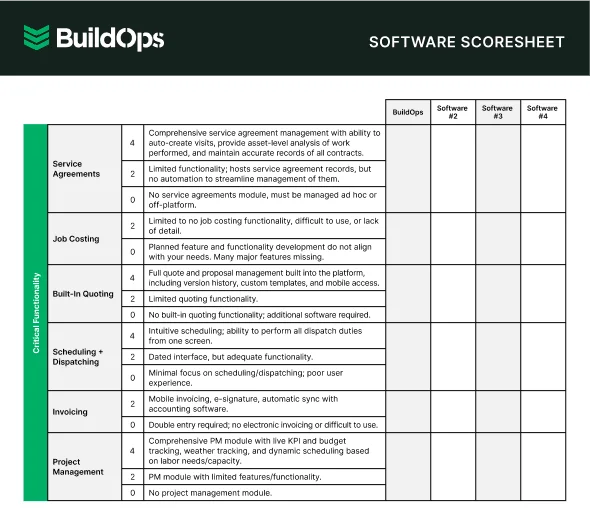
Get the Software Scoresheet
Compare top tools at a glance with this easy-to-use software scoresheet.
5 benefits of using field service management systems
Using field service management tools has many benefits for all different kinds of companies that use them. These benefits include:
1. Promotes efficiency and productivity

Software works faster than people. So the main benefit of field service management technology is that it speeds up – or even automates – some field service tasks that would have had to be done manually. All of that time-saving adds up, letting your team get more done in less time.
Did you know
For example, after adopting BuildOps, B&L Glass cut its average quote approval time from nearly 10 days to just 3.5. That’s a 63% improvement that freed up their team to move faster on new jobs.
Also, software doesn’t make mistakes if it’s programmed properly. So it also saves time in that it keeps you from having to go back and redo a task because a human didn’t do it right.
2. Allows for real-time communication and collaboration
When field and office teams aren’t aligned, mistakes follow. Poor communication is responsible for 52% of rework in construction, costing businesses over $31 billion each year. On the flip side, companies with strong communication practices see productivity improve by 20–25%.
Field service software solves this by giving your team one central place to access job info, update progress, and stay in touch, no matter where they are. Techs can get new assignments on the go, share updates in real time, and avoid unnecessary trips back to the office.
With the right tools, you’re eliminating the lag that costs your team time and momentum.
3. Facilitates better customer service
Field service software helps your team deliver faster, more reliable service. By tracking your techs and vehicles in real time, you can give customers accurate updates on arrival times and job progress. That’s especially helpful when the person on-site isn’t the actual decision-maker. In those cases, updates need to be relayed back to someone off-site, so having clear, real-time info keeps everyone aligned and avoids delays.
It also centralizes customer information so your team can quickly respond to questions or concerns, without digging through old notes or emails. And with easy access to service history, you can walk into every job fully prepared or recommend follow-up work based on what you’ve done in the past.
4. Enables data analysis for making key decisions

Having software that can track almost everything your field service company does and store it in a central database also makes analyzing data much easier. You can pick out areas where your company is doing well and identify those that need improving.
Do your techs need more training to balance workloads and improve service offerings? Do you need to adopt newer equipment and work techniques to make getting a job done right faster? Could your techs be better balancing vehicle usage and taking more efficient routes between job sites so you get more done in a day?
5. Reduces costs and improves revenue

Field service management applications may carry some initial costs, but they more than make up for these in the long run. By automating tasks and digitizing documents, they help you avoid spending time and money needlessly writing information out by hand, filing and storing physical paperwork, and hiring extra admin staff.
Certified Fire saw exactly that. After adopting BuildOps, it increased monthly service billing by 54% and grew profit margins by 250%, thanks to more accurate tracking, faster invoicing, and better visibility into their operations.
FSM tools can also help reduce hard costs. Fleet management features let you optimize routing to cut down on fuel and travel time. Inventory tools help avoid overordering or running short on key parts. And with better data, you're positioned to spot opportunities and fix inefficiencies before they eat into your margins.
The bottom line—no pun intended—is that the right field service platform helps you stay competitive and profitable by eliminating the waste that costs time and money. You get more done, with fewer resources, and earn more doing it.

3 important field service management software FAQs answered
Here are some other things you may want to know about field service management software solutions.
1. What is field service management software?
Field service management (FSM) software helps teams cut down on busywork and run more efficiently. It takes manual effort out of day-to-day tasks like scheduling jobs, dispatching techs, writing reports, sending invoices, and keeping customers in the loop.
For field teams that are still juggling paper notes or jumping between disconnected systems, FSM software can be a game-changer. Some tasks, like creating work orders or sending job updates, can even be automated entirely. That means less admin work, fewer mistakes, and more time spent actually getting jobs done.
The right platform, especially one purpose-built for your project scope, helps you streamline complex jobs, stay on top of multiple sites, and keep both office and field teams aligned.
2. How does field service management software work?
FSM software works by taking in data relevant to your field service business and organizing it – sometimes turning it into output iField service management (FSM) software pulls together the key data about your team, your customers, and your jobs—then puts it to work across your business. That means fewer manual steps, faster workflows, and smarter decisions.
Let’s take scheduling as an example. To assign the right tech to the right job, the software pulls in details like:
- Who’s available and when
- Each tech’s skills and certifications
- Where your techs and vehicles are located
- What equipment the job needs
- Your calendar of current appointments, time off, and holidays
From there, FSM software helps you:
- Schedule and reschedule jobs with a simple drag-and-drop
- Instantly dispatch jobs to techs in the field
- Track job progress and updates in real time
- Optimize routes to reduce drive time and fuel costs
FSM tools also streamline your financial workflows. Once your billing rates, material costs, and job details are entered, the software can:
- Build accurate quotes based on real job scope
- Auto-generate invoices from completed work
- Accept payments in the field or online
- Create clean financial records that integrate with accounting
Customer relationship management (CRM) is built in, too. With all your customer data—like service history, communication records, and preferences—in one place, you can:
- Quickly answer customer questions with full job context
- Send automated reminders and confirmations
- Offer a self-serve portal for payments and scheduling
FSM platforms also turn everyday job data into actionable insights. Reporting and analytics show you:
- Which techs are the most productive
- Which job types deliver the best margins
- Where time or money is getting wasted
- What equipment or customers need more attention
3. What types of companies benefit from field service management software the most?
Pretty much any company where a key part of the business is providing services to customers where they’re located can benefit from field activity management software. These include companies in industries such as:
- Construction
- Electrical
- Plumbing
- HVAC
- Refrigeration
- Telecommunications
- Healthcare
- Manufacturing
- Energy
- Landscaping & Lawn Care
- Security
- Fire Safety
- Pest Control
- Property & Facility Management
- Painting
- Locksmithing

Other field service software recommendations by niche & industry
Choosing the right field service management software isn’t always easy. There are a lot of options out there, and your decision depends on the specific needs of your business.
We’ve covered some top picks in this article, but that’s just the start. To make things easier, we’ve built over 40 curated lists that break down the best FSM software by industry, role, use case, deployment, integrations, and more.
If you want specialized recommendations on how to choose the best FSM solution for your business, find the right article below based on what type of business you run:
By Project or Business Size and Type
By Industry or Niche
- For commercial HVAC companies
- For construction companies
- Electrician dispatching software
- For plumbers
- Construction field report software
- For engineers
- For maintenance crews
By Specific Feature Needs
- Technician dispatch software
- Technician routing software
- With CRM capabilities
- Field sales software
- Service call scheduling software
- With GPS tracking functions
- Quoting software
- With service call booking tools
- With checklist functionality
- With inventory management capabilities
- With reporting capabilities
- For worksite inspections
- With automated processes
- For planning for field service calls
- Including the ability to invoice customers
- Field service mapping software
By Compatibility Needs or Integrations
- Compatible with QuickBooks
- With cloud-based deployment
- AI-powered software
- Remote software
- For mobile workforces
- With wireless deployment
For Managers and Operations
- For field service managers
- For optimizing field service operations
- For managing field techs
- For field workforce management
- For supporting field teams
- For managing field workers
- For field job management
By Location
If you need field service software built for the complexity of commercial contracting, BuildOps is your solution. It acts as mission control for commercial contractors, built from the ground up to support large teams, multi-property operations, and fast-moving service workflows.
With asset-based CRM hierarchies, you can easily view and manage properties owned by the same customer. Advanced search functions help you find what you need. The real-time dispatch board keeps your schedule accurate and responsive, while the AI-powered mobile app simplifies field reporting and invoicing on the go.
And because BuildOps is shaped by people who’ve worked in the trades, it fits how your team actually works.
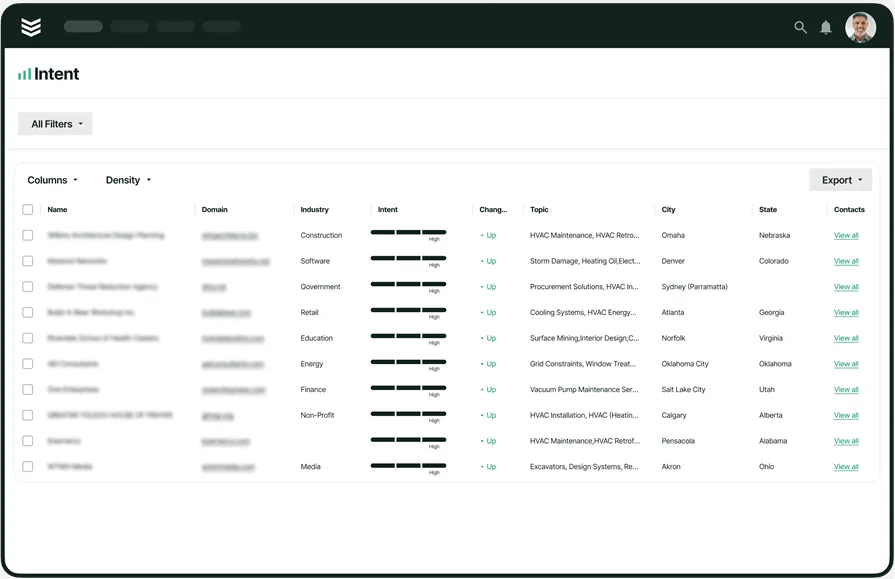
Want to see how we can help?
Streamline your entire operation by keeping field service teams aligned and on task.