5 Best CRMs for Fire Safety Teams in 2026



Key Takeaways
- A CRM built for fire service teams automates customer detail management including jobsite information, and helps sales teams with quotes and follow ups
- Choosing the right fit for your fire safety team depends on the scale of work you do: commercial buildings, recurring service agreements, inspection-focused, etc.
- Some of the top CRMs for fire safety and inspection teams BuildOps, firepro365 for inspections, and ServiceTrade
Managing a fire safety company means navigating tight schedules, detailed compliance requirements, and high-stakes service calls. Between annual inspections, emergency dispatches, and maintenance contracts, it’s easy for customer data and job history to get buried—or lost altogether.
That’s where protection software for fire safety contractors comes into play. A CRM built for fire service teams can help you track inspection logs, customer interactions, service agreements, and follow-ups—all in one centralized system. It keeps your field team aligned with the office, ensures nothing slips through the cracks, and frees up time to focus on what really matters—protecting lives and property.
To help you choose the right fire CRM for your business, we’ll cover:
- 6 most important features to look for in a CRM built for fire service teams
- 5 best fire service CRMs to automate inspections and site work
- 7 ways a fire CRM software helps fire safety operations become more efficient
- How to choose a fire CRM that fits your type of fire service work
- 4 other fire FAQs fire services businesses ask about CRMs
In a trade where every job could mean the difference between safety and risk, your tools need to pull their weight. Let’s start with exploring the features your fire CRM would need to be effective for your team.
6 most important features to look for in a CRM built for fire service teams
In fire safety operations, you’re not just managing jobs—you’re managing people, contracts, and accountability. A strong fire safety CRM should serve as the central system that captures and organizes customer interactions across inspections, service agreements, quotes, and communication history.
These six features are directly tied to what makes a CRM most effective for fire protection contractors working in the field. Here’s what to be on the lookout for:
1. Fire safety service history and customer record tracking
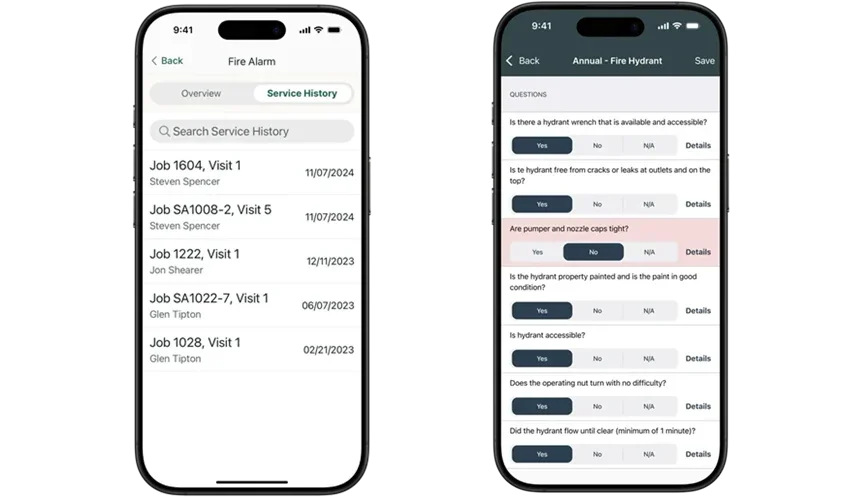
Every inspection, every repair, and every phone call matters in fire protection—especially when it comes to long-term service agreements. A fire safety CRM should store a full history of customer interactions, job outcomes, deficiencies, and asset notes so your techs never go in blind. This kind of traceability also helps with compliance and follow-ups down the line.
Let’s say a tech is sent out to a facility that’s had repeat issues with faulty valves. By accessing the full service agreement tracking system, they can review the last inspection, identify what’s already been flagged, and walk in ready to solve the issue. Not start from scratch with no history.
2. Quoting and proposals for fire protection work
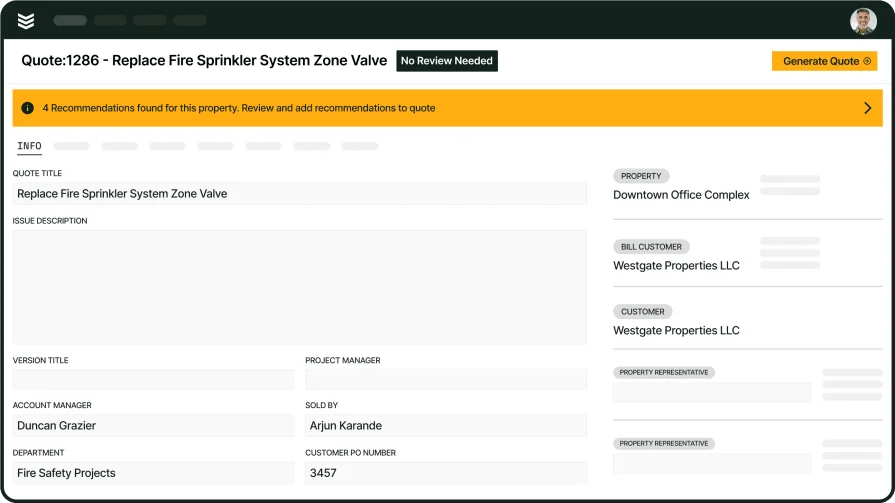
Inspections often uncover problems that lead to new work—repairs, upgrades, replacements. Your CRM should help techs or office staff generate fast, accurate quotes based on customer history and available parts. This eliminates back-and-forth and helps close the loop before the tech even leaves the site.
For example, a tech spots a corroded riser during a routine sprinkler check. With a CRM that has built in field service quoting tools, they can create a proposal tied directly to that service visit and send it out the same-day or even on the spot with no delays. This is especially useful for teams that handle more complex system estimates like fire alarm replacements or multi-device installs.
3. Recurring maintenance contracts with fire industry compliant workflow checklists

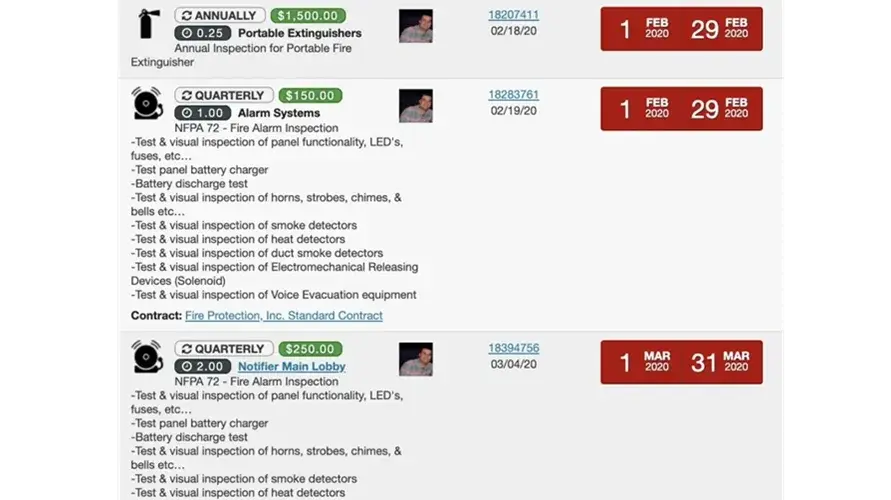
Managing multiple clients with recurring inspections is hard to do manually. A fire safety CRM should allow you to build out custom service agreements, link them to job schedules, and set reminders for recurring visits. No inspections fall through the cracks, and your clients get the reliability they expect.
You also need to be able to build your own workflows and checklists for tech site visits that match these recurring maintenance contracts, so your techs aren’t guessing at what needs to be done, and you don’t have to re-enter required work notes over and over again.
Your team can automate visit reminders and ensure every job matches the contract terms, without having to build quotes, field report notes, or invoice details from scratch every time.
4. Customer communication built for fire protection teams
Field teams and office staff need access to the same customer conversations to avoid crossed wires. A CRM should log emails, calls, and service updates and tie them directly to each customer record—so your whole team is speaking from the same page.
Say a property manager calls in asking for a timeline update. Instead of scrambling, your admin pulls up the full message history inside the CRM and delivers a quick, accurate response—no guessing or miscommunication.
5. Inspection and deficiency records connected to customer accounts

Fire safety work generates reports, checklists, and corrective action logs—documents that need to stay tied to the customer record for compliance and follow-up work. A solid CRM makes it easy to upload and retrieve these from anywhere, with clear job-to-customer associations.
Let’s say a client needs to see all fire alarm deficiencies flagged during last year’s annual. With reporting tools built into your platform, your team can instantly pull a complete, timestamped list tied to that location and account.
6. CRM pipeline tracking for fire safety sales
Fire safety teams also need to manage growth. Whether it's incoming service inquiries or quoting full system installs, a CRM should give visibility into every sales opportunity. This helps teams track follow-ups, forecast work volume, and prioritize leads effectively.
If your estimator walks into a new facility and starts the quoting process, they can log it in the CRM, add photos and videos, set reminders, and monitor where that lead sits in the pipeline management system. No opportunities get left behind.
Other useful features for fire safety software that go beyond CRM
A strong CRM helps fire safety companies manage customers—but that’s only half the battle. Field teams need tools that support real-time work in the field, especially when you're coordinating inspections across multiple sites or handling emergencies under tight deadlines.
These features aren’t always part of what’s included in a traditional CRM, but they’re critical to running a smooth operation on the fire protection side of the job. Here are the features that will take your fire CRM to the next level:
- Real-time scheduling and dispatch – Staying on top of inspection windows and service calls means being able to shift jobs around in seconds. With dispatch software, your team can move appointments, view technician status, and reroute calls—all without losing track of priorities.
- Fleet and asset tracking – It’s not just about where your team is—it’s about what they’re carrying. Fleet tracking tools give you a real-time view of vehicles, equipment, and tech locations so you can respond faster and avoid sending techs out without the tools they need.
- Mobile access for technicians – Most fire jobs don’t happen near a computer. A technician mobile app gives your crew full access to schedules, service history, inspection checklists, and signature capture—all from the field, even if they’re in a basement or on a ladder. For inspection-heavy workflows, especially fire alarm system checks, tools like a fire alarm inspection app help streamline documentation, reduce errors, and speed up compliance reporting.
- Time tracking and crew management – Whether your team is handling one-off jobs or ongoing contracts, tracking hours accurately is critical. Time tracking features help techs log time in the field and ensure payroll and billing align with actual hours worked.
- Invoicing and payments – Getting paid shouldn’t require chasing paperwork. With invoicing and payment tools, you can generate and send invoices as soon as a job is done, log payment status, and keep everything flowing without holding up your books.
These tools aren’t add-ons—they’re essentials for staying competitive in fire protection. When built into your fire safety CRM, they eliminate the gaps between your team’s work in the field and your operations at the office.
5 best fire service CRMs to automate inspections and site work
Choosing a CRM for fire safety companies means looking beyond basic contact lists. You need tools that help teams stay on top of inspections, respond to emergencies quickly, and manage compliance documentation without missing a beat.
When a fire CRM can tie everything together like dispatching, job tracking, customer history, and field communication, your crews can focus on the work, not the paperwork. These are our top 5 choices for tools that can do that:
1. Best for commercial fire service teams: BuildOps
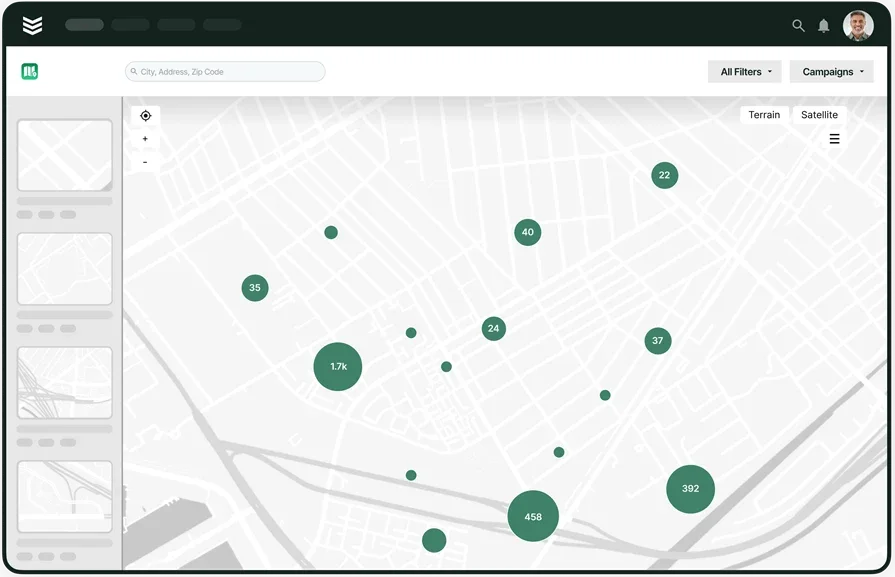
BuildOps field service CRM is designed specifically for commercial service contractors, combining CRM with job management, dispatch, quoting, invoicing, and reporting—making it a strong fit for fast-paced fire safety operations. With BuildOps, fire safety companies can manage recurring inspections, track service contracts across multiple properties, generate job reports instantly, and keep AHJ compliance records organized.
Fire protection contractors working on commercial sites need more than a place to log customer details. They need a system that connects office staff, field techs, and compliance reporting all in one unified workflow. No more juggling apps or chasing paper trails. In BuildOps, everything is accessible to all team members in real-time, in a single platform.
How pricing works: BuildOps offers weekly live demos and provides custom pricing tailored to your team size, workflows, and field volume.
Features beyond CRM:
- Real-time job scheduling and dispatch with drag-and-drop functionality
- Field app for inspection checklists, customer signatures, and report uploads
- Built-in tools for quoting, tracking proposals, and managing recurring contracts
What sets it apart for commercial fire safety: Unlike generic CRMs, BuildOps is geared for fire safety businesses managing multiple jobs, locations, and long-term service agreements. It streamlines everything from the first inspection to the final invoice, so your team spends less time on admin, and more time protecting properties.
Rating: 4.5 on Capterra from 149 user reviews
2. Best customer portal: ServiceTrade
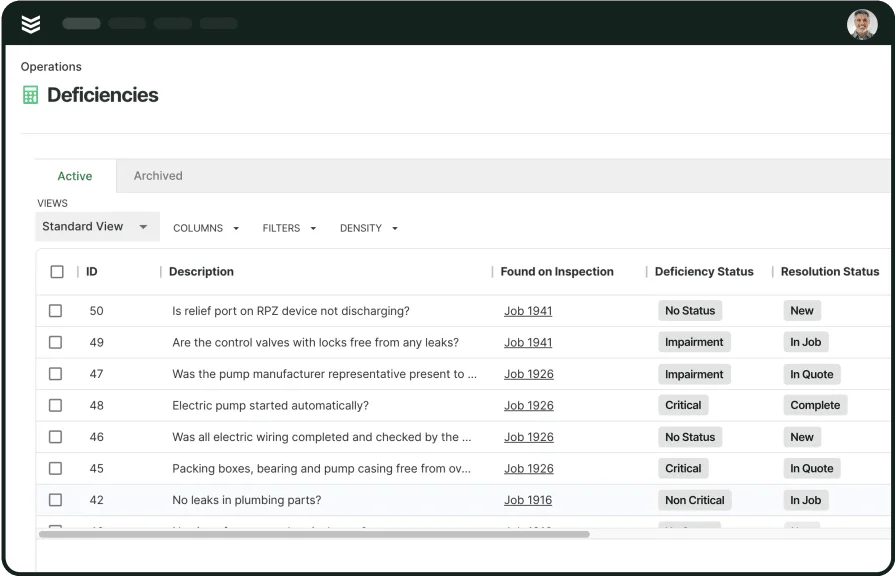
ServiceTrade is purpose-built for fire protection companies prioritizing inspection compliance and recurring service schedules. It offers digital inspection forms, automated deficiency tracking, and a customer portal for streamlined communication. It leans heavily toward inspection workflows so it’s great for that use, but it might not offer the broader scope of total field service support needed for commercial, large-scale, or multi-phase projects.
How pricing works: ServiceTrade offers subscription-based pricing, with plans based on team size and business needs.
Features beyond CRM:
- Digital inspection forms with barcode scanning
- Automated deficiency reporting and quoting
- Customer portal for accessing reports and invoices
What sets it apart for customer portal access: Customers can request service, find their inspection reports, see deficiency reports, and access quotes and invoices right in the portal, and you can automatically email inspection reports to them.
Rating: 4.6 on Capterra from 339 user reviews
3. Best for light operations and smaller teams: BigChange
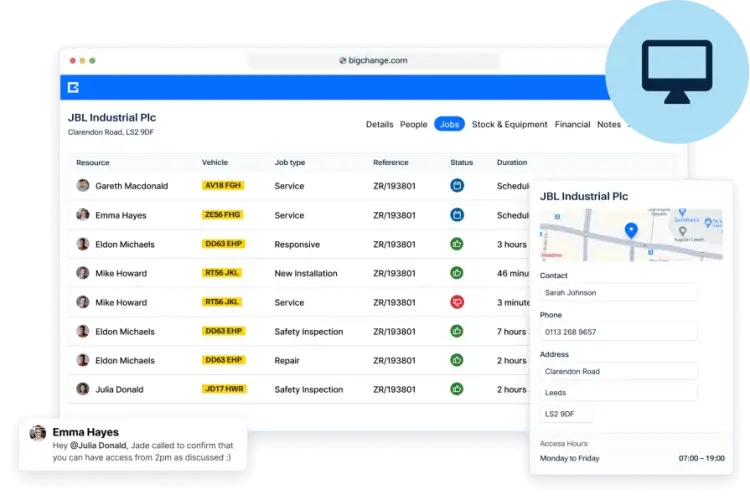
BigChange is an all-in-one job management platform used by general field service industries, including fire and security. It offers scheduling, job tracking, mobile apps, and compliance tools. But its one-size-fits-all approach may include more features than fire safety teams need, while lacking the specialty tools contractors rely on for quoting, service agreements, or inspection-specific workflows.
How pricing works: BigChange offers tailored pricing based on your business's size and requirements.
Features beyond CRM:
- Mobile app for step-by-step job management
- Real-time tracking and efficient scheduling
- Digital risk assessments and compliance management
What sets it apart as an all-in-one: BigChange offers a light, easy to use platform for teams looking for a simplified all-in-one system
Rating: 4.5 on Capterra from 270 user reviews
4. Best QuickBooks integration: Smart Service
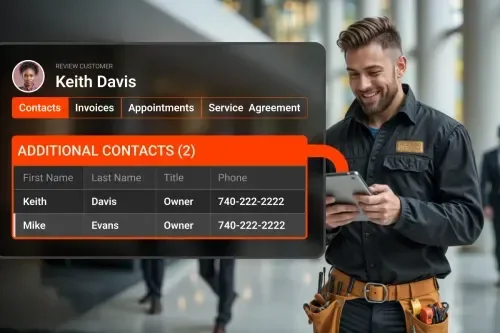
Smart Service is a field service platform that integrates directly with QuickBooks, making it suitable for contractors who prioritize accounting-first workflows. It handles job scheduling, dispatch, and invoicing through a QuickBooks-connected backend. That said, businesses not centered around QuickBooks—or those needing deeper tools for compliance, recurring contracts, or field reporting—may find it too narrow in scope.
How pricing works: Smart Service provides customized pricing based on company size and business requirements.
Features beyond CRM:
- Integration with QuickBooks for seamless accounting
- Mobile app for field technicians
- Dynamic routing for efficient scheduling
What sets it apart for QuickBooks: Smart Service fits well for companies prioritizing finance integration above all. But when the job requires complex scheduling, inspection visibility, or long-term customer tracking, it may not hold up against broader platforms.
Rating: 4.3 on Capterra from 269 user reviews
5. Best for teams using Dynamics 365: firepro365
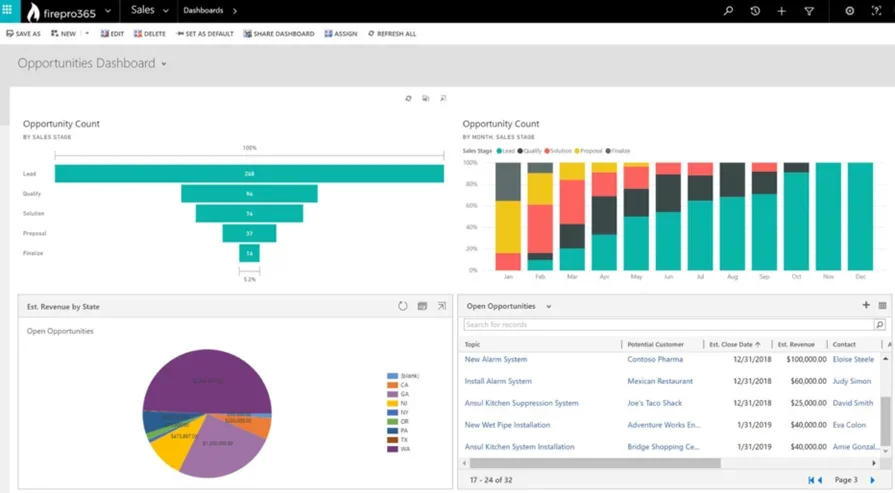
firepro365 is a CRM solution developed for fire protection contractors, offering tools for inspection tracking, scheduling, and customer data management. Built on Microsoft Dynamics 365, it ties into a familiar ecosystem for companies already using Microsoft tools. That said, firepro365 is more focused on inspection workflows, and lacks deeper support for integrated dispatch, quoting, or field-first job execution.
How pricing works: firepro365 offers customized pricing based on your company’s specific needs and size.
Features beyond CRM:
- Inspection reporting and automation
- Mobile app with barcoding for field technicians
- Integration with Microsoft Office 365 tools
What sets it apart: firepro365 is built on Microsoft Office tools, so it’s very efficient for teams that are already tied to that platform.
Rating: No ratings yet on popular software rating sites
{{related-content-block="/resources/fire-protection-service-software"}}
7 ways a fire CRM software helps fire safety operations become more efficient
Fire protection work doesn’t pause. Your team is out doing alarm verifications, backflow inspections, and last-minute service calls—all while trying to meet compliance standards and keep up with paperwork. That’s where a strong CRM for fire safety companies helps tighten up operations.
It’s not just about organization—it’s about speed, accountability, and fewer headaches at every level. Here’s how it actually makes your day-to-day easier:
1. Fewer missed inspections and overdue service visits
Recurring inspection schedules can get buried fast, especially when juggling multiple properties, AHJ deadlines, and one-off emergency calls. A fire safety CRM helps your team track when service is due, where, and for what system.
By automating reminders and keeping upcoming tasks visible, it reduces the risk of missed visits and keeps customers compliant.

One of the most effective ways to ensure your fire safety CRM works well for all aspects of field service is checking if your tool integrates with other tools specifically built for fire safety teams.
These tools should be connected to the compliance side of fire inspections, automating those processes. BuildOps for example integrates with InspectPoint to create a single unified workflow for fire safety contractors.
2. Faster dispatch decisions in urgent situations
When a smoke detector panel fails or a client gets flagged by the fire marshal, time matters. A CRM that ties into dispatching lets your team find the closest tech, reassign jobs quickly, and provide real-time updates from the field, without the delays of looking for quote details or the confusion of not knowing what work has already been approved.
3. Better accountability on service history
Your crews need to know what was done, by who, and when—especially if you’re returning to a site flagged for reinspection. A CRM provides one shared record that makes every inspection, deficiency, and fix traceable. This means no more digging through old PDFs or calling the last tech who worked the job. It keeps your field teams moving and your documentation airtight.
4. Easier customer follow-up and communication
It’s not just about getting the job done—it’s about keeping the client in the loop. With automated messaging and shared service histories, CRMs help your team send inspection results, invoices, and follow-up notes without delays. Instead of phone tag or late emails, everything’s sent on time, and the customer always knows where things stand.
5. Cleaner handoffs between techs and admins
When your techs finish a job, your office needs the details fast. A good CRM helps bridge that handoff—letting technicians upload photos, inspection forms, and notes on-site so nothing gets lost in translation. That smoother flow keeps jobs moving and billing accurate.
6. More accurate quoting and deficiency tracking
Inspection jobs often reveal new problems—damaged fire doors, expired extinguishers, or system faults that weren’t on the original scope. A CRM helps turn those findings into quotes fast, using templates and past job history to build accurate proposals. It also ensures follow-up work isn’t forgotten, which improves safety and keeps service revenue flowing.
7. Stronger team coordination on large accounts
If you’re managing service contracts across hospitals, schools, or high-rise buildings, your team can’t afford to work in silos. A fire CRM gives both field and office staff visibility into every property, inspection, and communication thread. That clarity helps coordinate follow-ups, plan recurring work, and prevent crossed wires on job expectations—all without having to second-guess what’s already been done.
{{related-content-block="/resources/fire-protection-preventive-maintenance"}}
How to choose a fire CRM that fits your type of fire service work
Some CRM tools look good on paper until you actually try using them in the field. For fire safety companies, picking the right system isn’t about the bells and whistles, but finding a platform that enables field operations automation supporting how your team actually works.
Evaluate how a tool is going to actually map to your custom workflow, taking into account your site visit checklists and any compliance you need to follow. Here are some questions to ask yourself when evaluating your options:
- Does it fit your workflow?—Does the CRM align with how your team handles inspections, service visits, and contract schedules? Can it support the fast pace of your day-to-day without creating extra admin work? Does it reflect the type of fire safety service jobs you do?
- Will your techs use it?—Will your techs and office staff be able to use it without a steep learning curve? Can job details be accessed or updated in just a few clicks? Does it eliminate the need for constant training or backtracking? Is the platform you’re using offering implementation support and training for your team so you don’t get stuck?
- How much more visibility does it offer than what you’re already doing?—Can you see the status of every job, tech, and service contract at a glance? Does it give you real-time updates without needing constant check-ins? Will it help you stay ahead of inspection due dates and customer needs? Does it better connect sales to admin to techs?
- Is this CRM going to scale?—Can the system grow with your team and handle more jobs as you expand? Is it flexible enough to adapt to changing regulations or business goals? Does it offer room to integrate with other tools down the line?
- Does it have the features I need?—Does the CRM come with tools that actually support fire safety work? Am I paying for a lot of features I don’t need that don’t enable fire safety service operations? Will it manage compliance, customer history, and job documentation effectively? What functions are built-in, and which ones require add-ons or third-party software?
Choosing a CRM fire service platform comes down to how well it fits the realities of your day-to-day work. Your team is out handling inspections, managing service calls, and staying compliant with tight regulations, so there’s no room for a system that creates more headaches.
4 other fire FAQs fire services businesses ask about CRMs
If we haven’t already answered all of your questions, here are some other ones that come up when fire safety service teams are researching what CRM to choose:
1. What is a fire safety CRM and how does it work?
A fire safety CRM is a platform that, on its own, helps fire safety teams manage customer records, addresses, their sales leads, and follow up on potential customers and work. When the fire CRM is a part of a larger field service management platform, it integrates with other aspects of field service like service agreements and job history, unifying all the information in a central system so it’s more easily accessible to every team member involved in the process: sales, office admin, and the techs doing the work.
CRMs store custom details like a digital address book, allowing team members to pull up the information they need. By storing everything in a centralized location in a cloud-based tool, the information is up-to-date in real-time, and is the same for whoever on the team is trying to access it.
Here’s an example of how a fire service CRM would help all team members at various stages of work on a single job:
- A call comes in with a request for work, so your sales team enters the customer information like name, job address, and scope of work they are looking for
- Your field tech visits the site to collect information which they store as notes in the platform, updating the scope of work with more details, even including photos and videos of the site
- Your office staff in charge of quoting takes those notes as well as custom workflows you’ve already built for similar work and turns that into a formal proposal of work, which is sent to the customer
- The customer approves the quote, and office admin opens a work order and dispatches a tech to the jobsite
- Tech pulls up the custom workflow that was already built into the quote and completes each required step of the work, including any fire compliance-related tasks that are indicated as mandatory steps of work
- Tech adds any field notes and completes the work order
- Office staff leverages all field notes and completed checklist items, and automatically generates an invoice for work completed
- Invoice is sent to customer, using details and information already provided to the sales team
You can see how powerful unifying these aspects of operations into a single platform can be for a team, essentially removing the need to ever double-enter data on a single job.
2. How do CRMs ensure fire safety industry compliance?
In fire protection, compliance isn’t optional. You’re expected to provide documentation for every inspection, track service histories, and address deficiencies fast. For a CRM to be compliant for the fire safety industry, it needs to empower you to build custom workflows and site visit checklists have required steps mapped to those compliance standards.
Things like NFPA compliance, AHJ audit standards, and any other regulatory requirements your region is bound by. That audit trail matters when deadlines or fines are on the line, so make sure you ask these kinds of questions in a fire CRM demo with a potential vendor.
3. How do I determine if a CRM is going to be worth the investment for my fire safety service business?
Most fire safety service businesses are going to see immediate ROI on an investment in a CRM because of the sheer amount of work it automates that is usually being done manually right now. CRMs also really cut down on human errors and data re-entry, which reduces mistakes that constantly end up costing you money.
You’ll get more value out of a fire safety CRM that is integrated with more of the features needed for the whole scale of fire safety service operations, linking everything in a single platform and source of truth for your team. This will always cost less than using a CRM that doesn’t integrate with other aspects of your field operations.
Though ROI will vary based on team size, it is typically realized more quickly for larger scale companies doing commercial service work, or companies that are scaling very quickly right now, because the more you automate, the more time you save.
{{related-content-block="/resources/certified-fire-250-percent-higher-profits"}}
4. What are some best practices for CRM implementation for fire safety service teams?
Just having a CRM isn’t enough—it needs to be set up, used, and maintained with purpose. Fire protection work comes with its own workflows and challenges, so getting the most out of your CRM means building processes that align with your team’s actual day-to-day.
Here are some helpful tips to help keep the transition smooth, get your team up and running faster, and make sure your techs actually use it in the field:
- Set up service categories for different systems (sprinklers, alarms, extinguishers, etc.)
- Automate inspection reminders for recurring jobs and compliance dates
- Use custom fields to capture AHJ-specific requirements or certifications
- Give techs mobile access to service histories and job checklists
- Train office staff to monitor job progress and close out invoices quickly
- Use tagging or filters to prioritize urgent calls and open deficiencies
- Regularly review reports for trends in failed inspections or delayed jobs
- Back up your data and update the system regularly with new job types and customer details
- Implement training in a low-stakes environment, empowering your techs before they’re stuck on the job
- Source feedback from all staff members—sales, office, and techs—and use that to improve the process early
These best practices make sure your CRM isn’t simply a database, but works as a tool that keeps your entire fire protection business tight, responsive, and compliant.
Running a fire safety service business means staying sharp on the job, with the paperwork, and across every inspection cycle. When you're balancing service agreements, last-minute calls, and strict regulatory standards, having the right tools in place isn’t a luxury—it’s how you keep things moving without anything slipping through the cracks.
A CRM tailored to fire protection work helps you keep teams aligned, records accurate, and customers taken care of. The best platforms do more than just track contacts, and instead support dispatching, job histories, mobile updates, quoting, and recurring service management all in one unified platform.
That’s where BuildOps makes an impact. For commercial fire safety contractors handling complex workflows and multiple job types, it brings everything together into a single, field-ready system that’s built for how your crew actually works.