Top 5 Reasons Teams Switch Fire Safety Inspection Software


Manual fire safety inspections often create office work long after the inspector leaves the site. Commercial FLS teams may finish the checklist in the field, then reconcile reports, photos, equipment details, deficiencies, quotes, and compliance submissions across separate systems. Sales conversations with FLS contractors consistently surface the result: slow report review, delayed quotes, and limited visibility into which inspection work is complete, pending, or overdue.
Fire safety inspection software should connect the inspection to the work that follows. Through our integration with Inspect Point, BuildOps enables commercial FLS teams to manage specialized inspections and compliance workflows while carrying the job through scheduling and dispatch, work orders, quoting, service jobs, and invoicing. The next section breaks down the five operational gaps that drive contractors to make that switch.
Top 5 reasons teams switch fire safety inspection software according to our customers
Across our sales calls with commercial FLS contractors, five reasons come up when teams explain why they’re evaluating a new system: duplicate handoffs, hard-to-see inspection schedules, forms and reports that take too much upkeep, asset history that’s difficult to carry forward, and field documentation that arrives late or incomplete. These aren’t abstract software complaints. They’re the points where an inspection either keeps moving or stalls.
1. Inspection findings don’t move cleanly into quotes and repair work
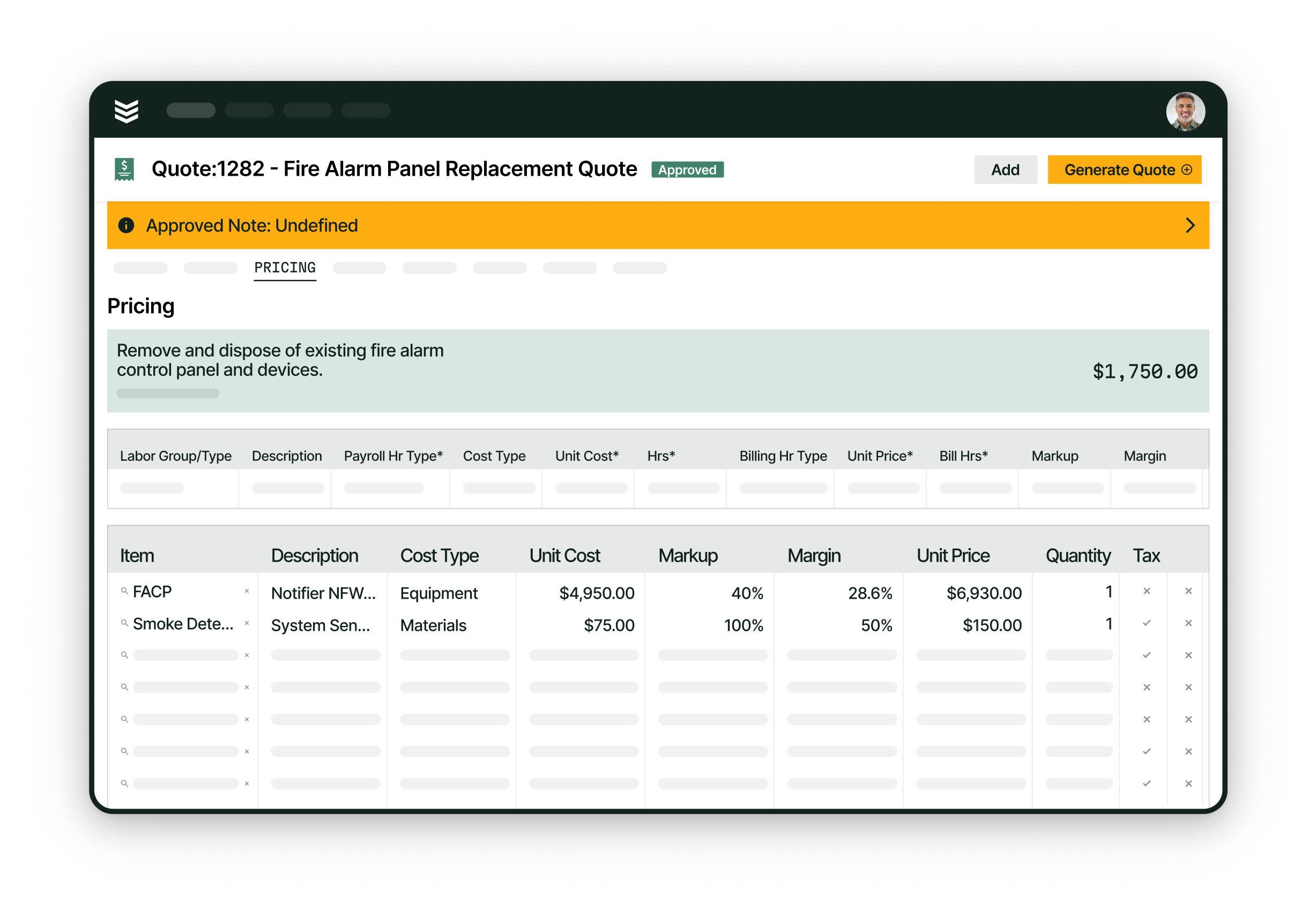
When a commercial FLS inspection is complete, the office may still have to move the findings into a quote, route the quote for approval, create the repair job, and update the original inspection record. That handoff separates the safety finding from the revenue-producing work and makes open deficiencies harder to see, prioritize, and follow through.
The BuildOps deficiency workflow keeps inspection findings connected to follow-up work. Deficiencies from Inspect Point flow into BuildOps, where the office can group related items in a quote, convert approved repairs into a service job, and track each item through resolution using pull-through work and quote to contract.
2. Recurring inspection work is hard to see before it becomes overdue
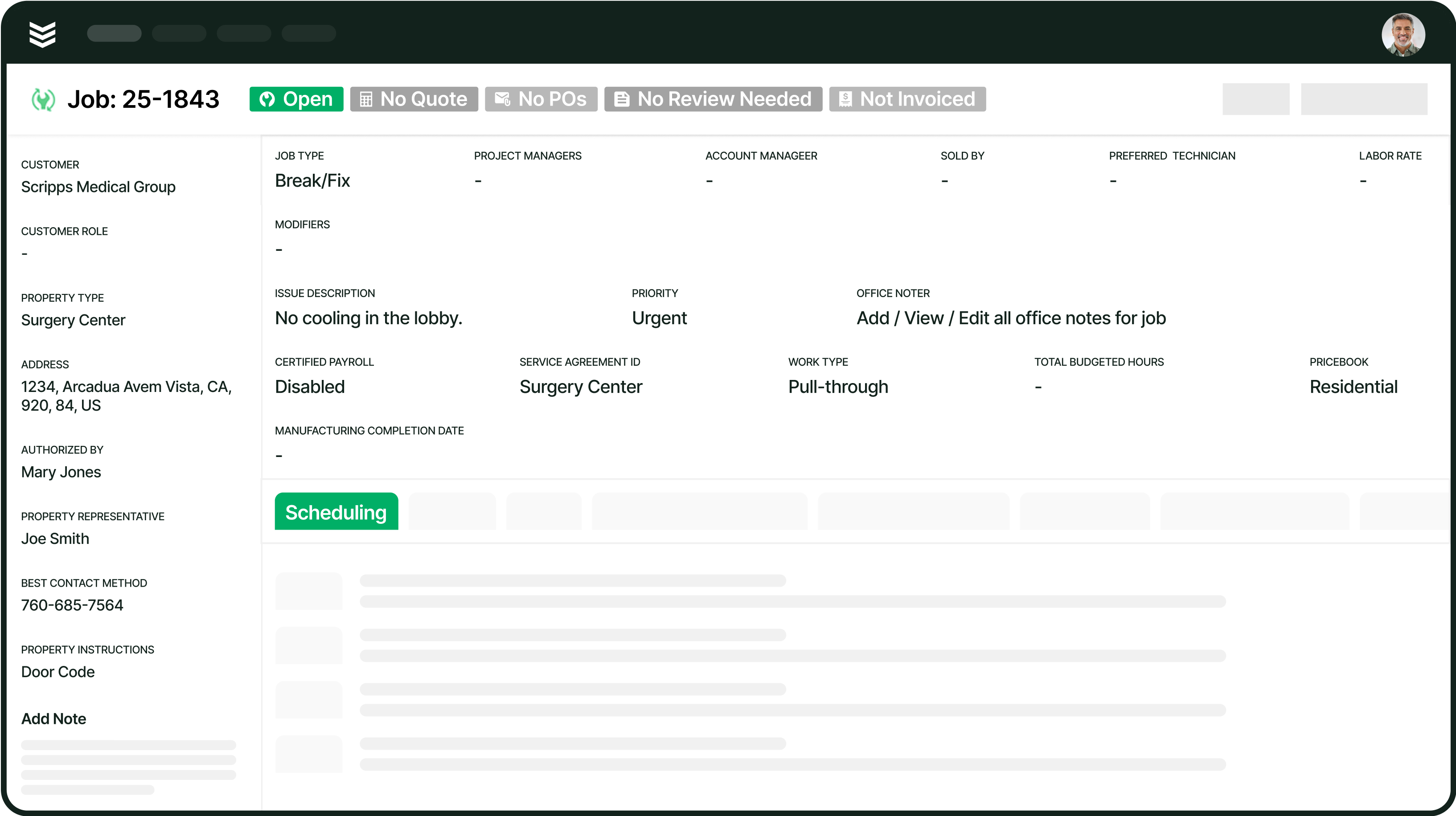
Commercial FLS teams often manage annual, semiannual, quarterly, and other recurring visits across many properties and equipment types. Contractors describe relying on spreadsheets, calendars, or manual coordination to see what is due, assign the work, and keep overdue inspections from getting buried.
Recurring inspection scheduling in BuildOps gives operations teams a structured way to manage that workload. Preventative maintenance can generate visits from service agreements, while reporting and analytics gives leaders a clearer view of upcoming, unscheduled, and overdue work. That visibility supports better planning.
3. Forms and compliance reports take too much manual upkeep
Fire safety contractors that rely on custom Excel reports, mapped PDFs, or generic forms often spend too much office time maintaining documents and correcting inconsistent field submissions. The burden grows when inspectors need different forms for different equipment types, frequencies, or jurisdictions, and customers still expect clear reports after every visit.
The connected BuildOps and Inspect Point workflow separates specialized compliance work from operational work without separating the record. Inspect Point supplies the FLS inspection and compliance workflow, while field execution keeps the related job visible to the office and field team. Completed inspection reports can attach to that job for review and follow-up.
4. Asset history is difficult to carry from one visit to the next
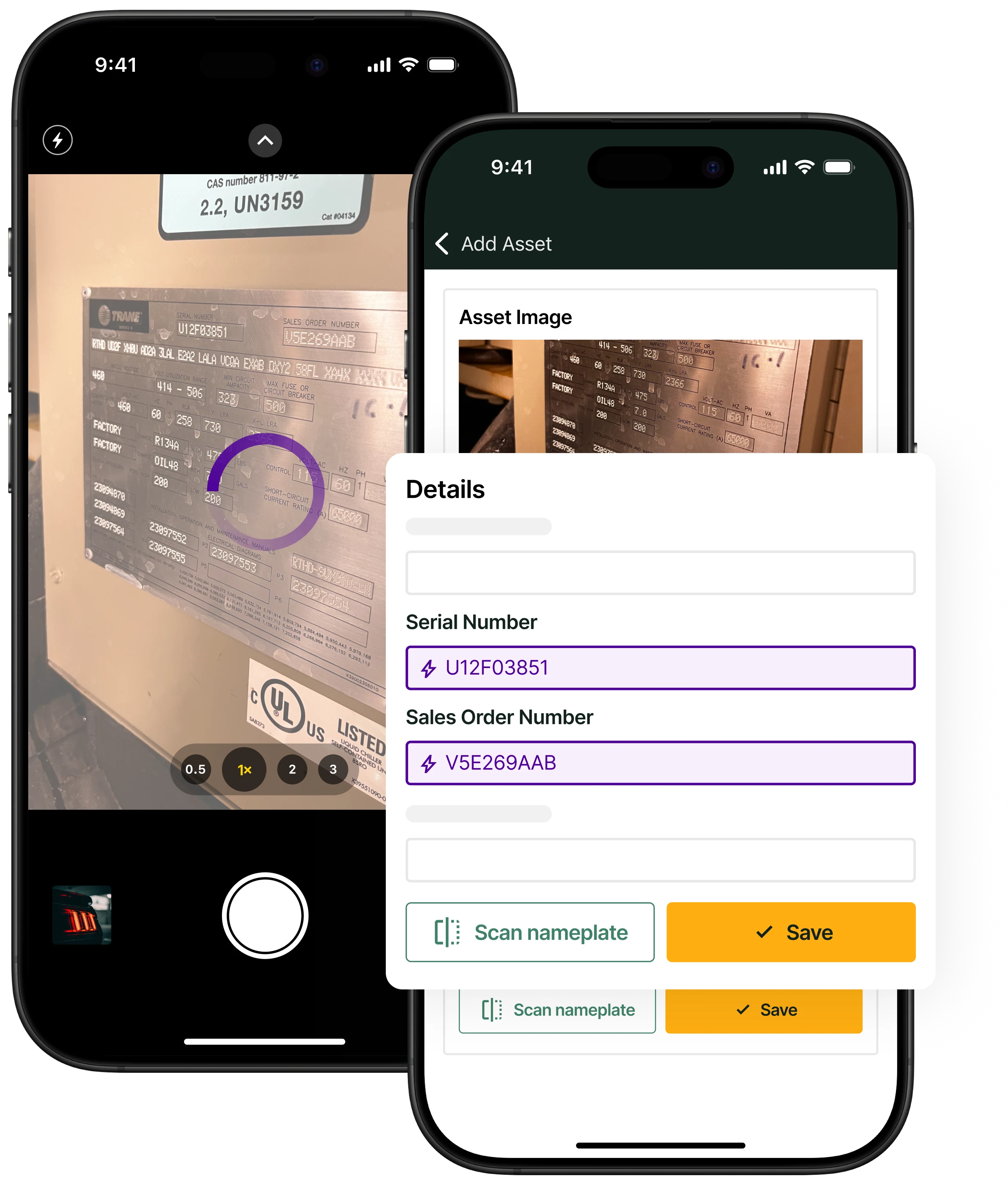
Large commercial buildings can contain hundreds or thousands of devices, each with its own location, inspection history, deficiencies, photos, and service needs. When those details live across forms and files, the next inspector has to rebuild the site context before work can begin, and the office has less confidence in the record.
Asset management in BuildOps keeps equipment details and service history tied to the customer property. Office teams and field techs can reference the same record as recurring inspections continue, deficiencies are resolved, and service work builds on what happened during earlier visits.
5. Field teams lose time when documentation arrives late or connectivity gets in the way
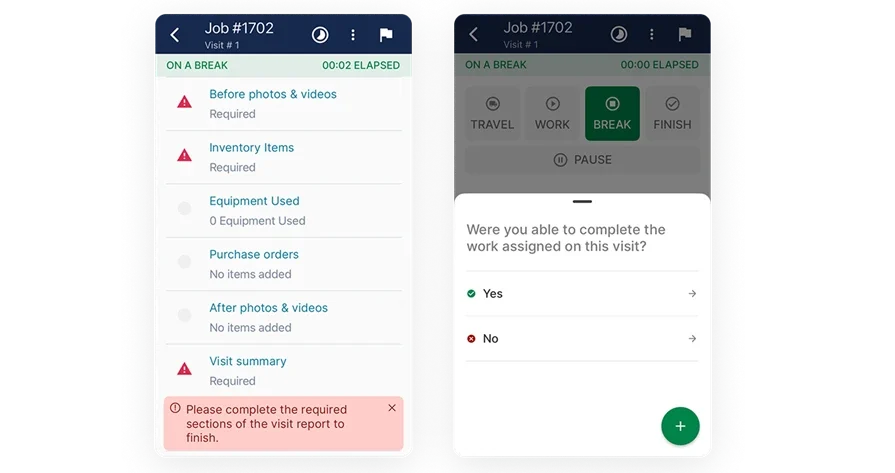
FLS techs may work in basements, mechanical rooms, or other areas with weak service, then return to the office with incomplete notes or missing context. Contractors want field teams to see property instructions and past work, capture required details while they are on site, and finish the visit without repeated calls back to the office.
The technician mobile app and work order closeout keep field documentation tied to the visit. Techs can work from the field, while required reports, photos, time, and other closeout details can be built into the job before the visit is finished.
Choosing the right fire safety inspection software for you: questions to ask in a demo
Use the demo to test the details that are easiest to miss in a sales presentation: how the system is configured, what each user can see, what happens when information is incomplete, and what the final customer-facing record looks like. The questions below give commercial FLS teams a practical script for evaluating those details before choosing a platform.
- Can the system create recurring inspection jobs from our service agreements? – Ask the vendor to show different inspection frequencies, the visits those agreements create, and how the team sees due or overdue work before assigning it.
- What happens to a deficiency after an inspector finds it? – Ask the vendor to fail an inspection item, add it to a quote, convert the approved repair into a service job, and show where the resolution status is tracked.
- Which equipment, frequency, and jurisdiction determine the inspection form? – Ask the vendor to show how the correct form loads, how a failed answer creates a deficiency, and how the completed report is prepared for office review.
- Can field techs see asset history and previous inspection reports on site? – Ask the vendor to open a property and asset from the field view, then show past reports, previous deficiencies, service notes, and property instructions.
- How does the mobile workflow handle poor connectivity and more than one inspector? – Ask the vendor to show the offline workflow, the return to the office, and what additional inspectors or helpers can access during the same visit.
- Where does the completed inspection report go after the site visit? – Ask who reviews the report, where it is stored, how the customer receives it, and which compliance-submission steps happen in Inspect Point rather than BuildOps.
What leading FLS contractors do differently with recurring inspections
Recurring inspection programs are more than a scheduling requirement for commercial FLS contractors. They create a repeatable operating rhythm across properties, equipment, technicians, reports, deficiencies, and follow-up work. A useful benchmark can help inspection leaders assess whether their agreement base is consistent enough to support the field workload—and whether their software can keep those visits visible as they come due.
According to the Torque 2026 Commercial Contractor Benchmark Report, the top 20% of BuildOps Fire & Life Safety customers have 29.1% of revenue under maintenance agreements, compared with 17.8% for the average FLS customer.
For commercial FLS contractors, maintenance-agreement growth shows up in the field as recurring inspection visits across properties and equipment. Certified Fire’s story shows why that fieldwork matters: the fire protection contractor reported a 250% increase in profit margins after replacing paper-based systems and manual processes with BuildOps. A stronger agreement base also requires teams to schedule each visit, provide site history, document deficiencies, and move follow-up into service work without losing the original inspection.
{{related-content-block="/resources/certified-fire-250-percent-higher-profits"}}
5 other fire safety inspection software FAQs asked by our customers
Software decisions often come down to the details that are easy to miss in a product overview. The answers below clarify how the platform fits into day-to-day inspection operations, so commercial FLS contractors can compare options with a more complete picture before committing to a new system.
1. Do commercial FLS contractors need both BuildOps and Inspect Point?
For the connected BuildOps–Inspect Point workflow, yes. Inspect Point provides specialized FLS inspection forms, dynamic question sets, deficiency capture, and compliance reporting. BuildOps handles inspection scheduling, work orders, quoting, service jobs, and invoicing.
2. Can service techs resolve deficiencies without becoming Inspect Point inspectors?
Service techs and helpers can work from the BuildOps visit and resolve deficiencies in BuildOps mobile without being mapped to an Inspect Point inspector user. Inspectors who complete inspections in Inspect Point must be mapped to an Inspect Point user, while helpers remain in the BuildOps workflow.
3. Can existing FLS assets and property records be brought into the system?
Existing customer, property, and FLS asset records can be mapped or synchronized between BuildOps and Inspect Point when the required mappings are in place. BuildOps becomes the source of truth for customer and property data after synchronization. For legacy device, system, or asset files, Inspect Point offers a paid service to analyze the data and produce a list for customers to use. Confirm the scope for historical inspection records separately.
4. Which system handles FLS compliance forms and reporting?
Inspect Point handles the specialized inspection and compliance workflow. Its dynamic forms adapt to equipment type and inspection frequency, with code-year and jurisdiction awareness for compliance reporting. BuildOps carries the related job, quote, service, and billing work, but it does not replace Inspect Point’s specialized compliance function.
5. Where does the completed inspection report go?
Inspect Point generates the inspection report when requested from Inspect Point or BuildOps. The completed PDF syncs to the related BuildOps job’s Forms & Attachments section, where BuildOps users can review and download it. Inspect Point remains the system for specialized inspection and compliance workflows.
Keep every inspection moving
The right fire safety inspection software should fit the way a commercial FLS contractor evaluates work beyond the inspection form. Use the contractor questions, benchmark, and FAQs in this guide to compare platforms by operational fit, accountability, and the ability to support consistent work as the business grows.
BuildOps helps commercial contractors manage the operational side of FLS work in one connected platform. If you are evaluating fire safety inspection software for a commercial FLS operation, book a demo with BuildOps to see how it fits your inspection operation.