6 Ways To Use Google Tools for Field Service Management

Jobs in the trades hinge on timing, visibility, and proof of results. Google touches each piece: Maps handles routing, Calendar locks service windows, Ads and Business Profile drive calls, Drive and Sheets move job packets, and Analytics confirms which pages and campaigns lead to booked work. Within modern field service management, those touchpoints tie into tickets, assets, crews, and invoicing.
Measurement often relies on standard stacks seen across the sector, such as the options outlined in web analytics tools for construction companies. This guide shows practical ways to connect that ecosystem into effective Google field service management for contractors who run demanding service and project schedules. Here’s what we’ll cover:
- Field service software with API access to Google Maps
- Field service software with a Google Calendar integration
- Leverage Google Ads for business visibility
- Set up and manage a Google Business Profile
- Google Drive & Google Sheets
- Use Google Analytics to track website performance
The sections follow the flow of a typical day in a service organization: navigation and service areas, appointment timing and confirmations, lead capture through search and local listings, document exchange between office and field, and the analytics setup that links web activity to real revenue.
6 ways to use Google tools for field service management
Field service veterans care about tight routes, clean handoffs, reliable lead flow, and proof that marketing turns into booked work. Google touches each stage. The sections below show how those tools plug into a platform and where the lift shows up—dispatch, scheduling, demand, and reporting.
1. Field service software with API access to Google Maps
Part of Field Service Operations: Dispatching & fleet management
How This Helps: Provides efficiency in field route optimization
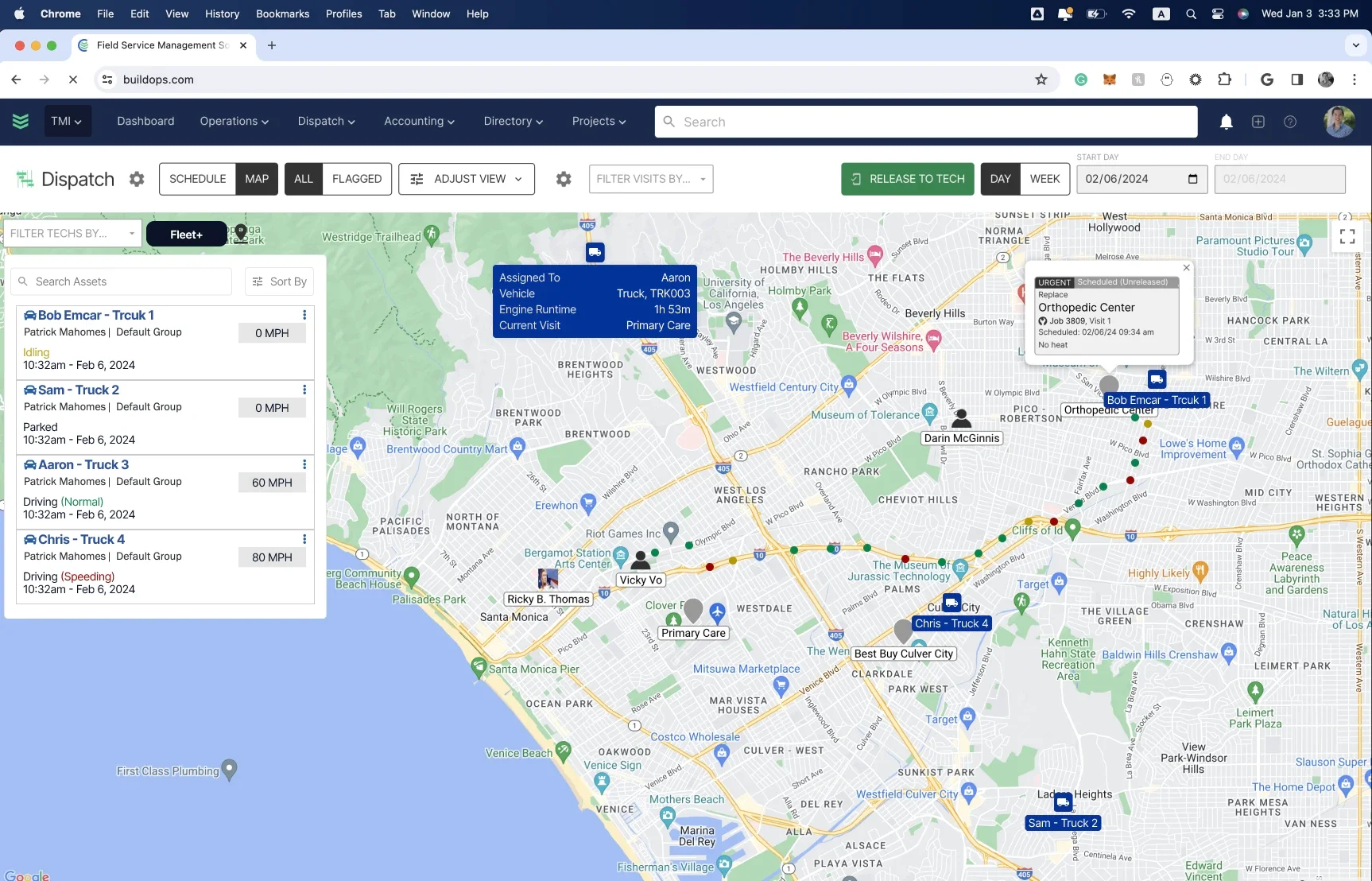
A platform that taps Google’s Directions, Distance Matrix, Geocoding, and Places APIs can calculate drive time with live traffic, validate addresses, and keep ETAs honest. Dispatch sees technician locations against job pins and stacks runs inside service zones.
Routes auto-build with skills and time windows, the nearest next job pops into view as soon as a call closes, bad addresses surface before a truck rolls, and actual drive time records for job costing. The outcome is simple: fewer dead miles, tighter arrival windows, stronger fuel control.
2. Field service software with a Google Calendar integration
Part of Field Service Operations: Scheduling & confirmations
How This Helps: Cuts double-booking, missed windows, and back-and-forth
Two-way sync aligns office calendars and technician devices so every booking carries the window, address, notes, and resources. Events update from either side. Color codes stay consistent. Out-of-office blocks and travel buffers hold. Status moves from scheduled to en route to on-site to complete without clerical fixes. Customer confirmations include ICS files so appointments land cleanly in a client’s calendar.
Compared with a basic feed, BuildOps adds capacity planning, skill matching, and priority rules that balance emergencies with maintenance routes. The board shows real availability across zones, crews, and equipment, then prevents overlaps before they happen. Drag-and-drop scheduling writes back to Google Calendar instantly, while automated reminders and confirmations reduce no-shows.

For details on how this works inside the platform, see BuildOps scheduling software, which layers calendar syncing with real-time technician status, drive-time buffers, and SLA timers so the schedule reflects the job reality, not just open squares.
3. Leverage Google Ads for business visibility
Part of Field Service Operations: Customer acquisition
How This Helps: Keeps the call board active with targeted demand
Search campaigns catch high-intent prospects at the moment of need. Aim spend at service zones and profitable lines, and schedule ads to match crew availability. Use call assets, location extensions, and business hours bid adjustments so the phone rings when dispatch can respond.
Close the loop by sending offline conversions from the platform—booked appointment, completed job, revenue—back into the account, allowing budgets to favor queries and ads that create work orders instead of empty clicks. Block waste terms common in the trades such as “DIY,” “free,” “training,” and “jobs,” and route calls through tracked numbers in each service area to verify what actually turns into revenue.
4. Set up and manage a Google Business Profile
Part of Field Service Operations: Customer Acquisition
How This Helps: Drives high-intent calls from nearby customers
A tuned Business Profile puts the shop in front of local searchers who need help now. Select accurate categories and list services with clear descriptions. Set service areas that match dispatch zones and keep hours current, including holidays. Add job photos that show technicians, vehicles, and finished results.
Prompt reviews after each completed work order and answer every review with job specifics. Turn on messaging and call history so the office can respond fast and track conversations. Connect the profile to Google Ads with location extensions, and tag links with UTMs to attribute calls and forms. BuildOps can trigger review requests from status changes and log call sources back to the job, so value shows up in revenue rather than vanity metrics.
5. Google Drive & Google Sheets
Part of Field Service Operations: Project Management, Estimating, & Time Tracking
How This Helps: Speeds handoffs while keeping documents and numbers consistent
Drive and Sheets help small teams share files, yet cracks appear once jobs scale. Versions fork, formulas break, and critical photos land in random folders on Drive. Copy-paste between tabs creates mismatched totals and late approvals. That friction clouds job costing and slows decisions.
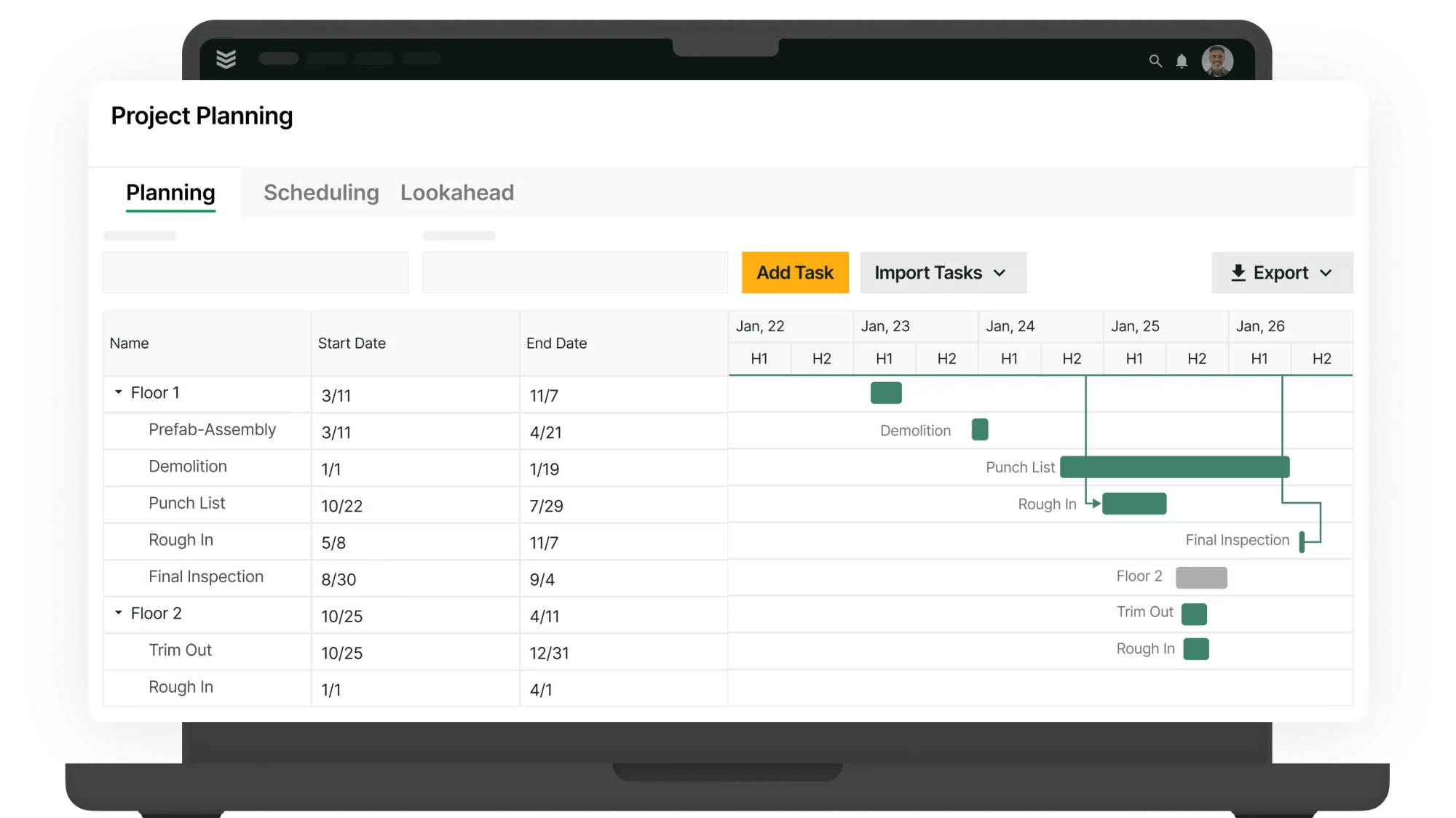
A unified system ties every file and entry to the work order, the project, and the technician record. Estimates, change orders, purchase orders, photos, and time entries stay on the job timeline with role-based permissions. BuildOps handles labor management and scheduling with live capacity, skills, zones, and drive-time buffers, something spreadsheets cannot track in real time. The result is clean accountability and a schedule that reflects field reality.
Teams that still rely on forms can standardize visit details first, then move those workflows into the platform. The field service report template gives crews a consistent layout for diagnostics, parts, and sign-offs. Once that structure is in place, BuildOps links reports, timesheets, and schedules to each job so office and field stay aligned without spreadsheet juggling.
6. Use Google Analytics to track website performance
Part of Field Service Operations: Marketing and leadership reporting
How This Helps: Shows which channels create booked jobs and revenue
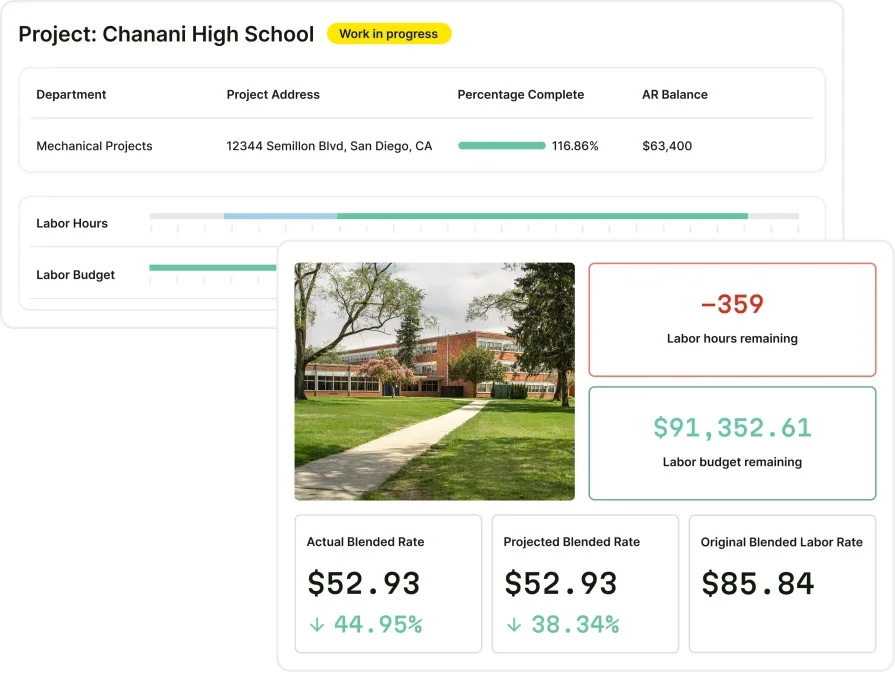
Analytics should answer a simple question for a contractor: which visits turn into scheduled work. Configure events for calls, forms, quote requests, and online booking. Tag every campaign with UTMs and route phone clicks through tracked numbers. That setup links web sessions to real conversations.
Push offline conversions from the platform, such as booked appointment, completed job, and collected revenue. Link Search Console to expose queries that drive high-value traffic and update pages that win. With clean data in place, budgets shift toward campaigns and keywords that create profitable calls. This closes the loop between marketing and operations inside effective Google field service management.
Google touches every stage of a service day. Maps guides trucks, Calendar protects appointment windows, Ads and Business Profile feed calls, Drive and Sheets move files, and Analytics confirms what pays. When those pieces connect to the system that runs tickets and crews, Google field service management turns into measured gains across dispatch, scheduling, and revenue.
BuildOps brings that connection into one platform for commercial contractors. Google data lands where it matters: on the work order, the asset record, the customer timeline, and the job cost report. Schedules reflect capacity, skills, zones, and service levels. Reviews fire from job status, while calls and forms tie back to booked work and invoices.
The lift shows up for every role. Dispatchers see realistic routes and open capacity. Technicians receive clean scopes, attachments, and directions in one place. Operations leaders track calls, conversions, and job value by source. Finance gets accurate time, parts, and change orders without spreadsheet hunting.
Want a quick look tailored to your crew and service areas? Schedule a free demo, no pressure. We can walk through routes, calendars, listings, and reporting so you can judge fit on your terms.