6 Best Mechanical Takeoff Software for Project Margins

Plans change, submittals land late, and your foreman still needs counts he can trust before material gets ordered. Mechanical takeoff software turns duct, pipe, fittings, hangers, insulation, and equipment schedules into quantities that connect back to labor, buyout, and job costing.
In the mechanical service industry, that connection matters because service work lives in the field, so takeoff data has to match how your techs run calls, small projects, and long-duration jobs using field service management tools and mobile workflows.
Here's what we'll cover:
- How to choose the right mechanical takeoff software for your team
- 5 key features to look for in mechanical takeoff software
- 6 best takeoff software for mechanical contractors
- 7 benefits of using mechanical takeoff software
- 4 important mechanical takeoff software FAQs answered
Now let’s get into how to choose mechanical takeoff software that matches your workflow, from plan import and revision tracking to how your estimators and field leads actually use quantities once the job kicks off.
How to choose the right mechanical takeoff software for your team
You already know how to take off duct and pipe. The decision now comes down to whether your mechanical takeoff software supports service work realities: tight turnarounds, mixed scopes, and clean handoffs from estimating to dispatch, purchasing, and job costing.
- Workflow alignment & handoff: Does the takeoff flow into your estimate template without rework? Can your ops team turn quantities into a bill of materials without retyping? Can your foreman pull the same counts on a tablet when the job starts?
- Assemblies, labor, and crew reality: Can you standardize assemblies for duct runs, valve kits, hangers, and insulation so every estimator prices the same way? Can you set labor units by diameter, gauge, or install type? Can you split shop hours and field hours so scheduling stays honest?
- Revisions, addenda, and scope control: Does it track plan revisions and call out quantity deltas fast? Can you tag items by area, system, or phase so you protect scope boundaries? Can you keep alternates and add-ons separated so the team prices cleanly?
- Pricing, catalogs, and buyout readiness: Can you map takeoff items to your part numbers and vendor catalogs? Can you update pricing without rebuilding the estimate? Can you flag long-lead equipment and specialty material early so ops can plan around it?
- Collaboration, permissions, and audit trail: Can multiple estimators work in the same set without stepping on each other? Can PMs and service managers review takeoff logic without editing core data? Can you lock assemblies and keep an audit trail for changes?
- Software features that connect to field service operations: Does it push quantities into purchasing and inventory workflows? Can it feed work orders and task lists in your field service platform so techs see what the estimate assumed? Can it compare estimated quantities to actuals at closeout so you tighten future bids?
The next section breaks down the key features that matter most for takeoff software for mechanical contractors running service and project work side by side.
{{related-content-block="/resources/mechanical-contractor-software"}}
5 key features to look for in mechanical takeoff software
When you run service work and projects in the same week, mechanical takeoff software has to do two jobs: produce clean quantities fast, then keep those quantities usable across scheduling, dispatch, quoting, and closeout. These five features separate tools that look good on bid day from tools that hold up once techs hit the field.
1. Scheduling and dispatch connected to quantities

Your takeoff should feed field service scheduling so labor targets, crew size, and visit sequencing line up with measured scope. It also needs smart dispatch software so dispatch sends the same counts and assemblies your estimator approved, not a watered-down summary. On a short-notice RTU changeout week, this is the difference between staging the curb adapter, rigging notes, and flex connections on day one, versus burning half a day chasing parts and reshuffling crews.
2. Quote generation from assemblies and counts
Look for takeoff software that turns assemblies into pricing inside service quoting software without rebuilding the estimate every time scope shifts. Can you lock labor units by system type, access conditions, and install method? Can you swap equipment options and keep the accessories correct? During a tenant improvement, a late spec change from standard to lined duct can force insulation, hanger, and labor adjustments, and quoting stays clean when those assemblies update from the same measured takeoff.
3. CRM for bid tracking and handoffs
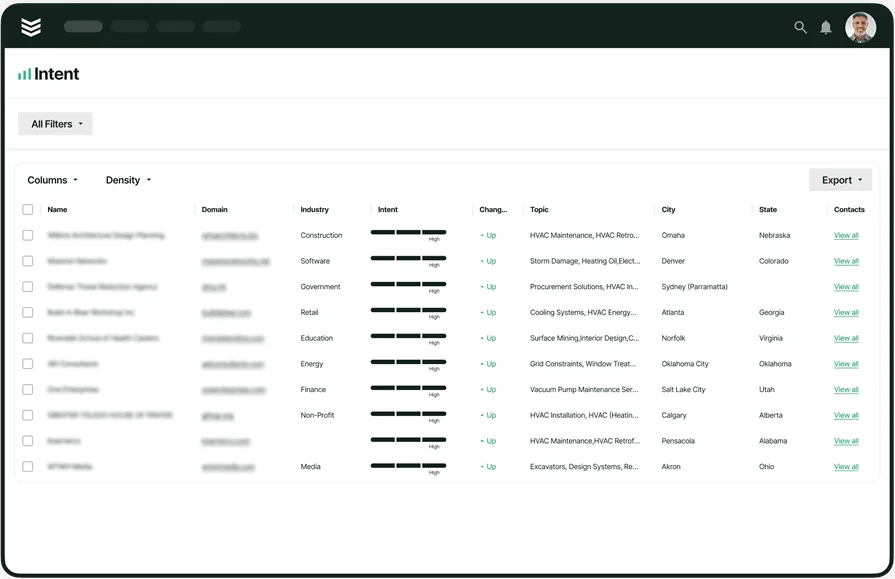
Mechanical bids live in the details, alternates, and follow-ups, so a connected field service CRM keeps measured scope tied to the opportunity from first walkthrough to awarded job. Can sales tag scope by site, system, and phase? Can ops see what was included without digging through emails? Think about a facilities group approving two boiler replacements while pushing three pump packages to next quarter, the CRM should keep each scope line separate so scheduling and purchasing do not move on work that is not released.
4. Technician mobile app for execution
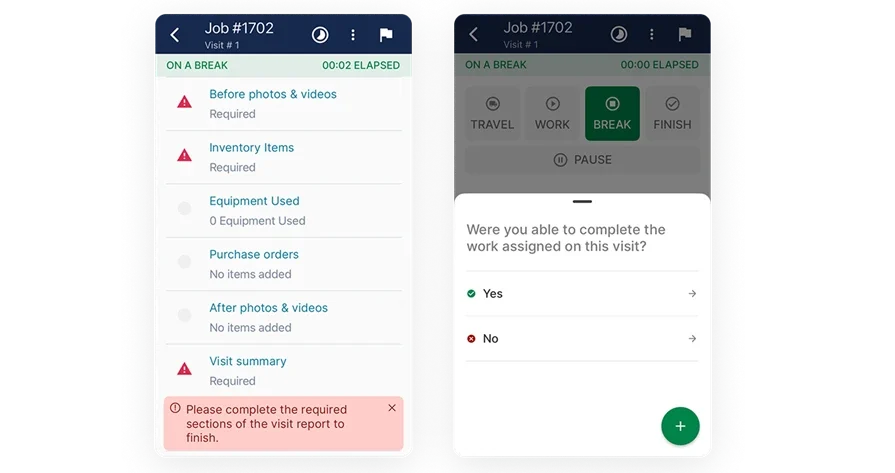
The field needs what estimating promised, in a format that holds up on a roof, in a ceiling plenum, or in a mechanical room. A technician mobile app should surface plan snippets, pick lists, and task counts tied to the work order. Can the lead tech confirm quantities, log actuals, and flag exceptions on site? On a hydronic tie-in, techs can verify valve sizes, flange kits, and insulation requirements before the system gets drained, which cuts rework and avoids a second trip.
5. Pricing controls and change-order agility
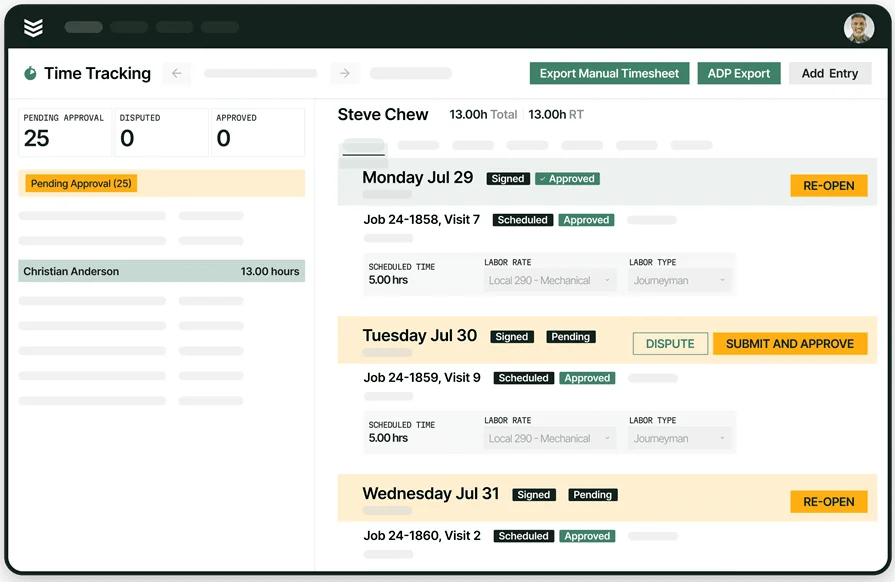
Mechanical work changes fast once walls open and access gets real, so your estimating engine needs feedback from production. With time tracking tied back to assemblies, you can tighten labor units based on actual crew performance and conditions. Can you separate shop hours from field hours? Can you spot where access, night work, or infection-control rules add labor? After a run of VAV swaps in occupied spaces, time tracking can reveal where productivity drops, so your next takeoff-backed quote reflects real install time instead of best-case assumptions.
Other valuable features for takeoff software for mechanical contractors
Strong mechanical contractor takeoff software connects scope to billing, reporting, recurring work, and fleet coordination
- Invoicing and payments: Push approved scope into invoicing, then collect faster with integrated payments
- Reporting and job cost visibility: Use reporting to compare estimated quantities to actuals by phase, system, and crew
- Service agreements: Template recurring scopes with service agreements so maintenance work stays consistent across visits
- Fleet coordination: Align truck capacity and equipment needs with fleet management workflows tied to material lists
Next, the guide stacks leading platforms and shows which ones handle these workflows without extra admin.
6 best takeoff software for mechanical contractors
Service-driven mechanical teams need takeoffs that hold up after the bid. That means counts that can turn into labor plans, purchase lists, and work orders without your team rebuilding scope in three different places. These picks focus on mechanical takeoff software that supports install, maintenance, and repair work where techs stay in the field and decisions happen fast.
1. Best for commercial service teams: BuildOps
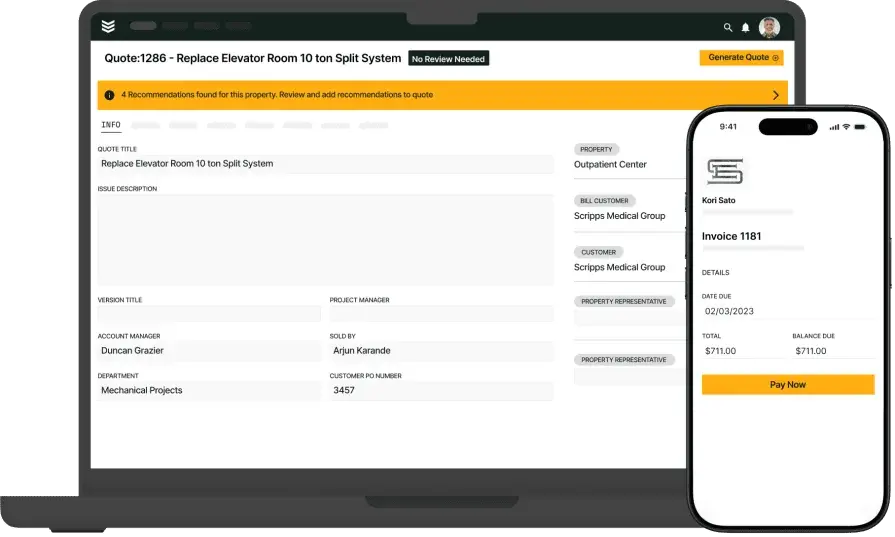
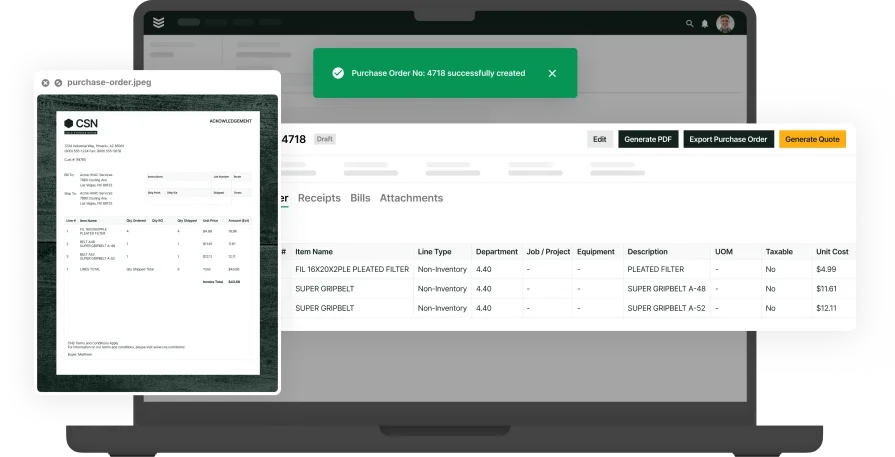
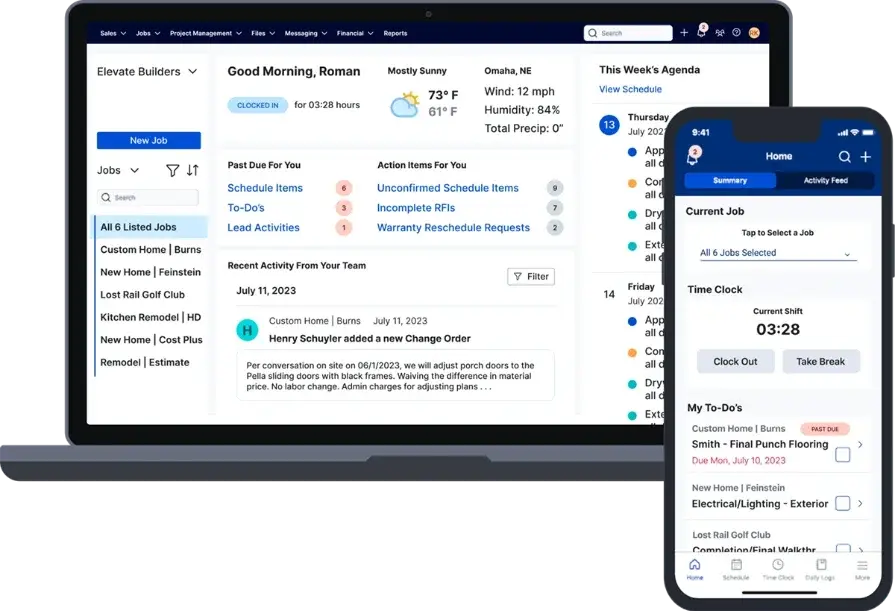
BuildOps connects takeoff-driven scope to daily service execution, so your estimator’s assemblies do not die in a spreadsheet. The same counts can carry into quoting, scheduling, dispatch, purchasing, and job cost visibility, which keeps office and field working from one set of numbers.
When a PM has to pivot crews after an emergency call, the team can still trust what was sold, what was staged, and what the tech has to complete on-site.That connected flow stands out for mechanical shops juggling service tickets, planned maintenance, and project work under one roof.
How pricing works: Subscription licensing with modular packages that align to team size and scope
Features beyond takeoff: Scheduling and dispatch, quoting, CRM, technician mobile, invoicing and payments, reporting, service agreements, time tracking, and fleet coordination
What sets it apart for commercial mechanical: Strong estimate-to-actual feedback that helps leaders catch labor drift early and fix it while the job is active
2. Best for residential: Buildxact
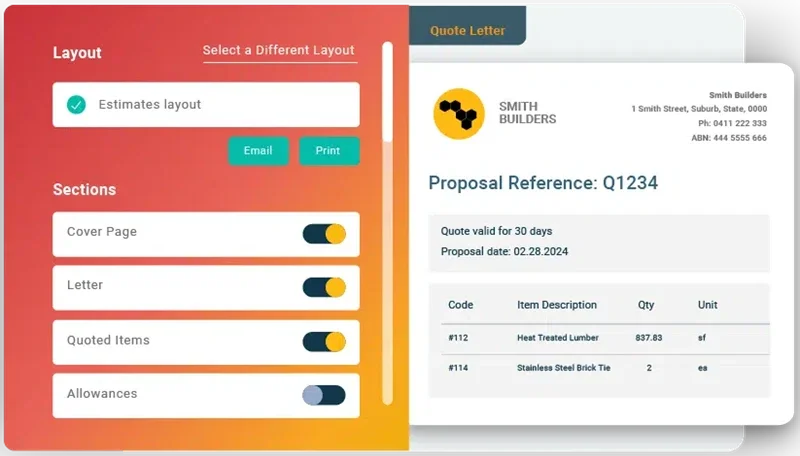
Buildxact leans into templated estimating and quick takeoffs that help smaller teams price repeatable scopes without a heavy setup. It can work well when you quote a high volume of similar jobs and want a clean estimate output with minimal friction. For many mechanical service operations, the gap shows up once the job leaves estimating, since deeper field handoffs, technician tasking, and complex MEP assemblies can feel limited.
How pricing works: Tiered subscription with user and feature levels
Features beyond takeoff: Estimating libraries, proposal generation, light scheduling, and client portals for approvals and variations
What sets it apart for residential: Homeowner-facing estimate workflows that keep scope and selections organized
3. Best for general contractors: Procore
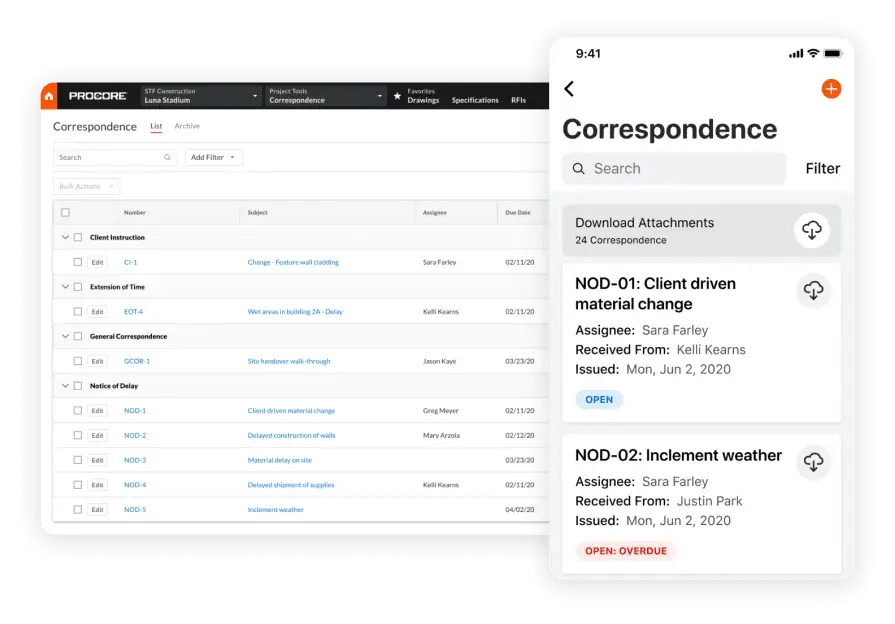
Procore pairs takeoff with a broad project management suite, covering RFIs, submittals, document control, and financial workflows that matter on stakeholder-heavy jobs. That depth can help when your mechanical scope lives inside a GC-led process with strict coordination and compliance requirements. Service divisions that need fast quoting, quick dispatch moves, and technician-first execution may find it slower to operate day to day, especially when the work mix includes high-churn service calls.
How pricing works: Annual subscription priced by product bundle and company profile
Features beyond takeoff: Drawing and document control, correspondence and change management, subcontractor collaboration, and audit trails
What sets it apart for general contractors: Enterprise coordination controls for complex, multi-party project environments
4. Best for cloud takeoff collaboration: STACK
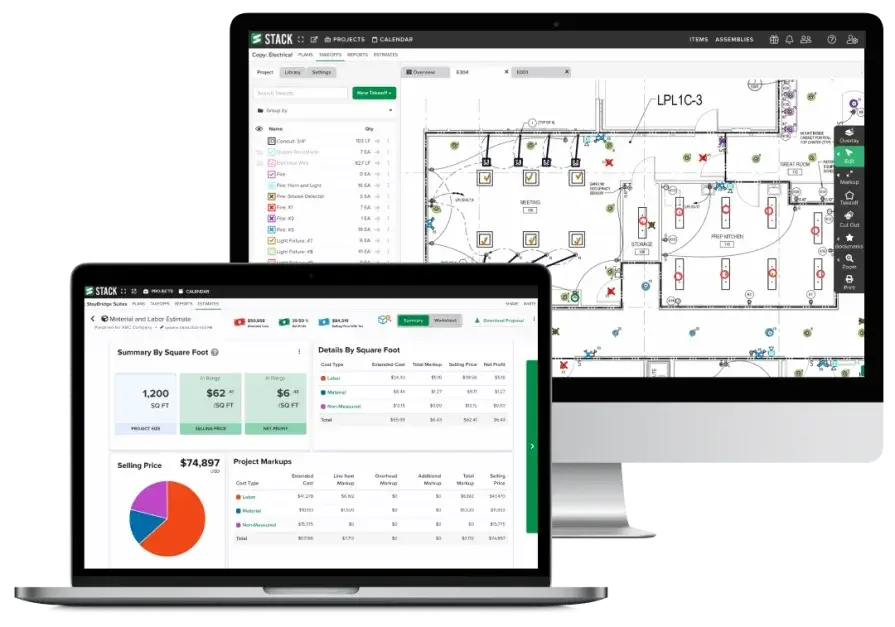
STACK can fit teams that need plan sets, markups, and quantity outputs in one shared workspace, especially when several estimators touch the same bid log. For mechanical scopes, it helps keep duct, pipe, equipment tags, and alternates organized when addenda keep landing. If your operation expects takeoff to drive field execution inside a single service platform, you will still end up stitching handoffs across separate systems.
How pricing works: Pricing varies by package and seat count
Features beyond takeoff: Plan management, collaboration, takeoff outputs, estimating workflows, exports
What sets it apart for mechanical teams: Centralized plan access and multi-user takeoff that supports fast revision cycles for takeoff software for mechanical contractors
5. Best for fast 2D takeoff and spreadsheet handoff: PlanSwift

PlanSwift is a common pick when your estimating team wants quick 2D measurement, custom assemblies, and clean exports that drop into your existing Excel-based bid templates. Mechanical shops use it to measure duct runs, pipe by system, and counts like diffusers, grilles, and equipment while keeping a consistent click-to-item workflow. If you want quantities to carry into dispatch, technician tasking, and closeout without manual translation, PlanSwift can leave a gap after estimating.
How pricing works: Pricing varies by license type and add-ons
Features beyond takeoff: Templates, assemblies, takeoff tools, exports, integrations via add-ons
What sets it apart for mechanical teams: Straightforward 2D takeoff speed for teams that already have pricing and labor models dialed in outside the platform
6. Best for client communication on small jobs: Buildertrend
Buildertrend can fit mechanical teams that lean into proposals, approvals, and customer updates on smaller retrofit packages or install work with frequent scope decisions. It stands out when the job needs clear documentation, change tracking, and a client-facing paper trail that stays easy to follow. For commercial mechanical service groups running dense dispatch boards and trade-specific assemblies, it may feel light on field controls and takeoff depth.
How pricing works: Subscription plans that vary by company needs and features
Features beyond takeoff: Proposals, client portal, scheduling, change orders, job documentation, billing tools
What sets it apart for mechanical teams: Strong customer communication and approval workflows that help keep scope decisions visible without living in email threads
7 benefits of using mechanical takeoff software
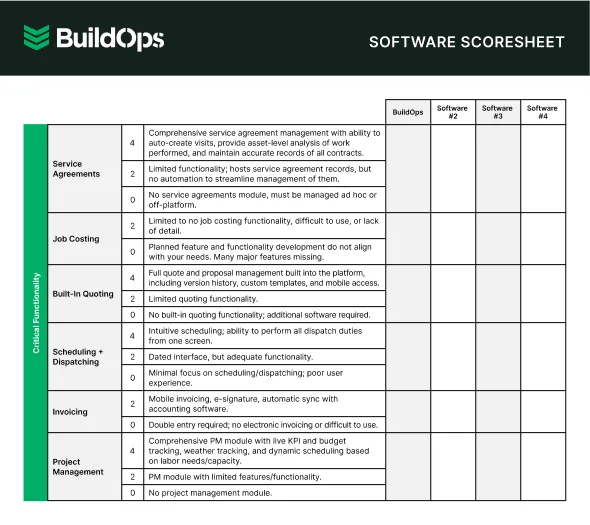
Veteran crews move fast when estimates talk to the field. Mechanical takeoff software turns plans into quantities that drive labor hours, purchase lists, and work orders across install, maintenance, and repair. Use these benefits to judge tools the same way your team runs jobs on-site.
1. Faster approvals and cleaner handoffs
Accurate counts flow into scope, alternates, and pricing without re-entry. Sales sends a polished proposal, the customer signs, and ops receives labor targets and material lists tied to the same quantities. That single thread cuts guesswork between estimator, dispatcher, and foreman when service tickets and small projects overlap.

If you want examples of how takeoff data plugs into automation and day-to-day workflows, review these top use cases for AI field service and map them to your takeoff-to-work-order handoff.
2. Clearer pipeline forecasting

Every opportunity carries measured scope, not gut feel. That lets you forecast labor demand, long-lead buys, and crew availability with fewer surprises. When estimating ties into your broader mechanical contractor project management software, PMs can see what is likely to win and prep staffing before the schedule turns into a scramble.
3. Estimate-to-invoice consistency
Small math errors create big write-offs. A strong workflow keeps assemblies, change lines, and taxes consistent from takeoff to pricing to invoice, so customers see exactly what the crew installed. On service work, that alignment cuts back-and-forth when a tech swaps fittings due to access or code requirements. See how mobile workflows support this in the guide to mechanical contractor apps.
4. Material planning that matches the job
Counts only help when purchasing can act on them. Itemized takeoff tied to your catalogs and cost codes helps buyers release POs on time, stage consumables, and kit trucks correctly. Field teams avoid dead time from missing fittings, wrong gauges, or forgotten supports because the takeoff already called them out by system and location.
5. Fewer billing disputes
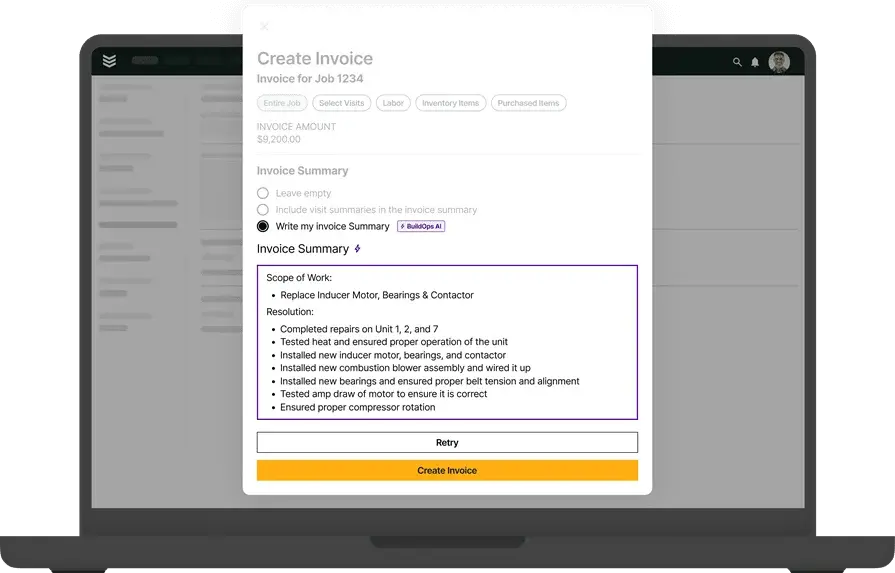
Clear line items and summaries linked back to measured scope reduce noise when the invoice hits the customer’s desk. That matters on T&M heavy accounts where the client wants proof of what changed and why. If your team treats estimating as part of field service operations, you can keep approvals, documentation, and billing aligned from the first count to closeout.
6. Real labor accountability
When time entries reference measured tasks, PMs can see labor burn against the assemblies that drove the bid. Overruns show up early, not at closeout, so supervisors can adjust crew mix, sequencing, or prep work before margin slips away. Shops that connect takeoff labor targets to planning habits in contractor scheduling software gain a practical way to compare planned hours to actual hours by system type and site conditions.
7. Stronger service call triage and upsell
Takeoff data enriches the service history. Dispatchers know installed quantities, equipment types, and past alternates before the truck rolls, so the call gets routed to the tech with the correct skill set and stock. Techs arrive with context, spot follow-up work, and document changes cleanly when the scope shifts in the field. For workflow examples, review how teams handle triage in contractor dispatch management and apply the same discipline to mechanical contractor takeoff software handoffs.
{{related-content-block="/resources/ai-field-service-assistant"}}
4 important mechanical takeoff software FAQs answered
Pros ask sharper questions because takeoff touches scheduling, dispatch, purchasing, and closeout. These answers focus on field execution and control for teams running install, maintenance, and repair from the truck and the office.
1. What is mechanical takeoff software?
Mechanical takeoff software converts plan sets into quantified duct, pipe, fittings, hangers, insulation, and equipment counts, then ties those quantities to labor units and material lists so estimators, dispatch, and field leads work from one scope across service calls and small projects.
It should also preserve assemblies and alternates so scope stays consistent from quote to closeout.
2. How does mechanical takeoff software work?
At a high level, it should reduce clicks and protect scope through revisions. You import plans (PDF or BIM outputs), set scale, apply your assemblies, and measure by system and area so counts land in a structured cost model.
Strong platforms track revisions as deltas, keep an audit trail on changes, and export quantities in a format your ops stack can use without rework, which is where takeoff software for mechanical contractors separates itself.
3. Is mechanical takeoff software worth the price for mechanical service teams?
If your team runs tight schedules, the value shows up in fewer misses and faster cycles. Yes, when it reduces estimate labor, prevents material shortfalls, and tightens labor planning with fewer write-downs. The payback comes from repeatable assemblies, cleaner change control, and fewer truck rolls caused by missing parts.
Mechanical contractor takeoff software pays for itself fastest when you bid often, revise often, and execute with a field-heavy crew where small scope gaps turn into real cost.
{{related-content-block="/resources/customer-success-highlight-on-site-with-jackson-mechanical"}}
4. What are the best practices for using mechanical takeoff software?
Treat takeoff as the first step of field execution, not a bid-only task. These practices keep counts, pricing, and on-site work aligned.
- Standardize assemblies with approved labor units, waste, and crew assumptions
- Map takeoff items to part numbers, cost codes, and job cost buckets before bidding
- Segment scope by system, area, and phase so handoffs stay clean
- Use version control on every addendum and track quantity deltas by revision
- Push approved quantities into work orders and purchasing requests without retyping
- Deliver mobile pick lists and plan snippets to the crew lead on every job
- Require photos and notes when field conditions force quantity or spec changes
- Reconcile time entries against measured tasks weekly to catch drift early
- Compare estimated quantities to actual installs at closeout and update assemblies
- Archive final takeoffs, revisions, and outcomes to tighten future bids
Mechanical takeoff software pays off when your quantities keep their value after the bid. The best setups turn counts into action: crew hours that match reality, material lists that hit the truck on time, and work orders that techs can run without backtracking.
A lot of platforms handle takeoff well, then leave you to rebuild scope across scheduling, dispatch, quoting, and closeout. That mix-and-match approach is where margin leaks out, especially when revisions keep landing. BuildOps covers takeoff plus the rest of commercial field service management in one place, so the same scope can drive planning, execution, billing, and reporting without your team retyping the job three different ways.
If you want to see how that looks with your workflows, schedule a free demo. No pressure. Take a look, ask hard questions, and keep it moving if it does not fit.