How To Provide More On-Site Field Services for Techs

Onsite field service work gets easier to scale when every job runs on the same playbook: clear scope, clean dispatch, tight documentation, and fast handoffs between the field and the office. Contractors in the field service industry win when software connects scheduling, work orders, checklists, time, parts, photos, and customer sign-off into one workflow, so crews stay focused and coordinators stay in control.
Here’s what we’ll cover:
- What are on-site field services?
- 4 common types of on-site field services
- 7 benefits of on-site field support
- How to provide more on-site field services
- Top 3 on-site field service solutions
Before you add crews, trucks, or territory, lock in the fundamentals that keep on-site field services consistent. Up next, we will define what on-site field services include, and what they do not, so you can tighten standards across every job and every tech.
What are on-site field services?
On-site field services refer to trade work done at a customer site covering installs, repairs, inspections, and preventive maintenance. A solid onsite field service process has techs log time, parts, photos, and sign-off on the spot keeping onsite field support aligned across every job, start to end.
When you standardize the workflow, crews stay consistent and the office stays current. Status updates, checklists, and closeout details land in one place, so nobody chases missing notes or rekeys job info.
{{related-content-block="/resources/field-service-management"}}
4 common types of on-site field services
On-site field services usually fall into a few repeatable categories. When you label the work correctly and standardize how your team runs each type, onsite field service delivery gets consistent and onsite field support stops feeling like a scramble.
Installation
Install work runs best when you lock in scope before the first site visit. Use a clear work order, a tight material list, and a step-by-step checklist your techs follow every time. Close the job with photos, commissioning notes, and a customer sign-off, so the office has clean documentation without back-and-forth.
Maintenance
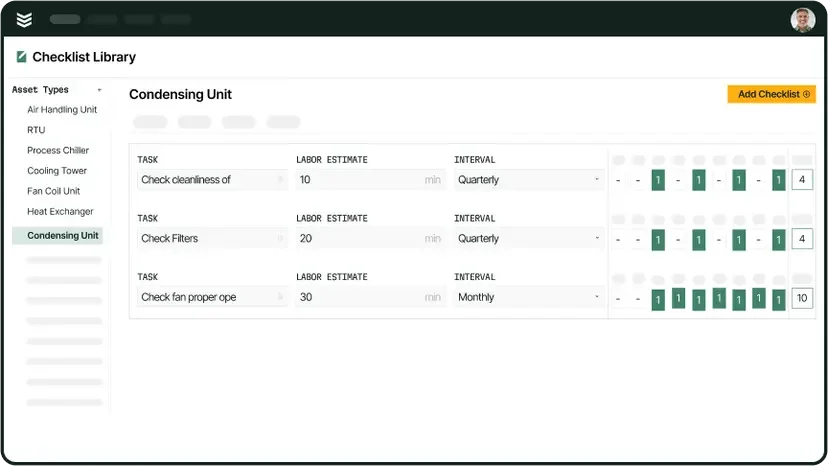
Maintenance work depends on cadence and consistency. Set recurring schedules, assign asset-based checklists, and keep service history attached to the equipment so techs know what happened last visit. Track parts used and follow-up needs in the same workflow, so preventive work stays organized and customers see steady results.

On-site field services stay on schedule when every asset has a clear cadence, checklist, and service history tied to the job. That is where maintenance tracking software helps by keeping intervals, inspections, and closeout notes organized in one workflow.
Repair
Repair work needs speed without cutting corners. Standardize your diagnostic steps, capture symptoms and test results in the work order, and log parts and labor as the job moves. Build a quick approval path for change orders, so techs keep momentum and the office stays aligned on scope and cost.
Emergency
Emergency calls demand control under pressure. Set dispatch rules for priority, coverage, and escalation so the duty tech knows what to do and who to call. Require safety notes, arrival timestamps, and a tight closeout summary, so the customer gets clarity and the office gets a complete record.
Once you map these service types and run each one with the same standards, you cut rework and confusion across the board. Next up, we will break down the biggest benefits of onsite field support and why it pays off in day-to-day operations.
7 benefits of on-site field support
Onsite field support keeps onsite field service work tight from intake to closeout. When the office and the field run on connected workflows, on-site field services stay consistent across every tech, site, and job type.
- Clear job intake and scope: A solid field service ticketing system captures the request, site info, priority, and attachments up front so techs start with clean direction and fewer surprises
- Steadier calendars and tighter planning: Field service scheduling software helps you match skills to tasks, balance coverage, and lock the day so on-site field services stay predictable
- Faster assignments with live job status: A field service dispatch app keeps ETAs, job progress, and reassignment updates visible so coordinators stay ahead and crews stay moving
- Cleaner closeouts and job proof: Consistent field service reporting standardizes photos, checklists, notes, and sign-off so every job closes the same way without missing details
- Real visibility into team performance: Tracking field service metrics KPIs helps you spot delays, repeat callbacks, and workload gaps so you can coach with facts and tighten execution
- Smoother billing handoffs: A clear process backed by a field service invoicing guide keeps labor, parts, approvals, and closeout notes aligned so billing reflects what happened on site
- Stronger customer history and repeat work: Field service CRM software keeps contacts, site notes, and service history in one place so techs arrive informed and onsite field support stays consistent
These benefits show up when you run each job type with the same standards and the same flow of information. Next, we will walk through how to expand on-site field services without adding admin drag.
How to provide more on-site field services
Onsite field service growth comes from repeatable execution, not heroics. When you standardize how on-site field services get scheduled, dispatched, documented, and closed out, onsite field support stays steady even as volume climbs. Software that keeps the field and office on one workflow turns that consistency into capacity.
1. Run the day off one schedule and one dispatch board

Treat scheduling and dispatch as a single system, not two separate steps. Connect your calendar to scheduling and smart dispatch software so coordinators can assign by skill, location, and priority without juggling spreadsheets. Lock job details inside the work order, push updates fast, and keep everyone looking at the same status.
2. Have a reliable tech mobile app
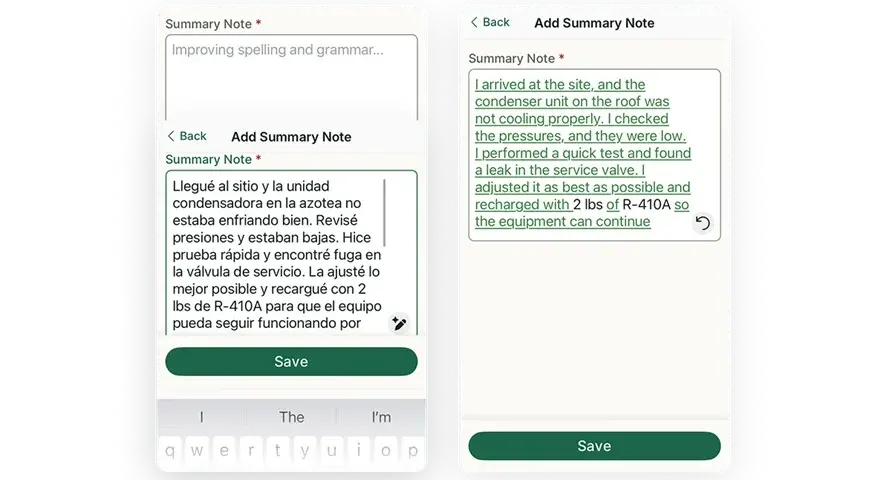
Give techs one tool that covers the whole visit, start to finish. A solid technician mobile app keeps work orders, checklists, photos, notes, and customer sign-off in one place. That keeps closeout clean and cuts call-backs between the field and office.
3. Match work to skills and protect productive hours

Assign jobs based on what the tech can actually complete on-site that day. Track labor and travel with time tracking and keep vehicles, availability, and location organized with fleet management so dispatch can plan with real constraints. Use reporting to spot repeat slowdowns and tighten the playbook.
4. Quote fast and keep your pipeline organized

Speed comes from clean intake and clean follow-up. Keep leads, customers, and site details in one place with field service CRM, then turn approved work into action with service quoting software. Your office stays on top of pending approvals while techs stay focused on booked work.
5. Turn recurring work into a system
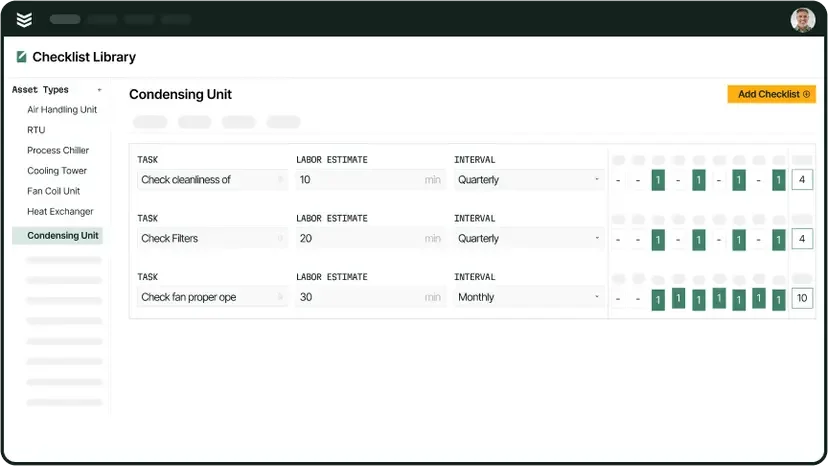
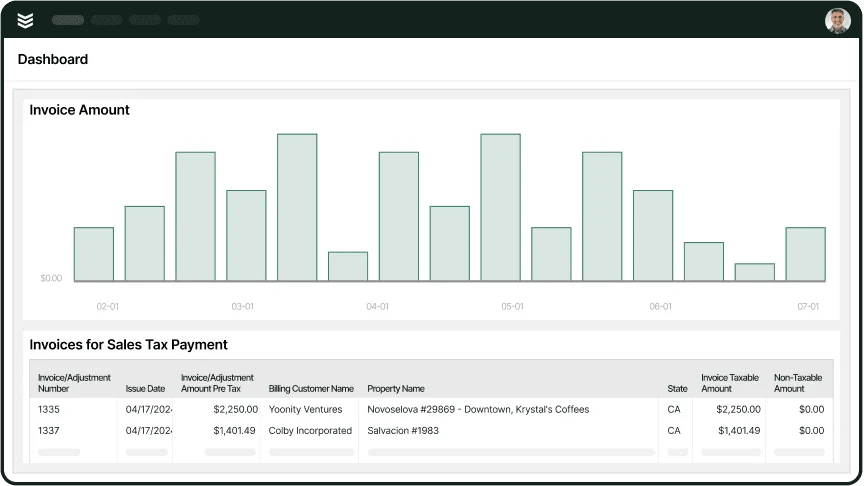
Package preventive visits and recurring service into clear scopes, checklists, and cadence using service agreements. Tie completed work to billing with invoicing and collect without chasing using payments. You build a steady base of scheduled work, and the office keeps control of closeout and cash flow.
{{related-content-block="/resources/remote-field-service-software"}}
Top 3 on-site field service solutions
When you are running onsite field service work, the tool you pick has to keep the office, dispatch, and technicians locked in on the same plan. Strong on-site field services software keeps tickets clean, schedules tight, and onsite field support consistent from first call to closeout.
1. Best for commercial: BuildOps

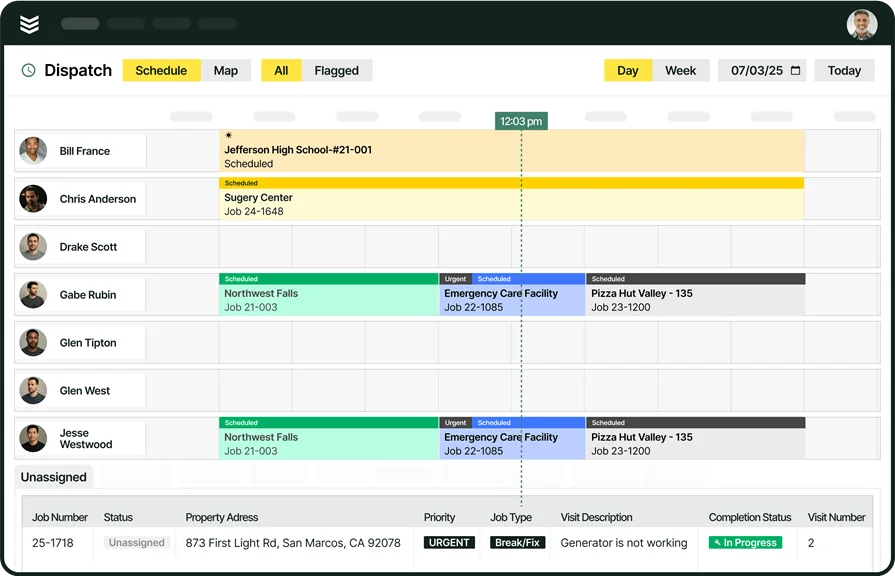
BuildOps helps commercial service contractors manage onsite field service without losing control of the day. It keeps dispatch, job details, and technician updates connected, so field teams and the back office stay aligned across installs, maintenance, and repair work.
How Pricing Works: BuildOps offers custom pricing based on your company size, the features you want, and user count.
What Sets It Apart: BuildOps focuses on commercial workflows where jobs move fast and documentation matters. Technicians can capture clean daily reporting on-site, while leaders get visibility into progress, labor activity, and job status without chasing updates.
2. Best for residential: ServiceTitan

ServiceTitan is a platform for residential service businesses that want a broad system for dispatch, customer communication, and operational tracking. It stands out with a deep feature set and add-ons that support high-volume home service operations. It may not be the ideal choice for teams that need commercial-first onsite field service workflows across complex sites and job types.
How Pricing Works: ServiceTitan uses per-technician pricing and asks you to request pricing based on package and needs.
What Sets It Apart: ServiceTitan leans into packaged tools and training geared toward residential service growth, which can help standardize processes across a busy home-service schedule.
Curious which tool is better for your business and how you do things? We compare ServiceTitan and BuildOps features side-by-side so you can see for yourself.
3. Best for general contractors: Jobber
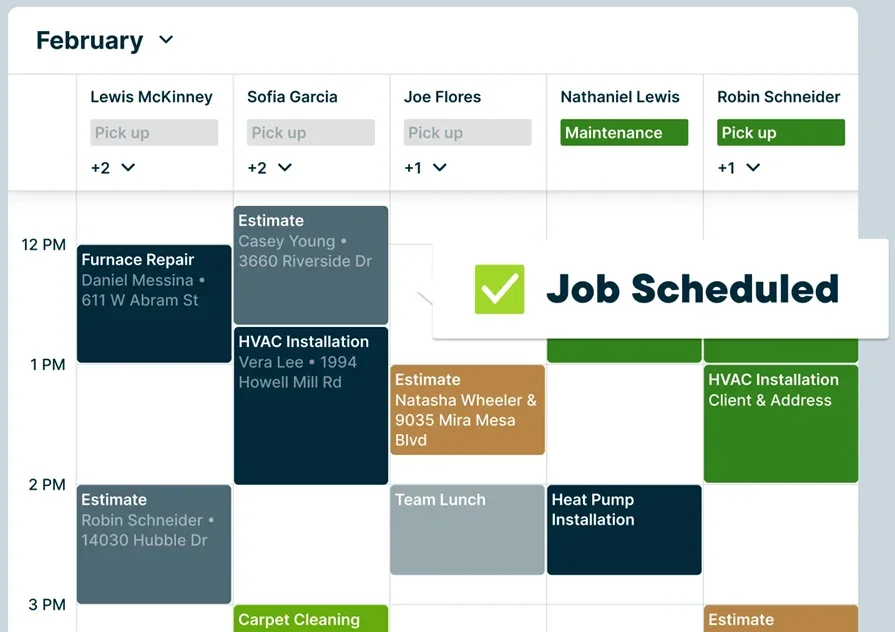
Jobber is a solid pick for smaller teams that want an easy system for quoting, scheduling, and job tracking without a heavy setup. It stands out for its simple interface and quick adoption across everyday service work. It may not be the ideal choice for large commercial teams that need deeper controls for on-site field services across several crews, sites, and service lines.
How Pricing Works: Jobber offers tiered monthly or annual plans, with pricing that scales by plan and user needs.
What Sets It Apart: Jobber keeps the core workflow easy to run, which helps general contractors stay organized when the priority is speed, clean communication, and consistent follow-through in the field.
{{related-content-block="/resources/how-jbs-took-back-control-with-build-ops"}}
To grow on-site field services, keep the work clean and repeatable. Standardize the onsite field service flow from dispatch to tech updates to closeout, then use reporting and service agreements to keep onsite field support consistent across every job.
Plenty of tools cover one piece, then force your team to juggle separate systems for scheduling, dispatch, quotes, customer info, job notes, time, billing, and payments. Those gaps create missed details and extra admin. BuildOps keeps field service management in one connected platform, so crews work and the office stays in control.
If you want to see how that setup would run for your team, book a free demo. No pressure, just a quick walk-through for dispatchers, techs, and the back office.