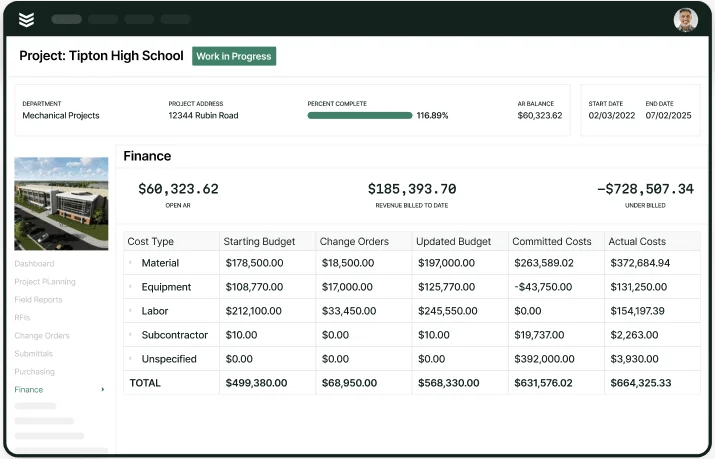
6 Best QuickBooks-Compatible Scheduling Tools for Crews

Service teams run on tight schedules—tech availability, drive time, emergency calls, and customer windows all move at once. When job details live in one place and accounting lives in QuickBooks, the day turns into double entry, missed updates, and calendar confusion. Scheduling software compatible with QuickBooks helps keep scheduling and financial records aligned as jobs change in real time.
In the field service industry, that connection matters because your schedule controls what gets done in the field and what gets billed in the office. Scheduling software that integrates with QuickBooks supports cleaner handoffs from dispatch to completion, so field service scheduling can stay consistent across your team.
Here is what we will cover:
- How QuickBooks ties in scheduling for service businesses
- 7 benefits of using QuickBooks with scheduling software
- Top 6 scheduling software with QuickBooks integration
- Choosing a QuickBooks-compatible scheduling tool for your business
Choosing service scheduling software for QuickBooks comes down to daily workflow: dispatch speed, mobile updates, visibility into capacity, and reliable syncing. When those pieces work together, scheduling software with QuickBooks support helps reduce schedule gaps that lead to lost time and billing delays.
How QuickBooks ties in scheduling for service businesses
Field teams do not have time to chase schedule changes while also handling service calls. When the dispatch calendar and QuickBooks sit in separate systems, your office ends up retyping job details, and your crew gets stuck working off outdated info. Scheduling software compatible with QuickBooks closes that gap by keeping customer details, job types, labor rates, service items, and notes connected to each appointment—so updates made by dispatch show up consistently across the team.
When scheduling software that integrates with QuickBooks also tracks job status, labor time, and materials against the scheduled visit, invoicing gets tied to what actually happened in the field. That connection matters because getting invoices out quicker can get you paid up to 5x faster—and scheduling is often the first domino. QuickBooks service scheduling software helps crews close out jobs cleanly, reduces back-and-forth on corrections, and keeps billing details aligned with the schedule that created the work.
Next—we’ll look at how those scheduling-to-QuickBooks connections pay off in day-to-day operations, from fewer missed appointments to faster billing steps across dispatch and the office.

7 benefits of using QuickBooks with scheduling software
Scheduling falls apart when dispatch runs one calendar and accounting runs another record. Appointments shift, tech availability changes, and job notes get updated—then the office has to reconcile details after the day is done. Scheduling software compatible with QuickBooks helps keep those details consistent, so the schedule and the books match the work your team completed.
The biggest payoff shows up in the handoffs: dispatch assigns the job, the field documents the visit, and the office closes the loop without retyping everything. Here are seven benefits that come from connecting scheduling and QuickBooks in one workflow.
1. Faster invoicing steps after the job is done
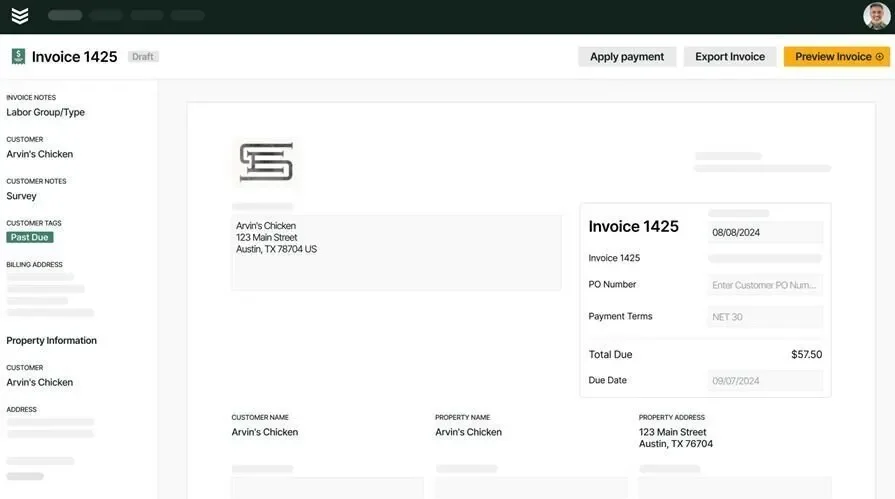
When job details stay tied to the scheduled visit, the office has what it needs to bill without rebuilding the invoice from scratch. That flow is easier to maintain when scheduling and billing tools share the same job record, which is why teams often connect scheduling decisions to how they run their scheduling and invoicing software.
2. Clean data from schedule to ledger
With scheduling software that integrates with QuickBooks, customer details, service items, and job notes stay aligned between dispatch and accounting. That reduces duplicate entries, mismatched customer records, and “which job was this for?” moments when the office tries to close out the day.
3. Live visibility into what is happening in the field

Dispatch needs a clear view of what is in progress, what is completed, and what is running late—without relying on constant check-ins. QuickBooks service scheduling software supports that by keeping job status updates tied to the appointment, so changes are visible across the team. Teams that monitor daily execution through field service dashboards can spot schedule issues early and adjust capacity before the day slips.
4. Stronger communication between dispatch, techs, and office
A schedule only works when everyone sees the same context. When dispatch notes, customer info, and job updates stay attached to the appointment, techs arrive prepared and the office does not chase missing details afterward. That same job thread often lives alongside a field service ticketing system, which keeps requests, updates, and scheduling decisions connected.
5. Reporting that reflects real work, not patchwork
Good decisions come from clean inputs: completed vs. scheduled jobs, labor utilization, travel impact, and revenue by service type. When scheduling and QuickBooks share consistent job details, those metrics stop depending on manual cleanup. That kind of visibility pairs naturally with field service reporting that pulls from day-to-day activity instead of end-of-week guesswork.
6. Smoother handoffs across the entire job cycle
A customer request becomes an appointment. The appointment becomes completed work. Then accounting closes it out. Service scheduling software for QuickBooks helps each step feed the next without rekeying job details, so dispatch, field, and office stay aligned even when the day changes.
7. Fewer gaps when jobs shift mid-day
Schedules change constantly—add-on work, emergency calls, cancellations, and reschedules. Scheduling software with QuickBooks support helps keep job records consistent through those changes, so the office does not spend the afternoon reconciling versions of the truth. For teams that also track work orders alongside scheduled service, QuickBooks-linked workflows often connect into QuickBooks work order management to keep job tracking and accounting aligned.
Top 6 scheduling software with QuickBooks integration
Plenty of platforms claim QuickBooks sync, yet the day still turns into patchy exports, duplicate entries, and schedule changes that never reach accounting. That breakdown shows up fast when crews are moving between job sites for installs, maintenance, repairs, and punch work—especially when dispatch is juggling capacity, travel time, and customer windows.
Below are six options for scheduling software compatible with QuickBooks that teams use to keep field scheduling and QuickBooks records aligned. Each one approaches scheduling differently, so the best match depends on how your crews run work in the field and how your office tracks labor, costs, and job history.
1. Best for commercial contractors: BuildOps
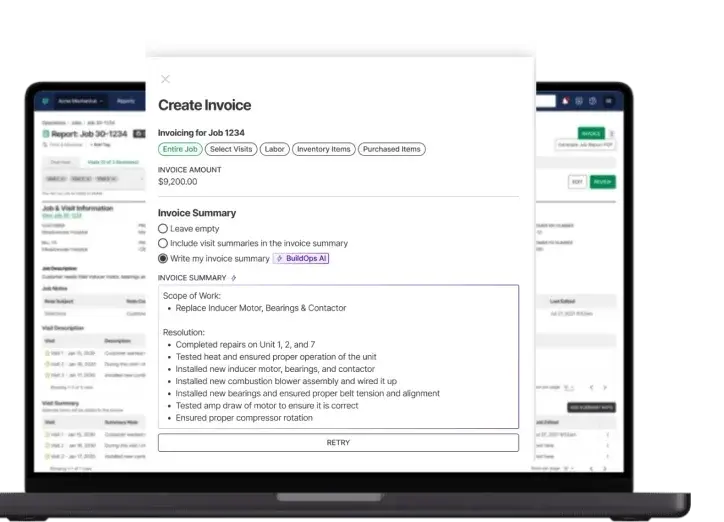
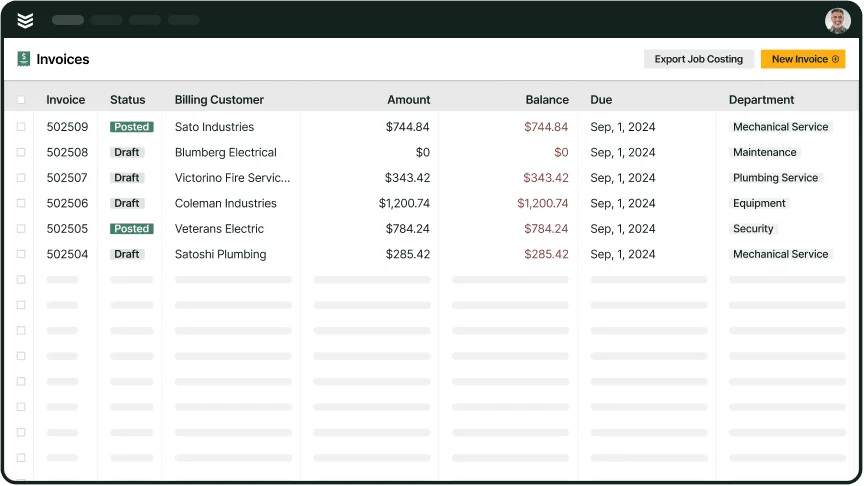
BuildOps supports commercial field service teams that schedule high job volume across multiple sites—ground-up work, install phases, service calls, and ongoing maintenance. Dispatch can manage labor capacity, update assignments as jobs shift, and keep job details consistent from the schedule through accounting with scheduling software that integrates with QuickBooks, so the office is not retyping what the field already documented.
How pricing works: BuildOps uses a custom pricing model based on team size, user count, and the features your operation uses. Pricing is calculated per user, per month, with enterprise-level options available.
Features beyond scheduling:
- Advanced job costing and profitability tracking tied to QuickBooks
- Smart scheduling and dispatch to reduce job overlap
- Workflow customization for complex service operations
- Asset and equipment tracking for service agreements
What sets it apart for commercial work: BuildOps connects dispatch, job tracking, and QuickBooks in one operational flow, which helps commercial teams manage service agreements, preventive maintenance, and multi-location scheduling without gaps between field updates and office records.
2. Best for residential contractors: Housecall Pro
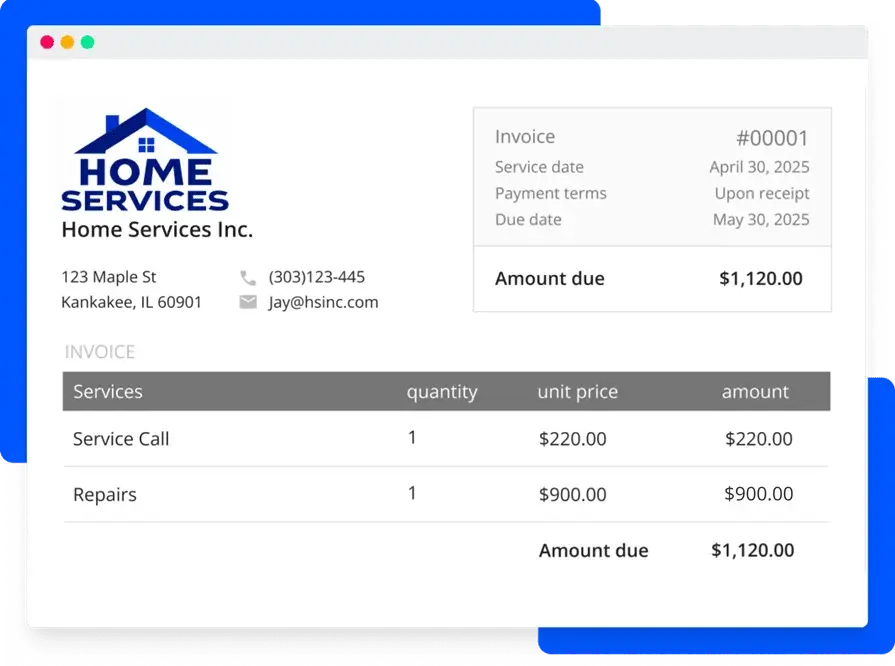
Housecall Pro combines scheduling with customer communication tools that help residential teams book, confirm, and manage visits while techs are in the field. It also offers a QuickBooks integration that can keep customer and job details connected to QuickBooks, which supports cleaner handoffs after a job is completed. For commercial teams that rely on deep customization, complex job costing, and multi-day workflows, the platform can feel limiting.
How pricing works: Housecall Pro uses tiered monthly subscriptions that scale by features and number of users. Premium tiers unlock marketing tools, proposals, and automation features.
Features beyond scheduling:
- Online booking and automated customer text alerts
- Mobile app with technician GPS tracking
- Digital invoices and payment options linked to QuickBooks
- Recurring service reminders and scheduling
What sets it apart for residential contractors: Housecall Pro stays straightforward for smaller crews that want a clean calendar, automated customer updates, and QuickBooks-connected records without heavy back-office setup.
See how BuildOps compares to Housecall Pro in our breakdown right here.
3. Best for general contractors and small businesses: Kickserv

Kickserv supports smaller service teams that need scheduling, job history, and customer management in one place, with mobile access for techs handling installs, repairs, and maintenance visits. Its QuickBooks online integration can sync key job activity into accounting, which helps QuickBooks service scheduling software workflows stay consistent when the same job details have to serve dispatch and the office. For larger operations with advanced job tracking and multi-location complexity, it can run light on controls and structure.
How pricing works: Kickserv offers a free solo plan plus paid tiers with monthly pricing based on user count and functionality. Advanced automation, reporting, and custom fields unlock at higher tiers.
Features beyond scheduling:
- Lead tracking and CRM tools for repeat business
- Customer portal with job history, payments, and messaging
- Mobile app for job updates and technician notes
- Drag-and-drop scheduling with status tracking
What sets it apart for small businesses: Kickserv covers the essentials well for teams that want service scheduling software for QuickBooks without extra operational overhead.
4. Best for fast-moving service teams: Jobber
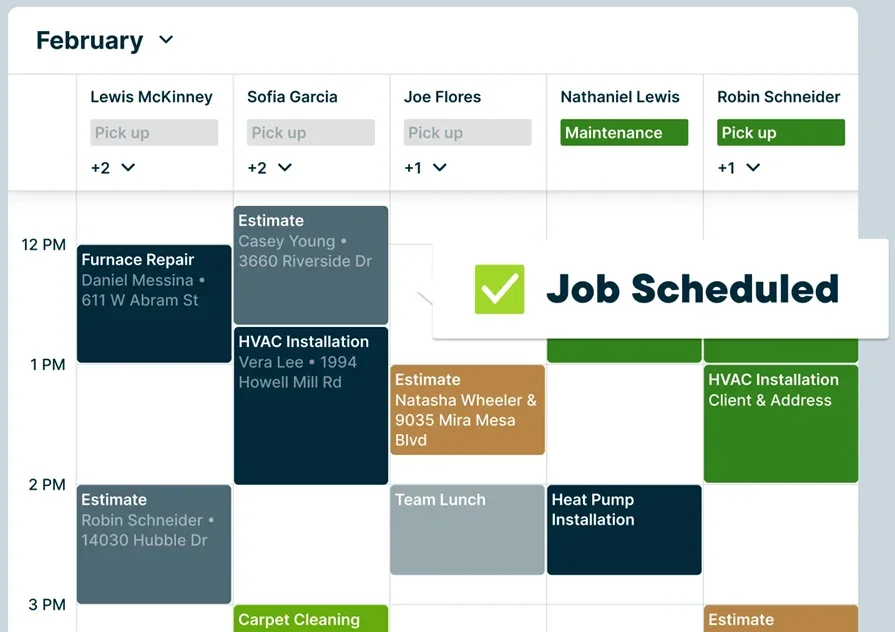
Jobber works well for teams running a steady mix of installs, maintenance, and repair visits where dispatch needs a clear calendar and techs need job details on their phone. When your schedule and accounting stay connected, service scheduling software for QuickBooks helps the office keep customer and job info consistent as crews move from site to site. It may not be a fit for commercial operations that need deep controls for multi-crew coordination, complex job structures, or multi-branch scheduling.
How pricing works: Jobber uses tiered monthly plans that scale by users and feature set.
Features beyond scheduling:
- Customer communication tools tied to each appointment
- Online booking and request intake options
- Mobile app for field updates and job notes
- Job history and customer records for repeat service
What sets it apart for busy service calendars: Jobber keeps scheduling, customer details, and QuickBooks-connected records organized without adding heavy process overhead.
5. Best for mobile-first service teams: ServiceTitan
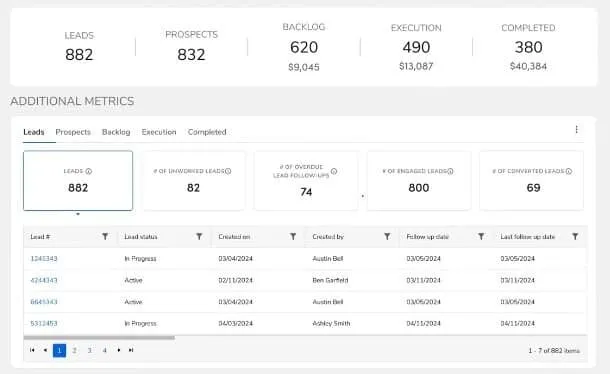
ServiceTitan supports dispatch-heavy teams that rely on real-time schedule changes, field updates, and automated workflows across a high volume of daily calls. As QuickBooks service scheduling software, it helps connect job activity back to QuickBooks so schedule-driven work stays aligned with back-office records as techs close out visits. It may not be an ideal choice for smaller teams that want a lighter setup and a shorter ramp to get scheduling live.
How pricing works: ServiceTitan uses custom pricing based on company size, module selection, and feature requirements.
Features beyond scheduling:
- Mobile app for live job progress and on-site updates
- Automated follow-ups and service agreement tools
- Performance dashboards for dispatch and office teams
- QuickBooks connection that supports consistent financial sync
What sets it apart for mobile-first teams: ServiceTitan prioritizes dispatch visibility and on-the-go execution, which helps crews and office staff stay aligned as the day shifts.
Compare how BuildOps and ServiceTitan stack up against each other if you want to dig in deeper.
6. Best for teams that run on texts and speed: Workiz
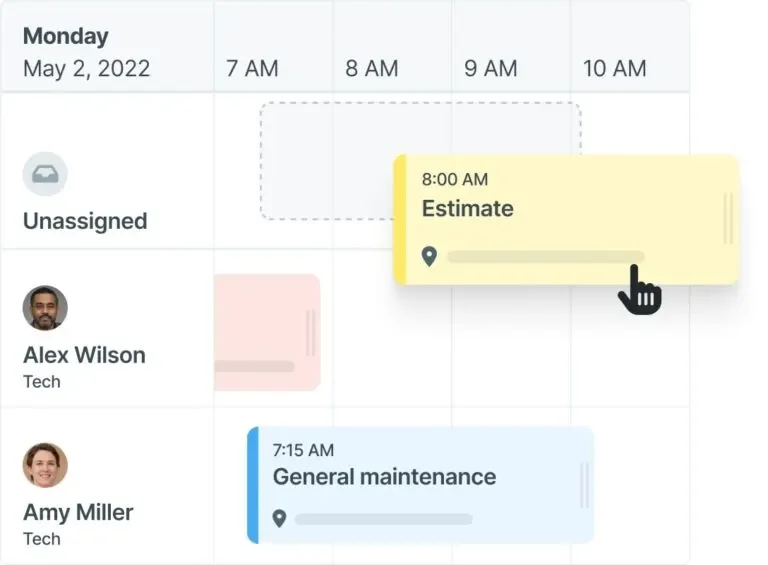
Workiz fits service contractors who manage a constant stream of appointments and need quick communication between dispatch, techs, and customers. When paired as scheduling software with QuickBooks, it supports cleaner handoffs from the schedule to the office, especially when updates are coming in from the field throughout the day. It may not be a fit for large commercial service teams that need advanced capacity planning across many crews, sites, and long-running job timelines.
How pricing works: Workiz uses plan tiers that scale based on users and functionality.
Features beyond scheduling:
- Two-way texting and customer communication tied to jobs
- Online booking options for incoming requests
- Mobile access for tech updates, notes, and status changes
- Customer management tools that stay connected to job history
What sets it apart for communication-heavy workflows: Workiz centers scheduling around fast customer and team messaging, which helps reduce missed updates when crews are in the field.
Choosing a QuickBooks-compatible scheduling tool for your business
Scheduling does not run on its own. It connects to dispatch, job tracking, invoicing, and reporting—so when you evaluate scheduling software compatible with QuickBooks, think past the calendar view and focus on how the schedule stays tied to the financial record as work changes in the field.
A practical starting point is to map how jobs move through your operation—from the first call to the final payment—then compare tools against that reality. Walking through your field service management process workflow makes it easier to spot where details get duplicated, where updates get lost, and where scheduling has to stay synced with QuickBooks to keep job costs accurate. From there, line up the tool’s capabilities with how your crews actually run field service scheduling across installs, maintenance, repairs, and multi-site work.
Here are a few key things to evaluate:
- Does the QuickBooks sync cover the full job record? Look for scheduling software that integrates with QuickBooks in a way that keeps customer details, job types, service items, labor time, notes, and status updates aligned—so the office is not reconciling different versions of the same job.
- Does scheduling match how dispatch works day to day? Some tools handle simple appointments well, while others support crew assignments, capacity planning, zones, and last-minute reshuffles. A strong fit mirrors how you dispatch and how techs update work on-site.
- How much can it automate once the job is scheduled? Confirmations, reminders, status changes, time capture, and job closeout steps reduce admin load and keep billing inputs consistent. This is where QuickBooks service scheduling software can help connect field activity to what accounting needs without re-entry.
- Can it scale with your operation? As you add techs, service lines, and locations, the system should handle growing schedules, recurring maintenance, and heavier reporting demands without forcing a process overhaul.
Avoid tools that act like a digital clipboard. A solid choice supports the full operation—helping dispatch run smoother, helping techs stay updated in the field, and helping the office keep QuickBooks records clean without chasing paperwork. When service scheduling software for QuickBooks fits your workflow, schedule changes stay connected to costs, billing steps, and performance tracking.

If you want practical best practices you can start using today to tighten the handoff from scheduled appointment to billing and payment, this deep dive on field service invoicing lays out what to standardize across the field and the office.
Scheduling is the heartbeat of field work. Without a solid connection to an accounting platform, even strong crews can end up dealing with delayed paperwork, slow approvals, and missed costs. Connecting scheduling software with QuickBooks helps bring consistency to how jobs are scheduled, completed, and accounted for—so every visit shows up in the books the way it happened on-site.
If you manage high job volume across construction sites and service calls, you need a platform that brings dispatch, job tracking, invoicing, and reporting into one clear flow. That alignment keeps schedules realistic, keeps field updates usable, and keeps QuickBooks tied to the work your team completed.