Top 6 QuickBooks-Compatible Service Management Software

You have techs bouncing between calls, dispatch changing the schedule, and the office trying to bill cleanly at the end of the week. If your team runs jobs in one system and accounting lives in QuickBooks, the handoff turns into double entry fast, and that is where hours, parts, and approvals get lost.
That is why service management software compatible with QuickBooks matters for contractors in the field service industry. It keeps job activity, customer details, and billing tied to the same workflow while your crew stays focused on the work.
In this guide, we’ll break down what to look for, what you gain, and which platforms are worth comparing. Here’s what we’ll cover:
- Why QuickBooks integration matters for service businesses
- 7 benefits of using QuickBooks for service management
- Top 6 service management software with QuickBooks integration
- How to choose a QuickBooks-compatible service management tool for your business
Next, we’ll start with why QuickBooks plays such a central role in service management, especially when you run lots of calls across multiple techs and service lines.
Why QuickBooks integration matters for service businesses
Field teams do not have time to babysit admin work. When dispatch, job notes, time entries, parts, and invoicing live in separate systems, your office ends up chasing details and fixing gaps in the books. QuickBooks keeps your accounting steady, but it needs clean job data to do its job. With QuickBooks-compatible service management software, your techs capture labor, materials, photos, and approvals in one place, and your office can bill without retyping every line item.
A connected setup also gives your team real visibility into what is happening across active calls, so billing can go out sooner and stay accurate. That matters because our research shows that getting invoices out quicker can get you paid up to 5x faster. When service activity and accounting stay aligned, you can track costs by job, spot unbilled parts, and keep cash flow tied to real field progress.
Next, we’ll look at the day-to-day benefits contractors see when service management and QuickBooks run in sync.
{{related-content-block="/resources/invoicing-sweet-spot"}}
7 benefits of using QuickBooks for service management
Service calls move fast. When job updates and accounting live in separate places, your team wastes time re-entering details and patching gaps later. Pair QuickBooks with QuickBooks service management software that captures field activity once, then keeps billing and job costing aligned. Here is how that connection pays off.
1. Faster, cleaner invoicing
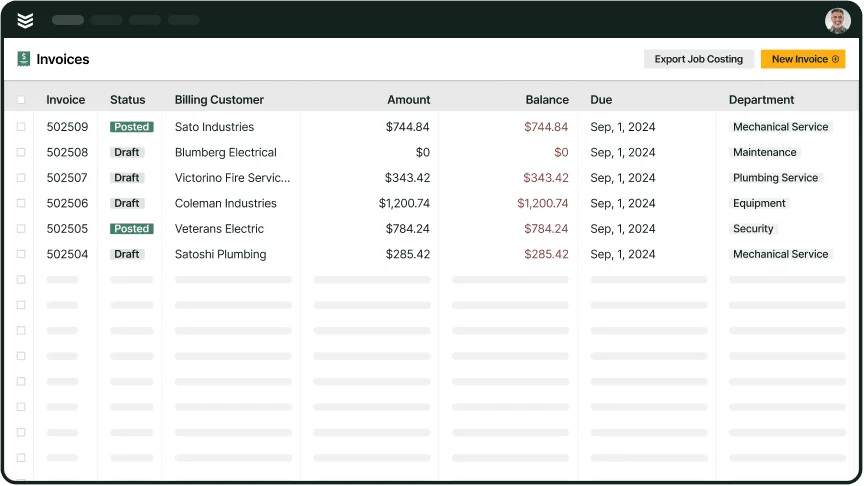
Techs finish the job, capture time and parts, and the office invoices without digging through notes. You cut retyping, reduce billing delays, and keep approvals tied to the ticket. For a clear example of how job records carry through to billing, see QuickBooks work order management.
2. Cleaner job records from ticket to ledger
When techs log labor, materials, and notes on the service ticket, the job file stays complete. Your office can trust what came from the field and post it with fewer corrections. If your tickets still live in texts, paper, or scattered apps, field service ticketing system lays out what a single job record looks like.
3. Real-time job visibility without chasing techs
Managers need to see what is scheduled, in progress, and ready to invoice. With field updates flowing in as the day moves, you spot stalls early and keep jobs moving. If you want a look at the exact metrics leaders track daily, field service dashboards breaks it down.
{{related-content-block="/resources/field-service-dashboards"}}
4. Stronger dispatch handoffs and fewer missed details
Dispatch sets the plan, techs run the call, and accounting needs clean job data. When those handoffs stay connected, the office stops calling for updates and the field stops repeating the same info. If dispatch drives your operation, service dispatch software that works with QuickBooks shows how synced workflows cut the back-and-forth.
5. Better reporting for job costing and pricing decisions
Service margins hide in labor, parts, travel, and callbacks. When your service data matches QuickBooks data, your reports reflect reality and you can price with confidence. For the reporting side of that equation, field service reporting covers the numbers that matter.
6. Smoother workflow from call intake to closeout
A clean workflow turns a request into a scheduled job, then into a completed ticket, then into an invoice. When each step shares the same data, you avoid duplicate entry and missed billables. Scheduling sits at the center of that flow, and scheduling software compatible with QuickBooks shows what to look for.
7. Field-first integration that keeps systems aligned
Some tools export data and leave your team to reconcile the rest. Service management software compatible with QuickBooks keeps field activity and accounting aligned while techs work from the truck and the office tracks costs and billing. If your priority is field execution tied directly to QuickBooks, field service management software compatible with QuickBooks focuses on that field-to-office connection.

Top 6 service management software with QuickBooks integration
A lot of platforms claim QuickBooks integration. Then your tech finishes a call, logs time and parts, and the office still rebuilds the invoice from scratch. That gap shows up as missed labor, unbilled materials, and job costing that never matches what happened on-site.
Below are six options that connect field activity to accounting. Each one supports dispatch, scheduling, service history, and invoicing so your team can run jobs in the field and keep QuickBooks clean.
1. Best for commercial contractors: BuildOps
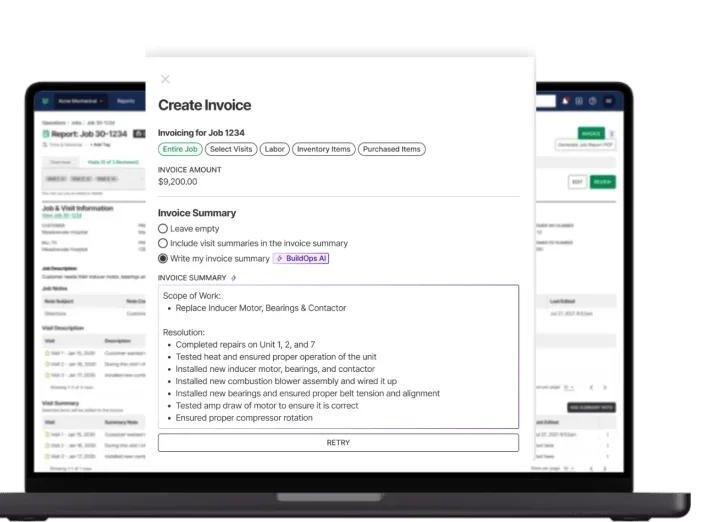
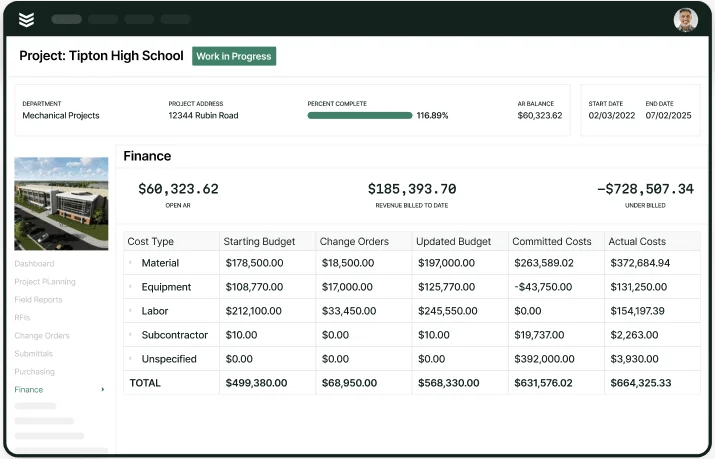
BuildOps gives commercial service teams one place to run the day. Dispatch can assign work, techs can document labor and materials on-site, and the office can invoice with job details already tied to the visit. That matters when you juggle installs, repairs, and planned maintenance across active jobsites and multi-location customers.
How pricing works: BuildOps prices based on team size, user count, and the capabilities you need, quoted per user per month with options for larger operations
Features beyond invoicing:
- Advanced job costing and profitability tracking tied to QuickBooks
- Smart scheduling and dispatch to cut job overlap
- Workflow customization for complex service operations
- Asset and equipment tracking for service agreements
What sets it apart for commercial work: BuildOps supports high-volume service operations with service contracts, preventive maintenance, and multi-site tracking, while keeping the financial side synced in QuickBooks
2. Best for residential contractors: Housecall Pro
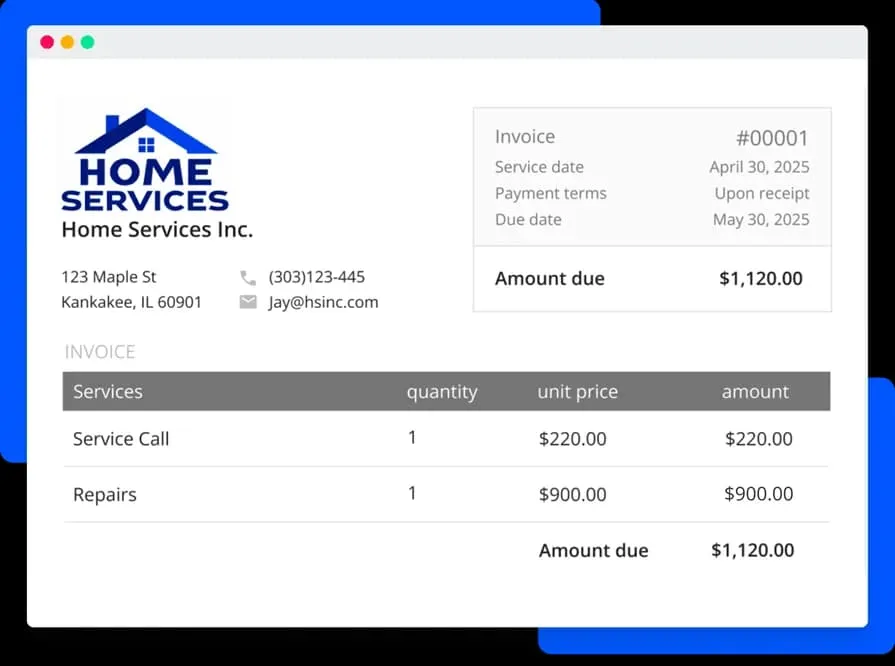
Housecall Pro focuses on residential service work where techs need quick job updates, customer messaging, and payment collection in one workflow. It supports mobile job tracking and can sync key billing data to QuickBooks, which helps the office close out tickets without chasing every detail. Commercial teams that need deeper job costing, multi-site controls, or complex service agreement workflows may hit limits.
How pricing works: Housecall Pro uses tiered monthly plans that scale by features and number of users
Features beyond invoicing:
- Online booking and automated customer text alerts
- Mobile app with technician GPS tracking
- Digital invoices and payment options linked to QuickBooks
- Recurring service reminders and scheduling
What sets it apart for residential contractors: Housecall Pro keeps daily service work simple for smaller teams and connects customer payments and job history with QuickBooks
Check out our comparison on BuildOps vs Housecall Pro to see how they stack up.
3. Best for general contractors and small businesses: Kickserv

Kickserv works well for small to mid-size service teams that want scheduling, job history, and customer management in one system while keeping QuickBooks Online connected. Techs can update jobs from the field, and the office can push invoices and key job details into QuickBooks with less cleanup at the end of the day. Larger commercial service operations that need advanced workflow controls and deeper tracking across complex accounts may outgrow it.
How pricing works: Kickserv offers a free solo option plus paid tiers that scale by users and functionality
Features beyond invoicing:
- Lead tracking and CRM for repeat work
- Customer portal for job history, payments, and messaging
- Mobile app for job updates and tech notes
- Drag-and-drop scheduling with status tracking
What sets it apart for small businesses: Kickserv covers the core service workflow and keeps QuickBooks connected without adding heavy process overhead
4. Best for back-office automation: Smart Service
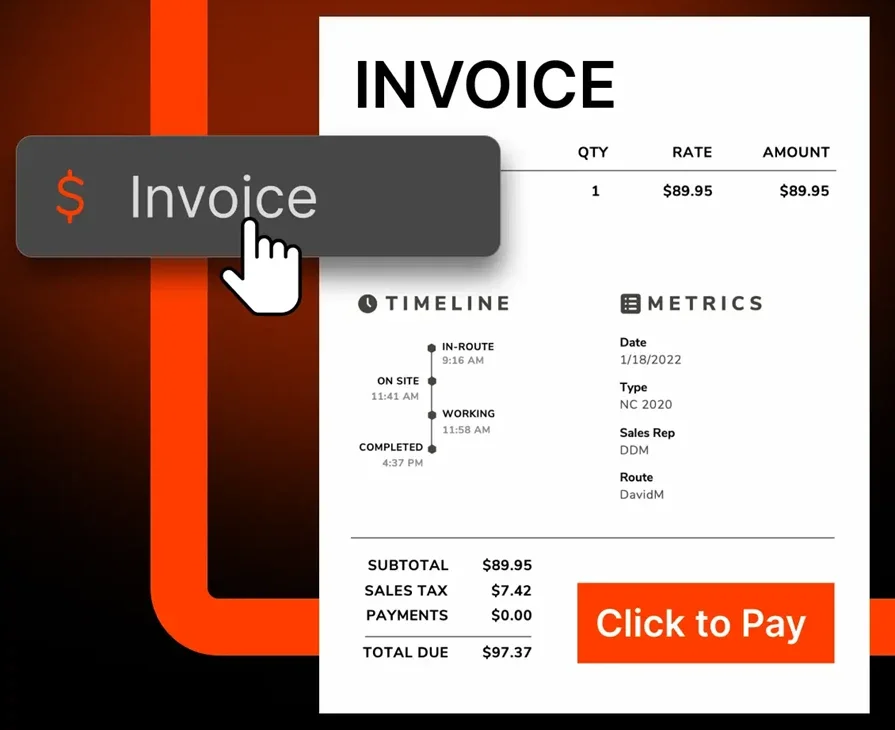
Smart Service plugs service management into your QuickBooks Desktop workflow, so office teams can handle scheduling, customer info, service history, and invoicing without bouncing between a bunch of tabs. It works well when your accounting team lives inside QuickBooks Desktop and you want your service records to stay close to the books. It may not fit teams moving to QuickBooks Online or running cloud-first field operations that need flexibility across devices.
How pricing works: One-time license fee based on number of users, with optional paid support and updates
Features beyond invoicing:
- Service ticket management inside QuickBooks Desktop
- Recurring scheduling with reminders
- Document storage tied to each service order
- Route optimization tools for dispatch
What sets it apart for back-office teams: It keeps service management close to QuickBooks Desktop, which helps office staff stay consistent on customer history, job notes, and billing details
5. Best for inventory-heavy businesses: Acctivate
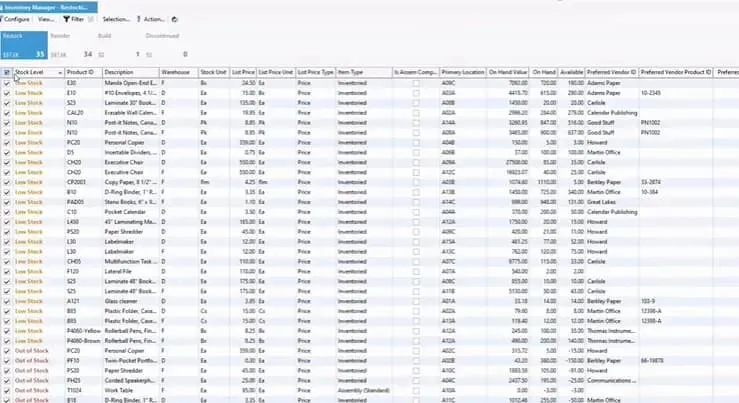
Acctivate focuses on service businesses that juggle stock, orders, and fulfillment alongside on-site work. It ties inventory levels, customer records, and job status back to QuickBooks Desktop, so your team can track what left the shelf, what went on the truck, and what got used on the job. It may not fit contractors who want a lighter service workflow and do not need warehouse-grade inventory controls day to day.
How pricing works: One-time license fee, plus optional support and feature updates through an annual maintenance plan
Features beyond invoicing:
- Order tracking tied to inventory and job data
- Barcode scanning and inventory control
- Serial and lot number tracking for materials
- Real-time syncing with QuickBooks Desktop for financials
What sets it apart for inventory-reliant teams: It connects field operations with inventory logistics, so material usage stays visible per job while QuickBooks stays aligned
6. Best for mobile-first service teams: ServiceTitan
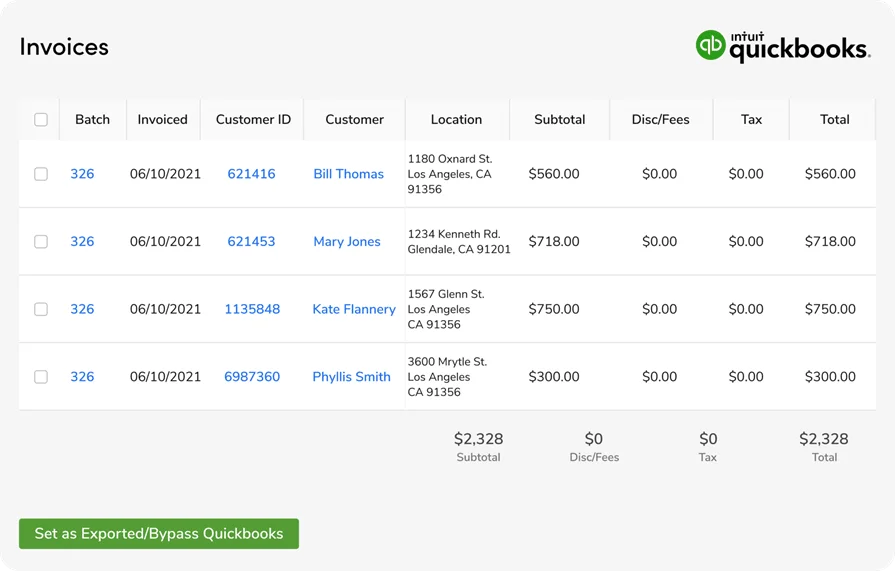
ServiceTitan supports high-volume service operations that need scheduling, dispatch, field updates, and customer communication in one system, with QuickBooks handling billing and payment tracking. Techs can update jobs from a mobile device, and the office sees those updates quickly, which helps service calls move from completion to invoice without delays. It may not fit smaller teams looking for service management software QuickBooks can connect without a larger platform investment.
How pricing works: Custom pricing based on business size, industry, and feature requirements, with tiered modules
Features beyond invoicing:
- Mobile app with live job tracking and customer updates
- Automated follow-ups and service agreement tools
- Performance dashboards for techs and office staff
- Deep QuickBooks integration for financial sync
What sets it apart for mobile-first teams: It keeps field updates, scheduling changes, and payment tracking connected, so crews and office staff work off the same service picture
See how BuildOps and ServiceTitan compare directly right here.
How to choose a QuickBooks-compatible service management tool for your business
Service management never stands alone. Scheduling, dispatch, job tracking, invoicing, and reporting all connect. So when you shop for QuickBooks-compatible service management software, look past the invoice screen. You want a platform that keeps field updates and back-office numbers aligned, job after job.
Start by mapping your day from call intake to payment. Then compare tools against that flow. If you need a refresher on the moving parts, this field service management process workflow breaks it down in plain terms. Here are a few things to evaluate:
- Does the QuickBooks integration go beyond totals? Look for systems that sync job details like labor, parts, approvals, and status updates. When you tie that into field service invoicing software, your team cuts double entry and keeps job costing clean
- Does it match how your team runs calls? Some tools force rigid steps that slow techs down on-site. Pick a workflow that fits how your crew documents work, handles changes, and closes jobs
- How much admin can it automate? Track time in the field, update job status in real time, generate invoices, and keep payment tracking connected. Every manual step invites missed billables
- Can it scale with you? Adding techs, trucks, locations, and service lines should feel straightforward. Avoid platforms that push you into expensive upgrades just to keep up
Pick a platform that keeps techs moving, dispatch organized, and accounting confident. When service work and QuickBooks stay in sync, you tighten cash flow, protect margins, and stop chasing missing details at the end of the week.

If you want to learn more actionable best practices you can start with today to improve your whole payments process—from quotes to work orders to field notes to invoicing to payments—review out our in-depth guide to field service invoicing.
Service work goes sideways when the field and the books tell two different stories. That is why the best QuickBooks setups tie everything together: scheduling, dispatch, service tickets, labor, parts, customer history, job costing, invoicing, and reporting. A lot of platforms handle one slice of that and leave your team to patch the gaps with exports, re-entry, and cleanup at the end of the week.
The features covered in this guide do not come standard in most tools, especially when you need them working together for commercial field service. BuildOps brings the full set into one system and keeps it connected to QuickBooks, so techs can close jobs on-site and the office can bill and track costs with confidence.