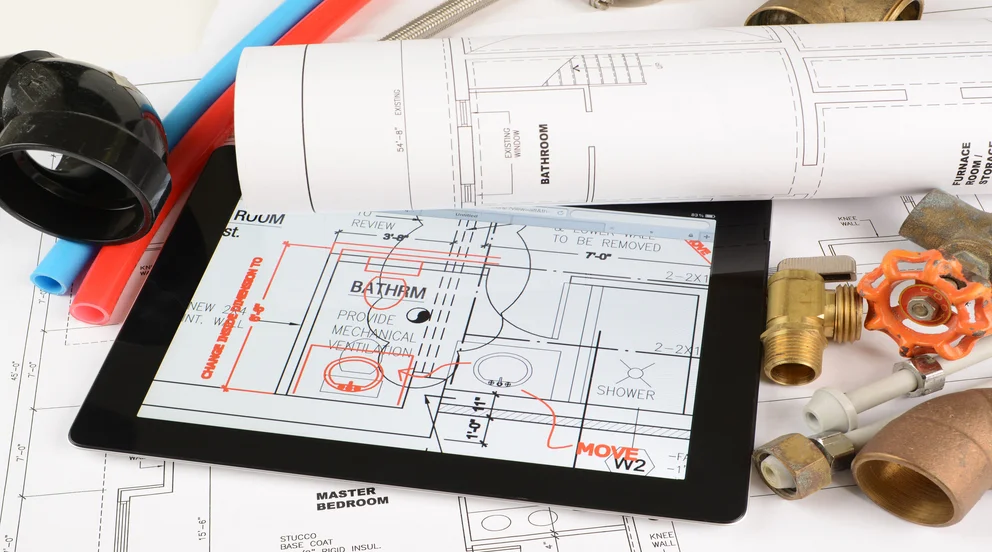


Bad pipe routing does not just slow down a job. It leads to failed inspections, rework, and margin loss that compounds across every project. For contractors in the plumbing industry, contractors running commercial jobs, accuracy in system design starts well before the first fitting gets soldered.
The best plumbing drawing apps give your team the ability to produce clean layouts, verify pipe runs, and catch conflicts before they become change orders on the jobsite.
Here is what we will cover:
- How to choose the right plumbing drawing app for your team
- Top plumbing drawing app features to look for
- 5 best plumbing drawing apps for the field
- 7 benefits of using a drawing app for plumbers
- 4 important plumbing drawing app FAQs answered
Some apps look great in a demo but fall apart when a tech needs to pull up plans on a tablet in a mechanical room with no signal. The sections below break down what actually matters when choosing a plumbing drawing app that fits commercial field operations.
How to choose the right plumbing drawing app for your team
Picking a plumbing drawing app off a feature checklist is the easiest way to end up with software your techs ignore. The tool has to fit the way your crews actually run calls—in the field, under time pressure, across multiple projects with different specs. Before you commit to any platform, run it through these questions:
- Ease of use on-site – Can a tech pull up and mark up a drawing on a tablet without training? Does the interface work in a basement or crawl space where touchscreen precision matters?
- Drawing accuracy and standards – Does the app produce drawings that meet local code requirements? Can it handle isometric views, riser diagrams, and plan layouts without manual workarounds?
- File compatibility – Does the app support common formats like DWG, DXF, and PDF? Can your team import architect drawings and layer plumbing plans on top without starting from scratch?
- Offline access – Commercial plumbing jobs happen in buildings where cell service is unreliable. Does the app let your techs view and edit drawings without an active connection, syncing changes later?
- Collaboration tools – Can office staff and field crews mark up the same drawing in real time? Does the app support version control so nobody works off outdated plans?
- Integration with field service operations – Does the drawing tool connect with your scheduling, dispatch, invoicing, and service agreement workflows, or does it sit as another standalone system your team has to toggle between?
The best plumbing drawing app removes friction between designing a system and building it. Next, we will break down the specific features that separate a strong drawing tool from a basic one.
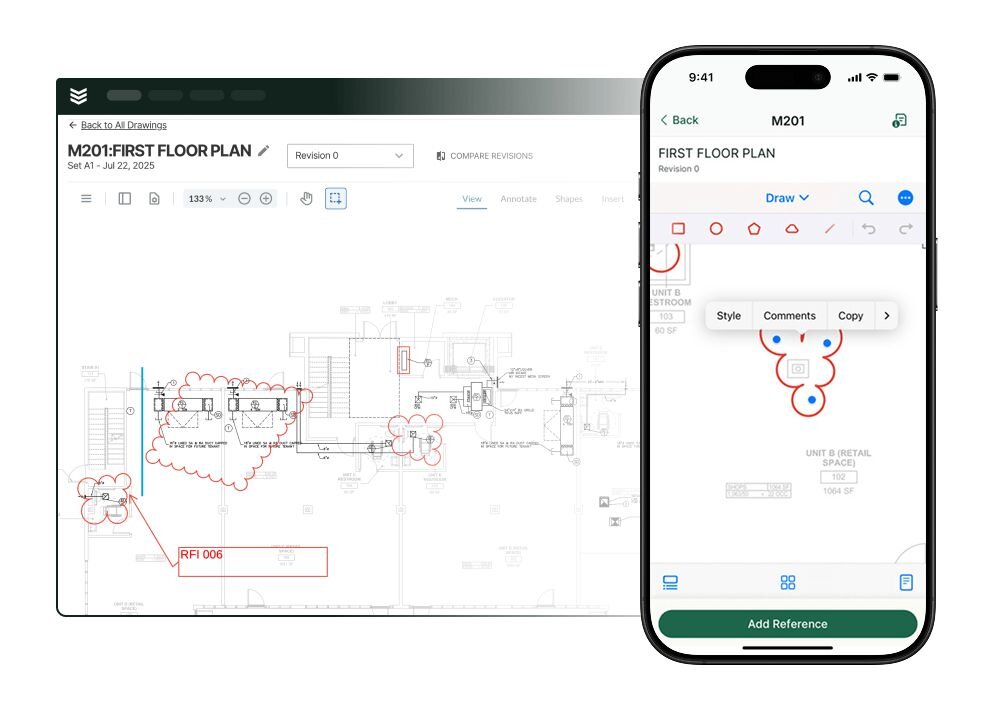
Top plumbing drawing app features to look for
Plumbing drawing apps range from basic diagramming tools to full-blown CAD and BIM platforms with integrated field service capabilities. The features that matter depend on the types of jobs your team runs, but certain capabilities separate tools worth paying for from the ones that collect dust after the first week.
Field service and plumbing operations features

A plumbing drawing sitting in a folder does nothing for the crew in the field. The features that matter most for day-to-day plumbing operations are the ones that connect drawings to live jobs. That starts with scheduling that assigns crews based on availability, trade qualifications, and proximity to the jobsite. Paired with smart dispatch software, every dispatched job carries the attached drawing, scope details, and site notes with it, so techs have everything they need before the truck rolls.
Field service turns static plumbing drawings into working job tools. When a tech opens a work order, the drawing, equipment history, and material list are already there. As they finish, hours, photos, and markups sync back to the office automatically. That closed loop, from drawing to dispatch to completion, is what turns a simple drawing app into a true drawing platform.
- Drag-and-drop scheduling boards – Assign plumbing jobs to available crews based on trade qualifications, certifications, and location. Adjust schedules mid-day as priorities shift without disrupting other active jobs.
- Automated dispatch with attached documents – Push job details, drawings, permits, and site notes to techs the moment a job is assigned. Dispatchers track crew status in real time and reassign resources without phone calls.
- Multi-job coordination – Manage overlapping plumbing projects across locations without double-booking crews or missing deadlines. See every active job, crew assignment, and completion status from one dashboard.
- Work order and job tracking – Tie every drawing to a work order with live status updates, so project managers know exactly where each job stands from start to final sign-off.
Drawing design and visualization tools
The core of any plumbing drawing app is its design engine. 2D tools let contractors lay out supply lines, DWV systems, and fixtures on floor plans using drag and drop symbols and scalable templates. Isometric views layer in vertical routing, elevations, and fitting connections that a flat plan cannot show.
On jobs with tight mechanical rooms, 3D modeling and clash detection reveal conflicts between plumbing, HVAC, and structure before anyone starts installing. Built in pipe sizing calculators handle fixture units, pressure drop, and code compliant hydraulic checks inside the drawing, so problems surface in design instead of on the jobsite.
- Drag-and-drop symbol libraries – Access valves, fittings, fixtures, and pipe segments without drawing each one manually
- Isometric grid and snap tools – Align pipe runs at standard 30-degree angles for clean, permit-ready isometric plumbing drawings
- Pipe sizing and calculation engines – Run fixture unit counts, pressure drop analysis, and hydraulic calculations directly inside the drawing
- 3D modeling with clash detection – Build full piping models and flag collisions with other building systems before construction starts
- Material takeoff generation – Produce pipe counts, fitting quantities, and fixture schedules directly from the completed drawing
CRM, customer records, and job history

Plumbing drawings tied to customer records and job histories become permanent reference documents, not disposable files. When a callback comes in two years after installation, a team running its operations through a connected field service CRM can pull up the original drawings, equipment specs, and service notes in seconds.
That kind of access turns warranty work and system expansions from guesswork into structured, profitable jobs. Linking drawings to asset records also means techs arriving for maintenance already know what was installed, how it was routed, and what parts are in the system.
- Job-linked document storage – Every drawing stays attached to the work order, customer, and location it belongs to
- Equipment and asset records – Tie plumbing system drawings to specific equipment for faster troubleshooting on future service calls
- Full service history – Access every past job, drawing revision, and tech note from a single customer profile
- Search and retrieval – Find any drawing by customer name, address, job number, or equipment tag without digging through folders
Other notable features
Beyond the three core categories above, several additional capabilities are worth evaluating when comparing plumbing drawing apps for commercial plumbing teams.
- Quoting from drawing data – Material takeoffs from a drawing feed directly into service quoting software with pre-configured labor rates and markups, closing the gap between design and proposal without manual re-entry.
- AI-powered search and automation – Platforms that use AI for field service to index documents let techs find drawings, permits, and service records by keyword or equipment tag, and auto-populate work order fields from drawing data.
- Technician mobile app – Field crews view and mark up drawings on tablets and phones. Apps built for a dedicated technician mobile app experience handle touch input and load files faster than browser-based alternatives.
- Reporting and analytics – Tracking job profitability, drawing revision counts, and permit approval timelines through integrated reporting tools gives managers visibility into where projects lose time and money.
- Invoicing and payments – When material takeoffs from drawings feed directly into invoicing and payments workflows, the gap between completed work and collected revenue shrinks.
- Time tracking – Logging hours spent on design, markup, and revisions through built-in time tracking keeps labor costs visible and project budgets on track.
Most plumbing drawing apps handle just one or two parts of the workflow well, but rarely the whole process. The tools that truly boost job profitability are the ones that connect design to field operations, from scheduling through invoicing—so your team is not stuck jumping between disconnected systems just to get a job from drawing to done.
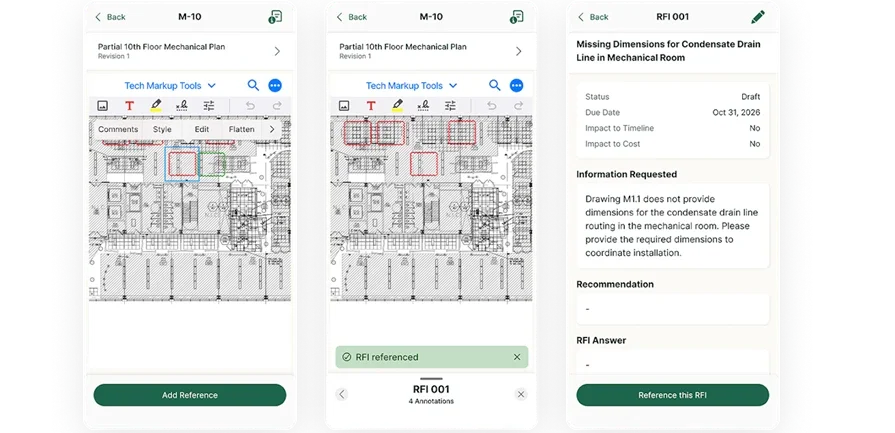
Plan, bid, and execute with BuildOps
See how quantities flow from scheduling, dispatch, and billing—without duplicate entry.
5 best plumbing drawing apps for the field
A clean plumbing drawing can save a crew hours on-site, prevent material waste, and keep inspections from going sideways. But with dozens of tools on the market, picking the one that actually fits how your team works takes real evaluation, not a quick Google search.
Some apps are built for architects and engineers, others for residential DIYers, and only a few are designed with full-service plumbing contractors in mind.
Best field service platforms with plumbing drawing management
Plumbing drawings are only valuable when tied to the rest of the job. With a field service platform that stores drawings alongside work orders, customer records, and schedules, techs see plans before they arrive and project managers can track progress without hunting for files.
1. BuildOps

BuildOps is the leading field service management platform for commercial plumbing contractors, connecting every stage of a job from initial drawing review through final invoice. Techs access plans, mark up documents, and attach photos directly to work orders from the mobile app. The platform ties job drawings to dispatch workflows, so every crew shows up with current plans and complete job details.
Industry Specialization: Commercial
How Pricing Works: Subscription-based, per user, with custom pricing based on company size and operational needs.
What Sets It Apart: BuildOps connects plumbing drawings to live job data, so field crews always work from current plans. AI-driven search puts customer history, equipment records, and drawing files at a tech's fingertips, cutting the time spent digging through folders or calling the office for specs.
Key Features:
- Document and drawing management – Upload, store, and access plumbing plans directly from any job record
- Mobile markup tools – Techs annotate drawings on-site and sync changes back to the office in real time
- Job-linked file storage – Every drawing stays attached to the work order, customer, and location it belongs to
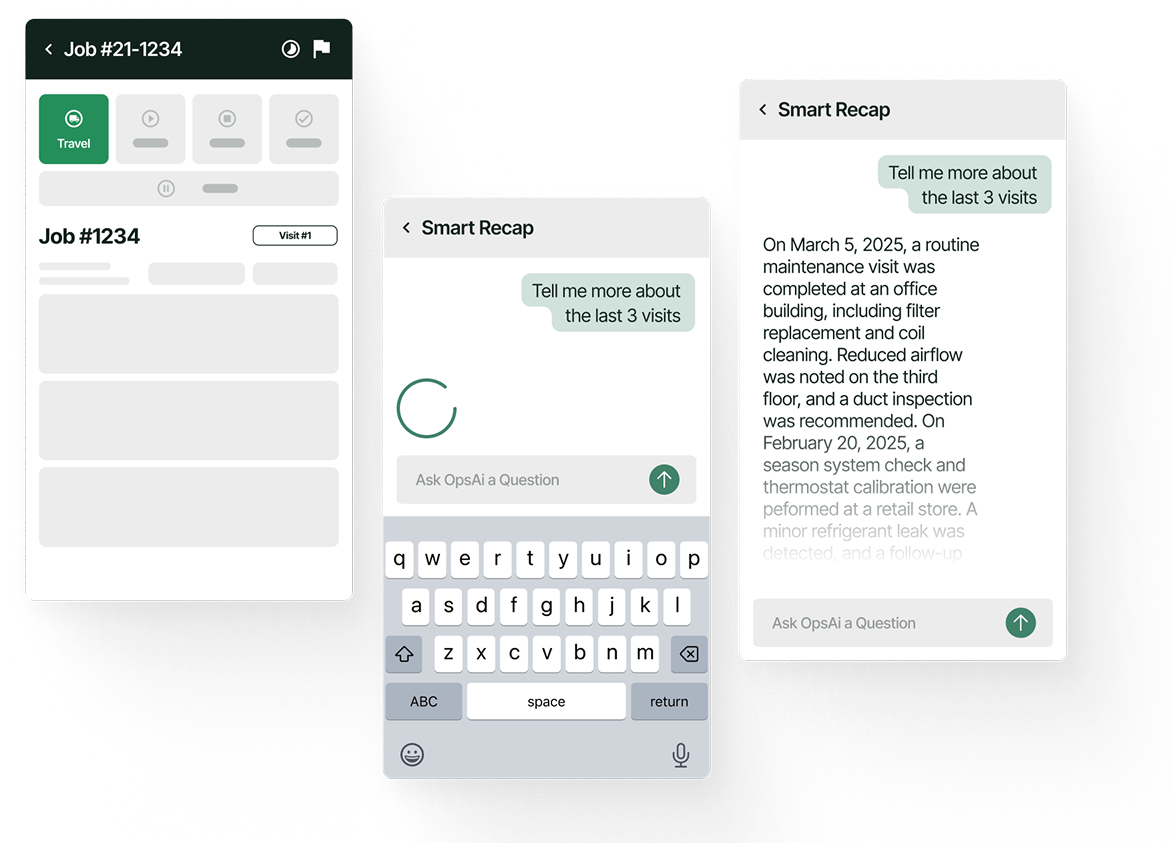
Curious how it works?
See how BuildOps helps plumbing contractors keep field teams connected to every job detail.
2. ServiceTitan

Image Source: ServiceTitan
ServiceTitan is a field service management platform used by large residential and commercial plumbing businesses for scheduling, dispatching, and customer management. It includes document storage and job-level file attachments, allowing techs to view drawings from the mobile app. However, it is built primarily as an operational platform rather than a drawing-specific tool, and some contractors find its implementation timeline and cost curve steep for smaller teams.
Industry Specialization: Residential and light commercial
How Pricing Works: Per-technician pricing with tiered plans based on features and add-on modules.
What Sets It Apart: Deep pricebook integration and marketing analytics that help plumbing businesses track job profitability from first call to final payment.
Key Features:
- Job-level document attachments – Store and access plumbing drawings, permits, and inspection records per job
- Mobile app with file viewing – Techs pull up plans and reference documents on-site
- Workflow automation – Automate follow-ups, appointment reminders, and billing tied to completed work
See ServiceTitan vs BuildOps features broken down side-by-side.
3. Housecall Pro

Image Source: Housecall Pro
Housecall Pro is a field service management app focused on small to mid-sized plumbing businesses that need scheduling, invoicing, and customer communication in one platform. Techs can attach photos and documents to jobs, including plumbing drawings. It works well for residential plumbing teams, but larger commercial operations may find it lacks the advanced project management, multi-location support, and reporting depth needed for complex jobs.
Industry Specialization: Residential and Small Commercial
How Pricing Works: Monthly subscription with per-user pricing and tiered feature plans.
What Sets It Apart: Straightforward interface that gets small plumbing teams up and running fast with minimal training.
Key Features:
- Photo and document attachments – Add drawings, permits, and site photos to any job for easy reference
- Online booking and automated reminders – Customers schedule jobs directly and receive automated follow-ups
- Mobile invoicing – Generate and send invoices from the field immediately after job completion
See the Housecall Pro vs BuildOps comparison for a detailed feature breakdown.
Best CAD and design apps for plumbing drawings
When a plumbing job requires detailed system design, pipe routing, or permit-ready drawings, dedicated CAD and design apps deliver the precision that general field service platforms do not. These tools are built for engineers, designers, and contractors who need to produce accurate 2D layouts, isometric diagrams, and 3D piping models.
4. AutoCAD

Image Source: AutoCAD
AutoCAD is the industry-standard CAD platform for drafting plumbing layouts, piping diagrams, and construction documents. Its Plant 3D toolset includes piping-specific features for isometric drawing generation, P&ID creation, and 3D pipe routing. AutoCAD handles everything from basic 2D floor plans to complex commercial plumbing system designs. However, the learning curve is significant, and licensing costs can be a barrier for smaller plumbing businesses that only need basic drawing capabilities.
Industry Specialization: Commercial, Industrial, and Residential
How Pricing Works: Annual subscription starting at $1,676/year for 1 user (pay annually)
What Sets It Apart: Unmatched flexibility for creating any type of plumbing drawing, with a massive library of third-party plugins and industry-specific symbol libraries.
Key Features:
- DWG file format native support – The standard format for sharing construction drawings across trades
- Isometric drawing tools – Produce plumbing isometrics with standard symbols and automated annotation
- Plant 3D piping tools – Route pipes in 3D, generate isometrics, and produce material reports automatically
5. SmartDraw

Image Source: SmartDraw
SmartDraw is a browser-based diagramming tool that includes a dedicated plumbing drawing module with drag-and-drop symbols, scalable floor plan templates, and PDF import capabilities. It targets contractors and designers who need to produce clean plumbing layouts without learning full CAD software. SmartDraw works well for schematic-level drawings and permit plans, but it lacks the depth for complex 3D piping models or BIM coordination on larger projects.
Industry Specialization: Residential and Light Commercial
How Pricing Works: Subscription-based, starting at approximately $10/month for individual plans; team plans available.
What Sets It Apart: PDF import and overlay features let contractors trace plumbing plans over existing architectural drawings without recreating the base layout.
Key Features:
- Plumbing symbol libraries – Drag and drop valves, fixtures, pipes, and fittings onto scalable templates
- PDF import and tracing – Layer plumbing designs over imported floor plans and blueprints
- Real-time collaboration – Multiple team members edit the same drawing simultaneously
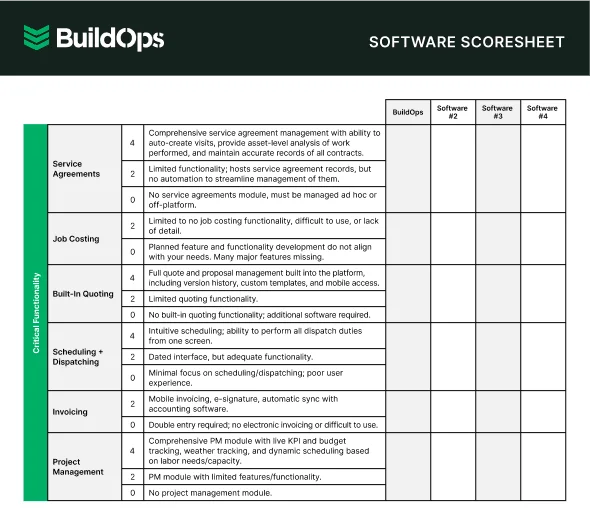
Get the software scoresheet
Compare top tools at a glance with this easy-to-use scoresheet.
7 benefits of using a drawing app for plumbers
Drawing apps give plumbing contractors a measurable edge at every stage of a job, from the first pipe layout to the final invoice. Here is where that edge shows up in day-to-day operations.
1. Fewer errors and less rework on-site
Freehand sketches and mental math lead to mistakes that cost hours and materials to fix. A plumbing drawing app forces precision into the design process, catching pipe sizing errors, fixture spacing issues, and code violations before a single piece of copper gets cut. When drawings feed directly into plumbing takeoff software, the quantities that hit the material order match what the design calls for, not what someone remembered from a walk-through.
2. Faster permit approvals and inspection passes

Permit offices and inspectors expect drawings that are legible, to scale, and code-compliant. Submitting hand-drawn plans or unclear layouts invites rejections and delays that push job timelines back by days or weeks. Plumbing drawing apps produce professional-grade plans with standard symbols, proper annotations, and accurate dimensions. Contractors who pair clean drawings with a structured plumbing work quotation process keep pricing, scope, and compliance documentation aligned from the start.
3. Accurate material takeoffs and lower waste
Every pipe, fitting, and fixture in a drawing can be counted. Apps that generate material lists directly from the plan eliminate the guesswork that leads to over-ordering or last-minute supply runs. When your takeoffs are accurate, procurement gets faster, material waste drops, and job costing stays closer to the original estimate. That accuracy compounds across every project your team runs in a quarter.
4. Better coordination across trades
On commercial projects, plumbing runs share space with HVAC ductwork, electrical conduit, and structural elements. A plumbing drawing app with layering or 3D clash detection helps your team identify conflicts before construction, reducing field coordination headaches. Tracking coordination progress through field service reporting tools gives project managers clear visibility into which trades have reviewed the latest drawings and where open conflicts still need resolution.
Deep Dive
AI is changing how plumbing contractors connect drawing data to live job management. From auto-tagging pipe specs on uploaded plans to flagging layout conflicts before a crew rolls out, teams are using AI to cut review time, reduce RFIs, and keep projects on schedule.
The top AI use cases in field service show how leading contractors turn drawing and job data into faster, smarter decisions across every active project.
5. Faster communication between office and field
Emailing PDFs back and forth or printing drawings that are outdated by the time they reach the truck wastes everyone's time. Cloud-based plumbing drawing apps let office staff push updated plans directly to techs in the field, and field crews can mark up drawings on-site and send changes back instantly. Contractors who monitor job activity through field service dashboards see drawing updates, crew check-ins, and schedule changes from one screen instead of chasing status updates by phone.
6. Stronger proposals and client presentations
Showing a client a clean, professional plumbing layout builds confidence in your team's ability to execute. Contractors who include detailed drawings in their proposals stand out from competitors who hand over a paragraph description and a price. Pairing those drawings with organized customer records in a CRM for plumbers means every proposal references past job history, equipment details, and site-specific notes that make the pitch feel informed and precise.
7. Centralized job documentation and records

Paper drawings get lost, damaged, or filed in the wrong folder. Digital plumbing drawing apps store every plan in a searchable, centralized system tied to the job, customer, and location. When a callback comes in two years later, your team can pull up the original drawings in seconds instead of digging through filing cabinets. Contractors who run their billing through a connected plumbing invoicing workflow can trace every drawing back to the invoice, payment, and service record it generated.
4 important plumbing drawing app FAQs answered
These four questions address what experienced plumbing contractors and field service managers ask most when evaluating drawing tools for commercial operations.
1. What is a plumbing drawing app?
A plumbing drawing app is field-ready software that helps contractors build digital piping layouts for supply lines, DWV systems, fixture placements, and isometric views. These tools replace manual drafting with code-compliant plans that speed permitting, sharpen material takeoffs, and reduce costly rework in the field.
Apps in this category range from simple drag‑and‑drop diagram tools to full CAD and BIM platforms that handle 3D pipe routing, automatic isometric drawings, and multi‑trade clash detection. That difference matters: 2D schematic tools support basic documentation, while coordinated BIM models serve complex, multi‑discipline commercial projects.
2. How should a plumbing drawing app connect to field operations?
A drawing that lives in a separate system from your scheduling, dispatch, and invoicing creates gaps that cost time and margin on every job. The strongest plumbing drawing apps tie plans directly to work orders, so techs receive attached drawings the moment a job is dispatched, mark up changes on-site, and sync revisions back to the office without a phone call or email chain.
For commercial plumbing contractors, connect drawings directly to customer records, equipment histories, and service agreements. When a callback comes in months later, layouts, pipe specs, and as-builts should load from the work order in seconds. Treat drawings as permanent job records, not disposable files.
3. Is a plumbing drawing app worth the cost?
Drawing errors in commercial plumbing—like wrong pipe sizes, missed elevations, or outdated layouts—can cost thousands in rework, failed inspections, and delays.
Software quickly pays for itself through more accurate takeoffs, cleaner submittals, and less field rework. When drawing tools connect directly to quoting and invoicing, design data flows into job costing without manual entry, speeding up ROI and often covering the software cost within the first few projects.
4. What are the best practices for running plumbing drawings in a field service operation?
Drawing workflows break down when they are treated as a design-only function disconnected from field execution. These ten practices keep plumbing drawings integrated with the rest of your operation.
- Standardize symbol libraries across every project and crew.
- Template common job types: TIs, new construction, retrofits.
- Layer domestic water, sanitary, storm, and gas piping separately.
- Enforce version control with timestamps on every revision.
- Pull material takeoffs directly from the drawing.
- Check every drawing against local codes before permit submittal.
- Link every drawing to its work order and customer record.
- Push layout revisions to field devices in real time.
- Mark up drawings on-site and sync changes back immediately.
- Connect drawing data to quoting and invoicing workflows.
Most plumbing tools stop at the drawing. BuildOps connects drawings to the work that actually runs your business—scheduling, dispatch, quoting, invoicing, and job history—so what’s on the plan matches what happens in the field and you keep more margin on every commercial job.
BuildOps is the only AI‑native field service platform built for commercial contractors, connecting plumbing drawings, work orders, schedules, and billing in one system—so the drawing stays with the job from first layout to final payment, with every change automatically captured.
Run drawings in one system and everything else in another? See what happens when it all lives together. Schedule a free demo with a team that’s guided commercial plumbing contractors through this exact shift.
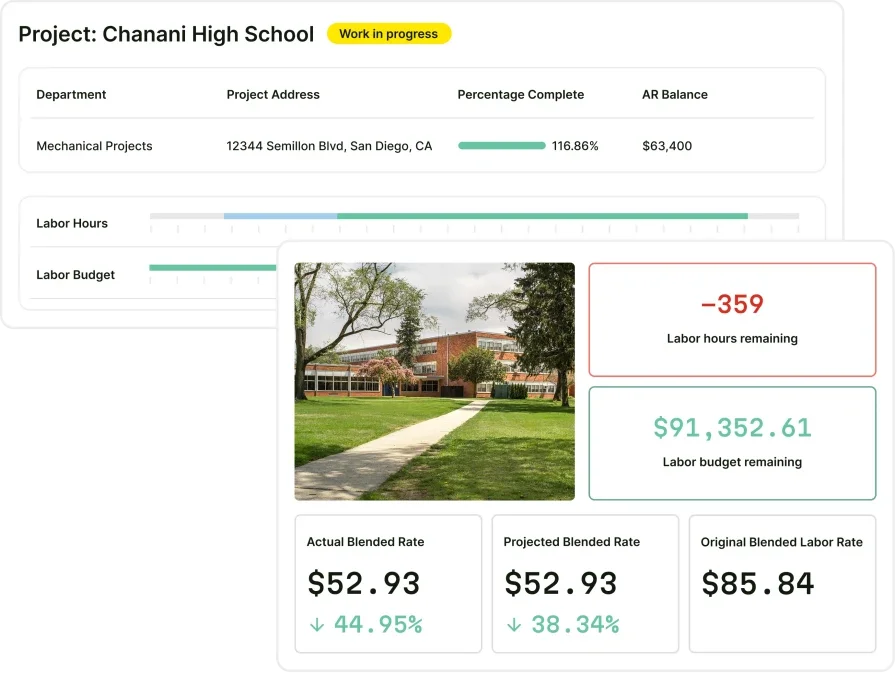
See how BuildOps handles plumbing jobs
We help plumbers book more jobs, track progress, and get paid faster.