

Managing large construction schedules means lining up crews, equipment, sites, and subs—often down to the hour. When timelines slip, delays stack up, and profits shrink. That’s why more contractors now lean on AI‑powered construction scheduling software to keep every phase tight, predictable, and on time.
For a closer look at how the broader construction field service management landscape is evolving, we’ve put together a dedicated breakdown worth reading alongside this guide.
Here’s what we’ll cover:
- Key features to look for in AI construction scheduling software
- 8 best AI-powered construction scheduling software
- 5 benefits of using AI for construction scheduling software
- Questions to ask when choosing AI construction scheduling software
- 4 important AI construction scheduling software FAQs answered
Before you dive into specific tools, take a step back to define what you need and how you’ll judge each option.

Key features to look for in AI construction scheduling software
The features built into your scheduling platform determine whether it actually tightens timelines in the field or adds another layer of software to manage. Here are the capabilities that matter most when evaluating AI construction scheduling software.
1. Real-time dispatching

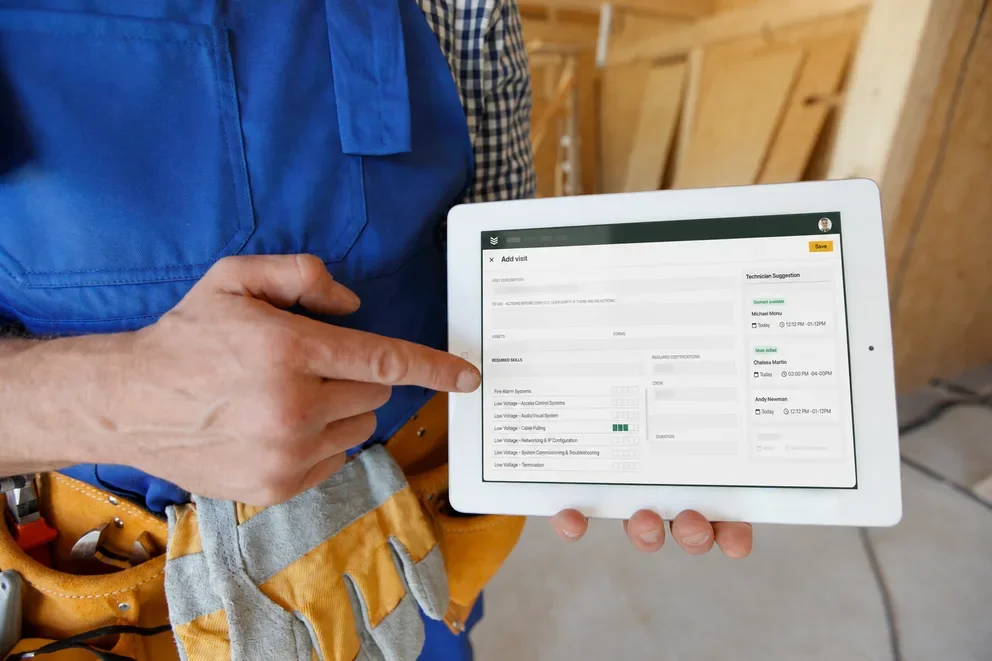
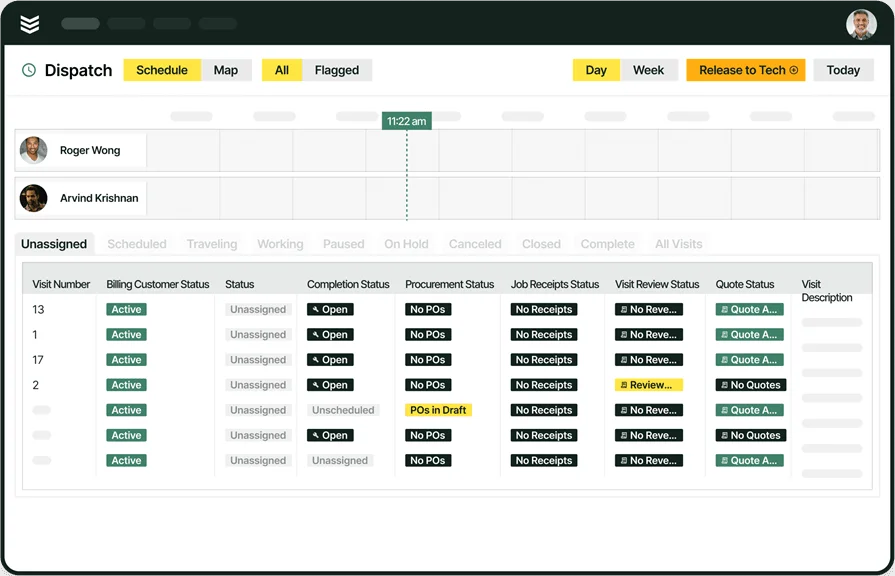
Scheduling only works if crews actually land at the correct job site, prepared and on time. A smart dispatch software gives dispatchers instant visibility into who's available, where they are, and what skills they carry, so assignments can shift on the fly when timelines change mid-day. For construction contractors juggling multiple active sites, AI-powered dispatch recommendations match crews by certification, workload, and proximity, keeping labor productive and minimizing dead time between jobs.
2. Construction AI
AI should do more than automate. It should surface schedule risks, flag conflicts, and help teams make faster decisions across active builds. Construction AI analyzes job data in real time, identifying patterns that would take a project manager hours to catch manually. When connected to your scheduling workflows, it continuously optimizes crew assignments and highlights potential delays before they cascade into costly overruns.
3. Mobile access for field crews

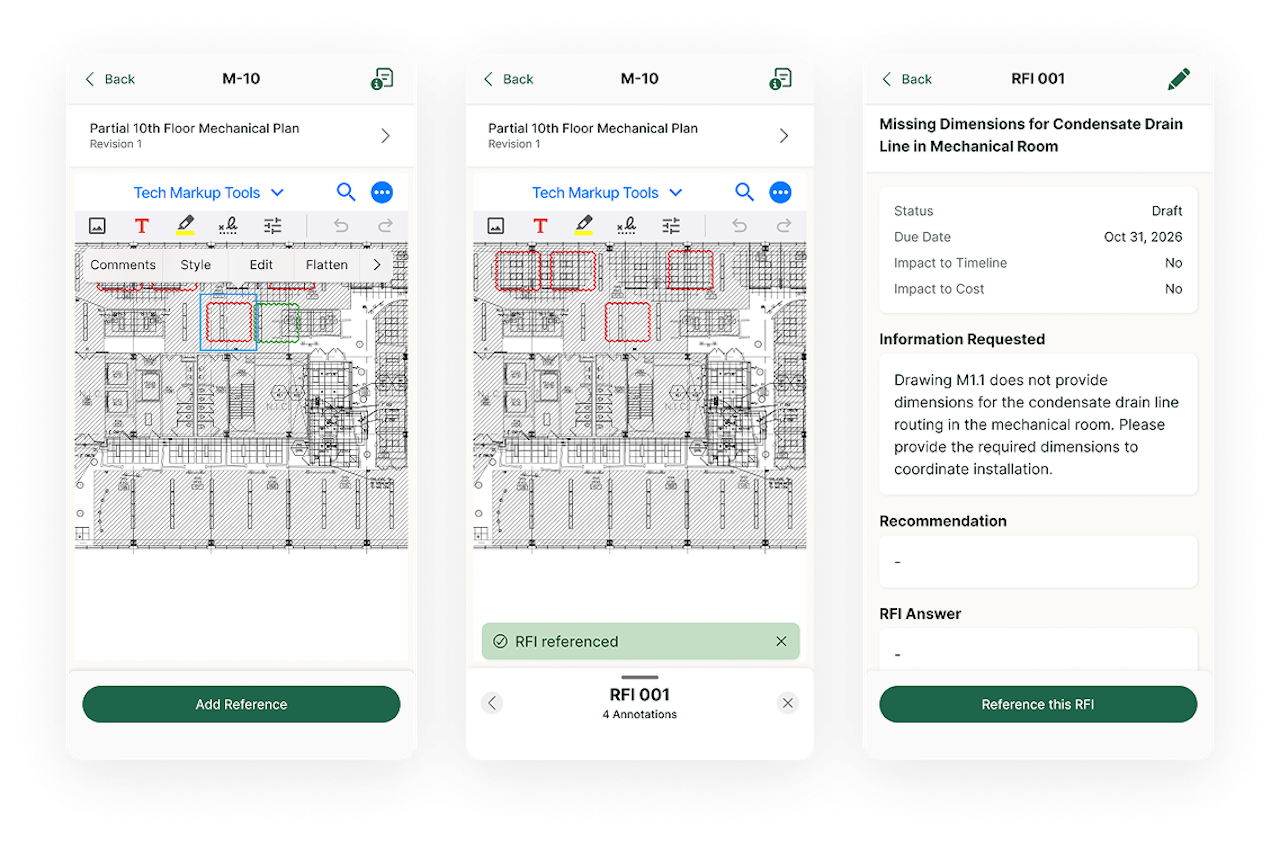
Field teams need job details, schedule updates, and reporting tools without calling the office or driving back for paperwork. A technician mobile app gives crews access to work orders, site documents, and checklists directly from the job site. When mobile data feeds back into the schedule in real time, dispatchers and project managers always have an accurate picture of progress across every active location.
4. Automated time tracking
Manual timesheets create payroll headaches and make it difficult to measure how long tasks actually take. Time tracking software logs hours automatically based on job check-ins, keeping labor records accurate without extra admin work. Tying time data directly to your construction schedule lets you compare estimated durations against actuals, so future scheduling decisions are based on real performance, not guesswork.
5. Field service CRM
Scheduling doesn't happen in a vacuum. A field service CRM centralizes customer details, property information, service history, and communication in one place, so the context behind every scheduled job is accessible to dispatchers, project managers, and techs alike. When CRM data connects to your scheduling engine, crews arrive informed, follow-ups happen on time, and nothing falls through the cracks between the office and the field.
See how BuildOps scheduling connects your field ops
From dispatch to invoice, keep every phase of your project schedule tight and on time.
Other notable features to look for in AI construction scheduling software
Beyond the core capabilities above, a few additional features add serious operational value for construction contractors managing complex schedules across multiple sites.
- Advanced reporting and analytics — Knowing where time and money are going across every project separates profitable contractors from the rest. Construction reporting tools track labor costs, job performance, and budget variances in real time, giving leadership the data they need to course-correct before margins erode.
- Service quoting — Fast, accurate quotes keep the sales pipeline moving and prevent scheduling bottlenecks caused by slow approvals. Service quoting software lets teams build and send professional quotes from the field or the office, reducing turnaround time and improving close rates.
- Invoicing and payments — Slow billing kills cash flow. Invoicing and payment processing tools generate invoices as soon as work is completed and process payments faster, cutting down on the lag between finishing a job and getting paid.
- Fleet tracking and management — Knowing where trucks and equipment are at all times reduces wasted trips and improves response times when schedules shift. Construction fleet management provides real-time GPS tracking, maintenance alerts, and utilization data across your entire fleet.
- Service agreements and recurring work — Managing ongoing maintenance contracts manually leads to missed visits and lost revenue. Service agreement management tools automate scheduling, renewals, and reminders so no contract obligation slips.
Most tools only cover a few of these features, and even fewer connect them in one seamless workflow. Now, let’s look at the top AI-powered construction scheduling platforms and what each one actually delivers.
8 best AI-powered construction scheduling software
AI only matters on the jobsite if it tightens schedules, keeps crews productive, and gives the office a clear view of what's happening across every active site. Here are eight platforms contractors use to manage AI construction scheduling software — and what each one brings to the table.
1. BuildOps: best for commercial construction field service teams

BuildOps connects AI directly to the scheduling and dispatch workflows that drive construction field service forward — from real-time crew assignments and technician documentation to asset capture and invoicing — all feeding into a single job record the office can act on without chasing updates.
OpsAI turns messy field inputs — crew notes, photos, receipts — into clean, trusted data your back office can act on. Whether it's an emergency break-fix call, a tenant improvement, or a large HVAC retrofit, every job runs with the same operational discipline, keeping nothing between the field and the office from first dispatch to final closeout.
AI Features: AI powers Smart Dispatch, recommending the best tech for every job in real time based on skills, workload, and location. Nameplate capture builds asset records from a single photo. Field notes write themselves from quick bullets or voice. And invoice scanning pulls in line items and catches what's missing before you bill.
Features Beyond AI:
- Scheduling and dispatch workflows with drag-and-drop functionality
- Quoting and approvals
- Customer and job history with multi-property hierarchies
- Invoicing and payments
- Reporting dashboards for utilization and performance
- Service agreements for recurring work
- Fleet tracking and time tracking tied to cost codes for payroll accuracy and job costing
How Pricing Works: BuildOps prices based on team size, user count, and the capabilities your operation needs, quoted per user per month with options scaled for larger construction teams.
What Sets It Apart for Commercial Construction Teams: BuildOps links every phase of construction field service — dispatch, field documentation, asset tracking, invoicing, and reporting — inside one platform. For commercial contractors managing many assets across multiple properties, that eliminates data silos and keeps field and office teams working from the same job record at every stage.
Rating: 4.5 on Capterra from 151 user reviews
Want to see BuildOps in action?
We bring office and field tech together—so nothing slips through the cracks.
2. ServiceTrade: best for recurring maintenance scheduling

Image Source: ServiceTrade
ServiceTrade centers on job documentation and customer-ready wrap-ups, which matters when construction techs are closing out tickets from the field and the office needs polished records before the next phase of work begins. Its scheduling tools lean toward recurring maintenance and multi-visit work, giving dispatchers a clear view of upcoming service obligations and visit cadences across accounts.
ServiceTrade works well for recurring maintenance or multi-visit scheduling, but lacks the depth needed for complex dispatch logic, layered approvals, and large construction projects that require AI-driven crew optimization.
AI Features: ServiceTrade's AI capabilities focus on converting technician audio into text, refining raw job notes into professional-grade language, generating consolidated job summaries from full ticket histories, scanning nameplate details into asset records, and surfacing operational answers from historical data so managers spend less time searching through past tickets.
Features Beyond AI:
- Dispatching and recurring work management
- Technician mobile workflow for photos and on-site updates
- Customer-facing reporting and documentation that helps standardize closeouts across accounts
How Pricing Works: Pricing is typically provided by quote and varies based on team size and the package selected.
What Sets It Apart for Recurring Maintenance Teams: ServiceTrade turns inconsistent field notes into polished, customer-ready records — reducing the review cycle between field closeout and billing on construction projects where documentation quality directly affects the next phase of work.
Rating: 4.6 on Capterra from 339 user reviews
3. Simpro: best for mixed service and project scheduling

Image Source: Simpro
Simpro handles both service and project work inside one system, which can help construction contractors who move between reactive maintenance, scheduled repairs, and longer installation jobs while still needing to track costs against each one. Its scheduling tools support both quick-turn service calls and phased project timelines, giving teams a single board to manage different work types.
Simpro's mobile AI improves job notes and mixed-work cost tracking, but its variable depth and configurability may not suit teams needing advanced AI across dispatch, documentation, and asset capture.
AI Features: Simpro's AI support targets mobile closeout workflows, including generating work-completed notes from job details and improving writing quality with grammar and spelling corrections — which helps reduce follow-up calls between the field and office when documentation needs to read consistently across different crews and trades.
Features Beyond AI:
- Scheduling, job management, quoting, and reporting
- Tools that connect field activity to financial tracking
- An ecosystem of integrations that can extend the platform depending on how your construction team runs service and project work
How Pricing Works: Pricing is quote-based and often depends on user count and selected modules, with setup and onboarding costs common for configuration, training, and data migration.
What Sets It Apart for Cost-Focused Teams: Simpro connects field activity directly to financial tracking, giving construction contractors who juggle both service calls and longer project work a single view of costs, margins, and job performance across different work types.
Rating: 4.0 on Capterra from 145 user reviews
See how to choose the right Simpro alternative for your team.
4. Procore: best for general contractor schedule coordination

Image Source: Procore
Procore is designed for general contractors coordinating complex construction projects across multiple trades and teams. Its tools span pre-construction through closeout — covering daily logs, document control, cost management, and submittal tracking — giving field contractors on large projects strong coordination and real-time visibility into budgets and timelines.
Procore's project-delivery focus gives GCs strong scheduling visibility across trades, but it's missing key trade-specific field workflows like equipment capture, recurring maintenance, asset tracking, and AI-driven dispatch.
AI Features: Procore AI automates routine tasks and provides foresight for faster, more certain decisions on active builds. Its AI capabilities are purpose-built for the jobsite — helping teams surface risks, reduce manual data entry, and accelerate document review across project execution and cost management workflows.
Features Beyond AI:
- Project execution tools connecting office and field on a single platform
- Real-time cost management with visibility into project financials
- Resource management for optimizing crews, hours, and equipment
- Project lifecycle management unifying budgets, contracts, and field progress
- 500+ out-of-the-box integrations through the Procore App Marketplace
How Pricing Works: Procore uses a custom pricing model based on company size and annual construction volume. Demos are available to evaluate the platform before committing to a contract.
What Sets It Apart for General Contractors: Procore centralizes project tracking, budgeting, and multi-team collaboration into one platform, making it a strong fit for general contractors managing large-scale builds where coordination across owners, subs, and trades is the primary scheduling challenge.
Rating: 4.5 on Capterra from 2,657 user reviews
5. Buildertrend: best for residential construction scheduling

Image Source: Buildertrend
Buildertrend targets home builders and remodelers who need one platform to manage sales, project execution, financials, and client communication from first lead to final walkthrough. Trusted by over 20,000 builders, it gives residential teams a centralized hub for schedules, change orders, daily logs, and punch lists.
Buildertrend is built for residential construction and remodeling, not the complex multi-trade, multi-property service work commercial contractors need, so key workflows like dispatch, asset tracking, and recurring service scheduling are lacking.
AI Features: Buildertrend uses AI-powered progress updates to keep clients informed automatically, reducing the communication burden on project managers. Its AI capabilities focus on client-facing communication and scheduling optimization rather than field-level dispatch intelligence or technician documentation cleanup.
Features Beyond AI:
- End-to-end sales management with CRM, email marketing, and professional proposals
- Centralized project management connecting schedules, change orders, and daily logs
- Financial management with budgets, job costing, and connected accounting
- Dedicated client portal with online payment options
How Pricing Works: Buildertrend offers tiered pricing plans. Specific pricing details are available through their website, with plan levels scaling based on features and team size.
What Sets It Apart for Residential Builders: Buildertrend covers the full residential build cycle — from lead capture and estimating through construction and client handoff — in a single platform designed specifically for how home builders and remodelers schedule and manage their projects.
Rating: 4.5 on Capterra from 2,483 user reviews
6. Buildxact: best for residential estimating and schedule sequencing

Image Source: Buildxact
Buildxact is tailored for small-to-midsize builders who need fast, accurate estimating and procurement tools. Its automated takeoff and cost estimation capabilities let contractors generate bids quickly while keeping material costs in check — a strong fit for residential builders focused on pre-construction accuracy and sequencing build phases on a tight timeline.
Buildxact may fall short on field execution for commercial teams — it's missing service and maintenance tracking, real-time dispatch, and AI-powered scheduling intelligence.
AI Features: Buildxact's AI capabilities center on estimating automation — helping builders generate takeoffs and cost estimates faster by pulling from material databases and historical pricing. Its AI focus stays within pre-construction rather than extending into field execution, scheduling intelligence, or documentation automation.
Features Beyond AI:
- Automated digital takeoffs from uploaded plans
- Job costing and budget tracking tied to estimates
- Procurement tools for managing material orders and supplier pricing
- Scheduling tools for sequencing residential build phases
How Pricing Works: Plans start at $133 per month, making it a mid-range option for small builders focused primarily on estimating and pre-construction workflows.
What Sets It Apart for Estimating-Focused Teams: Buildxact streamlines the bid-to-build handoff for residential contractors, turning plan uploads into detailed cost estimates and material lists faster than manual methods — keeping pre-construction tight and reducing scheduling delays caused by estimating errors on new builds.
Rating: 4.6 on Capterra from 180 user reviews
7. Knowify: best for trade contractors on QuickBooks

Image Source: Knowify
Knowify serves trade contractors who need project and service management in one system — with what it calls the #1 QuickBooks integration in construction. From bids and proposals to change orders, scheduling, daily logs, and invoicing, Knowify gives electrical, plumbing, HVAC, and other specialty contractors a single source of truth for both long-term projects and fast-paced service calls.
Knowify is ideal for linking field work to QuickBooks, but it lacks the advanced, AI-driven scheduling capabilities and scale larger commercial operations require.
AI Features: Knowify's AI capabilities are still emerging compared to platforms with dedicated construction AI engines. Its current focus leans toward automation within financial workflows and job management rather than AI-powered dispatch optimization, field note cleanup, or predictive scheduling.
Features Beyond AI:
- Estimating, proposals, and contract management
- Change orders, RFIs, and submittals
- Scheduling, time tracking, and daily logs
- Subcontractor management and inventory tracking
- Service dispatch, invoicing, and online payment processing
- AIA billing, budgeting, job costing, and reporting
- Client portal and CRM
How Pricing Works: Plans start at $99 per month, with pricing scaled based on the features and modules your team needs.
What Sets It Apart for Trade Contractors: Knowify bridges project work and service work inside one platform while keeping QuickBooks perfectly synced — giving trade contractors real-time financial visibility without double-entry or disconnected accounting.
Rating: 4.5 on Capterra from 109 user reviews
Compare Knowify against BuildOps right here to see who comes out on top.
8. Contractor Foreman: best for budget-conscious small contractors

Image Source: ContractorForeman
Contractor Foreman packs a wide feature set into an affordable package, starting at $49 per month with a 100-day money-back guarantee. Created for small and medium-sized residential and commercial trade and general contractors, it covers project management, financials, people management, and document control across phone, tablet, and desktop.
Contractor Foreman offers strong, affordable scheduling and project tracking features, but may lack the advanced AI and depth needed for large, complex commercial operations.
AI Features: Contractor Foreman's platform focuses on operational coverage rather than AI-powered intelligence. Its feature set prioritizes breadth — giving small teams access to scheduling, estimating, and documentation tools — but does not currently offer the kind of AI-driven dispatch recommendations, predictive risk flagging, or automated field note processing that larger commercial teams rely on.
Features Beyond AI:
- Project management with daily logs, scheduling, work orders, and inspections
- Estimating, bid management, and change orders
- AIA and progress invoicing with online payments
- Time cards, crew scheduling, and incident tracking
- RFIs, submittals, drawings, and PDF markup
- Vehicle and equipment logs
- Client portal and team chat
- Integrations with QuickBooks, CompanyCam, Zapier, Google Calendar, Outlook 365, Gusto, and Angi Leads
How Pricing Works: Plans start at $49 per month, making it one of the most affordable construction management platforms available. Higher-tier plans unlock additional features and user capacity.
What Sets It Apart for Small Contractors: Contractor Foreman delivers a full construction management toolkit at a fraction of the cost of enterprise platforms — giving small teams access to project tracking, scheduling, financials, and documentation without a steep monthly commitment.
Rating: 4.5 on Capterra from 816 user reviews
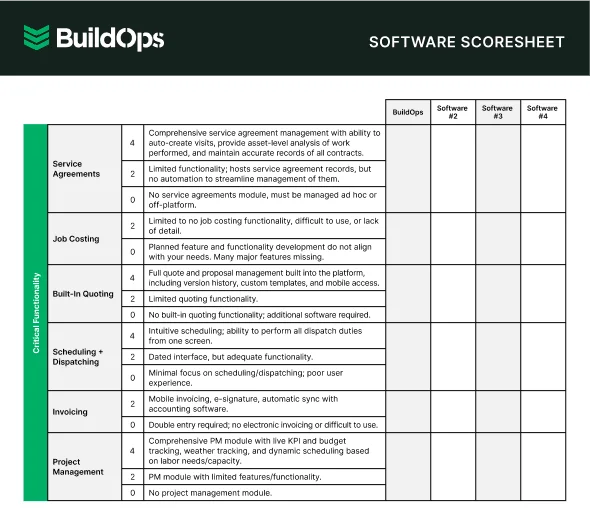
Compare software at a glance
Find the right software with this easy-to-use software scoresheet.
5 benefits of using AI for construction scheduling software
Here are five ways AI delivers measurable value for construction teams managing schedules in the field.
1. Tighter scheduling and fewer crew conflicts
AI builds and continuously updates optimized crew schedules in real time, keeping labor productive and minimizing downtime between jobs. For contractors managing on-site field services across multiple locations, that kind of scheduling intelligence prevents the overlaps and gaps that quietly erode margins.
2. Faster, more accurate field documentation
AI turns raw technician notes — voice, bullets, nameplate scans — into clean, structured reports in seconds, automatically feeding invoicing, compliance, and asset history records. When documentation flows back into the schedule without manual cleanup, dispatchers and project managers always have an accurate picture of what happened on site and what comes next.
3. Reduced administrative burden on field and office teams
AI automates repetitive admin work — data entry, timesheets, invoicing, and parts tracking — so your team spends more time on billable work, not paperwork. When it comes to modernizing procurement in construction, AI-driven automation cuts the lag between field activity and back-office processing, especially as a younger workforce expects digital-first tools from day one
Did you know
AI has already started shifting how construction contractors handle their field service workflows. What used to take hours can now happen in minutes — with more accuracy and fewer surprises.
In our 2025 survey, The Pivot Point: AI and the Future of Commercial Contracting, 78% of contractors said they believe AI improves efficiency, and 47% are already using AI in some capacity for their field ops.
4. Scalable operations without proportional headcount growth
AI lets contractors take on more work with the team they already have — automating scheduling, dispatch, documentation, and reporting so each person covers more ground. Agentic AI in field service takes this further by autonomously detecting issues, assigning the right tech, and triggering follow-up actions without human input.
5. Proactive risk detection and predictive maintenance
AI doesn't just react to issues — it predicts them. By analyzing performance and service data, it spots failures before they happen, shifting contractors from emergency calls to planned maintenance that boosts uptime, cuts costs, and extends asset life across properties.

Questions to ask when choosing AI construction scheduling software
These questions separate tools that power real AI-driven contractor operations from ones that just layer automation on top of a generic tracker.
- Job lifecycle and workflow fit — Does the platform follow how your jobs actually move, from call intake through dispatch, field execution, and closeout? Can it handle break-fix calls, scheduled maintenance, and phased construction work without forcing your team to change how they operate?
- Field adoption and crew usability — Will your techs use it on active job sites without falling back to paper? Can a crew member complete a full visit — checklist, photos, notes, sign-off — from their phone or tablet without calling the office?
- AI reliability and data quality — What inputs does the AI use to generate dispatch recommendations and documentation summaries? How does it handle gaps like missing asset history or incomplete field notes without producing outputs your team can't trust?
- Implementation and onboarding — How long until your team is fully running on the platform? Does the vendor own setup, data migration, and workflow configuration, or is that on you?
- Integrations with existing systems — Does it connect cleanly to your accounting, payroll, and CRM tools? What data migrates automatically, and what requires manual cleanup before you switch?
- Full-cycle field service features — Does the AI connect across dispatch, documentation, invoicing, fleet tracking, asset capture, and reporting inside one platform? Or are you stitching together separate tools to cover the full lifecycle of a construction service call?
With the criteria set, contractors still wonder how AI actually works in the field and if it’s worth it. Next, we tackle the most common questions.
4 important AI construction scheduling software FAQs answered
These questions are from field service contractors assessing whether AI scheduling software can handle real construction workflows, with answers focused on operations.
1. What is AI construction scheduling software?
It's software that uses AI to automate scheduling, dispatch, documentation, cost tracking, and risk detection across active construction projects, connecting field crews and the back office through one real-time data thread.
AI construction scheduling tools learn from job data to spot schedule or budget risks early and automatically trigger fixes, like reassigning crews or flagging inspection gaps.
2. How does AI construction scheduling software connect to existing field service workflows?
AI only delivers real value to construction contractors when it's built into existing workflows, not bolted on as a separate layer. AI that works connects the full job lifecycle, pushing updates and data into your systems automatically, so there's no double entry, no delays.
For construction scheduling, that means dispatch changes, field documentation, time tracking, and invoicing all feed the same schedule record without manual handoffs between the field and the office.
3. Is AI construction scheduling software worth the investment?
For multi-site contractors with 10+ crews, the real cost is operating without AI-driven visibility into schedules, costs, and documentation. An AI-connected platform cuts rework, speeds invoicing, tightens dispatch, and delivers audit-ready records, with efficiency gains that typically surpass the platform cost within the first quarter.
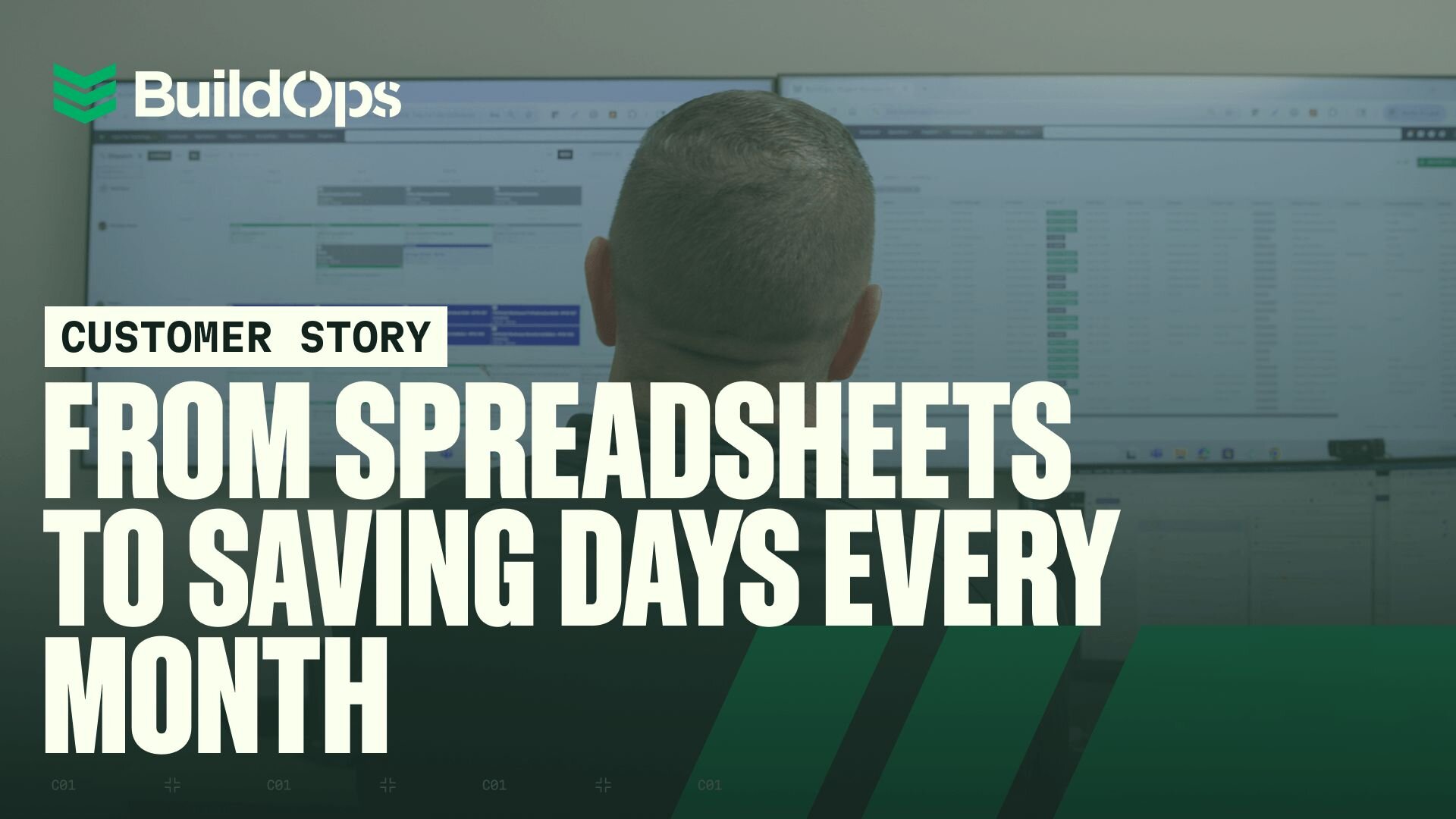
See how Layer One saved a full week of manual work every month after moving to one connected platform, eliminating fragmented systems and getting job costing up to date daily.
4. What are the best practices for using AI in construction scheduling operations?
AI discipline gives contractors clean data and tight schedules instead of disconnected chaos. These ten practices keep AI working for your field ops, not against them.
- Use AI-assisted dispatch for every job to match crews by skills, credentials, location, and load.
- Standardize field docs: at least one progress photo, one daily log, and one cost update per crew per day.
- Use AI to generate and clean tech notes instead of manual write-ups.
- Link every job to its property, customer hierarchy, and cost code — never as a standalone work order.
- Sync field data to invoicing and reporting in real time to prevent month-end backlogs.
- Use AI schedule optimization to rebalance crews when priorities change mid-day.
- Capture all change orders and scope changes in the project workflow so costs update immediately.
- Run weekly AI reports on labor use, budget variance, and schedule adherence — then act on outliers.
- Use dashboards to flag jobs trending over budget or behind schedule and alert PMs early.
- Train PMs and field leads on AI tools at onboarding and reinforce in regular reviews.
Missed schedules, fragmented data, and manual coordination don't just slow projects down — they erode margins on every job you run.
BuildOps replaces scattered systems with one connected scheduling hub. From dispatch and crew assignments to field execution, documentation, and closeout, everything lives in a single workflow your whole team can see and trust. No double entry. No missing job history. No guessing where things stand — just clear, accountable progress at every stage of the schedule.
With OpsAI, every schedule record becomes an action: smarter crew planning, tighter timelines, early visibility into delays, and real-time alignment between the field and the back office. Your data doesn't sit idle — it actively drives on-time delivery, margin protection, and client satisfaction across every active site.
See how AI-native construction scheduling can work for your team. Schedule a free demo.
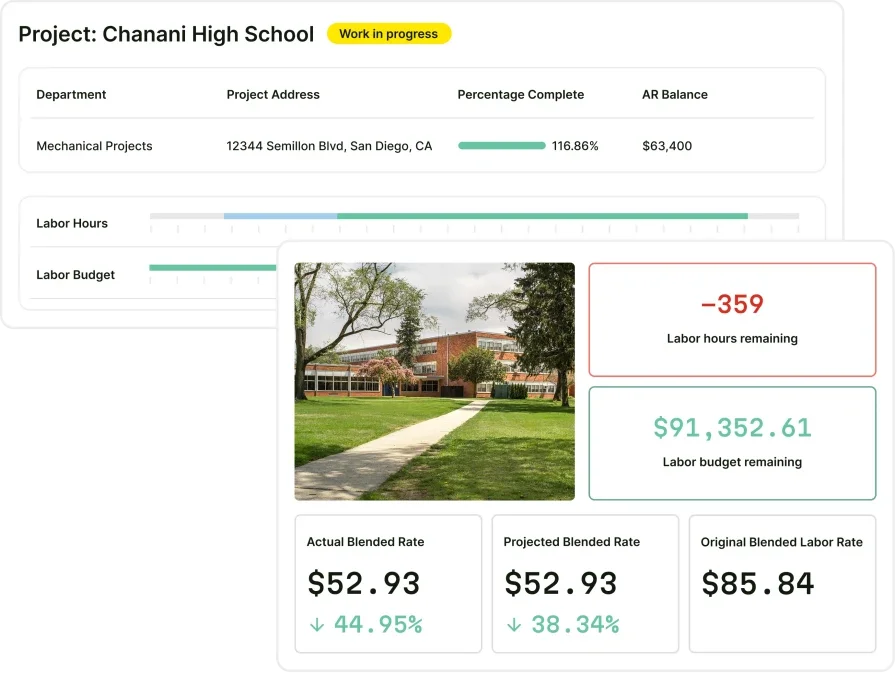
Tighten your construction schedules
See how BuildOps connects AI-powered scheduling to the rest of your field ops.