8 Best Appliance Repair Management Software for Crews

Same-day calls stack up fast. Appliance repair management software gives dispatch and techs one playbook for jobs, parts, warranties, time, and photos. Inside field service management, appliance repair business management software helps crews and solo pros keep schedules tight and invoices clean. Across the industry, appliance repair service management software supports field service contractors who run teams or individual techs.
Here’s what this guide covers:
- Choosing an appliance repair service software for your crew
- 6 key features to look for in appliance repair management software
- Best for commercial contractors
- Best for residential teams
- Best for general contractors
- Other top appliance repair service management software for contractors
- 7 benefits of using appliance repair service management software
- 4 common FAQs about appliance repair management software
Wrong parts on the truck and repeat visits cut profit. Next, we’ll show how to choose appliance repair software that fits how your crew works and how appliance repair service software supports veteran field contractors on every call.
Choosing an appliance repair service software for your crew
Choosing appliance repair management software for a seasoned crew starts with how your day actually runs. You need appliance repair business management software that tightens dispatch, parts, and cash flow without slowing techs. Use these questions to size up appliance repair service management software before any demo.
- Field access - Can techs pull job details, serials, and warranty terms from the phone without calling the office? Does it keep working when signal drops? How fast do status changes reach dispatch?
- Dispatch and capacity planning - Can you stack same-day calls, reshuffle routes midshift, and auto-assign by skills? Does the board factor drive time and parts on hand? Can lead techs claim or split jobs?
- Parts and inventory control - Can the system reserve parts to a work order and auto-reorder against truck stock minimums? Does it track RMAs, cores, and vendor price changes? Can techs scan barcodes on-site?
- Customer and equipment history - Can techs see prior notes, photos, and readings tied to each appliance? Does it connect model and serial across sites? Can you flag recalls or service bulletins?
- Billing, warranties, and claims - Can you price by flat rate, time and materials, or contract? Does it handle manufacturer warranty labor and parts claims? Can invoices hit accounting the same day?
- Features - Does the appliance repair business management software integrate with phones, GPS, and accounting? Can it automate quotes, checklists, and follow-ups? Does reporting show margins by tech, job type, and customer?
Lock in answers before you shortlist. The appliance repair software that fits will make field work faster and billing clean.
{{related-content-block="/resources/field-service-management-software"}}
6 key features to look for in appliance repair management software
Busy shops need dependable tools. Appliance repair management software aligns scheduling, dispatch, parts, and cash flow for teams in the field. With appliance repair business management software, owners see work orders, stock, and invoices tied together without extra steps.
1. Scheduling and live dispatch

Your board must move at call-center speed. Use field service scheduling to set skills, time windows, and travel buffers so first visits close out. Pair that with dispatch software to reshuffle routes when emergencies hit or a VIP shifts the plan. For example, a double-oven install wraps early, so dispatch drops a nearby warranty call on that truck and texts the ETA, keeping the day tight and fuel low.
2. Technician mobile app
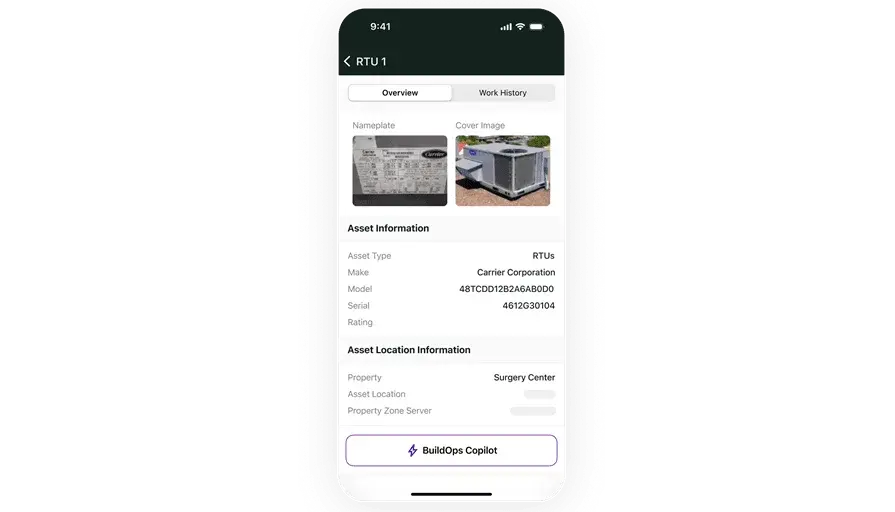
Techs need every detail on the phone. A solid technician mobile app delivers work orders, model and serial history, checklists, photos, and signatures even with weak signal. As a case in point, a washer repair requires a control board. The tech scans the serial, confirms the part in truck stock, updates the job, and the office sees status in real time.

3. CRM with equipment history
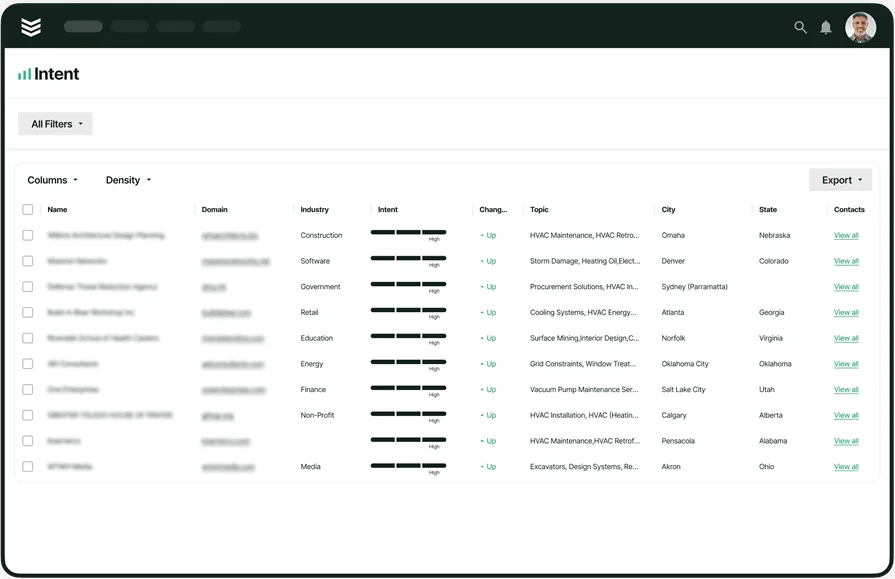
Context cuts repeat visits. A service CRM tied to appliance records shows past notes, photos, readings, and warranty terms on the job screen. For instance, a return call hits for an ice-maker. The tech opens the account, sees a prior fill-valve issue plus a pressure note, and starts at the actual root cause. This is where appliance repair service management software pays off.
4. Invoicing and payments on-site

Cash today keeps the shop steady. Invoicing tied to work orders prices flat rate or T&M, applies contract rates, and posts to accounting. Add payments so techs capture card or ACH before wheels roll. For example, after a sealed-system job, the tech logs parts, adds refrigerant, applies the warranty allowance, and collects at the door. Appliance repair software should make that routine.
5. Fleet and route visibility

Every van doubles as a parts room. Fleet management shows location, driver behavior, and maintenance status so dispatch assigns the closest stocked truck. On a stacked morning with three no-cool calls, you spot the van with a matching condenser fan motor and reroute in seconds. First-visit completion rises and idle time drops.
6. Reporting and job costing

You cannot tune what you cannot see. Reporting breaks down margins by tech, job type, contract, and SKU so pricing and stocking stay sharp. For example, a monthly view flags dryer belt swaps with thin margin due to travel. You tighten zones and bundle PMs by area. Appliance repair service software turns data into clear moves for the next schedule.
Other valuable features to look for in appliance repair management software
Once your core stack covers scheduling, dispatch, mobile, billing, fleet, and reporting, the next step is rounding out the edges. The add-ons below extend your appliance repair management software, strengthening recurring revenue, approvals, and cost control without piling work on the office.
- Recurring work and warranties - With service agreements, you lock in PM schedules, track terms by model and serial, and trigger warranty claims without retyping job data. Crews roll into seasonal checkups with parts pre-picked and tasks preloaded, which keeps callbacks low and customers steady.
- Quoting and upsell on the truck - Service quoting software lets techs present good, better, best options, convert on-site, and push approved scope straight into a work order. That means replacement quotes for aging dishwashers or ice machines land while the customer is engaged, not days later.
- Accurate labor and true costing - Time tracking ties hours to tasks and parts so job costing reflects reality. Leads approve time against each line, overtime gets flagged, and payroll exports cleanly into accounting. With appliance repair service management software wired this way, owners see which jobs earn and which need a pricing tune-up.
Dialing in these capabilities turns appliance repair management software into a dependable system for seasoned teams. With appliance repair service software in place, crews handle heavier call volume with cleaner handoffs and faster cash.
Best for commercial contractors: BuildOps

BuildOps fits commercial appliance outfits that juggle chains, multi-site facilities, and strict SLAs. As appliance repair management software, it links every service job to parts, serial numbers, photos, and approvals so office and field stay in sync.
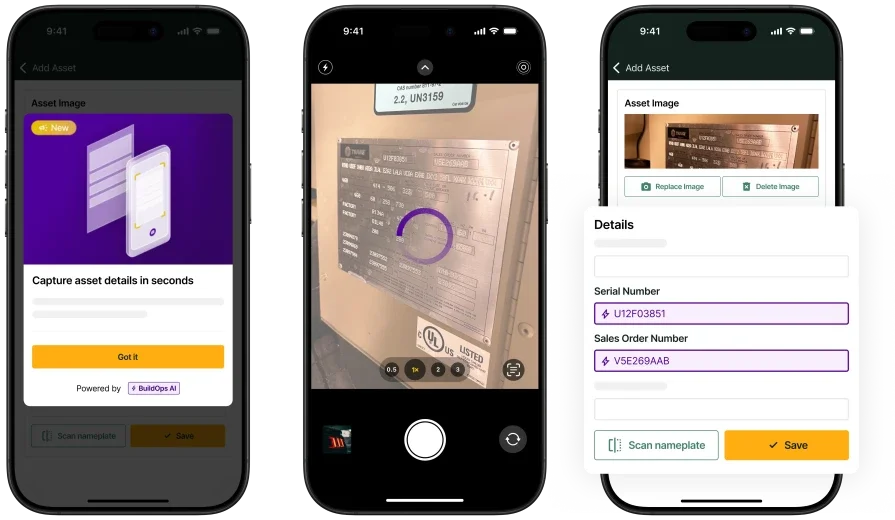
Teams get scheduling, live dispatch, nameplate capture with OCR, inventory and POs, warranty workflows, quotes, time tracking, and job costing in one system. As appliance repair business management software, it goes beyond service call tracking by tying jobs to the full operation from first call to final payment.
How pricing works: BuildOps offers custom pricing aligned to company size and complexity. Live demos are available to explore how the platform fits specific workflows.
Features beyond core management: Technicians scan nameplates to auto-fill model and serial. Mobile capture adds photos and readings straight to the work order. Dispatch coordinates crews by skills and certifications. Warranty rules apply labor rates and parts allowances so claims file cleanly. Reporting shows margins by site, customer, and job type, which helps leaders tune stocking and labor.
What sets it apart for commercial contractors: BuildOps supports high-volume service with multi-location calendars, SLA timers, project billing options, and a technician app that keeps checklists, parts, and history on hand. Office staff and field leaders can allocate teams, reserve parts, and schedule PMs without duplicate entry. It suits commercial appliance repair service management software needs where visibility and control matter.
Best for residential teams: Housecall Pro
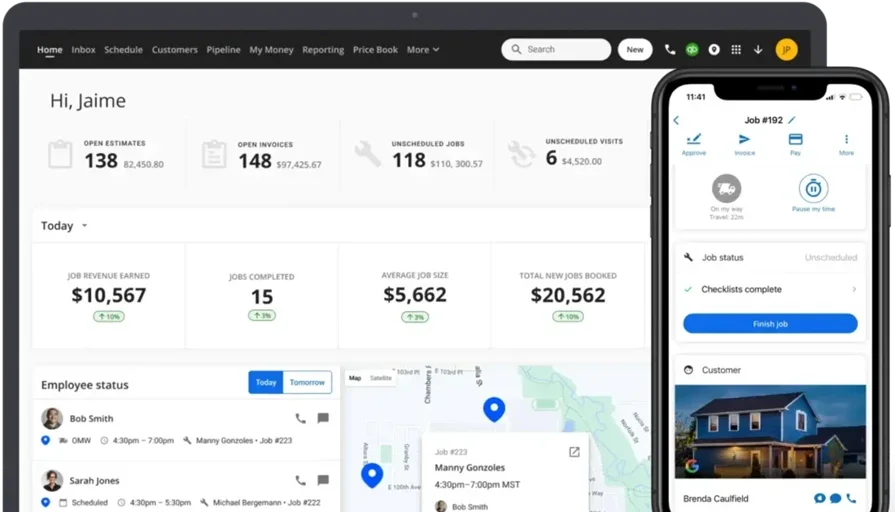
Housecall Pro works for residential appliance crews that want fast setup with online booking, job tracking, and customer messaging in a single screen. It handles estimates, invoicing, and simple dispatch for everyday repair tickets and upkeep visits, which suits small teams adopting appliance repair software for the first time. It may fall short for complex commercial workflows such as deep inventory control, advanced warranty claims, or multi-site routing.
How pricing works: Housecall Pro lists tiered pricing starting at $59 per month, with advanced features included on higher plans.
Features beyond core management: The platform links equipment details to customer profiles, automates service reminders, and gives techs a mobile view of jobs and notes. Property-based records help organize visits by address for repeat residential work without digging through past invoices.
What sets it apart for residential teams: A quick learning curve, clean mobile app, and property-centric organization help techs move fast on dense route days. Teams that outgrow basic parts and warranty tracking may need stronger commercial controls later.
Compare Housecall Pro vs BuildOps right here in our side-by-side breakdown.
Best for general contractors: Jobber
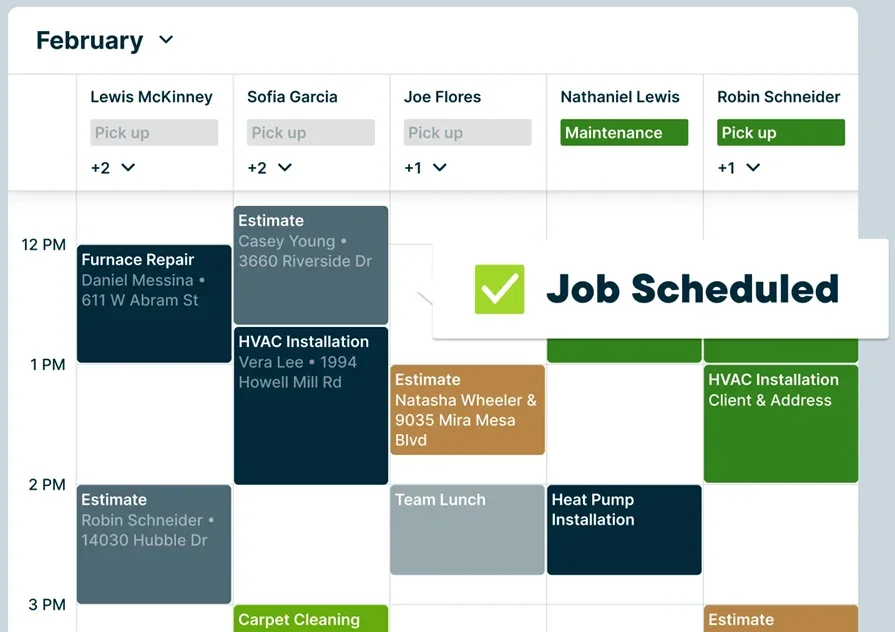
Jobber serves mixed-trade service companies that want straightforward scheduling, quotes, and CRM alongside appliance tickets. It lets teams assign work, capture notes, and convert approvals into jobs without heavy admin, which fits shops handling a blend of installation and repair. It may not be ideal for large commercial appliance firms that require detailed warranty rules, advanced inventory, or chain-level reporting.
How pricing works: Jobber lists plans starting at $29 per month for one user, with higher tiers adding quoting, CRM, invoicing, and advanced scheduling.
Features beyond core management: Job checklists, time tracking, and document storage keep visits consistent. Availability can flow into scheduling so dispatch sees who is open and which crews fit a job’s skill mix.
What sets it apart for general contractors: A friendly interface and simple workflows help multi-trade teams stay organized without long onboarding. Shops that need deeper commercial appliance repair service software capabilities may eventually consider a platform focused on enterprise-grade controls.
Other top appliance repair service management software for contractors
Some platforms focus on maintenance, others on mobile speed or asset depth. Depending on workflow, these options can support appliance teams that run service calls, warranty work, and PM routes. Use this list to evaluate where each tool fits within appliance repair management software, and where you may need added capability from appliance repair business management software later.
UpKeep
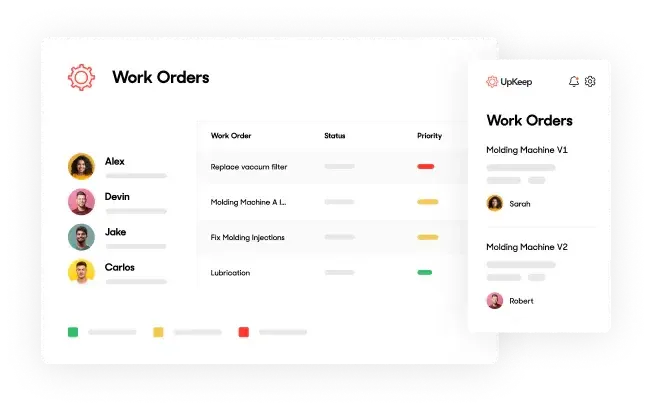
UpKeep centers on maintenance for asset-heavy teams. It gives mobile-first tools for logging repairs, scheduling service, and tracking performance in real time, which suits appliance shops that want quick ticket handling with basic parts tracking. It may lack deeper dispatch controls or CRM for complex customer management, so larger service groups often pair it with other appliance repair software.
How pricing works: UpKeep starts at $45 per user per month, with higher tiers adding reporting and asset hierarchy features.
Features beyond core management: Checklists, asset tagging, barcode scans, mobile maintenance requests, and offline mode for remote sites.
What sets it apart: Best for maintenance-driven crews that need fast access to appliance records and a simple way to assign, complete, and track service without leaning on office staff.
Fiix
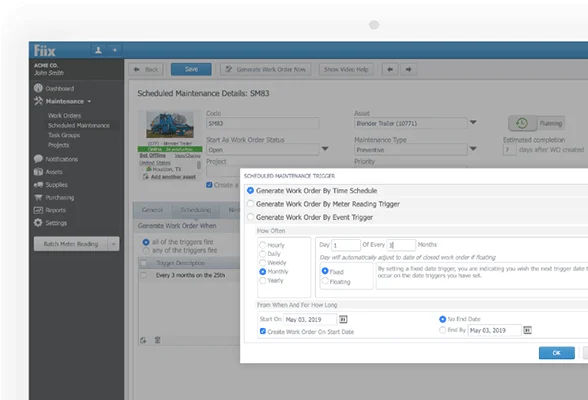
Fiix is a CMMS aimed at equipment-heavy operations. It delivers asset logs, PM scheduling, and analytics that help appliance repair service management software users document work for compliance and audits. It leans industrial rather than service-focused, which can reduce flexibility for field teams that live on quick dispatch and customer history.
How pricing works: Fiix offers a free basic plan for small teams, with paid plans starting at $45 per user per month.
Features beyond core management: Lifecycle tracking, real-time dashboards, automated reporting, multi-site operations, and audit-ready documentation.
What sets it apart: Strong choice for regulated environments that need deeper visibility into failures, costs, and technician performance across many assets.
Asset Panda

Asset Panda focuses on flexible asset tracking with heavy customization. Appliance contractors can tailor fields, workflows, and access rules to match how they catalog models, serials, and parts through the life of each unit. It does not include built-in scheduling or dispatching, so coordination with field work may require extra systems if you expect full appliance repair service software coverage.
How pricing works: Quote-based pricing that depends on asset counts and users.
Features beyond core management: Custom fields, barcode generation, depreciation tracking, check-in and check-out, and mobile updates while on-site.
What sets it apart: A fit for teams that want a configurable tracking hub that adapts to unique processes without forcing a fixed template.
MaintainX
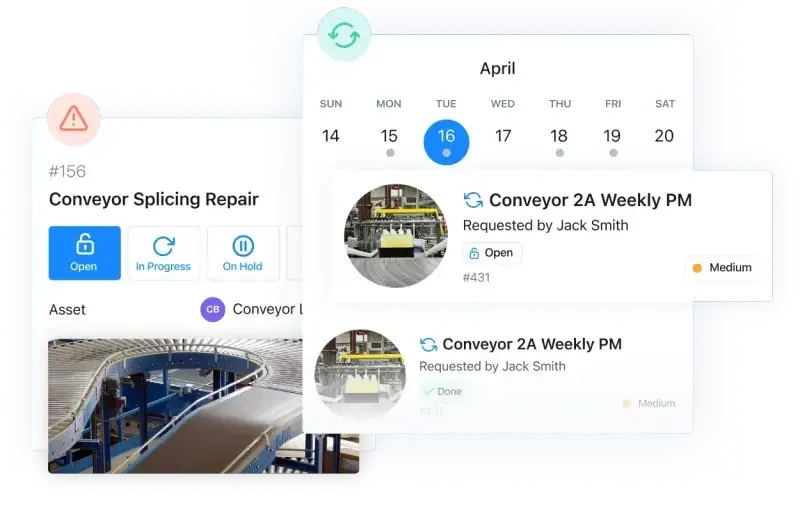
MaintainX blends maintenance management and mobile work orders for crews that value speed and chat-style coordination. Appliance teams can push SOPs, inspections, and PM tasks to phones, which keeps standards tight across many techs. Reporting and integrations are lighter than larger platforms, so expanding into full CRM or advanced dispatch may take add-ons.
How pricing works: Free starter plan for small teams, paid plans begin at $16 per user per month and scale by features.
Features beyond core management: Digital SOPs, inspection forms, PM logs, chat-based job coordination, and offline support.
What sets it apart: A clean mobile experience for smaller service teams that want to digitize maintenance and service workflows without complexity.
EZOfficeInventory
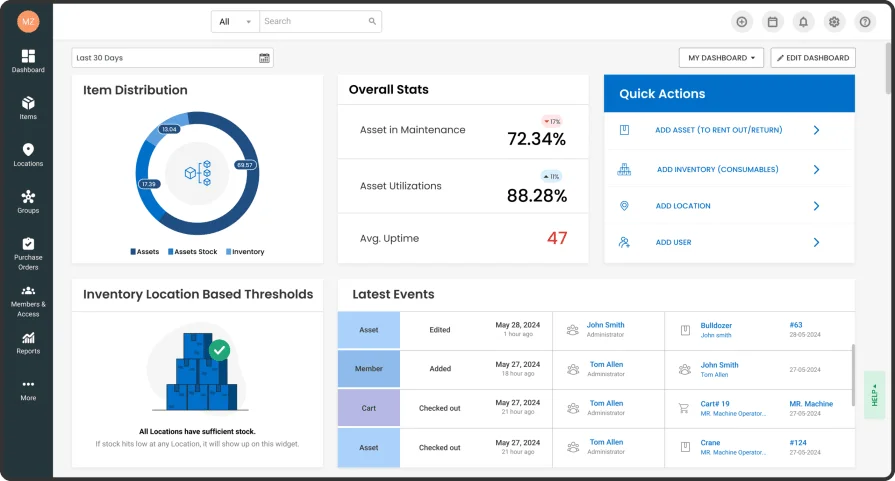
EZOfficeInventory emphasizes asset tracking, equipment checkouts, and inventory controls across fleets and warehouses. Appliance repair software users gain accountability for who has which tool, when it returns, and its condition. It is not a full field service platform, so scheduling and CRM generally require integrations if you need end-to-end appliance repair service software.
How pricing works: Plans start at $40 per month for small teams, with pricing scaling by volume and features.
Features beyond core management: RFID and barcode support, maintenance scheduling, user accountability tracking, usage and depreciation, and compliance-ready reporting.
What sets it apart: Useful for large equipment pools that need clear oversight and audit trails, especially for high-turnover tools or loss-prone items.
7 benefits of using appliance repair service management software
When tickets stack up and parts run tight, every minute counts. Appliance repair management software gives crews visibility, control, and proof across each step of the job.
1. Fewer delays on-site
Dispatch sends the correct tech with the correct part because assignments account for skills, travel, and truck stock. Crews leave the shop with history, model and serial data, and a clear plan, which lifts first-visit completion and keeps routes tight. Using field service scheduling to align work orders with inventory turns “guess and go” into predictable service windows.
2. Faster check-ins and accountability
Barcode scans and quick check-in or check-out log who used an item and its condition at handoff. Pairing those steps with a field service app keeps updates flowing from the driveway so dispatch and customers see status without phone tag. Over time, these habits blend into the workflow, which sharpens custody and trims idle time.
3. Reduced equipment loss and theft
Clear custody by job, time, and tech cuts “van gremlins” and missing meters. When something goes missing, the trail shows exactly where to look, so managers solve the issue without finger-pointing. Appliance repair business management software helps multi-crew teams protect high-value gear across many sites.
4. Smarter inventory and stocking decisions
Usage history reveals fast movers and dust collectors, so purchasing sets truck minimums that match reality. Warehouses keep shelves lean while vans leave with what today’s calls require, which reduces emergency supply runs during peak season. That steady flow keeps technicians focused on service instead of parts hunts.
5. Predictable maintenance, fewer failures
Service reminders tied to actual usage keep tools and test gear reliable. Crews avoid troubleshooting rabbit holes caused by neglected equipment, and warranty windows stay intact. Workflows powered by field service management solutions centralize task lists, service notes, and asset health so nothing slips through.
6. Stronger service records for customers
Customer-owned appliances carry full history with photos, readings, and prior fixes. Techs walk in already knowing what was done and why, which speeds diagnosis and builds trust at the door. Appliance repair service management software also flags aging units that deserve a replacement conversation.
7. Accurate billing and fewer disputes
Parts, labor, and equipment usage flow straight from the ticket into the bill. Documentation backs tool time, rental items, or warranty allowances, which keeps collections clean and shortens DSO. Tying service data to field service invoicing software gives owners a clear line from field work to cash in the bank.
{{related-content-block="/resources/field-tech-management-software"}}
4 common FAQs about appliance repair management software
You run tight routes and tough SLAs. Here are straight answers built for seasoned teams using appliance repair management software in the field.
1. What is appliance repair management software?
Software that runs your service day end to end. It connects scheduling, dispatch, CRM, parts, warranties, invoicing, and reporting so office and field see the same data in real time. Used well, it replaces spreadsheets and scattered apps with one workflow that matches how crews run calls.
2. How does it support techs in the field?
Veteran techs need context fast. Appliance repair service management software delivers mobile work orders, offline access, photo capture, price books, and checklists so the first visit closes cleanly. Parts reserve to the ticket, serials scan to the record, and status changes hit dispatch without phone tag.
3. Is appliance repair management software worth the price?
For most shops, yes. Gains show up as higher first-time fix rates, fewer no-part returns, faster billing, and accurate labor capture. Owners using appliance repair business management software see margins by tech, job type, and customer, tune stocking from usage, and cut DSO with same-day invoices.
{{related-content-block="/resources/classic-electric-scales-business-with-buildops"}}
4. What are the best practices for using appliance repair management software?
Pros get value by enforcing standards and making the phone the system of record. Keep fields tight, align routes to skills and zones, and review numbers on a cadence that drives action.
- Standardize model, serial, and failure code fields
- Enforce skill tags and zones in scheduling
- Batch routes by area with travel buffers
- Set truck stock minimums tied to usage
- Apply warranty rules within price books
- Require photos and checklists at closeout
- Track time to tasks for true job costing
- Push quotes from the field and convert to work orders
- Update jobs from the driveway, not after the shift
- Review weekly reports for margins by tech, job, and SKU and adjust accordingly
You juggle stacked calls, warranties, and tight SLAs. The thread through this guide stays the same: pick appliance repair management software that ties scheduling, dispatch, inventory, mobile, billing, and reporting into one clean workflow. The result is fewer repeats, faster cash, and a crew that knows exactly what to do next.
For commercial contractors, BuildOps goes beyond appliance repair management and unifies the entire operation. One platform covers dispatch, CRM, inventory, PMs, projects, invoicing, analytics, and the mobile tools your techs rely on. If your business needs an all-in-one system for field service, it delivers control without slowing the day.
Want a closer look without a sales pitch? Grab a short demo, see how the workflow matches your board and trucks, and decide on your timeline.