
Every electrical project starts with a plan—and your diagrams are the foundation. If you’re still relying on clunky tools, manual drafting, or outdated files, it’s easy for errors and delays to creep in. That’s why contractors across the electrical industry are moving to modern electrical diagram software that keeps designs accurate, organized, and easy to update.
This guide breaks down how electrical diagram software works, why it’s becoming essential, and the key features to look for when choosing a platform for your team.
Here’s what we’ll cover:
- The important role of software for electrical diagrams in the field
- 5 key features to look for in an electrical diagram software
- Top 6 electrical diagram software and tools for different team types
- 7 benefits of using electrical diagram software for the field & office
- How to choose the right electrical diagram software for your team
- 4 common electrical diagram software FAQs answered for electrical contractors
With a solid understanding of the guide's scope, we can now pivot to the core content. We'll start by examining the important role that dedicated electrical diagram software plays in driving accuracy and efficiency in the field.
The important role of software for electrical diagrams in the field
Modern electrical diagram software gives field crews a real-time, always-current roadmap for installations. Instead of relying on static paper or PDFs that cause errors and rework, technicians can access precise, mobile schematics to troubleshoot faster, maintain safety standards, and keep the office and field aligned on the same source of truth.
Here are some of the ways software impacts electrical diagram work.
The evolution of digital design in the trades
- Seamless office-to-field integration — Modern platforms bridge the gap between design and installation, ensuring everyone works from a single source of truth.
- AI-driven design assistance — AI is now integrated into the workflow, helping office teams auto-generate layouts and assisting field crews with predictive troubleshooting.
- Enhanced precision — Digital tools reduce manual drafting errors, allowing for faster revisions and more reliable electrical schematics.
By leveraging these digital advancements, electrical contractors can streamline their operations, utilizing AI and cloud-based software to maintain a competitive edge in both the office and the field.

Don’t get left behind
We surveyed hundreds of North American contractors to see what the future looks like.
5 key features to look for in an electrical diagram software
Electrical diagram software is vital for accurate design, allowing teams to create, organize, and share complex schematics easily. The right platform boosts efficiency and collaboration, making these essential features the focus for any contractor choosing a tool.
1. Mobile field tech app

Instant access to the latest schematics and blueprints on a mobile device. This ensures field technicians are always working from the current design, minimizing errors and speeding up troubleshooting on-site. Through a mobile app for field technicians, the field tech can view and update diagrams directly.
2. Invoicing and payments

Automatically generates a complete Bill of Materials (BOM) directly from the completed diagram. This speeds up material ordering and links design specifications directly to purchasing, preventing incorrect parts from being ordered. With integrated invoicing and payments tools, the system ensures material estimates are accurate.
3. CRM

A robust library of industry-standard electrical symbols (ANSI, IEC, JIC) that allows for fast, compliant diagram creation. Customization options ensure brand standards are maintained across all projects. With an AI-powered CRM for electrical contractors, your team can quickly find and utilize required components.
4. Reporting and analytics

Automated tools that assign unique wire numbers and component tags. This feature maintains consistency across complex multi-page schematics and greatly simplifies documentation and assembly. With reporting and analytics tools, you can audit documentation for completeness and accuracy.
5. Service agreements

The software validates the diagram as you draw, flagging issues like incorrect connections, voltage mismatches, or missing terminal IDs. This reduces the need for manual review and catches compliance errors early. With an AI-driven service agreement management tool, diagrams are kept up-to-date for long-term maintenance contracts.
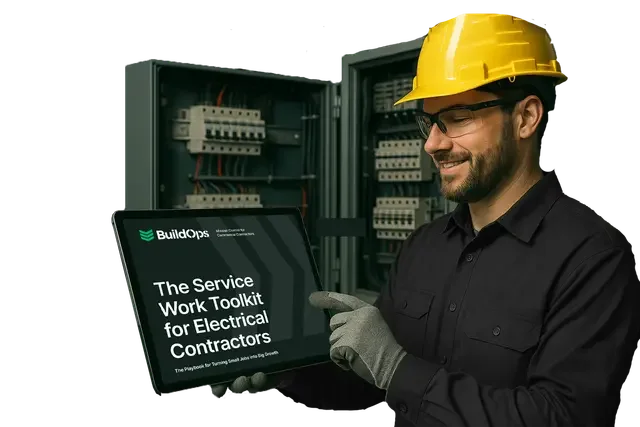
Get the Electrical Service Work Toolkit
We cover successful strategies and real-life examples so you can improve workflows.
Other valuable features to look for in electrical diagram software
Beyond the essentials, there are a few additional features that round out a strong electrical diagram software platform. These features support speed, clarity, and better handoffs between design, estimating, scheduling, and field execution—especially when multiple jobs are moving at once.
- Integrated Scheduling: When scheduling is integrated with your diagramming tools, you can align design milestones with crew and resource availability, keeping projects on track from planning through installation.
- Time Tracking: Tying time tracking to diagram-driven tasks helps validate how long specific design and installation activities really take, so you can refine workflows and improve job planning over time.
Even with powerful features behind the scenes, the electrical diagram software you choose still needs to work in real-world conditions—across job types, team sizes, and project scopes.
Top 6 electrical diagram software and tools for different team types
Electrical contractors work differently, from complex commercial jobs to residential service calls. The right electrical diagram software should match your workflow—here are six top options for different contractor types.
1. Best for commercial electrical teams: BuildOps

BuildOps was created for commercial contractors dealing with complex electrical installs and high-volume projects. Its electrical diagram tools help teams quickly design, edit, and standardize one-line diagrams, panel schedules, and riser drawings so every project starts with a clear, accurate plan.
But we don’t just stop at diagrams. BuildOps connects your electrical designs to the rest of your workflow—linking drawings to job phases, tracking revisions, and keeping field teams synced with the latest set. That means less rework, fewer clashes, and tighter office-to-field coordination.
How pricing works: BuildOps uses custom pricing based on company size and number of users. Plans are tailored per team, so you only pay for what your operation actually needs.
Features beyond diagrams: In addition to electrical diagram management, BuildOps includes dispatch management, technician mobile apps, CRM tools, automated service agreement tracking, and full reporting dashboards. Every tool ties back to your project data, creating a connected system that improves with every job.
What sets it apart for commercial contractors: Electrical contractors can keep one source of truth for diagrams, sheets, and changes while tracking updates in real time. When the job kicks off, the same system keeps teams working from the latest drawings, aligns POs and invoices with project codes, and surfaces issues before they hit the field. Everything’s connected—saving your team hours each week and reducing costly mistakes.
Rating: 4.5 on Capterra from 177 user reviews
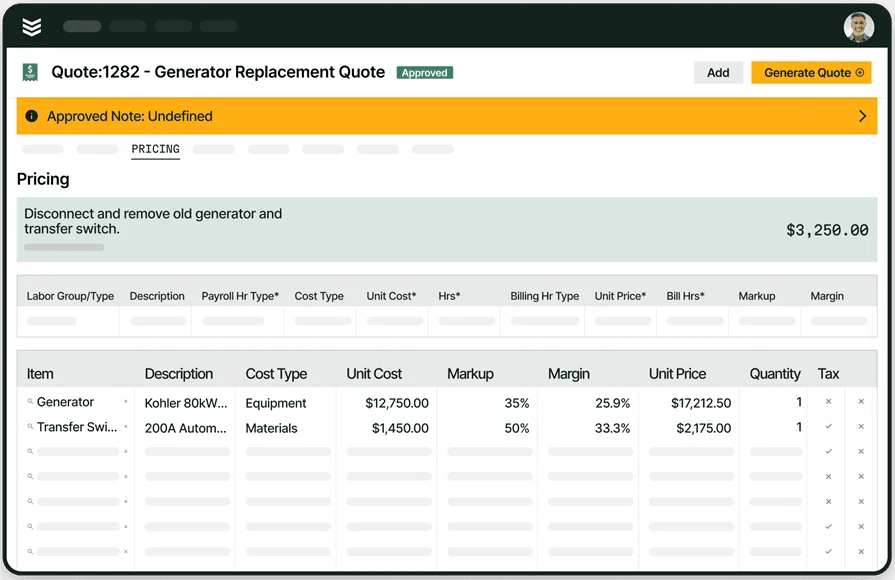
Built for the challenges of commercial contractors
BuildOps has helped contractors see 30% revenue growth + 75% quote approval rates.
2. Best for residential: Housecall Pro

Image Source: Housecall Pro
Housecall Pro is built around simplicity. Its clean interface makes it a solid pick for small residential electrical shops that prioritize clear circuit documentation, quick diagram updates, and tight scheduling. It streamlines basic takeoffs and lets teams attach or reference one‑line diagrams and panel schedules alongside jobs, work orders, and invoices.
However, it may not offer the advanced diagramming depth or commercial‑grade customization some contractors need.
How pricing works: Tiered monthly pricing, starting around $59/month, depending on the number of users and access to features.
Features beyond diagrams: Includes online booking, automatic follow-ups, payment processing, and customer communication tools. You also get a mobile app that keeps your field team in sync with office dispatch and scheduling.
What sets it apart for residential contractors: For shops handling dozens of home service calls a week, Housecall Pro keeps operations streamlined. Techs can quickly reference attached diagrams, update job details, and convert approved quotes into scheduled work with just a few clicks.
Rating: 4.7 on Capterra from 2739 user reviews
Check out our feature comparison of Housecall Pro vs BuildOps right here to decide which one is the better fit for your team.
3. Best for general contractors: Jobber

Image Source: Jobber
Jobber focuses on helping general contractors manage clients, quotes, jobs, and payments in one place. Its tools make it easy to attach, organize, and reference electrical diagrams and plan sets alongside each job. For electrical contractors doing mixed trade work or partnering on GC-led projects, it’s a flexible choice.
That said, its built‑in diagram handling and markup options may feel limited for larger or highly specialized electrical design teams.
How pricing works: Starts at $25/month for one user, with pricing tiers based on feature access and user count.
Features beyond diagrams: Offers client communication tools, mobile job tracking, appointment scheduling, and basic reporting. The integrations are solid, but geared more toward general field service than advanced electrical design workflows.
What sets it apart for general contractors: Jobber gives GCs visibility across all job stages without needing complex setups. For teams wearing multiple hats—designing, managing, dispatching—it offers a centralized place to keep diagrams, site details, and job information organized.
Rating: 4.6 on Capterra from 1440 user reviews
4. Best for small to mid-sized businesses: Workiz

Image Source: Workiz
Workiz is built for smaller teams that need fast turnaround on electrical diagrams, job planning, and documentation without dealing with complex setup. It supports quick layout creation, standardized templates, and easy revision management—ideal for growing electrical shops that juggle multiple jobs at once.
However, its customization and depth may feel limited for commercial contractors or teams handling highly complex electrical designs.
How pricing works: Workiz offers tiered pricing starting at around $65/month, depending on user count and features included.
Features beyond diagramming: Workiz includes built-in VoIP calling, team messaging, calendar syncing, and technician GPS tracking. These features help owners keep tight control of job progress without bouncing between apps.
What sets it apart for small to mid-sized teams: Workiz makes it easy for lean electrical teams to create diagrams and manage related jobs in one place, so they can keep projects moving without getting bogged down in multiple tools.
Rating: 4.4 on Capterra from 218 user reviews
5. Best for independent contractors: ServiceTrade

Image Source: ServiceTrade
ServiceTrade is an ideal electrical diagram software solution for independent contractors and one-person shops. It allows solo professionals to design, manage, and instantly update electrical schematics without relying on a bulky office setup. By keeping all drawings cloud-accessible, ServiceTrade ensures you have visibility into every circuit and panel right on your mobile device, helping you complete service work safely and quickly.
How pricing works: Subscription pricing based on the number of seats you need
Features beyond diagram management: Maintains a single source of truth for electrical schematics, reducing rework and miscommunication between office and field. Supports quick updates and version control so you can revise diagrams as systems change, without losing historical context
What sets it apart for independent contractors: It centralizes your entire library of electrical diagrams, ensuring every drawing is accurate, up to date, and instantly accessible to you in the field—essential for solo technicians managing multiple projects.
Rating: 4.6 on Capterra from 341 user reviews
6. Best for installation & maintenance contractors: PlanSwift

Image Source: PlanSwift
PlanSwift specializes in digital takeoff and plan review, giving electrical contractors tools to trace circuits, mark up plans, and generate material lists directly from blueprints. It streamlines working with complex one-lines, panel schedules, and wiring diagrams so teams can move from design to install faster.
While powerful for install-focused work, it lacks broader job management features like CRM or scheduling.
How pricing works: One-time license cost starting at roughly $2,000, with optional yearly maintenance and add-on modules.
Features beyond estimating: Includes drag-and-drop electrical assemblies, measurement tools, Excel integration, and plugins for supplier pricing. It also offers customizable formulas for job costing.
What sets it apart for installation and maintenance teams: PlanSwift shines when jobs are blueprint-heavy and demand precise diagram and takeoff work. For contractors focused on installs, accurate diagram tracing paired with reliable material and labor mapping helps produce sharp estimates—even on tight timelines.
Rating: 4.3 on Capterra from 398 user reviews
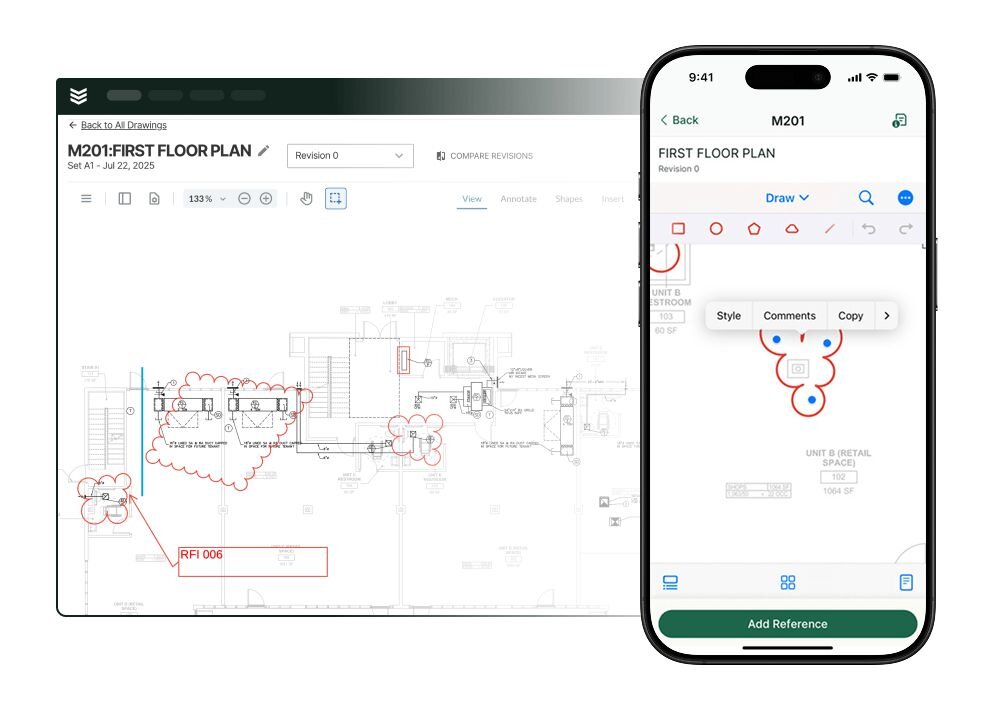
7 benefits of using electrical diagram software for the field & office
Using professional electrical diagram software directly improves design accuracy, compliance, and field execution. These systems connect design data to the work order, ensuring faster installs and better long-term maintenance.
1. Faster troubleshooting in the field
Technicians can immediately access and review the correct schematics for the asset they are servicing. This quick reference eliminates confusion and significantly cuts down on troubleshooting time, improving first-call fix rates.
2. Centralized design history with property data
Diagrams become part of the customer's permanent record. A platform with a built-in CRM for electrical contractors ensures that every drawing, revision, and panel schedule is instantly linked to the property, providing full context for every service visit.
3. Accurate material estimates and quoting
The software generates a precise Bill of Materials (BOM) directly from the completed diagram. This linkage ensures material estimates are accurate, preventing costly ordering errors. Tools that integrate estimating and quoting help technicians present accurate numbers based on design specs.
4. Real-time design visibility across the operation
Live updates on diagram revisions and markups are instantly available to both the office and the field. This alignment ensures all parties work from the same source of truth, minimizing rework and ensuring compliance. Field service reporting tracks design completion against installation progress.
5. Streamlined documentation and compliance tracking
The software automates the assignment of wire numbers, component tags, and code-required labels. This consistency simplifies documentation and assembly, while also making it easy to generate audit-ready compliance reports later.
6. Stronger job costing and profitability analysis
By linking material costs and labor hours directly to diagram components, the software provides granular data on design efficiency. Platforms with built-in field service dashboards allow managers to analyze profitability based on specific diagram complexity and component usage.
7. Reduced administrative overhead
Digital diagramming eliminates manual drafting, printing, and filing. Integration with job management systems automates the transfer of design information to work orders, payments, and archival, freeing up staff time. This is further enabled by strong automation tools in the platform.

How to choose the right electrical diagram software for your team
Choosing the right electrical diagram software is key to how well your team designs, executes, and maintains complex systems. Before you pick a platform, ask these critical operational questions.
- Library depth and compliance – Does the software include a comprehensive, industry-standard symbol library (ANSI, IEC)? Can you easily customize components to match specific project requirements or local codes?
- Mobile accessibility and markup – Can field technicians view high-resolution schematics on mobile devices? Is there a simple way for them to add redlines or notes that sync back to the office in real time?
- Automated documentation – Does the platform automate tedious tasks like wire numbering, cross-referencing, and generating accurate Bills of Materials directly from your drawings?
- Version control and history – How does the system handle revisions? Can you easily track design changes over the life of an asset to ensure maintenance teams always have the latest "as-built" diagrams?
- Integration with project data – Does the diagramming tool connect with your larger job management system? Can it link specific schematics to work orders, material purchasing, and customer property records?
- Ease of use vs. power – Is the interface intuitive enough for rapid drafting under tight deadlines, or does it require extensive training? Balance advanced engineering features with the practical needs of your daily workflow.
Pick a platform that supports all of this so your diagrams stay useful working tools—not static files—from design through final inspection.
4 common electrical diagram software FAQs answered for electrical contractors
These are the questions electrical contractors ask most when moving from paper drawings to modern digital diagramming solutions for their field operations.
1. What is electrical diagram software?
It is a specialized tool used to create, manage, and share accurate electrical schematics, one-line diagrams, and panel schedules. It includes libraries of standard electrical symbols and features like automated wire numbering to ensure compliant, professional documentation.
2. How does digital diagramming benefit field technicians?
It provides field crews with instant, mobile access to the latest "as-built" diagrams and revision history for any asset they are servicing. This real-time visibility allows for faster, safer troubleshooting, reduces installation errors, and improves first-time fix rates.
3. Does electrical diagram software integrate with my job workflow?
Yes. The best platforms connect diagrams directly to work orders, customer property records, and the Bill of Materials (BOM). This integration ensures that design specs drive purchasing and billing, creating a complete and accurate historical documentation set.
Did you know
Leading electrical contractors have leveraged BuildOps to transform their profitability. Explore how these teams are scaling their operations:
- Classic Electric: Achieved a 300% growth milestone
- Dane Electric: Reduced invoicing cycles by 30%
- Jolma Electric: Realized a 50% increase in operational efficiency
4. What are the best practices for getting full value from electrical diagram software?
Adopting electrical diagram software is just the start; building habits that keep teams designing and updating schematics in the software is how you get full value, whether you’re a small crew or a multi‑territory operation.
- Standardize diagram creation, labeling, and storage.
- Use the diagram software as the single source of truth.
- Build complete component libraries upfront.
- Review project diagrams daily for issues.
- Regularly update templates and symbol standards.
- Link diagrams to project phases for tracked revisions.
- Automate change notifications for all stakeholders.
- Use version history to spot rework and refine standards.
- Train new hires on the diagram software from day one.
- Audit diagram workflows quarterly to remove manual redraws.
With BuildOps, AI helps your team stay aligned, reduces manual drafting and revisions, and gives you clear visibility into every plan and change.
Instead of juggling disconnected tools, BuildOps ties together electrical diagrams, estimating, project management, and field execution in one platform built for commercial contractors. That means fewer redraws, fewer mistakes, and more projects moving seamlessly from design to install.
Want to see how it works with your workflows? A live demo is the best way to experience BuildOps in action.
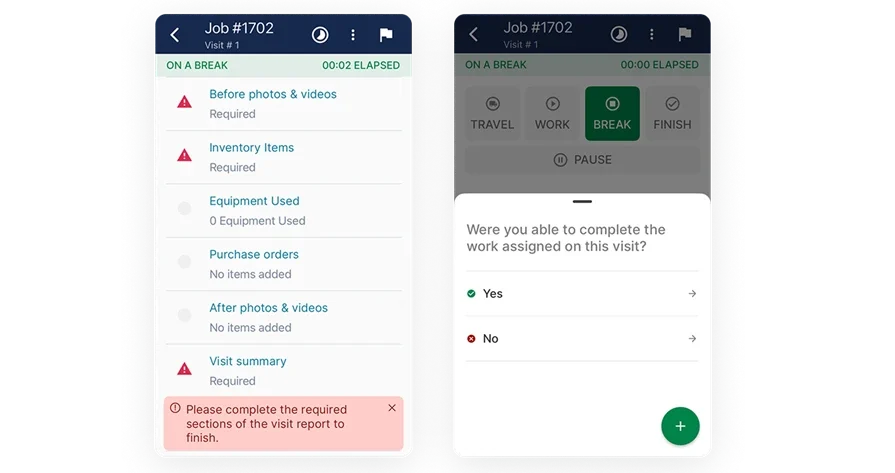
Unify your FSM with BuildOps
See how BuildOps helps electrical contractors manage day-to-day ops with ease.