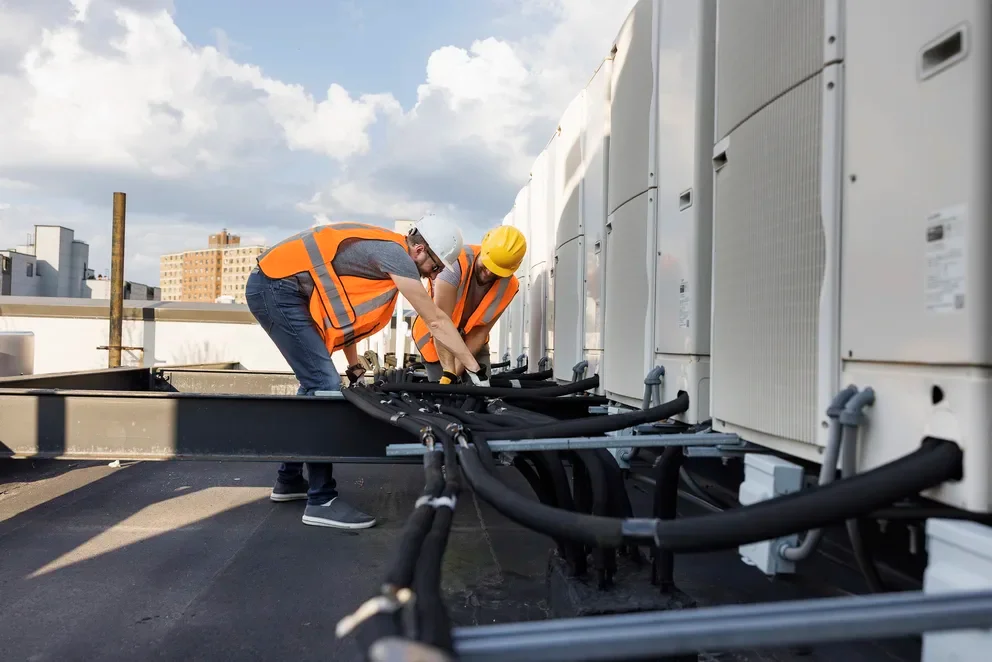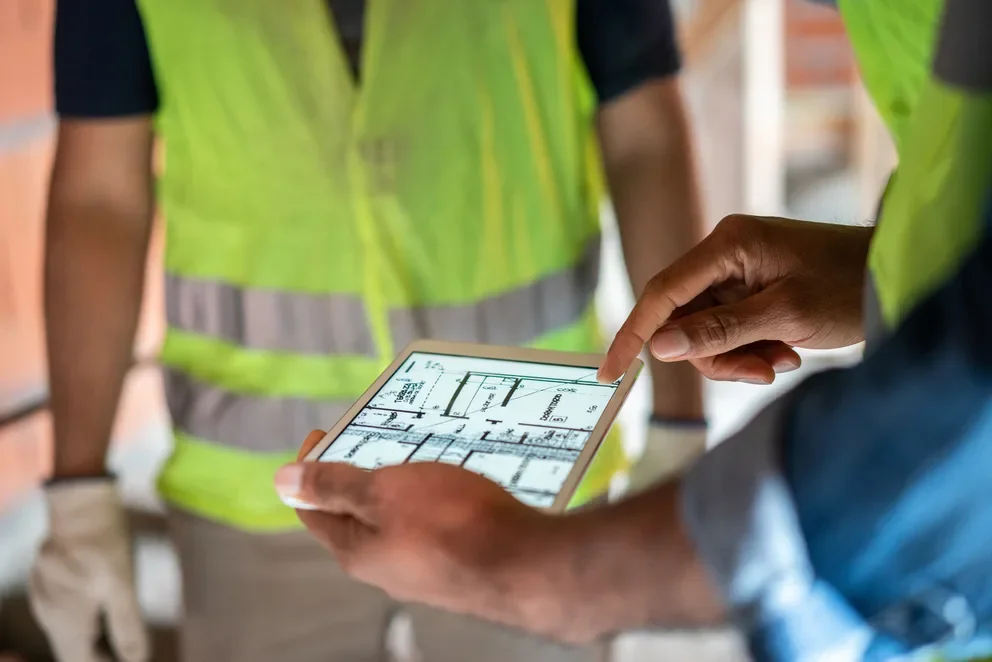
AI turns field activity into clean, reliable job records that the office can use immediately. No more chasing handwritten notes or missing updates. Teams capture what happened on site in real time, keeping scheduling tight, documentation complete, invoicing moving, and reporting accurate.
For construction contractors in the field service industry, that means fewer disconnects between the field and the office, less back-and-forth, and a faster path from completed work to closed-out jobs and paid invoices.
In this guide, we’ll break down what to look for in AI tools built for field teams and highlight the platforms leading the way.
- Key features to look for in an AI construction app
- 8 best AI construction apps & tools to power your operations
- 7 benefits of using an AI-powered construction app
- How to choose an AI-capable app for construction
- 4 important FAQs about AI tools for construction
Now that the scope is clear, the next section explains how to choose AI construction apps for daily field operations.
Key features to look for in an AI construction app
AI construction apps help contractors, but they don’t all do the same thing. Some handle one task, while others manage work across the office and field. To make comparison easier, we broke the key features into three categories.
Field operations & project execution features

Field operations features in AI construction apps focus on the day-to-day execution of work at project sites: dispatching crews, maintaining clean documentation, and providing the office with real-time updates.
- AI-powered scheduling & dispatch – AI apps with strong scheduling capabilities use job data to suggest assignments and restructure boards. Paired with construction dispatch software, this ensures dispatchers can react to real-time project site changes without manual reshuffling.
- Technician mobile app & AI-powered field documentation – A technician mobile app lets crews capture notes and photos directly from project sites. With field service AI, raw inputs are transformed into clean visit summaries and accurate records, speeding up field-to-office communication.
- Fleet management, time tracking & reporting – Fleet management tools optimize routes between project sites, while time tracking provides clean labor records. Integration with reporting dashboards allows ops leaders to make data-driven staffing decisions based on actual field patterns.
Customer management & sales features

Customer and financial tools in AI construction apps help you win work and manage relationships on project sites, ensuring CRM and billing workflows accelerate office operations.
- Service CRM & service agreements – A field service CRM centralizes customer data while AI summarizes past site visits. Connected to service agreements, AI flags gaps and helps prioritize agreement work to prevent missed maintenance tasks.
- Invoicing, payments – AI apps scan and match receipts to jobs, strengthening invoicing workflows. Paired with payment processing, the path from job site completion to cash collection remains tight and trackable.
- Field service quoting – Using service quoting software ensures techs capture project site details in structured notes so the office can issue clean quotes immediately, reducing delays in work approval.
Construction design management features

Construction design apps streamline pre-construction by visualizing systems and managing RFIs. AI speeds up document reviews and design checks, cutting manual work before field teams arrive at project sites.
- AI-assisted design, planning & simulation – AI apps help teams analyze drawings and automate takeoffs. By linking models to inventory, these tools ensure everything is ready for crews at the project site, cutting RFIs and project timelines.
Some AI construction apps focus on specific categories, while others offer full coverage for field operations. The right features depend on your unique job mix and project site needs

8 best AI construction apps & tools to power your operations
AI construction apps only matter if they speed dispatch, streamline field documentation, and keep invoices moving. Here are eight platforms contractors and field service teams use for builds, installs, maintenance, and emergency repairs on the project site.
1. Best for commercial construction teams: BuildOps

BuildOps connects AI directly to the field workflows that drive construction operations forward, from dispatch adjustments and field documentation to asset capture and invoicing, all feeding into a single job record that the office can act on without chasing updates.
OpsAI turns messy field inputs—crew notes, photos, receipts—into clean, trusted data your back office can act on. From emergency break-fix calls to tenant improvements and large HVAC retrofits, every job runs with the same operational discipline, so nothing slips between the field and the office from first dispatch to final closeout.
AI Field Ops Features: AI powers Smart Dispatch that recommends the right tech for every job on the project site, in real time—based on skills, workload, and location. Nameplate capture builds asset records from a single photo captured on-site. Field notes write themselves from quick bullets or voice. And invoice scanning pulls in line items and catches what’s missing before you bill.
Features Beyond AI: The platform covers scheduling and dispatch workflows, quoting and approvals, customer and job history with multi-property hierarchies, invoicing and payments, reporting dashboards for utilization and performance, service agreements for recurring work, fleet tracking, and time tracking tied to cost codes for payroll accuracy and job costing.
How Pricing Works: BuildOps prices based on team size, user count, and the capabilities your operation needs, quoted per user per month with options scaled for larger construction teams.
Rating: 4.4 on Capterra from 177 user reviews
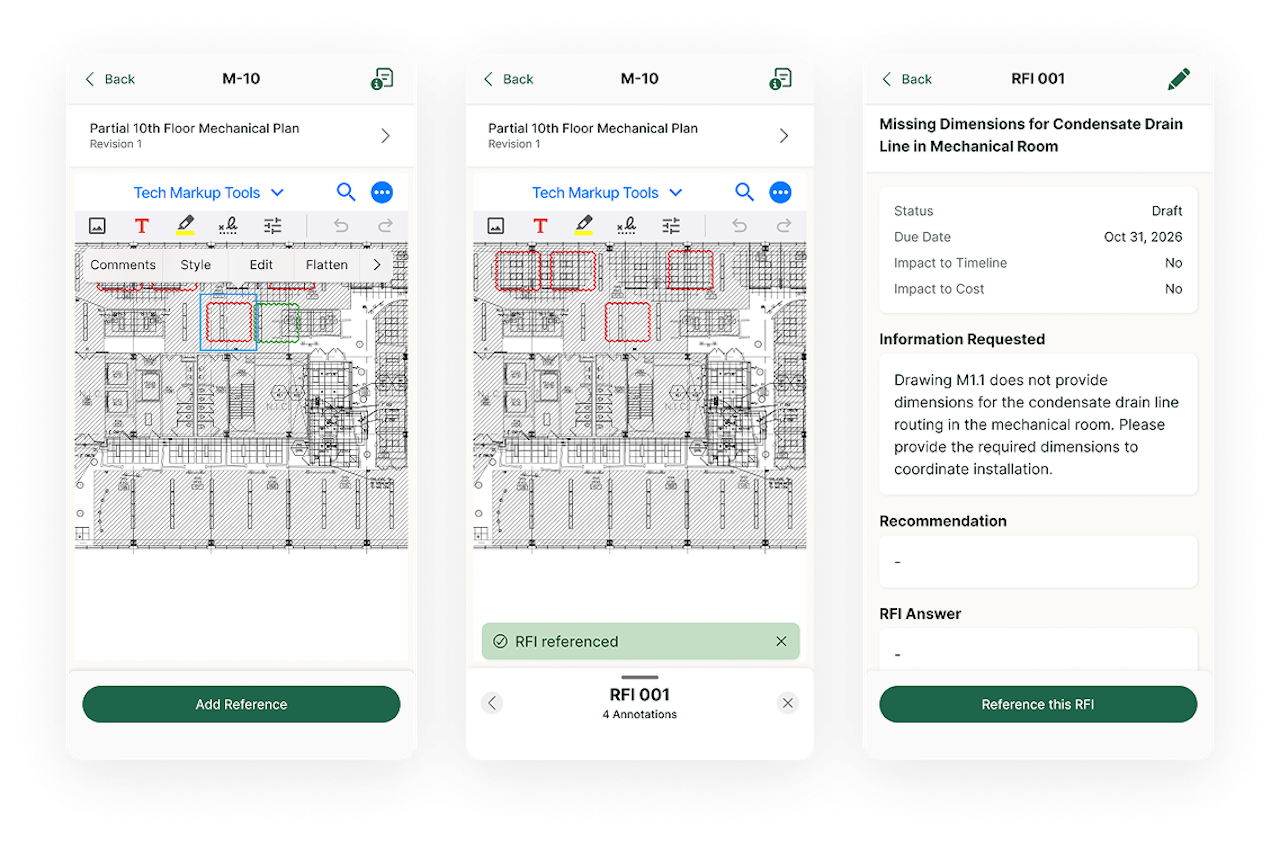
Want to see BuildOps in action?
The on-site AI-powered features your crew needs to cut down manual data double entry.
2. Best for field documentation cleanup: ServiceTrade

Image Source: ServiceTrade
ServiceTrade centers on job documentation and customer-ready wrap-ups, which matters when construction techs are closing out tickets from the field and the office needs polished records before the next phase of work begins. As an AI construction app, it leans into converting what crews capture on the project site — notes, photos, equipment details — into consistent, usable job data, especially across field teams.
For contractors with recurring maintenance or multi-visit work, that consistency cuts billing delays and improves customer reporting. It’s less suited to teams needing one platform for complex dispatch, layered approvals, and large-scale field operations across many crews and job types.
AI Field Ops Features: ServiceTrade's AI capabilities focus on converting technician audio into text right from the field, refining raw job notes into professional-grade language, generating consolidated job summaries from full ticket histories, scanning nameplate details into asset records, and surfacing operational answers from historical data so managers spend less time searching through past tickets.
Features Beyond AI: Outside of AI, the platform supports day-to-day construction service operations with dispatching and recurring work management, a technician mobile workflow for photos and on-site updates, and customer-facing reporting and documentation that helps standardize closeouts across accounts.
How Pricing Works: Pricing is typically provided by quote and varies based on team size and the package selected.
Rating: 4.6 on Capterra from 341 user reviews
3. Best for service and project cost tracking: Simpro

Image Source: Simpro
Simpro handles both service and project work inside one system, which can help construction contractors who move between reactive maintenance, scheduled repairs, and longer installation jobs while still needing to track costs against each one.
From an AI construction app perspective, Simpro’s mobile AI helps field techs write clearer job notes and simplifies cost tracking for mixed work on the project site, but its AI depth and configurability vary by plan and rollout stage, so it may not fit teams needing more advanced AI.
AI Field Ops Features: Simpro's AI support targets mobile closeout workflows, including generating work-completed notes from job details and improving writing quality with grammar and spelling corrections, which helps reduce follow-up calls between the field and office when documentation needs to read consistently across different crews and trades.
Features Beyond AI: Beyond AI, the platform offers core field operations coverage including scheduling, job management, quoting, reporting, and tools that connect field activity to financial tracking, plus an ecosystem of integrations that can extend the platform depending on how your construction team runs service and project work.
How Pricing Works: Pricing is quote-based and often depends on user count and selected modules, with setup and onboarding costs common for configuration, training, and data migration.
Rating: 4.0 on Capterra from 145 user reviews
See how Simpro stacks up against BuildOps.
4. Best for day-of schedule adjustments: Praxedo

Image Source: Praxedo
Praxedo centers on planning, work order execution, and technician mobility, with AI positioned as a way to keep the schedule realistic as construction jobs shift throughout the day. It stands out for teams that want AI-driven dispatching, better field documentation, and easier customer updates without adding admin work. It’s less ideal for businesses that need deep financial integrations, complex approvals, and full operational control in one platform.
AI Field Ops Features: AI-assisted planning supports dispatch decisions and day-of schedule adjustments, plus AI keeps field activity data consistent so job records stay usable for office review and billing after crews leave the site.
Features Beyond AI: The platform covers core field service execution with scheduling, work orders, a technician app for on-site updates, real-time visibility for coordinators, and tools that support service delivery across maintenance, repair, and installation work.
How Pricing Works: Pricing typically reflects plan tiers, with $39 as an entry tier, $69 and $99 as higher tiers with expanded capabilities, $149 as a tier that includes AI, and custom pricing for larger deployments.
Rating: 4.6 on Capterra from 43 user reviews
5. Best for call capture and lead routing: Workiz

Image Source: Workiz
Workiz emphasizes communication-heavy service workflows where speed to answer, qualify, and schedule work drives the day. It focuses on AI for call handling and lead intake, helping office teams respond fast and dispatch jobs quickly while techs stay focused in the field. It works well for contractors who rely on inbound calls, but it’s less ideal for complex dispatching, approvals, or large multi-crew projects.
AI Field Ops Features: AI capabilities support answering and routing calls, capturing leads, and generating call insights so teams can respond faster and keep job details accurate from the first customer touchpoint through dispatch.
Features Beyond AI: Beyond AI, it supports common field workflows like scheduling, dispatch, estimates, invoicing, customer communication, and mobile execution so construction service teams can run the day without bouncing between separate tools.
How Pricing Works: Pricing commonly reflects package tiers, with $225 as an entry package, $275 and $325 as higher packages that add expanded capabilities, and custom pricing for larger teams or advanced needs.
Rating: 4.4 on Capterra from 218 user reviews
6. Best for high-volume residential service: ServiceTitan

Image Source: ServiceTitan
ServiceTitan is a broad platform used by trade contractors running high-volume service work and aiming to standardize execution across the field and office. From an AI construction app perspective, it helps contractors save time on field documentation with tools like AI-generated invoice summaries, which can speed up billing after jobs close. It’s a stronger fit for teams that value documentation consistency, but less ideal for those needing a quick, low-effort rollout.
AI Field Ops Features: AI-driven documentation support, including invoice summary generation, helps reduce manual write-ups and keeps closeout details consistent across technicians and office review on construction service jobs.
Features Beyond AI: The platform spans core service operations such as dispatch and job management, customer communication, reporting, and financial workflows that support field execution at scale across multiple trades and job types.
How Pricing Works: ServiceTitan typically uses custom pricing based on business size, trade, and the modules selected, with tiered packaging that changes with operational scope and feature requirements.
Rating: 4.3 on Capterra from 330 user reviews
Want to see how ServiceTitan stacks up against BuildOps? Check out our comparison of BuildOps vs ServiceTitan right here.
7. Best for pre-construction and tender management: Procore

Image Source: Procore
Procore is a construction management platform designed for general contractors and specialty subcontractors who need to move cleanly between pre-construction planning, bid management, and active project execution. It offers strong pre-construction tools, including AI support for takeoffs, rate reviews, and document formatting, helping teams move from estimate to budget with less manual work. It’s especially useful for commercial bidders, but less ideal for AI-driven field service workflows like technician documentation or dispatch optimization.
AI Field Ops Features: Procore applies AI and filtering tools to quantity takeoffs, item counting, and document formatting during pre-construction phases, helping teams move between bidding, estimating, and project setup with fewer manual steps before field teams arrive at the project site.
Features Beyond AI: The platform integrates with over 500 apps, including 15+ accounting integrations, and covers project management, document control, RFIs, submittals, and financial tracking that connects pre-construction work to active job execution.
How Pricing Works: Procore uses custom pricing based on the scope of your operation; contact them for a quote.
Rating: 4.5 on Capterra from 2658 user reviews
8. Best for sales management and lead nurturing: Buildertrend

Image Source: Buildertrend
Buildertrend is a customer and sales management app for construction professionals, designed to help them capture and close leads through customized proposals, targeted email marketing, and clear client communication throughout the project lifecycle. It is best for contractors who want AI for sales and client management, with basic job tracking. It’s less ideal for AI-powered field operations like dispatch, documentation cleanup, and asset capture.
AI Field Ops Features: Buildertrend applies automation to lead funnels, proposal generation, and outreach sequencing, helping construction sales teams move prospects through the pipeline without manual follow-up on every touchpoint.
Features Beyond AI: The app includes a CRM hub for lead creation and tracking, contract proposal drafting, email marketing execution, and daily logs that let field techs and project managers track construction job progress with a running record of on-site work.
How Pricing Works: Buildertrend uses a monthly subscription model, with custom pricing.
Rating: 4.5 on Capterra from 2485 user reviews
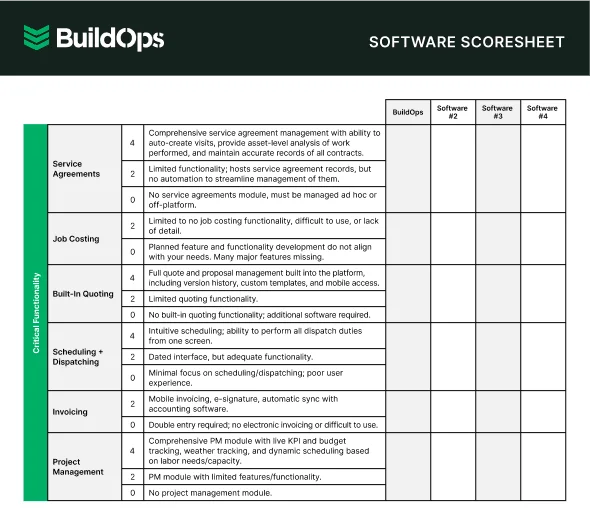
Compare software at a glance
Find the right software with this easy-to-use software scoresheet.
7 benefits of using an AI-powered construction app
This is where the features you just reviewed show up on real construction jobs. AI construction apps pay off when they turn day-to-day on-site inputs into actions the office can trust, so dispatch, crews, and billing spend fewer cycles chasing missing details.
1. Faster schedule updates from the project site
When a high-priority call comes in, the on-site AI app suggests the best tech and schedule tweak, and the dispatcher confirms and sends the updated plan to their phone in minutes. That replaces the usual chain of calls, manual reshuffling, and "where are you now" checks that slow construction teams down, and it's one of the clearest advantages of using AI dispatch software on active job sites.
2. Cleaner field closeouts without chasing crews
When techs finish a job at the end of a long day, the mobile AI app's note summaries can turn quick bullets, voice notes, and checklist items into a clear visit recap that reads like a professional field report. It speeds up closeout approvals and gives billing a clear record, so the office can move the job forward without chasing the crew for details.
Did you know
A Kickstand report based on a survey of 606 contractors across the U.S. and Canada found that 78% are using AI tools on the jobsite, while 47% say one in five positions remain unfilled. That combination explains why AI-backed workflows matter in field ops: they reduce admin load and help teams keep output steady with the headcount they have.
3. Asset records stay accurate via on-site capture
Nameplate capture lets construction techs scan a unit’s plate once using the app, and the system automatically fills in key asset details—no manual typing or unlogged photos. Next time a different crew shows up, they have the equipment history and details ready, which cuts diagnostic time and prevents repeat questions to the customer, a pattern that shows up across the top use cases for AI in field service operations today.
4. Faster invoicing with fewer billing disputes from the field
Invoice scanning helps the office pull key details from receipts and invoices, match them to the construction job, and flag missing items before anything is sent out. Think about when a tech snaps a receipt on their phone using the app; AI pulls in the details so the invoice is accurate, needs fewer fixes, and gets approved faster.
5. Quotes move from project site to approval with fewer handoffs
AI organizes job details so techs capture issues and photos using the app, and the office can quickly turn structured notes into clean quotes. That keeps customers from waiting days for a follow-up and helps service managers keep work in motion, which is one reason why evaluating contractor software with AI features matters when comparing platforms.
6. Recurring work stays predictable even during busy seasons with the app
A service coordinator can see upcoming maintenance, spot gaps in coverage, and schedule visits before the calendar fills up. In the field, technicians follow standardized checklists and produce consistent summaries, which keeps agreement work profitable and prevents missed tasks that lead to callbacks, and understanding how AI field management pricing works across platforms helps you budget for these capabilities before you commit.
7. Fewer office follow-ups across the full job lifecycle via app documentation
When AI helps techs capture assets, produce clear notes, and attach supporting documentation directly in the app, the office can move straight to billing, customer updates, and scheduling the next step. That turns field activity into office-ready records automatically, which reduces rework and keeps service delivery consistent across crews, the kind of operational shift that agentic AI in field service is designed to support as construction teams scale.
Unlock Data-Driven Insights with BuildOps
See how AI is shaping the future of commercial contracting.
How to choose an AI-capable app for construction
Before comparing feature lists, pressure-test whether the app fits how your construction operation actually runs. These are the questions that matter before you get into capabilities.
- Workflow alignment – Does the platform follow how your jobs move from call intake through dispatch, field execution, and closeout? Can it handle your job types and handoffs without forcing you to rebuild your process around the app?
- Field adoption – Will your techs actually use the app on site? Can a crew member run a full job, from checklist to photo upload to notes, without fighting the interface or falling back to paper?
- AI data quality – What inputs does the AI rely on to generate recommendations, summaries, or schedule changes? How does the system handle gaps, like missing asset history or incomplete job notes, without producing unreliable outputs?
- Implementation and training – How long does rollout take, and what does your team need to provide? Are job templates, price books, asset fields, and permissions something you configure, or does the vendor own that setup?
- Integrations – Does the app connect cleanly to accounting, payroll, CRM, and the phone systems you already depend on? What data migrates without manual cleanup, and what requires work before you switch?
- Full field service ops coverage – Does the AI connect across dispatch, documentation, invoicing, fleet, asset tracking, and reporting inside one platform, or are you stitching together separate apps to cover the full lifecycle of a construction service call?
Next, we'll break down the key features to look for so you can compare AI construction apps with a consistent checklist.

4 important FAQs about AI construction apps
These FAQs address what AI apps look like in practice for construction teams, focusing on operational changes and what to confirm before committing to a platform.
1. How does AI show up in construction apps during daily field operations?
AI construction apps help field teams move faster by automatically assigning the right crew and route based on location, skill set, and live job needs. On-site, they pull asset info from photos, turn field notes into clean summaries, and tie receipts to the right jobs, so the office spends less time on admin and more time driving the work.
2. Will AI construction apps replace dispatchers, project managers, or field crews?
AI doesn’t replace your team. It removes the busywork. It helps with schedules, assignments, and documentation, while your crews and staff stay fully in control of every decision and customer interaction.
3. Is an AI construction management app worth the investment?
Yes. AI apps improve margins by removing manual busywork that slows cash flow. When quoting, job tracking, and invoicing happen in one AI-powered system, contractors bill faster, make fewer mistakes, and close out jobs cleaner with better visibility.
4. What are the best practices for getting sustained value from an AI construction app?
AI construction apps work best when they’re part of your team’s daily flow, not just another tool on the side. Keep your data clean, automate the repetitive work, and regularly review results so the system keeps learning and improving.
- Use AI to dispatch by skill, location, and workload.
- Keep customer, job, and asset data accurate.
- Require mobile app updates, photos, time logs, and sign-offs.
- Sync the app with accounting from day one.
- Review reports monthly for performance and margins.
- Automate customer ETAs, updates, and invoices.
- Link inventory and parts to every work order.
- Review AI quoting trends quarterly.
- Train office and field teams every quarter.
- Update dispatch rules and automations regularly.
AI construction apps should turn today’s field chaos into clean, office-ready job data—without the constant calls, texts, and board rebuilds.
BuildOps gives commercial construction teams one platform to run the whole operation, with OpsAI connecting the AI apps that sharpen every handoff: dispatch updates, route optimization, asset capture, field documentation, and billing. Field and office stay aligned on the same job record, from the first scheduled visit to the final invoice.
If you want to see how that plays out across your routes, job types, and closeout standards, you can jump into a free demo as part of your evaluation.
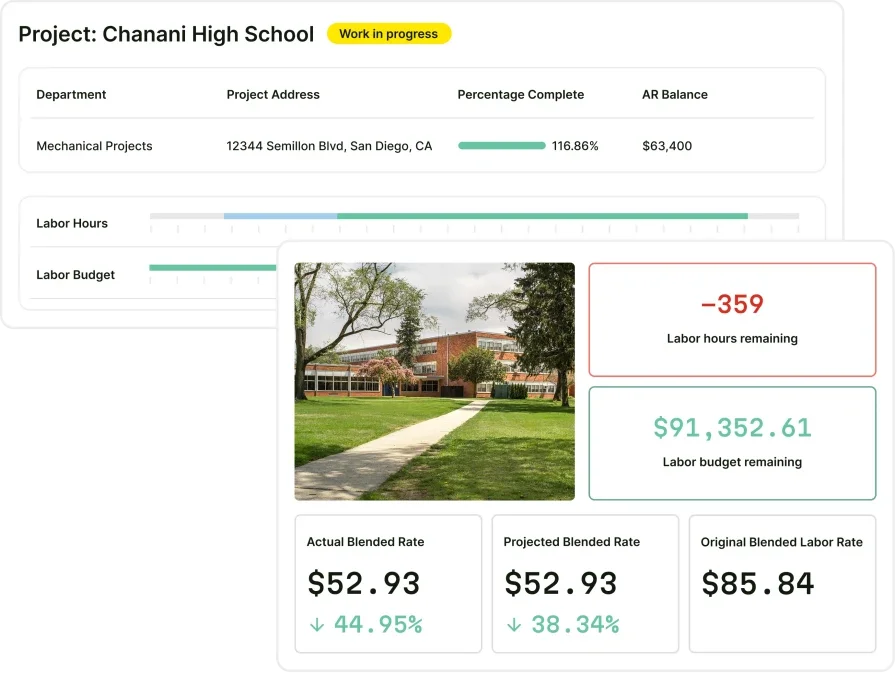
Unify your Construction FSM with BuildOps
See how an AI-native app connects the rest of your construction field ops.