8 Best Fire Extinguisher Inspection Apps for ITM Teams
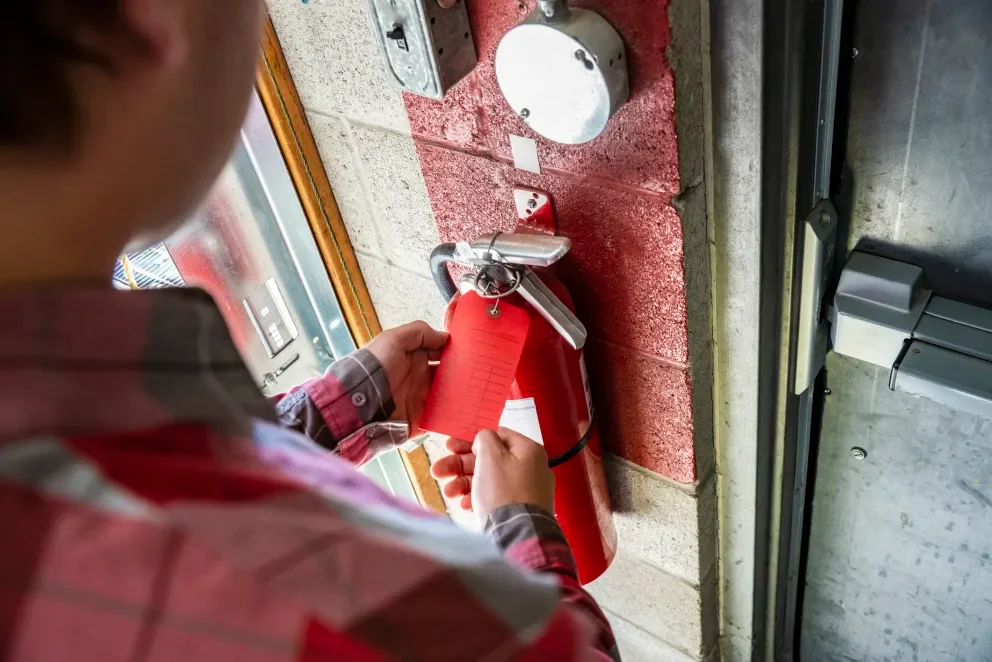
Fire extinguisher inspections sit in the middle of every ITM route you run. If you manage crews in the fire safety industry, you juggle tight access windows, picky tag requirements, and closeout documentation that needs to match what the AHJ and the customer expect. A fire extinguisher inspection app keeps each extinguisher tied to the work order, the asset record, the deficiency, and the service history your office needs to bill cleanly and schedule the follow-up.
Here’s what this guide covers.
- Choosing the right fire extinguisher inspection app for your team
- 5 key features to look for in a fire extinguisher inspection app
- 4 types of fire extinguisher inspection apps
- 8 best fire extinguisher inspection apps for field management
- 7 benefits of using a fire extinguisher inspection app as a contractor
- 4 important FAQs about fire extinguisher apps answered
When you are keeping every extinguisher accounted for across monthly checks, annual maintenance, and service calls, your techs are also juggling inspections, alarm testing, and door checks on the same properties.
If your team already runs an app on those routes, extinguisher findings still need the same clean handoff from inspection to deficiency to scheduled return visit to report, without your coordinators rebuilding the job story from photos, texts, and half-filled spreadsheets.
Choosing the right fire extinguisher inspection app for your team
You already run ITM work where extinguisher checks trigger deficiencies, return trips, and closeout packages that your office has to defend. A fire extinguisher inspection app should keep every unit in one place with its history, photos, and next action, so a tech captures it once on-site and your back office moves straight to quotes, scheduling, invoicing, and reports without chasing loose details later.
- Asset traceability by extinguisher – Can you assign a unique asset ID that stays consistent across floors, suites, buildings, and campuses? Can a tech scan a barcode/QR and pull prior inspections, maintenance events, hydro dates, and last deficiency while standing at the cabinet? Can you track location moves without losing the unit’s history
- NFPA-ready data capture and audit trail – Do your forms match how your team works in NFPA 10 workflows, including custom required fields by customer? Do timestamps, photos, and inspector signatures stay attached to the record every time? Can you lock down edits after submit while still allowing a controlled correction path
- Deficiency to follow-up workflow – Can a failed check create a deficiency line with parts, labor notes, priority, and next step in the same flow? Can dispatch schedule a return visit without breaking the link to the original inspection record? Can a fire extinguisher service app carry the chain from deficiency to quote to work order to completion without side spreadsheets
- Route execution across broader FLS work – Can you run mixed routes where techs handle extinguishers alongside sprinkler, alarm, and suppression tasks on the same site? Can the app batch work by property, building, or route day so you cut repeat site entries and duplicate paperwork? Can supervisors see progress by tech, customer, and route in real time
- Customer deliverables that match how owners review – Can you batch closeout packages by building, floor, tenant, or asset group without manual cleanup? Can you standardize language and layouts across inspectors so reports look consistent across the portfolio? Can you export PDFs that keep photos, notes, and signatures together every time
- App features – Does it support scan-to-asset, photo markup, configurable pass/fail checks, and required prompts that match your SOP? Can techs work offline in basements and dead zones, then sync without losing attachments? Can the platform integrate with scheduling, invoicing, inventory, and customer-facing portals so your office stops rekeying the same data?
5 key features to look for in a fire extinguisher inspection app
Extinguisher work creates fast-moving follow-ups—deficiencies, return trips, approvals, and closeout packages that all have to hold up under review. Your fire extinguisher inspection app should keep every unit, result, photo, and next step connected so the field captures it once and the office can run the rest without cleanup.
1. Scheduling & dispatch
Inspection routes change mid-day, so the app has to stay connected to field service scheduling and smart dispatch software. That way, you can move stops, reassign zones, and slot a deficiency revisit without breaking the inspection-to-follow-up trail. In practice: a tenant blocks access on two floors, dispatch shifts the route and keeps the inspection record intact for those assets.
2. Mobile app
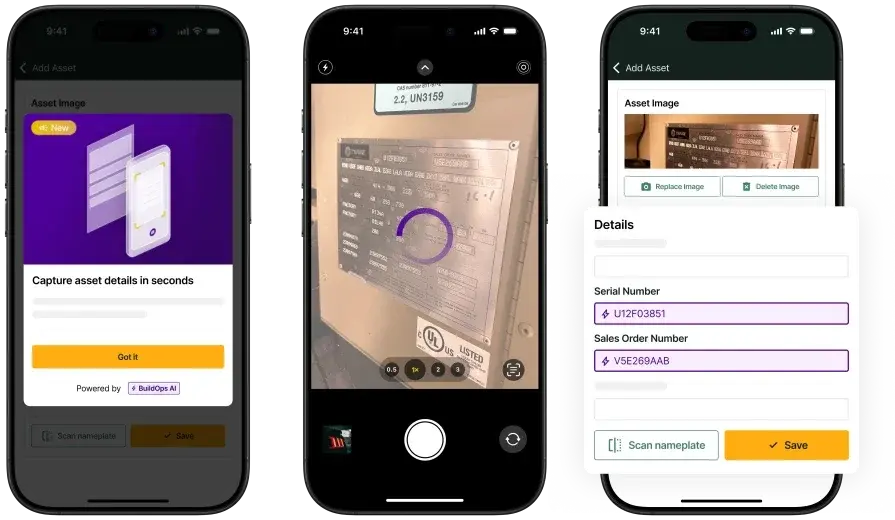
The field workflow only works when techs capture proof at the cabinet and keep moving. With a technician mobile app, they scan the tag, log the check, and attach the photos to the exact unit so the record stays defensible. A typical moment: the tech flags a missing pin and snaps the photo on the spot, tied to that extinguisher’s asset ID.
3. Service agreements
Recurring programs fall apart when scope gets fuzzy across a portfolio. Tying inspections to service agreements keeps included work, billable fixes, and approvals clear inside the same workflow. Quick example: a national retailer asks why six tags got billed, and the agreement terms answer it without a back-and-forth.
4. Reporting

Owners and AHJs do not review “notes,” they review deliverables. Strong reporting rolls unit-level results, photos, and signatures into a consistent closeout package that stays tied to the job. Real-world trigger: a PM asks for a floor-by-floor deficiency list, and you export it from the same inspection data your tech already captured.
5. Service CRM
Extinguisher work touches many stakeholders, so the history has to live with the customer and site record. A connected field service CRM keeps contacts, asset notes, and job history in one place so your office answers questions fast and accurately. Common case: a facility director calls about “the lobby cabinet,” and your team pulls the exact unit record and last result immediately.
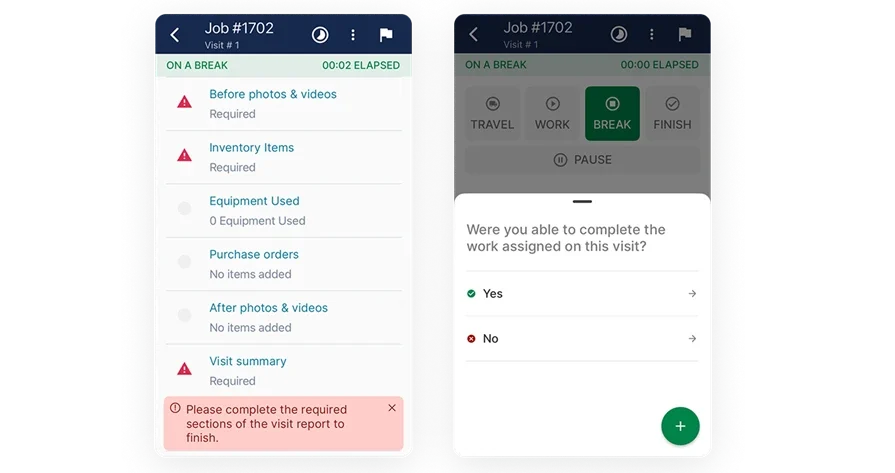
Other notable features contractors should look for in a fire extinguisher inspection app
Once the core workflow is set, a few supporting features decide whether deficiencies turn into approved work and clean billing without office churn.
- Quoting tied to deficiencies – Price corrective work fast using service quoting software that carries notes and photos from the inspection record
- Time and labor accountability – Track labor and travel across multi-site routes with time tracking tied to the work order
- Truck and coverage visibility – Keep zone coverage aligned with fleet management when dispatch shifts work mid-route
- Billing that follows the field record – Push completed work into invoicing without rekeying unit details
- Fast, trackable collections – Take payment through payments tied to the job history and closeout package
When these pieces sit together, you can judge any tool by one thing: does it keep extinguisher inspections connected to the rest of your FLS operation, from the first scan to the final closeout. That connection is what protects your routes, keeps deficiencies from stalling, and gives the office a clean path from inspection record to approved work to billing—without chasing missing details.
4 types of fire extinguisher inspection apps
Not every fire extinguisher inspection app solves the same problem. Some tools prioritize fast capture at the cabinet, others lean into portfolio reporting, and a few center on office-controlled documentation.
- Mobile-first inspection capture app – Runs on a phone or tablet and prioritizes scan-to-asset (QR/barcode), offline use, and fast photo proof, including nameplate capture for manufacturer, model, serial, and service markings, so techs can log unit status, tag details, and deficiencies without slowing the route when signal drops in basements, stairwells, and mechanical rooms
- Cloud-based inspection platform – Uses a web portal with mobile support so the office can review findings, standardize deliverables, and track deficiencies across a campus in real time, which fits teams that need consistent output across inspectors, buildings, and customer standards
- Desktop-first inspection software – Leans on office entry or laptop-driven workflows with heavy report assembly and manual photo handling, which can work for teams that centralize documentation control, though field capture can lag when access windows change on-site
- Field service management platform – Connects extinguisher inspections to scheduling, dispatch, customer records, and follow-up work orders, so deficiencies move from found to quoted to scheduled service without breaking the record chain, especially when extinguisher checks run alongside suppression, alarm, and recurring ITM work under the same account structure
Once you know which type matches how your operation runs, you can narrow the list fast and choose a fire extinguisher app that fits your workflow instead of forcing tech workarounds in the field or the office.

On an ITM route, fire extinguisher inspections keep response equipment ready, and fire-rated exit doors protect egress in line with building code and NFPA requirements. When both inspections land in the same closeout package, your documentation needs to stand up to AHJ reviews and owner questions.
If your team handles door work alongside extinguishers, here’s a breakdown on a fire door inspection app that shows how to track openings, deficiencies, and follow-up work without losing continuity across the whole route.
8 best fire extinguisher inspection apps for field management
Fire extinguisher work looks simple in a spreadsheet—until ITM day. Your techs are racing tight access windows, chasing missing tags, sorting out swapped units, and fielding AHJ questions that all boil down to one thing: can you prove what was inspected, where it was installed, and what failed. The right fire extinguisher inspection app pulls in nameplate details fast, locks every unit to a specific location and work order, and keeps every deficiency connected to follow-up service, billing, and closeout—so the field can move, the office is not rebuilding the story, and everyone has the proof they need when it counts.
1. Best for commercial: BuildOps

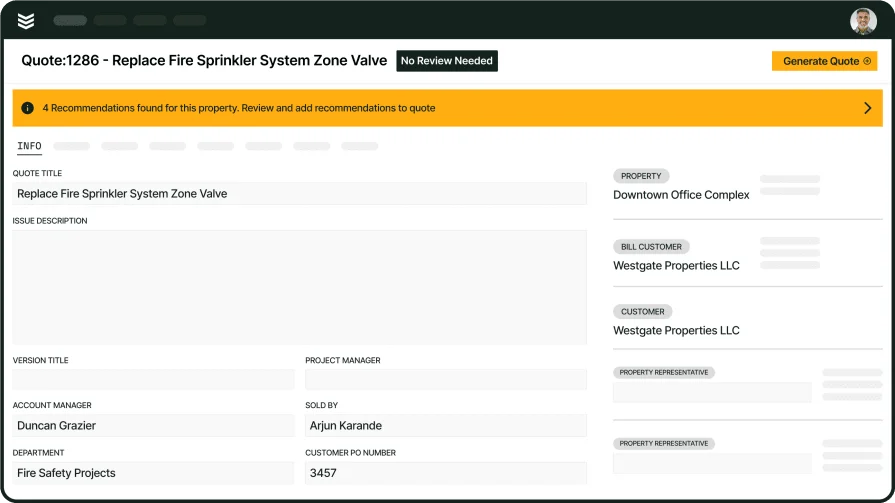
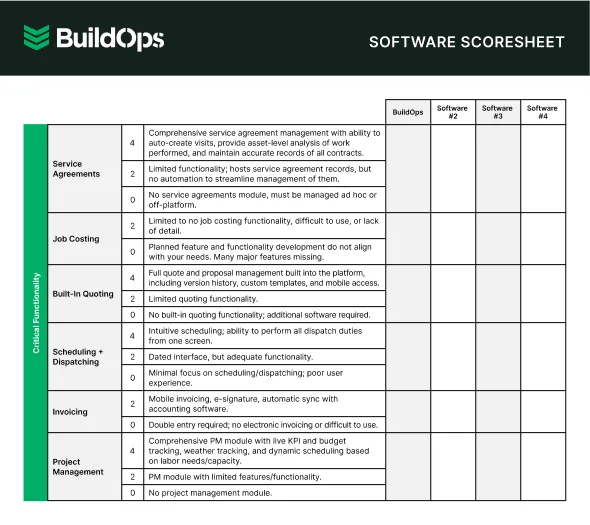
BuildOps is built for commercial fire and life safety contractors running extinguisher routes alongside the rest of their compliance work across sites and recurring visits. Each extinguisher can be managed as its own asset, with linked inspection history, deficiency tracking through to resolution, and standardized documentation that stays consistent across the entire customer portfolio—all connected to scheduling, dispatch, work orders, and the rest of your field operations in a single platform.
How pricing works: BuildOps uses custom pricing based on team size and the capabilities you choose.
Features beyond fire extinguisher inspection: With BuildOps, you manage the entire job in one system—from scheduling and dispatching your techs, to documenting inspections and deficiencies in the field, to billing and reporting in the office. When an extinguisher fails, you can capture the issue on-site, schedule a replacement or return visit, and keep a clean, complete record in the customer file.
What sets it apart for commercial: For commercial contractors, extinguisher programs don’t live in a spreadsheet — they live in asset history, customer standards, and portfolio-wide reporting. BuildOps brings all of that into one place, so supervisors can see complete site history, track open deficiencies by property, and keep inspectors, field techs, and office teams working from a single source of truth instead of chasing updates.

2. Best for residential: ServiceTrade
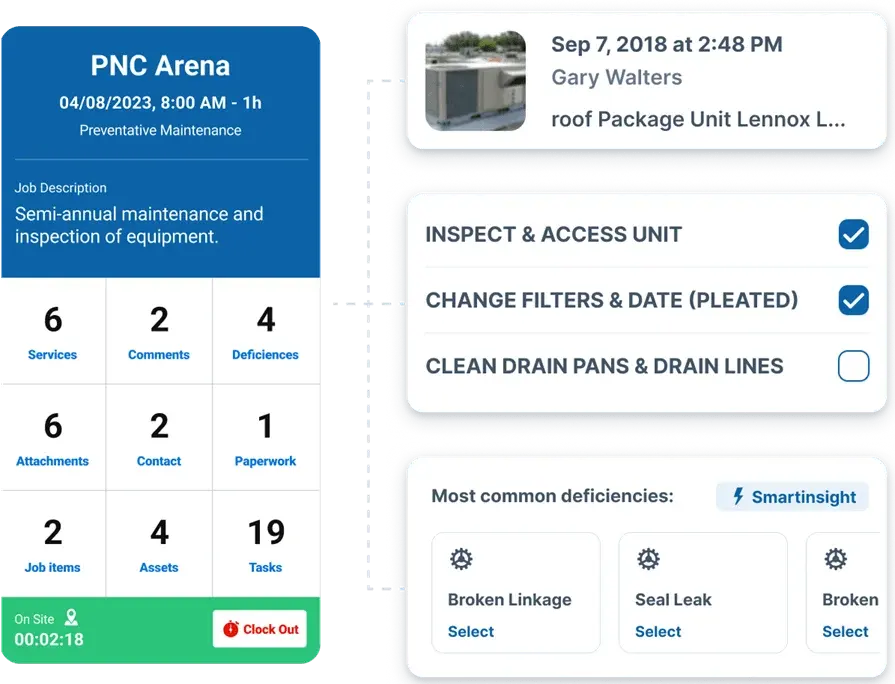
Image Source: ServiceTrade
ServiceTrade works well for residential-focused service operations that need consistent scheduling, customer communication, and recurring visit structure tied to extinguisher checks across multifamily properties. It stands out for teams that want a centralized place to manage customers, recurring work, and technician activity across a busy service calendar. It may not be the best fit when your extinguisher program depends on deep commercial asset tracking and portfolio-level closeout requirements.
How pricing works: ServiceTrade typically sells subscription plans, and final pricing depends on package and user count.
Features beyond fire extinguisher inspection: Residential extinguisher programs often turn inspections into quick follow-up service, customer updates, and repeat visits that have to stay organized. ServiceTrade supports that cadence with tools that help coordinate tech activity, track customer history, and keep recurring service work from slipping off the schedule.
What sets it apart for residential: In residential and multifamily environments, access windows, tenant coordination, and fast turnaround drive the day. ServiceTrade leans into the service workflow that keeps techs moving and customers informed, which helps when extinguisher findings need quick approvals and follow-through.
3. Best for general contractors: Zenfire

Image Source: Zenfire
Zenfire focuses on inspection execution and compliance documentation, which can fit general contractors managing extinguisher inspection deliverables and deficiency tracking across multiple trades and stakeholders. It stands out for teams that want structured forms, repeatable reports, and a consistent way to package results for owners, subs, and facility teams. It may not be the best fit if you need an end-to-end field ops platform that runs dispatch, billing, and service workflow around extinguisher work orders.
How pricing works: Published listings show Zenfire pricing starting around $60 per month, with plan structure varying by package.
Features beyond fire extinguisher inspection: Zenfire puts weight on standardization, so teams can keep inspection inputs consistent and turn field data into finished reports without heavy manual cleanup. That helps when a GC needs clean documentation for owner review, coordination with subs, or a compliance handoff that depends on consistent formatting across sites.
What sets it apart for general contractors: GCs live in coordination and documentation control. Zenfire supports that by giving teams a structured inspection system they can use to collect evidence, log deficiencies, and keep reporting consistent across projects where several parties need the same version of the truth.
4. Best for small service teams: InspectNTrack

Image Source: InspectnTrack
InspectNTrack works well for smaller crews that need tight control over asset-based extinguisher inspections and repeatable field capture. It separates itself with barcode-driven workflows that keep inspection history tied to the specific unit, which helps when nameplate details, locations, and past deficiencies need to show up fast during a customer review. It may not be the best fit if your extinguisher program needs dispatch, billing, and closeout to run inside the same system as your inspection data.
How pricing works: InspectNTrack offers package options and enterprise subscriptions depending on asset counts and rollout size.
Features beyond fire extinguisher inspection: InspectNTrack leans into broader fire and life safety asset tracking, so your team can manage different inspection categories with the same scan-and-log approach. That helps when extinguisher checks sit next to other compliance items that still need consistent documentation and a clean audit trail.
What sets it apart for small service teams: If you run lean and rely on repeatable routes, barcode capture cuts down on field guesswork and office cleanup. Techs can move unit to unit, log results with consistent inputs, and keep history attached to the asset record instead of scattered across photos and notes.
5. Best for solo contractors: SafetyCulture
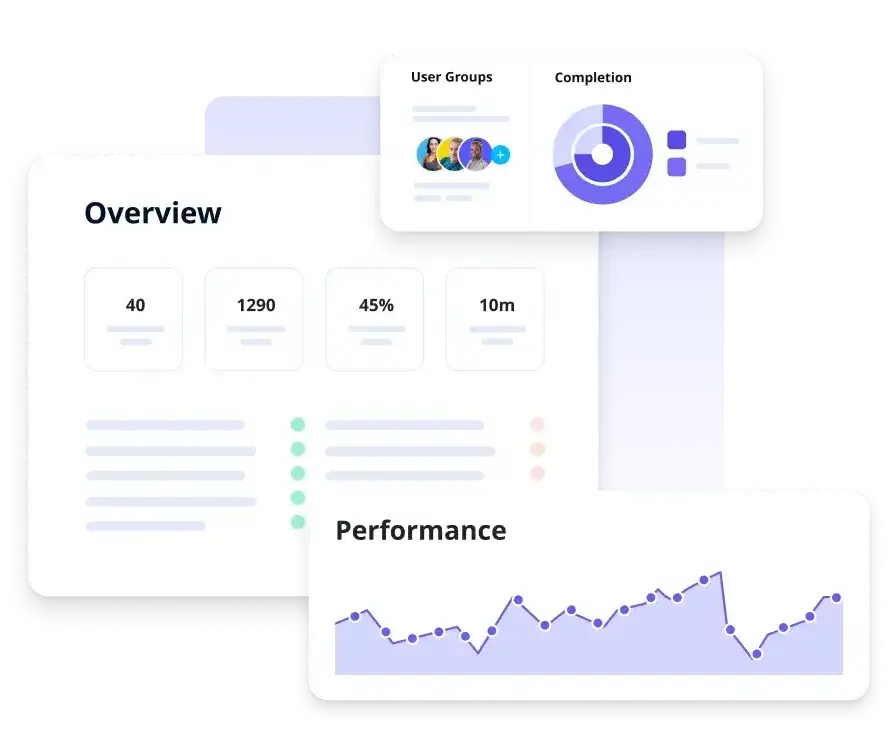
Image Source: SafetyCulture
SafetyCulture fits solo operators who want fast digital checklists, photo capture, and shareable reports without a heavy setup. It separates itself with flexible templates and quick report generation, which helps when you need to document extinguisher condition, capture the nameplate, and send a clean summary the same day. It may not be the ideal choice if you need asset-level history by serial number, deficiency-to-repair tracking, and service controls tied directly to each extinguisher record.
How pricing works: SafetyCulture offers a free plan, plus paid tiers with per-seat pricing, and published pricing for annual Premium seats at $24 per user per month billed annually.
Features beyond fire extinguisher inspection: SafetyCulture supports follow-up actions and operational reporting around the data you collect, which helps when a failed unit needs a tracked corrective task and internal visibility. It also supports broad checklist programs when you want one tool for multiple field checks across a route.
What sets it apart for solo contractors: Speed matters when you run calls alone and still have to deliver documentation. SafetyCulture lets you standardize your checklist, capture proof on-site, and send a finished report without waiting to get back to a laptop.
6. Best for installation contractors: Onsite Software

Image Source: Onsite Software
Onsite Software centers on life safety inspection needs with a contractor-focused background, which can fit teams balancing installs, acceptance documentation, and ongoing extinguisher inspection records. It stands out through deep roots in fire protection workflows and inspection documentation that matches how compliance work gets delivered in the field. It may not be the ideal choice if you want a general field platform that also runs dispatching, invoicing, and customer management across non-life-safety service lines.
How pricing works: Onsite Software typically prices by quote based on scope, users, and deployment needs.
Features beyond fire extinguisher inspection: Onsite Software positions inspections inside a broader life safety context, which can help when extinguisher work ties into acceptance packages, turnover deliverables, and recurring compliance reporting that needs consistent output.
What sets it apart for commercial: Installation teams live in documentation, handoff, and proof of completion across jobsites. Onsite Software’s life safety focus supports that style of work by keeping inspection reporting and recordkeeping aligned with commercial compliance expectations.
7. Best for ITM contractors: firepro365

Image Source: firepro365
firepro365 runs on Microsoft Dynamics 365 and targets fire protection contractors who want inspection work, service work, and customer data tied together inside one system. It stands out when your ITM program needs clean handoffs between office and field, with extinguisher inspection reporting that stays connected to the account, the site, and the service history. It may not be the ideal choice if you need a lighter, checklist-first fire extinguisher app workflow for crews that do extinguisher-only routes without a full CRM rollout.
How pricing works: firepro365 typically uses quote-based pricing based on users, modules, and implementation scope, since it sits on the Dynamics ecosystem.
Features beyond fire extinguisher inspection: firepro365 leans into broader inspection reporting and operational tracking across common ITM scopes, which helps when extinguisher deficiencies trigger follow-up work orders, customer approvals, and compliance documentation your office needs tied to the same customer record.
What sets it apart for commercial: If you manage multi-site customers and need consistent reporting across a compliance portfolio, a Dynamics-backed platform can keep accounts, site contacts, and inspection outputs organized at scale.
8. Best for FLS auditors: Array

Image Source: Array
Array fits auditing teams who live in forms, evidence capture, and defensible reporting across high-volume extinguisher inspections. It stands out with inspection-focused workflows that generate final PDF reports from structured forms, which helps when you need consistent documentation, nameplate capture, and a clean audit trail across sites. It may not be the ideal choice if your operation needs dispatch, quoting, invoicing, and service follow-ups to run inside the same platform as the inspection workflow.
How pricing works: Array promotes usage-based pricing and positions plans around the products and features you select.
Features beyond fire extinguisher inspection: Array supports workflow automation, security controls, and reporting around inspection data, which helps when your audit team tracks corrective actions and needs rollups across sites, customers, and inspection types.
What sets it apart for commercial: Auditors covering large portfolios need repeatable forms, consistent evidence capture, and reports that hold up when a customer or AHJ asks for proof. Array’s inspection-first approach fits that reality when you standardize how every extinguisher gets documented across properties.
7 benefits of using a fire extinguisher inspection app as a contractor
Extinguisher checks can derail an ITM day fast. One missing nameplate photo, a tag that does not match the asset list, or a questionable hydro date—and now you are scheduling a return visit while the office scrambles to rebuild the record. A purpose-built fire extinguisher inspection app keeps every unit on a single inspection trail, with proof, deficiencies, and service history all tied to the work order so dispatch, follow-up, and closeout run from the same source of truth.
1. Cut return trips caused by missing unit-level proof
Your techs capture the pass/fail, photos, and nameplate details at the cabinet, not later in the truck. When a fire extinguisher app enforces a consistent shot list (tag, gauge, pin/seal, mount, clearance, and nameplate), you stop burning slots on “we forgot the serial” callbacks.
2. Keep routes moving when access windows blow up

Access changes happen mid-route, especially in hospitals, schools, and Class A offices. When inspections sit inside a system that supports scheduling and dispatching, your coordinator can reroute the day while keeping each deferred extinguisher logged to the same visit trail.
3. Deliver closeout packages owners accept without back-and-forth
Owners and AHJs want consistency across sites, techs, and inspection days. If your extinguisher results roll into the same reporting discipline you use in fire alarm inspection report software, you send a clean packet with clear deficiencies, photo proof, and timestamps that holds up in review.
4. Turn deficiencies into approved follow-up work without retyping the story
Failed gauges, missing brackets, incorrect placement, recharge needs, replacements, signage gaps, and blocked access all need a clear next step. A fire extinguisher service app links the deficiency to the exact unit and location, so your office can quote the fix and book the return without rewriting tech notes from scratch.
5. Keep continuity across every stakeholder on the account

Extinguisher programs touch property managers, facilities, EHS, and the AHJ, so the contact trail matters. With customer and site history organized in a system like fire CRM, your team answers “what happened to the stairwell unit on level 4” in one call.
6. Standardize asset IDs across every extinguisher, every site
Portfolio work falls apart when tag IDs drift across buildings, floors, and tenants. If your team already runs fire extinguisher barcode inspection software, you keep scan-to-record discipline tight so each inspection stays tied to the correct unit, not a look-alike down the hall.
7. Build defensible records when an incident triggers scrutiny
After an event, customers want a timeline, corrective actions, and proof that you handled documented issues. The same defensibility mindset behind fire investigation software applies here: clean timestamps, consistent evidence, and a complete chain from inspection to correction.
4 important FAQs about fire extinguisher apps answered
You already know the paperwork side. These FAQs stick to what matters on-site and in closeout, where an app either keeps the inspection trail tight or creates cleanup work.
1. What is a fire extinguisher inspection app?
A fire extinguisher inspection app logs each unit’s pass/fail, photos, and deficiencies; captures time, GPS, and signatures; links every check to the work order and asset ID; and surfaces prior history the moment the tech scans the tag. The result is an audit‑ready report and a single compliance record that both field and office can trust on every visit.
The best platforms then lock the record after submission and maintain a clean deficiency trail from initial finding through correction and final verification.
2. How do fire extinguisher inspection apps work?
In the field, techs pull up the work order, scan the asset tag, and walk through the checklist right at the cabinet. The same mobile workflow captures nameplate details, photos, and notes into a single record, then syncs everything back to the job—no double entry.
In the office, results flow straight into polished report packages, automatically flag follow-up work, and keep every update linked to the full asset history.
3. Is the cost of a fire extinguisher inspection app worth it for contractors?
It pencils out when it cuts admin hours, reduces return trips for missing proof, and speeds up approvals on corrective work tied to documented failures. You also protect yourself in disputes because you can pull a clean timeline with evidence instead of chasing texts, spreadsheets, and camera rolls.
{{related-content-block="/resources/certified-fire-250-percent-higher-profits"}}
4. Best practices to follow when implementing a fire extinguisher inspection app
Treat rollout like an operating standard, not a tech project. Lock down how techs identify units, capture proof, and flag deficiencies so every route produces consistent documentation. Then train supervisors to review exceptions before reports leave your shop.
- Standardize asset IDs across every site, then map them to customer naming conventions before day one
- Require scan-to-asset or confirmed asset selection on every record to prevent unit mix-ups
- Set a photo protocol that covers tag, gauge, pin/seal, mount, clearance, and nameplate capture in a fixed shot order
- Make location fields specific enough to survive turnover, remodels, and cabinet moves
- Use structured deficiency categories that match how you sell repairs, so the office can quote and schedule without rewriting notes
- Force required fields for failure notes, corrective action, and priority so techs stop submitting vague writeups
- Tie each deficiency to a follow-up action inside your fire extinguisher service app workflow, with an owner for the next step
- Train offline workflow habits and sync checks so reports never ship with missing attachments
- Run weekly QA on a small sample for ID accuracy, photo completeness, and deficiency clarity, then coach same day
- Lock report templates, terminology, and pass/fail logic to your SOP so output stays consistent across inspectors
When extinguisher inspections live on paper or across a bunch of disconnected apps, the small misses add up fast: no nameplate photo, a deficiency that never gets linked, a closeout packet that does not line up with what the customer was promised. Techs in the field feel the friction first. Then the ripple hits dispatch and the office in the form of callbacks, rework, and approvals that drag on way longer than they should.
A purpose-built extinguisher inspection app changes that by giving every unit a single, clean trail—from scan to deficiency to return visit to final report. Plug that trail into scheduling, quoting, invoicing, and customer history, and your team is no longer babysitting paperwork; they are running tighter routes with cleaner closeouts.
If you want an all-in-one platform that connects inspections to the rest of your commercial field service work, including heavy equipment and crane rental workflows, BuildOps is worth a look. If you are not ready for a platform change, you can still use this guide as a checklist to judge any solution by what really counts: what happens after the inspection, when the work actually begins.