HVAC Buddy App Guide for Crews: Field-First Playbook

When your team rolls up to a site, coordination makes or breaks the day. Text chains, sticky notes, and “call me when you’re done” slow everything down. An HVAC buddy app gives every tech a single field playbook—work orders, photos, parts, and updates—tied back to dispatch and billing. For companies in the HVAC industry, connecting that app to field service management keeps jobs moving, cuts callbacks, and gives customers clearer communication.
- Choosing the right HVAC buddy app for your techs
- 6 key features to look for in an HVAC crew app
- Types of HVAC buddy apps for teams
- 6 best HVAC buddy apps for your field technicians
- 7 benefits of using an HVAC buddy app
- 4 important HVAC crew app FAQs answered
Next, we’ll walk through how to choose an HVAC app for crew that fits your workflow—not one that only looks good on paper.
Choosing the right HVAC buddy app for your techs
When crews run tight schedules, the tool on their phones decides how the day goes. Pros need tap-fast workflows, rock-solid syncing, and clean handoffs from roof to back office. Use this to pressure-test any HVAC buddy app before rollout.
- Job-site performance – Does it cache work orders, asset details, and forms offline without data loss? Do photos and notes queue and sync automatically when signal returns? Does the UI stay responsive on older devices in heat, dust, and cold?
- Crew coordination & dispatch – Can dispatch push priority changes and site notes in real time without phone calls? Can the platform handle multi-tech jobs with shared checklists and role-specific tasks? Does it support shift handoffs with a clean activity stream?
- Asset history access – Does a tech see full equipment history, readings, and prior recommendations at a glance? Can they scan a tag or QR to pull model, serial, and refrigerant logs? Are warranty data, PM schedules, and open quotes visible on one screen?
- Compliance, safety, accountability – Does the app enforce required forms, lockouts, and signatures before job close? Are GPS timestamps and photo proof captured without manual steps? Can managers audit refrigerant handling and EPA 608 records without exports?
- Office handoff & financials – Do labor, parts, and recommendations flow into quotes and invoices without double entry? Can the system reserve truck stock, submit POs, and update inventory as parts are used? Does the API sync customers and assets with accounting and CRM cleanly?
- Features – Does the HVAC app for crew include fast photo markup, barcode scanning, and voice-to-text for notes? Can the HVAC crew app support custom forms with conditional logic and required fields without a developer? Are dashboards, alerts, and technician scorecards configurable by role?
Let’s move to the features that help seasoned teams keep jobs moving, cut callbacks, and tighten cash flow.
{{related-content-block="/resources/best-hvac-apps"}}
6 key features to look for in an HVAC crew app
When you evaluate an HVAC buddy app, think like a foreman on a tight day: field durability, zero-lag data, and clean handoffs between the roof and the office. These six areas separate a handy checklist from a platform crews trust under pressure.
1. Mobile functionality

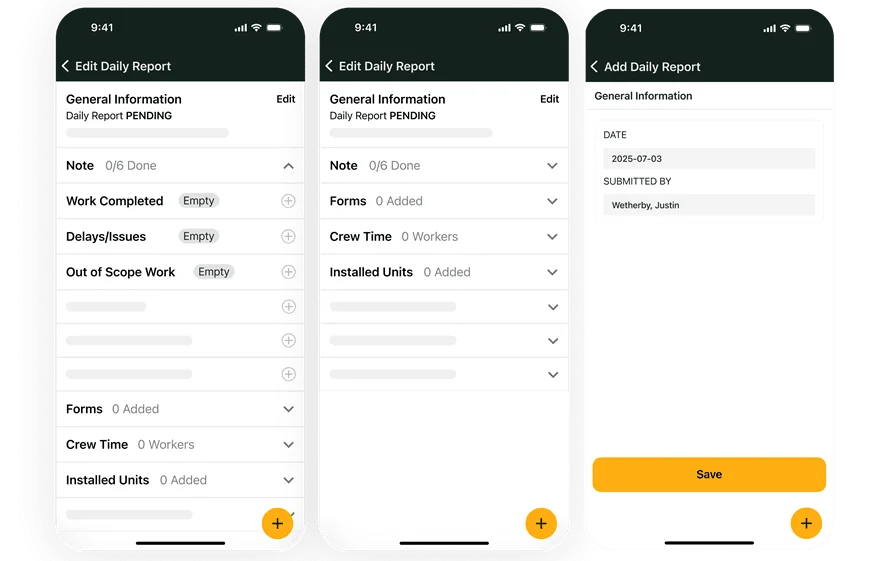
Phones and tablets are the primary workbench. The app should capture photos, barcodes, and signatures without signal, then auto‐sync in the background with conflict handling. Expect fast camera launch, offline asset search, and compression that keeps uploads quick without killing clarity. NFC or QR tagging helps techs pull equipment records with a tap. Teams that rely on rugged access lean on dependable technician mobile app access.
2. Time tracking
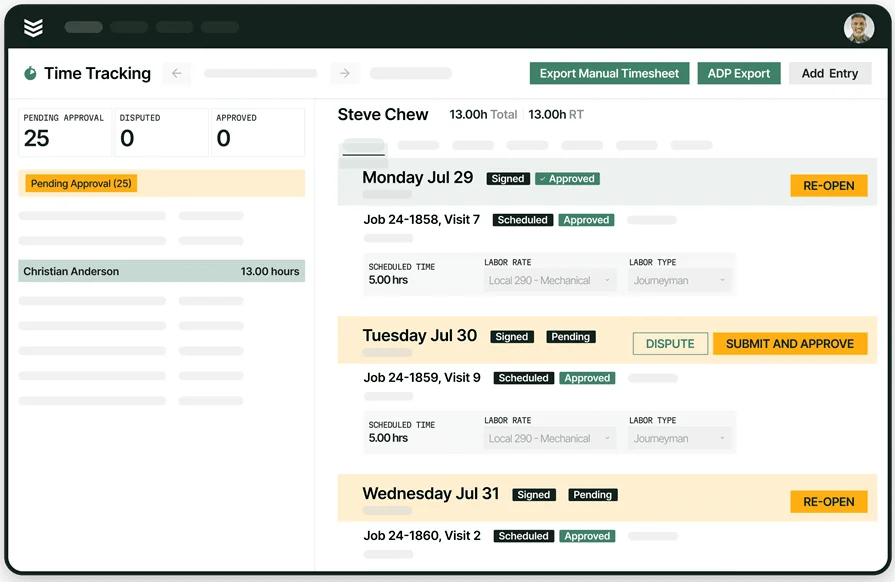
Labor accuracy drives job costing and payroll. Look for one-tap start/stop with travel and on-site codes, automatic meal and overtime rules, and audit trails on edits. The system should post time directly to the work order, split hours across tasks, and accommodate union classes or prevailing wage. Native time tracking that ties to cost codes and burden rates keeps estimates honest and billing clean.
3. Job scheduling visibility
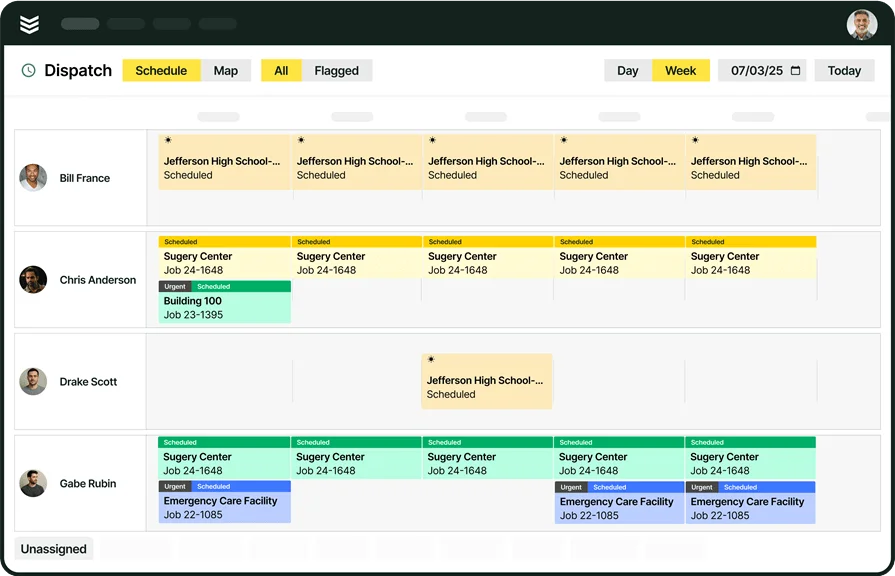
Techs need the week at a glance, not a single appointment bubble. A strong calendar shows skill tags, equipment type, access notes, and job dependencies in one view. It should handle multi-day installs, PM routes, and emergency inserts without breaking travel time. Push updates for scope shifts or crew swaps keep everyone aligned, and tight ties to scheduling prevent double booking.
4. Dispatch integration

Dispatch runs the playbook. The HVAC app for crew must reflect reroutes, parts holds, and site hazards instantly. Expect ETA tracking, GPS breadcrumbs, and geofenced arrival stamps that auto-open the job. Dispatchers need to pin method-of-procedure steps, lockout tags, and tenant rules that pop on arrival. Intelligent routing from an integrated dispatch board keeps trucks productive when calls spike.
5. Invoicing and payments
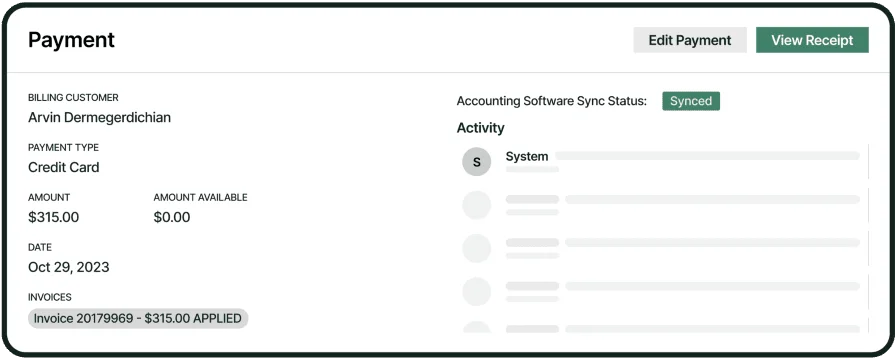
Closing the ticket should also start cash collection. Labor, materials, and recommendations should flow from the work order into an itemized invoice with contract rates, tax groups, and retainage when required. The HVAC crew app ought to capture signoffs, attach photo proof, and accept cards in the field with full PCI compliance. Tight connections to invoicing and secure payments remove back-office chase work.
6. Service history access
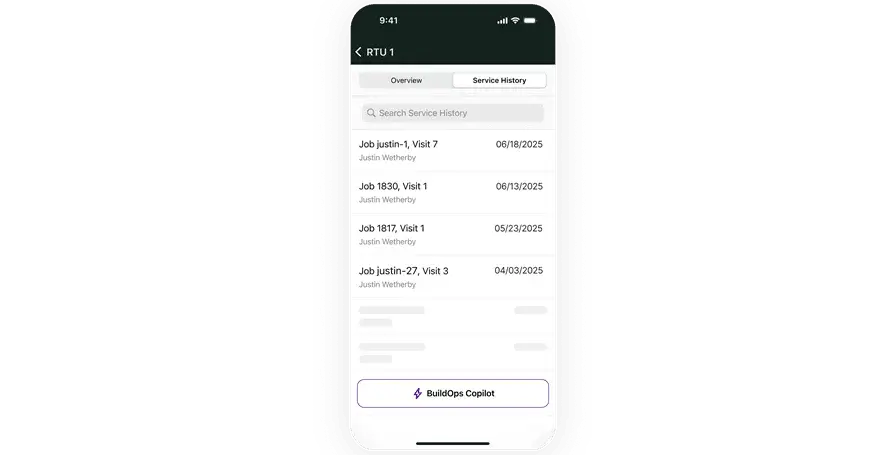
Speed comes from context. A tech should open one screen and see prior readings, compressor swaps, leak repairs, quotes in progress, and contract terms. Asset files—wiring diagrams, startup sheets, and balance reports—should load fast and save offline for rooftops. Linking customer records through connected service CRM helps crews spot replacement opportunities and document recommendations without digging.
Other valuable features to have in an HVAC crew app
Not every HVAC buddy app needs every bell and whistle on day one, yet a few extras can lift throughput, tighten follow-ups, and reduce office scramble. For teams juggling installs, PM routes, and emergency calls across multi-site clients, these features pay off fast.
- Quoting and proposals – Convert field recommendations into clean estimates without retyping job data, pull rate books, and offer good-better-best options that carry photos from the visit via connected quoting software
- Service agreements – Track covered assets, entitlements, visit frequencies, and renewal dates, then auto-generate PM tasks and attach SOWs so dispatch can load recurring routes directly from service agreements
- Fleet and telematics – Use GPS, geofences, DVIRs, and maintenance schedules to cut idle time and document arrivals, with truck health and routing tied into the board through fleet management
- Operational reporting – Monitor WIP, first-time fix rate, labor productivity, quote hit rate, and technician utilization with job-level drill-downs powered by reporting dashboards
- Inventory and purchasing – Reserve truck stock from the work order, issue POs from the field, reconcile vendor price books, and update counts on part usage to prevent second trips
Layer these capabilities onto the essentials and your HVAC app for crew turns every visit into clean data, faster decisions, and tighter cash flow—without adding busywork to the day for your HVAC crew app users.
Types of HVAC buddy apps for teams
How your team coordinates work depends on the app’s architecture. Pick a setup that holds up in the field, cleanly syncs with the office, and scales with installs, PM routes, and emergency calls.
- Cloud-based – Data lives online and syncs across phones, tablets, and the office in near real time. Great for multi-branch crews and subcontractors moving across job sites. Offline caching and automatic sync protect notes, photos, and forms when signal drops
- Web-based – Browser tools keep back office users productive from a desktop. Useful for dispatch, quoting, and reporting, but most web UIs slow techs on ladders and rooftops. Pair with a mobile HVAC app for crew so field entry stays fast
- On-premise – Hosted on your servers for tight control and custom security policies. Solid choice when IT requires local databases or limited internet exposure. Expect heavier maintenance, planned upgrades, and VPN access for remote users
- Mobile – Phone-first apps designed for quick taps, photo capture, barcode scans, and GPS stamps. Ideal for tech-heavy service divisions that value offline forms and instant job updates. Often paired with a web console for admins and managers
- All-in-one field service platforms – A single system that ties scheduling, dispatch, work orders, quotes, CRM, inventory, and invoicing together. Fewer integrations to babysit and a single source of job truth for both field and office. Strong match for teams that want the HVAC crew app and back office working from the same dataset
Each type plays a specific role. Choose the mix that matches how your crews operate today and how you plan to grow your HVAC buddy app footprint across projects and service contracts.
6 best HVAC buddy apps for your field technicians
When crews bounce between rooftops, basements, and mechanical rooms, the app in their pocket needs to keep pace. A dependable HVAC buddy app should capture job details fast, tie data to assets and history, and hand off cleanly to dispatch and billing. The picks below stand out for field toughness, feature depth, and how well they support service, install, and PM workflows.
1. Best for commercial: BuildOps
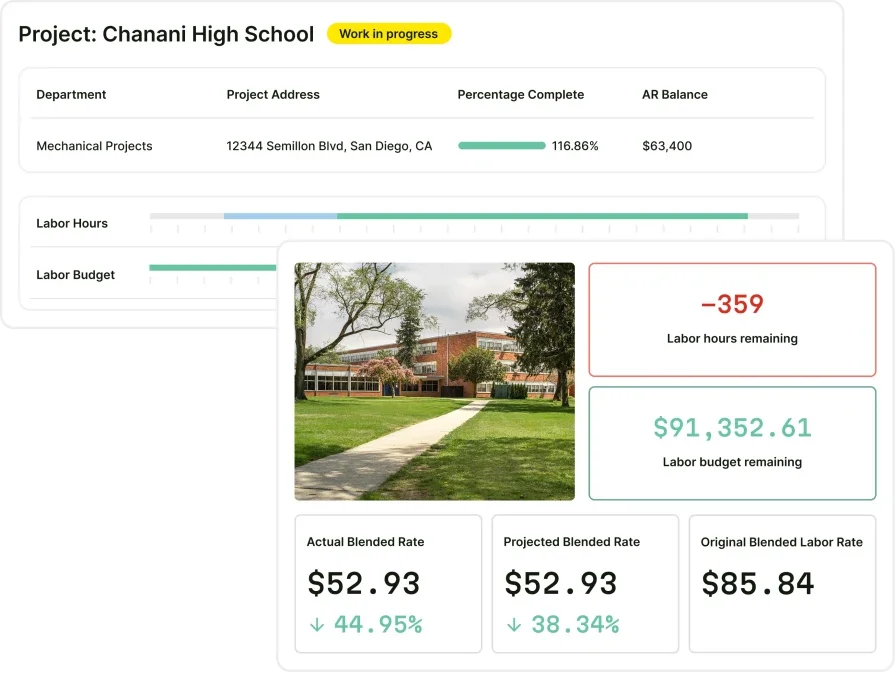
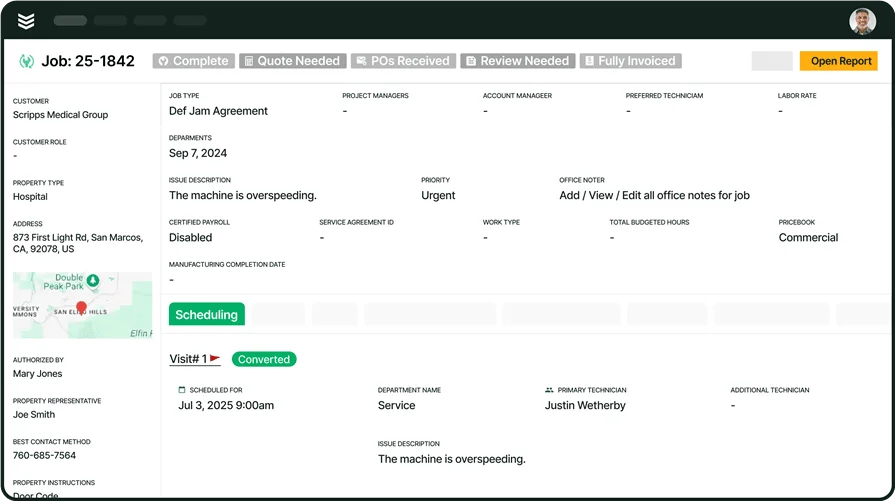
BuildOps gives commercial outfits a mobile-first hub for scheduling, dispatch, job notes, parts, photos, and approvals. Techs open a job, see asset history, capture proof, and close tasks without bouncing between apps; office teams receive clean data instantly for quotes and invoices. As an HVAC app for field crews, it handles large facilities, multi-location clients, and complex workflows without slowing the field.
App type: Cloud-based software, mobile-first application
How pricing works: Custom quotes based on team size and feature needs
Features beyond crew workflows: Quoting, dispatch, CRM, scheduling, invoicing, PM planning, and checklists live in the same platform; the mobile app keeps customer details and past jobs one tap away
What sets it apart for commercial: Geared toward commercial service and projects with tough coordination needs—installs, service, and PM all flow in one system your HVAC crew app can trust day to day
2. Best for residential: Housecall Pro
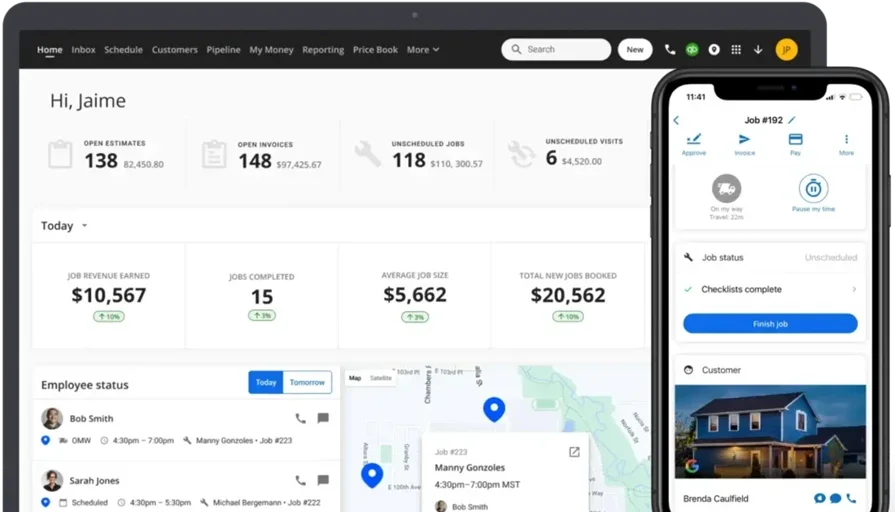
Housecall Pro focuses on residential routes with a friendly mobile interface, automation for reminders, and simple job updates to keep homeowners in the loop. Crews can log visits, send messages, and handle basic invoices from a phone, which suits smaller teams working neighborhood schedules. Contractors running complex commercial assets or deep customization may feel constrained as their HVAC buddy app needs expand.
App type: Cloud-based and mobile-ready
How pricing works: Starts at $59/month with tiered plans
Features beyond crew workflows: Appointment reminders, invoicing, payments, customer history tracking, and light marketing automation
What sets it apart for residential: Fast to learn, minimal overhead for small teams, and solid for recurring home service work
See how Housecall Pro compares to BuildOps.
3. Best for general contractors: Jobber
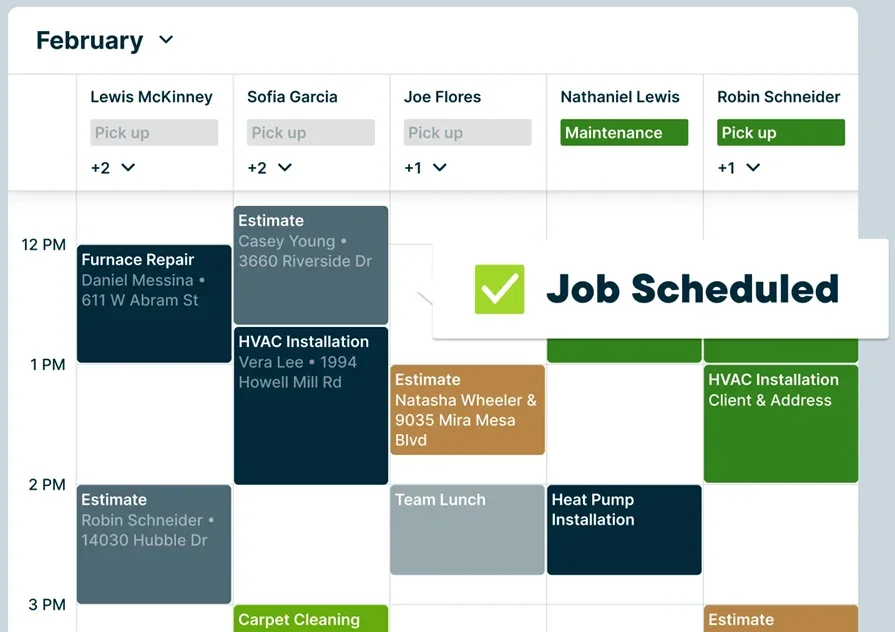
Jobber serves mixed-trade service operations, HVAC included, with client management, scheduling, and job tracking in a single workspace. It fits firms juggling many short visits where simple workflows keep the day moving. Crews overseeing complex commercial sites or advanced asset tracking may find customization shallow for an HVAC buddy app used across larger contracts.
App type: Cloud-based with desktop and mobile access
How pricing works: Plans start around $25/month for a single user with tiered upgrades
Features beyond crew workflows: Online booking, job tracking, customer messaging, and invoicing in one place
What sets it apart for general contractors: Handy for small-to-midsize service teams that need a combined customer-and-schedule view without heavy admin
4. Best for small to mid-sized businesses: ServiceTitan

ServiceTitan covers end-to-end operations—dispatch, scheduling, sales tools, and technician oversight—so crews and office staff operate from a shared system. Real-time updates, job costing, and performance tracking give managers tight control as teams grow. Smaller shops seeking quick setup or lighter admin may see added complexity compared to leaner HVAC crew app options.
App type: Cloud-based with mobile capabilities
How pricing works: Custom pricing based on business size and modules used
Features beyond crew workflows: Built-in marketing, proposals, job costing, and customer communication; ties parts usage and time tracking to each job
What sets it apart for small to mid-sized businesses: Strong technician visibility and automated follow-ups that help scaling operations standardize processes
See our comparison of ServiceTitan vs BuildOps here.
5. Best for independent contractors: FieldEdge

FieldEdge gives owner-operators and compact teams a straightforward mobile app for work orders, job details, and quick updates from anywhere. It connects cleanly with back-office tools and keeps billing close through QuickBooks, which suits small crews wearing several hats. Enterprise teams needing deep customization or extensive analytics may outgrow it as a primary HVAC app for crew.
App type: Cloud-based with desktop and mobile interfaces
How pricing works: Custom quotes available through their sales team
Features beyond crew workflows: Dispatch links, maintenance scheduling, customer profiles, and QuickBooks integration
What sets it apart for independent contractors: Practical for solo techs and small crews who want documentation, billing access, and scheduling in one familiar tool
6. Best for specialty HVAC contractors: Workiz
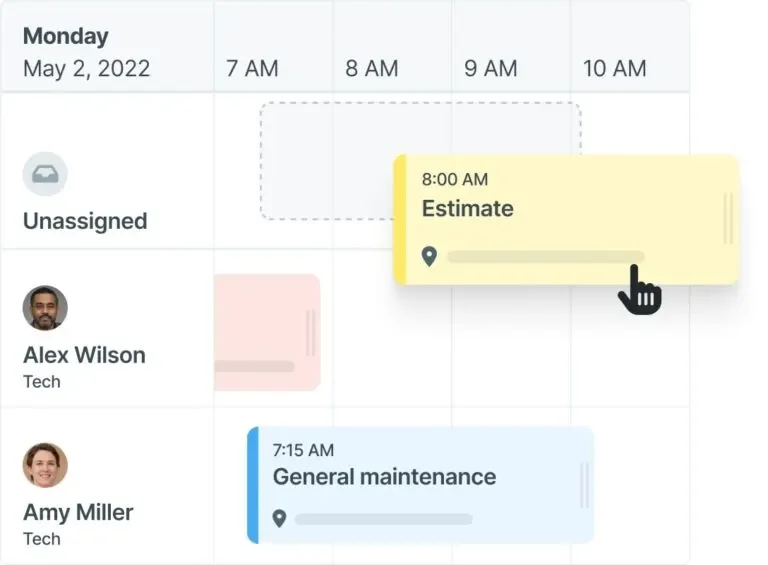
Workiz fits teams handling urgent or niche service with a phone-first interface that favors speed: quick job creation, photos, notes, and signatures to wrap a call without friction. Call tracking and team messaging help coordinators keep pace during peak demand. Contractors needing deep customization, contract management, or heavy analytics may need a broader HVAC buddy app platform.
App type: Cloud-based with strong mobile support
How pricing works: Starts at around $225/month for 3 users, with pricing that scales by team size
Features beyond crew workflows: Call tracking, internal messaging, and sales pipeline tools to capture estimates and follow-ups from the same workspace
What sets it apart for specialty contractors: Lean interface that keeps documentation fast so crews can roll to the next job without delay
7 benefits of using an HVAC buddy app
A field-first HVAC buddy app puts the whole job in a tech’s hand: work orders, asset data, photos, signatures, and updates. Crews stay fast, and office tasks keep moving in real time.
1. Faster invoicing and fewer billing errors
When labor, parts, photos, and approvals land from the phone, billing teams stop chasing details. Line items post cleanly, and cash moves without delays from missing info. Tying the process to dependable HVAC invoicing processes keeps AR tight and predictable.
2. Stronger estimating and quoting over time
Every ticket adds history: actual labor hours, parts usage, and timings. That data sharpens future bids and trims guesswork. Connecting those inputs to an HVAC estimator app turns field data into accurate proposals.
3. Richer customer records
Richer records help crews and coordinators see the full picture, including equipment history, site quirks, and previous recommendations, available on the phone. Follow-ups land quickly because nothing lives in a separate spreadsheet. Linking mobile notes with HVAC CRM software gives every role the same view.
4. Cleaner handoffs between field and office
Techs close tasks on-site, and the office acts immediately, with no gaps and no duplicate entry. That tight loop improves job costing and collections. It also stabilizes HVAC billing cycles because approvals and charges ride the same workflow.
5. Easier management of service agreements
Recurring visits stay on track when entitlements, assets, and frequencies live inside the app. Crews see covered tasks and parts at a glance, and dispatch builds routes from a clean queue. Contract tracking stays organized with HVAC service agreement software.
6. Clearer documentation for disputes and legal backup
Timestamps, GPS, photos, and signatures settle most questions before they escalate. Crews capture proof once, and files attach to the account automatically. Teams that use standardized language can pair with flexible HVAC contract templates to keep documentation consistent.
7. Better performance visibility across your team
Consistent mobile entry turns into real metrics, such as first-time fix rate, labor productivity, and utilization, so leaders coach with facts. You see where training helps, which assets drain hours, and how to load crews for the next week. The HVAC app for crew becomes a daily habit that powers your HVAC crew app reporting without extra admin.
{{related-content-block="/resources/hvac-service-platform"}}
4 important HVAC crew app FAQs answered
Pros care about speed, clean handoffs, and data quality. These answers focus on how an HVAC buddy app supports crews in the field and the office.
1. What is an HVAC buddy app?
An HVAC buddy app is a mobile workspace for crews. It puts work orders, asset history, checklists, time, photos, parts, signatures, GPS, and directions on a phone. Offline capture syncs cleanly to dispatch, CRM, and accounting.
2. How do HVAC crew apps handle offline work and sync?
Signal fails on rooftops and in basements. The app caches jobs, forms, and photos locally, then syncs in the background. Expect conflict rules on edits, queued uploads with image compression, timestamped entries, GPS arrival stamps, and push alerts when sync completes.
3. Is an HVAC crew app worth the cost?
For pros, the spend must pay back fast. Look at avoided truck rolls, faster cash collection, and labor accuracy. A solid HVAC app for crew trims rework, reduces office entry, and lifts utilization. When those gains beat license and device costs within a quarter or two, the investment pencils out.
{{related-content-block="/resources/sloan-mechanical-build-ops"}}
4. What best practices should we follow for rollout?
Run a field-led launch with a tight scope. Use the checklist below to drive adoption quickly without disrupting live jobs.
- Form a pilot group of lead techs
- Standardize devices and OS versions
- Enable MDM, SSO, and MFA
- Build short required forms with conditional logic
- Preload customers, assets, and tags
- Train on real jobs with ride-alongs
- Set a single cutover date
- Test offline mode in basements and on rooftops
- Assign a field champion and an office owner
- Track early metrics like first-time fix rate, time-to-invoice, and adoption
A solid HVAC buddy app gives your crews one playbook. Jobs hit the phone with clear scope, history, photos, and forms. Dispatch sees progress without calling. The office invoices the same day. That rhythm only happens when field and back office share a single source of truth.
You’ve seen what to evaluate, the feature set that actually matters, the app types, and a short list of options. Pair that with the benefits and FAQs above and you have a straightforward plan: pick a platform that your veterans will use on a roof, roll it out with a tight pilot, and track results like time-to-invoice and first-time fix rate.
If you run commercial work and want one system that ties scheduling, dispatch, quoting, CRM, mobile, and billing together, BuildOps covers the full field service operation without forcing your team to juggle tools. The result is fewer handoffs, cleaner data, and jobs that close faster.
Ready to see how this could look with your team and jobs? Grab a quick demo and kick the tires with your scenarios. No hard pitch, just a look under the hood.