How a Paperless Work Order System Prevents Rework Loops

For field service industry contractors, a paperless work order tightens the handoff between dispatch, the truck, and the office when jobs are moving fast and the margin for missing details stays thin.
When that workflow connects cleanly into how your team already runs scheduling, updates, and billing across the broader field service industry, a paperless work order system becomes a practical control point for job documentation, accountability, and closeout speed.
Here's what we'll cover:
- Choosing the right paperless work order system for your team
- 5 key features to look for in a paperless work order system
- 6 best paperless work order systems for field service teams
- 7 benefits of using a paperless work order system
- 3 important paperless work order software FAQs answered
To evaluate options like a pro, start by getting specific about what your operation needs that workflow to enforce across crews, job types, and customer requirements, then work backward into software selection criteria.
Choosing the right paperless work order system for your team
Before you shortlist any vendor, get clear on how a paperless work order should standardize job data, protect margins, and keep your operations leaders out of the weeds.
- Job mix and contract structure: Are you primarily handling recurring PMs, T&M service calls, quoted projects, or a blend under long-term master agreements? Which contracts demand strict documentation around scope, extras, or change orders before you invoice?
- Workflow control and accountability: Where does work often slip today—scope creep, missing photos, unsigned field tickets, or late closeouts? What checkpoints must a paperless work order enforce so supervisors and customers can confidently sign off without chasing techs for missing details?
- Technician experience in the field: How comfortable are your senior techs with mobile tools, and what slows them down now—slow apps, weak signal on sites, or clunky forms that require entering the same data twice? What would it take for them to capture a complete paperless work order on site, in one pass, without calling the office?
- Data flow into billing and reporting: Which groups rely on work order data beyond accounting—safety, QA, service management, asset management, or project controls? What fields must flow directly from the paperless work order into invoices, cost codes, and compliance reports so nobody has to re-key or interpret handwriting later?
- Feature fit for long-term field operations: Does each vendor’s paperless work order system support your actual dispatch model, asset hierarchies, and customer approvals, instead of forcing generic templates on complex jobs? Which features genuinely strengthen field execution—such as required photo evidence, asset history at the work order level, or approvals tied to pricing rules—and which ones would only add noise for your techs and coordinators?
A clear view of these operational requirements turns software demos into serious evaluations instead of feature tours, and sets up the next step: defining the specific capabilities your paperless work order system must deliver day in and day out for crews in the field.
{{related-content-block="/resources/field-service-management-software"}}
5 key features to look for in paperless work order system
A paperless work order only pays off when it keeps the office, the dispatcher, and the truck on the same page—without phone tag. Think about a normal Tuesday: a hospital calls in an emergency, your dispatcher reshuffles the board, and a tech needs the right scope, photos, and customer notes before they even hit the elevator. The right features in a paperless work order system make that handoff clean, keep job details from getting lost, and help you close out work while you’re still on-site.
1. Real-time scheduling and dispatch tied to the work order

A paperless work order system needs scheduling and dispatch that update instantly—so job details, priorities, and assignments don’t live in five different places. When you run everything through field service scheduling and back it up with smart dispatch software, the work order becomes the “single source of truth” for the day. For a real-world example, let’s say a property manager calls at 10:07 a.m. about a down unit and wants the first available tech. Your dispatcher drops the call onto the board, routes the closest qualified tech, and the updated work order hits the tech’s phone with the right site notes—no side texts, no printed tickets, no guessing.
2. A technician-first mobile workflow for completing work orders
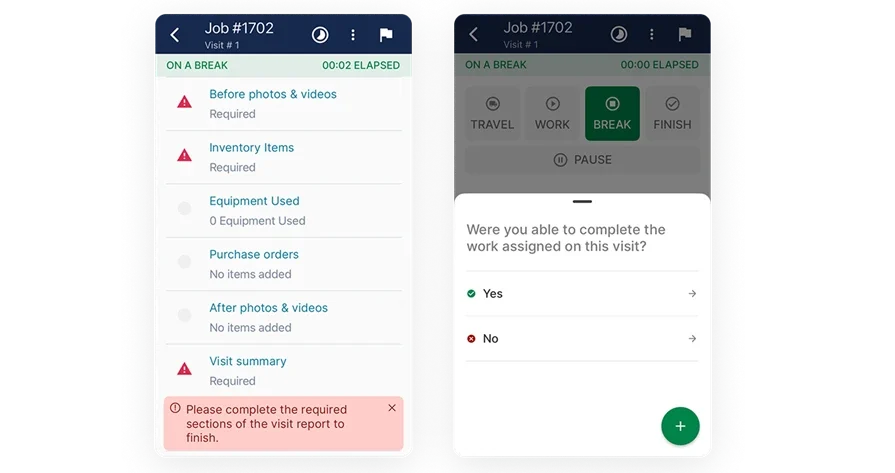
If techs can’t finish the work order in the field, the system isn’t paperless—it just moves the paperwork to later. A solid technician mobile app lets techs capture photos, notes, checklists, and signatures right where the work happens, so closeout doesn’t depend on memory or a clipboard. Here’s a common situation: you wrap a repair, the customer asks for proof of what you replaced, and you’re already headed to the next stop. With the work order on your phone, you attach before/after photos, document parts used, grab a quick sign-off, and close the ticket while you’re still in the parking lot.
3. Customer and site history baked into every work order

Paperless only works when the work order shows the full story—past issues, site quirks, and who approves what—without someone digging through emails. A connected field service CRM keeps customer details, property notes, and job history attached to the work order so your techs stop walking in cold. To put this in real terms, say you get a callback at a multi-tenant building and the last tech noted “security escort required” plus a loading dock entry rule. When that history sits inside the work order, your crew shows up prepared, gets access faster, and avoids the classic “wait outside for 20 minutes” delay.
4. Time and labor capture that closes out cleanly
A paperless work order system should log labor as the job happens, not after the fact with messy timesheets. When you use time tracking tied directly to the work order, you get accurate billable time, cleaner job costing, and fewer disputes when a customer questions hours. For example, you’re on a troubleshooting call that turns into a longer diagnostic because access panels sit behind racked inventory. Instead of trying to reconstruct the timeline at the end of the day, you track time against the work order in real time, add a quick note about the delay, and protect the billing details while they’re still fresh.
5. Invoice-ready closeout from the work order
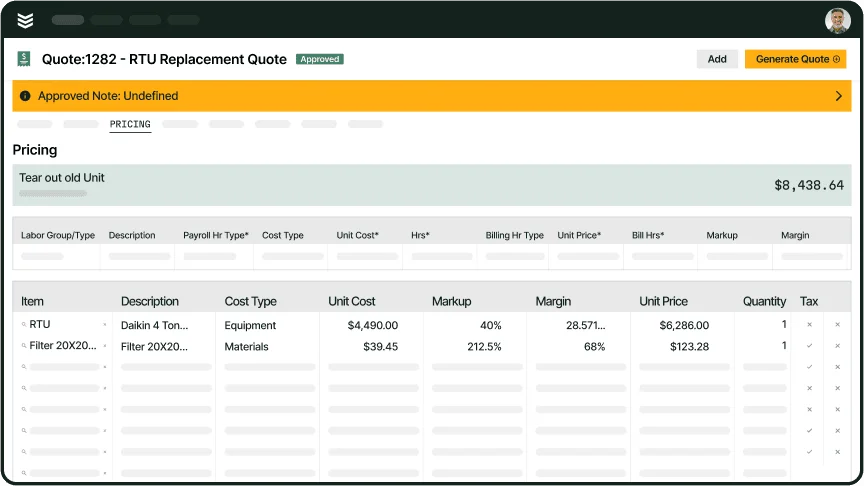
A paperless work order system should turn completed field work into billing and collection without double entry. When invoicing and payments connect to the work order, your closeout includes labor, parts, photos, approvals, and a clear path to getting paid. A common example: you wrap a same-day repair for a property manager who wants everything documented and settled fast. The tech closes the work order with the right notes and sign-off, the invoice pulls the details without retyping, and payment happens without a separate scramble after the crew leaves the site.
Other valuable features for a paperless work order system
Once your core workflow runs clean, these extras help you cut back on rework, tighten handoffs, and keep repeat work from slipping through the cracks.
- Clear scope before the truck rolls — When the work order carries approved scope and pricing, techs stop guessing and the office stops retyping details. Service quoting software helps keep that scope tied to the ticket
- Smarter routing when plans change — When dispatch can see where vehicles are, they can reassign faster and reduce drive time between calls. Fleet management supports better routing without turning the day into phone tag
- Reporting that highlights problems fast — Work order data should show patterns like repeat callbacks, slow closeouts, or jobs that always run long. Reporting makes those issues easier to spot and fix
- Recurring work orders without reminders — Contract work shouldn’t depend on someone remembering to create tickets. Service agreements helps auto-generate recurring work so PMs stay on schedule
With the key features and these add-ons in mind, it’s easier to pick a system that stays paperless from first call to closeout.
6 best paperless work order systems for field service teams
A work order isn’t just another form to fill out. It’s the game plan your dispatcher relies on to send the right person, the record your tech uses to capture what actually happened, and the source your office trusts to invoice the job accurately. The right system keeps that entire chain connected—so photos, signatures, hours, and scope changes don’t slip through the cracks between the field and the office.
Below are options tailored to the type of work you do and how complex your jobs tend to be.
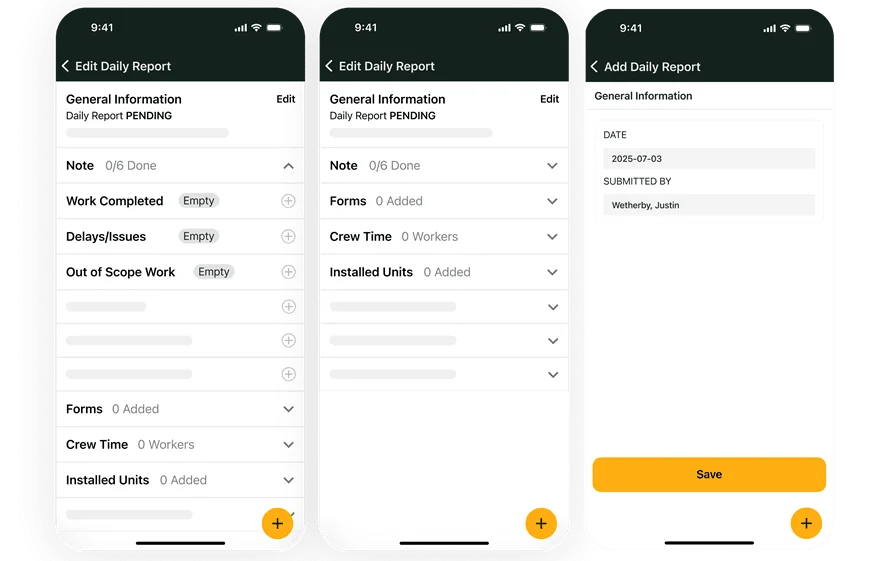
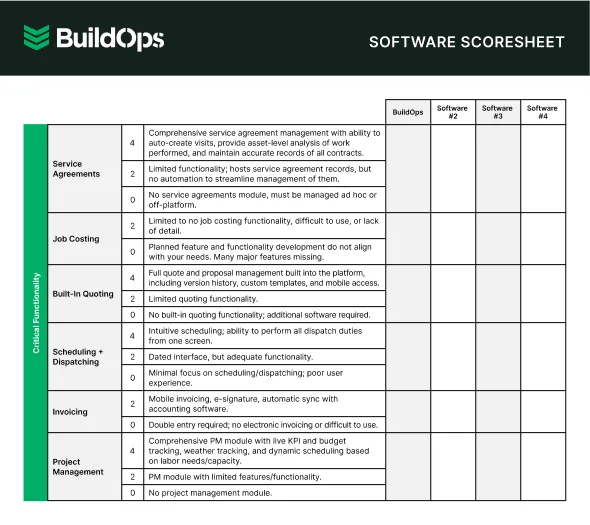
1. Best for commercial: BuildOps
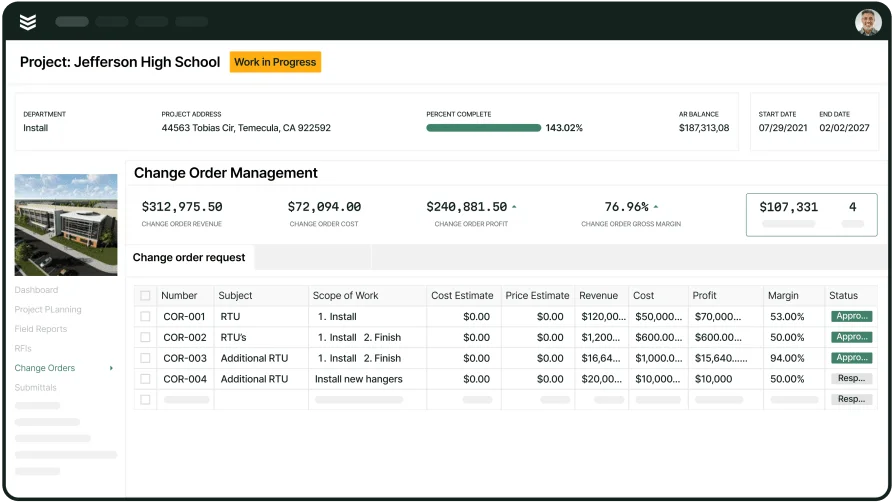
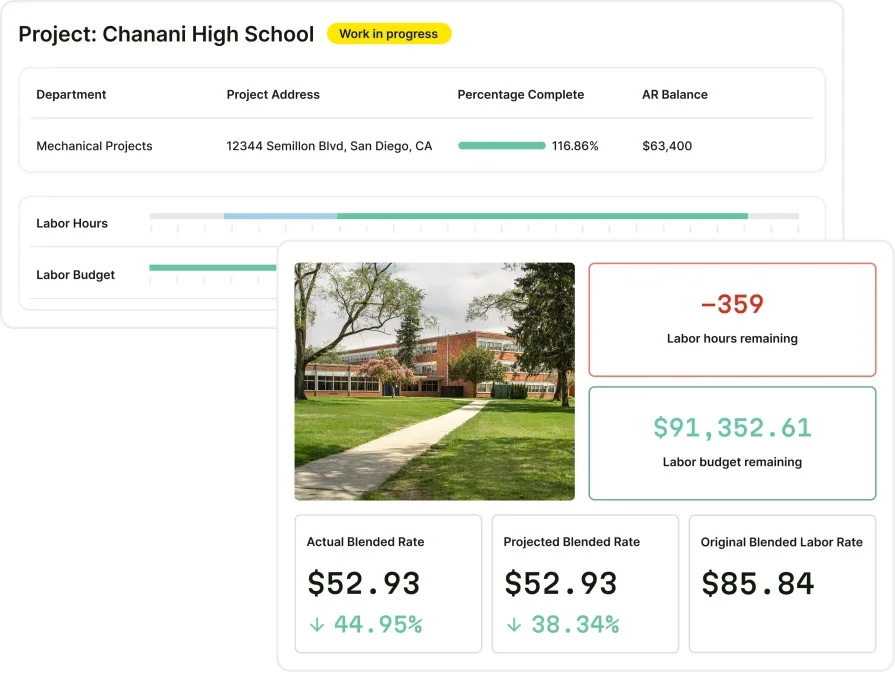
BuildOps is built for commercial service contractors who live with layered approvals, multi-site customers, and jobs that change on the fly. It connects your entire, paperless work order flow from dispatch to closeout, so techs capture notes, photos, and signatures in the same place the office pulls billing details.
And because it’s designed for the realities of commercial work, including change orders, compliance, and tight SLAs, it keeps your team in control without locking you into a rigid, one‑size‑fits‑all process.
How Pricing Works: BuildOps is priced per user, so every seat includes full platform access — no hidden fees, no paying extra for the tools your operation depends on. Pricing is scoped to the size and needs of your business, so the best place to start is a conversation with our team.
Features Beyond Work Order Management: BuildOps covers real-time job costing, project management, AI-powered dispatch, invoicing, service agreements, asset tracking, and labor and equipment management, all in one platform. Built-in AI handles smarter dispatch decisions, cleaner field notes, invoice summaries, and payment processing, so your team spends less time on admin and more time on the work. From quote to final invoice, every part of your operation — service, projects, and financials — runs in a single connected system.
What Sets It Apart for Commercial: BuildOps supports commercial service complexity—multi-property customers, stricter documentation, and scope changes—while keeping the work order as the system of record.
2. Best for residential contractors: Housecall Pro
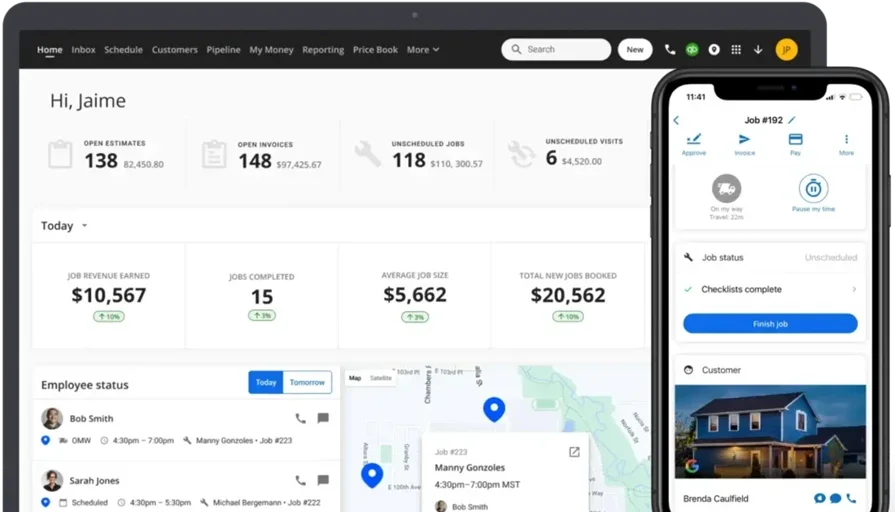
Housecall Pro works well for residential teams that want a clean, mobile-first way to run calls without a heavy setup. It supports digital work orders, customer communication, and on-the-spot invoicing—helpful when you need to close out the job in the driveway and move on. That said, it may not be the ideal fit if you run complex commercial workflows with multi-site billing rules, deeper reporting needs, or strict documentation standards across crews.
How Pricing Works: Housecall Pro uses tiered monthly plans, with pricing that changes based on features and team size.
Features Beyond Work Order Management: It includes tools that help you run the front-to-back customer flow—scheduling, dispatching, estimates, invoices, and payments—so you can keep the job moving without switching systems. For smaller shops, that “all-in-one” feel keeps daily ops simple.
What Sets It Apart for residential contractors: Housecall Pro stays focused on speed and ease for home services, especially when techs need to wrap up jobs and send invoices fast.
Take a look at our head-to-head comparison of BuildOps and Housecall Pro’s features here to see which one has the suite of FSM software your specific crew needs the most.
3. Best for general contractors: Joist
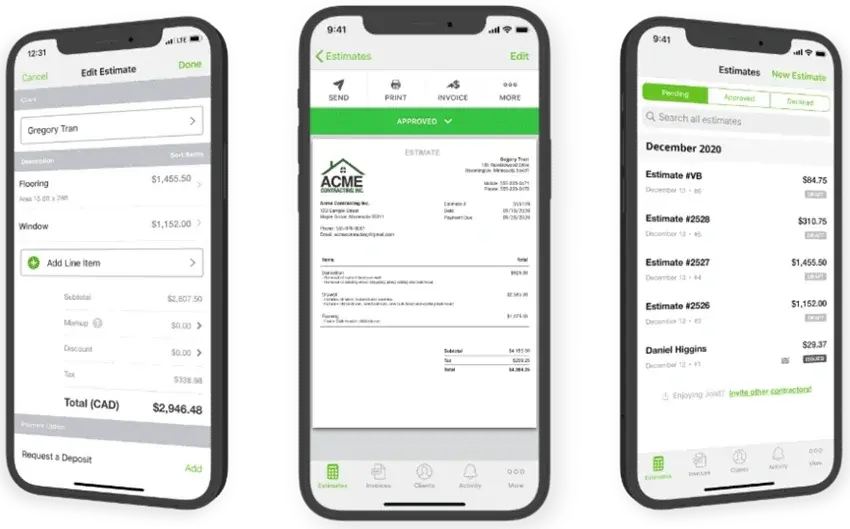
Joist Dworks best for GCs who want clean, fast paperwork tied to job execution—especially when your “work order” is more about documenting scope, approvals, and getting paid. It’s a simple way to keep job details organized, send professional documents, and move from estimate to invoice without a messy trail of texts and PDFs. However, it may not be the best fit if you need a full paperless work order workflow with dispatching, technician coordination, and real-time control across multiple field crews.
How Pricing Works: Joist offers subscription-based plans that scale up as you add features.
Features Beyond Work Order Management: It focuses on estimate-to-invoice flow, customer approvals, and payment tracking, which helps keep small projects from stalling at the “waiting on paperwork” stage.
What Sets It Apart for general contractors: It shines when you need customer-facing docs that look sharp and get approved quickly, especially for smaller jobs that turn fast.
4. Best for growing teams: Service Fusion
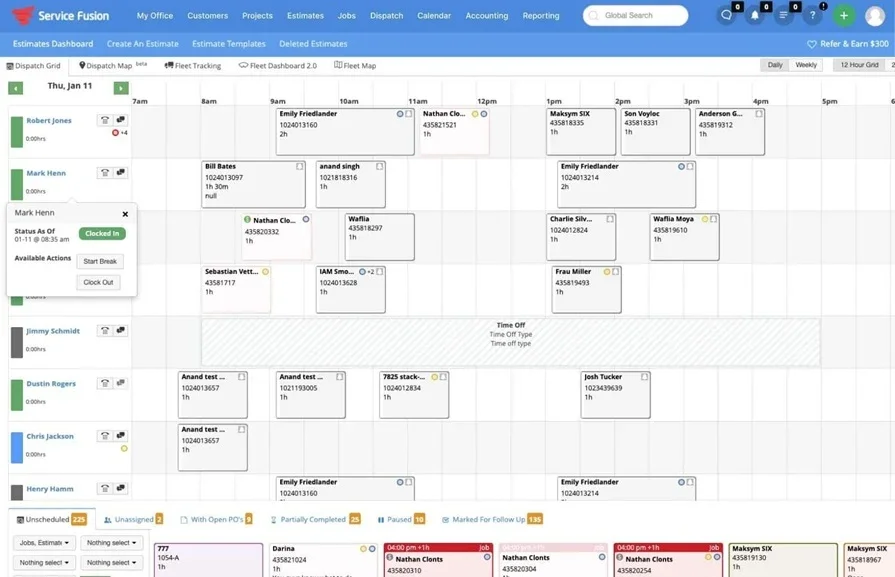
Service Fusion works well for growing shops that need to get off scattered texts, whiteboards, and emailed PDFs and move daily jobs into a single paperless work order flow. It helps keep dispatch, job notes, and customer info connected so techs can close out work in the field instead of dropping paperwork on the office at the end of the day. That said, it may not be the best fit if you need deeper commercial controls like strict multi-site approval chains, heavy compliance documentation, or more granular job costing.
How Pricing Works: Subscription pricing, typically tiered, with costs scaling by users and feature level.
Features Beyond Work Order Management: It goes past basic tickets with tools like scheduling/dispatch, customer management, and invoicing-adjacent workflows that help tighten the gap between “job done” and “office knows what happened.”
What Sets It Apart for growing teams: It’s built to help a small operation add more techs and still keep work orders consistent, searchable, and ready for clean handoffs.
5. Best for documentation-first service teams: ServiceTrade
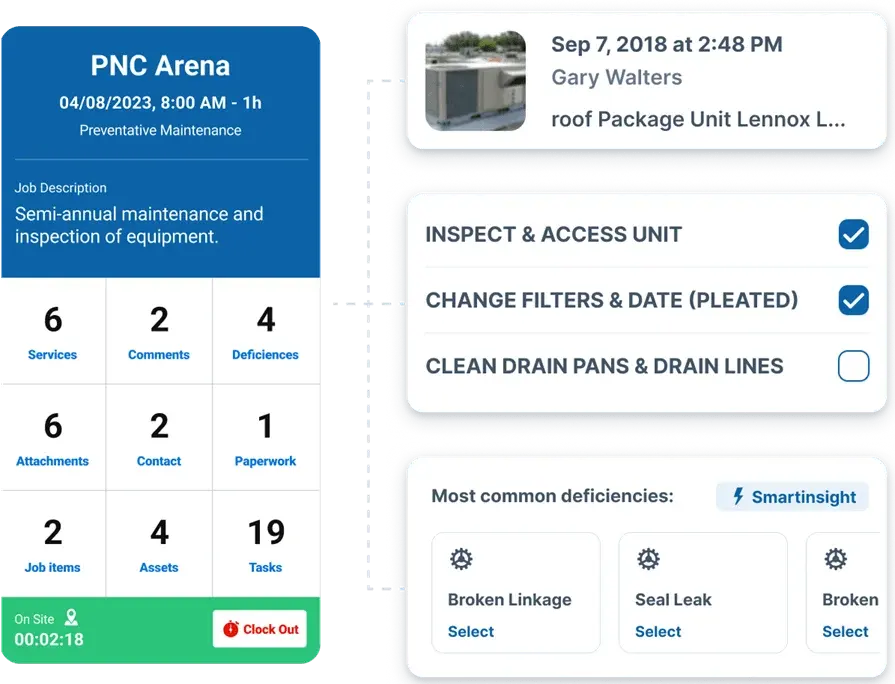
ServiceTrade is a strong option for service businesses that live and die by documentation—inspections, service history, and proof of work—especially in mechanical and fire. A solid paperless work order system here means every visit captures the right checklists, notes, and attachments, so you can show exactly what was tested, repaired, or replaced without chasing down files later. Still, it may not be ideal if your operation needs broader “all-trades” flexibility or you’re looking for a more universal platform to run mixed commercial service plus project work under one roof.
How Pricing Works: Typically sold as a subscription with pricing based on company size and configuration.
Features Beyond Work Order Management: It supports inspection-style workflows, customer documentation needs, and reporting that helps prove completion—useful when customers expect tight records for compliance and renewals.
What Sets It Apart for mechanical and fire protection contractors: It leans into audit-ready documentation and service history, which matters when your closeout gets reviewed by facilities teams and AHJs, not just the invoice approver.
6. Best for scaling residential service companies: ServiceTitan

ServiceTitan is often a fit for high-volume residential service companies that want to keep work orders, customer communication, and sales-to-service handoffs organized as they grow. It’s designed to help office teams keep calls moving while techs document jobs in the field, so the job record doesn’t rely on handwritten notes or end-of-day cleanup. However, it may not be the best choice if your work leans heavily commercial with complex approval layers, multi-property billing rules, or workflows built around bigger service contracts and long-cycle project tracking.
How Pricing Works: Subscription-based pricing, commonly customized based on team size and the modules you use.
Features Beyond Work Order Management: It typically includes scheduling/dispatch support, customer management, and billing-related tools that help connect field closeout to the office’s next step.
What Sets It Apart for scaling residential service companies: It’s built for speed and volume—helpful when you’re running lots of daily calls and need consistent work order completion across a bigger fleet of techs.
Compare BuildOps and ServiceTitan side by side right here.
7 benefits of using a paperless work order system
A paperless work order stops the daily “where’s that ticket?” scramble. Your dispatcher assigns the job, your tech documents the work on-site, and your office has what it needs without chasing handwriting, photos, or missing approvals. That’s the real win of a paperless work order system—one job record that stays accurate from first call to closeout.
1. Faster response times when urgent calls hit
With digital work orders tied to your schedule, you can slot in emergencies without nuking the rest of the day. Instead of guessing who’s free, you see the board clearly and make better choices on timing and coverage—exactly the kind of workflow people mean when they talk about field service scheduling software.
2. Fewer callbacks because job details don’t get lost
Paper tickets turn into vague notes fast—especially when the day runs long. A paperless work order system keeps required fields, photos, and closeout steps consistent, so the next tech (or the same tech next week) doesn’t walk in blind. That “everything in one ticket” approach lines up with how a field service ticketing system is supposed to work.
3. Less chaos when dispatch has to reroute mid-shift
Schedules change. Trucks break down. A job takes longer than expected. When you’re running a paperless work order, dispatch can update the assignment and the tech sees the new job info immediately—no phone tag, no half-baked text instructions. That’s the real payoff of tighter work order dispatch workflows.
4. Fewer “status check” calls between the office and the field
When the work order shows “en route,” “on-site,” “waiting on approval,” or “complete,” the office stops calling techs just to ask for updates. Your dispatcher spends more time coordinating and less time tracking people down, which is what strong contractor dispatch management is built to support.
5. Better customer experience because history follows the work
Customers don’t want to repeat gate codes, site rules, or what got fixed last time. With a paperless work order system, techs pull up past notes and job history before they step out of the truck. When that customer context stays connected—like the way a contractor CRM supports—service feels smoother and more professional.
6. Cleaner billing because proof-of-work lives in the ticket
A paperless work order captures photos, notes, and sign-off while the job is fresh. That reduces billing delays and cuts down on disputes because you can point to the documentation instead of trying to reconstruct the story days later.
7. Stronger accountability and easier coaching across the crew
When every job closes out the same way, it’s easier to spot what’s slowing things down—missing details, repeat issues, or jobs that always run over. Over time, your paperless work order system becomes a training tool: you can coach from real job records, not guesswork.
{{related-content-block="/resources/work-order-management"}}
3 important paperless work order software FAQs answered
If your team runs real volume, the questions aren’t about “going digital.” They’re about control: keeping the job record clean from dispatch to closeout, making field documentation defensible, and getting billing-ready info without calling techs after hours.
1. What is a paperless work order system?
When pros talk about it, they mean where the job record lives and how reliable it stays when the day gets messy. It is a cloud-based job record that lets dispatchers assign work, techs capture labor, parts, photos, and signatures on-site, and the office audit, bill, and report from that same record without rekeying or paper. Notes and history stay searchable by site.
The difference-maker is governance: required fields, timestamps, and controlled edits so closeout holds up when scope, time, or completion gets questioned.
2. How does paperless work order software work?
In practice, it turns the work order into a live job record that follows the job all day: dispatch creates and assigns it with the right site details and constraints, the tech updates it in the field with labor, parts, photos, readings, and sign-off, and the office reviews the same record for billing and reporting—no retyping, no chasing notes, no “what did you do here?” follow-ups.
3. Is a paperless work order tool worth the price?
It’s worth it when it plugs the leaks you already feel but don’t always see on paper—missed billable time, undocumented parts, slow approvals, and tickets that come back too thin to invoice cleanly. If your crew runs enough volume that one bad closeout ripples into callbacks, write-downs, or delayed billing, the cost usually pencils out fast because the paperwork stops living in someone’s truck.
{{related-content-block="/resources/how-service-1st-got-rid-of-the-work-arounds"}}
Most teams don’t get tripped up because they “need to go digital.” They get tripped up when the job record falls apart the moment the day gets real—reroutes, scope changes, missing photos, a signature that never happened, a tech who forgot the part number.
A real paperless work order keeps the job together from start to finish. It starts in dispatch, gets completed in the field with clear proof of work, and hits the office ready to bill—no chasing details, cleaning up notes, or fixing bad data.
BuildOps is built specifically for commercial contractors. Scheduling, dispatch, mobile workflows, job history, time capture, and billing all live in one connected platform—so your “paperless work order” doesn’t quietly turn into five different systems the moment you try to scale.
If you want to see how that looks with your actual workflows, you can book a no-pressure demo. Bring a real work order that’s a headache.