

Plumbing contractors deal with a constant juggle of service calls, dispatching, parts tracking, and invoicing, all while keeping crews productive across job sites. For anyone running or growing a business in the plumbing service industry, software has become a critical tool for keeping operations tight and cash flow healthy.
This guide breaks down everything you need to know about choosing and using plumber software to run your field service operation. Here's what we'll cover:
- How to choose the right plumbing software for your team
- Top plumbing software features to look for & evaluate
- 8 best plumbing software & tools for your business
- 7 benefits of using plumbing management software
- 4 important plumber software FAQs answered
Whether you're moving on from spreadsheets and whiteboards or a platform that’s holding you back, choosing the right plumbing software starts with knowing what it does, how it fits your day-to-day, and what actually makes it worth the switch.
Top plumbing software features to look for & evaluate
Plumbing software can support your operations in dozens of ways, from coordinating field crews to managing customer relationships and financials. To keep things simple, we divide plumbing software programs into three general categories to help you identify the features you should look for.
Field service management & project management plumbing software features

Field service and project management software keeps plumbing operations organized from first call to final walkthrough, simplifying scheduling and dispatch, centralizing job data and documentation, and helping teams stay on top of labor, tasks, and milestones for multi-phase work.
- Scheduling & dispatching – Getting the appropriate tech to the appropriate job at the appropriate time is fundamental to running a plumbing operation. Plumbing software with a robust field service scheduling engine lets you view every tech's availability, skill set, and location from a single board, then assign jobs with a drag-and-drop action. Paired with dedicated dispatch software, your dispatchers can push real-time job details directly to techs' devices, adjust routes on the fly when emergencies come in, and reassign calls when someone is running behind.
- Mobile connectivity – Your techs spend their entire day in the field, not at a desk. A dedicated technician mobile app puts customer history, job details, and equipment records in their hands the moment they arrive on site, so they do not have to call the office for context on every call. It allows techs to receive dispatch alerts on the go, communicate with dispatchers if they need help, and instantly share job updates with other team members for scheduling, invoicing, and analytics.
- Time tracking – Knowing exactly how many labor hours go into each job is critical for accurate job costing and payroll. Plumber software with built-in time tracking captures clock-in, clock-out, and drive time automatically, tying every hour directly to a specific work order. This eliminates end-of-day guesswork on timesheets and gives your office team clean data to work with.
- Service quoting & AI-assisted operations – Speed on estimates wins jobs. Plumbing software with integrated service quoting tools lets techs build professional, multi-option proposals on site using pre-loaded pricebook items, so customers see transparent pricing before any work begins. When paired with AI-powered capabilities, the software can analyze a tech's field notes and auto-generate line items, flag potential upsell opportunities, and draft reports in a fraction of the time manual entry would take.
- Invoicing & payment processing – Getting paid quickly keeps your cash flow healthy. Plumbing software with built-in invoicing capabilities converts completed work orders into invoices automatically, eliminating the lag between finishing a job and sending the bill. Integrated payment processing lets techs collect credit card or digital payments on the spot, so you are not chasing checks weeks later.
- Reporting, analytics & fleet management – You cannot improve what you do not measure. Plumbing software that includes comprehensive reporting and analytics tools tracks KPIs like revenue per tech, average ticket size, close rate on estimates, and time-to-completion by job type. Pairing that with fleet management gives you visibility into vehicle locations, fuel usage, and idle time so you can optimize routes and reduce overhead.
CRM & sales plumbing software features

Plumbing sales and CRM software built for growing teams—so you win more bids, keep every detail tight, and always know the next best move, from first touch to long-term repeat work.
- Customer relationship management – Repeat business is the lifeblood of a plumbing operation, and a purpose-built field service CRM helps you protect it. It stores every customer interaction, property detail, and service record in one searchable hub so your team always has context on who they are serving and what work has been done. Customer hierarchies let you see multi-property relationships at a glance, so you know exactly which unit needs service, at which location, and who to notify.
- Service agreements – Recurring revenue from maintenance contracts stabilizes your cash flow and fills your schedule during slower months. Plumber software with dedicated service agreement management lets you automate recurring job generation, send renewal reminders, and track agreement profitability across your entire customer base.
- Service history & upsell intelligence – To predict what plumbing services your customers may need next, you should know what work they have already had done. Having an extended record of a customer's service calls can help you identify patterns of what work they need and when, and you can use AI analysis to generate suggestions and potential upsell opportunities.
- Targeted communication & feedback – You can use your interaction history with a customer to inform how and when you communicate with them going forward. Provide discounts, queue priority, and other incentives for customers who consistently pay their invoices early or on time, and follow up with clients who are often late. You should also have a way to gather feedback and track interactions like phone calls, emails, and surveys.

Plumbing system design, engineering & simulation features
System design, engineering, and simulation software supports the technical side of plumbing by helping visualize pipe layouts and fixtures, calculate water pressure and flow, verify code compliance and performance, simulate and troubleshoot potential issues remotely, and manage the materials needed to build or repair plumbing systems.
- Pipe sizing & hydraulic calculations – Accurate pipe sizing determines whether a system delivers adequate pressure and flow to every fixture without waste or failure. Design software should account for factors such as the building's size and layout, fixture count, simultaneous demand, elevation changes, and local code requirements. For a contractor bidding on a multi-story mixed-use building, running hydraulic calculations through software eliminates the guesswork that used to rely on rule-of-thumb sizing charts and manual math.
- Plumbing layout & drafting – How pipes are routed, what materials are specified, and where access points are placed all affect installation efficiency, maintenance accessibility, and long-term performance. Layout and drafting tools let you produce detailed 2D and 3D schematics that communicate exact specifications to your install crews and to inspectors.
- Code compliance & standards verification – Plumbing codes vary by jurisdiction and change frequently. Software that cross-references your design against IPC, UPC, or local amendments flags violations before they reach the inspection stage. This is especially valuable when your team works across multiple municipalities: what passes in one county may fail in the next, and catching those discrepancies in the design phase saves rework costs and schedule delays.
- Simulation & diagnostic modeling – It is useful to be able to model how a plumbing system performs without needing to access or operate it. This lets you test flow distribution under peak demand, identify potential bottlenecks, or simulate failure scenarios so you can troubleshoot problems remotely.
Some platforms specialize in just a few key workflows, while others aim to support nearly everything your plumbing business handles, from specific job types to the way your team operates. With those core features in mind, you are ready to explore the top plumbing software options that put them into practice.
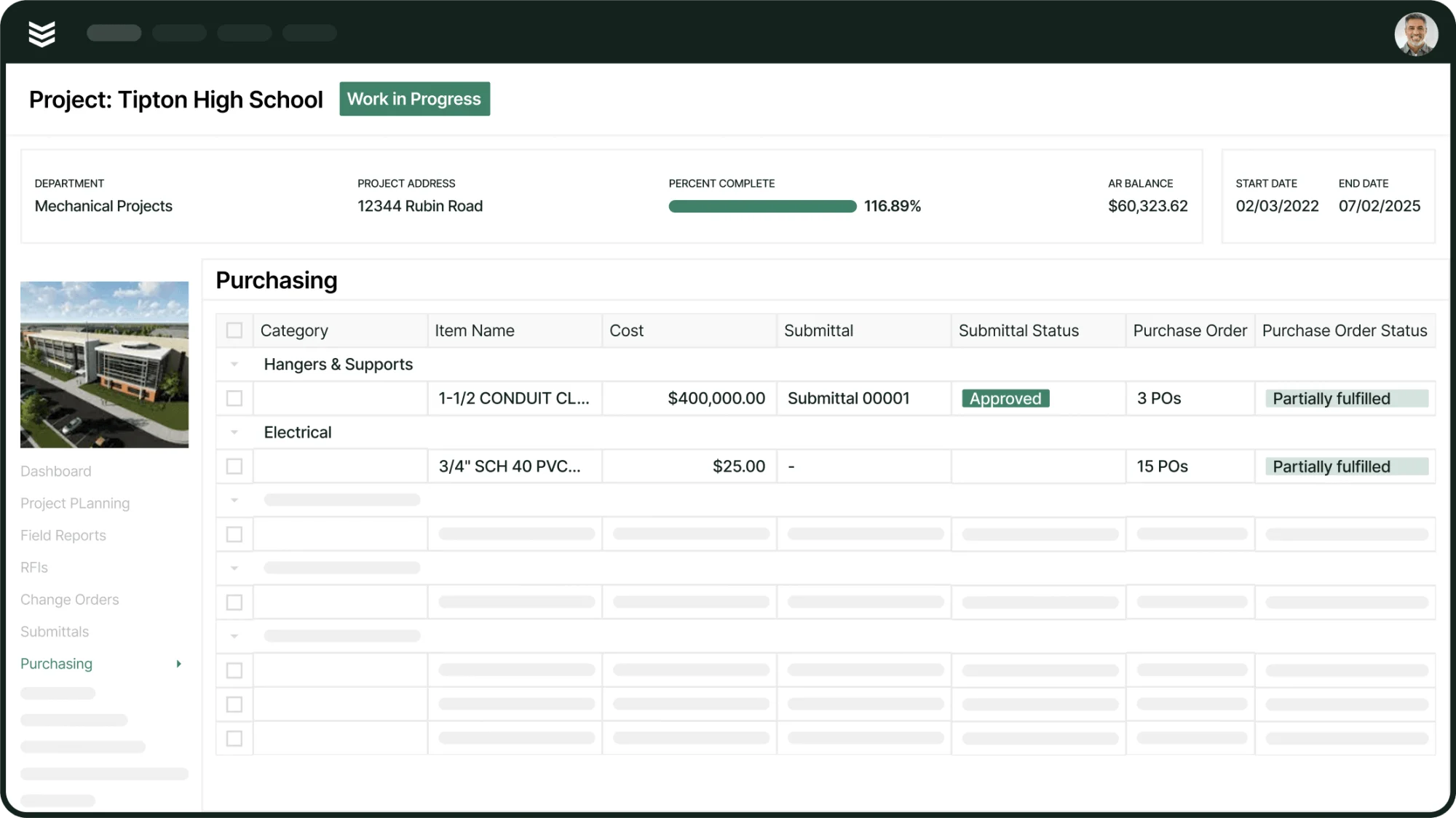
Plan, bid, and execute with BuildOps
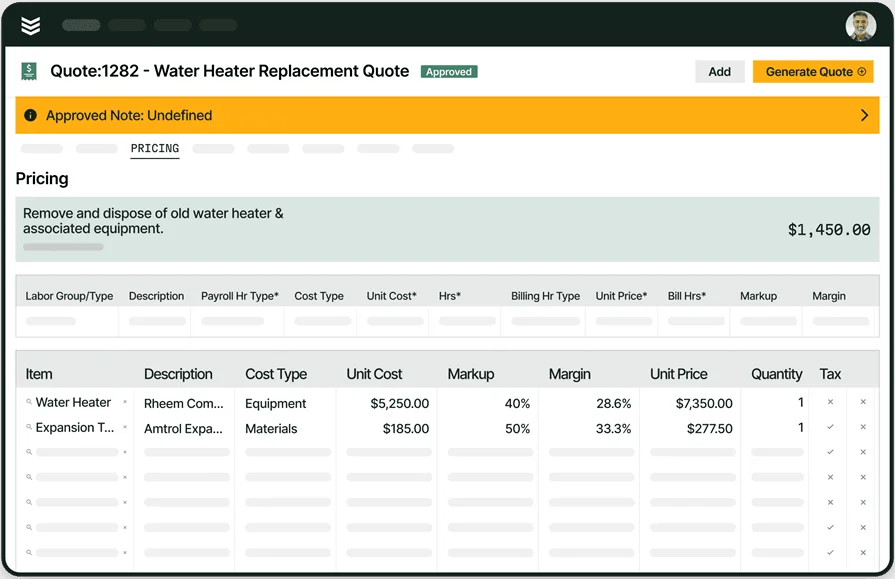
See how quantities flow from scheduling, dispatch, and billing—without duplicate entry.
8 best plumbing software & tools for your business
With the above features in mind, let's jump into our recommendations for software for your plumbing business. Like before, we are categorizing these programs based on which of the three main functions they fulfill, so you can quickly jump to a tool if you are looking for a specific type of software. Remember, though, that some programs may be multi-purpose and could fit in multiple categories.
Best field service management & project management plumbing software
Field service management and project management software help with the everyday tasks of your plumbing company: scheduling and dispatching service calls, putting together estimates, coordinating technicians in the field, and writing reports and invoices. A lot of plumbing software is designed as general-purpose and could fall under this category.
1. Best for commercial plumbing teams: BuildOps

BuildOps is the all-in-one platform built for commercial plumbing contractors, connecting dispatch, scheduling, quoting, invoicing, and project management in a single system. Built-in AI tools like OpsAI help techs capture cleaner notes, flag unbilled work, and surface job history so your crew shows up prepared and your office stays ahead. It all syncs with your accounting system, so nothing falls through the cracks.
Industry Specialization: Commercial
How Pricing Works: BuildOps pricing is based on the size of your team and the features your business needs, so you only pay for what you actually use.
What Sets It Apart: BuildOps lets plumbing contractors manage customers with many properties in one place, so you always know which asset needs fixing, at which site, and who to notify on the account.
Key Features:
- Global Search finds customers, invoices, POs, and job records instantly, even with partial or inexact entries, so you avoid duplicates and spend less time looking.
- Real-time dispatch board with built-in tech filtering by skills, certifications, and availability helps you assign the right plumber to the right job faster.
- Mobile app gives techs full job details, property history, and the ability to capture notes, photos, and reports from the field without calling the office.
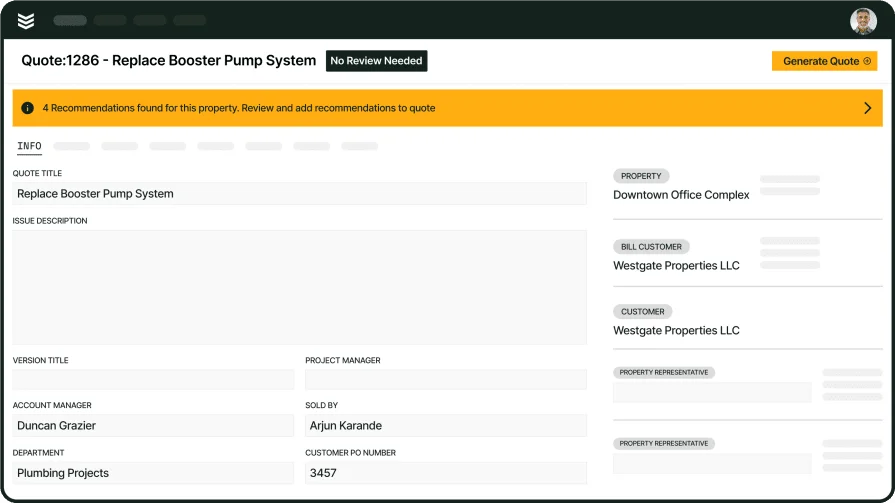
Commercial plumbing, done faster
Quote, schedule, and bill every job in one system.
2. Best for residential: ServiceTitan

Image Source: ServiceTitan
ServiceTitan is a field service management platform used by residential contractors. It combines scheduling, dispatching, CRM, invoicing, and reporting in a single system. ServiceTitan's dispatch board gives you drag-and-drop scheduling with real-time technician tracking, while its mobile app equips techs with job details, a pricebook, and customer history on every call.
Industry Specialization: Residential
How Pricing Works: Custom pricing based on technician count and selected modules.
What Sets It Apart: Deep reporting and analytics, including technician scorecards and CSR performance tracking, give you granular visibility into every aspect of your plumbing operation.
Key Features:
- Dynamic flat-rate pricebook with bulk editing and Good-Better-Best proposal creation lets techs present professional estimates on the spot.
- Marketing Pro add-on automates campaigns and targets outreach using your existing customer database.
- Direct integrations with QuickBooks and Sage Intacct keep your accounting in sync without double data entry.
Compare ServiceTitan against BuildOps directly to see who comes out on top.
3. Best for general contractors: Service Fusion

Image Source: Service Fusion
Service Fusion is an all-in-one FSM software designed for both residential and multi-trade businesses. It enables you to manage your jobs and your entire fleet with GPS tracking. This gives you added visibility over your vehicles so you can reduce fuel costs and maximize the efficiency of your fleet at all times.
Industry Specialization: Residential and multi-trade operations
How Pricing Works: Monthly subscription based on included features.
What Sets It Apart: GPS tracking for advanced fleet management, ideal for plumbing companies dispatching multiple crews daily.
Key Features:
- Easily schedule your plumbing jobs from a single dashboard, and then dispatch them when it is time to start the project.
- Analyze vehicle downtime and fuel efficiency with GPS tracking to get the most out of your fleet across every service area.
4. Best for small residential businesses: Jobber

Image Source: Jobber
Jobber is a plumber software system for residential contractors, helping them manage their operations while growing their plumbing business. With Jobber, you can automatically follow up with customers to get quick responses about appointments and invoices. Easily sync timesheets for payroll, customer management, invoicing, and payment so that everything is working together.
Industry Specialization: Residential
How Pricing Works: Monthly subscription based on the number of users and features.
What Sets It Apart: Exclusively geared towards residential contractors and home services, with a clean Client Hub where customers can approve quotes and pay online.
Key Features:
- Customers can easily book jobs with you online, with Jobber doing the rest of the scheduling work.
- Build intuitive job forms and checklists to make sure your team finishes all tasks on time, whether for clients or internal use.
Best plumbing CRM & sales software
CRM and sales software focuses on the customer-oriented aspects of your plumbing company: how do you get new clients, and how do you offer exceptional service to keep the ones you already have? The options below have some of the best features for those two purposes.
5. Best for residential CRM & automation: Housecall Pro

Image Source: Housecall Pro
Housecall Pro is a CRM and sales solution built for residential contractors and home service businesses. It specializes in plumbing, HVAC, electrical, and cleaning services. The platform offers advanced reporting, invoice tracking, and accounting tools that make it easy to manage all aspects of the customer relationship.
Industry Specialization: Residential contractors
How Pricing Works: Monthly subscription starting at $59/month, scaling based on user count.
What Sets It Apart: Automated customer communication, including on-my-way texts and appointment reminders, that keeps your clients informed without manual effort.
Key Features:
- Use pipeline management to intake and manage customers effectively, automating the process from estimate through to invoice.
- Create engaging sales proposals that lead to additional closed contracts. Boost your upsell success so you can increase job ticket sizes.
See how Housecall Pro stacks up against BuildOps.
6. Best for established home services businesses: FieldEdge

Image Source: FieldEdge
FieldEdge is a cloud-based field service management solution tailored for home service contractors in plumbing, HVAC, and electrical. It streamlines operations with a smart dispatch board, robust reporting, and a mobile app that puts customer details and pricing information directly in techs' hands. Its built-in pricebook comes loaded with thousands of plumbing parts and supports on-site price presentations for transparent quoting.
Industry Specialization: Home services (plumbing, HVAC, electrical)
How Pricing Works: Tiered licensing model based on business needs. Contact them for custom pricing.
What Sets It Apart: A comprehensive built-in flat-rate pricebook with thousands of parts and automatic alternative product suggestions, helping techs upsell at the job site.
Key Features:
- Seamless QuickBooks integration eliminates double data entry and saves an estimated 20+ hours per week on accounting tasks.
- The dispatch board suggests technician assignments based on skill set and expected location, optimizing your crew's coverage.
- Mobile CRM gives plumbers access to full customer history, work orders, and pricing, letting them deliver personalized service at every appointment.
Best plumbing system design, engineering & simulation software
Design and simulation software is about making sure plumbing systems are built correctly and performing correctly. This includes visual planning, pipe sizing calculations, code compliance checks, and diagnostic testing. Here is some of the top plumber software for those functions.
7. Best for plumbing engineering: h2x Engineering
h2x is a web-based mechanical and plumbing design platform that combines standards-led configuration, transparent calculations, and connected design tools into a single workflow. It handles pipe sizing, hydraulic calculations, hot and cold water system design, and gas system design.
Instead of isolated spreadsheets or rigid templates, h2x lets engineers define their own standards and system parameters, calculate precise sizes across an entire network, and generate code-compliant documentation automatically.
Industry Specialization: Plumbing and mechanical engineering
How Pricing Works: Subscription-based, with tiered plans based on features and team size.
What Sets It Apart: Cloud-based platform with real-time collaboration, output to Revit, and transparent calculation traceability so you can verify every pipe size and pressure result.
Key Features:
- Automatic pipe sizing based on fixture units, flow rates, and your specified code requirements (IPC, UPC, AS/NZS, BS EN, and others).
- Material list and design report generation exported in PDF, giving you professional documentation for approvals and installations.
8. Best for plumbing takeoff & layout: PlumbingCAD
PlumbingCAD is a drawing-based software for fast takeoff and quoting of plumbing systems on residential and commercial projects. Import PDF or AutoCAD drawings, trace the plumbing system, and generate PEX-based materials lists and quotations.
The software produces instant 3D views as you define the system in 2D, making it easier to visualize and communicate your work to install crews and inspectors.
Industry Specialization: Plumbing design and takeoff
How Pricing Works: Annual subscription-based licensing, with a 30-day free trial available.
What Sets It Apart: True CAD-based plumbing design that auto-generates 3D views, detailed materials lists, and professional quotation documents directly from your layout drawings.
Key Features:
- Import PDF or AutoCAD plans and trace the plumbing system to generate accurate materials lists, including fittings, pipe lengths, and quantities by diameter.
- Special analysis views let you isolate hot piping, cold piping, specific pipe sizes, or fixture types for targeted review of your design work.
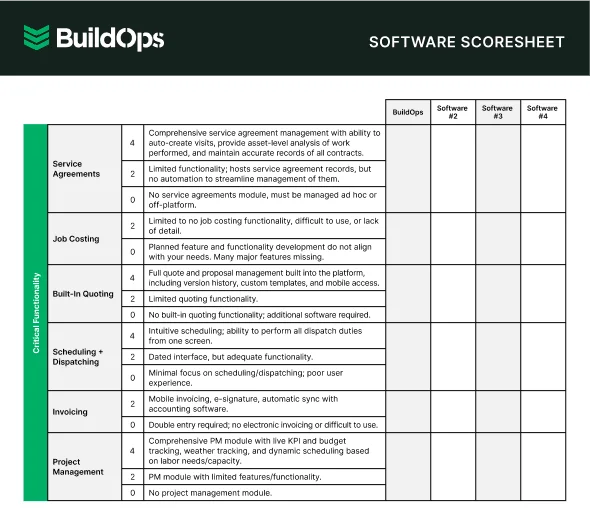
Get the software scoresheet
Compare top tools at a glance with this easy-to-use scoresheet.
7 benefits of using plumbing management software
For plumbing contractors, every delay, missed invoice, or scheduling hiccup adds up—slowing down jobs and eroding profit. Operations software built for the trade eliminates the everyday friction that gets in the way—streamlining everything from the first service call to the final payment—so your team moves with more structure, more speed, and more clarity across every job.
1. Faster job scheduling and dispatching
Coordinating multiple jobs, techs, and trucks can get out of hand fast. With field service management tools, dispatchers can assign work based on availability and location, shift schedules when priorities change, and make sure no job gets missed. Crews get their updates in real time, and the office sees it all from one screen, streamlining everything from routing to technician performance. Mastering field service management for plumbing contractors gives a clear view into how this works on the ground.
2. Accurate, automated invoicing

Manual billing often leads to late payments, missed charges, and back-and-forth with customers. Plumbing software can trigger invoices the moment a job is marked complete, using preset rates and logged hours to calculate totals instantly. Mobile invoicing helps reduce admin work and keeps cash flowing. Understanding how plumbing takeoff and estimating tools connect to your billing workflow shows how much time you can save between the field and the books.
3. Better visibility into the business
Real-time dashboards and job performance tracking give owners and managers a clearer view of what is working. Instead of digging through spreadsheets or handwritten logs, everything from job durations to labor costs is already logged and organized. Plumbing software with built-in field service dashboards centralizes these metrics so you can spot trends and act on them without waiting for end-of-month reports.
4. Professional-looking quotes and documents

When estimates and invoices look polished and consistent, it builds confidence with customers. Plumbing software helps generate documents that match your brand, include line-item pricing, and can be sent out in seconds with no extra design or editing work required. This kind of professionalism carries weight, especially when you are competing for service contracts against other plumbing companies in your area.
5. Consistent growth tracking
Growth is also about improving how those jobs get done. With historical job data and performance trends, contractors can see where they are improving, where they are losing time, and how team output changes over time. Plumbing software with strong field service reporting functions outlines the patterns that drive revenue, so you are making decisions based on data rather than gut feel.
6. Fewer dropped jobs and missed steps
From missed signatures to forgotten add-ons, small errors can create big headaches. With structured workflows, digital checklists, and real-time job updates, techs can complete work with fewer mistakes and less guesswork, especially when moving between multiple jobs in a day. Keeping your parts and materials organized through plumbing inventory management software adds another layer of control, making sure techs show up with what they need and nothing gets left off the ticket.
7. Stronger customer relationships
Repeat customers are the foundation of a stable plumbing business, and software helps you keep those relationships strong. Organized service histories, automated follow-ups, and searchable property records mean your team always knows who they are serving and what has been done before. A dedicated CRM for plumbers keeps every interaction, preference, and agreement in one place so nothing slips through the cracks between visits.
Deep Dive
AI is changing how plumbing contractors manage service jobs and field operations. From intelligent dispatching that matches techs to calls based on skill and proximity, to pattern detection that flags recurring issues at specific properties, teams are catching problems earlier and tightening up their workflows without adding headcount.
The top AI use cases in field service show how plumbing operations are turning job data into faster decisions and stronger margins.
How to choose the right plumbing software for your team
Every plumbing operation has different demands, so no single software platform is going to check every box for every team. Here are the key questions to work through before you commit.
- Cost and contract structure – What is the total monthly or annual cost per user, and does that include onboarding fees? Is pricing locked in, or does it increase after the first term? Is there a demo or free trial so your team can test the platform before signing?
- Ease of adoption – How long does it realistically take to get dispatchers and field techs fully onboarded? Does the vendor provide dedicated training, or is your team left to figure it out from a knowledge base? Can techs who are not especially tech-savvy use the mobile app without constant support?
- Industry fit – Is the platform designed for plumbing contractors handling service and repair work, or is it a generic tool retrofitted for the trades? Does it account for the way plumbing jobs actually flow, from dispatch through diagnosis, repair, and closeout? Can it handle recurring maintenance agreements alongside one-off service calls?
- Vendor support and accountability – What does ongoing support look like after the initial onboarding period? Is there a dedicated account manager, or are you routed to a general help queue? How quickly do they resolve issues that affect your dispatchers or techs in the field?
- Reviews and reputation – What are contractors in your segment saying about the software on third-party review sites? Are the most common complaints deal-breakers for your operation, or minor friction points? How recent are the reviews, and do they reflect the current version of the platform?
- Field service integration – Does the software connect scheduling, dispatching, invoicing, and reporting in a single workflow? Can your techs update job status, capture notes, and process payments from the field without switching between apps? Does the platform sync with your existing accounting or CRM tools so data flows without manual re-entry?
With these questions answered, you will have a clear picture of which platforms deserve a closer look.
4 important plumber software FAQs answered
Plumbing leaders running active crews, juggling service calls, and exploring software options ask us these questions all the time—so we’ve put together clear, direct answers for each one.
1. What is plumbing software?
Plumbing software is an all‑in‑one operations platform that unites scheduling, dispatching, estimating, invoicing, CRM, and reporting into a single source of truth—built for plumbing contractors to run service calls, recurring maintenance, and multi-job projects seamlessly across the field and the office.
Some tools just handle one or two workflows. Others run everything, from first call to final payment. Pick based on project complexity, how many people you’re coordinating, and how tightly your field and financial data need to stay in sync.
2. How does plumber software work in day-to-day operations?
At the workflow level, plumbing software keeps every handoff tight and automatic. No more slow, messy passes between departments.
A service call enters the system and instantly lands on the dispatch board. From there, it’s assigned based on technician availability and skill set. Once assigned, job details push straight to the tech’s mobile device. The tech doesn’t chase info—it’s already there.
3. Is plumbing software worth the investment?
Plumbing software ranges from about $20–$50 per user per month for basic tools to $250–$500 for full all‑in‑one platforms. But price matters less than payback: the right system speeds up billing, eliminates double entry, tightens dispatch, and recovers missed revenue—often paying for itself within months. The biggest risk isn’t overpaying; it’s never fully rolling it out to the whole team.
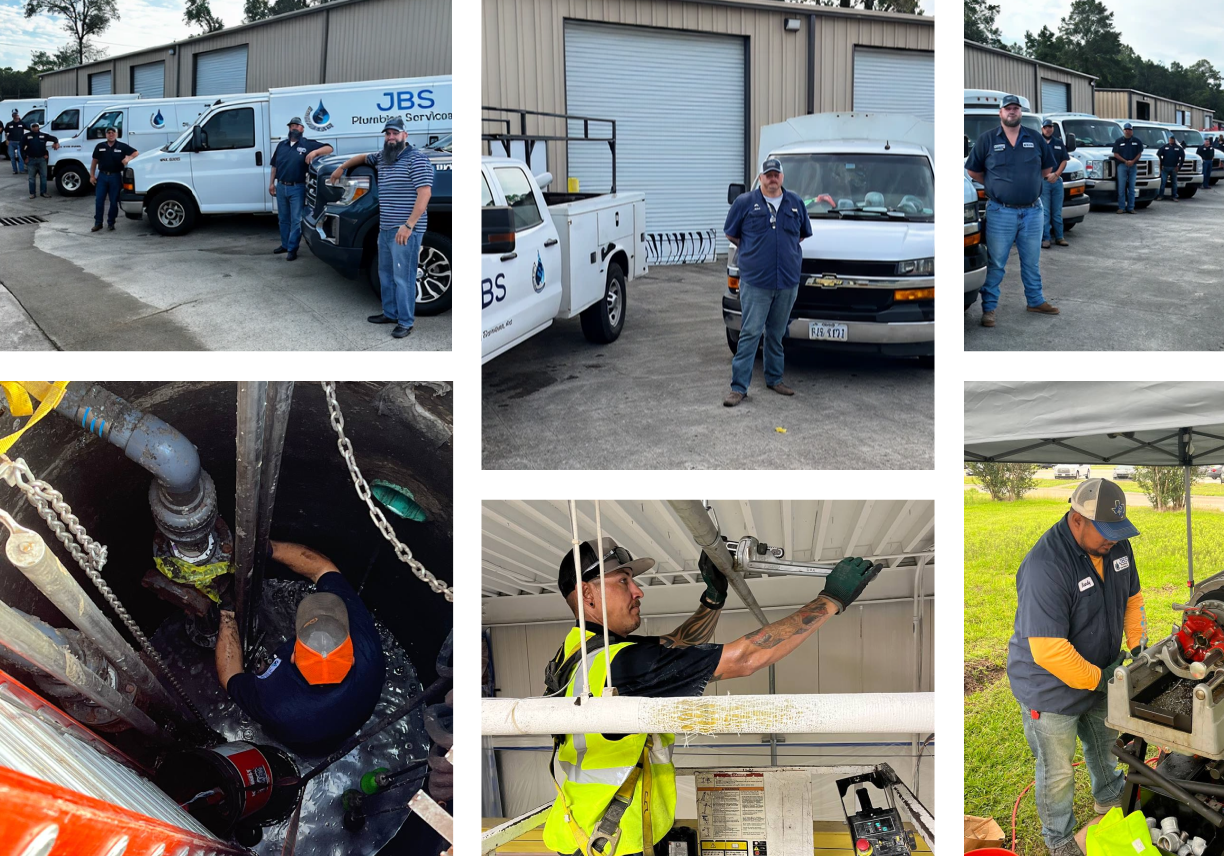
JBS Plumbing is a prime example of a contractor committed to leveraging their software investment the right way.
4. What are the best practices for getting the most out of plumbing software?
Buying the platform is step one. Getting your team to actually use it, consistently and correctly, is where the value compounds.
- Run full-team onboarding before the platform goes live.
- Map your job workflows before configuring the software to match them.
- Make mobile app usage mandatory for every tech from day one.
- Audit and update your pricebook on a monthly or quarterly schedule.
- Use custom forms and required fields so techs cannot close a work order without capturing critical data.
- Automate recurring job generation from your service agreements.
- Review your reporting dashboard on a weekly cadence.
- Integrate with your accounting software before the first invoice goes out.
- Assign one internal team member to own the platform configuration and train new hires.
- Clean up duplicate records, outdated properties, and inactive agreements every quarter.
The best plumbing software eliminates the gaps between your field and office by connecting dispatch, invoicing, CRM, and reporting into one system. When those functions talk to each other in real time, your team stops losing hours to manual handoffs and starts turning completed work into collected revenue faster.
BuildOps gives commercial plumbing contractors one place to run it all: multi-property clients, distributed crews, and every workflow in between. With AI baked into the core, it turns field notes into clean, structured reports and uses smart search to kill duplicate records and surface the right customer data in seconds.
If you want to see how it handles your workflows, we will walk you through it live. No slideshow, no pressure, just the platform running the way your team would use it.
See how BuildOps handles plumbing jobs
We help plumbers book more jobs, track progress, and get paid faster