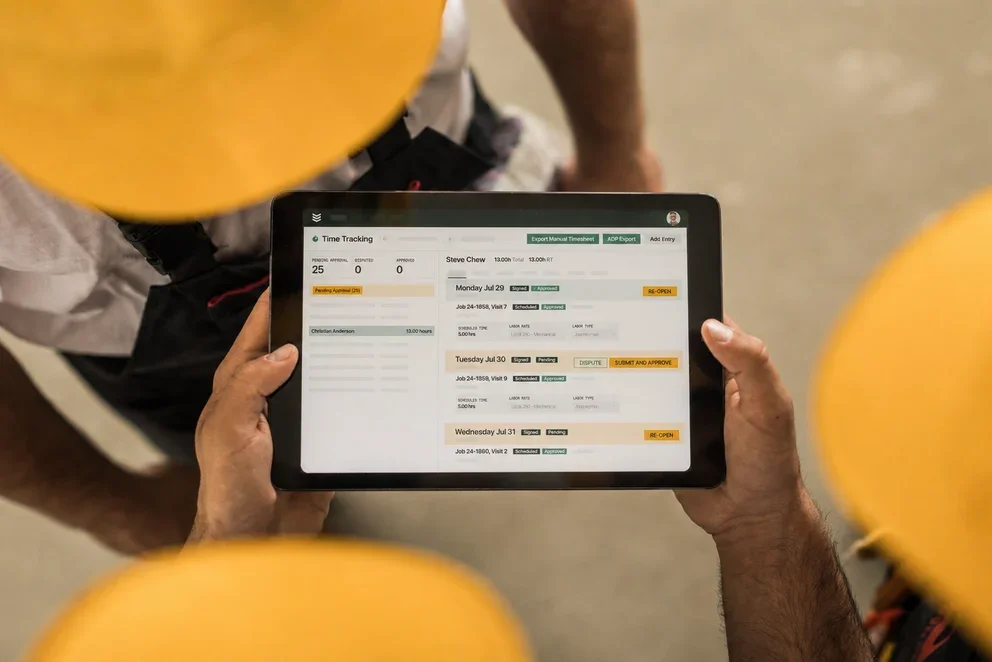
Not knowing if the right parts are on the right truck when the job starts is a common problem in the trades. In the field service industry, AI-powered inventory optimization helps contractors stay ahead by predicting demand, automating reorders, and giving teams real-time visibility across trucks and warehouses. The result is fewer parts runs, better first-time fix rates, and leaner inventory without the risk of running out when demand spikes.
Inventory optimization software is built very differently, so to help you choose the one that’s the right fit for your business, we’ll cover these topics:
- Top AI inventory optimization software features
- 8 best inventory optimization software with AI
- 5 benefits of using AI for inventory optimization
- Questions to ask when choosing AI software for inventory optimization
- 4 important AI inventory optimization software FAQs answered
Let’s start by breaking down the most important features you need to evaluate when choosing inventory software that works for your contracting business.
Top AI inventory optimization software features
AI makes inventory work smarter by predicting demand, keeping the right parts on the right trucks, reducing stockouts, and protecting profit. Choose software that tightly connects inventory with field operations.
1. AI-powered demand forecasting and smart dispatching

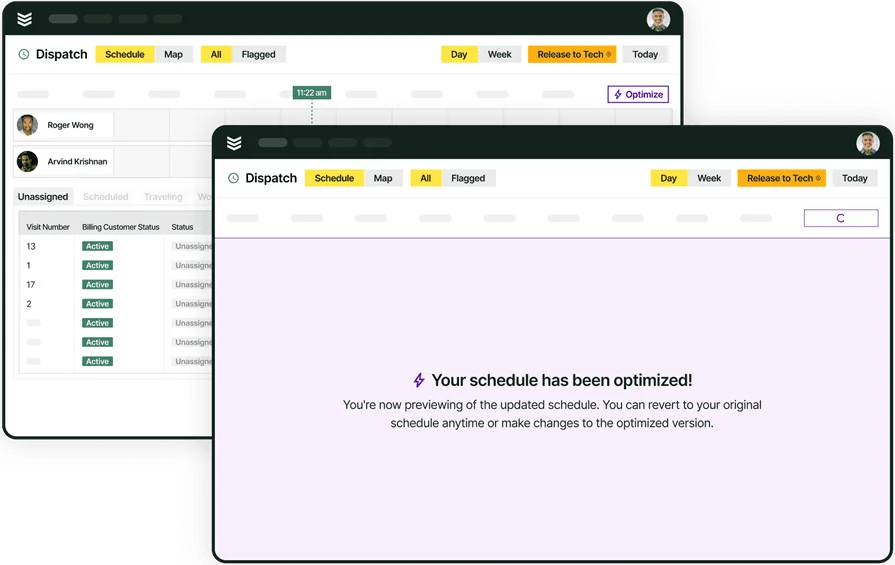
AI predicts part demand by analyzing job history and seasonal spikes, connecting that data to your dispatch board. Features like a drag-and-drop scheduling tool ensure techs are sent to the job site with the correct parts, minimizing delays. For optimal inventory use, ideally your dispatch board is AI-powered, suggesting which tech—and which stocked vehicle—should be assigned to a job based on parts required.
2. Real-time multi-location inventory visibility
For large operations, the system should offer advanced inventory management, consolidating all parts information under a single view across multiple trucks and warehouse locations. This feature is a big time-saver for instantly locating stock or parts needed for large-scale projects.
3. AI-driven reporting and automated reordering

Comprehensive reporting tools are vital for gaining actionable insights into inventory health. A system with built-in analytics can track field service metrics & KPIs such as inventory turns and carrying costs. AI automatically updates stock levels and triggers reorders. The more custom the platform lets you build your own dashboards based on inventory data, the better. Field service reporting, for example, lets you build any dashboard you want using every single field available in the platform.
4. Mobile inventory app for field techs
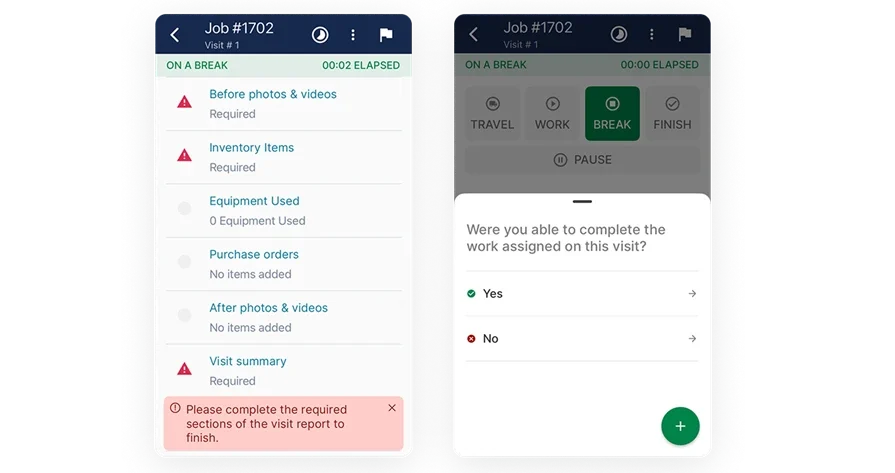
The most power comes from connecting inventory to field work, so a mobile app designed for field techs is a must. It should offer real-time updates on parts availability, allow techs to log part consumption instantly, and initiate stock transfer or reorder requests from the job site. This real-time mobile connection to inventory is key to making the investment in AI optimization worthwhile.
5. Automated consumption tracking and workflows

Integrated inventory tracking helps ensure that every part used is accounted for in the work order and quote. The job workflow is already there and accessible, so parts consumption is automatically logged when the tech completes the task. This feature helps ensure accurate job costing and fosters tech accountability for truck stock.
Explore our service management suite
We help keep crews aligned, schedules booked, and cash flow moving.
8 best inventory optimization software with AI
We’ve compiled a list of the best AI-powered inventory optimization software that have specific features and functions for field service contractors, so you can choose from the one that most suits your business needs and custom workflows.
1. BuildOps: best for commercial service businesses

Built for commercial field service contractors, BuildOps connects AI-powered inventory optimization with the full field operations workflow. From predictive demand forecasting and real-time parts visibility to smarter dispatch, reporting, and service execution, BuildOps helps teams keep the right inventory in the right place—so every job runs faster, smoother, and more profitably.
How Pricing Works: We provide weekly live demos and an opportunity to arrange a personalized session to help you explore features and choose a solution that suits your needs.
Features Beyond Inventory Management:
- Predictive demand forecasting and automated reordering
- Real-time multi-location inventory visibility (trucks, warehouses, jobs)
- AI-powered reporting tools for inventory health and carrying costs
- Technician-friendly mobile app for consumption tracking and stock transfers
What Sets It Apart for Commercial Service Teams: BuildOps stands out for its ability to streamline complex inventory across multiple locations and provide real-time, AI-driven stock optimization, making it a top choice for commercial field service businesses.
Rating: 4.4 on Capterra from 177 user reviews
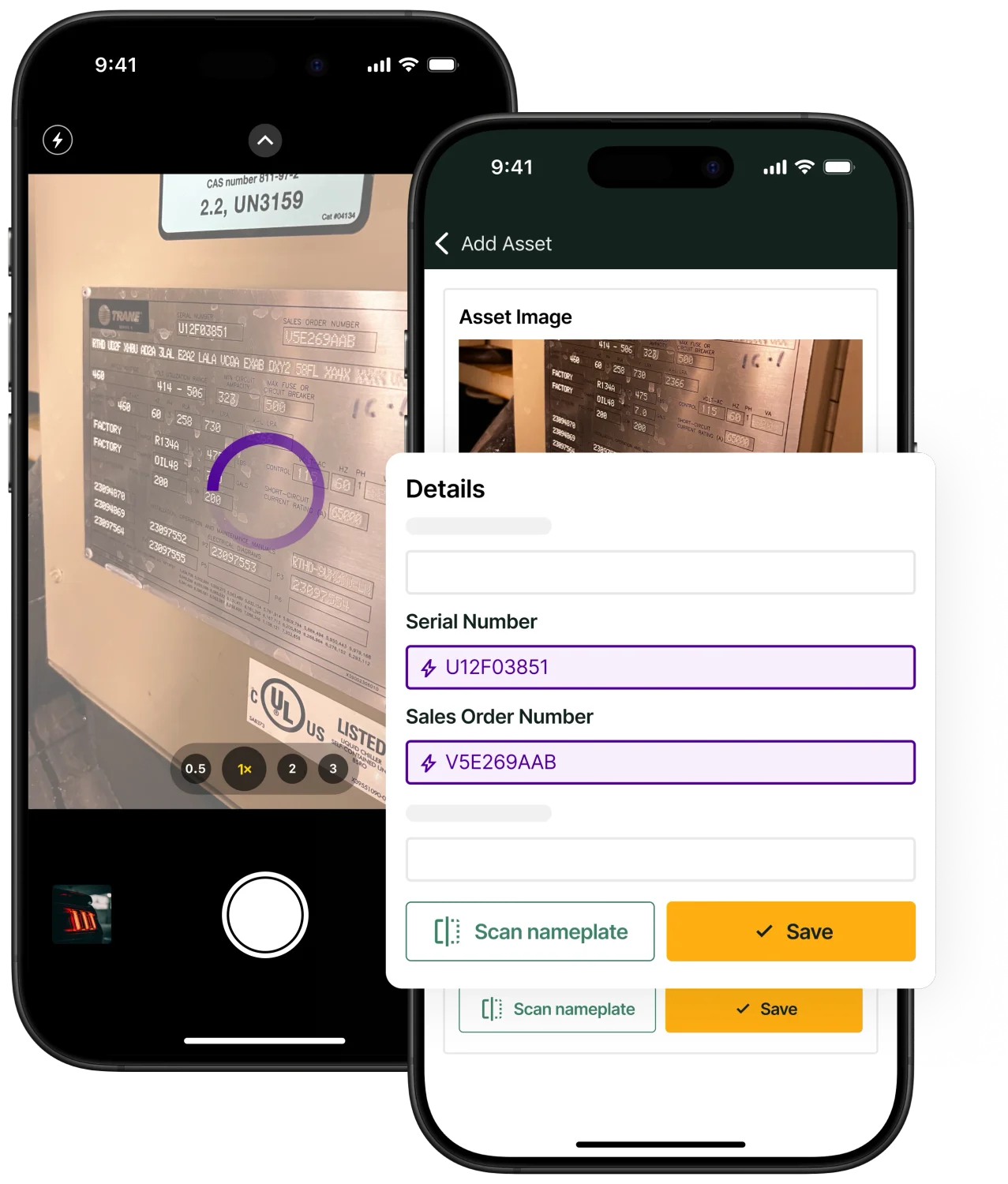
See how AI supports a full day in the field
Set a demo and walk through dispatch, documentation, and invoicing in one workflow.
2. Kickserv: best for residential teams

Image Source: Kickserv
Kickserv is a great fit for residential field service teams who need simple yet effective tools to manage their parts and stock. This software emphasizes basic inventory tracking and connection to job workflows, ensuring technicians can quickly log parts used. However, it lacks the advanced AI forecasting and multi-warehouse optimization tools needed for larger commercial operations, making it less ideal for scaling businesses with complex stock needs.
How Pricing Works: Kickserv offers tiered pricing, with key features like payment processing and customer management available at higher tiers.
Features Beyond Inventory Management:
- Basic inventory tracking for truck stock and warehouse
- Simplified job-to-parts linking for accurate consumption logging
- Simplified job scheduling for smaller-scale teams
What Sets It Apart for Residential: Its simple interface streamlines parts tracking for smaller, residential job types, saving administrative time and improving job costing accuracy.
Rating: 4.4 on Capterra from 387 user reviews
3. Procore: best for general contractors

Image Source: Procore
Procore is designed for general contractors managing complex projects and large material inventories. It excels at integrating materials tracking into major construction workflows, supporting everything from pre-construction planning to job site management. However, its focus on massive, materials-heavy operations means it often lacks the dedicated AI features needed for optimizing field service truck stock and predictive service demand.
How Pricing Works: Procore’s pricing is customized based on company size and project scope, making it ideal for large-scale operations.
Features Beyond Inventory Management:
- Comprehensive project material management tools
- Collaboration features for materials procurement across subcontractors
- Detailed reporting and analytics for project materials performance
What Sets It Apart for General Contracting: Procore excels at integrating project management with materials tracking, making it the perfect tool for managing diverse and large-scale construction inventory.
Rating: 4.5 on Capterra from 2657 user reviews
4. FieldPulse: best for small teams

Image Source: FieldPulse
FieldPulse offers lightweight, user-friendly inventory management perfect for small teams managing their truck and warehouse stock. With features like stock level tracking and simple invoicing, FieldPulse gives field service teams the ability to track materials without being overwhelmed. But if you need AI-driven demand forecasting, multi-location optimization, or advanced inventory reporting, its simplicity might hold your business back.
How Pricing Works: FieldPulse offers flexible pricing tailored to smaller businesses, with a focus on affordability.
Features Beyond Inventory Management:
- Built-in stock level tracking for truck and warehouse
- Simple invoicing and payment processing
- Materials management tools for small teams
What Sets It Apart for Small Teams: FieldPulse keeps small teams productive with a streamlined, no-frills interface that focuses on core operational needs like basic materials tracking.
Rating: 4.6 on Capterra from 439 user reviews
Check out our breakdown of how FieldPulse stacks up when compared to BuildOps.
5. ServiceFusion: best for fleet management

Image Source: ServiceFusion
ServiceFusion offers inventory features that are strongly linked to fleet and vehicle management. Its focus on GPS tracking and real-time vehicle insights helps businesses ensure parts are tracked as they move between locations and trucks. However, while great for fleet logistics, it may not offer the deep AI-powered demand forecasting and multi-location inventory optimization that growing field service businesses need.
How Pricing Works: ServiceFusion offers straightforward, tiered pricing plans with features expanding at higher levels.
Features Beyond Inventory Management:
- GPS fleet tracking for monitoring parts on technician locations
- Real-time vehicle insights linked to stock movement
- Route optimization to save time and fuel on parts runs
What Sets It Apart for Fleet Management: ServiceFusion helps businesses take control of parts logistics by integrating inventory tracking with real-time fleet management.
Rating: 4.3 on Capterra from 308 user reviews
6. Freshdesk: best for service case tracking

Image Source: Freshdesk
Freshdesk is primarily a helpdesk solution that can be used to track the need for parts during a service case. It excels in tracking customer requests and providing tools to keep service conversations organized. But it’s primarily a communication and ticketing tool—lacking the core AI-driven features like demand forecasting, truck stock optimization, and automated reordering that field service inventory management relies on daily.
How Pricing Works: Freshdesk offers a free plan for small teams, with premium features like advanced automation and reporting available on higher tiers.
Features Beyond Inventory Management:
- Centralized service request history for parts needed
- Email ticketing system for streamlined customer inquiries
- Workflow automation to prioritize customer requests efficiently
What Sets It Apart for Client Communication Tracking: Freshdesk focuses on keeping customer service communication organized and accessible, which can indirectly help track necessary parts for a job, but it is not a dedicated inventory solution.
Rating: 4.5 on Capterra from 3414 user reviews
7. Simpro: best for complex workflows

Image Source: Simpro
Simpro is ideal for field service contractors handling intricate workflows that require detailed inventory tracking and job costing. It combines project management, inventory tracking, and job costing into one platform to keep your operations running efficiently. While feature-rich and offering inventory capabilities, it is not primarily an AI-driven optimization tool, and its complex setup can slow down implementation for teams looking for an easy, intuitive solution.
How Pricing Works: Simpro offers custom pricing tailored to the size and scope of your business.
Features Beyond Inventory Management:
- Detailed inventory tracking for better supply management
- Accurate job costing and project material allocation
- Workflow automation for recurring inventory-related tasks
What Sets It Apart for Workflow Automation: SimPRO’s strength lies in automating complex workflows and integrating job costing and inventory tools.
Rating: 4.0 on Capterra from 145 user reviews
Be sure to check out our head-to-head comparison of Simpro’s features compared to BuildOps.
8. Insightly: best for parts ordering management

Image Source: Insightly
Insightly is for general businesses that need to manage business processes, which can be adapted to track parts ordering and vendor relationships. With its easy-to-use interface and advanced pipeline tracking, it’s perfect for managing the purchasing side of inventory. However, it’s more of a general business tool—lacking dedicated AI inventory features like demand forecasting, truck stock optimization, and real-time consumption tracking required for commercial service work.
How Pricing Works: Insightly offers flexible pricing plans, starting with a free option for small teams.
Features Beyond Inventory Management:
- Advanced pipeline tracking for purchasing and vendor leads
- Integration with Google Workspace and Microsoft Office
- Automated email campaigns for vendor and supplier engagement
What Sets It Apart for Lead Management: Insightly makes it easier to track and manage parts purchasing processes, helping businesses follow up on orders and vendor relationships.
Rating: 4.0 on Capterra from 654 user reviews
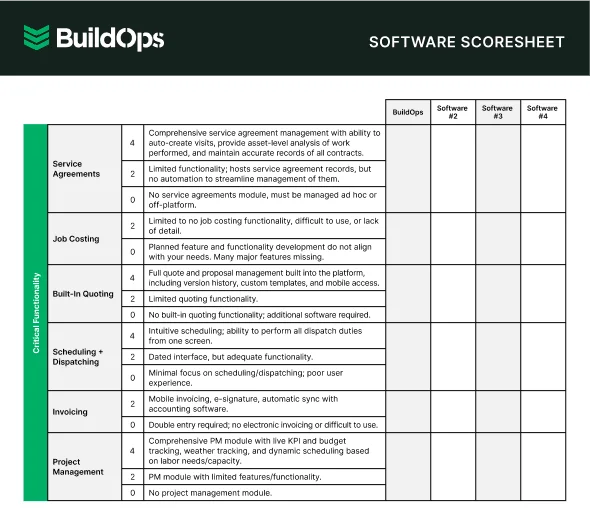
Get the software scoresheet
Compare top tools at a glance with this easy-to-use scoresheet.
5 benefits of using AI for inventory optimization
AI-powered inventory optimization removes the complexity of managing parts across multiple trucks and warehouses, shifting teams from reactive parts runs to proactive demand planning. Here are five core benefits field service contractors gain:
1. Accurate demand forecasting
AI analyzes historical job data and seasonality to predict exactly which parts you'll need and when. This ensures your stock levels match expected service demand, preventing stockouts and protecting your first-time fix rates. See how effective field service inventory management streamlines your stock.
2. Optimized dispatching and scheduling
The system connects part requirements to technician truck stock in real-time, ensuring the tech assigned to a job has the materials needed before they leave the shop. This integration reduces wasted trips and keeps the schedule flowing smoothly. Learn more about how AI field service scheduling works.
3. Lower carrying and holding costs
By providing precise forecasting and automating reorders only when needed, AI prevents overstocking. This frees up capital that was tied up in excess inventory, shrinks warehouse space requirements, and directly lowers your overall holding costs. Explore key features of field inventory management software that drive these savings.
Did you know
A Kickstand report based on a survey of 606 contractors across the U.S. and Canada found that 78% are using AI tools on the jobsite, while 47% say one in five positions remain unfilled. That combination explains why AI-backed workflows matter in field ops: they reduce admin load and help teams keep output steady with the headcount they have.
4. Real-time inventory visibility
AI centralizes all parts data from every truck and warehouse into a single view. Field techs can instantly locate needed parts in nearby trucks or request transfers, eliminating miscommunication and ensuring everyone is working with the same, accurate information. Improving your contractor workflow with AI tools is key to accountability.
5. Enhanced job costing accuracy
Automated consumption tracking logs every part used to the specific work order, guaranteeing accurate job costing and preventing lost materials from impacting your margin. Real-time data turns every transaction into a metric for smart decision-making. Discover more about the best contractor software AI features for profitability.

Questions to ask when choosing AI software for inventory optimization
The right AI inventory optimization software does more than track parts—it helps field service contractors operate with greater speed, control, and profitability. By using predictive intelligence, the best platforms help teams anticipate demand, reduce downtime, streamline field operations, and scale with confidence as the business grows.
Here are some critical factors to think about when making your decision:
- Predictive demand accuracy — Does the system use AI to forecast parts needs based on historical job data and seasonality, minimizing stockouts and overstocking?
- Integration with field workflows — Will the software tightly connect inventory data with dispatch, scheduling, and invoicing to automate consumption tracking and reordering?
- Optimization of truck stock — Can the platform analyze truck stock performance and suggest optimal inventory levels per vehicle to improve first-time fix rates?
- Training and support options — Will your team be able to adopt the software quickly with the help of training resources or responsive customer support?
- Real-time multi-location visibility — Does it provide a consolidated view of all parts across all trucks and warehouses, allowing field techs to easily locate stock?
The responses to these queries will direct you toward an AI inventory optimization solution that genuinely improves your company rather than only fulfilling requirements.
4 important AI inventory optimization software FAQs answered
AI inventory optimization helps field service teams keep the right parts on the right trucks, cutting stockouts and wasted time. Here are the basics.
1. What is AI inventory optimization for field service?
AI parts management predicts the right parts, in the right place, at the right time. Basic systems forecast demand and automate reorders. Advanced solutions connect with your field service platform to improve scheduling, boost first-time fix rates, and tie parts usage to work orders for accurate job costing.
2. Is AI inventory optimization worth the investment?
Yes—ROI is usually strong. AI cuts time spent finding and ordering parts, improves first-time fix rates, reduces repeat trips and material loss, and helps protect profit on every job.

3. What are the best practices for adopting AI inventory optimization software?
Tech buy-in is essential for success. To get your field and office teams on board faster:
- Prioritize the biggest pain point (e.g., stockouts or manual reordering) to demonstrate immediate value.
- Provide high-quality data (6-12 months of job history) so the AI can build accurate demand predictions.
- Include field teams in workflow definitions and provide thorough training on mobile usage.
- Iterate and improve based on feedback from technicians during the initial month of use.
- Align AI with strategic goals by monitoring performance and refining your approach using KPIs.
4. How does AI inventory optimization benefit field service contractors?
AI turns inventory into a strategic advantage—putting the right part in the right place, improving first-time fix rates, and cutting costs so teams can stay focused on service.
AI is changing how field service contractors manage inventory—not by adding more dashboards, but by helping teams make faster, smarter decisions across the entire operation. From predicting material needs and reducing stockouts to improving truck replenishment and warehouse coordination, the right platform helps inventory move in sync with the work.
While many tools solve one piece of the problem, BuildOps brings it all together. With OpsAI, contractors can connect inventory insights to scheduling, dispatch, service history, purchasing, and the field in real time—so every team works from the same operational picture. Built for commercial contractors, it’s designed to help shops stay lean, responsive, and ready for whatever the day throws at them.
Unify your FSM with BuildOps
See how we tie scheduling, dispatch, mobile, assets, and billing into a single workflow.